 MetaTrader 5
 Experts
 지표
지표
 라이브러리
라이브러리
 유틸리티
유틸리티
 위젯
위젯
 규칙
규칙
MetaTrader 5용 새 Expert Advisor 및 지표 - 341
 트레이딩 로봇과 지표를 사용하여 외환 거래를 더 수익성 있게 만들 수 있습니다. 트레이딩용 로봇을 사용하면 개점 및 폐점 거래를 자동화할 수 있으며, 지표는 시장 행동을 보다 정확하게 예측할 수 있습니다.
이 페이지에는 MetaTrader 5 응용 프로그램의 카탈로그가 나와 있습니다.
트레이딩 로봇과 지표를 사용하여 외환 거래를 더 수익성 있게 만들 수 있습니다. 트레이딩용 로봇을 사용하면 개점 및 폐점 거래를 자동화할 수 있으며, 지표는 시장 행동을 보다 정확하게 예측할 수 있습니다.
이 페이지에는 MetaTrader 5 응용 프로그램의 카탈로그가 나와 있습니다. 
GOLD OPTIMAL EA 2 for XAUUSD – Stable. Smart. Profitable. GOLD OPTIMAL EA is a powerful Expert Advisor built exclusively for trading XAUUSD (Gold) on the MetaTrader 5 platform. It operates with high stability, using a tightly risk-controlled strategy and optimized trading logic tailored for lower timeframes. Key Features Overview: ️ Optimized for the M5 timeframe , making it well-suited for both calm and volatile market conditions.
️ Smart trade management – automatically splits orders, handle

Jinn - Fair Value Gap Trading Expert Advisor Professional automated trading system that identifies and trades Fair Value Gaps (FVGs) with advanced risk management. What it does: Automatically detects Fair Value Gaps on H1 and M15 timeframes Executes precise entries when price retraces to FVG zones Implements multiple entry modes: Conservative, Moderate, and Aggressive Supports multiple simultaneous positions with customizable limits Key Features: Smart Detection : Identifies both standard and mi

This indicator is deliberately constructed to avoid repainting. Once a candle has closed, the output it produces remains fixed and unchanged. This behavior ensures accuracy during backtesting and provides reliability in real-time strategy execution.
Unlike traditional methods such as linear or polynomial regression, kernel-based methods don't assume any specific form or distribution for the data. Instead, they rely on a kernel function —a mathematical tool that assigns influence to each nearb
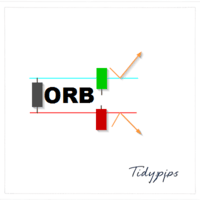
The Market Open ORB Indicator is a powerful and customizable tool designed for traders seeking to capitalize on the Opening Range Breakout (ORB) strategy. This indicator identifies the high, low, and midline of a user-defined time window after the market opens, providing clear visual cues for potential buy or sell opportunities when the price breaks out of these levels. Tailored for MetaTrader 5, it offers unmatched flexibility and precision for forex, stocks, and other markets. Key Features Cus

Manual Trade Manager ICT Trendline An Advanced Manual Order Manager for ICT/Trendline-Based Trading Overview Manual Trade Manager ICT Trendline is a smart and powerful utility designed for manual traders using ICT (Inner Circle Trader) methodology or trendline-based strategies . It helps automate trade management tasks such as stop loss placement, partial take profits, trailing stop , and auto close on trendline break , making your manual entries safer and more professional. Key Features 1. M

Tired of losing money? Neuro_Inverted_Panel_EA is your solution — the ultimate manual trading panel for those ready to embrace inverted psychology! Simply attach the EA to your chart, set the maximum daily loss you're willing to accept (for smart risk control), and trade as you normally would — but without watching your "Toolbox" for open trades . This panel turns your typical losing habits into a winning strategy by flipping your decisions upside down — literally. Once attached, the panel displ

Fractal Pivot Lines — Indicator Overview Fractal Pivot Lines is a custom trend-structure indicator for MetaTrader 5 .
It automatically connects key fractal highs and lows with dynamic lines so you can see how price is respecting local structure, building channels, and preparing for potential reversals. Instead of staring at dozens of candles and guessing where the real pivots are, the indicator turns fractals into clear support/resistance paths and trend channels . What the Indicator Does

The Jurik Moving Average (JMA) is a sophisticated, adaptive moving average designed to reduce lag while maintaining smoothness. Unlike traditional moving averages (e.g., SMA, EMA), JMA adjusts dynamically to market volatility, making it more responsive to price changes. It’s particularly useful in trading for identifying trends and generating signals with less noise. Input Parameters : inpJmaPeriod (default: 14): The period for calculating the JMA and ATR. inpJmaPhase (default: 0): Controls the

Generates Buy/Sell Signals : Buy Signal : An upward arrow ( DRAW_ARROW ) appears when the JMA changes from a downtrend (red) to an uptrend (green). Sell Signal : A downward arrow ( DRAW_ARROW ) appears when the JMA changes from an uptrend (green) to a downtrend (red). Arrows are placed below (buy) or above (sell) the candle for visibility. Trend Following : Green Line : Indicates an uptrend. Consider holding or entering long positions. Crimson Line : Indicates a downtrend. Consider holding or en

AI Algo – Intelligent Automated Trading System for Gold (XAUUSD) AI Algo is a cutting-edge algorithmic trading bot designed specifically for high-volatility, high-impulse markets — with a core focus on gold (XAUUSD) . It combines machine logic , adaptive risk management , and multi-layered signal filtration to deliver accurate entries, consistent protection, and reliable performance — both in fully automated and semi-manual operation modes. Key Features: Smart Entry Logic
Precision entr

️ Shadow Assassin EA – Precision Trading from the Shadows Shadow Assassin EA is a powerful automated trading system designed for XAUUSD (Gold) on the M5 timeframe . It blends Breakout strategy with smart Candlestick Pattern detection , attacking market inefficiencies like an assassin hidden in the shadows. Key Features ️ Breakout + Candle Pattern Logic
Instantly places pending orders when price breaks key candle ranges, confirming with price patterns like Engulfing , Pinbar , and more.
KN DASHBOARD PRO – Smart Dashboard ️ Everything is displayed live on the chart: Give me a rating please
Number of open trades (Buy / Sell)
Total lot size
Daily, weekly, and monthly profit
Margin, balance, liquidity, and floating profit
Accurate real-time results monitoring system
This gives you complete control over performance without opening your trading history.
A quick breakdown of the indicator's function: This indicator displays a dashboard on the chart containin
FREE

⸻
Mystery – The Intelligent Trading Robot
Mystery is an advanced, fully-automated trading robot designed to deliver consistent performance across dynamic market conditions. Built for precision and reliability, Mystery analyzes market trends, momentum, and volatility using cutting-edge algorithms to identify high-probability trading opportunities.
Whether you’re a beginner or an experienced trader, Mystery simplifies your trading experience by automating complex strategies with intelligen

The Multi-Account Trade Copier EA is a lightweight, high-performance Expert Advisor designed to replicate trades across multiple MetaTrader 5 (MT5) accounts on the same device . The EA mirrors positions from a designated Master account to one or more Slave accounts running on the same device , ensuring reliable and fast trade synchronization without the need for third-party services.
You can copy all trades from one MT5 terminal to another MT5 terminal hosting two different accounts on the same

Recommendations: Can use any broker, but low spread is advantage I recommend to start in live usc account due on different approach between live and demo account Setup Oracle-EA in EURUSD with 15M timeframe inside VPS Leverage from 500 to 2000 is advisable Oracle Bot is program to automate your trade and control your emotions, the strategy is martingale with SL and TP trailing stop. You can set maximum order in settings control SL and TP calculate your own lot multiplier Note: I recommend the d

Bears vs Bulls Market Sentiment Indicator
DESCRIPTION: The Bears vs Bulls Market Sentiment Indicator is a powerful tool for analyzing market sentiment and identifying potential trading opportunities. This indicator combines multiple technical analysis methods to provide a clear visual representation of whether bulls or bears are dominating the market.
KEY FEATURES: • Dual Histogram Display: Shows both bullish and bearish strength simultaneously • Multi-Indicator Analysis: Combines RSI, Moving

Pro‑Trend Pyramiding Grid
Turnkey Trend‑Capturing EA for MT5 Harness the power of professional‑grade trend following, now turbo‑charged with AI and rock‑solid risk controls. Pro‑Trend Pyramiding Grid effortlessly locks into and rides strong EURUSD H1 trends—or any symbol/timeframe you choose—while keeping drawdowns in check and validation hurdles behind you. Why You’ll Love It Effortless Trend Riding
Opens your first position only when the 21‑period EMA decisively crosses the 50‑period EMA on

软件名称: CobraK 软件简介: CobraK是一款专为交易者设计的裸K指标,基于裸K线价格行为分析,能够精准识别多种经典K线形态,包括锤子、吞没、平底、早晨之星、黄昏之星和底部孕线等。当这些关键形态出现时,软件会在K线上自动标识出向上或向下的箭头符号,直观地提示交易机会,帮助交易者快速做出决策,把握市场节奏,提升交易效率和成功率。 核心功能: 精准识别形态:通过先进的算法,对K线形态进行实时分析,确保形态识别的准确性和及时性。 直观标记提示:在K线上以箭头符号清晰标识形态方向,向上箭头代表潜在的买入机会,向下箭头代表潜在的卖出机会。 多形态支持:涵盖多种经典且实用的K线形态,满足不同交易策略的需求。 简洁易用:界面简洁,操作直观,无需复杂设置,新手也能快速上手。 实时更新:与市场数据同步更新,确保交易者能够第一时间获取关键信息。 适用人群: 初入交易市场的新人,帮助快速掌握K线形态分析技巧。 有一定经验的交易者,作为交易决策的辅助工具,提升交易效率。 专业交易团队,用于快速筛选潜在交易机会,优化交易策略。 软件优势: 高效识别:快速捕捉关键形态,节省分析时间。 精准提示:通过箭

This is a grid-based bot . It looks for a good entry point and makes purchases. Very useful for assets that only increase in price (such as gold, XAUUSD, or BTCUSD). It only has two important parameters. TakeProfitPips : Take profit; the shorter the take profit, the simpler it is. GridStepPips : The distance in pips between each order. MaxDrawdownPercent : When it reaches the maximum percentage, it closes all trades and searches for a new entry point.
Ideal parameters XAUUSD : GridStepPips: 500

This Expert Advisor is built around a Daily Breakout Strategy that enters only one trade per day, based on whether the price breaks above or below the previous day’s High or Low. It includes automated risk management, dynamic lot sizing, and a clean visual layout on the chart for enhanced clarity.
Strategy Overview Uses the Close price of the selected timeframe (e.g. M15 recommend)
Only one trade per day to avoid overtrading
Implements automated risk-based lot sizing
SL and TP are dynam

This EA automatically manages trailing stop-losses for all positions on the attached symbol using a visual control panel you interact with on the chart. Attaching the EA Load the EA onto the chart of the symbol you want it to manage (e.g., XAUUSD , EURUSD ). It only affects positions on that chart's symbol . Using the Panel Controls When you attach the EA, a panel appears in the top-left corner: UI Element Functionality Trailing: ON/OFF Click to enable or disable trailing logic Trailing Stop

The Vix100 Sniper Fx EA is a fully automated trading system designed for Scalping Volitility 100 on the MetaTrader 5 platform . It uses a combination of moving average filters and optional RSI divergence detection to identify potential Buy or Sell trade opportunities. The EA dynamically calculates lot size based on a user-defined risk percentage, adapting position size to account equity and stop loss distance. It includes advanced trade management tools such as trailing stop, break-even funct
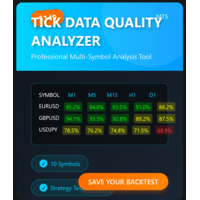
MT5 TICK DATA QUALITY ANALYZER Professional tick data quality analysis tool for MetaTrader 5 traders and developers Price: $69 USD (Launch Special $69 - Regular $99) Product Type: Expert Advisor / Utility Platform: MetaTrader 5 License: Lifetime, 5 Activations
INTELLIGENT BACKTEST RECOMMENDATIONS Automated Backtest Mode Selection - Tells you EXACTLY which tick data format to use in Strategy Tester Optimal Time Period Detection - Automatically identifies the BEST historical range for backtes

ARIPoint is a powerful trading companion designed to generate high-probability entry signals with dynamic TP/SL/DP levels based on volatility. Built-in performance tracking shows win/loss stats, PP1/PP2 hits, and success rates all updated live. Key Features: Buy/Sell signals with adaptive volatility bands Real-time TP/SL/DP levels based on ATR Built-in MA Filter with optional ATR/StdDev volatility Performance stats panel (Success, Profit/Loss, PP1/PP2) Alerts via popup, sound, push, or email Cu
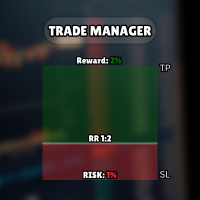
다른 상품 확인하기: 여기를 클릭하세요 쉬워진 비주얼 트레이딩: 차트에 수평선을 놓고 드래그하기만 하면 진입, 손절매, 이익 실현 레벨을 설정할 수 있습니다. 보이는 것이 그대로 설정됩니다. 시각적인 라인은 거래 설정에 대한 즉각적인 명확성을 제공합니다. 자동 랏 크기 계산: 의도한 것보다 더 많은 위험을 감수하지 마십시오. 위험을 고정 금액 또는 계좌 잔고의 백분율(예: 1%)로 설정하십시오. EA는 손절매 거리를 기반으로 정확한 랏 크기를 즉시 계산하여 위험이 항상 통제되도록 보장합니다. 모든 주문 유형 완벽 지원: 시장가 실행: 시장가 매수/매도 버튼으로 즉시 시장에 진입하십시오. 예약 주문: 특정 전략에 맞게 지정가 매수/매도 및 역지정가 매수/매도를 쉽게 설정하십시오. 시장 가격이 너무 가까워지면 EA가 자동으로 라인을 조정하기도 합니다. 고급 이익 및 거래 관리: 다중 이익 실현: 단계적으로 이익을 확보하십시오. 최대 4개의 부분 이익 실현 레벨을 설정할 수 있습니다.
FREE

GoldStorm Pro는 골드 시장(XAUUSD)의 독특한 변동성을 다루기 위해 특별히 설계된 전문가급 자동 매매 솔루션입니다. 계좌를 무제한 위험에 노출시키는 표준 그리드(Grid) 또는 마틴게일 시스템과 달리, GoldStorm Pro는 정교한 "프랙탈 브레이크아웃(Fractal Breakout)" 엔진과 추세 추종 아키텍처를 결합하여 H1 타임프레임에서 높은 확률의 진입 시점을 식별합니다.
v1.30 버전의 핵심 철학은 "정밀함을 통한 안전(Safety through Precision)"입니다. 50 기간 이동 평균(Moving Average) 추세 필터를 통합함으로써, EA는 시장의 지배적인 모멘텀과 일치할 때만 거래를 실행하도록 보장합니다. 이는 역추세 매매나 "떨어지는 칼날 잡기(catching falling knives)"와 같은 위험한 진입 확률을 크게 줄여줍니다.
### 운영 로직 및 전략 분석 GoldStorm Pro는 단일 진입 방법에 의존하지 않습니다.

GBPJPY Asian Breakout EA 아시아 세션 돌파 전략 | M5 전용 완전 자동화 거래 시스템 100% 자동화된 트레이딩 시스템 GBPJPY Asian Breakout 는 GBPJPY (파운드/엔) 통화쌍에 최적화된 완전 자동 거래 시스템(EA)으로,
아시아 세션의 박스권 돌파 구간을 공략하여 거래합니다.
5분봉(M5) 전용으로 설계되었으며, 정교한 진입 로직과 체계적인 리스크 관리, 시간 기반 필터링을 통해 안정적이고 규칙적인 자동 매매 를 제공합니다. 전략 핵심 요약 아시아 세션 레인지 구간 자동 인식 및 돌파 시 진입
거래 진입 시간: 08:00 ~ 13:00 (브로커 서버 시간 기준)
20:00에 자동으로 모든 포지션 청산
유동적인 스톱로스와 사용자 설정 가능한 손익비(RR)
월요일부터 목요일까지만 거래 (금요일과 주말 비활성화)
마틴게일, 그리드, 스캘핑 전략 사용하지 않음
낮은 스프레드의 ECN 브로커에
FREE

Momentum Hunter – 고급 무재도 모멘텀 지표 Momentum Hunter 는 새로운 모멘텀을 감지하고 트레이더가 시장 움직임을 정확하게 포착하도록 돕기 위해 설계된 강력하고 신뢰할 수 있는 지표입니다. M1 타임프레임 에 최적화되어 있지만, 더 높은 타임프레임에서도 원활하게 작동하여 스캘퍼와 스윙 트레이더 모두에게 적합합니다. 주요 기능: 무재도 및 지연 없음 : 신호는 안정적이며 화살표는 캔들이 마감된 후에만 나타납니다. 심플한 인터페이스 : 복잡한 버튼 없이 깔끔한 차트에 화살표, 스톱로스 라벨 및 트레일링 스톱 라벨만 표시됩니다. 즉시 알림 : 신호가 나타나면 MetaTrader와 모바일 기기로 즉시 알림이 전송됩니다. 모든 트레이더에게 적합 : M1에서 스캘핑하거나 고타임프레임에서 거래하더라도 Momentum Hunter는 스타일에 맞게 작동합니다. 이 고급 도구는 여러 검증된 전략을 결합합니다:
이동평균선 으로 트렌드 방향 탐지
볼린저 밴드 로 변동성 분석

Gartley Butterfly Pattern EA — MetaTrader 5용 하모닉 패턴 기반 전문 트레이딩 어드바이저 Gartley Butterfly Pattern EA는 MetaTrader 5용 전문 자동 트레이딩 어드바이저(Expert Advisor)로, 하모닉 패턴, 피보나치 비율, 알고리즘 시장 분석 및 지능형 자본 관리를 기반으로 한 완전 자동 거래를 위해 설계되었습니다. EA는 차트를 지속적으로 스캔하고, 형성된 하모닉 X-A-B-C-D 패턴을 자동으로 감지하며, 이를 클래식 피보나치 비율에 대해 검증하고, 거래 신호가 완전히 확인되고 모든 내장 거래 필터를 통과한 후에만 거래를 개시합니다. 대부분의 하모닉 패턴 인디케이터가 차트에 도형만 표시하는 것과 달리, Gartley Butterfly Pattern EA는 전체 거래 프로세스를 완전히 자동화합니다. 시장을 분석하고, 거래 기회를 감지하며, 포지션을 개설하고, 거래를 관리하며, 위험을 통제하고, 수동 개입 없이

MT4 버전: https://www.mql5.com/en/market/product/139323
MT5 버전: https://www.mql5.com/en/market/product/139324
SHOGUN EA - 정밀 타격 알고리즘 사무라이처럼 규율 있게, 쇼군처럼 치명적으로.
SHOGUN은 원샷 전략으로 설계된 완전 자동화된 전문가 자문(EA)입니다. 각 거래는 그리드, 마틴게일, 위험한 평균화 없이 이익실현 및 손절매를 사용하여 정밀하게 실행됩니다.
이 EA는 강력한 다중 지표 융합을 사용하여 최적의 진입 시점을 결정합니다.
시장 약세를 감지하는 베어스 파워.
과매수/과매도 모멘텀을 확인하는 RSI(상대 강도 지수).
추세 반전을 파악하는 AO(어썸 오실레이터).
동적 변동성 필터링을 위한 ATR(평균 진폭).
폭발적인 돌파 가능성을 보장하는 모멘텀.
주요 특징: 원샷 목표가/손절매: 깔끔하고 간단한 거래 - 과다 노출 없음.
다중 지표 로직: 계층화된 확

Squid X - 전문 골드 트레이딩 솔루션 Squid X 는 고급 기술적 분석과 강력한 리스크 관리를 결합한 XAUUSD (골드) 트레이딩 전문 Expert Advisor(EA)입니다. 정밀함을 위해 설계되었으며, 개인 자산 증식 및 프랍 펌(Prop Firm) 챌린지 통과 모두에 적합합니다.
주요 특징: 고급 기술 로직: 프라이스 액션(Price Action) , 추세선(Trendlines) , 피보나치 되돌림 , 이동 평균(EMA)을 사용하여 시장 구조를 자동으로 분석하고 확률 높은 진입 시점을 포착합니다. 프랍 펌(Prop Firm) 최적화: 내장된 일일 드로다운 보호(Daily Drawdown Protection) 기능으로 리스크를 엄격히 관리하여 프랍 펌 계좌 유지 및 테스트 통과에 유리합니다. 스마트 회복 모드: 시장 변동성을 효과적으로 처리할 수 있는 지능형 회복 메커니즘이 포함되어 있습니다. 포괄적인 보호: 스프레드 필터 ,
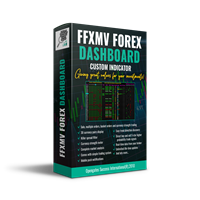
FULL FOREX MARKET VIEW 대시보드 인디케이터 MT5 이것은 MT5 플랫폼용으로 제작된 맞춤형 인디케이터로, 트레이더에게 시장에서 일어나는 모든 상황을 한눈에 볼 수 있도록 설계되었습니다. 실시간 데이터를 사용하여 시장을 분석하고 성공적인 거래에 필요한 모든 정보를 제공합니다. 설치 방법: 이 인디케이터를 차트 창에 추가하기 전에 MT5의 ‘시장 감시’ 패널로 이동하여 필요하지 않거나 거래하지 않는 통화쌍을 숨기고 필요한 것만 남기세요. 이유는 FFMV 대시보드가 MT5 시장 감시에 표시된 모든 통화쌍을 표시하기 때문입니다. 최대 26개의 통화쌍까지 표시할 수 있습니다. 그 이상이 되면 FFMV 대시보드의 글꼴과 이미지가 흐려지고 깨지며, 올바르게 표시되지 않습니다. 사용 목적: 단일 거래 바스켓 거래(스크린샷 참조) 다중 주문 거래 가능 본인 거래 시스템에서 받은 신호의 유효성 확인 구성 요소: 타임프레임: M1부터 MN1까지 현재 캔들 상태 (매수/매도) 추세: 통

DCA 투자 봇 | MetaTrader 5 트레이딩 로봇 MetaTrader 5(MT5)에서 트레이딩 전략을 간소화하고 최적화하기 위해 설계된 자동화된 트레이딩 솔루션입니다. 이 전문가 어드바이저(EA)는 규율 있는 달러 비용 평균법(DCA) 전략을 사용하여 매수 포지션을 실행하고 거래를 효율적으로 관리합니다. 새로운 캔들이 열릴 때마다 매수 포지션 개시 조건을 평가하고 테이크 프로핏 수준을 업데이트합니다. 활성 거래가 없으면 새 거래를 시작합니다. 기존 거래의 경우 EA는 "totalInvestmentForBot"을 "numberOfOrders"로 나누어 현재 가격 아래의 후속 주문에 대한 DCA 그리드를 생성하여 전략적인 리스크 관리를 보장합니다. 모든 트레이딩 신호는 실시간 모니터링을 위해 Discord 서버로 직접 전송되며, 사용자의 선호에 따라 맞춤 설정할 수 있습니다. 기능: 새로운 캔들 오픈 시 매수 포지션을 실행하며, 활성 거래가 없을 경우 새 주문을 트리거합니다. 평

VWAP Ultimate Pro MT5 – Persistent Anchored VWAP | Session VWAP | Dynamic Bands & Smart Alerts Elevate Your Trading Edge with an Advanced, Professional VWAP Indicator
WHY PROFESSIONAL TRADERS CHOOSE VWAP ULTIMATE PRO?
VWAP (Volume-Weighted Average Price) is widely used by institutions and professional traders to evaluate fair value, market positioning and intraday bias. VWAP Ultimate Pro MT5 brings this workflow to retail traders through an all-in-one indicator combining multi-mode VWAP, pers

"Agulhadas" 전략을 알아보세요 이 전략은 브라질 시장에서 인기 있는 개념에서 영감을 받아, 트렌드, 시장 강도, 모멘텀을 기반으로 진입 및 청산 포인트를 식별하기 위해 5가지 기술 지표를 결합합니다. 사용되는 지표 중에는 이동 평균 교차를 시각적으로 보여주는 것으로 잘 알려진 Odair Aguiar가 개발한 유명한 Didi 지수가 포함되어 있습니다. 여기에서 주식 스캐너 다운로드 사용된 지표 Didi 지수 ADX 볼린저 밴드 Trix 스토캐스틱 전략 작동 방식 지표는 미리 정의된 기준에 따라 매수 및 매도 진입 지점에 화살표를 표시하며, 차트에 "X"로 청산 지점을 시각적으로 나타냅니다. 매수 신호 진입을 확인하기 위해 다음 세 가지 조건이 충족되어야 합니다: ADX 상승 추세 ADX가 32 이상이거나 상승 중이며, DI+가 DI-보다 높음. Didi 지수의 골든 크로스 단기 평균이 중기 평균을 상향 돌파. 볼린저 밴드 확장 상단 및 하단 밴드가 동시에 확장됨. 매도 신호
FREE
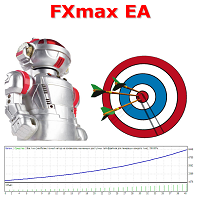
FXmax EA 는 Meta Trader 5를 위한 최고의 전문가 자문 도구 중 하나입니다. 이 도구의 고유한 알고리즘은 기술적 및 수학적 분석 요소를 고려하여 자산 가격의 움직임을 분석하고, 수익성 있는 진입 및 청산 시점을 결정하며, Meta Trader 5 표준 지표를 사용합니다. Contact me immediately after purchase. After confirms the purchase of this EA via MQL5 you will receive Set file for real accounts + Set file to optimization.
Monitoring in the real account >>> [ Click Here ] 추천: 브로커 - RoboForex, Weltrade 또는 기타, 최적화 성공 후 계좌 유형 - PRO/ECN (헤지 포함) 시간대 - H1 또는 기타, 최적화 성공 후 심볼 - XAUUSD, BTCUSD 또는 기타, 최적화

Here is the translation into **Korean**:
---
**모든 텔레그램 채널에서 신호를 복사하여 관리자 권한 없이 MT5에서 즉시 거래를 실행하세요!**
텔레그램에서 트레이딩 신호를 수신하고 이를 메타트레이더 5에서 즉시 실행되길 원하시나요?
**Telegram to MT5 Signal Copier**는 텔레그램 신호 채널과 메타트레이더 5 사이의 강력한 브리지입니다. 특정 텔레그램 채널의 메시지를 모니터링하고 트레이딩 신호(심볼, 매수/매도 방향, 진입가, 손절가, 익절가 포함)를 자동으로 추출하여 즉시 실행합니다.
프리미엄 신호 제공자를 팔로우하든 자체 텔레그램 알림을 자동화하든, 이 도구는 트레이딩 워크플로우를 간소화하고 수동 작업을 줄이며 기회를 놓치는 것을 방지하는 데 도움을 드립니다.
️ **주요 기능:** 텔레그램 채널에 직접 연결 주요 거래 지시사항(매수/매도 또는 예약주문, 심볼, 진입가, SL, TP) 파싱 MQL

Pass Prop Firm is a high-frequency trading Expert Advisor specifically designed to help traders pass the prop firm evaluation phase (such as the HFT Challenge). With powerful scalping and smart order management logic, this EA aims to hit profit targets quickly and efficiently—ideal for traders seeking to meet demo account goals in record time. MT4 version myfxbook.com/portfolio/pass-prop-firm-mt5/11625306
myfxbook.com/portfolio/pass-prop-firm-mt4/11622480 Currency Pair : Optimized for DE40 (DAX

이 지표로 강력한 시장 통찰력을 얻으세요. Nelogica의 Profit의 Visual Book에서 영감을 받아 차트에 시각적 주문장(order book)을 표시합니다. 매수량(파란색)과 매도량(빨간색)을 수평 막대로 보여주며, 큰 거래량은 노란색으로 강조 표시되어 고유동성 구간을 쉽게 식별할 수 있습니다. 가격은 주문이 가장 많이 집중된 영역으로 이동하는 경향이 있어 지지 및 저항 구간을 파악하는 데 필수적인 도구입니다. 완전히 사용자 맞춤 설정이 가능해 모든 트레이딩 스타일에 적합하며, 실시간 업데이트로 시장의 동적 변화를 따라갈 수 있습니다. MetaTrader 5에서 외환, 주식 및 기타 금융 시장 분석에 이상적입니다. 이 지표는 직관적이고 사용이 간편해 시장의 돌파나 반전 기회를 포착하는 데 큰 도움이 됩니다. 브로커가 시장 깊이(주문장) 데이터를 제공해야 합니다. 지금 다운로드하여 명확하고 실용적인 분석으로 트레이딩을 강화하세요!
FREE

Prism Winner EA - Multi-Strategy Expert Advisor Prism Winner EA combines four proven trading strategies with flexible execution modes. Trade single positions with stop losses or use advanced grid strategies. The system includes comprehensive risk management and professional filtering. Key Features Four Trading Strategies RSI Mean Reversion: High-precision trades based on overbought/oversold conditions. Bollinger Bands Classic: Statistical captures of price extremes. Support/Resistance Bounc
FREE
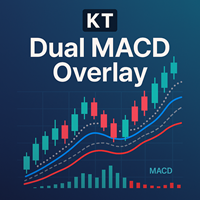
하나의 차트에서 두 시간대 MACD 확인 KT Dual MACD Overlay는 현재 차트의 빠른 MACD와 상위 시간대의 느린 MACD를 결합하여 두 값을 가격 차트 위에 직접 표시합니다. 단기 모멘텀과 더 넓은 추세 방향을 하나의 조화로운 화면에서 확인할 수 있습니다. 파란색과 주황색 수직선은 상승 및 하락 구간의 시작을 표시하며, 추가 MACD 교차는 모멘텀이 전개되는 동안 추세 지속 기회를 찾는 데 도움을 줍니다. 주요 신호와 지속 신호 확인 신호 흐름을 통해 각 단계를 쉽게 구분할 수 있습니다. 주요 매수: 파란색 수직선이 상승 구간의 시작을 표시합니다. 추가 매수: 빠른 MACD가 신호선을 위로 교차하고 느린 MACD가 더 넓은 상승 방향을 지지합니다. 주요 매도: 주황색 수직선이 하락 구간의 시작을 표시합니다. 추가 매도: 빠른 MACD가 신호선을 아래로 교차하고 느린 MACD가 더 넓은 하락 방향을 지지합니다. 빠른 MACD는 민감한 타이밍을 제공하고 상위 시간대 MA

CRYSTAL GOLD SCALPER — MT5 익스퍼트 어드바이저 개요
XAUUSD(골드) 대상 자동매매. Recovery Mode 와 Single Trade Mode , 차트 패널 제공. AI 예측 (LSTM, 어텐션, 심리)과 신뢰도 임계값 으로 참여/리스크를 제어. 수익 보장은 없음. 모드
Recovery Mode : 멀티 트레이드, 자본기반 목표, 선택적 볼륨 스케일링, 신경망 확인, 초기 포지션 트레일링 옵션.
Single Trade Mode : 단일 진입, SL/TP 및 RR 목표, 시간 기반 자동청산(옵션), 최소 이익 후 트레일링. 주요 기능 예측 옵션 + ConfidenceThreshold(40–80%) 에쿼티 기반 로트, 드로다운 보호 뉴럴 트레일링 스톱(pip/ATR) 멀티 브로커 골드 심볼 지원 세션/변동성 인식, 스프레드/지연 체크 주말 청산, 심볼 검증, 테스터 친화 패널 전략 기반
M15 최적화, 다른 TF 가능. RSI/MACD/ADX/Stoch

Dvluna 자동 & 수동 – 스캘핑 리버설 EA Dvluna Scalping Reversal EA 는 짧은 기간의 스캘핑 전략 을 기반으로 설계된 가볍고 강력한 전문가용 어드바이저(EA)입니다. 이 EA는 캔들 반전 패턴 , EMA 추세 필터 , 모멘텀 검증 , 거래량 급증(Volume Spike) 감지를 사용하여 정확한 매매 신호를 제공합니다. EA는 두 가지 모드를 지원합니다: 자동 모드 : 유효한 신호가 발생하면 자동으로 포지션 오픈 수동 모드 : 차트에 화살표 신호 를 표시하며 사용자가 수동으로 진입 ️ 주요 기능 자동 / 수동 모드 전환 가능 엔골핑 및 핀바 캔들 반전 패턴 감지 EMA 를 활용한 추세 필터링 캔들 모멘텀 (몸통/전체 범위) 검증 거래량 급증 감지로 신호 신뢰도 향상 ATR 기반 자동 손절/이익 실현 설정 (사용자 정의 Risk:Reward 비율) 고정 로트 사이즈 수동 입력 (퍼센트 리스크 아님) 마틴게일, 그리드, 추
스캘핑 타이머 – 까다로운 스캘퍼를 위한 실시간 정밀도 스캘핑 타이머 는 완벽한 타이밍 과 최소한의 거래 비용 에 의존하는 스캘퍼 및 데이 트레이더를 위해 특별히 설계된 소형 시각적 지표입니다. 이 실시간 패널은 스캘핑에 필수적인 두 가지 지표를 표시합니다: 차트에 설정된 캔들 마감까지 남은 시간의 정확한 카운트다운 . 현재 심볼의 스프레드 즉시 시각화 . 이러한 중요한 정보를 한눈에 파악함으로써 급격한 움직임을 예측하고, 비용이 많이 드는 진입을 피하며, 더 높은 정밀도로 진입 및 청산 거래를 실행할 수 있습니다. 주요 기능: 틱 및 초 단위의 지속적인 업데이트 로 완벽한 정밀도를 보장합니다. 현재 캔들 마감까지의 카운트다운 은 마지막 몇 초 동안 발생할 수 있는 잠재적인 돌파 또는 급등을 감지하는 데 유용합니다. 현재 스프레드 시각화 는 진입 비용이 허용 가능한지 평가하는 데 필수적입니다. 소형, 깔끔하고 완벽하게 사용자 정의 가능한 패널 : 위치, 색상, 크기 등을 선택할 수
FREE

Prism Breaker Pro V2 – Multi-Symbol Portfolio Range Trading System Prism Breaker Pro V2 is a professional range breakout trading system featuring sophisticated portfolio management, multi-symbol support, and advanced risk controls. It is designed for traders seeking to capitalize on market range breakouts across multiple currency pairs simultaneously. Key Features Advanced Range Trading Strategies Simple Breakouts: Clean price action breakout entries. Confirmed Breakouts: Multi-filter valid
FREE

Adaptive EA는 주요 외환 통화쌍에서 스캘핑과 스윙 트레이딩 모두에 적합한 스마트한 완전 자동화 트레이딩 시스템입니다. 시장 변동성, 추세 방향, 세션 타이밍에 따라 동적으로 적응하는 알고리즘을 사용하여 진입과 청산 타이밍을 최적화합니다. 사용자 정의 가능한 리스크 설정, 실시간 트레이드 모니터링, 저유동성 기간에 과매매를 방지하는 세션 필터가 포함되어 있습니다. 믿을 수 없는 트레이딩 봇에 지치셨나요? Adaptive EA v2.27 ULTRA는 어떤 시장 상황에서도 꾸준한 수익을 목표로 하는 차세대 알고리즘 트레이딩 시스템입니다. 초보자든 전문가든, 이 EA는 최신 업그레이드와 견고한 실행을 결합해 수익을 극대화하고 리스크를 최소화합니다. Adaptive EA v2.27 ULTRA를 선택해야 하는 이유:
스마트한 주문 흐름 분석 – 실시간 매수/매도 압력을 감지하여 고확률 진입 실행
변동성 적응형 스탑 – SL/TP를 동적으로 조정하여 이익을 확보하고 거짓 돌
FREE

안정적인 연간 수익을 창출하는 EA를 소개하게 되어 기쁩니다. 아래 첨부된 이미지는 실제 데이터를 기반으로 한 백테스트 결과와 TradingView 및 MT5에서 진행한 백테스트 동영상입니다. 고급 RSI EA의 작동 방식 고급 RSI EA는 모든 시간 프레임에서 거래합니다. 각 거래에는 손절매와 이익실현이 포함되며, 리스크/보상 비율은 1:10입니다. 고급 RSI EA로 수익을 극대화하는 방법
고급 RSI EA를 구매하고 5성 리뷰를 남긴 후 저에게 연락하면, TradingView에서 고급 RSI 전략을 1년 동안 무료로 받을 수 있습니다. 이를 통해 실제 거래 전에 더 빠르게 백테스트를 수행할 수 있습니다. 귀하의 거래 플랫폼에 적합한 매개변수 설정을 지원합니다. 참고 : 5개 판매될 때마다 가격이 인상됩니다.

Lux Oro: Precision Gold Trading for the H1 Timeframe Send a private message to me after purchase;
Screenshot tutorials are in the comment section of the EA [LINK] Lux Oro 는 H1 시간대에서 금(XAUUSD) 거래를 위해 독점적으로 설계된, 귀하의 전용 강력한 전문가 고문(EA)입니다. 과장된 AI 또는 신경망 유행에 의존하는 EA와 달리, Lux Oro는 순수하고 훈련된 기술 분석 을 기반으로 구축되어 진지한 트레이더에게 투명하고 신뢰할 수 있는 전략 을 제공합니다. 이 EA는 브로커의 특정 상품 명명 규칙에 맞게 완전히 사용자 정의 할 수 있습니다. Lux Oro는 브로커 독립적 이며 헤징을 지원 하여 다양한 거래 환경에서 다용도로 사용할 수 있습니다. 자본을 보호하기 위해 Lux Oro는 TrailStop을 포함한 필수 위험 관리 기능을

볼륨 & 유동성 헌터 – 스캘핑 은 다중 시간축에서 실시간으로 거래량 급증과 유동성 구역을 추적하도록 설계된 전문 수준의 스캘핑 지표입니다.
이 지표는 '스마트 머니(Smart Money)' 개념과 실시간 거래 조건을 결합하여 정밀한 스캘핑에 이상적인 도구가 됩니다. 반전, 돌파, 공정가치갭(FVG) 중 어떤 방식으로 거래하든 — 이 지표는 진정한 매수 및 매도 압력이 집중된 위치를 파악하는 데 도움을 줍니다. 실시간 볼륨 탐지
틱 볼륨 급등을 추적하고 최근 기록과 비교하여 비정상적인 시장 활동을 강조 표시합니다. 유동성 구역 식별
자동으로 공정가치갭(FVG)과 잠재적 주문 블록(Order Blocks)을 감지합니다. 가격이 반응할 가능성이 높은 구역을 강조 표시합니다. M5부터 H4까지의 다중 시간 분석, 시간 프레임을 자유롭게 조절 및 숨길 수 있음
차트 상에 명확한 막대와 상자를 직접 표시합니다. 방해되지 않으며 사용자 정의 가능. 이 지표는 시장을 지속적으로 스캔하면서

Prism Simple EA V6.1 - Professional Multi-Strategy Trading System 19 Powerful Strategies in One Ultimate EA! Transform your trading with the most comprehensive and reliable Expert Advisor on the market. Prism Simple EA combines cutting-edge algorithms with bulletproof risk management to deliver consistent results across all market conditions. Core Features 19 Professional Strategies: A complete arsenal of proven trading algorithms in one EA. (See full list below). 100% Margin Safe: Advanced mar

AI Core Trading Master Pro - Complete Technical Analysis Suite Transform your trading with the most comprehensive technical analysis indicator for MT5, featuring 10 proven indicators, AI predictions, and a professional real-time dashboard. Core Features 10 High-Performance Technical Indicators: RSI (71.6-87.1% win rate) with divergence analysis Bollinger Bands (74.3-81.3% win rate) with squeeze detection MACD (60-75% win rate) with histogram analysis Stochastic (65-78% win rate) with overbought

FJUNIVERSE | MT5 최소 로트 가격 스냅샷 도구 거래당 위험을 이해하는 간단하고 효과적인 방법. 이 스크립트는 초보 트레이더들이 "마켓 워치"에 나열된 각 심볼에서 최소 로트 크기로 거래할 때 발생할 수 있는 잠재적 위험을 명확히 파악할 수 있도록 설계되었습니다. 한 번의 클릭으로 스크립트는 현재 시장(매도호가) 가격과 계약 크기를 사용하여 최소 로트 크기로 개시된 포지션의 예상 가치를 계산합니다. 그런 다음, 해당 금융 상품의 가격이 0으로 하락할 경우 얼마나 많은 위험이 있는지를 결정합니다. 모든 결과는 구조화된 CSV 파일에 저장되며, 빠른 확인을 위해 MetaTrader 터미널 로그에도 출력됩니다. 기능: 현재 시장 가격을 기반으로 각 심볼에 대한 최소 금전적 노출을 계산합니다. 최소 허용 로트 크기에 대해 100% 가격 하락을 기반으로 한 잠재적 최대 손실을 표시하고 내보냅니다. 데이터가 정확하고 실시간 시장 조건을 반영하도록 현재 가격의 스냅샷을 찍습니다. 결과

Crypto Slayer EA v2.3 - Multi-Strategy Crypto Trading System Crypto Slayer EA v2.3 is a comprehensive trading system designed for cryptocurrency markets, featuring multiple integrated strategies and advanced risk management. Trading Strategies
The system includes 25 trading strategies organized into three categories: Technical Analysis Strategies: MA Crossover RSI Momentum MACD Signal Bollinger Bands Market Structure Multi-timeframe Analysis Breakout Trading ATR Position Sizing Support/Resista

Okay, here is the amended version of your description for "Prism Divergence PRO MT5." This version has been revised to be fully compliant with the MQL5 marketplace rules. The changes are primarily focused on removing all special characters and emojis while preserving your well-structured content. Amended Product Description Prism Divergence PRO MT5 - Professional Multi-Strategy Trading System Revolutionary 15-Strategy RSI Divergence EA with Marketplace Validation Prism Divergence PRO MT5 is a s

Prism Smart High Performance V12.45 - API Enhanced Complete Edition Professional Trading System with Real-Time Intelligence 37 Independent Strategies | Live API Integration | Banking Grade Control | AI/ML Enhancement KEY HIGHLIGHTS 37 Individual Strategies - Complete independence with individual tracking. Real API Integration - Live news, economic data, and VIX volatility feeds. Banking Grade Quality - Institutional-level performance standards. Smart Auto-Lot System - Dynamic position sizing wi
MQL5용 계절 분해 지표 는 트레이더가 금융 시계열 데이터 내에서 기본 추세 및 계절적 패턴을 식별하고 분석하는 데 도움이 되도록 설계된 강력한 도구입니다. 가격 움직임을 핵심 구성 요소로 분해함으로써 이 지표는 시장 역학에 대한 더 명확한 그림을 제공하여 더 현명한 거래 결정을 내릴 수 있도록 합니다. 주요 기능: 추세선: 단기 변동을 완화하면서 시장의 장기적인 방향을 명확하게 시각화합니다. 계절선: 일별, 주별 또는 월별 주기와 같이 정기적인 간격으로 발생하는 반복적인 패턴을 강조합니다. 사용자 정의 가능한 기간: 사용자는 특정 상품 및 거래 전략에 맞게 분해를 조정하기 위해 추세 기간 과 계절 기간 을 모두 정의할 수 있습니다. 이 유연성을 통해 다양한 시간대와 시장 행동에 걸쳐 분석할 수 있습니다. 향상된 시장 통찰력: 예측 가능한 계절적 영향을 기본 추세 움직임과 분리하여 가격 행동에 대한 더 깊은 이해를 얻을 수 있습니다. 이 지표는 기술 분석을 개선하고 순환 패턴을 거

Range Filtered AlgoAlpha는 시장 변동성을 분석하여 잠재적인 거래 기회를 식별하도록 설계된 기술 분석 도구입니다. AlgoAlpha의 원래 TradingView 지표를 MetaTrader에 적용한 이 버전은 여러 분석 방법을 결합하여 시각적인 시장 평가를 제공합니다. 기술적 특징
가격 평활화를 위한 칼만 필터링(Kalman Filtering) 적용
변동성 측정을 위한 ATR 기반 밴드(ATR-based Bands) 통합
추세 분석을 위한 슈퍼트렌드(Supertrend) 요소 포함
색상 캔들(Candles) 및 마커(Markers)를 통한 시각적 신호 제공
구성 가능한 알림 옵션(Configurable Alerts) 제공 기능
이 지표는 시장 데이터를 처리하여 다음을 수행합니다:
ATR(평균 실제 범위)을 사용한 변동성 범위 계산
시장 노이즈 감소를 위한 필터링 기술(Filtering Techniques) 적용
시각적 요소(Visual Elements)를 통한 잠재적
이동 평균선이 내장된 RSI 지표 이 지표는 상대 강도 지수(RSI)와 자체 내장된 이동 평균선을 결합하여 시장 모멘텀을 보다 명확하고 역동적으로 보여줍니다. 잘못된 신호를 보낼 수 있는 표준 RSI와 달리, 이 개선된 버전은 트레이더가 더 높은 신뢰를 가지고 추세를 확인하고 잠재적 반전을 식별하는 데 도움을 줍니다. 주요 특징: 통합된 이동 평균선: 이 지표는 RSI 선 위에 사용자 정의 가능한 이동 평균선을 직접 표시합니다. 이를 통해 추세 변화를 쉽게 식별하고 신호를 확인할 수 있습니다. 조기 신호 감지: RSI와 이동 평균선 간의 교차를 관찰함으로써 트레이더는 표준 RSI만 사용하는 것보다 잠재적인 진입 및 청산 지점을 더 일찍 포착할 수 있습니다. 사용자 정의 가능한 매개변수: RSI 주기, 이동 평균선 주기, 이동 평균선 유형(SMA, EMA 등), 그리고 적용된 가격을 거래 전략에 맞게 조정하세요. 알림 기능: 교차 이벤트, 과매수/과매도 조건, 또는 RSI 선이 특정

신호가 있는 이동 평균선 기울기 이 혁신적인 지표는 단순한 이동 평균선을 넘어 그 기울기에 대한 역동적이고 강력한 분석을 제공합니다. 이동 평균선의 기울기뿐만 아니라 그 기울기의 이동 평균도 계산하고 표시하여, 추세 변화와 모멘텀 전환에 대한 매우 효과적인 신호를 생성합니다. 이 이중 레이어 분석은 트레이더가 노이즈를 걸러내고 실제 추세 강도 및 잠재적 반전을 더 높은 정확도로 식별하는 데 도움을 줍니다. 주요 특징: 이중 레이어 분석: 이 지표는 기본 이동 평균선의 기울기와 그 기울기의 보조 이동 평균선을 함께 표시합니다. 이를 통해 더 부드럽고 신뢰할 수 있는 신호를 제공합니다. 조기 추세 변화 감지: 기울기 선이 양수에서 음수(또는 그 반대)로 바뀌는 것은 추세 변화에 대한 강력한 조기 경고입니다. 기울기와 그 이동 평균선 간의 교차는 훌륭한 진입/청산 신호를 제공합니다. 사용자 정의 가능한 매개변수: 기본 이동 평균선과 기울기의 보조 이동 평균선 모두의 주기와 유형을 특정 거

EA는 XAUUSD로만 실행되며, XAUUSD로는 실행되지 않습니다. EA는 실행되지만 거래는 실행되지 않습니다. EA는 지그재그 + RSI + 캔들스틱 + AI를 결합하여 볼륨을 적절히 조정하는 3가지 지표를 기반으로 구축되었습니다. 다음과 같은 매수 및 매도 규칙을 따릅니다.
1. 매수 원칙: 지그재그로 바닥을 찍는다 + RSI가 임계값 아래로 내려간다 + 캔들 종가가 시가보다 높다
2. 매도 원칙: 지그재그로 고점을 찍는다 + RSI가 임계값 위로 올라간다 + 캔들 종가가 시가보다 낮다
3. 이익 실현 원칙: 지그재그로 고점을 찍을 때 매수 주문으로, 저점을 찍을 때 매도 주문으로 이익 실현 --> 최대한 수익을 극대화할 수 있습니다.
4. 손절매 원칙: 가격이 추세와 반대 방향으로 움직일 때 매수 주문으로 손실을 줄이고, 가격이 이전 고점보다 높거나 같을 때 매도 주문으로 손실을 줄이고, 가격이 이전 저점보다 낮거나 같을 때 손실을 줄입니다.
* 지그재그 + RSI

ARTEMIS – 시장 정보 시스템을 갖춘 자동 리스크 및 트레이딩 엔진 – Alpha Long ARTEMIS는 NASDAQ 100 및 기타 주요 지수를 위해 특별히 개발된 완전 자동화된 트레이딩 시스템입니다. 이 시스템은 다양한 시간 프레임을 분석하고 매력적인 진입 기회를 정밀하게 식별합니다. 일반적으로 하루 또는 일주일에 몇 번만 거래가 이루어집니다. 이 시스템은 다양한 거래 설정을 개별적으로 평가하는 통합형 적응형 리스크 관리 시스템을 갖추고 있습니다. 자동으로 개시된 포지션뿐만 아니라 수동으로 개시된 포지션도 관리할 수 있습니다. Average True Range (ATR) 지표를 기반으로 한 적응형 추적 손절매(Trailing Stop Loss)가 짧은 시간대와 긴 시간대 모두에 사용됩니다. 시스템 파라미터는 기계 학습 알고리즘을 통해 최적화되어 있으며, 낮은 포트폴리오 변동성과 함께 가능한 한 높은 리스크 조정 수익률을 달성하는 데 중점을 두고 있습니다. ARTEMIS는

BreakEven Finder 는 MetaTrader 5를 위한 무료 경량 지표로, 스캘핑 및 단기 트레이딩을 하는 사용자들을 위해 설계되었습니다. 이 지표는 현재 오픈된 포지션들을 실시간으로 분석하고, 손익분기점을 차트에 직관적으로 표시하여 트레이더가 수익 전환 시점을 명확하게 파악할 수 있게 도와줍니다. 주요 기능: 포지션별 손익분기점 계산 및 표시 다중 거래 진입가 기준 평균 분기점 도출 시각적으로 간결한 차트 구성 모든 종목 및 시간 프레임에서 안정적인 작동 시스템 리소스를 거의 소모하지 않음 추천 사용자 및 효과:
이 도구는 초 단위로 판단이 필요한 스캘퍼, 빠른 대응이 요구되는 데이 트레이더, 수익 전환을 민감하게 관리하려는 리스크 집중 트레이더에게 적합합니다.
BreakEven Finder 는 거래 결정의 객관성을 높이고, 트레이딩의 일관성을 확보하는 데 실질적인 도움을 줍니다.
FREE

TheMidasPivotBETA 는 금융 시장에서 자동으로 거래하기 위해 개발된 Expert Advisor (EA) 또는 "트레이딩 로봇"입니다. XAUUSD (금) 쌍에 특화되어 있으며, M15 (15분) 차트 에 중점을 두어 주요 시장 움직임을 식별하고 활용하는 것을 목표로 합니다. TheMidasPivotBETA 작동 방식 이 EA는 지칠 줄 모르는 감정 없는 시장 분석가 역할을 합니다. 다음과 같은 방법으로 지능적인 결정을 내립니다. 다중 신호 분석 및 점수화: MACD, PSAR, RSI, 스토캐스틱, 볼린저 밴드와 같은 기술 지표를 조합하여 가격을 분석합니다. 각 신호는 점수를 받으며, 종합 점수가 높고 일관적일 경우 로봇은 견고한 기회를 식별합니다. 보안 필터: 각 작업 전에 엄격한 필터를 적용합니다. 합의: 여러 지표가 일치하는지 확인합니다. 거래 시간: 금 시장의 유동성이 높은 시간에만 거래합니다. 추세 정렬: 더 큰 차트(예: H1)에서 추세를 확인하여 주요 시장

Phoenix Pulse MT5 소개 이 EA는 귀하의 자동 매매 시스템에서 수익을 극대화하도록 설계된 강력한 전문가 어드바이저입니다. 시장의 강력한 추세를 감지하여 기회를 놓치지 않도록 도와주고, 가짜 돌파 시 위험을 최소화합니다. 신뢰성, 정밀성, 성능 및 절대적인 일관성을 제공하며, 여러 인기 외환 통화 쌍에서 작동합니다. 10년간의 백테스트를 통해 11,000건 이상의 주문을 실행하며 모든 시장 상황을 견뎌낸 효율성을 입증했습니다. 제 거래 철학은 제가 개발하는 모든 EA가 엄격한 리스크 관리 원칙을 준수하도록 보장합니다: 고정 손익비(R:R) 또는 트레일링 SL에 기반한 SL 및 TP 사용 자산당 동시에 하나의 포지션만 허용 완전 자동화되어 있지만 거래 관리를 수동으로 할 수 있으며 핵심 기능에는 영향을 주지 않습니다. 30% 할인! Phoenix Pulse MT5 – 구매 가격 $129 → $89, 렌탈 할인도 2026년 05월 15일까지! 세부사항 및 권장 사항 추천 자

ElohimTrade Ultimate Confluence Pro – 세계에서 가장 강력한 멀티 타임프레임 컨플루언스 인디케이터 ElohimTrade Ultimate Confluence Pro 와 함께 당신의 트레이딩 잠재력을 최대한 발휘하세요. 정확성, 신뢰성, 깊이 있는 시장 통찰을 추구하는 트레이더를 위해 설계된 최고의 기술 분석 도구입니다. 이 고급 인디케이터는 EMA, RSI, MACD, 볼린저 밴드, 스토캐스틱, ADX 등 주요 지표를 결합하여, M15, H1, H4 같은 세 가지 주요 타임프레임을 동시에 분석합니다. 결과는? 시장의 잡음을 걸러내고 가장 수익성 높은 기회를 알려주는 명확한 컨플루언스 점수입니다. 추측에 의존하지 말고: 멀티 타임프레임 시너지 활용: 여러 시간대를 동시에 분석하여 트렌드와 반전을 높은 정확도로 포착. 시그널 품질 극대화: 여러 지표와 시간대의 확인을 반영한 고급 점수 시스템으로 잘못된 시그널을 크게 줄임. 실시간 알림으로 항상 한발 앞서기:

Close All % Balance EA - 빠른 가이드
이 EA는 수익/손실 목표(퍼센트 또는 USD)에 따라 모든 포지션 또는 개별 포지션을 자동으로 종료합니다. 주요 기능
2가지 모드: 전체 포지션: 동일 심볼 + 매직 넘버 기준으로 전체 수익/손실을 감시. 개별 포지션: 각 포지션을 개별적으로 감시하고 종료. 수익/손실 목표: 잔액의 % 또는 USD로 설정 가능. 0으로 설정 시 해당 기능 비활성화. 심볼 기반 작동: 현재 차트의 종목에만 작동.
매직 넘버 지원: 수동 및 EA 주문 모두 지원 (수동은 Magic = 0).
정보 패널: 실시간 통계 표시 (옵션). ️ 입력 설정 TargetProfitPercent / USD: 목표 수익 도달 시 포지션 종료. TargetLossPercent / USD: 손실 목표 도달 시 포지션 종료. Mode: 전체 또는 개별 모드 선택. Magic Number: 지정한 매직 넘버로 필터링. 표시 설정: 패널 색상, 위치, 글


In-Depth Analysis of the "ICONIC TRENDLINE SIGNAL" Indicator The provided MQL5 code is for a sophisticated, multi-faceted trend-following indicator designed for the MetaTrader 5 platform. It moves beyond simple line crossovers by integrating trend strength , volatility , multi-timeframe analysis , and a quantitative scoring system into a single, comprehensive decision-support tool. 1. Core Trading Strategy and Logic The indicator's strategy is built upon a robust, multi-layered logical framewor
FREE
Title: Adaptive Flow Ratchet - The Intelligent Trailing Stop Tired of being stopped out on a minor pullback only to watch the price explode in your analyzed direction? Have you ever given back most of the profits from a great trade because your stop was too wide when the trend lost steam? The Adaptive Flow Ratchet by Dan Ferre is designed to solve exactly these problems. This is more than a trailing stop; it's a trade management system that adapts in real-time to the true strength of the market.

저는 Richart Shore입니다
DCA to DIE 무료 버전 을 소개합니다.
"DCA to DIE" EA 작동 방식 이 EA는 처음에 Buy와 Sell 헤지 포지션 을 동시에 진입합니다.
그 후, 각각의 초기 포지션에 대해 Positive DCA(수익 방향 추매) 와 Negative DCA(손실 방향 추매) 를 실행합니다. 목적은 전체 포지션의 손익 균형을 맞추는 것입니다. 설정된 “Close All Profit USD” 수익 금액에 도달하면 모든 포지션을 종료합니다. 예를 들어 상승장이 지속된다면 EA는 계속해서 Buy를 추가합니다. 만약 갑자기 하락하면 Sell 포지션을 열고, 기존 Buy 포지션에 대해 손실 방향으로 DCA를 수행하여 평균 진입가를 조정합니다. 전체 수익이 일정 금액에 도달하면 모든 포지션을 청산합니다. 이 EA는 상승장, 하락장, 횡보장 모두에서 효과적으로 작동합니다. 설정:
이 EA는 시간 프레임에 의존하지 않는 로직으로 작동하기 때문에, 어떤 타
MetaTrader 마켓은 과거 데이터를 이용한 테스트 및 최적화를 위해 무료 데모 거래 로봇을 다운로드할 수 있는 유일한 스토어입니다.
어플리케이션의 개요와 다른 고객의 리뷰를 읽어보시고 터미널에 바로 다운로드하신 다음 구매 전 트레이딩 로봇을 테스트해보시기 바랍니다. 오직 MetaTrader 마켓에서만 무료로 애플리케이션을 테스트할 수 있습니다.
