Facebook上で私たちを見つけてください。 私たちのファンページに参加してください
MetaTrader 5の新しい可能性をご利用ください
最も人気のある自動売買ロボットおよびテクニカル指標、ニュースシグナル、コードベースへの MQL5プログラムの定期的な追加、フォーラムでの話題のトピックの定期的な追加。
This script allows traders to easily close positions if their profit/loss reaches or exceeds a value specified in pips. The script allows users to easily close positions if their profit/loss reaches or exceeds a value specified in pips. Please set slippage value first. Sometimes some positions do not close due to high volatility of the market. Please set larger slippage or restart the script. ............................................................................................
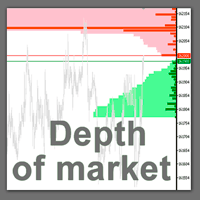
The Advanced Depth Of Market indicator visualizes the stock depth of market in the form of price and volume percentage by the current price from the whole volume of the depth of market. Update takes place at the moment of changing the depth of market. Thanks to this indicator you can immediately define what requests prevail at the moment. This indicator will work only on the instruments on which the depth of market enabled. Input parameters: Depth of market - number of requests displayed in the
Help scalper placing his manual orders faster so he can repeat his orders without worrying make a mistake when calculate their Stop Loss/Take Profit. Example: The price has a strong movement and breaks the upper Fractals at M5 chart. You want to open a long position to get small pips profits (scalping). On this stage you will you will feel confused to put your SL/TP while prices continue to soar up and you do not want to lose this opportunity but you need to prepare your values of SL/TP. In this
Swing Introduction Swing is a beautiful and automatically adaptive EA. Please test the default settings of Swing on "All symbols in Market Watch" with any broker. Then go find other EA’s that claim to be auto-adaptive and test their default settings on “All symbols in Market Watch” with any broker to test and prove Swing’s ability for yourself. Don’t just take my word for it. Please fully explore this wonderful trading system! Most Swing settings congregate around a similar profitability level i
This Expert Advisor is version of MetaQuant-ATC10 , modified for one currency pair, with the possibility to adjust and optimize all parameters. Of course, can be attached to more/several currency pairs and get a result like in the Automated Trading Championship 2010 . The Expert Advisor is based on the "Averaging Grid". If the position is developing at a loss, open new orders in variable step. The aim is to approach the average price of a position to the market price, so the correction will turn
The main purpose of the indicator is to detect and mark on a chart the following trade signals described in "New Trading Dimensions": Bullish and bearish reverse bars with angulation (including squat). Bars in the green and red zones according to the histogram color of Awesome Oscillator and Accelerator Oscillator. Bars in the grey zone, when the Awesome Oscillator and Accelerator Oscillator histograms below these bars have opposite directions. Blue squat bars on chart independent of the color o
SafeZone is a method for setting stops on the basis of recent volatility, outside the level of market noise. It is described in "Come into my Trading Room" book. In a downtrend, SafeZone defines noise as the portion of the current bar that extends above the high of the previous bar, against the downtrend. It averages the noise level over a period of time and multiplies it by a trader-selected factor. For short trades, it adds the average noise level, multiplied by a factor, to the latest high t
Advanced new deals notificator. It always keeps you informed about ALL deals from your MetaTrader 5 trading terminal. Being placed on any chart it sends e-mail and Push Notification with all information about the new deal. The user can create his own message type and include only necessary information into the text. The best deal notification solution. It informs you about absolutely all deals, without missing a single one.
ROMAN5 Time Breakout EA with Advanced TrailingStop includes the BreakEven feature. It automatically draws the boxes for daily support and resistance breakouts. When the price is below the support line, it is a sell signal; and when the price is above the resistance line, it is a buy signal. Advanced TrailingStop comes with 6 indicators: Fractals, Parabolic SAR, Bollinger Bands, Heiken Ashi, Moving Average and a combination of Fractals+Parabolic SAR. Advanced TrailingStop automatically moves the
Features The Expert Advisor's conditions for entering and exiting the market are based on the MultiSignals_PCH indicator, which can be downloaded for free from Code Base . The Expert Advisor can be used for trading in the manual, semi-automatic or automatic mode. Multi-currency trading. This version supports 3 symbols. Multi-system trading. In this version, you can set up 4 strategies for each symbol. The Expert Advisor sets a unique magic number for each strategy. Multi-timeframe trading. You
このスカルパーインジケーターは、リスクが2ポイントだけで、安全に10ポイントの利益を得ることができる瞬間を示します。適切にお金の管理が使用されている場合、それは日中の預金を大幅に増やすことができます。 インディケータには、トレンドの計算に使用されるバーの数という1つの入力パラメータしかありません。 シグナルが表示されたら、現在の価格(買いの場合)より2ポイント高い、または売りの現在の価格より2ポイント低い価格で保留中の注文を行います。 ストップロス-2〜3ポイント; 利益を得る-10ポンドから; 推奨される時間枠-M1。 ボラティリティが高くスプレッドが小さいシンボル-EURUSD、AUDUSD、GBPUSD、EURJPYなど。 ポジションがオープンされているが、価格がテイクプロフィット価格に達していない場合は、ストップロスを損益分岐点に変更し、前のバーの低価格(ロングポジションの場合)または前の高価格でポジションのトレーリングストップを使用しますショートポジションのバー。 参考:このインジケーターをレンタルする代わりに購入する場合は、支払いの証明
This multi-currency Expert Advisor works on 12 currency pairs (EURUSD, GBPUSD, USDCHF, USDJPY, USDCAD, AUDUSD, EURGBP, EURAUD, EURCHF, EURJPY, GBPCHF and GBPJPY) that can be selected in the parameters. Risk management can be set up manually. Optimization of all the parameters makes this EA powerful. It is based on filtered MACD to trigger the BUY or SELL signals. Open positions are closed by take profit, stop loss or according to opposite signals. You can perform optimization regularly for each
This indicator is not multiple MA indicator cluster. It draws trend band by dual moving average lines with multiple colors, and includes: Uncertain rise; Uncertain fall; Certain rise; Certain fall. All currency-pairs and all timeframes are supported. Both MetaTrader 5 and MetaTrader 4 versions are available. Price is US$10 each. If you need a MetaTrader 4 version, please leave a message with your comments. Enjoy!
The EAmicroMoney Expert Advisor works on EURUSD. It has the following parameters: maximum step price, moving average period and moving average shift. It is not bound to any specific timeframe. It uses a unique technology to identify small trends and make large volume deals. Default input parameters: StepPrice=0.00031, moving average period=12, moving average shit=9. Nothing more to say, just look at the screenshots.
MetaTrader 5 用トレーディングパネル — チャートとキーボードから行うプロフェッショナルなワンクリック取引 アクティブトレーダーのために設計された高機能 Trading Panel。標準の MetaTrader 操作よりも、はるかに速く、直感的に、そして効率的に取引を実行できます。 本パネルは、ポジション管理、未決注文管理、利益コントロール、執行スピードをひとつのプロフェッショナルなワークスペースに集約した実践的なソリューションです。 これは単なる補助ツールではありません。MetaTrader 5 のための本格的な trading cockpit です。チャートから直接操作し、キーボードで素早くコマンドを実行し、自動計算や視覚的なガイドを活用することで、手動トレードをより速く、より明確に、より快適にします。 このパネルを使えば、チャート上からワンクリックで注文を実行でき、標準の MetaTrader コントロールと比べて最大 30 倍速く取引操作を行うことができます。 新しいプレミアム版が利用可能です: VirtualTradePad PRO SE で取引ワークフローを強
The EAmicroMoney Expert Advisor works on EURUSD or GBPUSD. It has the following parameters: maximum step price, moving average period and moving average shift. It is bound to M1 timeframe. It uses a unique technology to identify small trends and make large volume deals. Default input parameters: StepPrice=0.00031, base_lots=0.01, moving average period=12, moving average shit=9. Nothing more to say, just look at the screenshots.
インジケーターには 2 つの部分が含まれています。 パート I: カラーキャンドルが主要なトレンドを示す カラーローソク足とは、ローソク足の色で相場の状態を識別することです。 スクリーンショットに示されているように、色がアクアの場合、市場はロング注文を発注するか、ショート注文を終了する必要がある状態です。色がトマトの場合は、ショート注文を行うか、ロング注文を終了する時期です。 色が変化している場合は、その完了を (現在のバーが閉じるまで) 待つことをお勧めします。 パート II: バンドを描く 内側のバンドは安全領域として定義され、外側のバンドはクローズオーダー用です。 以下のような取引戦略: 色がアクアで、価格が内側のバンド内にある場合は、ロング注文を出します。価格が外側のバンドを超えたら、注文を閉じる時期です。 色がトマトで、価格が内側のバンドにある場合は、ショート注文を出します。価格が外側のバンドを越えたら、注文を閉じる時期です。 注:価格が内側のバンドの場合のみエントリーマーケットです。これは非常に重要です。 入力パラメータ ShowColorCandle
The professional tool of stock traders in now available on MetaTrader 5 . The Actual depth of market chart indicator visualizes the depth of market in the form of a histogram displayed on a chart, which refreshes in the real-time mode. Meet new updates according to user requests! Now Actual Depth of Market indicator displays the current ratio of volume of buy and sell requests (B/S ratio). It shows the share of volume of each type of requests in the entire flow of requests as well as the absolu
SafeZone is a method for setting stops on the basis of recent volatility, outside the level of market noise. It is described in "Come into my Trading Room" book. In an uptrend, SafeZone defines noise as that portion of the current bar that extends below the low of the previous bar, going against the prevailing trend. It averages the noise level over a period of time and multiplies it by a trader-selected factor. For long trades, SafeZone subtracts the average noise level, multiplied by a factor
The Moving Average Convergence/Divergence(MACD) indicator drawn using a tick chart. After launching it, wait for enough ticks to come. Parameters: Fast EMA period - indicator drawn using a tick chart. Slow EMA period - slow period of averaging. Signal SMA period - period of averaging of the signal line. calculated bar - number of bars on the chart for the indicator calculation. The following parameters are intended for adjusting the weight of MACD signals (from 0 to 100). You can find their desc
In the original EasyTransaction indicator trading system signals are generated when the blue line crosses level 50 and when it crosses the yellow (dotted) line. But I recommend using the following signals for trading: buy, when the blue line crosses yellow line upwards while they are both below the level 50; sell, when the blue line crosses yellow line downwards while they are both above the level 50. Input Parameters: SF (default = 5) - a smoothing factor; AlertLevel (default = 50) - indicator
This indicator shows Pin Bar candlestick pattern on the chart. The bearish pin bars have red color, the bullish pin bars have blue color. The indicator shows alert when Pin Bar candlestick pattern is formed. It's recommended to use it at timeframes H1 and higher. The best moment (strong signal) is when Pin Bar is formed close to the support/resistance level.
Ilan for MetaTrader 5 Due to using the virtual trades, trading in both directions (buy and sell) simultaneously became possible. This allows users to adapt the popular strategy for the net accounting of positions applied by MetaTrader 5. Expert Advisor Settings The Expert Advisor setup is simple. However, all the important settings of the strategy are available for adjusting. Available tools: Unique MagicNumber for identification of trades; Trade direction option ( Trade direction ): buy onl
The script creates account summary report in a separate window. The report can be created for all deals and on deals for selected financial instruments. It is possible to specify a time interval of calculation and save report to htm-file. The script creates account summary report in a separate window. The report can be created for all deals and for deals of the selected financial instruments. It is possible to specify a time interval of calculation and save report to htm-file. Input parameters
Indicator-forecaster. Very useful as an assistant, acts as a key point to forecast the future price movement. The forecast is made using the method of searching the most similar part in the history (pattern). The indicator is drawn as a line that shows the result of change of the close price of bars. The depth of history, the number of bars in the forecast, the patter size and the quality of search can be adjusted via the indicator settings. Settings: PATTERN_Accuracy_ - quality of the search.
This is a universal constructor Expert Advisor for MetaTrader 5. The Constructor EA is provided with a large set of functions. It is a versatile trading system with custom functions and more than 15 signals for opening positions and placing pending orders. You can select one of 15 signals to open a position and 5 of 17 filters to sort out the signals of the standard indicators included in the MetaTrader package. Besides, you can adjust the indicator parameters, select a timeframe and specify a s
ROMAN5 Fractals TrailingStop includes BreakEven facility. TrailingStop automatically moves the Stop Loss with the Fractals level. You can place ROMAN5 Fractals TrailingStop in any chart. It comes with an alert that will sound whenever a new signal appears. It also features an email facility. Your email address and SMTP Server settings should be specified in the settings window of the "Mailbox" tab in your MetaTrader 5. Version 1.1: Sends push notifications to the mobile terminal. Able to turn on
EasyPen is designed as beautiful and innovative way to create and manage all your chart analysis, scribbles, notes and more. The app takes advantage of new MQL5 technology to offer an experience unseen in the other apps or in older MQL versions. An App That Changes Everything There is no existing drawing app that allows the level of customization that EasyPen offers. Change color of your pen, choose brush size, save drawings, keep drawings attached to specific position in chart, and more. With o
The Precision scalper Expert Advisor is designed to give scalpers the cleanest and the most compact scalping interface on the market. Working on the minute timeframes, especially M1, you should move very fast to catch a profit. Using the standard MetaTrader interface for buying and selling is very slow, opportunities can be easily missed and, moreover, the standard interface takes up a lot of screen space. Precision scalper provides a very quick access to the common scalping requirements: Buy/Se
A multi-currency Expert Advisor that works on 2 currency pairs (EURUSD and GBPUSD) that can be selected in the parameters. Risk management can be set up manually. Optimization of the Risk Reward parameter makes this Expert Advisor powerful. It is based on filtered- MACD to trigger the BUY or SELL signals. Open positions are closed by Take Profit, Stop Loss or according to opposite signals. Like previous series, addition of ECN feature allows EA to work on the ECN Brokerage . Expert must be attac
Rich Monster is a new Trajecta research based on the reverse engineering of some of our trading signals (Trajecta Labs Trading Ecosystem) using our very fast emulator (Trajecta Labs Strategy Emulator). The idea here is fit some of the best strategies and setups inside the Ecosystem and transform it into a highly profitable Expert Advisor. Our emulators line: Full Monster Line . The innovation power: our innovative and very fast Trajecta Labs Strategy Emulator can generate highly profitable Ex
This software has no equals in the world and represents a universal trade "console" covering trading signals, automated market entry, setting of Stop Loss and Take Profit, as well as Trailing Profit for multiple trades at the same time in a single open window. Intuitive control of the Expert Advisor in "three clicks" ensures a comprehensive use of all its functions on different computers, including tablets PCs. Interacting with additional signal indicators that mark the chart to give a real mark
The main purpose of the indicator is to detect and mark on a chart the following trade signals described in "Trading Chaos (2-nd edition)": Bullish and bearish divergence bars with angulation (including squat). Bars in the red and in the green zones according to the color of the Awesome Oscillator histogram. Squat bars on the chart independent of the color of the Awesome Oscillator histogram. Levels of "important" fractals relative to the "Teeth line" of the Alligator indicator. Drawing angulati
This indicator is based on the trend line and breakthrough. Pair: EURUSD, GBPUSD. Timeframe: M15 Or H1. Input Parameters AlertsOn - alert on or off. TrendLine - show trend line. TrendLineStyle - style of trend line. UpTrendColor - color of up trend. DownTrendColor - color of down trend. ShowTakeprofit - show take profits. ShowTakeprofitStyle - style of take profit. UpperTakeprofitColor - color of up take profit. LowerTakeprofitColor - color of down take profit.
Super-G is my Automated Trading Championship 2012 Expert Advisor. It works on multiple currency pairs that can be selected in the input parameters. On default it works on 10 currency pairs (EURUSD, GBPUSD, USDCHF, USDCAD, AUDUSD, EURGBP, EURAUD, EURJPY, GBPCHF and GBPJPY). For the best performance the Expert Advisor must be attached to EURUSD M15 . Input parameters: MM - money management usage (true or false); Risk - risk (in percentage terms); Lots - volume in lots if MM is false; Volume_Max -
According to Bill Williams' trading strategy described in the book "Trading Chaos: Maximize Profits with Proven Technical Techniques" the indicator displays the following items in a price chart: 1.Bearish and bullish divergent bars: Bearish divergent bar is colored in red or pink (red is a stronger signal). Bullish divergent bar is colored in blue or light blue color (blue is a stronger signal). 2. "Angulation" formation with deviation speed evaluation. 3. The level for placing a pending order (
VirtualTradePad is a panel for managing main orders in МetaТrader 5: Buy, Sell, Buy Stop, Buy Limit, Sell Stop, Sell Limit, Close, Delete, Modify, Trailing Stop. This version is for informational purposes. Analyzing the main trade strategies using 10 indicators and 8 timeframes, the panel draws signal direction. This pane is a part of the VirtualTradePad series that took 2-nd place in the Best Graphic Panel . A free of charge demo version - VirtualTradePad Lite . Graphical Features х - no si
The VWAP indicator is a tool that professional traders have been using for years. Now as the information about real trading volume is available in MetaTrader 5, the user of this platform can also benefit from it. Please note, this indicator requires that your broker supports Real Volume Data. To find out whether it does, place the standard MetaTrader 5 indicator named "Volumes" on a chart, then select "Real" in the volume options. If your broker supports real volume you should see colored bars a