Facebook上で私たちを見つけてください。 私たちのファンページに参加してください
MetaTrader 5の新しい可能性をご利用ください
最も人気のある自動売買ロボットおよびテクニカル指標、ニュースシグナル、コードベースへの MQL5プログラムの定期的な追加、フォーラムでの話題のトピックの定期的な追加。
このスカルパーインジケーターは、リスクが2ポイントだけで、安全に10ポイントの利益を得ることができる瞬間を示します。適切にお金の管理が使用されている場合、それは日中の預金を大幅に増やすことができます。 インディケータには、トレンドの計算に使用されるバーの数という1つの入力パラメータしかありません。 シグナルが表示されたら、現在の価格(買いの場合)より2ポイント高い、または売りの現在の価格より2ポイント低い価格で保留中の注文を行います。 ストップロス-2〜3ポイント; 利益を得る-10ポンドから; 推奨される時間枠-M1。 ボラティリティが高くスプレッドが小さいシンボル-EURUSD、AUDUSD、GBPUSD、EURJPYなど。 ポジションがオープンされているが、価格がテイクプロフィット価格に達していない場合は、ストップロスを損益分岐点に変更し、前のバーの低価格(ロングポジションの場合)または前の高価格でポジションのトレーリングストップを使用しますショートポジションのバー。 参考:このインジケーターをレンタルする代わりに購入する場合は、支払いの証明
Ilan for MetaTrader 5 Due to using the virtual trades, trading in both directions (buy and sell) simultaneously became possible. This allows users to adapt the popular strategy for the net accounting of positions applied by MetaTrader 5. Expert Advisor Settings The Expert Advisor setup is simple. However, all the important settings of the strategy are available for adjusting. Available tools: Unique MagicNumber for identification of trades; Trade direction option ( Trade direction ): buy onl
Equity ProfitLoss Control is an Expert Advisor that controls equity considering the initial balance. The Expert Advisor closes all positions when an equity value specified in percentage or deposit currency is reached. Equity is calculated as a difference between the current equity and the initial balance fixed when there are no positions or the balance at the very first start of the Expert Advisor. There are notification functions: Alert, Mail, Sound, Mobile, display of information (the current
If you want something as below: Sell FOREX trading signal. Manage multiple accounts. Follow somebody's trading. "TradeCopier_source" and "TradeCopier_follow" can help you! Features: Copying from one source (master) account to multiple follower (slave) accounts. Allow investor (read only) password for the source (master) account. There are no complicated settings and input parameters, everything is easy. Works with different Brokers. Works with different symbols (EURUSD_FX, eurusd_m, etc.). Can c
The new product Time IV (2013) is an updated version of Time III introduced earlier in the Market. The indicator displays the work time of world marketplaces in a separate window in a convenient way. The indicator is based on the TIME II (VBO) indicator rewritten in MQL5 from a scratch by fyords . The new version Time IV is a higher quality level product. Comparing to Time III it consumes less resources and has optimized code. The indicator works on Н1 and lower timeframes. At the moment, the pr
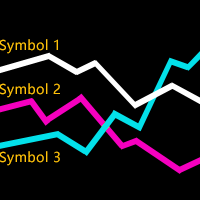
This indicator is used to compare the relative strength of the trade on the chart against the other several selected symbols. By comparing the price movement of each traded variety based on the same base day, several trend lines of different directions can be seen, reflecting the strong and weak relationship between the several different traded varieties, so that we can have a clearer understanding of the market trend. For example, you can apply this indicator on a EurUSD chart and compare it w
The indicator represents an additional chart window with a lower time frame where bars are combined into groups that are equivalent in time to main chart time frame. Bars are synchronized by the right hand side of the window, i.e. the time of the last bar in the main window corresponds to the time of the last bar group in the additional window. The maximum number of groups is 16; the maximum number of bars combined into groups in the additional window is 256. Limitations on the numbers are requi
This is an easy-to-use tool for implementing Support Vector Machine Learning in your Expert Advisors, Indicators and other MetaTrader 5 projects. Until now, the use of support vector machine classification has been limited only by advanced coders via external java and c++ dll libraries. This tool has been developed using only the standard MetaTrader 5 tools and provides advanced support vector machine functionality using a very simple interface. Please note: this product is not an Expert Advisor
What is Center of Gravity? The Center of Gravity indicator allows you to get an instantly strong sentiment of where any market is going. It works with any kind of market: Forex, Stocks, Metals... The extreme ease of reading is the real power of this indicator. The basics behind Center of Gravity is a physics law: barycentre. When the market price deviates strongly from this centre of gravity, the probability is considered high that the market price will evolve back towards the centre of gravity.
Scalper Pad Scalper Pad panel is designed for scalping and has only the basic commands for scalping: BUY, SELL, CLOSE, REVERSE, and the choice of LOTS. Others versions: VirtualTradePad PositionsStyle VirtualTradePad Ordersstyle VirtualTradePad SignalsStyle VirtualTradePad "One Click Trading Panel" Important Features When a position is successfully opened, you will hear a sound similar to the same action in the terminal; If there is an error, you will hear the error sound; On the the BUY and SELL
Easy Order is an Expert Advisor allowing you to enter any type of trade with one click based on your RISK preferences. You can choose to enter a trade and automatically calculate your lot size based on how much of your account you want to risk. Risk is calculated based on your Stop Loss placement. You can use a fixed lot size if you don't want to use risk based calculation of lot size. Your previous setting of risk based or fixed lot size remains saved for your next use of this Expert Advisor. T
This is a half scalping system that analyzes the market using a transmission function. The system can be scalping or not depending on the "takeprofit" and "stoploss" parameters. This Expert Advisor is intended for trading on EURUSD,GBPUSD,EURCHF,EURAUD however it can work on other currency pairs. You should use timeframe M1 for trading. Parameters Bobra Adept Mode_trade (Market_Oders) - type of order placed. type_order (ORDER_FILLING_FOK) - type of order filling. Magic (123) - magic number. Use
インパルスシステムは、「Come into myTradingRoom」の本で最初に説明されました。 MACDヒストグラムと価格の指数移動平均(EMA)の両方の方向を使用して、インパルスを定義します。 ルールは衝動に逆らって取引することは決してありません。 そのカラーコードはあなたにいくつかの信号を与えます: EMAとMACD-ヒストグラムの両方が上昇している場合、インパルスシステムはバーの色を緑色にします(短絡は許可されません)。 EMAとMACD-ヒストグラムの両方が低下している場合、インパルスシステムはバーの色を赤に着色します(購入は許可されていません)。 EMAとMACD-ヒストグラムが異なる方向を指している場合、インパルスシステムはバーの色をシアンに着色します(長くても短くてもかまいません)。 パラメーター: MACD_Short_Length (12)–MACD計算用の短いEMA。 MACD_Long_Length (26)–MACD計算用の長いEMA。 MACD_Smoothing_Length (9)–信号線の平滑化値。 Short_EMA_Length (13)
Welcome Delta Minimum is a multi-currency Expert Advisor that uses a unique strategy based on the Stochastic Oscillator indicator. Trading Strategy: Welcome Delta Minimum Expert Advisor trades on 2 currency pairs (EURUSD and GBPUSD) that can be selected in the parameters. First and additional positions are opened using a unique strategy based on the Stochastic Oscillator indicator. Positions are closed by Take Profit and Stop Loss with additional trailing stop feature. The money management is ba
Swing Introduction Swing is a beautiful and automatically adaptive EA. Please test the default settings of Swing on "All symbols in Market Watch" with any broker. Then go find other EA’s that claim to be auto-adaptive and test their default settings on “All symbols in Market Watch” with any broker to test and prove Swing’s ability for yourself. Don’t just take my word for it. Please fully explore this wonderful trading system! Most Swing settings congregate around a similar profitability level i
ROMAN5 Time Breakout EA with Advanced TrailingStop includes the BreakEven feature. It automatically draws the boxes for daily support and resistance breakouts. When the price is below the support line, it is a sell signal; and when the price is above the resistance line, it is a buy signal. Advanced TrailingStop comes with 6 indicators: Fractals, Parabolic SAR, Bollinger Bands, Heiken Ashi, Moving Average and a combination of Fractals+Parabolic SAR. Advanced TrailingStop automatically moves the
Reverse TradeCopier Follow can copy trades from an account that is running Reverse TradeCopier Source. Features: Copies trades from one source (master) account to multiple following (slave) accounts. Allows investor (read only) password for source (master) account. There are no complicated settings and input parameters, everything is easy. Works with different brokers. Works with different quotes symbols (EURUSD_FX, eurusd_m, etc.). Can copy orders from 4-digit quotes platform to 5-digit quotes
Ilan trailing for MetaTrader 5 Determines the direction of trading according to candlestick patterns. Settings: Initial volume. Lot increasing exponent. Density of averaging (step of bends opening). Maximum amount of averaging (the maximum number of bends). Take Profit in points. Selecting the volume accuracy (number of digits after a decimal point in the volume). Magic number of the Expert Advisor. Slippage. Trailing Stop. Maximum possible loss as a percentage of the deposit.
Quantum frequency The indicator calculates the quantum frequencies using the current market data. The quantum frequencies are used in Spectrum analysis of automated trading systems to create quantum filters for selecting signals, i.e. skipping trades that are likely to be unprofitable. How It Works It analyses the trade results of automated trading system for each frequency (512 frequencies are used). Calculation of the frequency response to search for "profitable" and "unprofitable" frequencie
MetaTrader 5 用 Averager — プロフェッショナルな平均化とポジションシリーズ管理システム ドローダウンに入ったポジションを平均化し、さらにトレンド方向・逆トレンド方向の両方に追加エントリーできる強力な Expert Advisor です。 これは単なる平均化ツールではありません。取引シリーズ全体の平均価格、共通の利益目標、そしてポジション管理を柔軟にコントロールするための実践的な管理システムです。 Averager は、独立した自動売買戦略ではありません。すでに開かれている取引を監視し、平均化、追加エントリー、共通のトレーリングストップによってポジションシリーズ全体を管理するための専用ツールです。 手動取引を行うトレーダー、自分自身のシグナルを使うトレーダー、または他の売買システムと組み合わせて使いたいトレーダーに向けて設計されています。損失側に動いたポジションや発展中のポジションを、ひとつの明確な仕組みで管理したい方に最適です。 MT4 バージョン | 完全説明 + DEMO + PDF | 購入方法 | インストール方法 | ログファイルの取得方法 | テス
EAmicroMoney Bet Expert Advisor works on 1 currency pair - EURUSD. Lots are set up manually in the Lots parameter. Optimization of the Lots parameter makes this Expert Advisor powerful. It is based on filtered-MACD & CCI to trigger the BUY or SELL signals. Open positions are closed by Take Profit, Stop Loss or according to opposite signals. Maximum value of the Lots parameter is 0.09 and minimum value is 0.01. If you have enough money you can use 0.09. For more details please see the screensho
The EAmicroMoney Expert Advisor works on EURUSD or GBPUSD. It has the following parameters: maximum step price, moving average period and moving average shift. It is bound to M1 timeframe. It uses a unique technology to identify small trends and make large volume deals. Default input parameters: StepPrice=0.00031, base_lots=0.01, moving average period=12, moving average shit=9. Nothing more to say, just look at the screenshots.
Tails is an indicator that predicts where the price will rebound and reach in a day candle. This indicator does not repaint and is to be used in time frames below D1. By default, the indicator will plot two support and two resistance lines. If needed, you can set the extended levels to "true" to show three support and three resistance lines. Input Parameters Extended_Levels - show extended levels in the chart; Clr_Support - color for the support lines; Clr_Resistance - color for the resistance
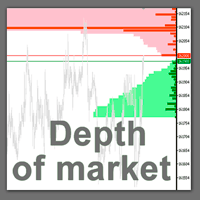
The professional tool of stock traders in now available on MetaTrader 5 . The Actual depth of market chart indicator visualizes the depth of market in the form of a histogram displayed on a chart, which refreshes in the real-time mode. Meet new updates according to user requests! Now Actual Depth of Market indicator displays the current ratio of volume of buy and sell requests (B/S ratio). It shows the share of volume of each type of requests in the entire flow of requests as well as the absolu
The Expert Advisor BotMAn uses Moving Average data and an adaptation block. The entry/exit points are located at the points of intersection of the moving averages. The direction is determined by the adaptive system of the Expert Advisor using values of the moving averages. Input Parameters First MA Period - period of the first moving average indicator; First MA Method - averaging method of the first indicator; Second MA Period - period of the second moving average indicator; Second MA Method - a
A stable gold mine from developers who trade their own Expert Advisors on real accounts is here! We are introducing Gold Mine, the crowing result of our many years of experience in active trading. We regularly update, test and improve all our products so as to meet the high standard of the St.Traders team and bring the users an advantage in the game. Gold Mine is also available in MetaTrader 4 version. Input Parameters: MagicNumber – it's necessary to set the identification number of the Expert
Classic Multi-currency Break-Even. It only changes order Stop Loss level when the current price reaches Break Even Level pips of profit, securing/"locking" Break Even Profit pips of profit. Allows flexible positions filtering and processing by: Pair Magic Position ID Position Type The Expert Advisor can be placed on any chart. You can use Advanced Break Even simultaneously with any other trading Expert Advisor. Also features: On Screen Display Extended logging Separate EA log file Standard Met
This Scalper Expert Advisor is based on 3 indicators: Heiken Ashi, Moving Average and Stochastic Oscillator. Positions are opened when a signal is triggered by those indicators. Open position are closed by Take Profit, Stop Loss. If Close by Opposite Signal is activated then positions will be closed if a reverse signal appears. To lock account profit or limit account loss, you can activate Target equity and/or Minimum equity in percentage of deposit at the settings. This EA is optimized for EURU
エンベロープまたはチャネルラインは、移動平均と平行に設定されます(2つのMAを使用する場合は遅いMAに対して)。 2つのチャネルラインには、日足チャートの過去2か月または3か月のすべての価格の約95%が含まれている必要があり、極端なものだけが外側に突き出ています。チャネルラインは魅力的な利益目標を提供します-上のラインの近くでロングを売り、下のラインの近くでショートをカバーします。 AutoEnvelopeはカスタムインジケーターです。これは、最後の100小節の標準偏差を計算することによってチャネル幅を自動的に選択する独自のツールです。固定チャネルサイズを使用するか、最大で週に1回(週次チャートでは月に1回)値を変更するように設計されているため、日中のデータにも適しています([固定チャネルサイズ]パラメーターを使用して切り替えます)。あるモードから別のモードへ)。 AutoEnvelopeに加えてEMAがプロットされます。この組み合わせにより、2つの別々のインジケーターを調整することなく、EMAを変更し、エンベロープをそれに従わせることができます。移動平均を表示したくない場合は、
The main purpose of the indicator is to detect and mark on a chart the following trade signals described in "Trading Chaos (2-nd edition)": Bullish and bearish divergence bars with angulation (including squat). Bars in the red and in the green zones according to the color of the Awesome Oscillator histogram. Squat bars on the chart independent of the color of the Awesome Oscillator histogram. Levels of "important" fractals relative to the "Teeth line" of the Alligator indicator. Drawing angulati
This software has no equals in the world and represents a universal trade "console" covering trading signals, automated market entry, setting of Stop Loss and Take Profit, as well as Trailing Profit for multiple trades at the same time in a single open window. Intuitive control of the Expert Advisor in "three clicks" ensures a comprehensive use of all its functions on different computers, including tablets PCs. Interacting with additional signal indicators that mark the chart to give a real mark
This indicator shows Pin Bar candlestick pattern on the chart. The bearish pin bars have red color, the bullish pin bars have blue color. The indicator shows alert when Pin Bar candlestick pattern is formed. It's recommended to use it at timeframes H1 and higher. The best moment (strong signal) is when Pin Bar is formed close to the support/resistance level.
Indicator-forecaster. Very useful as an assistant, acts as a key point to forecast the future price movement. The forecast is made using the method of searching the most similar part in the history (pattern). The indicator is drawn as a line that shows the result of change of the close price of bars. The depth of history, the number of bars in the forecast, the patter size and the quality of search can be adjusted via the indicator settings. Settings: PATTERN_Accuracy_ - quality of the search.
MetaTrader 5 用トレーディングパネル — チャートとキーボードから行うプロフェッショナルなワンクリック取引 アクティブトレーダーのために設計された高機能 Trading Panel。標準の MetaTrader 操作よりも、はるかに速く、直感的に、そして効率的に取引を実行できます。 本パネルは、ポジション管理、未決注文管理、利益コントロール、執行スピードをひとつのプロフェッショナルなワークスペースに集約した実践的なソリューションです。 これは単なる補助ツールではありません。MetaTrader 5 のための本格的な trading cockpit です。チャートから直接操作し、キーボードで素早くコマンドを実行し、自動計算や視覚的なガイドを活用することで、手動トレードをより速く、より明確に、より快適にします。 このパネルを使えば、チャート上からワンクリックで注文を実行でき、標準の MetaTrader コントロールと比べて最大 30 倍速く取引操作を行うことができます。 新しいプレミアム版が利用可能です: VirtualTradePad PRO SE で取引ワークフローを強
This is a universal constructor Expert Advisor for MetaTrader 5. The Constructor EA is provided with a large set of functions. It is a versatile trading system with custom functions and more than 15 signals for opening positions and placing pending orders. You can select one of 15 signals to open a position and 5 of 17 filters to sort out the signals of the standard indicators included in the MetaTrader package. Besides, you can adjust the indicator parameters, select a timeframe and specify a s
This is an utility for automatic scaling of a chart and making at least 140 bars visible in it. This is necessary for a correct wave analysis according to the Bill Williams' strategy "Trading Chaos". The utility can be used on any timeframe available in МetaТrader 5. It draws a vertical line through the first bar the calculation starts from. This line allows you to see the probable starting point of the wave sequence along with a sufficient number of bars displayed in the chart. It also makes th
The indicator is intended for determining the spread and swap size, the distance for setting stop orders and stop losses from the current price allowed and the risk per 1 point in the deposit currency. The indicator informs a trader about possible additional expenses and profits connected with transferring a position to the next trade session of the financial instrument. It also informs about the spread size and the distance of pending orders, stop loss and trailing from the current price. In ad
The main purpose of the indicator is to detect and mark trade signals on the histogram of the Awesome Oscillator according to the strategies "Trading Chaos, second edition" and "New Trading Dimensions". The indicator detects and marks the following trade signals: "Two peaks" - Divergence. The signal "Second wise-man" - third consequent bar of the Awesome Oscillator after its color is changed. The histogram crosses the zero line. The signal "Saucer". The indicator includes a signal block that inf
This is an original trend indicator. Its values vary from -1 to +1. The closer the indicator is to +1, the stronger is the ascending trend. The closer it is to -1, the stronger is the descending trend. The indicator can be also used as an oscillator for determining the overbought/oversold state of the market. The indicator has one input parameter Period for specifying the number of bars to be used for calculations. Version 2.0: Added the signal line calculated as a moving average of the main lin
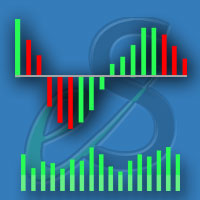
ボリューム加重MACD ボリューム加重MACD(VW-MACD)は、Buff Dormeierによって作成され、彼の著書Investing With VolumeAnalysisで説明されています。これは、ボリューム加重価格トレンドの収束と発散を表しています。 ボリュームを含めることで、VW-MACDは一般的に従来のMACDよりも応答性と信頼性が高くなります。 MACD(ムービングアベレージコンバージェンスダイバージェンス)とは何ですか? 移動平均収束発散は1979年にGeraldAppelによって作成されました。標準MACDは、短期指数平均と長期指数平均の差をプロットします。差(MACDライン)が正で上昇している場合、価格トレンドが上昇していることを示しています。 MACDラインが負の場合、価格トレンドが下がっていることを示しています。 この差の滑らかな指数平均が計算され、MACD信号線が形成されます。 MACDラインがMACDシグナルラインより上にある場合、MACDの勢いが高まっていることを示しています。同様に、MACDがMACDシグナルラインを下回ると、MACDの
Virtual Multi-currency Trailing Stop. It works exactly as the "regular" Trailing Stop, but it does not send trading orders to change the existing Stop Loss. It only changes Virtual Stop Loss level when the current price reaches Trailing Stop Start pips of profit, securing/"locking" more profit as the price moves in favor of a trade. When the price turns back and becomes equal to the Virtual Stop Loss level, the position is closed at the market price. It allows flexible positions filtering and pr
Pearson linear correlation. The indicator shows statistical correlations between symbols, selected by user. Input parameters: Time frame - timeframe for analysis (Current, 1 Minute, 2 Minutes, 3 Minutes, 4 Minutes, 5 Minutes, 6 Minutes, M10 Minutes, M12 Minutes, M15 Minutes, M20 Minutes, M30 Minutes, 1 Hour, 2 Hours, 3 Hours, 4 Hours, 6 Hours, 8 Hours, 12 Hours, 1 Day, 1 Week, 1 Month).; Prices - price type, used in analysis (Close price, Open price, High price, Low price); Limit analysis - Numb
An audio signal is activated when candle patterns appear. The corresponding candle is marked on the chart and signed by the candlestick pattern's code. Comparing the code with the list in the upper left corner of the screen and knowing how the pattern operates, you can check the overall trend and make your decision to buy or sell. If your broker uses five-digit quotes, change UseExtraDigit parameter to true.
This indicator draws color bars on the basis of the ADX Wilder indicator helping you to find trends. Color of Bars: Blue - the main signal is going up and DI+ > DI-, the market is bullish; Red - the main signal is going up and DI- > DI+, the market is bearish; White - the main signal is going down, no trend is detected. Input Parameters: Period - the period of the ADXWilder indicator.
The indicator displays entry points on the chart using arrows. Three exponential moving averages (EMA) are used: The fast one (red) with the parameter of averaging MaPeriod; The medium one (green) with the parameter of averaging equal to MaPeriod * 2; The slow one (black) with the parameter of averaging equal to MaPeriod * 4. Condition for Opening a Long Position: The fast EMA crosses the medium one upwards; The medium EMA is above slow one. Condition for Opening a Short Position: The fast EMA
For opening positions, the Expert Advisor uses the signals of the Three Moving Averages Signal indicator. Input Parameters: Period of fast ma - period of the Three Moving Averages Signal indicator; Take in atr, 0 - do not use a take profit - take profit size calculated using ATR (50) applied to the current timeframe; If the parameter value is 0, it is not used; Stop in atr, 0 - do not use a stop - stop loss size. If the parameter value is 0, it is not used; Trailing in atr, 0 - do not use a tr
Rich Monster is a new Trajecta research based on the reverse engineering of some of our trading signals (Trajecta Labs Trading Ecosystem). The idea here is fit some of the best strategies and setups inside the Ecosystem and transform it into a highly profitable Expert Advisor. Our goal: build an innovative Expert Advisor based on our Ecosystem where thousands of proprietary and new strategies are tested in real time to discover new trading opportunities for our customers. Our trading signals ma
This is visualization tool based on the Depth of Market. It works with the symbols that have the Depth of Market available. It's a visual indicator that shows the volume of each Bid/Ask price and ratio of total volume of Bids/Asks. Note: check if your broker supports DOM before purchasing. 。。。。。。。。。。。。。。。。。。。。。。。。。。。。。。。。。。。。。。。。。。。。。。。。。。。 。。。。。。。。。。。。。。。。。。。。。。。。。。。。。。。。。。。。。。。。。。。。。。。。。。。
This EA learns from its own mistakes. Each unsuccessful trade is thoroughly analyzed and turned into a future success. The Expert Advisor uses the time efficiently working 24/7. When the market is closed, the trading robot is especially productive, as it analyzes its own mistakes and makes a better trading plan for the coming week. This has been achieved thanks to its self-learning intelligent system. Full description: https://www.mql5.com/ru/blogs/post/688857 Free version: https://www.mql5.com/
Features The Expert Advisor's conditions for entering and exiting the market are based on the MultiSignals_PCH indicator, which can be downloaded for free from Code Base . The Expert Advisor can be used for trading in the manual, semi-automatic or automatic mode. Multi-currency trading. This version supports 3 symbols. Multi-system trading. In this version, you can set up 4 strategies for each symbol. The Expert Advisor sets a unique magic number for each strategy. Multi-timeframe trading. You
DiTrade Expert Advisor is based on the custom indicator DiTrend . Entry points are determined using values of the DiTrend indicator. Positions are closed when reaching specified profit and loss levels. Input Parameters Period Main - Period Main input parameter of the DiTrend indicator; Period Signal - Period Signal input parameter of the DiTrend indicator; Stop Loss - loss fixing level in points; Take Profit - profit fixing level in points; Fixed Lot - fixed lot value; Variable Lot - variable lo
Simple indicator to show the candlestick opening time below each bar or below the bars of the higher period. Includes: Font customisation Color customisation Date / Time / Both modes Parameters: Font Size: 8 Font Color: White Font Name: Consolas Time Method: Time Only Time Frame: Current - when current, display label at each bar, higher timeframe will place label on opening bar of specified timeframe