Facebook上で私たちを見つけてください。 私たちのファンページに参加してください
MetaTrader 5の新しい可能性をご利用ください
最も人気のある自動売買ロボットおよびテクニカル指標、ニュースシグナル、コードベースへの MQL5プログラムの定期的な追加、フォーラムでの話題のトピックの定期的な追加。
The strategy is based on the DeMarker and MACD indicators. Positions are closed by Stop Loss and Take Profit or according to an opposite signal. To lock account profit or limit account loss, you can activate Target equity and/or Minimum equity in percentage of deposit at the settings. This EA is optimized for EURUSD M1, but you can use it for other instruments by performing optimization first. You can adjust important parameters by performing optimization periodically using "Every tick based on
The Red Green Trade Signals indicator just gives you the direct signal to open and close your positions, just like traffic signals. When the signal turns to red, the market goes to short position, while the signal turns to green, the market goes to long position. This indicator also provides the precise time and price to open/close your positions with the 'buy' (green) and 'sell' (red) arrows. It's easy to use, and it's ready to go without any parameter to set. This indicator is implemented by c
Most investors would like to know where is market resistance or support level? How big is the profit space that market will reach? Now, the Fibonacci retracement trajectory indicator shows you a probable truth. Unlike other lagging analysis utilities, the Fibonacci retracement trajectory indicator is able to draw a set of Fibonacci retracement lines as resistance/support levels in advance. Up to several hours before it really happens in market. Trust your eye! Auto detect peak changing. Wide ran
Trade Strategy: The Trade Strategy is based on the fact that a rollback comes after "a strong" movement. Indicators are not used, only price is analyzed. Input parameters (eMovement, eRecoil, eTakeProfit, eNextTrade, eRiskMove) are specified for 4-digit quotes. If the Expert Advisor operates on pair which has 3- or 5-digit quotes, the Expert Advisor will multiply that values by 10 itself. The Expert Advisor places pending orders by averaging the price if the movement is against us. You can limit
This software has no equals in the world and represents a universal trade "console" covering trading signals, automated market entry, setting of Stop Loss and Take Profit, as well as Trailing Profit for multiple trades at the same time in a single open window. Intuitive control of the Expert Advisor in "three clicks" ensures a comprehensive use of all its functions on different computers, including tablets PCs. Interacting with additional signal indicators that mark the chart to give a real mark
One of the key rules in trading is never move your stops in such a way that your risk increases. Our stop sequence shows the automatic tightening of stops. They appear as a series of decreasing risk points until the trade is eventually stopped out. The problem is that if you enter a trade at any other point than the initial dot of the sequence, you may be placing the stop too close. Stop-entry plots show you the initial value for the stop for each bar. You can use them when you put on a trade,
MACD Histogram tracks the difference between the MACD line and the Signal line (which is the exponential moving average of the first line). For better visibility, when plotting the lines and the histogram in the same window, we scale up the histogram by a factor of 2. Furthermore, we use two separate plots for the histogram, which allows us to color-code the bars for upticks and downticks. The MACD Combo overlays MACD lines on MACD Histogram. Putting both plots in the same window enables you to
Easy read, simple and powerful indicator. This powerful indicator draws two lines: the RSI and the EMA of RSI. Just wait for a dead cross or a golden cross of them, especially below 40% and above 60%. Standard signals of RSI, overbought and oversold can be used normally. You can simply change the input parameter as you like. The default value is RSI(14) and EMA(8). Easy and clear view of the current market trend.
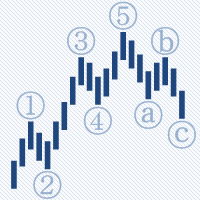
AutoElliottWaveMaker is the first tool for MetaTrader 5 , created for semi-automatic analysis of Elliott waves. It has many unique features: Automatic bar binding of waves for all timeframes; The waves can be labelled in 2 ways: drag and drop from the Labels panel and using the mouse click on the bar; Automatic arranging of the labels at all timeframes according to wave levels seniority; Automatic and manual control of the number of wave levels shown on a chart; Wave levels custom labelling sty
ROMAN5 Heiken Ashi TrailingStop includes BreakEven facility. TrailingStop automatically moves the Stop Loss with the Heiken Ashi level. You can place ROMAN5 Heiken Ashi TrailingStop in any chart. It comes with an alert that will sound whenever a new signal appears. It also features an email facility. Your email address and SMTP Server settings should be specified in the settings window of the "Mailbox" tab in your MetaTrader 5. Version 1.1: Sends push notifications to the mobile terminal. Able t
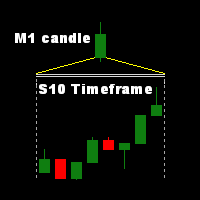
Indicator with second-timeframe in a separate window with separator line. Very useful for day traders to analyze the quick motion. Input parameters: TimeFrame - used time frame: S1 - one candle contains 1 second (max. 60 candle/sec); S2 - one candle contains 2 second (max. 30 candle/sec); S3 - one candle contains 3 second (max. 20 candle/sec); S4 - one candle contains 4 second (max. 15 candle/sec); S5 - one candle contains 5 second (max. 12 candle/sec); S6 - one candle contains
エンベロープまたはチャネルラインは、移動平均と平行に設定されます(2つのMAを使用する場合は遅いMAに対して)。 2つのチャネルラインには、日足チャートの過去2か月または3か月のすべての価格の約95%が含まれている必要があり、極端なものだけが外側に突き出ています。チャネルラインは魅力的な利益目標を提供します-上のラインの近くでロングを売り、下のラインの近くでショートをカバーします。 AutoEnvelopeはカスタムインジケーターです。これは、最後の100小節の標準偏差を計算することによってチャネル幅を自動的に選択する独自のツールです。固定チャネルサイズを使用するか、最大で週に1回(週次チャートでは月に1回)値を変更するように設計されているため、日中のデータにも適しています([固定チャネルサイズ]パラメーターを使用して切り替えます)。あるモードから別のモードへ)。 AutoEnvelopeに加えてEMAがプロットされます。この組み合わせにより、2つの別々のインジケーターを調整することなく、EMAを変更し、エンベロープをそれに従わせることができます。移動平均を表示したくない場合は、
The Market Thermometer is described in "Come into my Trading Room" book. It measures the degree of volatility, as reflected in greater or smaller intraday ranges. When the Market Temperature spikes above its average or stays below its average for a number of days, it gives trading signals, as described in the book. Parameters: Thermometer_EMA_Length (22) – The length of the moving average of the Market Temperature. The default 22, the average number of trading days in a month. Spike_Alert_Facto
SafeZone is a method for setting stops on the basis of recent volatility, outside the level of market noise. It is described in "Come into my Trading Room" book. In an uptrend, SafeZone defines noise as that portion of the current bar that extends below the low of the previous bar, going against the prevailing trend. It averages the noise level over a period of time and multiplies it by a trader-selected factor. For long trades, SafeZone subtracts the average noise level, multiplied by a factor
The purpose of Impulse Release is to prevent trading in the wrong direction. While the Impulse System operates in a single timeframe, Impulse Release is based on two timeframes. It tracks both the longer and the shorter timeframes to find when the Impulse points in the same direction on both. Its color bar flashes several signals: If one timeframe is in a buy mode and the other in a sell mode, the signal is "No Trade Allowed", a black bar. If both are neutral, then any trades are allowed, showi
My Automated Trading Championship 2012 Expert Advisor. The system can trade on multiple financial instruments. Settings are optimized for the last 3 months of 2012. The system will always use the H1 period and the selected in the input parameters. Input Parameters: risk - maximum loss in % on open position (default: 35.00%); max_lot - maximum lot on each position (default: 15.00); trade_[PAIR] - allowing trading on the symbol [PAIR] (default: trade_EURAUD = false, other pairs = true). Testing re
Multi-currency Trailing Stop. Classic Trailing Stop. It only changes order Stop Loss when the current price reaches Trailing Stop Start pips of profit, securing/"locking" more profit as the price moves in favor of a trade. It allows flexible position filtering and processing by: Pair Magic Position Position Type The Expert Advisor can be placed on any chart. You can use Advanced Trailing Stop simultaneously with any other Expert Advisor. It also features: On Screen Display Extended logging Sep
Ilan for MetaTrader 5 Due to using the virtual trades, trading in both directions (buy and sell) simultaneously became possible. This allows users to adapt the popular strategy for the net accounting of positions applied by MetaTrader 5. Expert Advisor Settings The Expert Advisor setup is simple. However, all the important settings of the strategy are available for adjusting. Available tools: Unique MagicNumber for identification of trades; Trade direction option ( Trade direction ): buy onl
Advanced new deals notificator. It always keeps you informed about ALL deals from your MetaTrader 5 trading terminal. Being placed on any chart it sends e-mail and Push Notification with all information about the new deal. The user can create his own message type and include only necessary information into the text. The best deal notification solution. It informs you about absolutely all deals, without missing a single one.
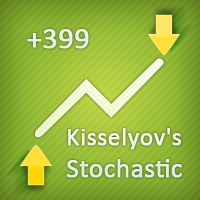
This version of Stochastic evaluates the probability of taking the specified profit in points. The appropriate value is set in the parameters, and the product automatically shows possible options for the market it is currently applied to. There are much more options and the information is more extensive compared to conventional Stochastic (see the screenshots). Signals: The yellow channel is absent (flat movement, market entry is not recommended). The yellow channel is narrowing (trend is formin
Scalper Pad Scalper Pad panel is designed for scalping and has only the basic commands for scalping: BUY, SELL, CLOSE, REVERSE, and the choice of LOTS. Others versions: VirtualTradePad PositionsStyle VirtualTradePad Ordersstyle VirtualTradePad SignalsStyle VirtualTradePad "One Click Trading Panel" Important Features When a position is successfully opened, you will hear a sound similar to the same action in the terminal; If there is an error, you will hear the error sound; On the the BUY and SELL
Why Fire Turtle EURUSD trading system? Fire Turtle culminates over eight years of development, testing and cash trading (using its developers own money) by traders, developers and engineers with over 40 years of collective automated trading experience. We are a professional managed Forex firm and Fire Turtle is one of our many effective arsenals in trading the EURUSD currency pair. The majority of solutions in the market try to obtain 95% winning trades by holding onto their losing positions ho
Our strategy relies on a choppy movement on most Forex pairs during the Asian session. Most traders in London sleep when the Sun shines over the Pacific and this results to a very slow movement of GBPUSD pair between 9:00 PM GMT and 7:00 AM GMT. Buy order: Place a buy-stop order just five pip above the upper band. Place a stop loss just one pip below the lower band. Place a profit target at the upper LawnGreen Arrow. Sell order: Place a sell-stop order just five pip below the lower band. Place
Better Neural Network is the next generation of Kub Expert Advisor, which won the Automated Trading Championship'2007 . It is based on the modified probabilistic neural network forecasting price dynamics for the next several bars. Compared with the standard probabilistic network, the Expert Advisor is provided by preliminary inputs quantization to reduce the network dimension. Also, it has recurrence relations in the neurons output layer to better determine the time patterns. Besides, the networ
ROMAN5 Advanced TrailingStop includes BreakEven facility. It comes with 6 indicators: Fractals, Parabolic SAR, Bollinger Bands, Heiken Ashi, Moving Average and a combination of Fractals+Parabolic SAR. ROMAN5 Advanced TrailingStop automatically moves the Stop Loss along with one of your selected indicator level. You can place ROMAN5 Advanced TrailingStop in any chart. It comes with an alert that will sound whenever a new signal appears. It also features an email facility. Your email address and S
MetaTrader 5 用トレーディングパネル — チャートとキーボードから行うプロフェッショナルなワンクリック取引 アクティブトレーダーのために設計された高機能 Trading Panel。標準の MetaTrader 操作よりも、はるかに速く、直感的に、そして効率的に取引を実行できます。 本パネルは、ポジション管理、未決注文管理、利益コントロール、執行スピードをひとつのプロフェッショナルなワークスペースに集約した実践的なソリューションです。 これは単なる補助ツールではありません。MetaTrader 5 のための本格的な trading cockpit です。チャートから直接操作し、キーボードで素早くコマンドを実行し、自動計算や視覚的なガイドを活用することで、手動トレードをより速く、より明確に、より快適にします。 このパネルを使えば、チャート上からワンクリックで注文を実行でき、標準の MetaTrader コントロールと比べて最大 30 倍速く取引操作を行うことができます。 新しいプレミアム版が利用可能です: VirtualTradePad PRO SE で取引ワークフローを強
The Reverse Bar indicator paints the reversal bars according to trade strategy, described by Bill Williams in "Trading Chaos. Maximize Profits with Proven Technical Techniques" book. The bearish reversal bar has red or pink color (red-stronger signal) The bullish reversal bar has blue or light blue color(blue - stronger signal) It is recommended to use it on hourly timeframe (H1) and higher.
This Expert Advisor is version of MetaQuant-ATC10 , modified for one currency pair, with the possibility to adjust and optimize all parameters. Of course, can be attached to more/several currency pairs and get a result like in the Automated Trading Championship 2010 . The Expert Advisor is based on the "Averaging Grid". If the position is developing at a loss, open new orders in variable step. The aim is to approach the average price of a position to the market price, so the correction will turn
Championship2012 (EURUSD, 2 часа) - is a simple Expert Advisor. It uses moving average and optimized calculation of lots. Strategy Tester Report MetaQuotes-Demo (Build 705) Settings Expert: Championship2012_VIP2 Symbol: EURUSD Period: H2 (2012.01.01 - 2012.12.31) Inputs: Expert_Title=Championship2012_VIP2 Signal_ThresholdOpen=10 Signal_ThresholdClose=10 Signal_PriceLevel=0 Signal_StopLevel=71 Signal_TakeLevel=69 Signal_Expiration=4 Signal_DEMA_PeriodMA=6 Signal_DEMA_Shift=0 Signal_DE
The indicator displays the "Morning star" and "Evening star" patterns on a chart. The Evening star is displayed in red or rose. The Morning star is displayed in blue or light blue. Input Parameters: Max Bars – number of bars calculated on the chart. Make Signal Alert – use alerts. Send Push Notification - send notification to a mobile terminal Type of rules pattern – type of the model of pattern determination (Hard – with the control of length of shadows of the second bar). If Soft is selected
The indicator shows the timetable of the world's stock exchanges in a separate window in visual mode. Based on Time, Forex sessions and Trade Hours monitor by Vadim Baklanov (2009), converted to MQL5 by ARIES Software Corp . Input parameters: Brokers standard time zone (UTC+): - Local Time, Standard UTC + offset broker server time; Broker DST start - Date and time daylight savings time server time broker; Broker DST end - Date and time of the transition to winter time; Clock color - Clock colo
Fantastic 5 is an Expert Advisor that explores the synergy of 5 open positions simultaneously triggered by crossover of 2 Moving Averages . Trading Strategy: Fantastic 5 Expert Advisor trades on EURUSD currency pair with timeframe H4. Crossover of 2 Moving Averages is used to open 5 positions simultaneously with no Take Profit. Each position is closed by different value of Stop Loss. In addition, there is a trailing stop option for each open position with different value that makes this Expert A
このスカルパーインジケーターは、リスクが2ポイントだけで、安全に10ポイントの利益を得ることができる瞬間を示します。適切にお金の管理が使用されている場合、それは日中の預金を大幅に増やすことができます。 インディケータには、トレンドの計算に使用されるバーの数という1つの入力パラメータしかありません。 シグナルが表示されたら、現在の価格(買いの場合)より2ポイント高い、または売りの現在の価格より2ポイント低い価格で保留中の注文を行います。 ストップロス-2〜3ポイント; 利益を得る-10ポンドから; 推奨される時間枠-M1。 ボラティリティが高くスプレッドが小さいシンボル-EURUSD、AUDUSD、GBPUSD、EURJPYなど。 ポジションがオープンされているが、価格がテイクプロフィット価格に達していない場合は、ストップロスを損益分岐点に変更し、前のバーの低価格(ロングポジションの場合)または前の高価格でポジションのトレーリングストップを使用しますショートポジションのバー。 参考:このインジケーターをレンタルする代わりに購入する場合は、支払いの証明
DCMV Trade Channel Oscillator The indicator calculates the values of DCMV trade channel oscillator: Trade channel width. The value of trade channel depends on the trend (it increases at start of the trend and has the maximum values at end of the trend). The value of trade channel decreases at flat movement. The lowest values of channel width indicates the high probability of the very strong price movement. The +DC line shows the "bulls" power. The -DC line shows the "bears" power. The value of
This Expert Adviser participates in the Automated Trading Championship 2012 (ROMAN5) . This strategy is developed to trade EURUSD in both LONG and SHORT directions according to the trend. The type of trades (buy or sell) is selected on the basis of CCI and Heiken Ashi indicators. It runs on the EURUSD H1 chart. For the Championship 2012, the parameters are: CCI_Period = 100, CCI_OverBoughtLevel = 170, CCI_OverSoldLevel = -170 , volumePerTrade = 5, maxOpenTrades = 3 and gapPriceAllow = 0.0
Moving Average Convergence Divergence Indicator - trend-following dynamic indicator. MACD Divergence in other words moving average convergence divergence indicator is modern indicator with complex mathematic algorithm (BJF Trading Group innovation). You will see divergenses on the chart and indicator. Arrows painted above/below the open bar and not in the past. You can see when actually you can trade. It is never to late! Signals based on closed bars so the arrows above/below open bar never disa
The indicator reads all deals from the history and displays them on the chart. Each deal of a position is considered separately, what allows to clearly display all actions of a trader. The application is developed on the basis of the code from the MQL4 Code Base ( https://www.mql5.com/ru/code/8804 ). Parameters: ColorBuy - buy color; ColorSell - sell color; ColorText - color of the information text; ColorProfit - profit color; ColorLoss - loss color; DaysInHistory - depth of history in days. Can
The trade strategy is based on three moving averages. To determine the trend, it uses three exponentially smoothed moving averages: FastEMA, MediumEMA and SlowEMA. Trade signals: Buy signal: FastEMA>MediumEMA>SlowEMA (upward trend). Sell signal: FastEMA<MediumEMA<SlowEMA (downward trend). Input parameters: Inp_Signal_ThreeEMA_FastPeriod = 8; Inp_Signal_ThreeEMA_MediumPeriod = 38; Inp_Signal_ThreeEMA_SlowPeriod = 48; Inp_Signal_ThreeEMA_StopLoss = 400; Inp_Signal_ThreeEMA_TakeProfit = 900; Inp_
FXG_Info – the most important data in one place. MetaTrader 5 Indicator FXG_Info provides basic statistical information about a particular currency pair. So that in combination with a chart representing currency price it is easy to determine whether the current situation is good for trading. And when you open a position it will clearly show you the current data such as SL, TP, RR. You are not limited to currency. You can use any market which is provided by you broker. The following information i
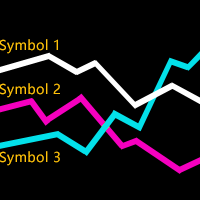
This indicator is used to compare the relative strength of the trade on the chart against the other several selected symbols. By comparing the price movement of each traded variety based on the same base day, several trend lines of different directions can be seen, reflecting the strong and weak relationship between the several different traded varieties, so that we can have a clearer understanding of the market trend. For example, you can apply this indicator on a EurUSD chart and compare it w
The Expert Advisor draws a channel on a chart using stop lines. Procedure: start the Expert Advisor on a chart of any symbol with existing open position; set the channel in a desired place and adjust its slope; if necessary, move the button "CHANNEL" by holding its upper left edge; click the button "CHANNEL", then the channel color will be changed to red. Once the price goes beyond the channel borders, the position will be closed. Settings: Make Signal Alert – use alert when closing a position;
Gold Sickles (GS) is an Expert Advisor that is based on MACD and Commodity Channel Index indicators. It also uses Standard Deviation to calculate Take Profit. Trading Strategy GS Expert Advisor trades on EURUSD currency pair with timeframe M5. MACD indicator confirmed by Commodity Channel Index indicator is used to open positions. Positions are closed by Stop Loss and Take Profit, where Take Profit is calculated using the Standard Deviation indicator (if AutoTP true). In addition, there is the
Advanced informer about all current positions and pending orders. Sends an E-Mail when Trade event occurs or/and according to the Timer, which can be configured by the user. Account info can be excluded from the messages. The best solution for those, who want to be informed about what happens in the trading terminal.
Expert Advisor Strategy This is a single currency Expert Advisor that looks for the best momentum time using Relative Strength Index (RSI) indicator in multiple timeframes. This advisor will setup up automatically the Trajecta Momentum technology to compare overbought and oversold lines several times a day, using for this the MACD Indicator as reference, so the Momentum must be adjusted by MACD parameters. The better momentum is detected by the backtesting algorithm, where score is higher, so it
The indicator calculates the straight regression line and determines the boundaries of the linear channel using extremums. In calculations it uses the minimization of the sum of absolute deviations instead of squares as it is usually done, and it makes this indicator unique. In literature this method of calculation is known as the method of least absolute deviations. The method is used rarely because of the high complexity of calculations, thus the lines and channels made on its basis are not in