パブリッシュされたプロダクト

The indicator synchronizes eight types of markings on several charts of one trading instrument.
This indicator is convenient to use in conjunction with "Multichart Dashboard" or other similar assistant that allows you to work with several charts at the same time.
"Multichart Dashboard" can be found under the link on my youtube channel.
Settings:
enable vertical line synchronization
enable horizontal line synchronization
enable Trend Line synchronization
enabling Fibonacci Retracement synchron
FREE

The Mirror Chart MT5 is a overlay indicator specifically designed to project a second financial instrument directly onto the main chart window. This tool is invaluable for traders who rely on correlation analysis, as it visualizes the price movements of two different instruments in real time. Unlike traditional overlays, this indicator utilizes intelligent, dynamic centering and scaling logic. It continuously analyzes the visible price range in the current window for both symbols and calculates
FREE

Sync Master objects synchronization
1. モード選択:
- SYNC_MASTER: 1つのチャートにのみインストールします。同じ銘柄の他の
すべてのチャートにオブジェクトをコピーします。
- SYNC_PEER: 同期したいすべてのチャートにインストールします(同じ銘柄である必要があります)。
2. 機能:
- チェックボックス: 同期するオブジェクトの種類を選択します。
- 状態 (有効/無効): インジケーターを削除せずに同期のオン/オフを切り替えます。
- 完全同期: 既存のすべてのオブジェクトを即座にコピーします。
- 全削除: ターゲットチャート上のすべての描画オブジェクトを削除します(パネルは保持されます)。
FREE

Trade Simulator With this toolbar you have both: a compact surface, which simultaneously shows you the most important information you need for trading.
You can use it with your real account or also in the strategytester mode. This toolbar allows you to trade in the strategytester as real as possible with every option available from the MT4 platform. Settings available: Magic Number - When the 'MagicNumber' number is 0, the toolbar will watch all orders without a 'MagicNumber'. If th
FREE

アダプティブADR アダプティブADR は、平均日中レンジ(ADR)を計算・表示するためのプロフェッショナル向けインジケーターで、日々の値動きの特徴を把握したいトレーダーに最適です。柔軟な設定により、さまざまな市場環境に対応できます。 計算と手法 4種類の平滑化: SMA、EMA、SMMA(Wilder)、LWMA トレードスタイルやボラティリティモデルに合わせて選択可能 トレンド相場・レンジ相場どちらにも対応 ダイナミックデイロジック 取引開始と同時に自動起動 始値を中心に2つの対称レベルを設定 ADR到達までレベルが徐々に収束 到達後は終日固定され、日内の値動きの限界を明確化 異常なボラティリティや過伸びの判断にも役立つ 視覚ガイド 始値ラインの表示が可能 色、ラインスタイル、透明度、表示設定を自由に調整 どのチャートテーマにも自然に馴染むデザイン メリット 明確なイントラデイ構造 日々のボラティリティを正確に評価 ブレイクアウト、平均回帰、ボラティリティ戦略に最適 過剰なエントリーを避け、効率的なトレード判断をサポート

The indicator synchronizes eight types of markings on several charts of one trading instrument.
This indicator is convenient to use in conjunction with "Multichart Dashboard" or other similar assistant that allows you to work with several charts at the same time.
"Multichart Dashboard" can be found under the link on my youtube channel.
Settings:
enable vertical line synchronization
enable horizontal line synchronization
enable Trend Line synchronization
enabling Fibonacci Retracement synchron
FREE

本インジケーターは過去の価格レンジを日次ボックスとして表示し、 各取引日の内部構造を詳細に分析できるよう設計されています。各日ごとに個別の色を設定できます。 ボックス内には始値と終値のレンジが方向別の色で描画され、蓄積ゾーンやレンジ形成を効率的に把握できます。
Version for MT5 : https://www.mql5.com/ru/market/product/161828?source=Unknown
The indicator displays historical price ranges as daily boxes, enabling detailed analysis of intraday structure and market behavior. Each trading day can be assigned an individual color. Inside every box, the range between the opening and closing prices is drawn with separate directional
FREE
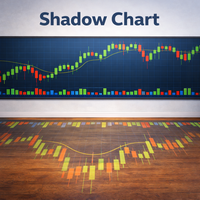
The Shadow Chart indicator is the advanced evolution of the Mirror Chart MT5. Rather than overlaying the second instrument directly onto the main chart with dynamic scaling, it renders it in a dedicated sub-window with its own independent price axis. The second symbol behaves exactly like a separately opened chart window — the scale is absolute and undistorted. The sub-window automatically adapts its display mode to match the main chart — candles, bars, or line — and inherits all color settings
FREE

Multichart Dashboard — Your Central Command Center for Trading
The **Multichart Dashboard** Expert Advisor transforms your MetaTrader interface into a clean, professional trading hub. Manage up to **6 charts simultaneously** , switch between symbols in an instant and always stay in control — all within one compact, fully configurable panel.
What does Multichart Dashboard do?
**Up to 6 charts in parallel** — Set the desired number of charts (1–6) with a single input. All associated charts are
FREE

Clonify PRO - Local Trade Copier for MT5 and MT4 Professional tool for copying trades between MT5 and MT4 accounts (via the shared "Common" folder). FEATURES: 1. SENDER: Exports trades in real-time Sends everything (no filters) Requires no additional settings 2. RECEIVER: Copies trades. Magic Number: Uses the sender's account ID (default) or a custom number. Lot Modes: Analogous: Exactly the same volume as the sender. The Lot Multiplier allows you to decrease or increase the transmitted lot. Pr
FREE

Universal trading advisor "WOz" with a built-in trading panel
The EA's capabilities can be easily tested in the strategy tester in visual mode.
The EA can simulate real trading with the ability to move the SL and TP levels.
The EA has 5 modes of operation:
1. AUTOTRADING automatic trading mode on a set signal
2. ONLY SIGNAL mode of tracking the set signal without auto trading
3. RANGE MODUS mode of automatic placement of equidistant orders on Bayi Sell at a specified time
4. HAND MODUS
FREE

Clonify PRO - Local Trade Copier for MT5 and MT4 ( Local trade copier for MT4 https://www.mql5.com/ru/market/product/15992 ) Professional tool for copying trades between MT5 and MT4 accounts (via the shared "Common" folder). FEATURES: 1. SENDER: Exports trades in real-time Sends everything (no filters) Requires no additional settings 2. RECEIVER: Copies trades. Magic Number: Uses the sender's account ID (default) or a custom number. Lot Modes: Analogous: Exactly the same volume

アダプティブADR アダプティブADR は、平均日中レンジ(ADR)を計算・表示するためのプロフェッショナル向けインジケーターで、日々の値動きの特徴を把握したいトレーダーに最適です。柔軟な設定により、さまざまな市場環境に対応できます。 計算と手法 4種類の平滑化: SMA、EMA、SMMA(Wilder)、LWMA トレードスタイルやボラティリティモデルに合わせて選択可能 トレンド相場・レンジ相場どちらにも対応 ダイナミックデイロジック 取引開始と同時に自動起動 始値を中心に2つの対称レベルを設定 ADR到達までレベルが徐々に収束 到達後は終日固定され、日内の値動きの限界を明確化 異常なボラティリティや過伸びの判断にも役立つ 視覚ガイド 始値ラインの表示が可能 色、ラインスタイル、透明度、表示設定を自由に調整 どのチャートテーマにも自然に馴染むデザイン メリット 明確なイントラデイ構造 日々のボラティリティを正確に評価 ブレイクアウト、平均回帰、ボラティリティ戦略に最適 過剰なエントリーを避け、効率的なトレード判断をサポート

本インジケーターは過去の価格レンジを日次ボックスとして表示し、 各取引日の内部構造を詳細に分析できるよう設計されています。各日ごとに個別の色を設定できます。 ボックス内には始値と終値のレンジが方向別の色で描画され、蓄積ゾーンやレンジ形成を効率的に把握できます。
The indicator displays historical price ranges as daily boxes, enabling detailed analysis of intraday structure and market behavior. Each trading day can be assigned an individual color. Inside every box, the range between the opening and closing prices is drawn with separate directional colors, helping traders identify accumulation and consolidation zones.