KT CRT Indicator MT4
- インディケータ
- バージョン: 1.0
- アクティベーション: 10

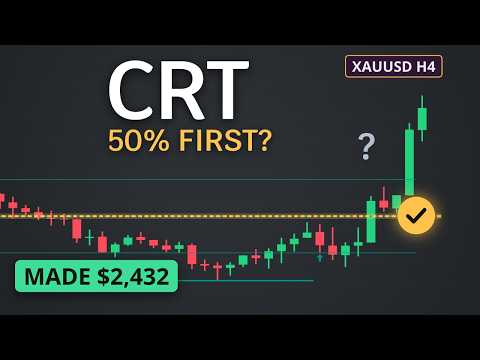
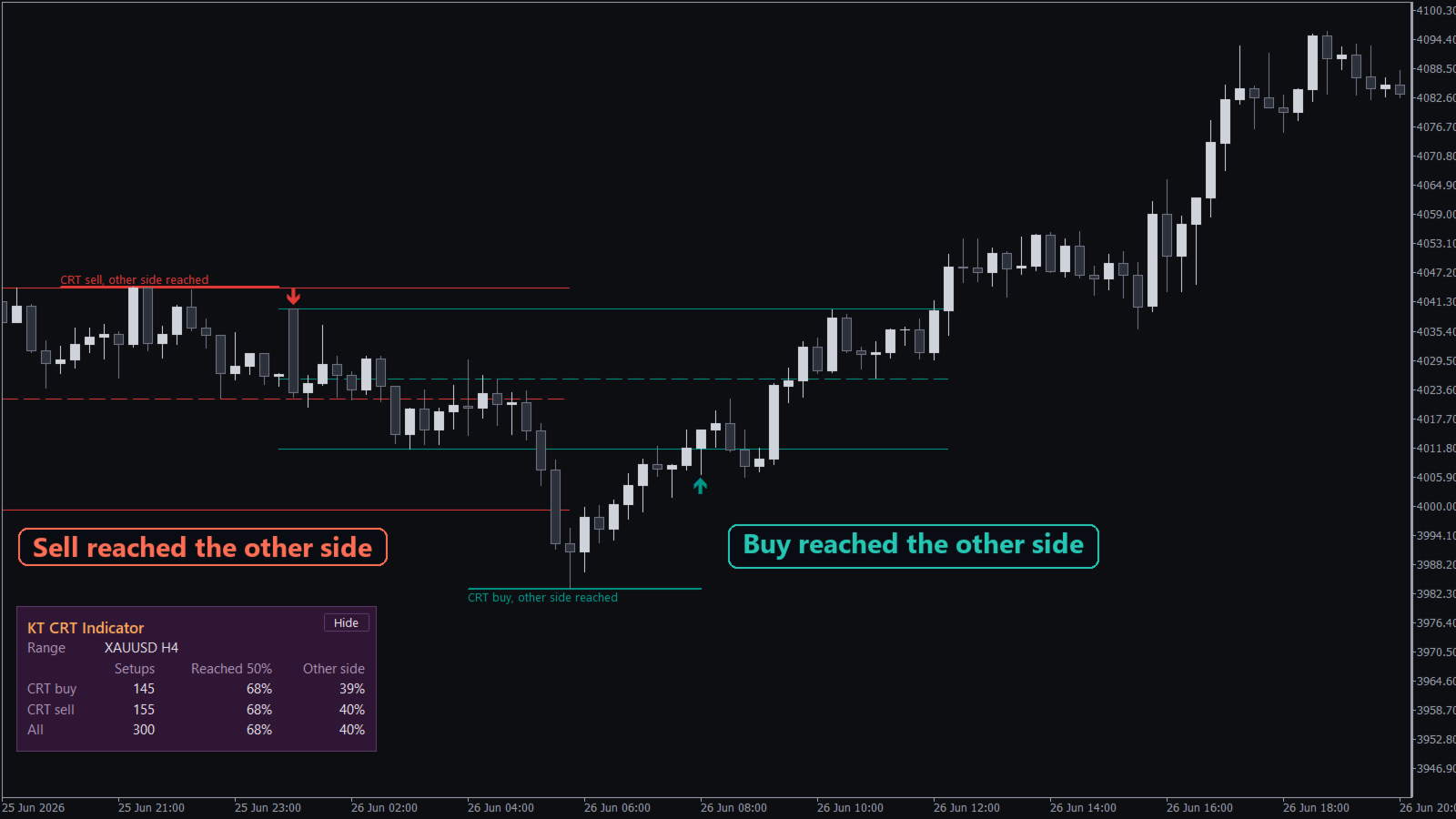
A Candle Range Theory (CRT) indicator for MetaTrader that marks each CRT setup at the candle close and keeps a record of how those setups played out on your symbol. Every setup is tracked until price reaches the middle of the range, crosses to its opposite edge or fails, and the outcome is written on the chart.
A statistics panel counts the recent CRT buys, CRT sells and all setups together, with the share that got to the 50% line and the share that got to the opposite edge. You see what the last setups did before you take the next one.
What you get
- The higher timeframe range on your chart: the high, the low and the dashed 50% line of each H1, H4 or D1 range candle.
- CRT buy and CRT sell arrows: when the next candle trades below the range low (CRT buy) or above the range high (CRT sell) and closes back inside the range, an arrow marks the setup.
- No repainting: a setup is confirmed when the sweep candle closes, and it stays exactly as drawn.
- Setups you can see forming: during a sweep, dotted range lines appear with a live timer that shows how long the candle has left, for example "closes in 1:12:30".
- An outcome on every setup: each label follows price to its outcome, and setups that failed are drawn in grey, so a scroll back through the chart shows the history at a glance.
- Levels on hover: point at any arrow and a box shows the 50% target, the opposite edge, the failure price and how the setup is doing.
- New York key times: a single input limits H4 ranges to the 1:00, 5:00 and 9:00 New York opens, with broker time handled for you all year.
- Alerts by popup, phone or email: choose to hear about new setups, pending setups and outcomes.
How to use it
Pick H1, H4 or D1 as the range timeframe, attach the indicator to a lower timeframe chart and read the panel. Turn on the pending setup alert to hear about a sweep while it happens.
Once a setup is confirmed, the 50% line is the first target, the opposite edge of the range is the second, and price moving past the sweep extreme fails it.
To compare two range timeframes, attach a second copy, for example H4 next to D1. Each copy keeps its own panel, and the panels sit one above the other.
Recommendations
Use KT CRT Indicator on gold, stock indices and forex pairs. For H1 and H4 ranges, trade from M5 or M15 charts. For D1 ranges, M15 or H1 charts work well. Each symbol and broker gives its own numbers, so read the panel on the chart you trade.
Input parameters
- Range candle timeframe: H1, H4 or D1, the timeframe whose candles set the range.
- Only H4 ranges at 1:00, 5:00 and 9:00 New York: turns the key time filter on or off.
- Broker daylight saving: Auto, US (New York close) or Europe.
- Strategy Tester only, broker GMT offset in winter: the broker's winter offset, used in the Strategy Tester only.
- Show a pending setup with a countdown: shows or hides the pending setup.
- Show buy and sell arrows at confirmation: shows or hides the arrows.
- Show the statistics panel and Panel position: the panel and the corner of the chart where it sits.
- Setups drawn on the chart: how many setups stay on the chart, from 5 to 300.
- CRT buy, CRT sell and failed setup colours: the colour of each kind of setup.
- Alerts: pick the events (new CRT setup, pending setup, 50% line, opposite edge or fail) and the delivery (popup with sound, push notification, email).
Know your CRT numbers before the next trade
Every confirmed setup on your chart, a timer on the one that is forming, and the outcome record of your own symbol in one panel. Add KT CRT Indicator to your chart and take the next CRT trade with the numbers in front of you.