PRL Levels
- インディケータ
- バージョン: 1.0
- アクティベーション: 5

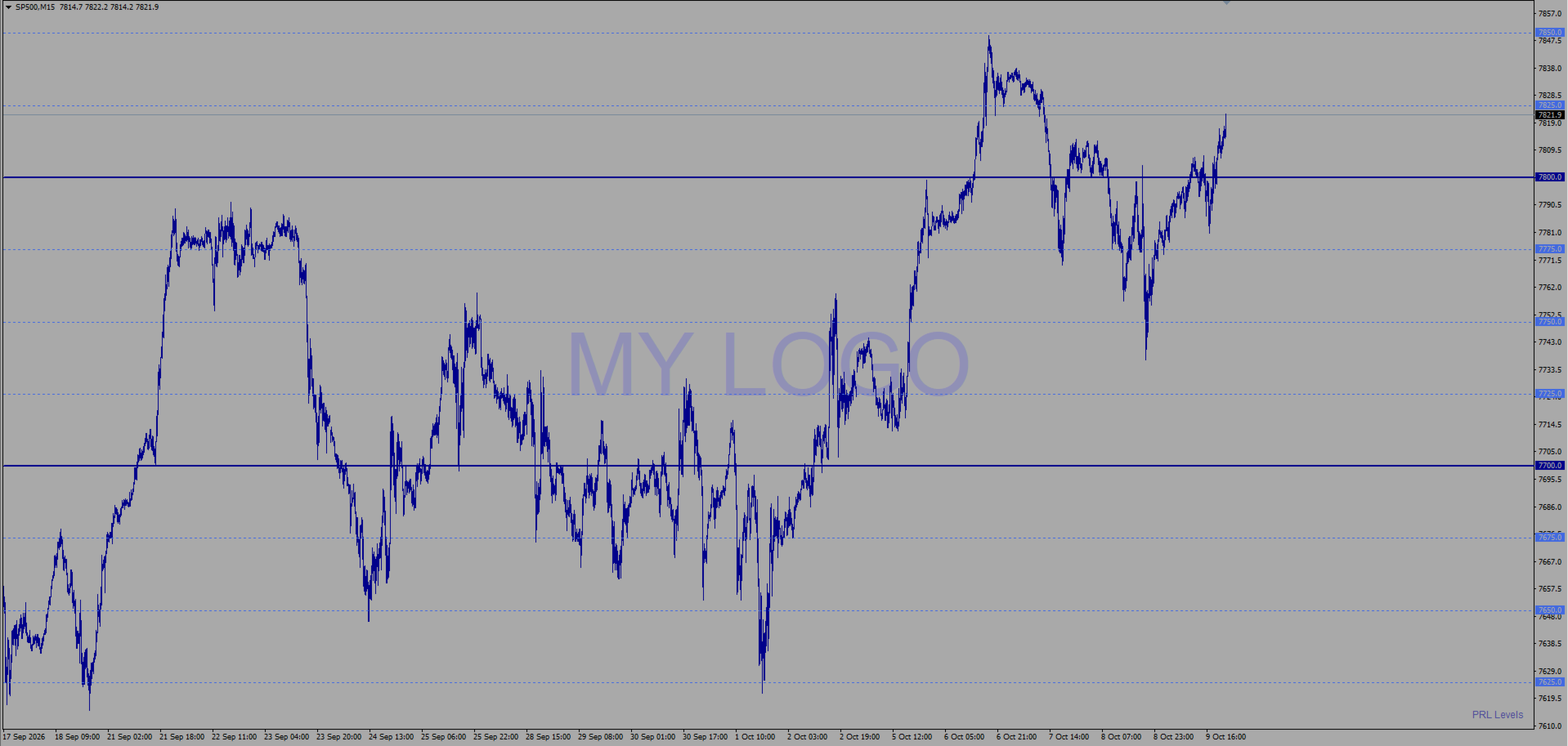
PRL Levels is a MetaTrader 4 indicator that displays structured and evenly spaced psychological price levels directly on the chart. It is designed to make price structure easier to read visually. It does not open, manage or close trades.
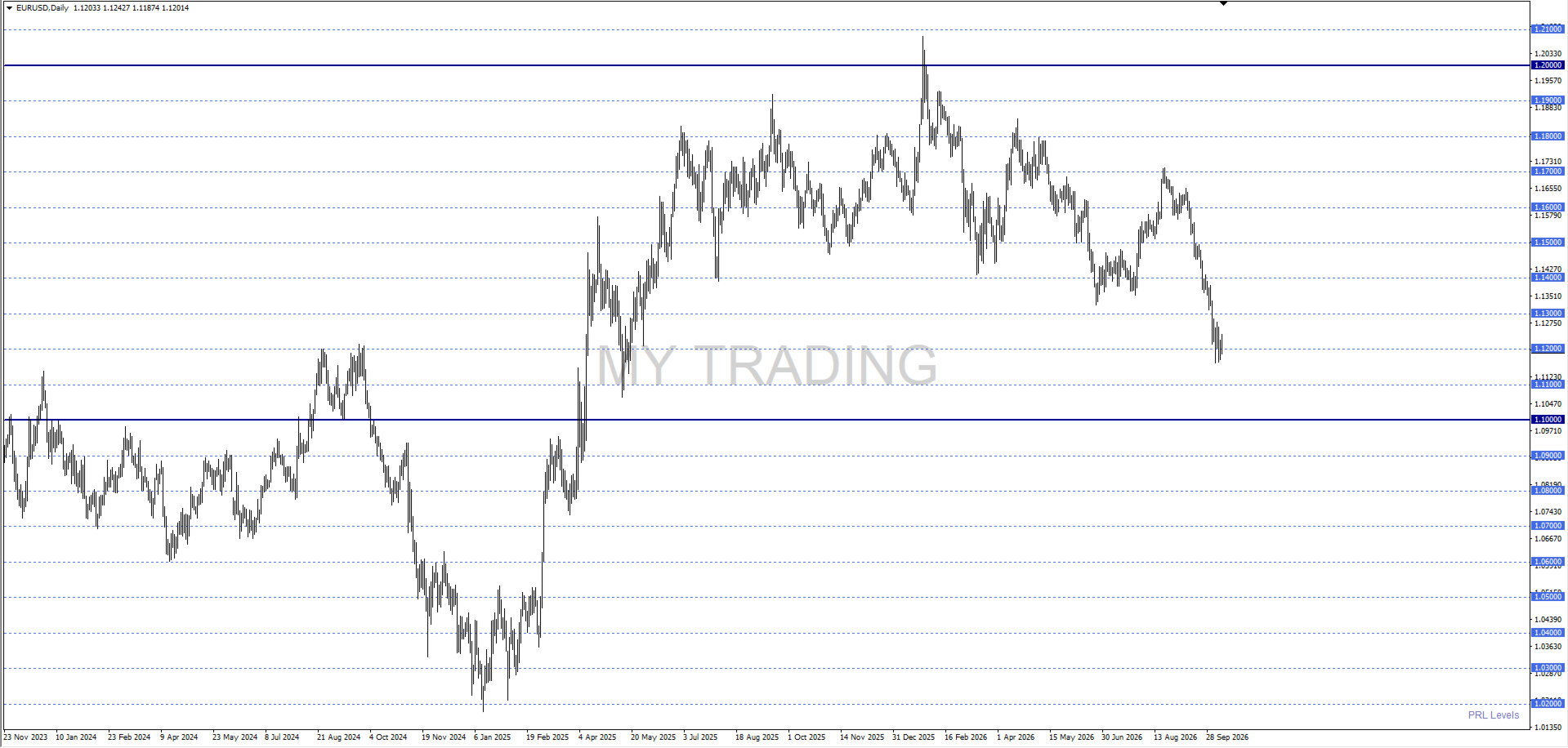
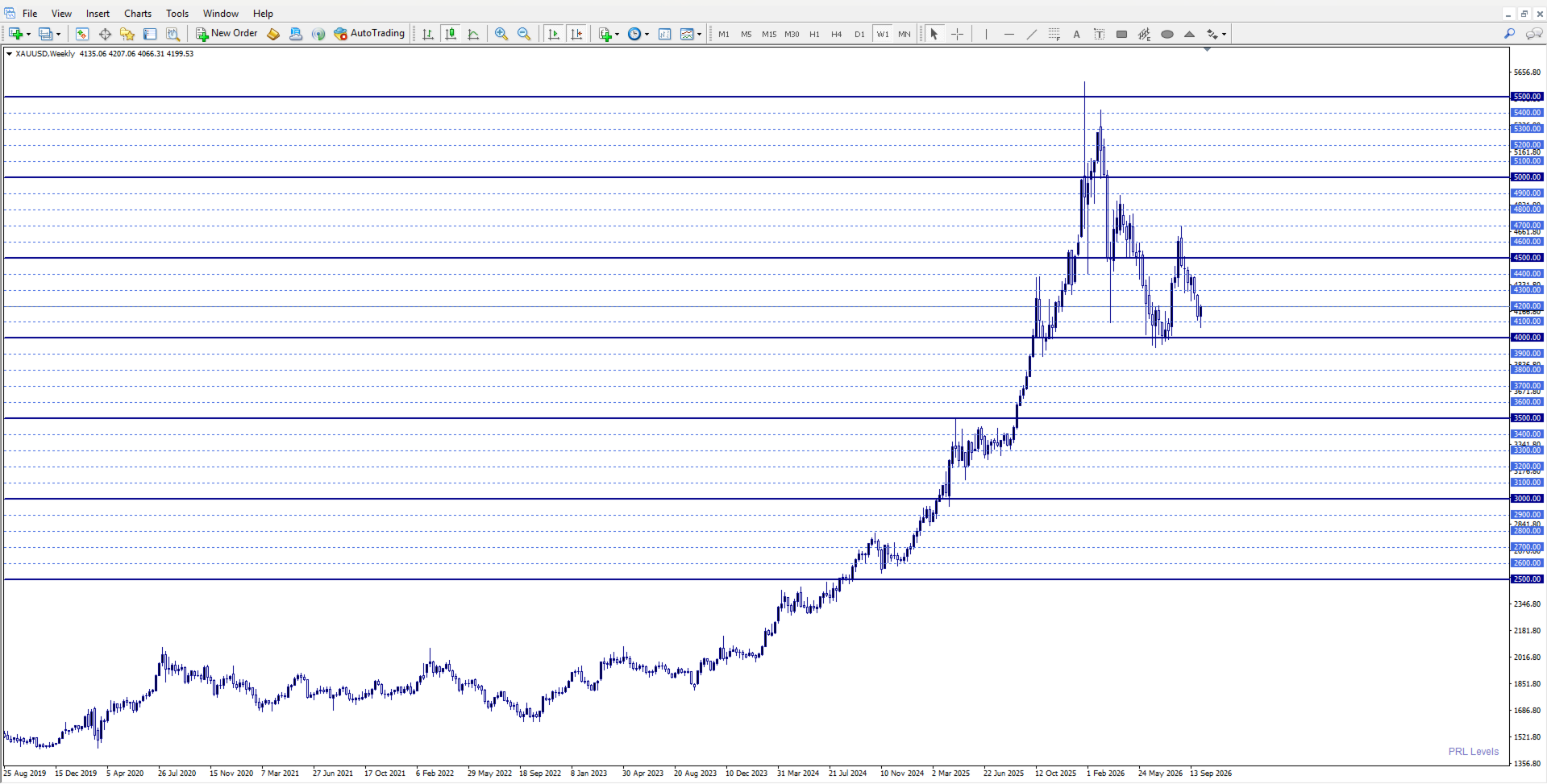
The indicator can be used on Forex symbols, indices and CFDs. Distances are entered in conventional pips for Forex and in direct price units for indices and CFDs. The appropriate unit is detected automatically from the symbol specifications provided by the broker.
Range modes
- AUTOMATIC - RECOMMENDED: creates a balanced map around the current price and moves the visible window automatically as price advances.
- MANUAL - custom limits: uses upper and lower prices defined by the user.
Level types
- Main levels represent the wider price structure.
- Secondary levels create subdivisions inside the main structure.
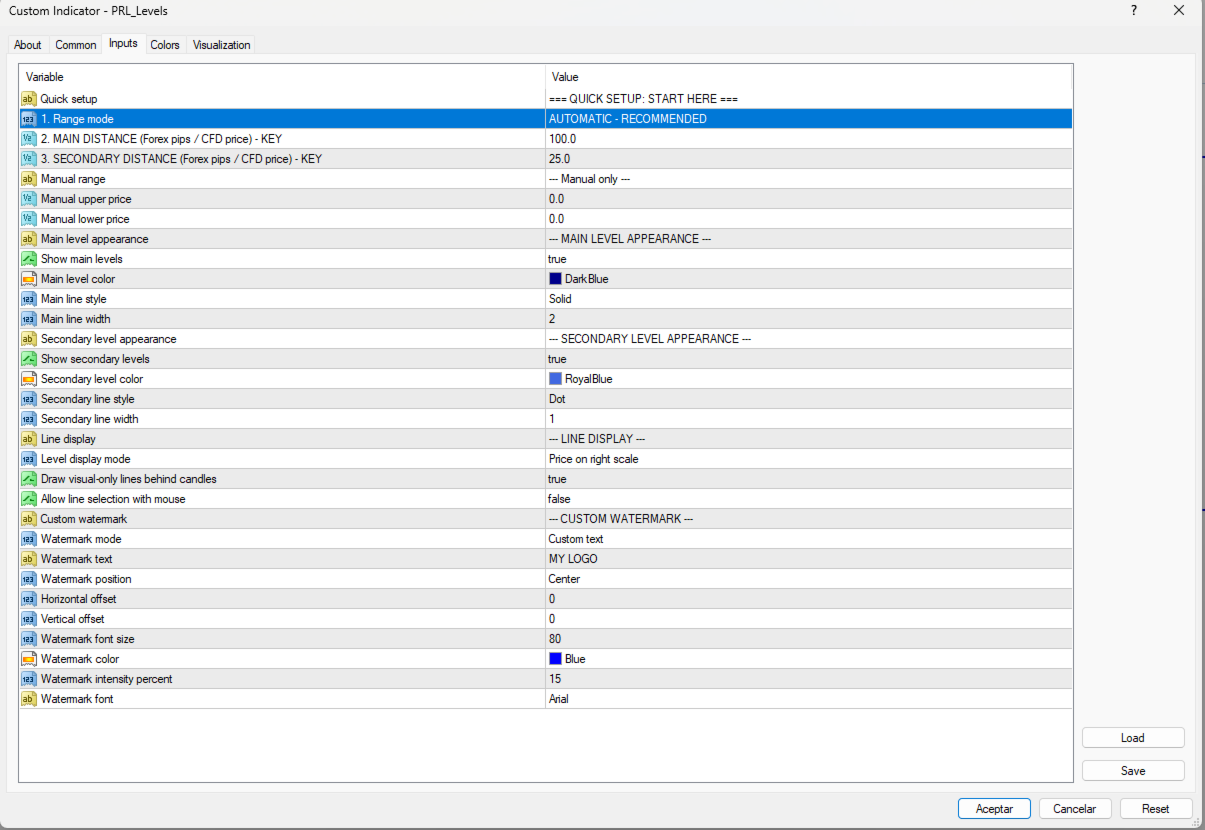
Main and secondary levels can be shown or hidden independently. Their distance, color, line style and width are configurable.
Main features
- Automatic or manual price range.
- Conventional Forex pips and direct index/CFD price units.
- Automatic sliding window that prevents levels from accumulating indefinitely.
- Level prices on the right scale.
- Alternative visual-only line mode without price labels.
- Configurable colors, styles and widths.
- Optional line selection with the mouse.
- Custom watermark with configurable text, position, font, size, color and intensity.
- Small automatic PRL Levels signature.
- Multiple independent instances on the same chart.
- Protection against configurations that would create too many levels.
- No DLLs, external indicators or web services required.
Quick setup
- Range mode: selects the automatic or manual price range.
- MAIN DISTANCE: defines the distance between main levels.
- SECONDARY DISTANCE: defines the distance between secondary levels and must be smaller than the main distance.
In manual mode, Manual upper price and Manual lower price define the exact map limits.
Line display
- Price on right scale: uses horizontal lines and displays each level price on the right scale.
- Visual line only: draws the line without a price label.
Object tooltips are disabled to keep the chart clear. Mouse selection is also disabled by default, but it can be enabled when required.
Protection and performance
Automatic mode maintains a sliding window: it adds levels in the price direction and removes the farthest block from the opposite side. This prevents chart objects from accumulating indefinitely during continuous use.
If a range and distance combination exceeds the safety limit, the indicator remains attached, does not draw a partial map and displays the minimum recommended distance.
Use with PRL Core
PRL Levels can be visually aligned with PRL Core by setting SECONDARY DISTANCE to the same value used for LevelDistance in the Expert Advisor. The two products remain independent and do not exchange data.
Important notes
- The chart timeframe does not define the grid. Levels depend on price and the selected distances.
- Available symbols and their specifications depend on the broker.
- Very small distances can produce dense charts. Use values appropriate for the symbol and visible range.
- Automated trading does not need to be enabled because PRL Levels does not open or manage orders.
- Test the intended configuration before using it in a live trading workspace.
PRL Levels is a visual chart tool. It does not predict market direction, provide trading signals or guarantee results. Trading decisions and risk management remain the user's responsibility.