AZ Speed Trader

阿政的多功能面板  V6.3 5   — 功能介绍

一、面板概述

阿政的多功能面板  V6.3 5  是一款专为 MT4 平台 设计的专业级交易辅助面板,集成了 快速下单、智能风控、实时数据监控、一键平仓、自动减仓推保本  等高频交易所需的核心功能。面板界面清晰、操作便捷,并支持 完全自定义快捷键  与 UI 缩放 ,满足不同交易风格的需求。

EA存放位置:MT4>文件>打开数据文件夹>MQL4>Experts

二、主界面布局(完整模式)

1. 顶部标题栏

·  显示面板名称与版本号。

·  缩放按钮  [-] / [+]:切换面板的  完整 /迷你 显示模式(迷你模式隐藏交易控件,仅保留数据与状态)。

·  拖拽按钮   :按住并拖动可自由移动面板位置(可拖拽至图表任意区域)。

2. 实时账户数据栏

·  盈亏金额 (浮动盈亏 +隔夜利息+手续费):绿色表示盈利,红色表示亏损。

·  总持仓手数 :当前品种所有订单的合计手数。

·  点数盈亏 :以点数为单位显示总持仓的盈亏,颜色动态提示:

o  黄色 :盈亏在 0 ~ 1.6 点之间(中性)

o  绿色(亮绿) :盈利超过 1.6 点(强势)

o  红色 :处于亏损状态

3. 下单手数设置区

·  手数输入框 :直接输入或通过  + / - 按钮按步长调整(步长可设)。

·  快捷手数按钮 :四个预设手数(可自定义),一键填充到手数框。

·  “避亏”开关 :开启后,所有   智能减仓  操作将自动 跳过当前处于浮亏状态的订单 ,避免在不利位置减仓。

4. 风控参数设置区

·  固定止损 :开仓时自动应用的止损点数( 0 表示不设)。

·  保本点 :推保本时相对开仓价的偏移点数(通常设为 0 或正值)。

·  锁老单保护 :设定一个时间阈值(分钟),当订单持仓时间超过该值时,部分平仓操作(如 “平盈利/平亏损”)将 跳过 这些 “老单”,防止意外平掉长线仓位。

5. 交易控制区

·  平多 / 平空 :分别平掉当前品种的所有多头或空头持仓。

·  平盈利 / 平亏损 :一键平掉所有盈利单或所有亏损单(基于净盈亏,包含手续费)。

·  买入 / 卖出 :按当前手数和止损设置快速开立市价单(支持快捷键)。

6. 智能减仓与保本区

·  减仓 30% / 60% / 80% :对当前品种的所有持仓(可按 “避亏”过滤)按比例减仓, 保留最小尾仓 (防止减至 0.01 手以下造成无法平仓)。

·  保本 :将所有持仓的止损移动至开仓价(可设置偏移点数), 自动判断价格是否满足平台 Stop Level 要求 ,避免无效修改。

7. 一键全平

·  一次性平掉当前品种的所有持仓(支持快捷键)。

8. 底部状态栏

·  显示账户   结余  与  净值

·  实时   系统时钟

三、核心特色功能

🔹 K线倒计时与现价动态指示

·  在图表右上角显示当前 K 线  剩余时间 (分钟 :秒)。

·  同时显示   当前价格 (可选择显示 Bid 或 Ask),价格位置会根据最新价格 自动跟随 ,并保持与倒计时的垂直间距。

🔹  自动盈利减仓推保护(智能风控)

·  开启后,系统会 持续监控 每笔持仓的浮动盈利点数。

·  当某订单盈利达到预设触发点(如 30 点)时,自动执行:

1.  先推保本 (将止损移至成本价 + 偏移点)。

2.  再按比例减仓 (如减仓 50%)。

·  防死循环机制 :若推保本失败(如价格回撤、 Stop Level 限制),则 不会执行减仓 ,避免订单被切碎或误操作。

🔹  尾仓绝对保护

·  在执行任何减仓操作时,系统会 强制保留最小交易手数 (如 0.01 手),确保订单永远不会因为减仓而完全消失,方便后续继续管理。

🔹  快捷键系统(全自定义)

·  所有常用操作均可绑定键盘按键(不区分大小写),实现   零鼠标高频交易

·  默认快捷键:

o  Q:买入

o  E:卖出

o  C:一键全平

o  D:推保本

o  Z / A / S:分别减仓 30% / 60% / 80%

o  1 / 2 / 3 / 4:快速填充预设手数

🔹  自由拖拽与缩放

·  面板可拖拽至图表任意位置。

·  支持   完整 /迷你 两种显示模式,迷你模式仅保留关键数据与时钟,适合小屏幕或需要更多图表空间的场景。

🔹  高度可定制外观

·  可独立设置   背景色、按钮颜色、字体大小、时钟颜色、 K线倒计时颜色、现价颜色 等,打造符合个人审美的交易界面。

四、参数设置说明(外部输入)

参数分组

参数名称

说明

面板全局设置

UI 缩放比例

调整面板整体大小( 1.0~2.0)


基础字体大小

面板内文字基准大小

K线倒计时

颜色 / 字体大小 / 右侧间距

自定义倒计时样式与位置

K线现价

颜色 / 字体大小 / 垂直间距

自定义现价显示样式,可切换 Bid/Ask

交易默认参数

默认手数 / 手数步长

开仓默认手数与调整步长


默认止损 / 保本点 / 锁老单保护时间

开仓默认风控参数

自动盈利减仓推保护

开启 /关闭 / 触发点数 / 减仓比例 / 保本偏移

智能风控核心参数

智能减仓比例

三个独立比例( 0.01~0.99)

分别对应 30%、60%、80% 减仓比例

快捷键设置

买入 /卖出/全平/保本/减仓快捷键

自由定义(字母或数字)

快捷手数按钮

四个预设手数值

快速填充到手数框

外观颜色

背景色 / 按钮颜色 / 时钟颜色等

个性化配色

五、操作注意事项

1.  订单选择范围 :面板所有操作仅针对当前图表品种,不会影响其他品种持仓。

2.  “锁老单保护” :启用后,平仓操作将跳过开仓时间超过设定值的订单,请结合自身策略合理设置。

3.  “避亏”开关 :仅影响智能减仓操作(如按比例减仓),不影响普通平仓按钮。

4.  自动盈利减仓 :该功能需在参数中手动开启,并设置触发点数;一旦开启,系统将 持续监控所有持仓 ,请确保设置符合您的风控计划。

5.  平台限制 :推保本和修改止损时,系统会自动检查  Stop Level 限制,若当前价格距离目标止损过近,操作将被忽略并提示,请等待价格拉开后再尝试。

6.  模拟盘测试 :建议先在模拟账户中充分测试,熟悉各项功能后再用于实盘。

六、技术支持与版本

·  版本 : V6.34(UI 增强,点数单位汉化,1.6点变绿减仓视觉提示)

·  作者 : Azheng

·  版权 : © 2026 Azheng

阿政的多功能面板  V6.34 旨在为交易者提供  极速、智能、安全  的交易体验,帮助您在瞬息万变的市场中把握先机。祝交易顺利!📈


おすすめのプロダクト
| Fully-automated Smart Money Concept (ICT) inspired trading solution with multi-strategy capabilities | Built by a grid trader >> for grid traders.  This is MT4 version, click  here  for  Blue CARA MT5  (settings and logics are same in both versions)     Real monitoring signal  -->  Cara Gold Intro Blue CARA EA   ('CARA') - short for  C omprehensive  A lgorithmic R esponsive A dvisor is a next-gen  multi-currency    multi-timeframe  EA base on the widely known (and perhapse most popular) Inn
H4 GBPUSD Trend Scalper is a trend signal scalper The EA trades according to the trend strategy using original built-in indicator for opening and closing orders. The external inputs for limiting trading on Fridays and Mondays are available. The purpose of the strategy is to use the current trend with the most benefit. According to the results of testing and working on demo and real accounts, the best results achieved by using the Н4 timeframe on the GBP/USD pair Works on MetaTrader 4 Build 971+
Vizzion is a fully automated scalping Expert Advisor that can be run successfully using GBPJPY currency pair at H1 timeframe. Very Important This Expert Advisor can not run with any EAs in the same account. As part of the money management plan, it calculates and monitors the Margin Level % and assumes that all open trades are created by it. If you want an Expert Advisor that trades in a daily basis, this EA is not for you because using this requires a patience to wait for a few days or weeks on
The Infinity Expert Advisor is a scalper. When the resistance and support levels are broken, trades are opened in the direction of the price movement. Open positions are managed by several algorithms based on the current market situation (fixed stop loss and take profit, trailing stop, holding positions in case of trend indication, etc.). Requirements for the broker The EA is sensitive to spread, slippages and execution quality. It is strongly recommended not to use the EA for currencies with s
General Description Grid RSI Pro v3.1 is an advanced trading Expert Advisor for MetaTrader 4 that uses a grid strategy with RSI indicator filtering. The EA automatically opens orders at specified levels, creating a grid of orders to capture market fluctuations. Version 3.1 includes enhanced risk management features and improved signal filtering systems. Key Features 1. Trading Strategies RSI Strategy : Position opening when RSI reaches overbought (80) or oversold (20) levels Fixed Points : Posit
Magic EA MT4
Kyra Nickaline Watson-gordon
3 (1)
Magic EA is an Expert Advisor based on Scalping, Elliot Waves and with filters such as RSI, Stochastic and 3 other strategies managed and decided with the robot smartly. Large number of inputs and settings are tested and optimized and embedded in the program thus inputs are limited and very simple. Using EA doesn't need any professional information or Forex Trading Knowledge. EA can trade on all symbols and all time frames, using special and unique strategies developed by the author. The EA wo
MACD Trading
Matthieu Jean Baptiste Wambergue
This MT4 version is no longer maintained due to the ongoing transition from MT4 to MT5 trading accounts. For the latest features, improvements, and ongoing updates, please use the MT5 version of this Expert Advisor. Get the MT5 version here ! Automate your MACD strategy! This EA alerts and/or places orders according to MACD strategies with additional filters. It means that you can use it by 2 different ways: Receive alerts based on your MACD strategy with filters on multiple symbols simultaneou
Karman
Vladislav Filippov
Karman is a fully automated trading advisor working on a М30 timeframe. The settings of the advisor are based on the safe trading, the essence of which is to close the transaction, while achieving a positive profitability dynamism of several points, which allows the user to reduce the costs of opening losing trades. The Expert Advisor is multi-functional and does not require a specific type of account for the normal operation of all functions embedded in it. The advisor’s manual involves encapsu
Gyroscope        professional forex expert   (for EURUSD, GBPUSD, USDJPY, AUDUSD, USDCHF, EURGBP, EURJPY, NZDUSD, USDCAD, EURCHF, AUDJPY, CADJPY pairs)   alyzing the market using the Elliot Wave Index. Elliott wave theory is the interpretation of processes in financial markets through a system of visual models (waves) on price charts. The author of the theory, Ralph Elliott, identified eight variants of alternating waves (of which five are in the trend and three are against the trend). The mov
Live Signal (Real Trading Data)  https://www.mql5.com/zh/signals/2341050 Live Signal (Real Trading Data) : https://www.mql5.com/zh/signals/2346893 Smart Trend and Range EA Smart Trend and Range EA is an automated trading program designed to operate based on market structure analysis under different market conditions. The EA analyzes price behavior and market structure to apply different trading logic in trending markets and ranging markets. It does not use martingale, grid, averaging, or recover
Harvest GOLD USES THE TREND WAVE INDICATOR AND IT CAN IDENTIFY THE BEGINNING AND THE END OF A NEW WAVE TREND MOVEMENT. AS AN OSCILLATOR, THE INDICATOR IDENTIFIES THE OVERBOUGHT AND OVERSOLD ZONES. IT WORKS GREAT TO CATCH THE SHORT TERM PRICE REVERSALS AND USES A MARTINGALE STRATEGY TO CLOSE ALL TRADES IN PROFIT. USE DEFAULT SETTINGS ON H1 OR HIGHER TIME FRAME ON ANY PAIR FOR MORE ACCURATE TRADES WHY THIS EA : Smart entries calculated by 3 great strategies The EA can be run on even a $30000
The Super scalper universal is a fully automated scalping Expert Advisor, which uses five indicators. Each open position is protected by a hidden stop order managed by an advanced modification algorithm. When searching for the suitable signals, the EA uses the integrated indicator in conjunction with the trend and time filters, as well as the volatility filter. It use dynamic position closure, which considers the location where the order had been opened and the subsequent price action. Profit is
How the EA works (simple explanation) Trades on   M5   timeframe Uses   H1 timeframe   to analyze global market context Analyzes   2 or 3 timeframes simultaneously On each timeframe: Checks price position relative to one or two Moving Averages Evaluates MA angle and distance between price and MA Entry logic is based on   trend + volatility conditions , not on random signals The full algorithm is illustrated in the screenshots. Recommended usage Symbol:   EURUSD Timeframe:   M5 Trading
Classic Market Surfer EA - A Timeless, Proven Strategy for Gold Trading For years, this powerful trading strategy has been hidden from the public-reserved for a select few. Now, for the first time, the Classic Market Surfer EA is available to traders like you.   Built on pure, time-tested trading principles, this EA doesn't rely on trendy gimmicks like AI or machine learning. Instead, it harnesses a classic, robust strategy that has consistently delivered results over the years. This is not a "g
Gold Label  is an Expert Advisor designed specifically for trading gold.  This EA is specifically designed for   XAUUSD  with low risk and can grow your account from small capital. It is based on machine learning cluster analysis and genetic algorithms. EA contains self-adaptive market algorithm, which uses price action patterns and standard trading indicators. Expert showed stable results on XAU in 2011-2020 period. No dangerous methods of money managment used. Suitable for any broker conditi
Gold Coin M5
Andrey Kozak
2.33 (9)
Gold Coin M5 は、M5 期間を使用して金市場 (XAUUSD) を取引するように設計された自動取引ロボットです。 このロボットは、短期間の間隔で自動的に取引 (スキャルピング) したいトレーダー向けに設計されています。 特徴: スキャルピング戦略: ロボットは、短期的な価格変動に基づくポジションへの即時エントリーとポジションに基づくスキャルピング戦略を使用します。 M5 の XAUUSD 用に最適化: XAUUSD スキャルパーは、M5 時間枠で XAUUSD ペアを取引するように特別に調整されており、金市場での機会を最大化できます。 最低残高: ロボットとの取引に推奨される最低残高は 1000 ドルです。 このレベルのバランスにより、リスクを管理するのに十分なマージンが提供され、ロボットが短期間で効果的に動作することが可能になります。 使いやすさ: XAUUSD Scalper は、取引口座へのインストールと設定が簡単で、初心者から経験豊富なプロまで幅広いトレーダーが利用できます。 取引に関する推奨事項: XAUUSDでの取引 M5 の時間枠 最低初期残高は$100
Correlation Beast V2.05 - Skyrocket Your Forex Trading! Unlock the power of currency correlations with Correlation Beast V2.5 , the ultimate Expert Advisor for MetaTrader 4! Designed for traders who crave precision and profitability, this EA leverages advanced correlation strategies to identify high-probability trades. Whether you're a beginner or a pro, this tool is your key to mastering the Forex market! Why Choose Correlation Beast V2.5? Powerful Correlation Trading Trade sma
The EA can trade multiple currencies. Please check our signals ( https://www.mql5.com/en/users/ugur-edin/seller ) for detailed information. No grid or martingale! No manual configuration or adjustment needed! Every trade is protected by stop loss. This Expert Advisor only trades for a short time frame at night, during the ending of the New York session. It uses low volatility moments and enters trades based on indicators. It then manages those trades with dynamic stop losses and take profits als
HMA Trend Expert
Alexander Fedosov
5 (1)
HMA Trend robot for professional traders works with a set of Hull moving averages( HMA ). Advisor Parameters Use Trade Panel  — Use the visual panel to configure and trade robot. Lot  — Lot size for a market entry. Take Profit(points)  — Take Profit for an open order. Stop Loss(points)  — Stol Loss for an open order. Max Spread(0 - disabled)  — Maximum allowable spread at which you can enter the market. 0 - disabled. Magic number  — The magic number of the robot. EA Comment  — Comments of robot.
Magic Grid
Aliaksandr Charkes
4.54 (28)
Magic Grid is an indicator-free advisor that uses a grid strategy. The strategy is based on automatic reopening of grid pending orders, after closing their market positions (by Take-Profit, Stop-Loss or manually). Pending orders are placed with a specified step from the initial prices, which can be entered manually or generated automatically ( one time at the beginning of the trade ). The robot can trade on any time frame, on any currency pair, on several currency pairs, and on any number of di
FREE
Santa Scalping
Morten Kruse
2.84 (19)
Santa Scalping is a fully automated Expert Advisor with no use of martingale. Night scalping strategy. The SMA indicator filter are used for entries. This EA can be run from very small accounts. As small as 50 EUR. General Recommendations The minimum deposit is 50 USD,  default settings reccomend for eurusd m5 gmt +2 . Please use max spread 10 if you will not have orders change it to -1. Use a broker with good execution and with a spread of 2-5 points. A very fast VPS is required, preferably w
Whether you’re a scalper, day trader, or swing trader, this tool gives you total control   directly from your chart. you can get all this features right on your trading chart .   Everything   is   color   coded.   equity and live P&L display in  Green   if   trades in profit   and   red   if   trades in drawdown.   Moveable panel -   double click on clock label and move panel anywhere on screen with it . Displays local time + candle countdown on the chart. Shows Balance, Equity & Daily Profit/
RiskGuardian Pro (MT4 Edition) - 究極のProp Firm口座セーバー 感情的な取引ミスや一時的なリスク管理の失敗により、Prop Firmチャレンジ(FTMO、MFFなど)に不合格となることにうんざりしていませんか?RiskGuardian Proは、評価に合格し、資金提供された口座を保護するために設計された、必須の規律システムです。 解決する主な問題点: * アンチチルト・ハードロック (Anti-Tilt Hard Lock): 設定された最大日次ドローダウン(例:4%)に達した瞬間、すべての取引を即座に決済し、ターミナルをロックします。リベンジトレードを完全に排除します。 * ワンクリック・ロットサイズ計算: 手動での計算は不要です。希望する現金リスクを入力するだけで、システムが自動的に最適なロットサイズを計算し、すべての取引がProp Firmのルールを遵守することを保証します。 * 資金提供された口座の保護: 厳格な日次または全体ドローダウンの制限に違反することがなくなり、高額な違反から資金提供された口座を安全に守ります。
MMM Zig Zag Strategy: The Expert Advisors uses its built-in Zig Zag indicator to determine the prices trends and calculates the signal to decide to open buy or sell positions. It sends an order, closes or moves the Trailing Stop loss position as the indicator works. You can define the time period of each day of the week the EA should not trade (the bad time to trade). Usually the period of day when the impact news are published. General Inputs: Closes orders with any profit of value (currency):
Gold Zilla AI MT4
Christophe Pa Trouillas
5 (2)
Grok AI支援 、リスク分散、 ゴールド最適化EA で制御されたリターンを生成。 GoldZILLA AIは、市場体制を検出して5つの異なる戦略から動的に選択するマルチストラテジーアルゴリズムであり、XAUUSDでのドローダウンを最小限に抑えながらリターンを最適化します。 [   Live Signal   ] - [  Dedicated group   | Version   MT5   -   MT4   ] 購入後、ユーザーマニュアルとAIセットアップ手順を受け取るために、私にプライベートメッセージを送信してください。 このEAを選ぶ理由 動的マルチストラテジーアプローチ 最適なストラテジー選択のための高度な市場体制検出 5つの異なる、相関のない取引ストラテジー 買いシグナルと売りシグナルの対称的なアルゴリズムルール リスク分散 複数時間足分析(M5からH1) 5つの非相関ストラテジーが全体のポートフォリオリスクを低減 市場状況に基づく動的リスク調整 すべてのポジションにストップロス保護 高度なAIリスク管理 ライブWeb検索機能を備えたGrok大規模言語モデル搭載 リア
Fundamental Robot MT4
Kyra Nickaline Watson-gordon
Fundamental Robot is an Expert Advisor based on Fundamental Signals Indicator. The Fundamental Signals Indicator has a powerful calculation engine that can predict market movement over 30000 points. The indicator is named fundamental because it can predict trends with large movements, no complicated inputs and low risk.  The EA works with low margin levels and thus has low risk. Using EA : The EA is very simple and without complicated input parameters. These are main parameters must be set
Universal Counter-Trend Grid EA v2.4 MT4 — Multi-Currency Automated Execution System For MT5 Version:  https://www.mql5.com/en/market/product/165598 Universal Counter-Trend Grid EA is an automated trading utility developed for the MetaTrader 4 platform designed to capitalize on mean-reversion price behavior during extended market conditions. The system integrates an adaptive grid calculation engine with a multi-layered signal confirmation matrix to execute positions at calculated price extreme
This Expert Advisor trades based on trend lines, as well as on the basis of volume analysis. Volumes are calculated using minute bars, in order to determine if they were ascending or descending. The trend lines are drawn based on High and Lows in the trade history. There are also additional indicators. Buy or sell signals depend on all those factors. This allows the EA to enter the market with more accuracy and to perform more deals. Input parameters Lots - lot size (if 0, a lot is calculated b
1 max spread need less than 50 pips,or you will not got profit 2 almost not need to optimization 3 most time it will open orders ,no position, it usually take 1 to 2 months to get profit. 4  change trade_lots according your money.  usually   100 usd for 0.1 lots. 5 i test on eurusd ,it almost no loss. 6 best trade on that change quickly tell me about your trade if you have any question
Heavy Duty
Elie Almachaalany
5 (1)
This is a fully automatic Expert Advisor. It can actually outsmart a market by placing BUY and SELL orders when the requirements are met. It uses an advanced technology to place orders in the right time with the right lot. This robot is designed for beginners yet expert traders: Most of the inner parameters are hidden from user so that even a beginner will not mess up. You can download this Ea and back-test. I personally used a 99.9% real tick data for back-testing for an accurate result.  All
このプロダクトを購入した人は以下も購入しています
Unlimited Trade Copier Pro is a tool to copy trade remotely to multiple MT4, MT5 and cTrader accounts at different computers/locations over internet. This is an ideal solution for you if you are a signal provider and want to copy your trades to other receivers globally on your own rules. One provider can copy trades to multiple receivers and one receiver can get trade from multiple providers as well. The provider can even set the subscription expiry for each receiver, so that receiver will not b
The FFx Hidden Manager panel will help you to manage easily your orders directly on the chart. Below all features described: TP, SL and TrailingStop are hidden Each order has its own lines on chart Drag & Drop any line to change the TP/SL as per your need Option to move automatically the SL line at breakeven when TP #1 is reached Option to choose the TP/SL type (by pips or price) Option to choose the TrailingStop type (by pips, MA, Fractals, PSAR or ATR) Define which order(s) you want to manage
FFx Risk Calculator panel will help you to calculate very easily your trades size, SL or the risk directly on the chart. All features are described below: Option to select which parameter to calculate: Risk, Stop Loss or Lot Size The panel will show if the lot size is allowed according to the current account free margin Button to maximize/minimize the panel Drag and Drop the panel anywhere on the chart How to use it? Select the parameter you want to be calculated. It will be based on the 2 other
News Trader Pro is a unique robot that allows you to trade the news by your predefined strategy. It loads every piece of news from several popular Forex websites. You can choose any news and preset the strategy to trade it, and then News Trader Pro will trade that news by selected strategy automatically when the news comes. News release gives opportunity to have pips since the price usually has big move at that time. Now, with this tool, trading news becomes easier, more flexible and more exciti
The FFx Watcher PRO is a dashboard displaying on a single chart the current direction of up to 15 standard indicators and up to 9 timeframes. It has 2 different modes: 1. Watcher mode: Multi Indicators User is able to select up to 15 indicators to be displayed User is able to select up to 9 timeframes to be displayed 2. Watcher mode: Multi Pairs User is able to select any number of pairs/symbols User is able to select up to 9 timeframes to be displayed This mode uses one of the standard indicat
If you wish to draw Support and Resistance lines, view: daily market opening, classical pivot levels, Fibonacci pivot levels, trend lines, Fibonacci levels, the remaining time to candle closing, and current spread. If you seek to place your orders with the exact lot that meets your desired stop loss risk. If you wish to do all this and more with just one click, then this is the perfect tool to use. This tool will allow you to feel more relaxed when deciding to open orders, as well as predicting
Unlimited Binary Options Copier Remote is a powerful tool to copy binary options trades remotely between multiple accounts at different locations over internet. This is an ideal solution for signal provider, who want to share his binary options trades with the others globally on his own rules. One provider can copy trades to unlimited receivers and one receiver can get trade from unlimited providers as well. The provider can set the subscription expiry for each receiver, so that receiver will no
The Pairs Trade indicator is a utility for semi-automatic pair trading. It allows combining the charts of two arbitrary instruments, even if the schedules of their trading sessions are different. It displays a spread chart in the form of a histogram with an overlaying moving average. It calculates the swap that will be charged for the synthetic position (in the deposit currency). It is possible to set a level for automatic opening of a synthetic position on the spread chart (analogous to the 'se
The script displays info about the share's corporate reports and dividends. The data is downloaded from   investing.com : Report date Profit per share (EPS) Revenue Market capitalization Amount of dividends Date of payment of dividends Dividend income The product cannot be tested in the tester (since it is not possible to receive data from the Internet). Before launching:  Add 2   URL   https://ru.investing.com/earnings-calendar/Service/getCalendarFilteredData  and   https://ru.investing.com/di
This Stacker EA will: Automatically set Stop loss on a new order Automatically set Take profit on a new order Stack (or open up to 4 additional orders at the same time) when a new order is placed, the SL/TP can be preset individually for each order. Provides a transparent replacement for the standard 1-click trading buttons in MetaTrader 4 (1 click still works and SL/TP will automatically be set as well as Stacking). Automatically calculate lot order size according to preset risk management perc
FXFledgling Exit Tool is a complete risk management tool that analyzes both the open trades and the direction of the pair of open trades. As long as the suggested entry and lotsizing management presented here is followed strictly, you will have a high chance (but no guarantee) of surviving the trade. What It Does It is used as an exit tool. It helps the trader to manage any manual trade that he transacted. It does the following: Trail Stop Dynamic Stop Loss - a calculated stop-loss that changes
New opportunities for analyzing cryptocurrency in the usual MetaTrader 4. For example : We select the symbol of the cryptocurrency and attach any indicators, Expert Advisors or scripts. Startup Mode View cryptocurrency; Data collection. Capabilities Work as with a standard currency chart; Automatic update of open charts; Selection of individual cryptocurrency for updating; Selection of individual timeframes for updating; Work on the desired timeframes; Open charts do not affect the work of Cry
The  Easy Strategy Builder (ESB)  is a " Do It Yourself " solution that allows you to create a wide range of the automated trading strategies without any line of codes. This is the world’s easiest method to automate your strategies that can be used in STP, ECN and FIFO brokers. No drag and drop is needed. Just by set conditions of your trading strategy and change settings on desired values and let it work in your account. ESB has hundreds of modules to define unlimited possibilities of strategi
フィボナッチリトレースと拡張ラインツール DiNapoliポイント取引方法とゴールデンセクション取引を使用するトレーダーにとって理想的なMT4プラットフォームのフィボナッチリトレースと拡張ラインツール 主な特長: あなたはフィボナッチリトレースメントの複数のセットを直接描くことができ、重要なリターンポイント間の関係は一目瞭然です。 2.フィボナッチ拡張を描画することができます。 3.フィボナッチフォールドバックとラインの延長は、簡単な観察と数値表示のために左右に動かすことができます。 4.チャートは非常に爽やかな 5.数字キーでサイクルを切り替えることができます。 ファンクションキー: 1。 [戻るを押す、要求に応じて描画する、最大8つのグループにする 2。拡張]を描くには[押す] 3。 \を押すと、現在のサイクルの下にあるすべての拡張機能と折り畳みが削除されます 4。フォールドバックを移動して削除して展開する (1)最初のフォールドバックセットのF5行をクリックします。 一度クリックすると(黄色に変わります)、キーボードのDeleteキーを押すと、フォーカ
Советник риск-менеджер с огромным арсеналом возможностей защиты вашего депозита. Для инвесторов, которые решили передать капитал в доверительное управление. Когда у трейдера нет доступа к настройкам - нивелирует торговые риски. А также для трейдеров, которые осознали необходимость стороннего контроля за их торговлей для улучшения торговых результатов.  Для максимальных результатов - должен стоять на отдельном VPS сервере и у трейдера не должно быть возможности менять настройки в торговый период.
Grid Hero War Pad is a  GRAPHICAL MANUAL TRADER version of the original Grid Hero EA, designed and created for ADVANCED TRADERS who are experienced in plotting their own market entries. It is coded using ADVANCED GRAPHICAL INTERFACE programming, that combines the power of discretionary trading with Grid Hero algorithm in the form of a graphical console with button-click easy execution. It allows you to execute trades manually using Market Orders and Pending Orders, and then automatically uses th
The advantage of using this EA This EA directly updates takeprofit and stop losses that are still empty in a manual order Parameters Multiplier: Multiplier value of the previous transaction Distance: Distance hedging from the previous order Takeprofit: take profit taken from the last price + the value of this column We recommend that you do not add more than one manual transaction in the same pair martingale hedging | manual hedging | hedging manual | hedging lot | best robot | best ea
The new version of  MirrorSoftware 2021  has been completely rewriten and optimized.  This version requires to be loaded only on a single chart because  it can detect all actions on every symbol and not only the actions of symbol where it is loaded. Even the  graphics and the configuration mode  have been completely redesigned. The MirrorSoftware is composed of two components (all components are required to work):  MirrorController  (free indicator): This component must be loaded into the MASTER
Скрипт открывает графики по всем инструментам находящимся в окне "Обзор рынка" и по желанию может задать для всех графиков один шаблон. Так-же можно удалить все графике открытые в терминале Мт4. В скрипте имеются следующие настройки: "Таймфрейм" по умолчанию M30;             (Можно поставить свой: M1, M5, M15, M30, H1, H4, D1, W1, MN.) "Задержка" по умолчанию "0";                  (Задержка перед открытием следующего графика в миллисекундах.) "Шаблон" по умолчанию "True";                (True=пр
This utility automatically draws the trend channel on the price chart. For the time interval from the specified date to the current bar, the drawn channel is almost optimal. Placing the beginning of the channel at a more distant historical price extremum, you get a visualization of a longer-term trend. Channel slope is not a continuous value, but takes one of discrete values (in AxB format, where A is the number of price points (points), and B is the number of timeframes). This program works ONL
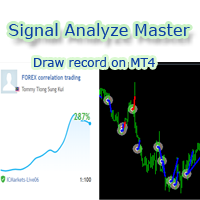
--------------Welcome to use [MQL5 Signal Analyze Master]------------------  Function: Draw order tracks of MQL5 MT4 and MT5 signal on MT4 chart. [Using guide] 1.Use it as Experts. 2.Download history record from MQL5 signal(MT4 signal or MT5 signal).  3.Paste history record file below "MQL4/Files/" 4.Load [Signal Analyze Master] on the symbol chart what you want to analyze. 5.Paste the history record file name to parameter 'FileName' 6.Select  SignalType  match the history you download on MT4
Forex copier
Alexandr Bryzgalov
4.5 (2)
We offer simple and reliable software that can  copy trades  between any MT4 accounts. Easy to use MetaTrader copier which saves valuable time Reliable, so you are protected from technical issues Powerful, with a lot of features available Who can use this MT4 copier? Forex Copier is a solution for individual traders or account managers who need to execute trade signals from external sources or who need to  manage several MetaTrader 4 accounts  at the same time. We do not offer you “yet another
Forex Market View Dashboard and CSM
Opengates Success International
5 (1)
FFXMV Dashboard + CSM is a custom indicator combined with Currency Strength Meter . It is created to give the Traders a full view of what is going on in the market. It uses a real time data to access the market and display every bit of information needed to make a successful trading. Before attaching this Indicator to your window chart, go to your MT4's Market Watch panel and HIDE all the Currency pairs you don't need or trade and leave the rest there. The reason is that FFMV Dashboard will DISP
Trading  Robot which automates your scalping and take your profitability  and forex trading experience to the next level ,Computer cannot analyse market as humans do, at same time we cannot compete with them in terms of speed of execution, hft  & emotionlessness  .  ​In this scalp-trading robot we have integrated human analysis with quick algorithmic execution  to enter and exit trades at fraction of seconds Get More details at :  https://www.noemotionfx.com/tl-scalper-ea To test , use it in dem
NewsReady is a semi-automated Expert Advisor that uses a smart straddle methods It needs to be set in charts 2 to 10 minutes before Economic Data release with a red-flag impact on currencies related to the news. Then it run pending orders in specified number of minutes indicated in the time-period parameter. After the specified time, it will stop trading and will remove all pending orders. Important You can not backtest this tool because it is semi-automated and can only be set and run a few min
Automatic enumeration of input parameters of the TrendImprovement Pro indicator to find the optimal combination. Description. A powerful tool for testing the input parameters for the TrendImprovement Pro indicator will allow you to quickly find the most profitable options for the input parameters. Settings DateOrBars – switch for using time or number of bars;  MaxBars - the maximum number of bars for calculation; StartHistory - indicator start time; BEGINNING - the initial historical data (In-S
Advanced Smart Renko and Heiken Ashi Candle Trader is ONE STOP SOLUTION based semi/fully - automated multi-currency EA carefully engineered for traders to enter the trade based on their Analysis or in fully automated mode for scalping, trend trading, candle breakout trades and also automated news trading with inbuilt trade management solution.    Advantages    No grid / Martingale Works on Classic Renko, Renko Heiken Ashi charts and classic Heiken Ashi charts    Features Multi-Currency Ma
Expert for a binary options on mt4, he have  two built-in a indicators and many different settings. The expert has one a level of martingale, but it is recommended to use it on  the instruments with a yield of 85 percent. it can be used simultaneously on a variety of currency instruments. All settings have already been made, but you can also configure them yourself . Currency for do trading is a Russian ruble. Good trading to everyone.
This program is created by algorithm which economy based logic in the trading market. 1. The program able to work with all of currency and trading items  2. Take profit and loss are basically handled by EA program Recommendation: EUR_USD is the most preferred. Please use this program only for MT4. LOT should be managed depends on own deposit. Otherwise, high risk will be driven(e.g 0.1~0.2 lot is recommended when the deposit is 10,000 dollar)
1. Record the price data for each Tick transaction. Data file contents: "Tick time", "ASK price", "BID price", "SPREAD SPREAD", "Tick quoted quantity". 2. Meanwhile, generate a quotation data file with a 1-minute period. Content of 1min data file: "ASK time", "ASK OPEN price", "ASK HIGH price", "ASK LOW price", "ASK CLOSE price", "BID time", "BID OPEN price", "BID HIGH price", "BID LOW price", "BID CLOSE price", "Tick quoted quantity". 3. Save all quotation data in one file every day, which is c
フィルタ:
レビューなし
レビューに返信