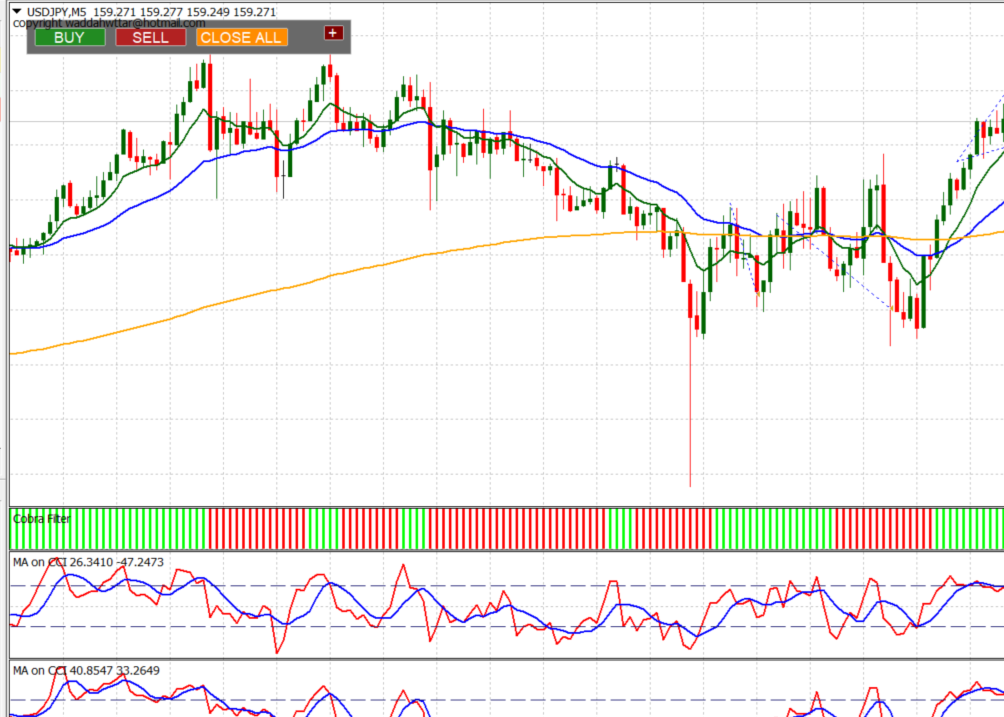
Edgars Trading Panel

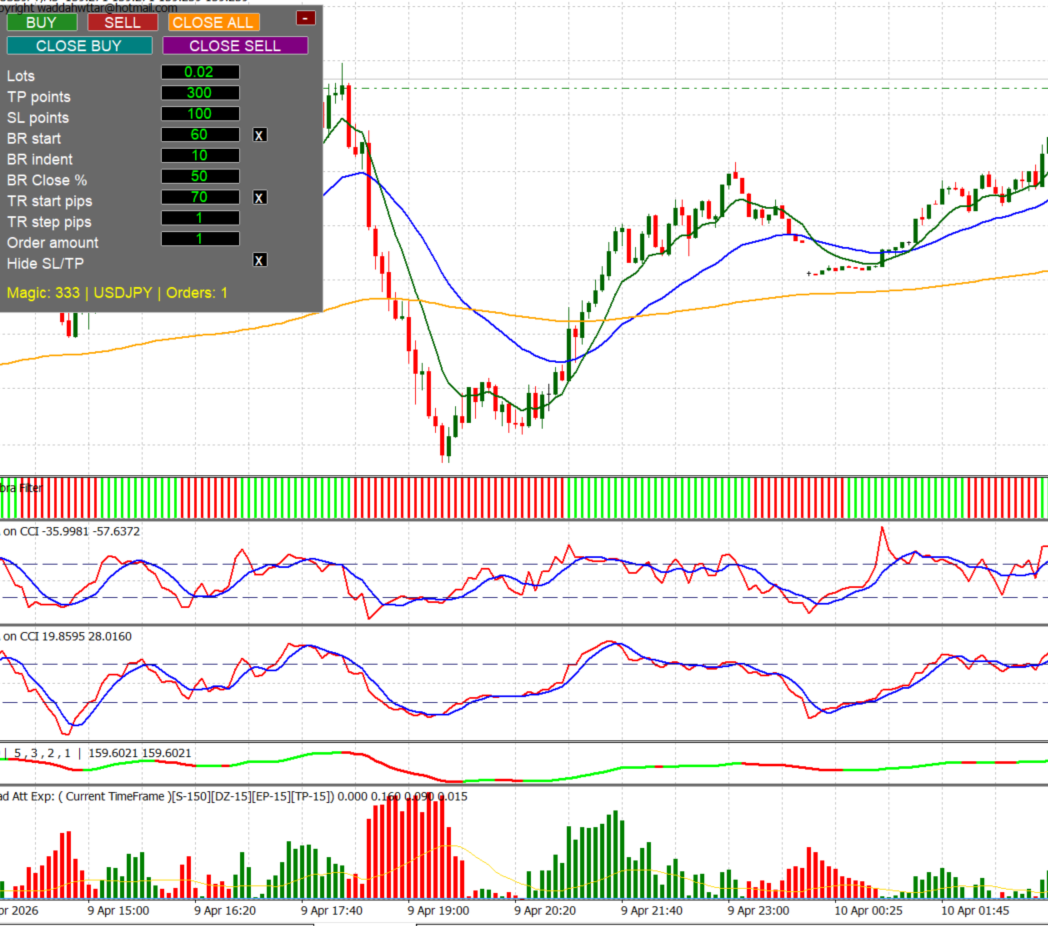
  • The Trading Panel is designed for easy, convenient, and intuitive use. It is built for both scalping and day trading.
  • The Trading Panel is designed to recognize every instrument it is applied to, without the need to calculate pips or points.
  • The Trading Panel includes Breakeven and Trailing functions, as well as the ability to open and close multiple orders simultaneously.
  • The Breakeven and Trailing functions can be activated either together or separately.
  • The number of trades opened at the same time can be adjusted by entering the desired number of simultaneous trades in the "Order amount" field.
  • The Trading Panel is equipped with a Hide Stops option. When activated, it hides the SL, TL, as well as the TR line.
  • The Trading Panel can be placed on multiple charts at the same time by assigning each one its own Magic No, allowing the Trading Panel to manage each chart’s trades separately.

  • おすすめのプロダクト
    Telegramチャネルを介したトランザクションのコピー機。取引をTelegramチャネルに即座に公開したり、Telegramチャネルからトランザクションをコピーしたりするのに役立ちます。このユーティリティは、MT4で信号を受信することと、Telegramに信号を送信することの2つの方向で機能します。 これ以上の逃した取引はありません もうパニックはありません 資本管理 使いやすさ デモ https://www.mql5.com/ru/market/product/54082 あなたはそれの用途を見つけることができます: Telegramチャネル(インターネット経由)を介して独自のトランザクションをコピーする。 MT4からMT5へ、またはその逆にトレードをコピーします。 MT5バージョン https://www.mql5.com/ru/market/product/56143 クライアントのテレグラムチャネルを介した信号の配信。 使い方: ユーティリティがどのように機能するかは、テストチャネル https://t.me/moneystrategy_mqlで確認できます 。 P
    EAsy ClickTrade is the easiest way in the Forex market to: Execute trades instantly as a function of selected Equity Risk and your desired StopLoss Level for ANY CURRENCY PAIR . Calculate the risk exposure to the market in terms of equity at risk per currency and direction. Calculate how attractive a potential trade is in terms of Risk and Spread Cost (excellent for scalpers and short-term traders). Inputs Select Risk for Lots Calculation [% Equity]. By default 1%. This is the initial value for
    Grid Trading EA is a semi-automated one-click trading EA for both Normal Trading and Grid/Martingale Trading . Normal Trading Simply click Buy or Sell directly from the chart. The EA will automatically manage trades by: Setting Stop Loss and Take Profit Managing Trailing Stop Grid / Martingale Trading When Grid Trading mode is enabled, the EA will automatically open additional grid orders at specified distances while increasing the lot size based on your settings. Inputs & Settings Lots — Initia
    This tool will perform Trailing stop loss and Break even management for orders. Helps you limit or reduce the time spend watching orders on the screen, especially when you need to go to sleep. Just add this EA to 1 chart, you can manage all pairs. You can filter orders by comment, magic number, symbol, and order ticket number. When Breakeven it can add shift/offset pips (to cover the commission...). You can try in strategy tester before purchase. The EA will add Buy and Sell alternately, so yo
    自動決済:時間指定、または利益/損失トリガー このユーティリティを使用すると、特定の条件で取引を自動的に決済できます。 多機能ユーティリティ : 66+ 機能、このツールを含む  |   質問がある場合は連絡してください   |   MT5版 自動決済を有効にするには、次のパラメータを設定する必要があります(パネル上): 1. シンボル   機能が適用される: 特定の   [Symbol]   / または   [ALL]   すべてのシンボル。 2.   条件、   決済タイミング: [if total] / [if single] / [at time]:   このパラメータに応じて、  利益/損失達成時 に決済するか、  指定時間 に決済するかのオプションが表示されます。 [close at Profit / Loss] オプションの設定: 1. [if total] / [if single]:   P/L計算方法:すべての  選択された取引を  まとめて、  または各取引を  個別に計算; 2. [Floating] / [Potential]:  浮動P/L  (未決済取引
    Guardian Angel is designed to provide the trader with portfolio-level trailing stop-losses.  Users are able to configure the portfolio profit 'trigger' level at which a LockProfit 'floor' gets activated and applied to the portfolio - in the event that portfolio profit falls back to the portfolio LockProfit level, then all open trades in the portfolio will close. In the event that portfolio profit continues to grow, then the portfolio LockProfit will trail the portfolio profit at a rate configur
    Expert Advisor for MT4 Useful utility MUST have for all traders.  With 1 click button, you're able to close all your open positions. Its come with a warning pop up notification when you click to close all your trades, to avoid an accident press the button. Just press 'Yes' to confirm or 'No' to cancel it. The expert will close all your open positions no matter what pairs you currently open or directions. Just attach the expert on 1 of your chart, and you're good to go.
    Account Profit & Loss Killer Full Account-Level Intelligent Risk Management EA (MT4) ⸻ Product Introduction Account Profit & Loss Killer is a true "overall account control and risk management tool". It does not participate in any trading strategy; it focuses on only one thing: When the total floating profit or total floating loss of all positions in the account reaches your set amount, it immediately and within milliseconds forcibly closes all orders in the account. This is a true "
    FREE
    多機能取引ツール:ロット計算機、グリッド注文、R/R比率、トレードマネージャー、需給ゾーン、プライスアクションなど デモ版   |   ユーザーマニュアル トレードアシスタント はストラテジーテスターでは動作しません:この ユーティリティ をテストするには デモ版をこちら からダウンロードしてください。 ご質問 /改善のアイデア/バグ発見 の場合は 私に連絡 してください MT5版が必要な場合は、 こちら から入手できます 取引 プロセス を簡素化、高速化、自動化します。この ダッシュボード で標準ターミナルの機能を拡張します。 取引パネル はあらゆる取引銘柄で動作します:FX、株式、指数、暗号通貨など。 1. 新規取引の開始 :ロット/リスク/RR計算:手動取引のリスク管理 ロット計算機(リスクサイズに基づく取引量計算) リスク計算機(ロットサイズに基づくリスク額) リスクリワード比率 グリッド注文: + 動的間隔オプション、分割ロットオプション 注文アクショントリガー、+ 買いストップリミット/売りストップリミット:Mt4でも可能 仮想SL、仮想TP(非表示SL、非表示TP:ブロ
    Order Multiplier
    Benjamin Zaufall
    3.5 (2)
    This experts helps you with increasing your signal volume. Everytime the signal opens a trade, the experts creats a specific amount of copies of this trade. Evertime the signal closes a trade, the expert closes all the copies of the singal trade. Input parameters: - amount_of_copies: The amount of copies the expert should create - interval_in_seconds: How often the expert should look for new orders to copy or closed orders, to close copies - lot_size_of_copies: The lot size of the new copies
    Elevate Your Trading Signals with Our Advanced Telegram Bridge EA It’s time to captivate your audience with real-time trading updates that are both professional and visually appealing. Contact me to receive a trial and see the demo channel! We have significantly invested in user friendly features that create a unique experience for customers and providers.  SIGNAL BRIDGE is able to deliver 100% COPIER FRIENDLY SIGNALS for all business cases, even bypassing Metatrader logics where other EAs stru
    Is your trade at a loss? Does not matter ! You can use this Extra martingale tool.  In the set loss of your trade or your EA's trade , this tool will open another trade at a better price. It can also open multiple trades at different distances and with different lot sizes. Each trade will be assigned a TakeProfit. This tool has a lot of settings. You can set variable lot sizes, variable trade distances, variable TakeProfit sizes, maximum total profit or loss in money. You can also close trades
    これは、買い注文と売り注文のネットワークを配置する通常のパネルです。 このExpert Advisorは、設定で定義された利益注文を閉じます。 次に、ラダーと呼ばれるパラメータがあり、ラダーパラメータで示されたポイントだけ注文間の距離が増加し始めることを含みます(ここでは、メイン設定では10ポイントです)。これは、2次が10ポイント、3次が20ポイント、4次が40ポイントなどを意味します。 次に、これは設定にないため、このアドバイザーに何があるかを知る必要がありますが、このアドバイザーが提案した戦略のロジックに影響します。. アドバイザーが5つの注文を開くのは、ここの設定であるとしましょう。.. または購入のために。.. または販売のため。.. よかった.. ただし、注文を開くと、次のオープン注文のロットが以前にオープンした注文の半分だけ増加します。 つまり、設定で0.1ロットを設定すると、スキームに従って5つの注文が開き、現在の価格に近い最初の注文は0.1ロットの価格で開かれます。 第二に、与えられたステップのために、ここで50ポイントのステップは0.15ロットの価格で開きます。
    Telegram Broadcast
    Volodymyr Hrybachov
    4.67 (3)
    TELEGRAM BROADCASTユーティリティは、取引をTelegramチャネルに即座に公開するのに役立ちます。あなたが長い間FOREX信号であなた自身のテレグラムチャンネルを作りたいと思っていたなら、これはあなたが必要とするものです。 TELEGRAM BROADCASTはメッセージを送信できます: 取引の開始と終了。 保留中の注文の配置と削除。 ストップロスとテイクプロビジョニングの変更(ラストオーダー); 損失を止め、provをトリガーします。 保留中の注文のアクティブ化と削除: 取引レポートの送信; 入金と出金のメッセージを送信する。 ドローダウンまたは利益がN値に達したときにメッセージを送信します。 アカウントの監視-N分ごとに統計を送信します。 独自のテキストを追加して、各メッセージに分単位で遅延を投稿できます。すべてのメッセージは柔軟です。ユーティリティは1つのチャートにのみインストールされますが、すべてのシンボルからメッセージを送信します。設定で任意の記号を非表示にできます。 ユーティリティ構成: [サービス]-> [設定]-> [エキスパートアドバイザ
    Trade Manager EAへようこそ。これは、取引をより直感的、正確、そして効率的にするために設計された究極の リスク管理ツール です。これは単なるオーダー実行ツールではなく、包括的な取引計画、ポジション管理、リスク管理のためのソリューションです。初心者から上級者、迅速な実行を必要とするスキャルパーまで、Trade Manager EAはあらゆるニーズに対応し、為替、指数、商品、暗号通貨などさまざまな市場で柔軟に対応します。 Trade Manager EAを使用すると、複雑な計算が過去のものになります。市場を分析し、エントリーポイント、ストップロス、テイクプロフィットのレベルをチャート上のラインでマークし、リスクを設定するだけで、Trade Managerが最適なポジションサイズを即座に計算し、SLとTPをピップ、ポイント、口座通貨でリアルタイムに表示します。すべての取引が簡単かつ効果的に管理されます。 主な機能: ポジションサイズ計算機 :定義されたリスクに基づいて取引サイズを瞬時に決定します。 簡単な取引計画 :エントリー、ストップロス、テイクプロフィットを設定するためのド
    Its best to have Money and Risk management strategy than not to have any. Those strategy helps to risk low amount in any trade and helps to manage money so that few loosing trade wont have significant impact in your trading balance. The best part is it does all the calculations and places order accordingly. Other things that it does are: Makes sure that only 2% of total balance is risked per trade. Manges money by investing high in low volatile pairs and invest less in high volatile pairs Places

    Exp Swing
    Vladislav Andruschenko
    4.51 (59)
    これは、Swinger(Pendulum、Cheburashka)と呼ばれる有名な戦略のモデルを使用しています。 戦略は、2つの反対の保留中の注文を出すことにあります。価格が特定の方向に移動すると、一方の保留中の注文がトリガーされ、もう一方の注文のロットサイズが増加します。 EAは3種類のオープン保留中の注文を提供します(TypeofTrade) 配置後の自動オープン(インスタントオープンAutoTrade) 手動開封後の開封と管理(手動開封ManualTrade) 高/低レベルで開く(過去のバーTFTradeの高低) OCO(One-Cancels-the-Other)注文は、2つの注文で構成される条件付き注文の一種です。2つ目の注文が約定すると、1つ目の注文は自動的にキャンセルされます。 スイング-完全な説明 MT5 version 購入する方法 インストールする方法     ログファイルの取得方法     テストと最適化の方法     Expforex のすべての製品 使い方? 開始時に、エキスパートアドバイザーは2つの注文を出します-現在の価格から StopOrderDe
    FREE
    MT4の取引の新規、決済、一部決済、および変更に関するリアルタイム通知をTelegramへ自動送信します。 このユーティリティは16言語に対応しています:英語、フランス語、ドイツ語、ヒンディー語、インドネシア語、イタリア語、カザフ語、韓国語、オランダ語、ポーランド語、ポルトガル語、ロシア語、スペイン語、トルコ語、ウクライナ語、ベトナム語。通知テキストをカスタマイズすることで、その他の言語にも対応可能です。本製品は、ターミナルを常に監視することなくtelegram通知を受け取りたいトレーダー向けに設計されています。エキスパートアドバイザーを使用するユーザー、複数のシンボルで取引するトレーダー、vpsユーザーに適しています。 完全および部分的なポジション決済は正確に検出されます(例:0.10 / 0.30 ロット)。また、重複メッセージ防止機能も実装されています。 通知は、取引口座内のすべてのシンボル、またはこのユーティリティを適用したチャートのシンボルのみ(オプション)で送信できます。 telegram接続を確認するための「test telegram」ボタンが用意されており、設定後はチャ
    FREE
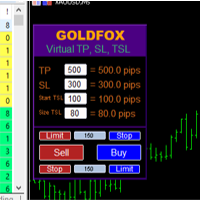
    Forex Expert Advisor(ユーティリティ)「仮想ストップロス、トレーリングストップ」を使用すると、仮想(非表示)ストップロスとトレーリングストップを設定できます。 同時に、標準のストップロス注文やトレーリングストップ注文は使用しません。 したがって、アドバイザーが取引を開始するとき、ブローカーとメタトレーダーターミナルはストップロスやトレーリングストップを確認したり設定したりしませんが、アドバイザーは指定した TP SL TSL のパラメーターを制御し、チャート上に対応するラインを描画します。 ...商品の価格がこれらのレベルのいずれかに達すると、取引は終了します。 Meta Trader とブローカーのサーバーの間に接続がない場合、またはアカウントのリモート ホスティング サービスがない場合、アドバイザーはその機能を実行できないため、取引は仮想ストップによって保護されないことに注意してください。 多くのトレーダーは取引に仮想ストップ機能を必要とし、それを探しています。      説明 - 多く。 アドバイザーのメニューに表示されます。 デフォルトは 0.01 です。
    Transform Your MT4 Trading: From Chaos to Command Center in One Click! Struggling with manual position sizing? Losing track of multiple entries? Watching your basket trades spiral out of control? Stop the madness. The Trade Panel Manager MT4 is the professional-grade EA that elite traders use to dominate the markets. This isn't just another trade manager – it's your complete trading command center that handles everything from lightning-fast single trades to sophisticated multi-position basket
    Open by Clik is a tool that allows you to open positions with two mouse clicks. The place of the click and the direction of clicking decide what position will be opened. Opening of positions is quick and intuitive. If the second click is above the first click, opened are positions Long. If the second click is belowe the first click, opened are positions Short. By clicking in the chart area, opened are Market Order (BUY and SELL). By clicking in the area in front of the chart, opened are Pendin
    Trade Manager は、リスクを自動的に計算しながら、取引を迅速に開始および終了するのに役立ちます。 過剰取引、復讐取引、感情的な取引を防止する機能が含まれています。 取引は自動的に管理され、アカウントのパフォーマンス指標はグラフで視覚化できます。 これらの機能により、このパネルはすべてのマニュアル トレーダーにとって理想的なものとなり、MetaTrader 4 プラットフォームの強化に役立ちます。多言語サポート。 MT5バージョン  |  ユーザーガイド + デモ Trade Manager はストラテジー テスターでは機能しません。 デモについてはユーザーガイドをご覧ください。 危機管理 % または $ に基づくリスクの自動調整 固定ロットサイズを使用するか、ボリュームとピップに基づいた自動ロットサイズ計算を使用するオプション RR、Pips、または価格を使用した損益分岐点ストップロス設定 トレーリングストップロス設定 目標に達したときにすべての取引を自動的に終了するための 1 日あたりの最大損失 (%)。 過度のドローダウンからアカウントを保護し、オーバートレードを防ぎま
    AiGoldx
    MUHAMMAD IHSAN BIN ARIFIN
    AiGoldx EA — Product Description & Parameters * use Timeframe 15m Only Overview AiGoldx is an automated Expert Advisor (EA) for MetaTrader 4, designed specifically for trading XAUUSD (Gold). It combines multi-timeframe Bollinger Bands analysis with a suite of smart filters to identify high-probability trade entries while avoiding false signals. AiGoldx EA — Key Features Multi-Timeframe Silver Confirmation  MA100 Trend Gate  S/R Auto-Detect  Sideways Filter  Smart Close  Weekend Auto-Close  Adx
    Signal Provider Utility Pro (Telegram & Discord) The Professional Solution for Signal Providers. Automated Broadcasting | Smart GUI Panel | Performance Reports Stop managing your signals manually.   Signal Provider Utility Pro   is the realiable bridge between your MetaTrader 4 terminal and your community on Telegram and Discord. Designed for high-performance signal services, this tool gives you instant control over your broadcasts without ever needing to open the settings window. From   real-ti


    Local Trade Copier EA は、MAMまたはPAMMアカウントを必要とせずに、外部ソースからのトレードシグナルを実行する必要がある、または同時に複数のアカウントを管理する必要がある個々のトレーダーまたはアカウントマネージャー向けのソリューションです。最大8つのマスターアカウントから無制限のスレーブアカウントにコピーします [ インストールガイド | アップデートガイド | トラブルシューティング | FAQ | すべての製品 ] 100%セルフホスト インストールと使用が簡単 インストーラー、構成ファイル、サーバー、メモリパイプ、DLLは使用されていません EAを永久に使用するための1000回のアクティベーション ローカル実行、ネットワーク遅延なし それはあなたがこれまでに必要とするすべての機能を実装します: 最大8つのマスターアカウントと無制限のスレーブアカウント すべてのブローカーおよびDD / NDD / ECN / STP実行で動作します 異なる口座通貨の口座で動作します ライブアカウントとデモアカウントの間で区別なく機能します マスターアカウントとスレーブア
    This is a script used for placing pending orders. However, this does not create a trivial grid of orders, but a little "thinks and counts" ;) The general idea that guided me when writing this script is the concept of playing the demand and supply zones by setting pending "limits", but with a predetermined level of risk that I accept. Operating principles: - put a rectangle on the graph, which is supposed to reflect the "zone" we are going to play, - drag the Pending_Orders_1v6_Rectangle script t
    If you found this EA, it's probably because you want to get a funded account with a prop firm, but you see a rule that most of traders fear :   Maximum Daily Drawdown.  I've been through this problem myself as   I'm a prop firm trader   and I've made a bot to solve this rule, and you can get it to solve this problem too. How does it work ? When you first setup this EA, you need to input the   initial deposit   which corresponds to the size of your funded account. For exemple if you get a 10k$ f
    News Hedging Pro  is a unique robot that allows you to trade during the most critical news announcement periods by your predefined strategy. You can preset the strategy to trade, and then it will trade that news automatically when the news comes. News release gives opportunity to have pips since the price usually has big move at that time. Now with this tool, trading news become easier, more flexible and more exciting than ever. No waiting, no confusing anymore. Product Links Fully  Description
    Auto Close Manager EA – Equity & Account Protection Utility Overview Auto Close Manager EA is a risk management utility for MetaTrader 4 designed to automatically close all open positions when a predefined floating profit or floating loss level is reached. This Expert Advisor does NOT open trades. It only monitors account equity and manages existing positions. The EA works with manual trades and can optionally include trades opened by other Expert Advisors. How It Works The EA continuously moni
    Fixer
    Dimitri Nepomniachtchi
    Track your orders, build a unified equity across selected symbols, magic numbers, terminals, and trading accounts. Closes orders when specified conditions are met. Creates new portfolios and adapts to already running portfolios according to your conditions. In short, take a look — it is worth it. If you have questions, write. If you are not sure about the settings, ask, I will help. Virtual SL, TP, Trailing.  * * * * It may seem like nothing special, but in practice they often help more than
    このプロダクトを購入した人は以下も購入しています
    Custom Alerts AIO:マルチマーケット監視を一括で実現 — 設定不要ですぐに使えるインテリジェントツール 概要 Custom Alerts AIO は、追加のインジケーター設定が不要で、インストール後すぐに利用できる高機能マーケットスキャナーです。FX Power、FX Volume、FX Dynamic、FX Levels、IX Power を内部にすべて統合し、主要なすべての資産クラス(為替、金属、指数、暗号資産)を一括監視できます。MetaTrader の仕様により、株式は個別のシンボルとして追加可能ですが、一般的には利用頻度は低めです。 1. なぜ Custom Alerts AIO を選ぶべきか 追加ライセンス不要 • 必要なすべての Stein Investments インジケーターが内蔵されており、すぐに使用可能です。 • チャートに表示されるグラフィックは省略されており、アラート生成に特化した構成です。 市場を広範囲にカバー • 為替、金属、暗号資産、株価指数に対応(株式は手動追加可能)。 • シンボル名を入力する必要はなく、プロパティで資産クラス
    THIS EA IS A SEMI-AUTO EA, IT NEEDS USER INPUT. Manual & Test Version Please TEST this product before   BUYING  and watch my video about it. Contact me for user support or bug reports, or if you want the MT5 version! MT5 Version I do not guarantee any profits or financial success using this EA. With this Expert Advisor, you can: Implement your own   Zone Recovery   strategy to capitalize on trending markets. Create   Grid   trading strategies, to profit from ranging markets. Place orders easil
    The product will copy all telegram signal to MT4   ( which you are member  ) , also it can work as remote copier.  Easy to set up, copy order instant, can work with almost signal formats, image signal, s upport to translate other language to English Work with all type of channel or group, even channel have "Restrict Saving Content", work with  multi channel, multi MT5 Work as remote copier: with signal have ticket number, it will copy exactly via ticket number. Support to backtest signal. How to
    Unlimited Trade Copier Pro is a tool to copy trade remotely to multiple MT4, MT5 and cTrader accounts at different computers/locations over internet. This is an ideal solution for you if you are a signal provider and want to copy your trades to other receivers globally on your own rules. One provider can copy trades to multiple receivers and one receiver can get trade from multiple providers as well. The provider can even set the subscription expiry for each receiver, so that receiver will not b
    The product will copy all  Discord  signal   to MT4   ( which you are member  ) , also it can work as remote copier.  Easy to set up. Work with almost signal formats, support to translate other language to English Work with multi channel, multi MT4. Work with Image signal. Copy order instant, auto detect symbol. Work as remote copier: with signal have ticket number, it will copy exactly via ticket number. How to setup and guide: Let read all details about setup and download Discord To MetaTrader
    Crystal Trade Manager PRO – MT4向け 高度リスク管理・トレードコントロールシステム 無料版: https://www.mql5.com/en/market/product/150632 概要 Crystal Trade Manager PRO(CTM)は、MetaTrader 4 のために設計された、プロフェッショナル向けのリスク管理および取引管理ユーティリティです。 厳密な執行、強力な資金保護、高度な自動化を必要とするトレーダーのために構築されています。 本システムは、リスク管理、エクイティ保護、日次制限、SL/TP の自動設定を行い、プロレベルの高速ワンクリック取引パネルを提供します。 Prop Firm チャレンジ、デイトレード、スキャルピング、資金運用者に最適です。 MT5版も利用可能です。 主な特徴 1. 高度なリスク・ドローダウン保護 日次ドローダウン上限を 1%〜70% の範囲で設定可能。 上限超過時、 全てのポジションを即時クローズ 。 オプションで 全ての保留注文(Pending Orders)を自動削除 。 日次ロックアウトモード:翌日
    --------------Welcome to use [MQL5 Signal Analyze Master]------------------  Function: Draw order tracks of MQL5 MT4 and MT5 signal on MT4 chart. [Using guide] 1.Use it as Experts. 2.Download history record from MQL5 signal(MT4 signal or MT5 signal).  3.Paste history record file below "MQL4/Files/" 4.Load [Signal Analyze Master] on the symbol chart what you want to analyze. 5.Paste the history record file name to parameter 'FileName' 6.Select  SignalType  match the history you download on MT4
    Dashboard.mq4 - シンプルなトレーディングマネージャー 手動取引を好み、取引の管理を簡素化するツールを求めているトレーダー向けに設計された、この強力なMQL4ユーティリティは、取引の効率を高め、リアルタイムのダッシュボードを提供して取引を管理します。MetaTraderにシームレスに統合され、ロットサイズの計算やリスク指標の追跡を簡単に行えます。 主な機能: リスク&マージン表示 : リアルタイムでロットサイズ、必要マージン、勝率を計算し、正確な取引判断をサポートします。 取引管理ボタン : 1クリックで購入/売却の注文を出し、すべての取引(利益のあるもの、損失のあるもの)を閉じ、テイクプロフィットやストップロスのキャンセルなど、注文の修正が可能です。 カスタマイズ可能な勝率追跡 : 現在の月、最後の取引、または全履歴など、さまざまな期間で取引のパフォーマンスを分析できます。 インタラクティブで直感的なUI : 素早い操作が可能なカスタマイズ可能なボタンを備えた、明確で使いやすいダッシュボード。 正確な計算 : 口座残高とリスク率に基づいたロットサイズ計算機が内蔵されてい
    The FFx Hidden Manager panel will help you to manage easily your orders directly on the chart. Below all features described: TP, SL and TrailingStop are hidden Each order has its own lines on chart Drag & Drop any line to change the TP/SL as per your need Option to move automatically the SL line at breakeven when TP #1 is reached Option to choose the TP/SL type (by pips or price) Option to choose the TrailingStop type (by pips, MA, Fractals, PSAR or ATR) Define which order(s) you want to manage
    FFx Risk Calculator panel will help you to calculate very easily your trades size, SL or the risk directly on the chart. All features are described below: Option to select which parameter to calculate: Risk, Stop Loss or Lot Size The panel will show if the lot size is allowed according to the current account free margin Button to maximize/minimize the panel Drag and Drop the panel anywhere on the chart How to use it? Select the parameter you want to be calculated. It will be based on the 2 other
    Trade Copier Pro is a tool to copy trade remotely to MT4, MT5 and cTrader accounts at different computers/locations over internet. This is an ideal solution for you if you are a signal provider and want to copy your trades to other receivers globally on your own rules. One provider can copy trades to multiple receivers and one receiver can get trade from multiple providers as well. The provider can even set the subscription expiry for each receiver, so that receiver will not be able to receive t
    News Trader Pro is a unique robot that allows you to trade the news by your predefined strategy. It loads every piece of news from several popular Forex websites. You can choose any news and preset the strategy to trade it, and then News Trader Pro will trade that news by selected strategy automatically when the news comes. News release gives opportunity to have pips since the price usually has big move at that time. Now, with this tool, trading news becomes easier, more flexible and more exciti
    The FFx Watcher PRO is a dashboard displaying on a single chart the current direction of up to 15 standard indicators and up to 9 timeframes. It has 2 different modes: 1. Watcher mode: Multi Indicators User is able to select up to 15 indicators to be displayed User is able to select up to 9 timeframes to be displayed 2. Watcher mode: Multi Pairs User is able to select any number of pairs/symbols User is able to select up to 9 timeframes to be displayed This mode uses one of the standard indicat
    Copies transactions between MT4 terminals. Possibilities: quick copy start minimum processor load direct and reverse (reverse) copying. copying Take Profit and Stop Loss levels copying deferred and their changes copy transactions one to many copy trades many to one local copy only Attention: The product is designed for copying trades only within a single computer or VPS with access to the desktop. The product will not work on the built-in Virtual Hosting of the terminal. We will help you set up
    The product combines a manual trade panel with the ability to perform actions automatically in a highly configurable way. Actions include capturing indicator values and then based on those values raising alerts, open/close or partially close trades, scale-in, setting up pending orders, adjusting stop loss, take profit and more. On-chart controls can be configured, such as tick boxes and buttons, so can be fully interactive. The EA also handles money management, news events, hidden stop loss, tak
    Binary Options Copier Remote is an EA that allows to copy binary options trades between MT4 accounts at different computers. This is an ideal solution for signal provider, who want to share his trade with the others globally on his own rules. Provider can give free bonus license to 10 receivers. That means those 10 receivers can copy from provider by using Binary Options Receiver Free (no cost). From 11th one, receiver have to buy Binary Options Receiver Pro (paid version) in order to copy from
    The Price Action Dashboard is an innovative tool to help the trader to control a large number of financial instruments. This tool is designed to automatically suggest signals and price conditions. The Dashboard analyzes all major Time Frame suggesting price action conditions with graphic elements. The Dashboard can suggest you the strength of the trend identifying directional movement, it is an indispensable tool for those who want to open position themselves using market trends identifiers. The
    エリオット波動カウンターは、エリオット波動を迅速かつユーザーフレンドリーに手動でマークアップするためのパネルです。マークの色とレベルを選択できます。最後のマークアップとツールによって作成されたマークアップ全体を削除する機能もあります。マークアップはワンクリックで作成されます。 5 回クリック - 5 つの波があります。エリオット波動カウンターは、エリオット波動の初心者にもプロのアナリストにも最適なツールです。 エリオット波動カウンターのインストールと入力ガイド 取得したい場合     EA 追加 URL (  http://autofxhub.com   ) MT5 端末に関する 通知 (スクリーンショットを参照)。 MT4 バージョン https://www.mql5.com/en/market/product/14016 MT5 バージョン https://www.mql5.com/en/market/product/15081 一般的な入力: 波の種類ボタン: このボタンを使用すると、ユーザーはチャートで強調表示する波のパターンの種類を選択できます。使用可能なオプションには、イン
    If you wish to draw Support and Resistance lines, view: daily market opening, classical pivot levels, Fibonacci pivot levels, trend lines, Fibonacci levels, the remaining time to candle closing, and current spread. If you seek to place your orders with the exact lot that meets your desired stop loss risk. If you wish to do all this and more with just one click, then this is the perfect tool to use. This tool will allow you to feel more relaxed when deciding to open orders, as well as predicting
    Partial Close Expertは 、多くの機能を1つの自動化システムに統合したツールです。このEAは、リスク管理と潜在的な利益の最大化のための複数のオプションを提供することで、トレーダーがポジションをより効果的に管理するのに役立ちます。 パーシャルクローズエキスパートを使用すると、トレーダーは   部分的な閉鎖   利益を確定するためのレベル、     トレーリングストップ   利益を守り損失を制限するレベル、     とんとん   価格が反対方向に動いた場合でも取引が損益ゼロになることを保証するレベル、およびその他のいくつかの機能。 このオールインワンのエキスパートアドバイザーを使用することで、トレーダーは取引を常に監視する必要がなく、時間と労力を節約できます。EAは市場の状況に基づいて事前に設定された指示を実行するため、トレーダーはより柔軟に取引をコントロールできます。 部分クローズエキスパートを添付し、     キーボードの「p」を押して 設定を変更すれば準備完了です。 部分クローズエキスパート   インストールと入力ガイド EA に関する通知を受け取りたい場合は、U
    Master Trend Dashboard is a new generation indicator, compact, light and efficient. Each element of this Dashboard is designed to return specific signals as: Price Action, Breakout, Net Change (performance of the instrument), algorithmic studies, correlations and statistical calculations. This tool will change your way of trading allowing you to receive important information. See the Graphic Signals to understand every single signal below: Graphic Signals Symbol name and arrow color Green = Cur
    Trade Copier Agent は、複数の MetaTrader(4/5) アカウント/端末間で取引をコピーするように設計されています。 このツールを使用すると、プロバイダー (ソース) または受信者 (宛先) として機能できます。すべての取引アクションは、遅延なくプロバイダーからレシーバーにコピーされます。 このツールを使用すると、0.5 秒未満の超高速のコピー速度で、同じコンピューター上の複数の MetaTrader ターミナル間で取引をコピーできます。 Trade Copier Agent インストール & 入力ガイド コピーを開始する前、または注文がないうちに、プロバイダー アカウントで設定を適用してください。 注文中の変更は、受取人のアカウントに影響します。 例: プロバイダー アカウントが買い注文を適用し、その後、受信者アカウントのすべての買い注文を無効にすると、決済されます。 EA追加URL(   http://autofxhub.com   )MT4端末(スクリーンショット参照) に関する通知を受け取りたい場合 。 MT5 バージョン https://www
    Unlimited Binary Options Copier Remote is a powerful tool to copy binary options trades remotely between multiple accounts at different locations over internet. This is an ideal solution for signal provider, who want to share his binary options trades with the others globally on his own rules. One provider can copy trades to unlimited receivers and one receiver can get trade from unlimited providers as well. The provider can set the subscription expiry for each receiver, so that receiver will no
    This is an Expert Adviser use for manual trading as a background EA or combine with external EA to open orders. Loss Recovery Trading is one of your options to handle the lose positions instead of using stop loss by setting a zone recovery area and target to exit the turn rounds sequence. How It Work? If the market goes against your first positions direction at the specific of losing points, the EA will open an opposite direction position with calculated larger lot size and also keep the first
    Professional and highly customizable utility for automated trading. It can become an indispensable to any trader regardless of the skills. It will help to save the time that would be required for daily routine activities and it will allow to develop custom strategies. The utility can also work manually opened orders and orders opened by any other EAs. This can be applied to attempt to recover the losing trades or even save the trader form losing the deposit. The utility allows to automate the tr
    Great for scalper/intraday weapon for your ease daily trading. Scalper weapon will suit's you for any trading condition, whether it's intraday / scalper this tool is important for you which providing the missing function on the native MT4 platform. You have to check Allow Auto Trading by pressing Ctrl+O, going to Expert Advisors tab, and checking " Allow automated trading" . also to ensure the " auto trading " is green. Input Parameters _MINIMIZED_AT_START: to chose whether the panel is minimiz
    Market Pressure Dashboard is a new generation utility. Its main function is to assist you and give you operational ideas optimizing your analytical work. Using this utility you could monitor a lots of financial instruments (max 28 symbols FOREX) in a very simple way. The Market Pressure indicator allows you to customize the internal list of the symbols to be monitored. The opening function and position management with this panel will be much more comfortable and navigation charts very powerful.
    Contact/message me if you encounter any issue using the product or need extra feature to add on the base version. There is a demo version of this panel Dashboard Trading Made Simple Demo in my product list, please try it out to get familiar with all functionalities free, LINK . This system basically utilizes TDI as the main indicator to generate trading signal mainly on H1 and H4 timeframes. The signal will be further filtered and trimmed. Stochastic; Heiken Ashi candle direction and candle siz
    Telegram Publisher Agent は、 トレーダーが Telegram チャネルおよびグループにリアルタイムでシグナルを送信できるようにするアドオンです。このツールは、カスタマイズ可能なメッセージ、チャートのスクリーンショット、その他の機能を備えており、トレーダーが取引の洞察や戦略をフォロワーと共有するのに役立ちます。このツールは、明暗のテーマ切り替えを備えた美しいデザインも備えており、ユーザーに美的で機能的な取引体験を提供します。 Telegram Publisher Agent は、すべての取引をチャネルおよびグループ内のシグナルとして公開するように設計されています。あなたがしなければならないことは、取引を提供することだけです。その後、ボタンをクリックするだけで、Telegram Publisher Agent が取引シグナルを取引チャネルまたはグループに送信するためのすべての面倒な作業を実行します。 Telegram パブリッシャーエージェント   インストールと入力ガイド EA に関する通知を受け取りたい場合は、URL  ( http://autofxhub.c
    如果产品有任何问题或者您需要在此产品上添加功能,请联系我 Contact/message me if you encounter any issue using the product or need extra feature to add on the base version. There is a Demo version of this panel Dashboard Currency Strength Meter AdvancedDemo in my product list, please try it out to get familiar with all functionalities free, LINK . The Dashboard Currency Strength Meter Advanced gives you a quick visual guide to which currencies are strong, and which ones are weak over the customized 4 time-frames and period.
    フィルタ:
    レビューなし
    レビューに返信