Titan Pro Scalper
- インディケータ
- バージョン: 12.6
- アクティベーション: 10

No settings are required; simply attach it to a chart on any timeframe and let the indicator calculate all the necessary parameters.
You only need to fill in how much money you risk for each transaction, then every time a signal appears Titan Pro Scalper will immediately calculate for you how many lots you should open.
You only need to enter "Manual Balance" and "Risk Percent."
For example, if you risk $200 per trade, enter $2,000 in the "Manual Balance" and 10% in the "Risk Percent", or $20,000 in the "Manual Balance" and 1% in the "Risk Percent".
Or, if you only want to risk 1% of your total balance, enter 1% in the "Risk Percent" and set "Manual Balance" to 0. The indicator will automatically read your account balance.
All settings and information menus are presented clearly and completely on the indicator dashboard to the right of the chart.
You can also set the risk-reward ratio in the "SLMultiplier" or "TPMultiplier" row. You can adjust this parameters by yourself.
Every time a signal hits the TP or SL, the TP, SL & Entry lines are immediately removed from the chart.
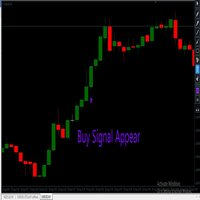
If a new signal appears, the TP,SL and Entry lines will be updated according to the latest signal. Just execute your trade as long as it hasn't hit the TP or SL. Unless a signal appears in the opposite direction, you can manually close and open a new position.
This indicator can work on all pairs and all timeframes.