 MetaTrader 5
 エキスパート
 インディケータ
 ライブラリ
ライブラリ
 ユーティリティ
 ウィジェット
 ルール
ルール
YouTubeにあるマーケットチュートリアルビデオをご覧ください
ロボットや指標を購入する
仮想ホスティングで
EAを実行
EAを実行
ロボットや指標を購入前にテストする
マーケットで収入を得る
販売のためにプロダクトをプレゼンテーションする方法
MetaTrader 5のためのエキスパートアドバイザーとインディケータ - 453
 自動売買ロボットとインジケータを使用して、外国為替取引の収益性を高めます。 自動売買ロボットを使用すると、取引の開始と終了を自動化でき、インジケータは市場の行動をより正確に予測するのに役立ちます。
このページには、MetaTrader5アプリケーションのカタログが掲載されています。
自動売買ロボットとインジケータを使用して、外国為替取引の収益性を高めます。 自動売買ロボットを使用すると、取引の開始と終了を自動化でき、インジケータは市場の行動をより正確に予測するのに役立ちます。
このページには、MetaTrader5アプリケーションのカタログが掲載されています。 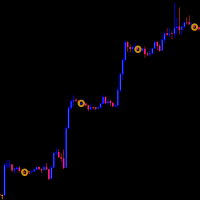
The Daily Closing Price Indicator marks the closing prices of previous days to easily spot them during chart analysis.
Features: -Available for MT5 only -Applicable in all instruments -Applicable in all timeframes
https://c.mql5.com/31/1144/daily-closing-price-indicator-screen-9611.png https://c.mql5.com/31/1144/daily-closing-price-indicator-screen-1492.png
https://c.mql5.com/31/1144/daily-closing-price-indicator-screen-5676.png
Parameters: https://www.mql5.com/data/temp/7867750/38bze8eu30

Hello Gold Seeker , We have a new strategy for finding opportunities in the gold market . This strategy has two system options: non-martingale or martingale . This strategy already includes a stop loss to minimize losses .
Notes for traders: Backtest from the beginning of 2023 until yesterday (08/07/2024) before this EA is released. Backtests have been conducted using "every tick-with real tick" and "random delay". The timeframe used is M5, but you are free to use any timeframe as we have lock

IKAN MFX 金融市場の変動の激しい世界では、最良の取引機会を見つけ、リスクを最小限に抑えることはすべての投資家にとって常に大きな課題です。そこで私たちは、先進的な自動取引システムであるIKAN(Intelligent Knowledge Automated Navigator)を開発しました。 IKANは単なるツールではなく、人工知能と長年の取引経験の完璧な組み合わせです。IKANは毎秒何百万ものデータポイントを分析し、市場のトレンドを特定し、価格の動きを予測し、正確な取引決定を行うことができます。 広大な金融の海を航行する船をイメージしてください。IKANは嵐の波を乗り越え、危険な暗礁を避け、目的地に安全に到達するのを助ける先進的なナビゲーションシステムです。 IKANを使えば、単なる取引ではなく、自信と安心感を持って取引ができます。IKANをあなたの金融市場攻略の旅の信頼できる仲間にしてください。 IKAN MFXは、EURUSD、GBPUSD、USDCAD、NZDUSD、AUDCAD、AUDUSD、AUDNZD、EURGBP、EURCAD、GBPCADなどの人気通貨ペアで効

Easy to Use: SentimentExpert Designed for traders of all levels, our EA comes with user-friendly settings and comprehensive documentation. Set it up in minutes and let it work tirelessly to grow your trading account. Consistent Performance: Backed by rigorous testing and optimization, the Enhanced Trading EA delivers reliable and consistent results. It’s like having a professional trader working around the clock, analyzing markets, and executing trades on your behalf. Take Your Trading to the Ne

>> The next price will be $599 <<
Aero Gold EA is Smart, Simple and Powerful EA. This EA not using any dangerous strategy. Analisys base on Trend Following Strategy using some default mt5 indicator. Recommendation Please use Aero Gold EA on M5 or M15 or M30 timeframes. You can run simultaneously on each timeframe with the same or different MagicNumber You can start to trade with $ 200 Minimum initial Deposit The recommended account leverage is 1:100 or more VPS hosting 24/7 is strongly advised
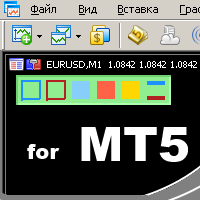
удобный инструмент для тех, кто использует технический анализ с использованием таких инструментов, как Трендовая линия и Прямоугольник. Имеется возможность настройки двух пустых прямоугольников, трех закрашенных и двух трендовых линий. Настройки индикатора крайне просты и делятся на пронумерованные блоки: С цифрами 1 и 2 вначале - настройки пустых прямоугольников (рамок); С цифрами 3, 4 и 5 - настройки закрашенных прямоугольников; С цифрами 6 и 7 - настройки трендовых линий. Объекты создаются оч

The News and Events Trading EA is designed to capitalize on market volatility driven by economic news and events. It strategically places trades based on the impact levels of various news releases, ensuring you capture the best trading opportunities. The strategies work best with accounts that include the commission in the spread amount Key Features: Impact Level Filtering: Trades are triggered only for news events that meet predefined impact levels (low, medium, high). Customizable settings all

Important Note : This EA requires help to initially setup. Please contact us Streamlines the management of multiple trading accounts, saving time and reducing the potential for manual errors.
Ideal Users: Professional traders managing multiple client accounts using copy sync trading. Trading firms looking for automated and synchronized trading solutions. Individual traders seeking to diversify their trading across multiple accounts with a unified strategy. Key Features: Multi-Account Synchron
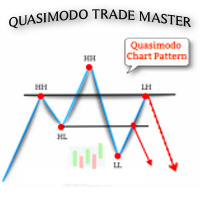
Quasimodo Trade Master EA: Unlock the Power of the Quasimodo Chart Pattern The Quasimodo Chart Pattern is a hidden gem in the world of trading. Also known as a Change of Character (ChoCh) or QML , this pattern has earned its reputation as one of the most reliable and accurate setups you can find. If you’re an ICT or SMC trader, you’re likely already familiar with its potential. But here’s the catch: spotting the Quasimodo pattern manually can be time-consuming and mentally draining. That’s wher

Efficientum - is a multicurrency trading EA based on multicurrency analysis and mathematical control.
EA is based on the connection of currency pairs and the calculation of the mathematical deviation from the leading currency pairs, as well as movement along the trend.
The opening and closing points of positions are determined by calculating the minimum risk and profit optimization.
The trading robot does not require any configuration!
The advisor is equipped with a minimum set of the most

Accuratum - is a multicurrency scalper based on mathematical market analysis and currency pair correlation data.
EA analyzes multicurrency data to determine optimal points for opening and closing positions.
The advisor uses dynamic points for closing positions to minimize risks and optimize profits.
The advisor is equipped with a minimum set of the most necessary functions that simplify working with it.
Basically, the advisor does not use any risk systems with increasing volume or increasin

Product Description: Ultimate GoldMiner EA
DONT USE DEFAULT SETTINGS
REcomenndend pair -GOLD, XAUUSD
TIMEFRAME: 5min
Inputs INPUT VALUE DESCRIPTION ULots 0.01 Lot sizes for entry(depends on your risk appetite) BufferPoints 450 Points from the signal to enter trade(buyStop and sellStop) ProfitFactor 4 Risk to reward ratio currently at (1:4) validHours 2 How many hours is the signal valid for( expires if not triggered within valid hours) percentage 100 Daily Draw Down percentage (pauses trade for

Apexion - is a scalper that analyzes the market direction in a narrow range using multi-currency analysis and analysis of current market volumes.
Analyzing the market, the advisor finds entry and exit points taking into account the trend indicators of the currency pair, as well as correlations.
The advisor uses dynamic points of closing positions to minimize risks.
The advisor is equipped with a minimum set of the most necessary functions that simplify working with it.
Basically, the adviso

一个奇葩的马丁类策略,带止损,事实上也可以理解为分步趋势策略。有很多可供自定义的参数,可以自由调整出自己能接受的参数。提供一些我自己调整的参数设置文件以供参考,我使用这些参数已经在模拟盘实验了几个月了,所以策略适应性还不错,至少我提供的参数应该没有过度拟合。提供模拟盘观摩信息——注意不要直接跟单,因为作者懒得维护模拟盘,说不定啥时候VPS死机了,而作者都不知道,从而导致EA无法执行正确的操作,所以观摩账户仅供欣赏。 Login:9999673415 Investor:+oMz5xBh MetaQuotes-Demo 务必注意:每一张图表都使用不同的魔术号,且间隔至少2,因为每一张图表要占用两个魔术号。比如可以这样设置:EURUSD=1000,EURGBP=1002,AUDCAD=1004…… 信号所用参数设置文件: https://c.mql5.com/31/1142/Presets.zip

Multindicator Strategy EA by O'Dav Master the Markets with a Smart, Multi-Indicator Trading Engine Overview:
The Multindicator Strategy EA by O'Dav is a high-performance, fully automated Expert Advisor built for traders who demand accuracy, flexibility, and strategic edge. Developed using Expert Advisor Studio , this EA combines the intelligence of multiple powerful indicators into one cohesive strategy that works for you—24/5. ️ After purchase, please contact me to receive the recommended
The DYJ SignalSource WPRBashboard signal source is based on the WPR indicator information dashboard It can be used for any currency pair and time frame.
WPR suggests that a metric value between 80% and 100% indicates oversold in the market The indicator value between 0 and 20% indicates that the market is overbought.
The entry signal of this indicator is a turning point in the trend.
It provides reverse trend selection direction.
This indicator uses simulated trading techniques.
It provide

Advisor Intel is a reliable automated assistant for traders, specializing in trend trading in the Forex market.
Trading the Forex market is a complex process that requires significant time, effort and experience. With the advent of trading bots, traders can automate their strategies and take advantage of market trends without having to spend a lot of time analyzing data. Advisor Intel is recommended for use on highly volatile currency pairs or during periods of increased volatility.
What is A

The Reversal Candlestick Structure indicator detects multiple candlestick patterns occurring when trends are most likely to experience a reversal in real-time. The reversal detection method includes various settings allowing users to adjust the reversal detection algorithm more precisely.
A dashboard showing the percentage of patterns detected as reversals is also included. USAGE Figure 1 Candlestick patterns are ubiquitous to technical analysts, allowing them to detect trend continuation

Spider PRO EA - Powerful Forex Trading Assistant, Achieving 150% Annual Growth!
Spider EA is a forex trading assistant focusing on the GBP/USD or EUR/AUD 1-hour currency pair. It adopts the latest trading patterns, bringing significant returns to investors.
Core advantages:
Highly accurate trading strategy: Achieved 300% growth in the past year; Start trading with just $100Cent or $1000STD initial capital; Uses real tick Forward Test data to ensure the authenticity and effectiveness of t

Trader Protector: Professional Risk Manager for MetaTrader 5 Safeguard your trading account and optimize profits with Trader Protector - an advanced risk management tool for MetaTrader 5. Key Features: Multi-level Risk Control: Daily risk limit Monthly risk limit Risk per trade Trailing stop for daily profit Flexible Settings: Customizable risk percentages Choice of order execution modes Maximum lot size restriction Excessive Loss Prevention: Limits on losing positions (daily, weekly, monthly) A

### 製品概要
MetaTrader 5用の当社のエキスパートアドバイザー(EA)は、ローソク足の連続に基づくトレーディング戦略を自動化するように設計されています。事前に定義されたリスク管理パラメータを使用して市場のトレンドを活用したいトレーダーに、堅牢なソリューションを提供します。ここでは、その特徴と利点について詳しく説明します。
#### 特徴と利点
1. **自動取引**:事前に定義された条件に基づいて自動的に取引を実行し、時間と手間を節約します。 2. **カスタマイズ可能なパラメータ**:調整可能な入力を使用して、EAを取引スタイルに合わせて調整します。 3. **リスク管理**:ストップロスとテイクプロフィットレベルを統合して、効果的にリスクを管理します。 4. **時間による退出**:利益目標に達しなかった場合、指定された時間後にポジションをクローズし、取引の安全網を提供します。 5. **単一ポジション管理**:過度なレバレッジを回避するために、一度に一つのポジションのみがオープンされるようにします。
#### 入力パラメータ
- **マジックナンバー(i
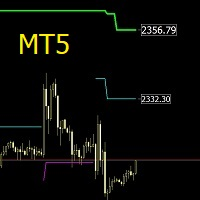
The SuperTrend MTF indicator is an excellent trend tracking indicator . It can not only display SuperTrend trends within the timeframe of the chart, but also set up to display SuperTrend trends for larger time frames simultaneously . This will be beneficial for grasping trends at a larger time scale and predicting future trends . At the same time, the price of the trend line can also be displayed at a glance, making it easy to observe.
Input parameters :
ATR period used at chart timeframe
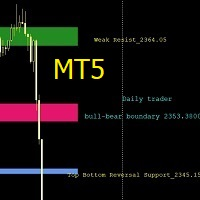
Support and Resistance Levels is an intelligent indicator that displays horizontal support and resistance levels, suitable for traders of different trading frequencies. You can select your preferred trading frequency, and the indicator will automatically calculate the support and resistance levels relevant to that frequency. Among these, the Bull-Bear Line is an interval used to distinguish the strength of bullish and bearish forces, and is an important level.
You can combine it with other ind
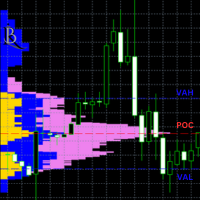
ボリュームとマーケットプロファイルプロ 説明: MarketProfile インディケーターは、異なる価格レベルでの取引量の正確で詳細な分析を提供します。各取引日のボリュームプロファイルを計算して表示し、市場構造とボリューム分布を理解して、情報に基づいた取引の意思決定を支援します。 主な特徴: 日次ボリューム分析: インディケーターは各取引日のボリュームプロファイルを計算して表示し、異なる価格レベルでのボリューム分布を簡単に特定できるようにします。 ポイントオブコントロール (POC): POCは、当日の最大取引量の価格レベルを示す水平線として表示され、重要なサポートとレジスタンスレベルを特定するのに役立ちます。 バリューエリアハイ (VAH) とバリューエリアロー (VAL): これらの線は、70%の取引量が発生するバリューエリアの上限と下限を示します。この情報は、市場活動と価格反転の可能性のあるポイントを理解するために重要です。 セッションごとの色: インディケーターは、異なる取引セッション(アジア、ヨーロッパ、アメリカ)のために色分けされたバーを提供し、どのセッションで最も活動

MQL Tool "Ofir Email to Telegram": Never Miss a Trading Alert Again! Tired of missing important alerts from your indicators and Expert Advisors (EAs)? Ofir Email to Telegram is the solution you've been waiting for! This revolutionary MQL tool automatically forwards all email alerts from your indicators and EAs directly to your Telegram account. Never again will you miss a trading opportunity or important notification! Here are just a few of the benefits of Ofir Email to Telegram: Quick and easy

STK strategy relies on previous consecutive green or red bars to initiate a buy or sell entry. Fundamental inputs of this strategy include, timeframe (which determines the candle stick period chosen e.g. M1, m5, H1, etc.), candle streak (which is the number of reed or greed candle stick to be considered prior to entry of a sell or a buy) and a buy size filter that determines the size of the bar considered prior to entry of a trade. The strategy can be optimized for any currency pair though it is

DD_PL Running – Real-Time Profit & Loss Indicator for MT5 Looking for a simple and powerful MT5 Profit & Loss Indicator to monitor your trading performance in real time? DD_PL Running is a professional MetaTrader 5 indicator designed to display your live running profit and loss directly on the chart. Monitor floating profit, floating loss, and overall account performance instantly while trading forex, gold, indices, or crypto CFDs. Perfect for: Forex traders Scalpers Day traders Swing traders Pr

The DD_ATR MT5 indicator is a trading tool developed by the Dagangduit Core Team . This indicator is designed to calculate and display the Average True Range (ATR) in real-time, providing traders with essential volatility information to aid in their trading decisions. Key Features: ATR Calculation : Calculates and displays the ATR for the selected timeframe. Multiple Timeframes : Displays ATR values for multiple timeframes (M1, M2, M3), giving traders a comprehensive view of market volatility.

The DD_Profit_Monitor MT5 indicator is a trading tool developed by the Dagangduit Core Team . This indicator is designed to monitor profits in real-time with the following key features: All Time Profit : Displays the total profit earned since the beginning of the trading account's usage. This feature helps traders see the overall performance of their trading activities. Daily Profit : Displays daily profits, allowing traders to monitor their daily performance more specifically. Key Features: Al

| Seamless portfolio of trading systems in your palm - Powered by ONNX Neural network | Built by a grid trader >> for grid traders. This is MT5 version, click here for Blue GAIA MT4 (settings and logics are same in both versions) Real monitoring signal --> Cosmic 2 | GAIA Intro Blue GAIA EA (' GAIA ') - is the latest edition of BlueAlgos family, uniting all the best algos and features under one-roof. Its is the true 4xMulti Systems: +------------------------------------------------
It is used to automatically detect and draw horizontal lines on a chart that represent price peaks and troughs based on analysis of historical price data.
The script allows the user to select the number of recent candles to analyze, the minimum gap between high and low, and the minimum number of candles needed to recognize a high or low. It is a useful tool for traders who want to automatically detect and visualize important support and resistance levels on a chart, making it easier to make in

Description of work
The 'MA7 Ixora C2' expert advisor is based on the 'MA7 Ixora' indicator. When a signal appears, the expert advisor opens a position, sets a stoploss and takeprofit, and after opening the position, accompanies it until it is closed. After receiving a loss, the expert advisor increases the volume. Detailed information about the 'MA7 Ixora' indicator.
Features of work
Designed to work on hedge accounts; Recovers your data in case of a sudden power outage; Stoploss and takep
This is a classic Range BreakOut system. Range is defined by min number of bars and max width in pips. User can adjust both. The Range Breakout Expert Advisor can be used to trade time ranges. The market often finds its direction in the morning hours and then follows this trend for the day, This expert advisor is designed to trade these trends after the morning breakout. Still you can trade all sorts of time breakouts with this program. How the expert works The expert creates a range from a grou
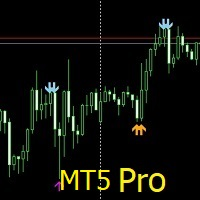
Price Action Scanner Pro is an indicator that identifies price behaviors and provides alerts, offering more features and customization compared to Price Action Scanner. This indicator can simultaneously detect signals for up to 15 symbols across different timeframes. You can configure it to detect signals during specific trading sessions such as Asian, European, and US sessions, using different timeframes. This allows you to use lower timeframes for active trading periods and higher timeframes

TRADE ENTRY LOGIC The strategy is Based on Contraction Zone Breakouts caused by Master candlestick formations. If the zone breaks bullish, whereby price closes above the zone within a specific breakout distance, a buy trade is executed. Similarly, if the zone breaks bearish, whereby price closes below the zone within a specific breakout distance, a sell trade is executed. TRADE MANAGEMENT The strategy has a take profit level and a stop loss level. If price breaks Bullish, the stop loss is set at

SchermanActionPro のご紹介:Automatictrading の新しい自動取引ボット
Automatictrading は、SchermanActionPro をご紹介できることを誇りに思っています。
注目の機能:
• 設定可能なインジケーター: Ivan の推奨に従って、平均とローソク足の数を調整します。
• 運用の柔軟性: 購入か販売かを選択します。
• 利益確定: ATR または逆シグナルに基づく固定オプション。
• Loss Stop: ATR または逆の信号に従って固定に設定可能。
• ロットタイプ: 固定ロットの選択、アカウントの % または固定金額での固定リスク。
• 最大バッチ保護: 設定可能。
• ピップと滑りのサイズ: 完全に調整可能。
• フィルタと出力: ATR およびスプレッド レベルに従って入力フィルタと出力フィルタをアクティブにします。
• 利益確定と部分損失決済: レベルごとに設定可能。
• トレーリングストップと損益分岐点: 距離、パーセンテージ、スリッページを設定可能。
• キャンドルの数による出力: 設定可能

Multi Indicator Signal Strategy EA MT5は、MetaTrader 5専用に設計された高度なトレーディングツールです。複数のテクニカルインディケーターの組み合わせを使用して、取引のエントリーとエグジットを効果的に自動化し、トレーディング戦略を向上させたい初心者と経験者の両方に最適です。 このEAは、広範なカスタマイズオプション、堅牢なリスク管理機能、さまざまな市場条件に適応する能力など、重要な利点を提供します。複数のインディケーターを利用することで、正確なシグナルを提供し、トレーダーが情報に基づいた意思決定を行い、利益を増やす可能性を高めます。 MQL製品のインストールガイド | MT4/MT5で購入したMQL製品の更新 | 一般的なトラブルシューティングガイド | 一般設定 / 入力ガイド | インディケーター設定 | バックテストと設定ファイル 主な機能 コアトレーディング戦略:ADX、MACD、Bollinger Bandsなどに基づく効果的な取引シグナルのためのマルチインディケーターアプローチを利用。 サポートされる時間枠と通貨ペア:さまざまな

GOLD Climberは完全自動のスキャルピングロボットで、非常に効果的なブレイクアウト戦略、高度な資金管理、確率的分析、トレンドの変化を非常に早い段階で検知する高度なテクニックを使用しています。 この戦略は、価格が指示されたレベルを超えると自動的にトリガーされる保留注文で実行されます。保留注文は、洗練されたアルゴリズムによって決定されたレベルで発注されます。 現在の価格は、最初の10人の購入者のために199ドル、次の価格は599ドルになります。私は100部のみ販売する予定です。 スクリーンショットに掲載されているライブシグナルとバックテストは、デフォルトの設定で実行されていますが、より良い設定があるかもしれないことに留意してください。無料デモをダウンロードして、ご自身でテストしてください。過去におけるテスターやライブのパフォーマンスは、将来の結果を保証するものではありません。リスク設定はバックテストに基づくべきではありません。リスクが低いということは、リターンが低いということです。 マーチンゲールやグリッド取引戦略、またはその他の危険な方法は使用しないでください。

Voyager Trend Detector opens a position when it detects a new trend with the accompanying momentum from rising or falling candlesticks. A new trend happens when, after a period of consolidation, price performs a sudden rise or plunge. This is achieved with the crossover of moving averages, followed by a change in momentum arising from candlestick movements. Trailing stop is employed to protect profits. Voyager Trend Detector works well on EURUSD. A back test shows a realistic 13.9% profit over 2

Carilas is a highly effective automated trading assistant focused on trend trading in the Forex market.
Trading Forex requires a significant investment of time, effort and experience. With trading bots, traders can automate their strategies and take advantage of market trends without having to spend a lot of time on analysis. Carilas is especially useful for trading highly volatile currency pairs or during periods of high market activity.
What is Carilas? This is a trading bot developed on th
By :ForextraderEanow Green Mower 10.0
This EA is Famous Grid Strategy that open grid of trades with the same size (not martingale) and make PROFIT even when the Forex price moves in the WRONG Direction

Inspired by the unparalleled creativity and distinct style of the legendary painter Pablo Picasso, the Pipcasso Expert Advisor brings a touch of artistic genius to the world of Forex trading. Just as Picasso revolutionized the art world with his innovative techniques and bold compositions, Pipcasso aims to transform your trading experience with its unique, strategic approach and meticulous attention to detail. Pipcasso adheres to strict money management rules. Each order is protected by a stop

Estamos felizes em apresentar nosso novo robô de negociação, desenvolvido para a plataforma MQL5. Este robô combina estratégias planejadas e filtros técnicos para aprimorar suas operações de maneira eficiente e automatizada.
Principais Características:
1. Estratégias Personalizáveis: • O robô oferece quatro estratégias distintas, cada uma com configurações específicas para se adequar às suas necessidades. • As estratégias foram elaboradas para auxiliar na maximização da eficiência de suas ope

Ksm: Smart Solution for Automated Forex Trading Ksm is a tool designed for automating Forex trading, using modern methods of time-series data analysis to work with multiple currency pairs across different timeframes. Key Features and Benefits Multi-currency support : Ksm enables trading across multiple currency pairs, helping traders adapt their strategies to various market conditions. New currency pairs can be easily added. Time-series data analysis : Utilizing advanced algorithms, Ksm analyze
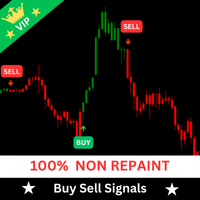
Contact me through this email aaddress to download the FREE strategy PDF for this indicator tharindu999lakmal@gmail.com
Introduction The "Buy Sell Signals" is designed to provide BUY and SELL trade signals based on the current market conditions. A Trading Strategy (Chee sheet) has been provided for this trading indicator. (Read the description). This indicator has time tuned e ntry signals . so, you will enter the market at the very best price level with this indicator .
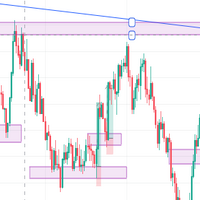
IMPORTANT NOTE THIS EA IS NOT FULLY AUTOMATED, IT ONLY TAKES POSITIONS IN ZONES YOU DEFINE IT ASSISTS YOU. SO YOU NEED TO WATCH THE CHART CLOSELY THE MAIN POINT OF THIS EA IS TO FORCE THE TRADER TO RESPECT ENTRY RULES <<CONFIRMATION IS THE KEY>>. SO THE TRADER WILL ONLY LOOK FOR ZONES THE EA WILL LOOK FOR CONFIRMATION CANDLES AND ENTER IF A CONFIRMATION IS FOUND FOR EXAMPLE: If price is in a Bullish zone. Rule, look for buys. If Bullish Candlestick Pattern or any other bullish candle pattern s
MDL5 Martin Automated Trading EA 1. Overall Introduction The program running name is Martin Trading Configuration - RSI , which is currently the complete version. There is also a RSI minimalist version with the same logic: Martin Trading Configuration - RSI - Lite The main logic is to automatically monitor RSI indicators. When the configuration threshold is reached, it will automatically trigger order opening, replenishment, stop profit, and stop loss operations.
I have found that the market

エキスパートアドバイザー(EA)「O'Dav」はMetaTrader 5用に設計されており、複数の技術指標とトレード戦略を使用してトレードの意思決定を自動化します。このEAはトレンドフォローに焦点を当てており、Relative Strength Index(RSI)、Accelerator Oscillator(AC)、Envelopes、Intraday Time Filter(ITF)を組み合わせて市場のトレンドを識別し、それを活用します。さらに、Parabolic SARのトレーリングストップを使用して取引を管理し、固定リスクの資金管理システムを使用して取引リスクを管理します。 詳細説明: ヘッダー情報: スクリプトはメタデータから始まり、スクリプト名(「O'Dav.mq5」)、著作権情報、バージョンの詳細が含まれます。 信号、トレーリングストップ、資金管理に必要なライブラリが含まれます。 入力パラメータ: エキスパートアドバイザー設定: Expert_Title : エキスパートアドバイザーの名前。 Expert_MagicNumber : EA取引の一意の識別子。 Exper

the unbeatable Scalper for EURUSD 用スキャルパー - 究極のトレーディング コンパニオン!
資金を安全に保ちながら利益を増やす信頼できる方法をお探しなら、これ以上探す必要はありません。 EURUSD 取引に特化した一流のトレーディング ロボットである最高の EURUSD 用スキャルパーを自信を持ってご紹介します。
トレーディング ロボットについて語る人は多いものの、市場の反転時に資金を保護することの重要性を強調する人はほとんどいません。 最高の EURUSD 用スキャルパーが真価を発揮するのは、まさにこの点です。 主要なサポート レベルとレジスタンス レベルに基づくインテリジェントな動的ストップロス戦略を備えたこのロボットは、価格がこれらの重要なポイントから跳ね返るとすぐに、テイク プロフィットを +1% にスマートに調整します。 この革新的なアプローチは、市場を追う自信を高めるだけでなく、収益と資金の安全性も確保します。
最高の EURUSD 用スキャルパーは、30 ピップのスイングで迅速な取引を実行するのに優れています。 ただし、個人の目標

Introducing a cutting-edge trading indicator, specifically designed to predict and signal upcoming spikes in Boom 1000 and Boom 500 markets. This innovative tool provides traders with timely alerts, enabling them to capitalize on market movements with precision. Key Features: Accurate Spike Prediction : The indicator utilizes advanced algorithms to identify potential spike occurrences in Boom 1000 and Boom 500 markets. User-Friendly Signals : The indicator generates clear buy signals, allowing t
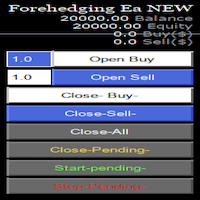
Semi Automatic Ea(MT5). Buy or Sell or Let it Trade . Either Buy or Sell Manually with the panel. Second option: Press Auto with one of the 4 options. Plug and play mode. This Panel can trade with very good result. As a Beginner trader as you ,if you want to be part of the 5% that can make it just give a chance and see for your self. 1:500-1000 leverage, lower then that rise the balance times 2' Recommend: Auto Trading choose one option from below. $5000. false/true $8000. false/true $250

IMPORTANT: BOT IS EXCLUSIVE TO EURUSD M30. TEST FROM 2024 TO PRESENT (MINIMUM LEVERAGE 1:30)
LSTM ForexAlpha is an advanced trading Expert Advisor (EA) that uses LSTM (Long Short-Term Memory) artificial intelligence to optimize market operations. This bot has been trained on several years of historical data to adapt to all market trends, ensuring continuous adjustment to current market conditions. Key Features: LSTM Intelligence : We use LSTM neural networks to analyze and p

The "SMA Crossover bot" is a powerful trading tool designed to help traders identify profitable opportunities in the financial markets. Here are some key advantages and features of our product: Simple Moving Average (SMA) Crossover Strategy : Our algorithm uses the SMA crossover strategy to detect potential trends and signal buy or sell opportunities. Crossover Signals : The algorithm specifically focuses on identifying Golden Cross signals, which occur when a short-term SMA crosses above a long

FOREX MEGA SALE! 50% OFF!
Buy Trend Matrix EA with a huge –50% discount ! Promo Price: $217
(Regular Price: $447 — You Save $230!) Act now before this deal ends! Trend Matrix EA is more than just a forex robot; it's your key to mastering the art of trend-following trading. Developed to excel in the fast-paced and ever-changing forex markets, this expert advisor for MetaTrader 4 and 5 terminals is designed to spot and capitalize on trends, ensuring you stay on the right side of the market.
Th

Caro cliente, temos o prazer de apresentar nosso robô de negociação desenvolvido para o par de moedas AUD/USD na plataforma MQL5. Este robô foi cuidadosamente projetado e testado para oferecer uma solução eficiente e confiável para suas operações de negociação.
Principais motivos para escolher esta ferramenta:
1. Testículos Abertos: • Nosso robô foi submetido a diversos cenários de mercado entre os anos de 2020 e 2024. Ele passou por uma série de testes específicos para demonstrar sua capacid
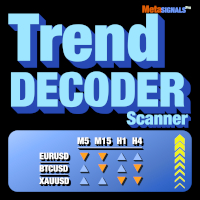
複数のアセットと複数の時間単位で TrendDECODER シグナルを取得|エントリーする最適な時間単位を決定|利益と勝ちトレードを最大化する 非再塗り、非遅延インジケーターおよびスクリーナー - 手動および自動取引に最適 - すべての資産およびすべての時間単位に対応 $49 最初の50コピーのため - その後 $99 購入後、 コメントを残すかレビューを残してください 、そして99ドル相当の追加インジケーターを送ります。
それは何についてですか?
このスクリーナーは、最も評価の高い TrendDECODER の補完ツールです。 これにより、以下のことが可能になります: お気に入りの資産の現在のトレンドアップおよびトレンドダウンのシグナルを、取引に関連するすべての時間枠で取得 利益のためのトレンドフォローやスイングトレードに最適な時間枠の構成を即座に確認
これらの最も有利な時間枠の構成とは?
まず、マルチタイムフレームチャートのセットアップを確保します: 下位 / メイン / 上位時間単位 次に、 メイン時間枠が上位時間枠と同じ方向に動く資産 を選択します。

Description of work The MA7 Moss indicator is based on the standard Accelerator Oscillator indicator. Shows overbought and oversold zones. Detailed information about the MA7 Moss indicator.
Indicator settings General settings: Upper level ; Lower level .
Message settings: Send message to the terminal (Alert) – permission to send messages to the terminal using the Alert function; Send message to the mobile terminal (Push) – permission to send messages to the mobile terminal using push notificat

Ghost Entry System allows for sniper entries at trend inception. Automatic trade management - Opens and closes trades automatically with 1 CANDLE STOP LOSS Feature. Embrace a relaxed way of managing your trading account with Trailing , Break Even and Stop Loss integration . Swing Settings in Screenshot Provided.
IF YOU HAVE ANY ISSUES PLEASE CONTACT US IN THE COMMENTS SECTION.

Telegram Group: Find the link in my profile 4 days to pass MyForexFunds phase 1 evaluation.( see screenshot below )
HERE is a FREE file for use in a LIVE DEMO account.
Welcome. Virtual Trendline Scalper is a scalping machine (trades quite often) that uses virtual trades in virtual trendlines before it opens a real one in decent to perfect places.
IMPORTANT:Due to huge amount of variables that are used in the code of the EA and the many drawings in the chart,the EA's code became ver

Our new indicator is an important part of the Smart Money Concepts (SMC) system
It uses a modern market vision and fast calculation methods. As a result, the trader has a complete picture of the trade at every moment in time, which makes the process of obtaining results easier and faster.
Our new indicator displays the following important patterns:
Order Blocks. Imbalance – Fair Value Gap (FVG). Break Of Structures (BoS). Change of character (CHoCH). Equal highs & lows. Premium , Equilibrium
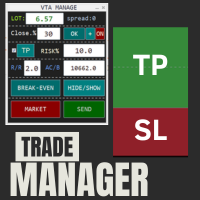
This is a trade manager which is designed to simplify your trading experience and allow you to enter any type of trade with the set risk management within seconds. This trade manager has two modes. (1) The Market order which opens instant orders and the pending orders which consists of buy stop order, buy limit orders, sell stop orders, sell limit order, all these trades can be achieved by moving your stop loss and entry to the desired point and the givn trade will be opened. You do not need to

ダイナミック サポートとレジスタンス
バージョン MT4 バージョン | MT5 バージョン
「ダイナミック」エキスパート アドバイザー (EA) は、外国為替市場向けに設計された最先端の取引ツールです。静的なサポートとレジスタンス レベルに依存する従来の EA とは異なり、ダイナミック EA は、常に変化する市場状況に適応するために、動的なサポートとレジスタンスの方法論を採用しています。この独自の機能により、リアルタイムのローソク足の動きを追跡できるため、トレーダーはより応答性が高く正確な取引体験を得ることができます。
主な機能
ダイナミック サポートとレジスタンス レベル:
適応分析: 最新の価格アクションとローソク足パターンに基づいて、サポートとレジスタンス レベルを継続的に分析および再計算します。
リアルタイム調整: 現在の市場状況を反映するように取引戦略を動的に変更し、最適なエントリー ポイントとエグジット ポイントを確保します。
リスク管理平均化:
シグナルベースの平均化: 固定距離ではなくシグナルを使用して取引のエントリーとエグジットを管理し、リスクを軽
This is a multi time frame Support and resistance indicator which works on all forex pairs and commodities. Users can also see the historical support and resistance levels which got taken out . For Major Forex pairs like EURUSD, GBPUSD, USDCAD , USDCHF, NZDUSD, AUDUSD, EURCHF enable the s&r levels from 5 minutes from the settings. (Lower timeframe snr levels may act as as noise for major currency pairs.) For Gold and Silver enable all timeframe s&r levels.
Results may vary from broker to bro

LittleLight is an advanced expert advisor (TEMA and MA) designed to help traders profit from market trends. This Advisor is based on 2 standard indicators from the terminal, both indicators have the period settings of 14 Moving Average (MA) and Triple Exponential Moving Average. A buy/sell deal will be opened when the two lines intersect. If the TEMA line is below the MA at the time of intersection, we will open a sell order. Accordingly, it eats and the TEMA line became higher than the Moving A
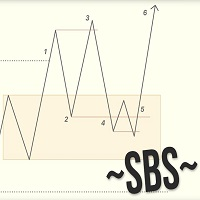
Swing Breakout Sequence | SBS presents a comprehensive trading strategy designed to help traders identify and capitalize on market swings and breakouts. The Swing Breakout Sequence (SBS) strategy is built around a series of well-defined steps to optimize trading decisions and improve profitability. Version 2.01: Add "golden entry" - entry by fib. Stoic added to it (fibo) he calls this setup gold SBS here is the video the description of the setup starts at 18min24sec Version 2: + Add BOS filter .

Capitalizing on market volatility trading Boom and Crash spike's . Mafia Spikes EA is a high-performance Boom and Crash index trading robot specifically designed to catch spikes, operating on 1 minute time-frame, and is engineered to detect and exploit spike movements with outstanding accuracy.Mafia's spike detection algorithm identifies lucrative spike opportunities in Boom and Crash indices, this robot identifies potential spike opportunities and executes trades automatically. Key Features:

Jabidabi Session Indicator The Market Session Indicator is a powerful tool used by traders to identify and track different trading sessions within the forex and stock markets. It visually highlights key trading periods, such as the Asian, European, and North American sessions, directly on the trading chart. This indicator is especially useful for traders who follow ICT (Inner Circle Trader) strategies, which emphasize the significance of various market sessions for optimal trading opportunities.

Indicator Description This indicator displays the highest and lowest prices for the previous day, week, and month. Additionally, it shows pivot levels calculated using different methods: Standard, Fibonacci, Woodie, Camarilla, and Floor pivots. Features: Previous Day High/Low: Indicates the highest and lowest prices of the previous trading day. Previous Week High/Low: Indicates the highest and lowest prices of the previous trading week. Previous Month High/Low: Indicates the highest and lowest p

Elevate your trading experience the royal way with the King's EA and become King of King's in market.
This EA is a cutting-edge automated trading solution designed to enhance your Forex trading experience. Our advanced algorithm utilizes machine learning and technical analysis to identify high-potential trades and execute them with precision.King-EA is 100% automated , trades 24/5 on currency pairs and 24/7 on crypto using an advanced strategy for market analysis and an adjustable risk managemen
The ADVANCED GRID TRADER Expert Advisor (EA) is an automated trading system designed to capitalize on price fluctuations in all currency pairs and metals (XAU/XAG). It can be used in any timeframe however the best results were achieved in the Daily timeframe with EMA 178, reversed trades. The EA employs a grid trading strategy, where buy and sell orders are placed at regular grid points. The user sets its take profit step as well to best take advantage from market movements. The ADVANCED GRI
MetaTraderマーケットは自動売買ロボットとテクニカル指標を販売するための最もいい場所です。
魅力的なデザインと説明を備えたMetaTraderプラットフォーム用アプリを開発するだけでいいのです。マーケットでプロダクトをパブリッシュして何百万ものMetaTraderユーザーに提供する方法をご覧ください。

取引の機会を逃しています。
- 無料取引アプリ
- 8千を超えるシグナルをコピー
- 金融ニュースで金融マーケットを探索