Quantbot MACD
- Experts
-
Ferris Jesper Siegfried Josef Eichner
 As a student with several years of experience in the financial markets, I have developed a solid understanding of market dynamics, trading strategies, and risk management. Driven by my growing interest in financial markets and technology, I have developed my own automated trading system to execute
- Versione: 1.0
- Attivazioni: 10
About Quantbot MACD
Quantbot MACD is an expert advisor for MetaTrader 5. It opens long positions when the MACD line crosses above its signal line and protects every position with a stop loss from the first moment. One instance trades the symbol of the chart it is attached to.
The expert advisor is written natively in MQL5. It uses no DLL, sends no web requests and needs no external program.
Advantages
- Defined risk per trade.** Every position has a stop loss at the broker from the start. The size of the position is calculated from the risk you choose.
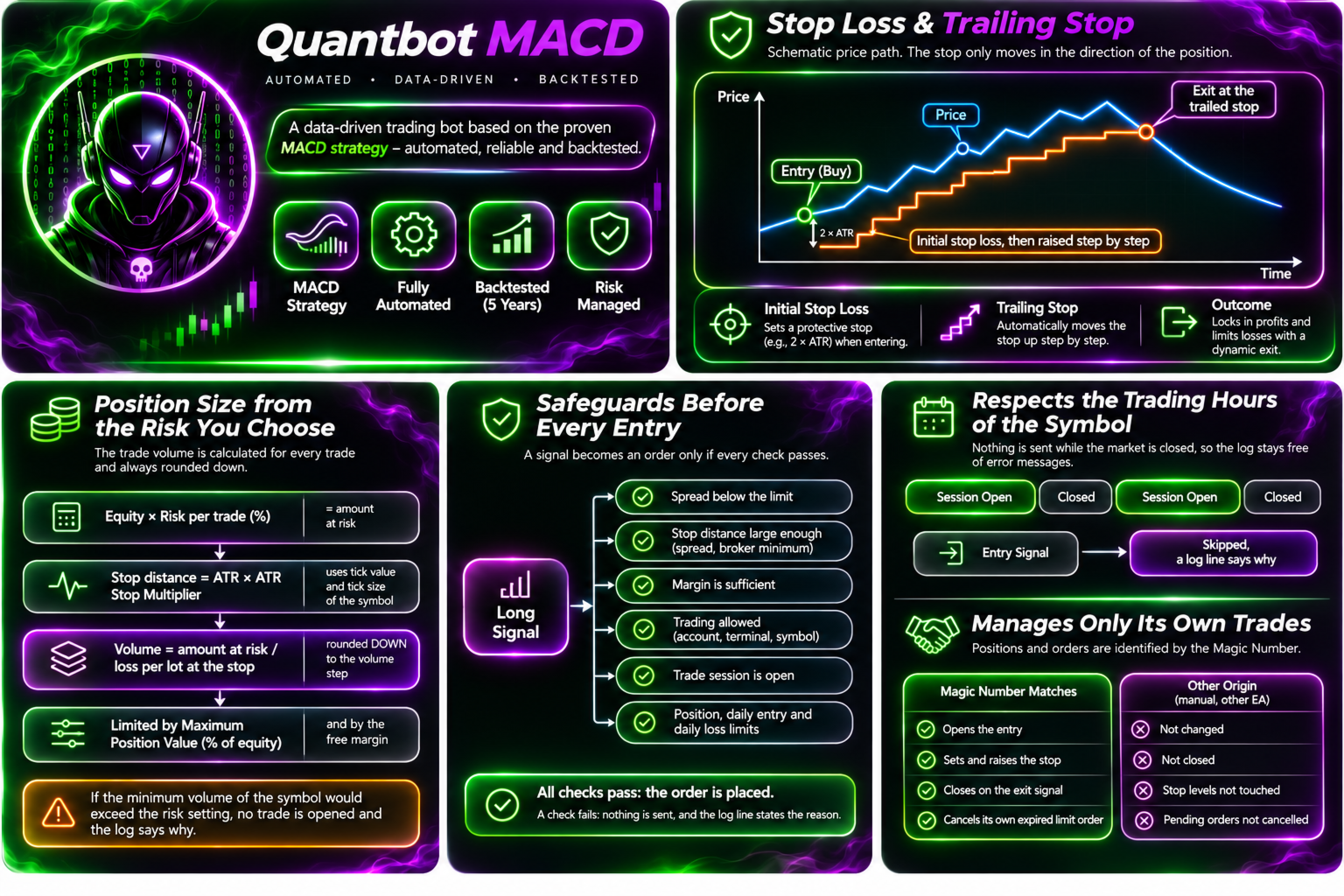
- Automatic position size.** The volume follows from the risk per trade, the stop distance and the tick value and volume step of the symbol. It is always rounded down.
- Clear rules.** Entry, exit, stop and trailing follow fixed rules that you can read in this description. Finished bars only, no guesswork on the bar that is still forming.
- Handles only its own trades.** Positions and orders are identified by the magic number. Trades of other origin are not changed or closed.
- Respects the trading hours.** The expert advisor checks the trade session of the symbol and sends nothing when the market is closed, so the log stays free of error messages.
- Explains its decisions.** The Experts log states for each signal why a trade was opened or why it was skipped.
- Safe after a restart.** The stop of an open position is managed further after the terminal is restarted. A bar that has already been evaluated is not evaluated twice.
- Works on several kinds of instruments.** Currency pairs, index CFDs, stock CFDs and metals, as long as the broker provides tick value, tick size and volume step.
How it works
Entry. When the MACD line crosses above its signal line on a finished bar, the expert advisor places a buy order. By default this is a buy limit order at the close of the signal bar, which expires after a number of bars. Alternatively it buys at market at the start of the next bar.
Exit. When the MACD line crosses below its signal line, an open position is closed at market. If the market is closed at that moment, the exit stays requested and is carried out when trading resumes.
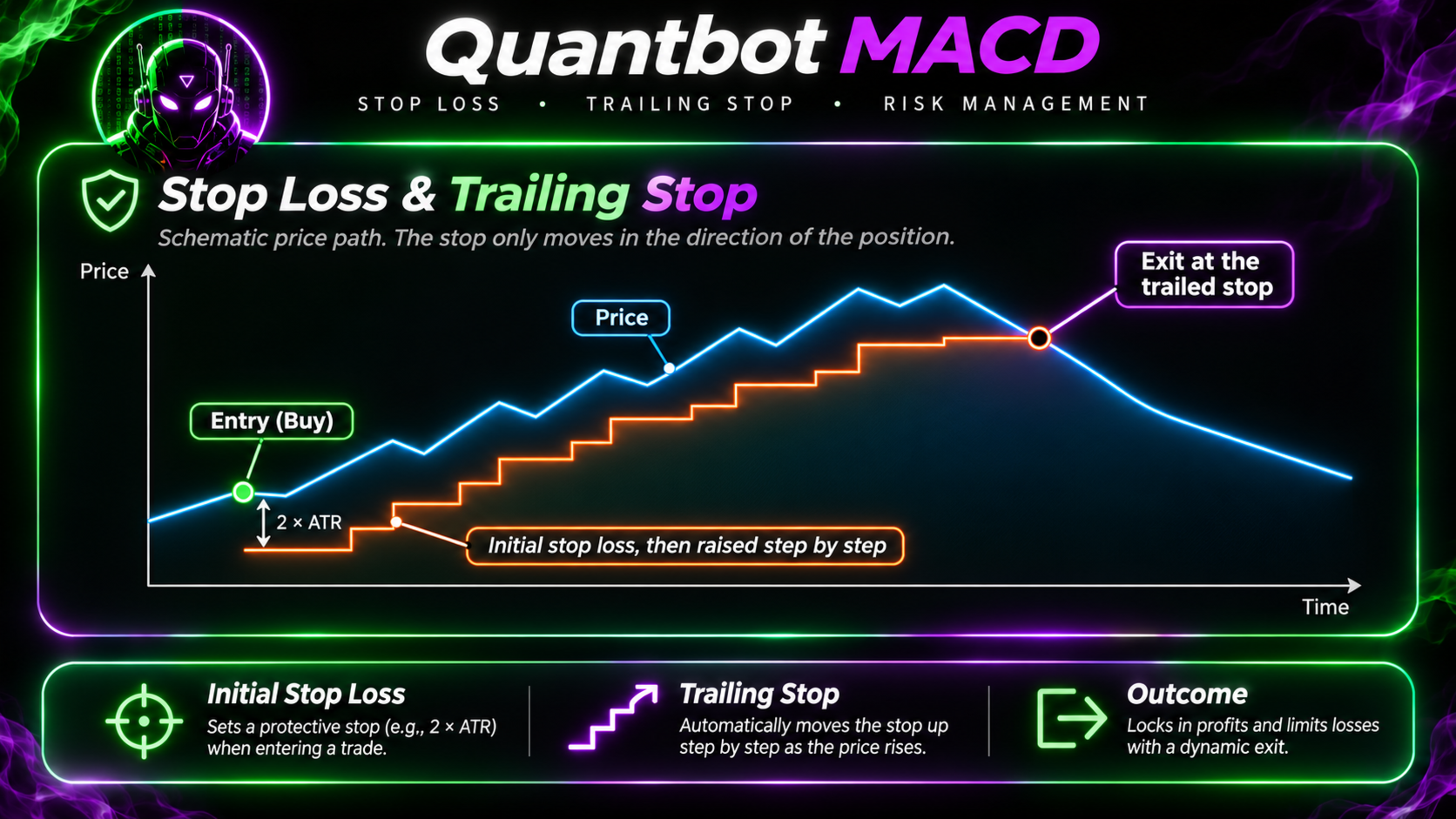
Stop loss. The distance is the ATR multiplied by a factor. It is set together with the entry.
Trailing stop (optional). The stop follows the closing price at a fixed ATR distance and only moves in the direction of the position.
Break even (optional). After the price has moved a chosen multiple of the initial risk, the stop is moved to the entry price, with an optional offset.
Position size. Calculated from the risk per trade in percent of equity and the stop distance. If the minimum volume of the symbol would exceed the configured risk, no trade is opened.
The EMA and the signal line of the MACD are calculated by the expert advisor itself. The signal line is an exponential average. The built-in MetaTrader indicator uses a simple average for it, so the values differ.
Safeguards
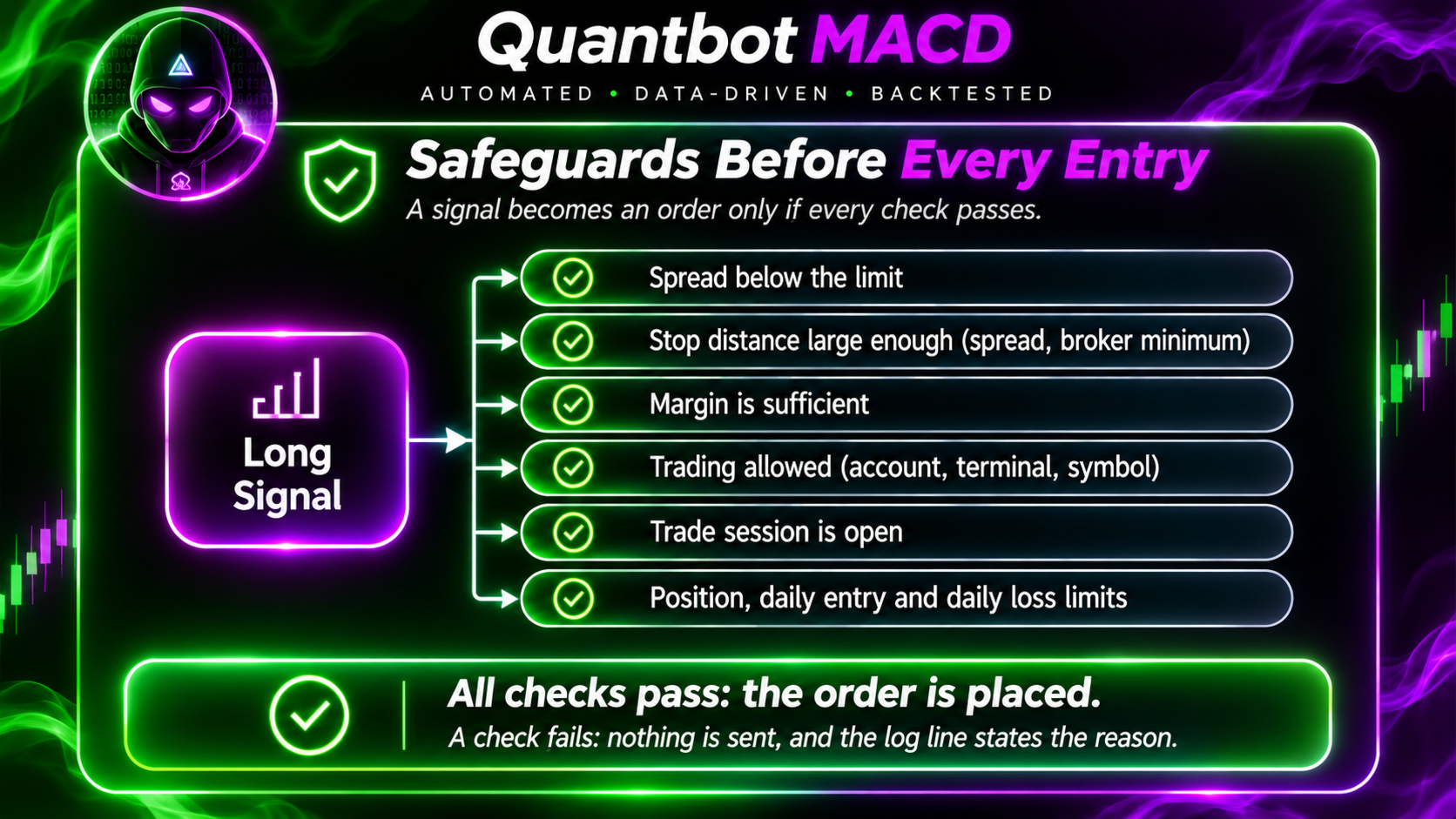
- No new entry if the spread is above the chosen limit, if the stop distance is too small compared with the spread or the minimum distance of the broker, if the margin does not allow it, or if trading is not permitted for the account, the terminal or the symbol.
- Limits for the number of open positions, for new entries per day and for the loss of one day.
- On netting accounts a symbol that already has a position of other origin is not traded.
- Every trade result code is checked. A request whose outcome is unclear is never sent again; the expert advisor checks positions and orders instead.
Input parameters
Strategy Settings
- Signal Timeframe (default H1): the timeframe on which signals are evaluated. M15, M30, H1, H4 or D1.
- MACD Fast Period (default 12): period of the fast EMA.
- MACD Slow Period (default 26): period of the slow EMA.
- MACD Signal Period (default 9): period of the signal line.
- Entry Order Type (default Limit at signal close): Limit at signal close, or Market at next bar open.
- Limit Order Expiry (bars) (default 3): number of bars after which a limit order that is not filled is cancelled.
Risk Management
- Risk Per Trade (% of equity) (default 1.0): the share of equity that is risked per trade, measured to the stop loss.
- ATR Period (default 14): period of the ATR.
- ATR Stop Multiplier (default 2.0): the stop distance as a multiple of the ATR.
- Maximum Position Value (% of equity) (default 20): upper limit for the value of one position. On hourly charts this limit often decides the volume, and then the risk actually taken is lower than the setting.
- Maximum Spread (points, 0 = off) (default 0): no new entry if the spread is higher.
- Minimum Stop Distance (x spread, 0 = off) (default 3.0): no new entry if the stop distance is smaller than this multiple of the spread.
- Maximum Positions (all symbols, same magic) (default 6): the highest number of open positions across all charts that use the same magic number.
- Maximum New Entries Per Day (default 5): limit for new entries per day.
- Daily Loss Limit (% of equity, 0 = off) (default 5.0): no new entries once the loss of the day reaches this value.
Position Protection
- Enable Trailing Stop (default on): switches the trailing stop on or off.
- Trailing ATR Multiplier** (default 2.0): distance of the trailing stop from the closing price, in ATR.
- Enable Break Even** (default off): switches break even on or off.
- Break Even Trigger (x initial risk) (default 1.0): the stop moves to break even after the price has gained this multiple of the initial risk.
- Break Even Offset (x initial risk) (default 0.0): the stop is placed this multiple of the initial risk above the entry price.
Trading Settings
- Magic Number (default 26110201): identifies the positions and orders of this expert advisor. Use the same number on all charts that should share the position limit.
- Maximum Slippage (points) (default 20): the largest accepted deviation of the price for market orders.
- Enable New Entries (default on): if switched off, no new trades are opened. Open positions are still managed.
Supported markets and timeframes
The expert advisor works on instruments whose profit and loss is proportional to the price change. Short positions are not opened.
The logic was developed with hourly bars of US stocks and exchange traded funds, so H1 is the default. The other timeframes are available but have not been evaluated in the same way. Behaviour on other instruments has not been evaluated.
Please note
- Account size. If the calculated volume is below the minimum volume of the symbol, no trade is opened and the log says so. On a small account this can mean that nothing is traded. In our own test on EURUSD with hourly bars and the default settings, a deposit of 500 and of 2 000 (account currency EUR) opened no trade, a deposit of 5 000 opened a few, and a deposit of 10 000 traded normally. Please check your symbol in the Strategy Tester with your own deposit.
- Strategy Tester results depend on the data, the spread and the model of the test. They are not results of real trading.
- The terminal must run with algorithmic trading enabled. Between bars the stop loss at the broker protects the position.
- No profit is promised or implied. The strategy is a standard crossover rule.
Risk warning
Trading leveraged products involves a high risk of loss. On some products you can lose more than your deposit. Past results do not indicate future results. Use a demo account first and risk only money you can afford to lose.
Strategy Tester
Select the expert advisor, the symbol and the period H1. Use the deposit and the leverage of your real account. Open the journal and read the lines that start with the name of the expert advisor: they state why a signal did not lead to a trade. The model Open prices only is sufficient for the signals. Use Every tick based on real ticks to judge the execution.