Xtreme Fade EA
- Experts
-
Ameer Tamoor
 Quantitative Developer & Algorithmic Trader. Filtering retail noise with multi-timeframe quantitative data. 👇 Dashboard & Tools: https://lnk.bio/Chartbasic
 - Versione: 1.1
- Attivazioni: 5
Overview
Xtreme Fade EA is a rule-based mean-reversion Expert Advisor for MetaTrader 5.
The EA identifies extreme price extensions beyond a 20-period Bollinger Band at 3 standard deviations and waits for a confirmed return through the corresponding 2-standard-deviation band. A Wilder ADX(14) filter is used to restrict entries to conditions where ADX is below the configured threshold.
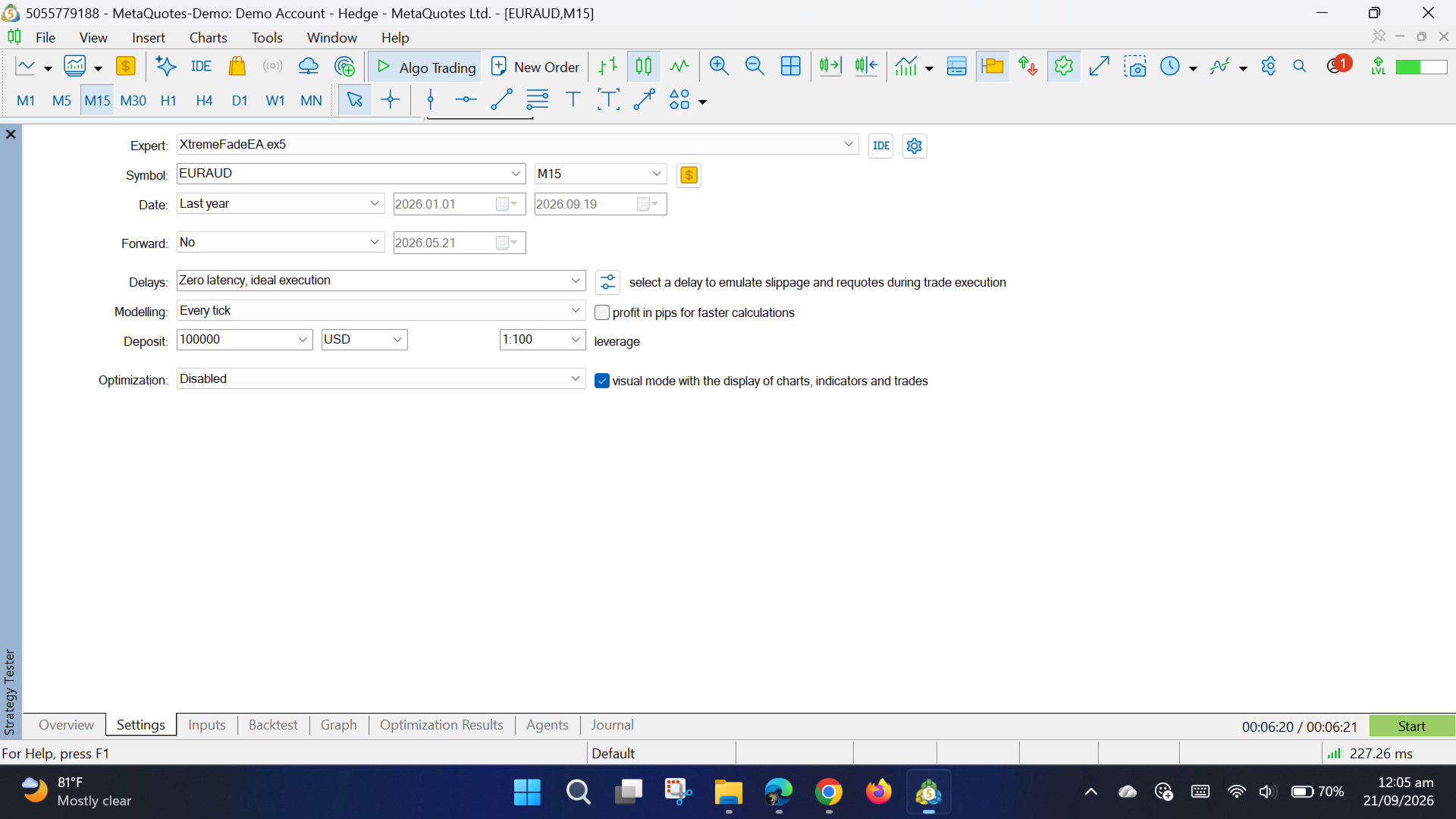
The EA processes signals from closed candles and is designed for deterministic Strategy Tester operation.
Strategy Concept
The strategy is designed for markets and periods where price can revert after an extreme short-term move.
The default configuration uses:
-
Bollinger Bands: 20 periods
-
Inner band: 2 standard deviations
-
Outer band: 3 standard deviations
-
ADX: 14 periods
-
ADX threshold: below 30
-
Recommended timeframe: M15
Entry Logic
Long
-
A closed candle closes below the lower 3σ Bollinger Band.
-
This activates a long setup.
-
A subsequent closed candle closes above the lower 2σ Bollinger Band.
-
ADX(14) is below 30.
-
The trading session is active.
-
No existing position managed by the EA is open.
-
A market buy order is submitted.
Short
-
A closed candle closes above the upper 3σ Bollinger Band.
-
This activates a short setup.
-
A subsequent closed candle closes below the upper 2σ Bollinger Band.
-
ADX(14) is below 30.
-
The trading session is active.
-
No existing position managed by the EA is open.
-
A market sell order is submitted.
Signals are evaluated once per new strategy-timeframe bar.
Exit Logic
The default configuration uses:
-
Stop Loss: 20 pips
-
Take Profit: 1:1 risk/reward
-
No partial exits
-
No break-even mechanism
-
No pending orders
The EA does not add discretionary exits.
Risk Management
The default position-sizing model risks approximately 1% of account equity based on the actual stop distance and the symbol's tick size/tick value.
Volume is normalized to the broker's minimum, maximum and volume-step requirements. If the calculated position size cannot satisfy the broker's minimum volume without exceeding the intended risk, the trade is rejected rather than automatically increasing risk.
Supported Symbols and Markets
The EA can be attached to broker-supported MT5 symbols, subject to the symbol's trading specifications, liquidity, contract size, tick value, minimum volume and stop-distance requirements.
No particular broker, symbol or market is guaranteed to be suitable.
Recommended Timeframe
The strategy was developed for the 15-minute timeframe.
Default EA timeframe: M15.
Trading Session
The original strategy specifies an active window of 03:00–14:00 Eastern/New York time.
The EA's session inputs use broker/server time because MT5 does not provide a portable historical IANA timezone database across brokers. Users should configure the session hours to correspond to the intended New York-time window for their broker.
Important Settings
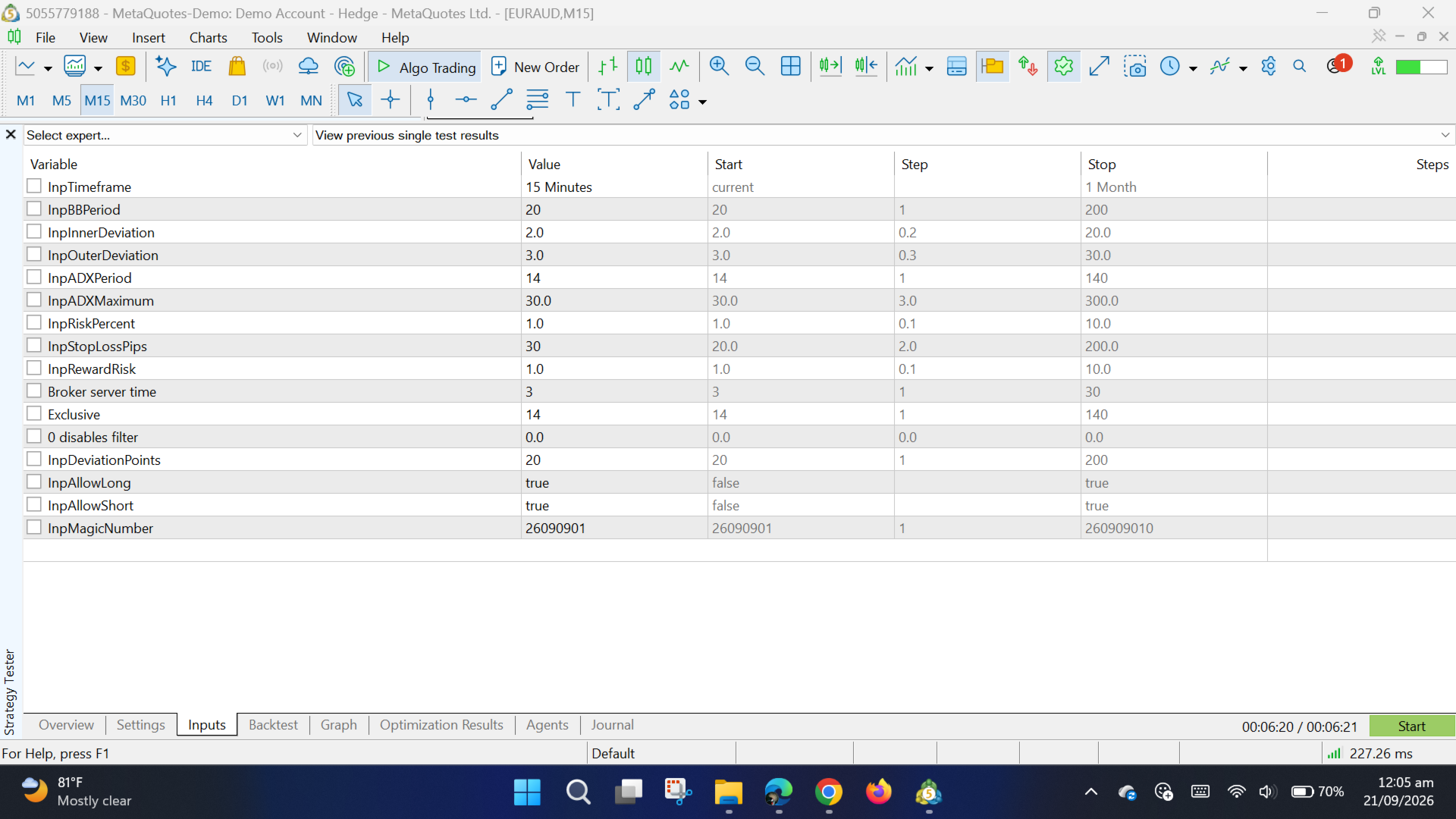
The primary customer-facing settings are:
-
Strategy timeframe
-
Bollinger Band period
-
Inner deviation
-
Outer deviation
-
ADX period
-
ADX threshold
-
Risk percentage
-
Stop-loss distance
-
Risk/reward ratio
-
Session
-
Maximum spread
-
Maximum execution deviation
-
Long/short enable
-
Magic number
Execution-protection settings do not alter the underlying signal conditions.
Installation and Use
-
Open MetaTrader 5.
-
Open MetaEditor.
-
Place the EA source file in the Experts directory.
-
Compile the source with MetaEditor.
-
Attach the compiled EA to the desired MT5 chart.
-
Review the inputs before enabling automated trading.
-
For historical evaluation, use the MT5 Strategy Tester with appropriate broker-quality historical data.
-
Configure realistic spread, commission and execution conditions for the intended broker.
Limitations and Risks
Trading financial markets involves substantial risk. Historical testing does not guarantee future results.
Actual execution can differ between brokers because of spread, liquidity, execution speed, commissions, contract specifications, market gaps and other trading conditions.
The strategy can experience losing trades, consecutive losses and substantial drawdowns, particularly during strong directional markets or unusual market conditions.
The EA does not provide investment advice and does not guarantee profits.
Testing Guidance
Test the EA on the intended broker and symbol using realistic historical trading costs and execution conditions.
Forward-test on a demo account before considering live deployment.
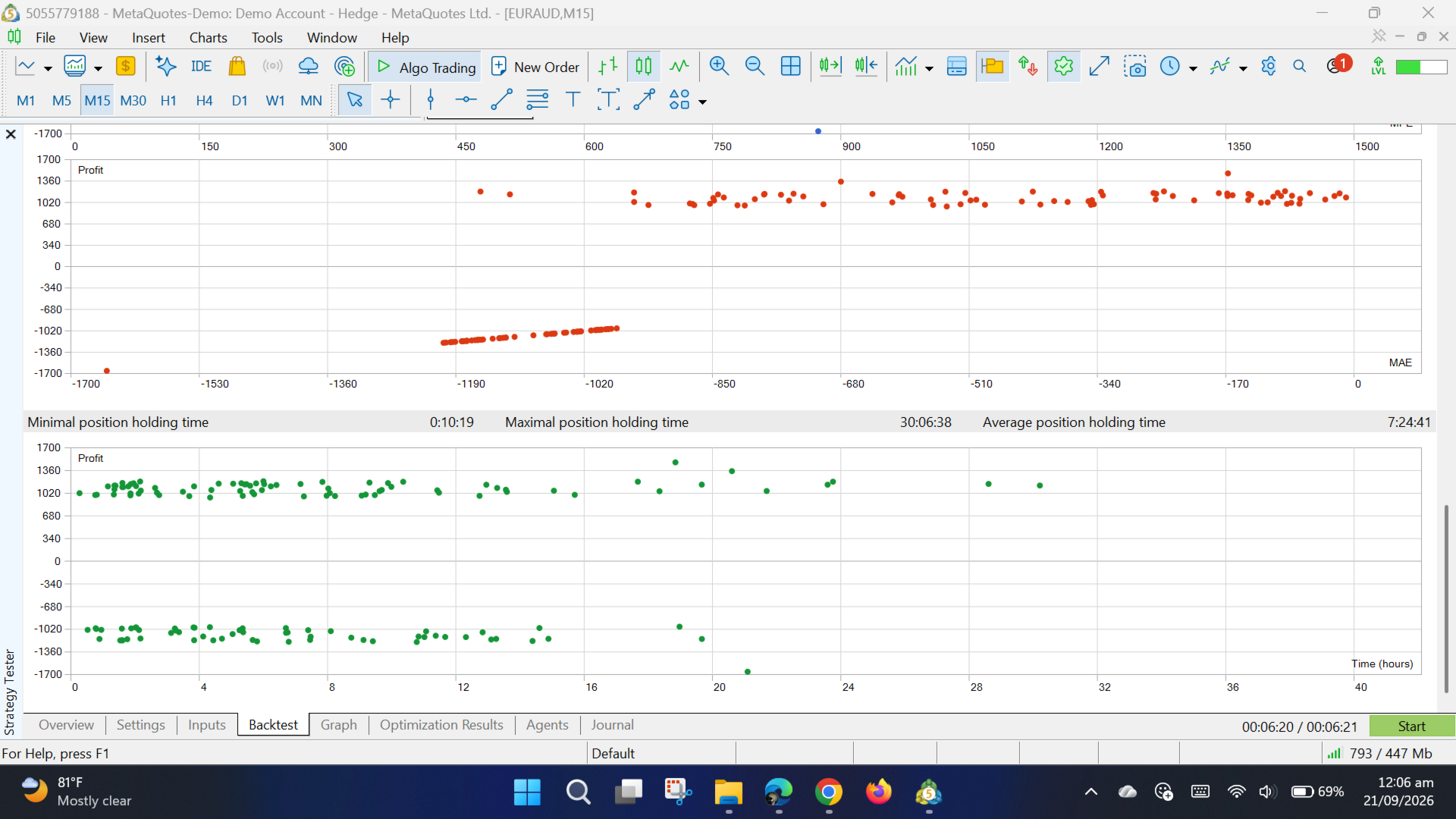
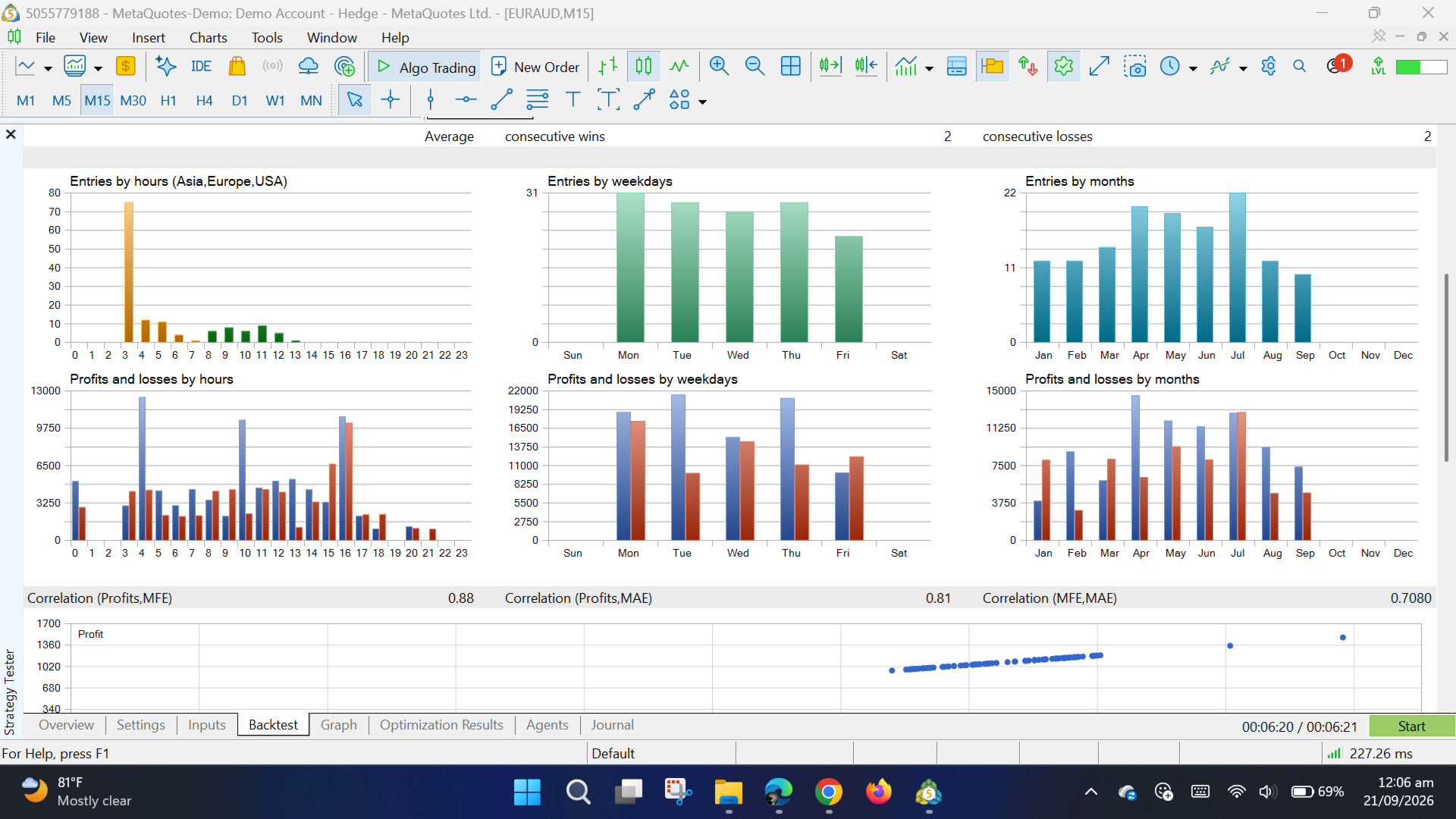
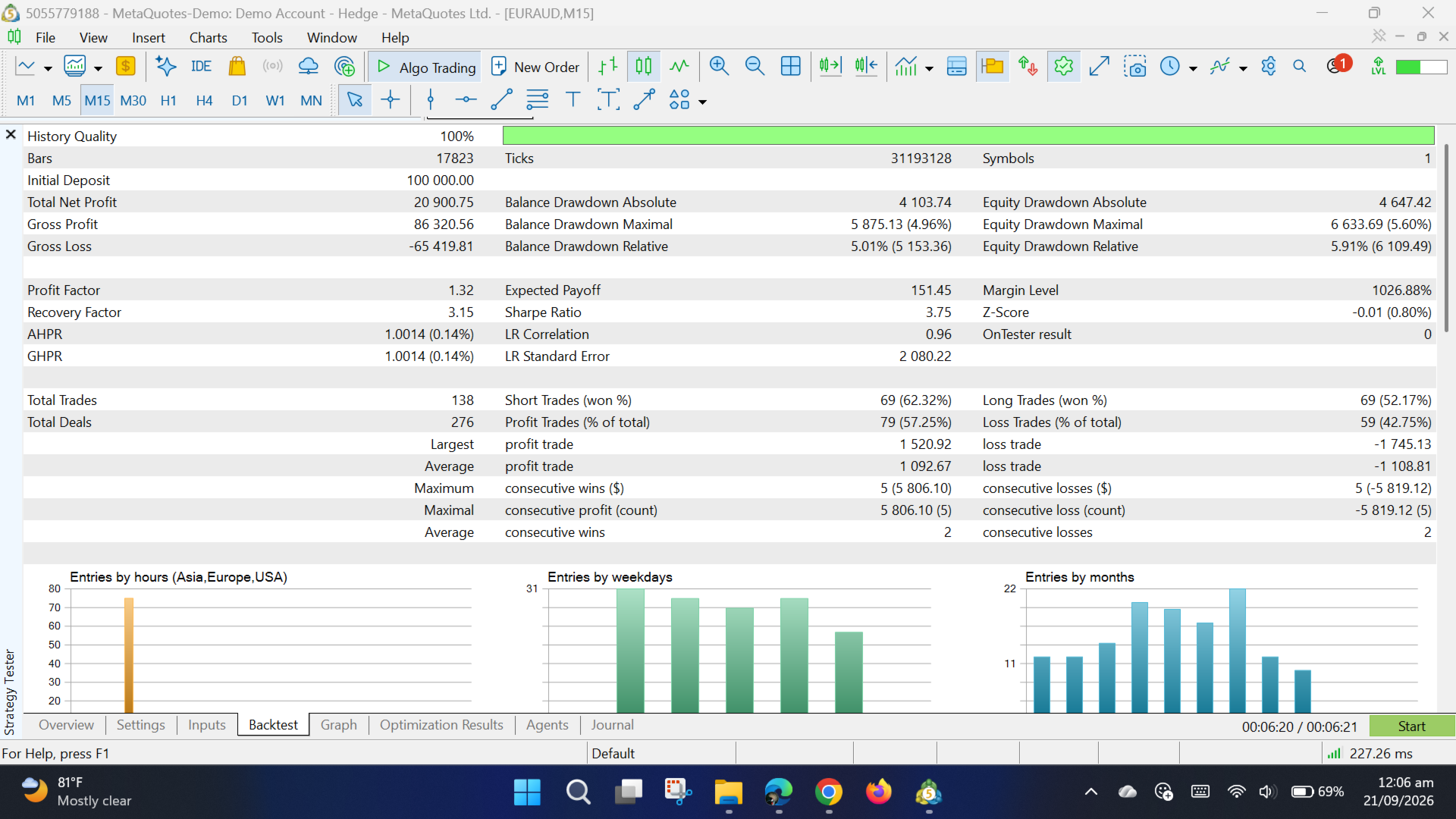
Backtest results should be evaluated using the complete test period rather than selected trades or isolated periods.
Risk Disclaimer
This software is an automated trading tool. It does not guarantee profits or prevent losses. Users are responsible for determining whether automated trading is appropriate for their circumstances and for selecting suitable risk, broker and testing conditions.
Backtest results are historical simulations and are not live trading results.