Smart Average Panel
- Experts
- Versione: 1.30
- Attivazioni: 5

### Smart Average Panel — see your real exit point, don't guess it
When several trades are open in the same direction — through averaging, scaling in, or simply manual entries — knowing exactly where you need to close to break even stops being obvious. Calculating a weighted average price in your head or on a side calculator, while the market keeps moving, is a recipe for mistakes and wasted time.
**Smart Average Panel** is a lightweight utility panel for MetaTrader 5 that keeps that number in front of you at all times and lets you manage take-profit across your whole basket of positions with a single click.
**Important:** Smart Average Panel is not an automated trading robot. It does not open or close trades on its own and does not decide when to enter the market for you. Every entry decision stays entirely in your hands — the tool only takes over the routine calculation and take-profit management of positions you already hold.
### What the panel does
- **Calculates the volume-weighted average entry price** separately for BUY and SELL — not a simple arithmetic mean
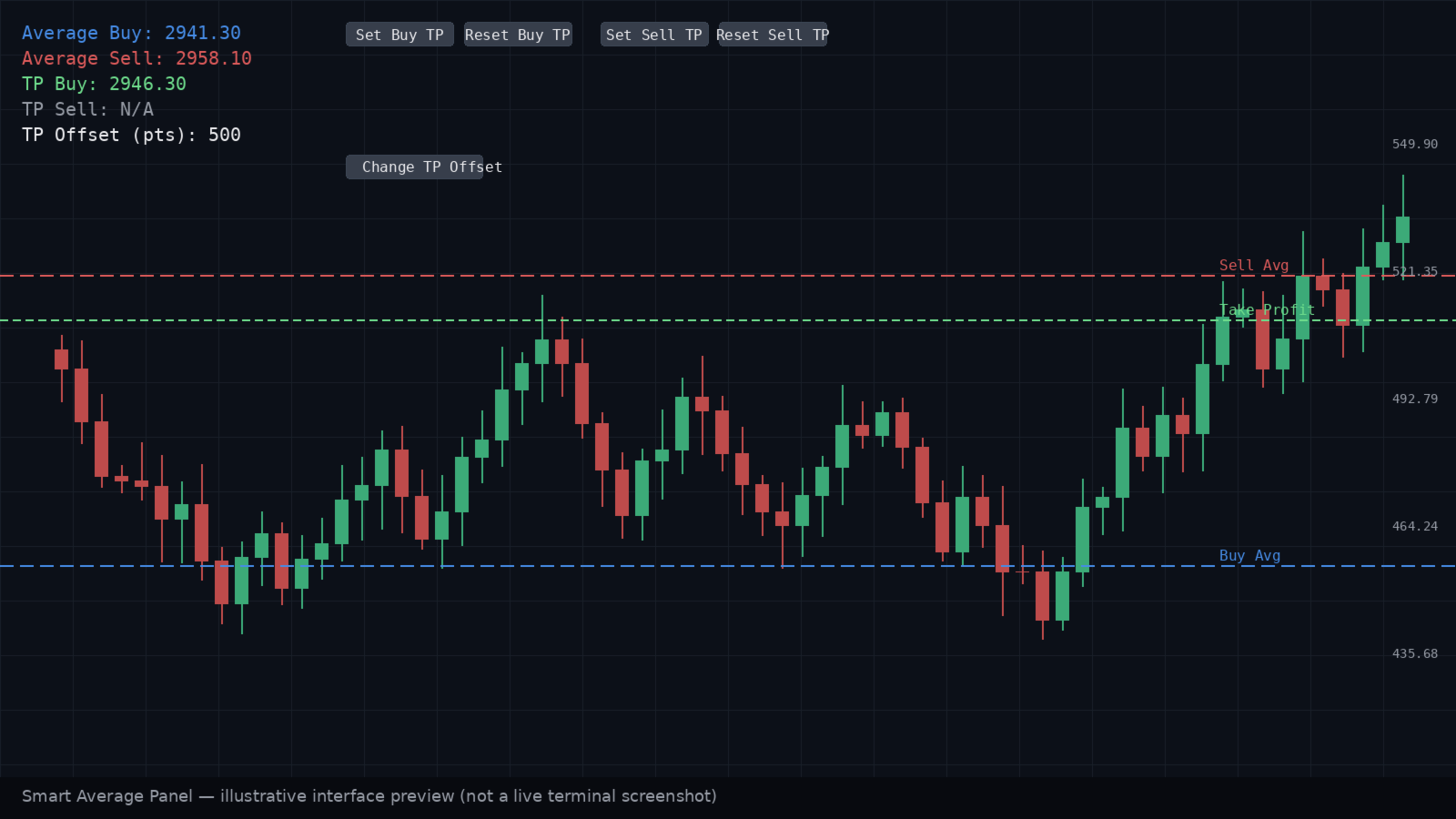
- **Draws both prices directly on the chart** as horizontal lines with text labels, updated in real time
- **Sets a single take-profit for the whole basket** with one click of "Set Buy TP" / "Set Sell TP" — offset in points from the average price
- **Resets take-profit** just as easily with the "Reset" button
- **TP offset can be changed on the fly** through a popup dialog, without restarting the EA or losing current settings
- **Multi-symbol mode** — aggregate positions across every open instrument, not just the current chart
- Optional sound and push notifications for every panel action
### What it looks like on the chart
Two horizontal lines (blue for the BUY average, red for the SELL average) plus a compact button block in a corner of the chart. No complicated setup — placement corner, font, colors and line thickness all adapt to your style through the input parameters.
### Input parameters
- **LabelX** (default `10`) — X position of the text labels
- **LabelY** (default `20`) — Y position of the first label
- **LabelColor** (default `White`) — label text color
- **FontSize** (default `10`) — font size
- **FontName** (default `Arial`) — font
- **UpdateInterval** (default `1000` ms) — how often the panel data refreshes
- **Corner** (default `CORNER_LEFT_UPPER`) — chart corner for panel placement
- **ShowBuyLine** (default `true`) — show the BUY average price line
- **BuyLineColor** (default `Blue`) — BUY line color
- **ShowSellLine** (default `true`) — show the SELL average price line
- **SellLineColor** (default `Red`) — SELL line color
- **LineWidth** (default `1`, range 1–5) — line thickness
- **ShowTPLines** (default `true`) — show the active take-profit line
- **ButtonXOffset** (default `150`) — button offset on X from the labels
- **ButtonWidth** (default `120`) — button width
- **ButtonHeight** (default `20`) — button height
- **ButtonColor** (default `Gray`) — button background color
- **ButtonTextColor** (default `White`) — button text color
- **TakeProfitOffsetPoints** (default `1`) — take-profit offset from the average price, in points
- **EnableNotifications** (default `false`) — push notifications for panel actions
- **MultiSymbolMode** (default `false`) — include positions on every symbol, not just the current one
- **EnableSound** (default `true`) — sound alert on button presses
### Who is this for
Smart Average Panel is built for traders who:
- average into positions or run several trades in the same direction and want to know their real break-even point precisely;
- prefer manual trading but don't want to spend time recalculating TP after every new entry;
- manage several instruments at once and want one unified take-profit tool instead of switching between charts.
**MetaTrader 5 | Position Management Panel | Does Not Auto-Trade**