BreakOUT Gold Structure
- Experts
- Versione: 2.35
- Aggiornato: 23 settembre 2026
- Attivazioni: 10

BreakOUT Gold Structure v2.35
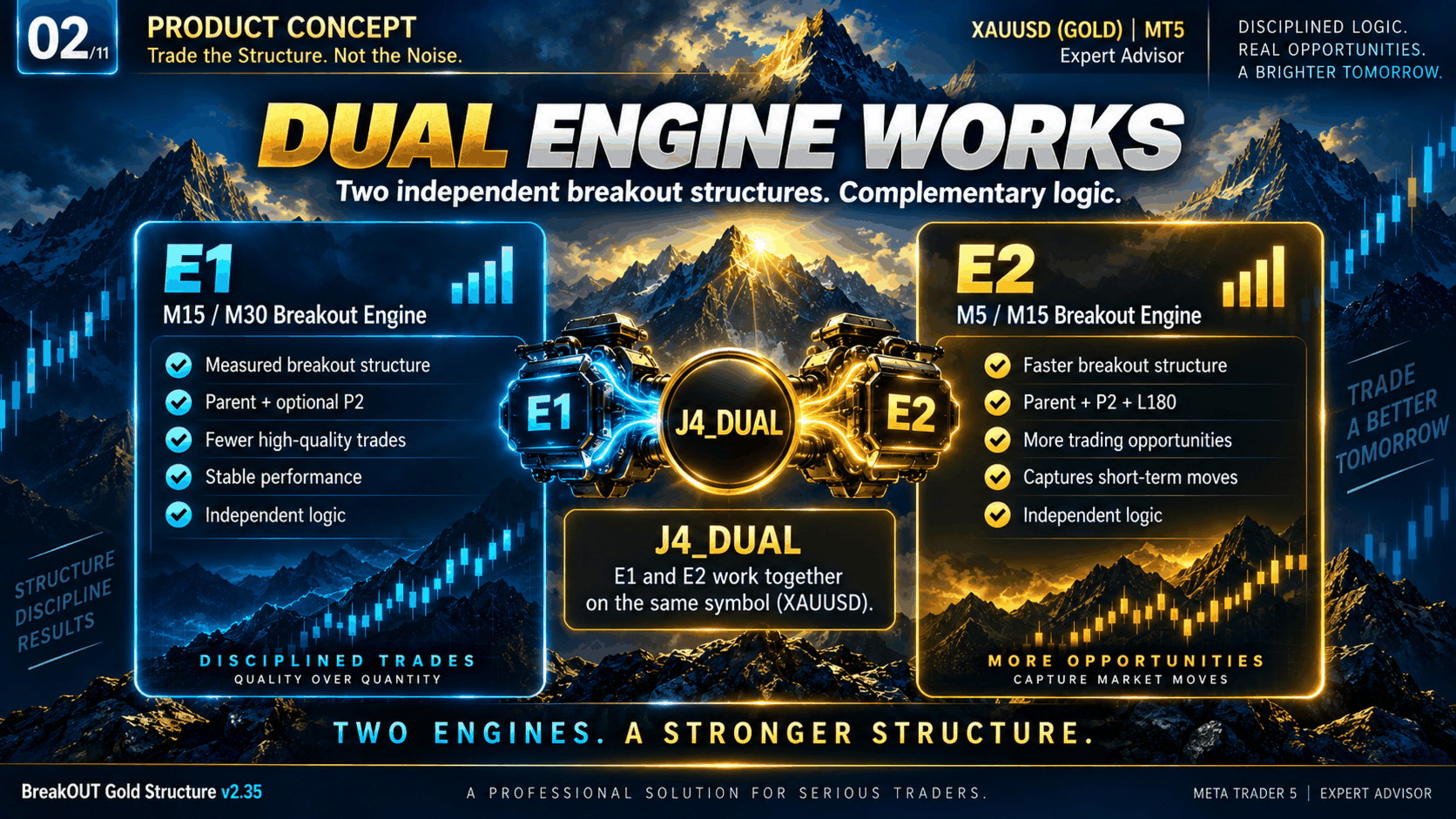
BreakOUT Gold Structure is an Expert Advisor for XAUUSD designed around two independent breakout engines with different market structures.
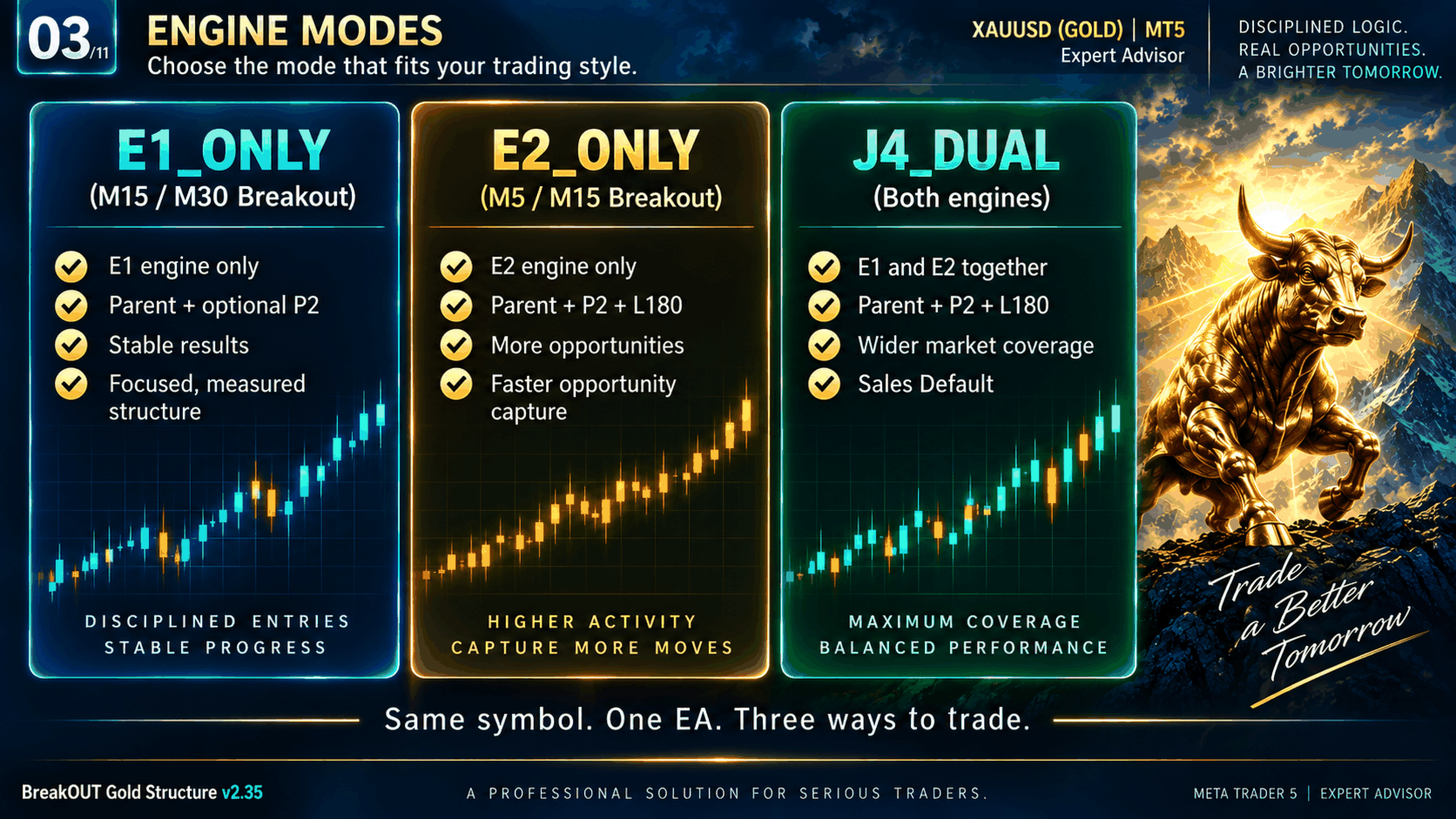
The EA can run the slower E1 engine, the faster E2 engine, or both together in J4_DUAL mode.
◆ TWO BREAKOUT ENGINES
E1_ONLY
- Main structure: M15
- Higher-timeframe context: M30
E2_ONLY
- Main structure: M5
- Higher-timeframe context: M15
J4_DUAL
- Runs both E1 and E2
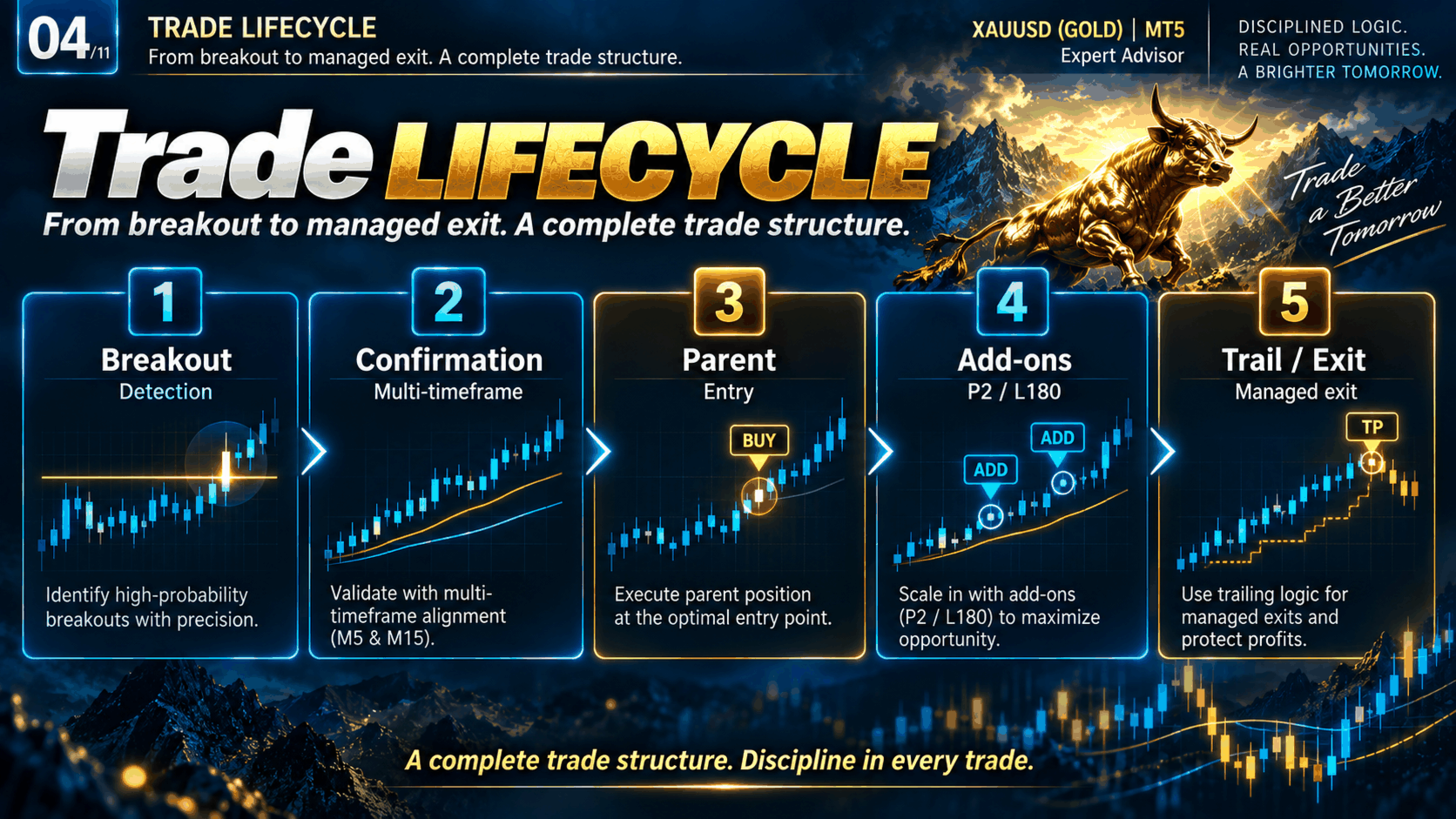
- Each engine manages its own signals, position ownership, add-on logic, trailing management and recovery state
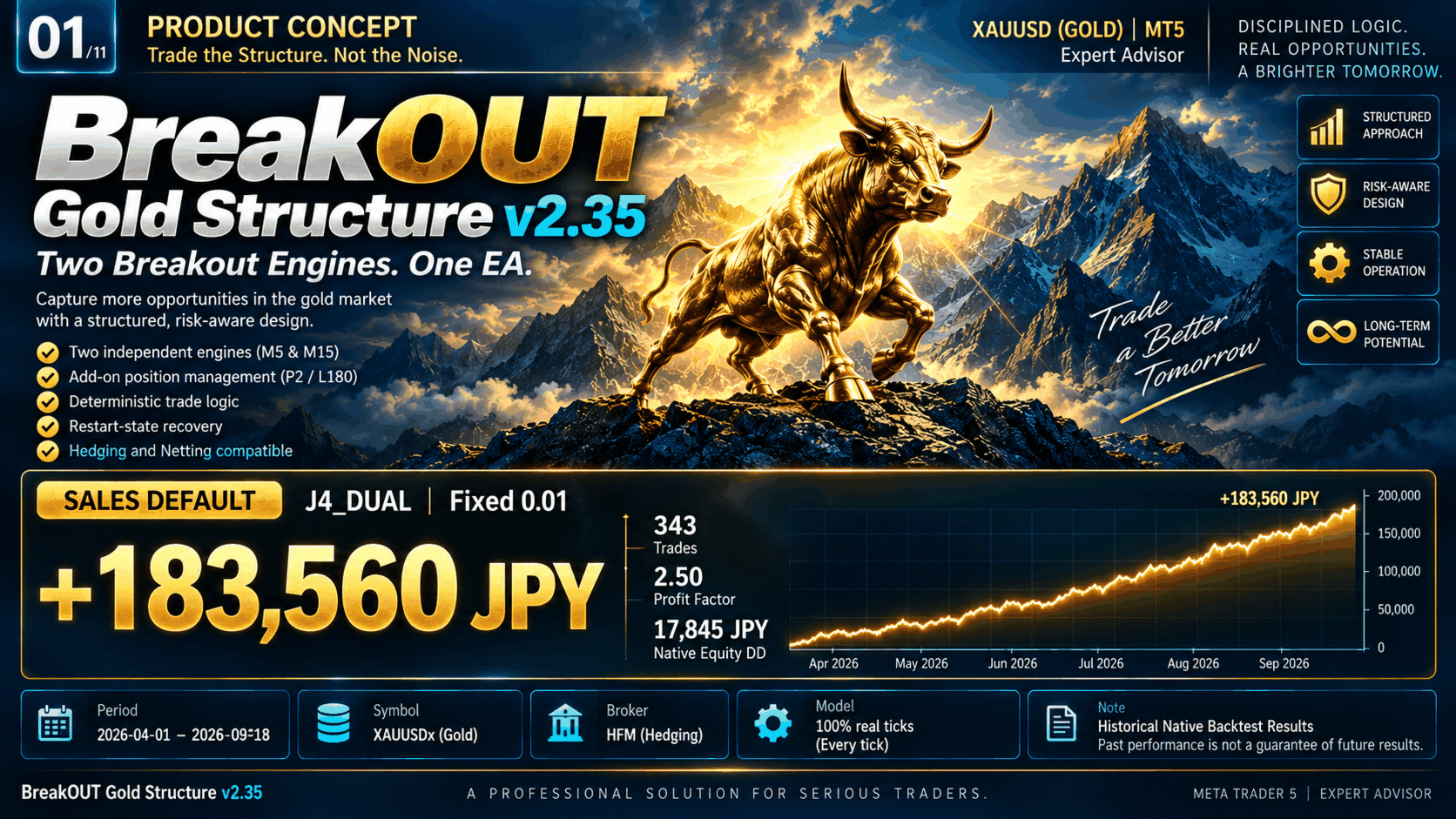
The default sales configuration is J4_DUAL.
◆ SALES DEFAULT
Engine Mode:
J4_DUAL
Lot Sizing:
Fixed Lot
Fixed Lot:
0.01
Default Trading Session:
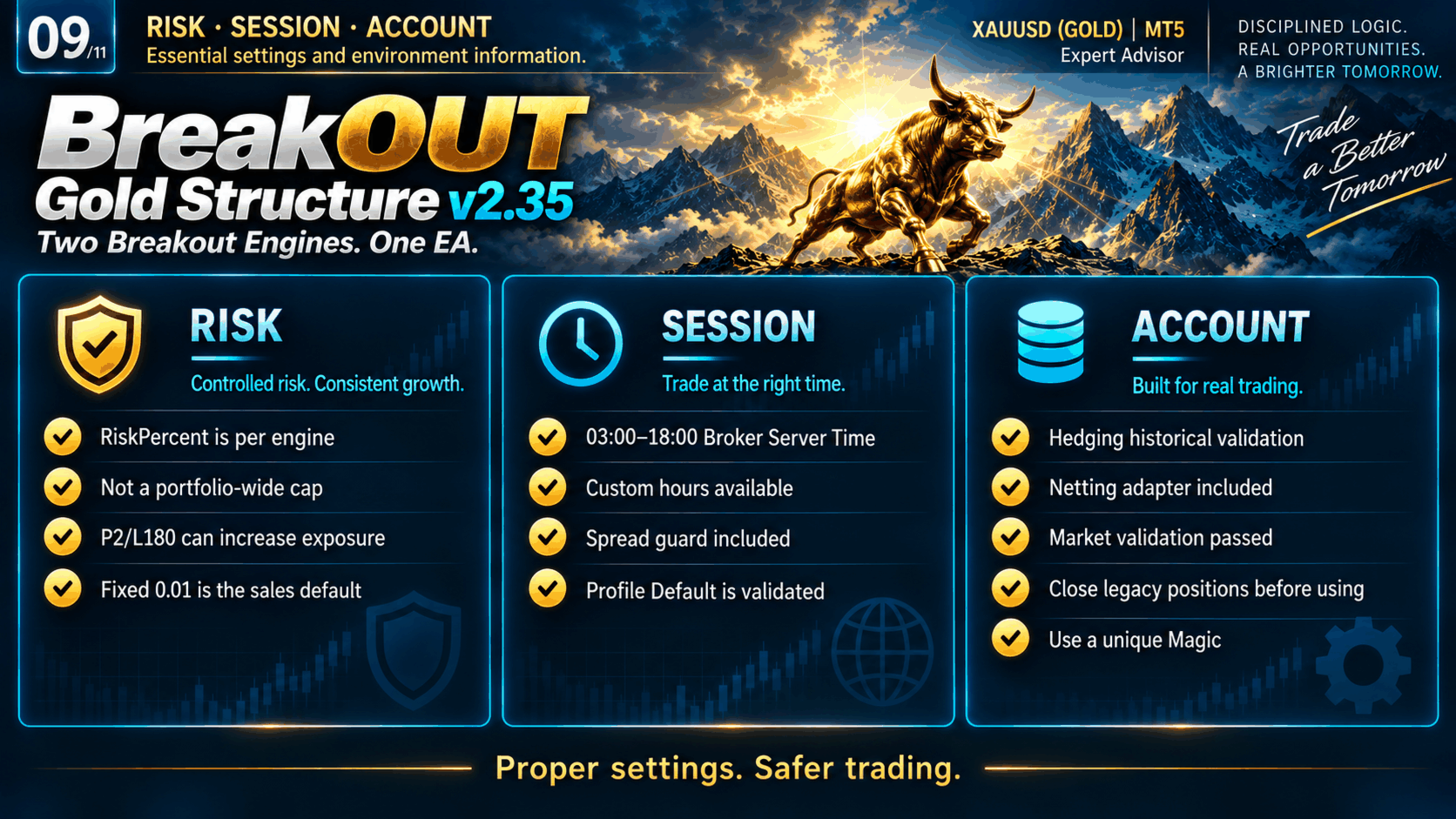
03:00–18:00 Broker Server Time
The default configuration is intentionally conservative compared with the larger-lot validation settings shown below.
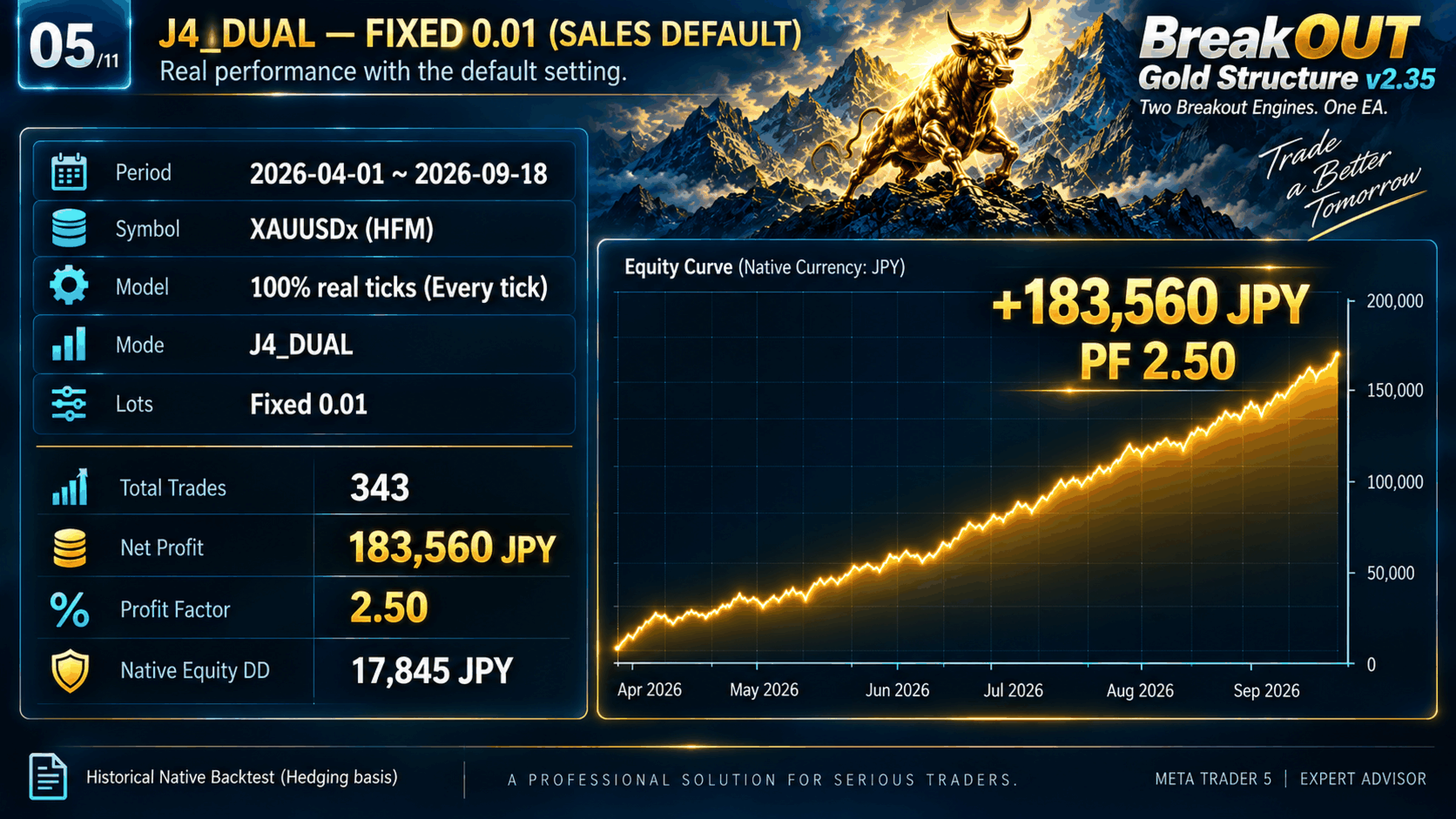
◆ HISTORICAL NATIVE BACKTEST — SALES DEFAULT
Broker:
HFM
Symbol:
XAUUSDx
Period:
2026-04-01 to 2026-09-18
Model:
Every tick based on real ticks
Data Quality:
100% Real Ticks
Configuration:
J4_DUAL / Fixed 0.01
Trades:
343
Net Profit:
+183,560 JPY
Profit Factor:
2.50
Balance Drawdown:
12,734 JPY
Native Equity Drawdown:
17,845 JPY
These are historical Strategy Tester results and are not live-account results or completed Forward-test results.
The Fixed 0.01 result is a separate Native backtest. It is not a simple scaled conversion of the Fixed 0.10 result.
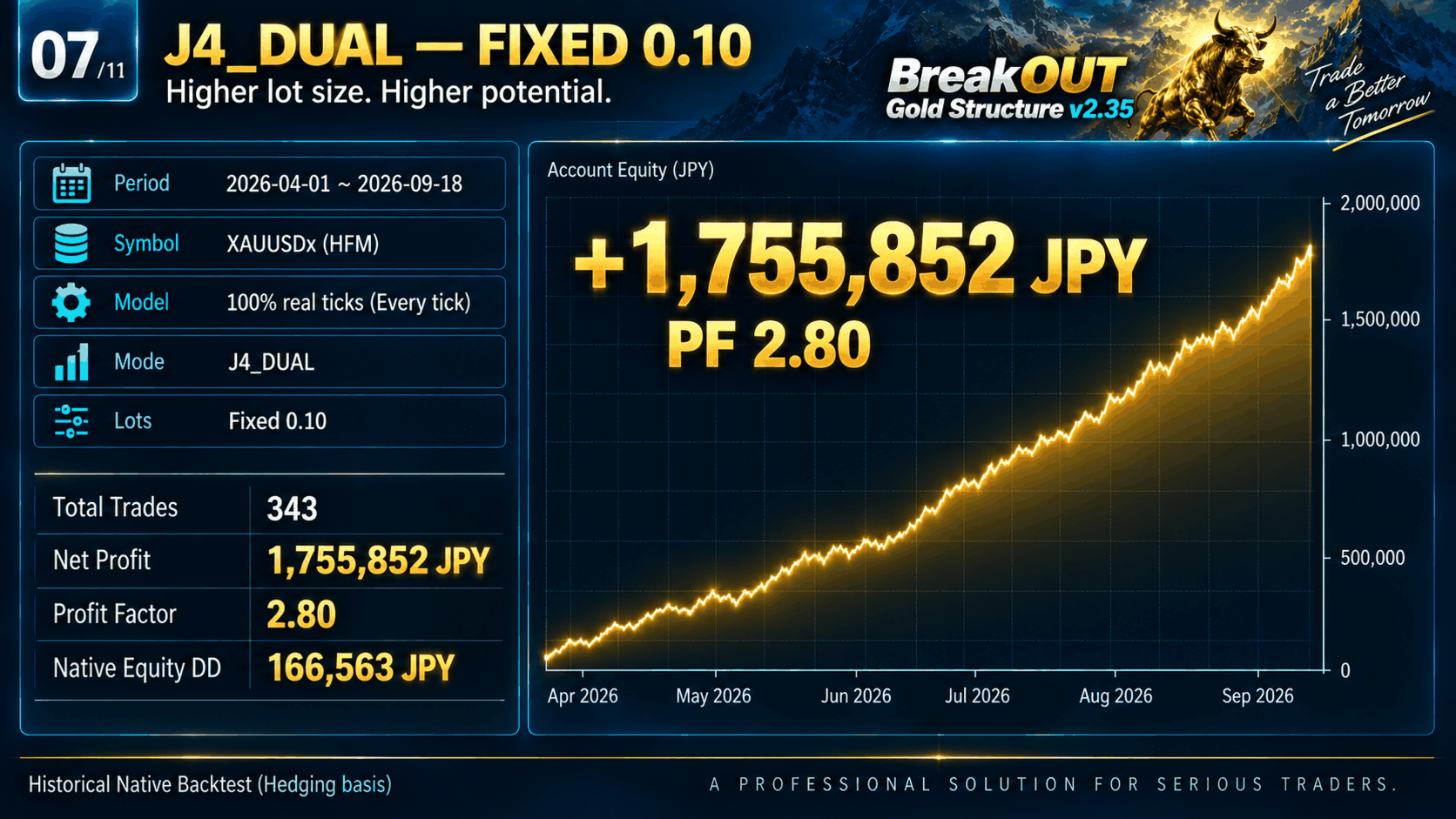
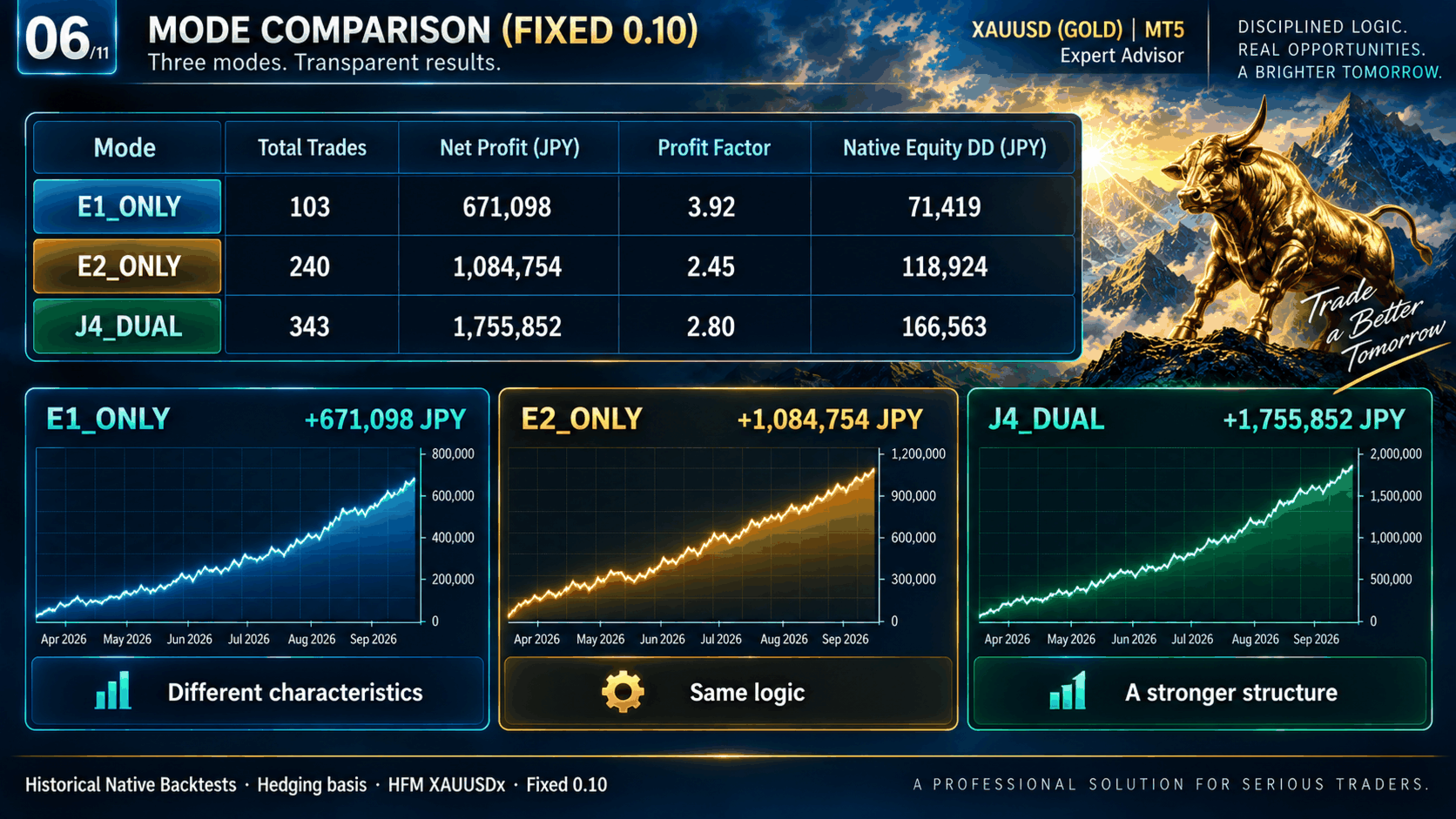
◆ FIXED 0.10 VALIDATION RESULTS
E1_ONLY
Trades: 103
Net Profit: +671,098 JPY
Profit Factor: 3.92
Native Equity DD: 71,419 JPY
E2_ONLY
Trades: 240
Net Profit: +1,084,754 JPY
Profit Factor: 2.45
Native Equity DD: 118,924 JPY
J4_DUAL
Trades: 343
Net Profit: +1,755,852 JPY
Profit Factor: 2.80
Native Equity DD: 166,563 JPY
◆ OPTIONAL RISK-BASED LOT SIZING
The EA also includes Risk-based lot sizing.
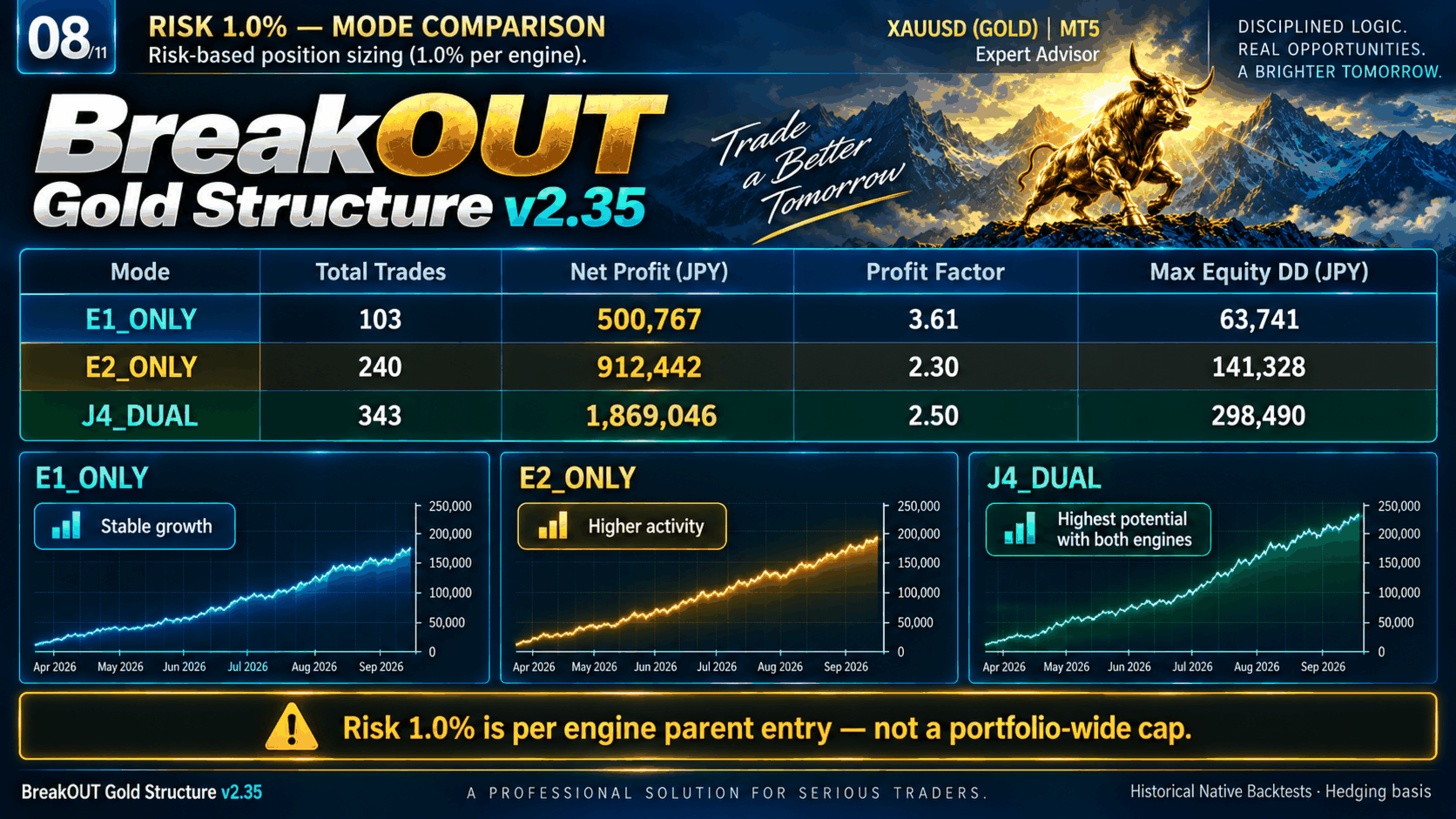
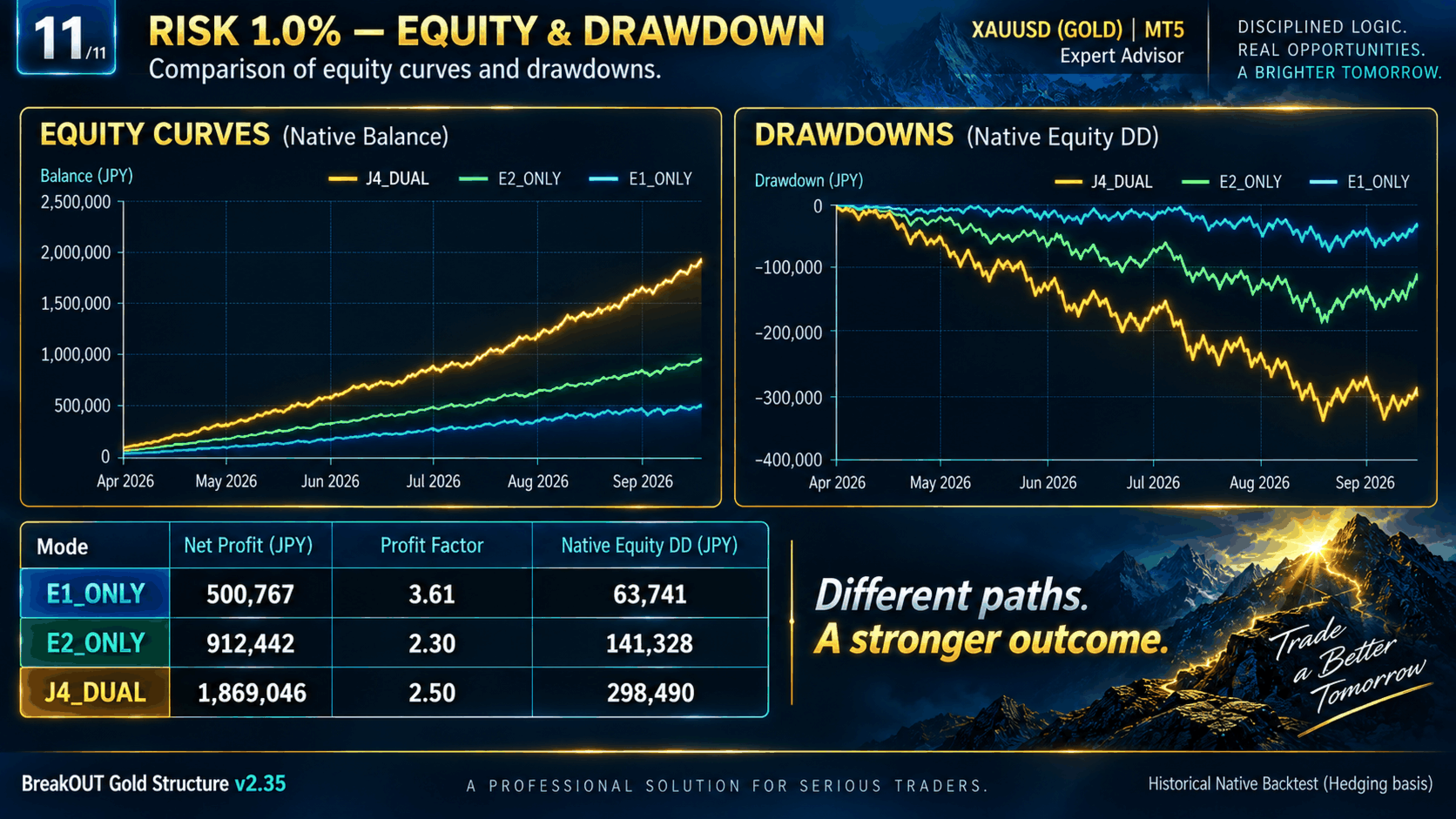
Historical Risk 1.0% diagnostics:
E1_ONLY
Trades: 103
Net Profit: +500,767 JPY
Profit Factor: 3.61
Native Equity DD: 63,741 JPY
E2_ONLY
Trades: 240
Net Profit: +912,442 JPY
Profit Factor: 2.30
Native Equity DD: 141,328 JPY
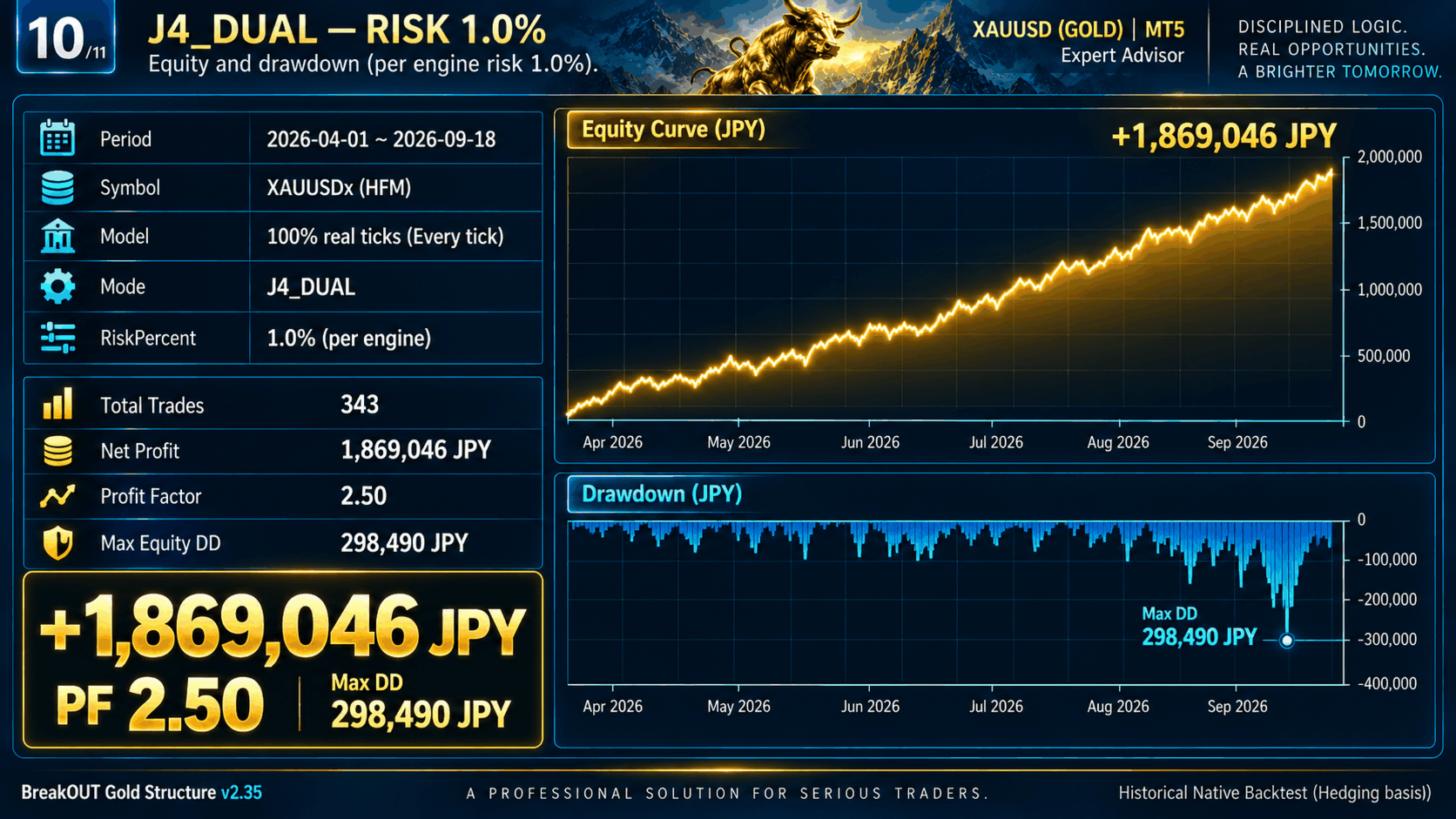
J4_DUAL
Trades: 343
Net Profit: +1,869,046 JPY
Profit Factor: 2.50
Native Equity DD: 298,490 JPY
IMPORTANT:
RiskPercent is applied independently to each engine's parent entry.
It is NOT a portfolio-wide maximum loss or exposure limit.
P2 / L180 add-on positions can increase total exposure.
For this reason, Fixed 0.01 remains the sales default.
◆ ACCOUNT MODE
v2.35 includes an account-mode compatibility adapter and passed MQL5 Market Automatic Validation.
Historical performance figures shown on this page are based on Hedging Native Strategy Tester results.
They must not be interpreted as proof that Netting accounts will reproduce identical historical performance.
◆ PUBLIC INPUTS
The EA exposes 13 main user inputs:
- Profile
- Engine Mode
- Lot Sizing Mode
- Fixed Lot
- Risk Percent
- Risk Base Mode
- Maximum Auto Lot
- Trading Session Mode
- Custom Start Hour
- Custom End Hour
- Maximum Spread
- Magic Number
- Write Debug Log
Maximum Auto Lot = 0.0 means no user-defined maximum lot cap.
Maximum Spread = 0.0 uses the protected Profile default.
◆ TRADING SESSION
Default:
03:00–18:00 Broker Server Time
Custom trading hours can also be selected through the public inputs.
Please note that Broker Server Time may differ from your local time.
◆ IMPORTANT WHEN UPDATING FROM AN EARLIER VERSION
Close positions opened by older BreakOUT versions before starting v2.35.
Use a unique Magic Number for each independent EA installation.
Do not mix ownership of positions between different EA versions.
◆ RECOMMENDED ENVIRONMENT
- MetaTrader 5
- XAUUSD or broker-suffixed XAUUSD symbol
- Stable execution environment
- Sufficient free margin
- Unique Magic Number for each independent installation
◆ IMPORTANT RISK NOTICE
Trading involves financial risk.
Historical backtests do not guarantee future performance.
Results can change because of spread, execution, slippage, liquidity, leverage, broker symbol specifications and market conditions.
Dual mode can allow both engines to operate at the same time, and add-on positions can increase total exposure.
Please test the EA on a Demo account and choose a lot size appropriate for your account before using it with real funds.