LM Donchian Channel MT5
- Indicatori
-
Luca Macinagrossa
 Hello everyone, I’m Luca, an Italian algorithmic-trading developer based in London. My interest in trading and financial markets began during my university studies, where my first economics modules sparked a lasting curiosity about how markets behave.
 - Versione: 1.10
LM Donchian Channel MT5
LM Donchian Channel MT5 is a clean and configurable technical indicator for MetaTrader 5.
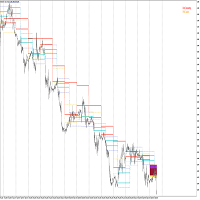
It displays the highest high and lowest low over a selected number of bars, creating a channel that helps users visualise recent price ranges on any chart and timeframe.
The indicator is based on the classic Donchian Channel concept:
-
Upper Channel: Highest high over the selected lookback period.
-
Lower Channel: Lowest low over the selected lookback period.
It can be used as part of your own range, breakout, trend-following, or price-action analysis.
LM Donchian Channel MT5 does not open, modify, or close trades. It does not provide investment advice and does not guarantee trading results.
Features
-
Classic Donchian Channel calculation using candle highs and lows.
-
Works with any symbol and timeframe available in MetaTrader 5.
-
Configurable lookback period.
-
Option to include the current forming candle or use completed candles only.
-
Optional inner-channel offset.
-
Adjustable channel colour and line width.
-
Lightweight indicator with no external files, DLLs, or dependencies.
-
Suitable for visual analysis and Strategy Tester visual-mode testing.
Parameters
Channel Settings
-
Lookback period
Number of bars used to identify the highest high and lowest low.
Default value: 20. -
Include current forming candle
When set to true , the current candle is included in the calculation. The channel can therefore update while the current candle is still forming. When set to false , the channel uses completed candles only. The current bar is not plotted, and the displayed channel remains stable until the next bar opens. Default value: true . -
Narrow channel by % of width (0–49)
Moves the upper line downward and the lower line upward by the selected percentage of total channel width. Set this value to 0 for the traditional Donchian Channel boundaries. Example: if the highest high is 1.10000 and the lowest low is 1.09000, the total channel width is 0.01000. With an offset of 10 , the upper line moves down by 0.00100 and the lower line moves up by 0.00100. Valid values: 0 to 49.
Default value: 0.
Visual Settings
-
Channel colour
Selects the colour of the upper and lower channel lines. -
Line width
Selects the thickness of the channel lines.
Valid values: 1 to 5.
Default value: 2.
How to use
-
Install LM Donchian Channel MT5 from the MetaTrader 5 Market.
-
Open the chart and timeframe you want to analyse.
-
Attach the indicator to the chart.
-
Select a lookback period. A period of 20 is a common starting point.
-
Keep the offset at 0 to display standard Donchian Channel boundaries.
-
Select current-candle mode according to your workflow:
-
Use true for live, updating channel levels.
-
Use false to reference channel levels calculated from completed candles only.
-
Important notes
-
Values are calculated from the historical price data provided by the broker connected to your MetaTrader 5 terminal. Different brokers can have slightly different candle highs and lows.
-
When current-candle mode is enabled, the channel can change until the current candle closes.
-
The optional offset creates an inner channel and is not part of the traditional Donchian Channel definition.
-
This product is a technical-analysis tool only. Trading financial markets involves risk, and past market behaviour does not guarantee future results.
Version 1.10
-
First Market release.
-
Classic highest-high / lowest-low channel calculation.
-
Current-candle and completed-candle calculation modes.
-
Configurable inner-channel offset.
-
Adjustable visual settings.