Nas Hunter
- Experts
- Versione: 1.60
- Aggiornato: 20 settembre 2026
- Attivazioni: 10

NasHunter is an 8-strategy breakout Expert Advisor specifically tailored for the Nas100 Index. No Grid. No Martingale.
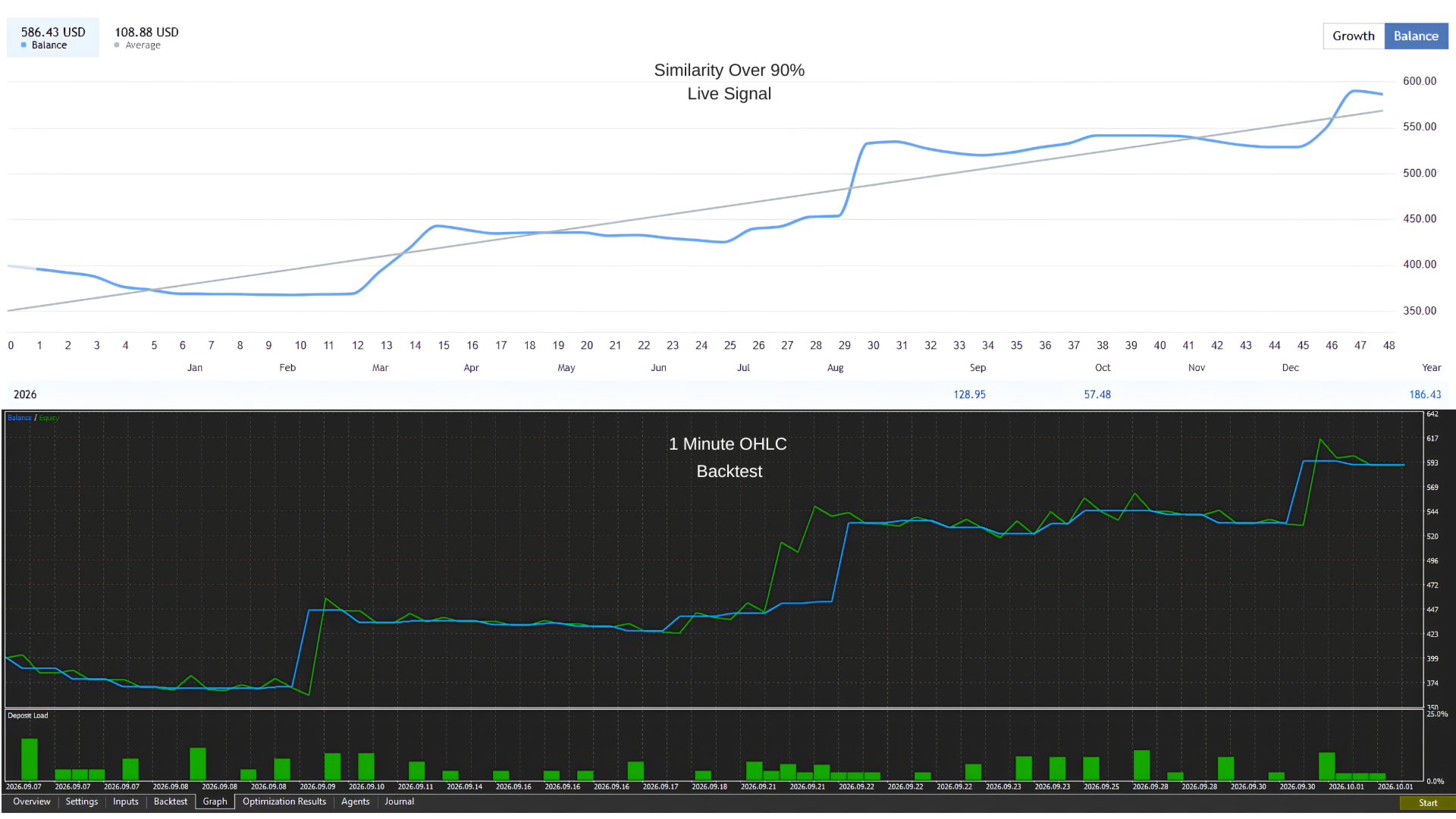
Live Signal 1 | Live Signal 2 | Download Setfile
WARNING:
-
Next Price: 149 USD (Only 2 Copies Left At Current Price)
-
Final Price: 990 USD
-
Price increase: +50 USD for every 10 copies sold
Concept
NasHunter runs eight independent breakout strategies on a single chart under one EA, each with its own magic number, comment, timeframe, and risk settings. Each strategy trades independently, giving you diversification across timeframes and breakout styles.
Each strategy can be switched on or off independently, so you can run all eight as a portfolio or isolate just the ones that suit your style.
Risk and lot sizing
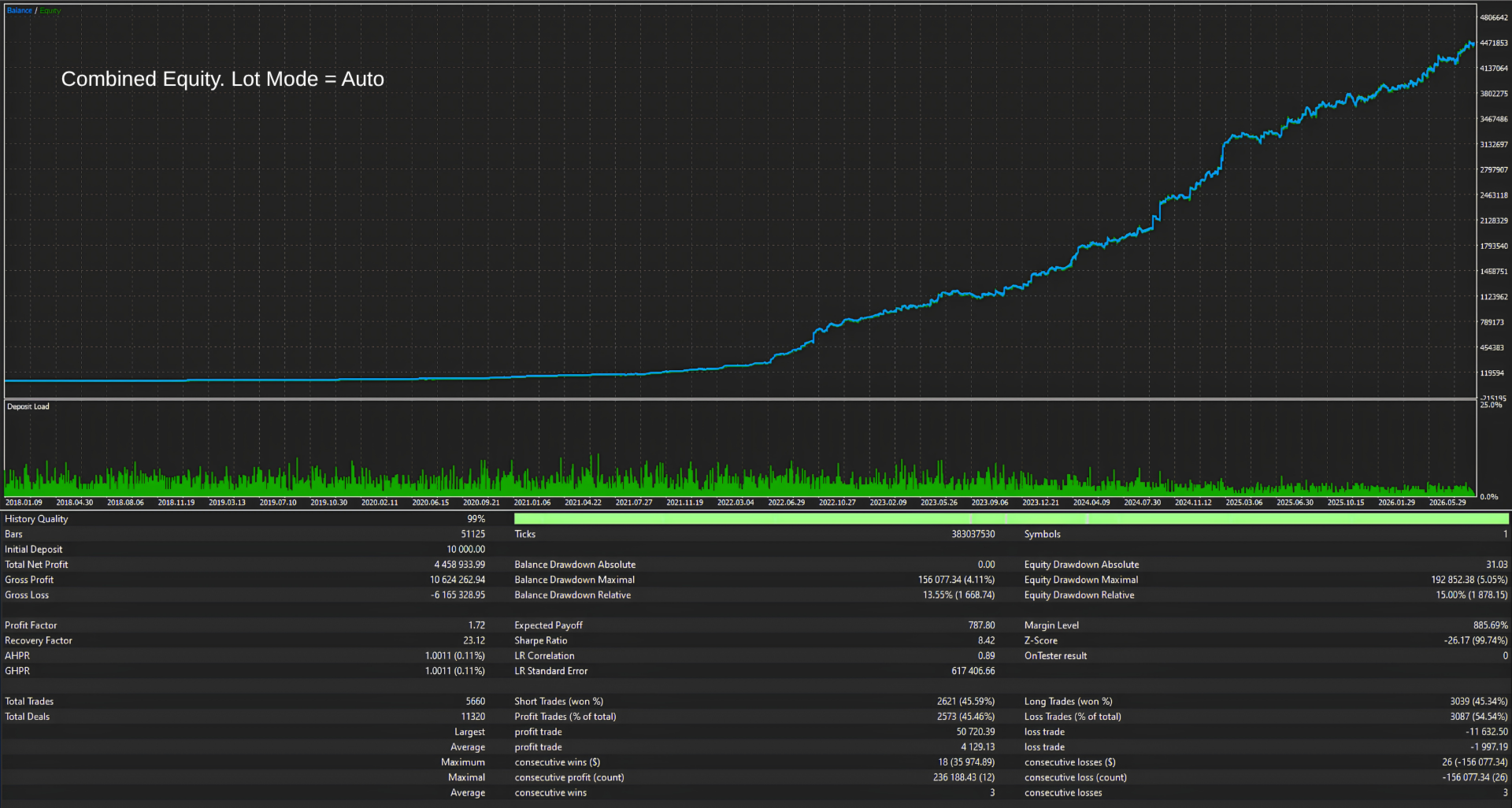
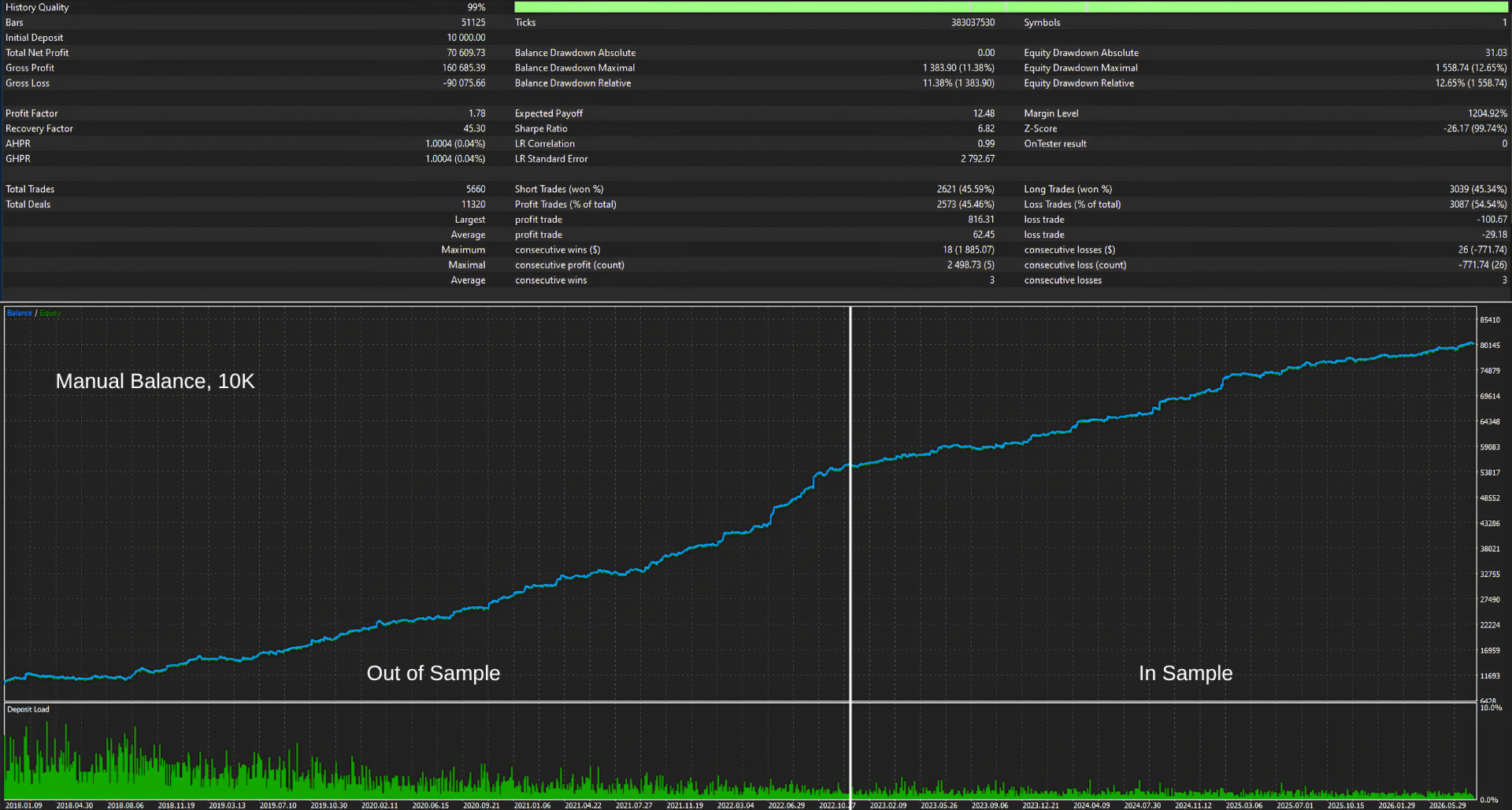
Two sizing modes: fixed lot size per strategy, or risk-percent auto-sizing based on account balance (or a manual balance override), with a global risk multiplier applied on top. Every trade goes through a pre-send margin check that verifies free margin against the calculated requirement before the order is placed, and pending-order price levels are validated against the broker's minimum stop distance before submission.
News filter
Built-in NFP (Non-Farm Payrolls) protection with configurable minutes-before and minutes-after windows. Can be run live off the MT5 economic calendar or against a hardcoded historical release-date table for consistent backtesting. Independently choose to cancel pending orders, close open positions, or both around the event.
Trading session control
Configurable start/end hour window with weekend-avoidance (skips new entries on Saturday/Sunday) and an option to force-close all trades at the Friday end hour rather than just halting new entries.
On-chart dashboard
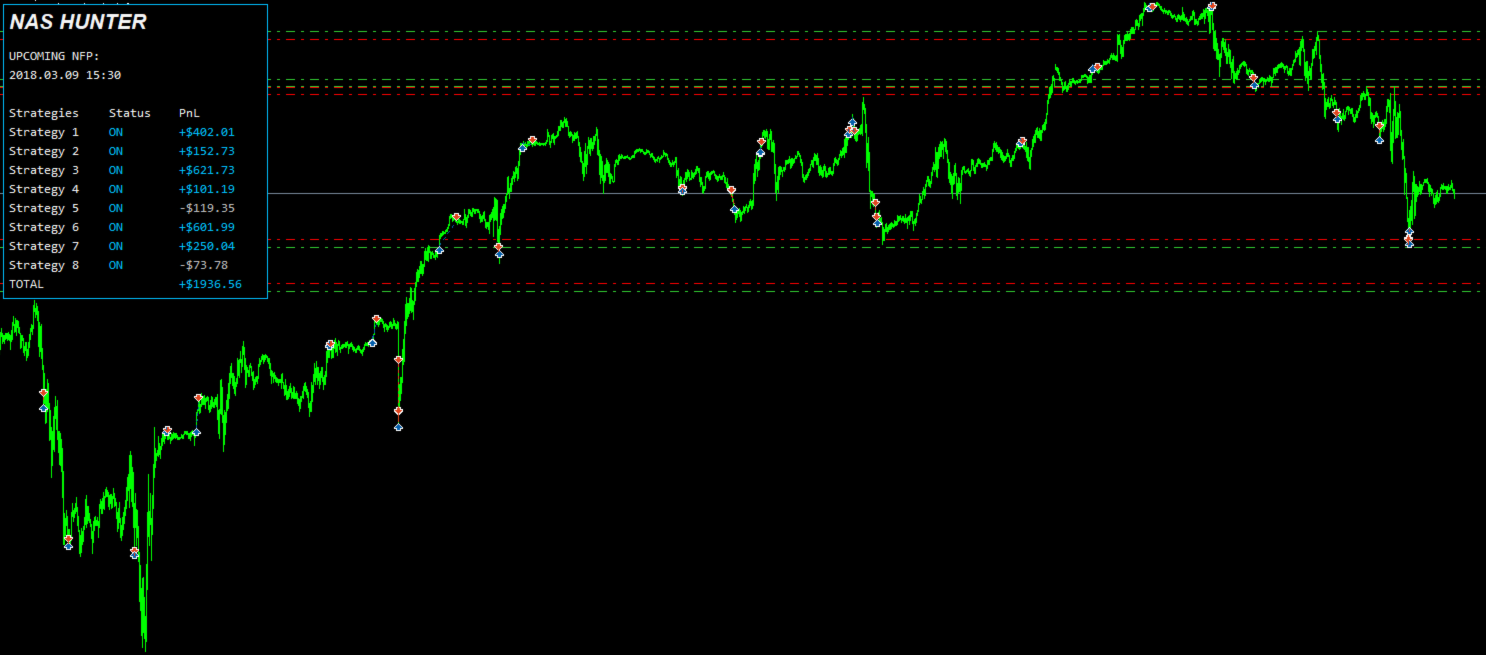
Live panel showing each strategy's on/off status and running P/L (realized + floating), a running total across all eight, and the next scheduled NFP release. Can be hidden during Strategy Tester runs for faster backtests.
Recommended setup
- Symbol: Nas100/US100/USTEC
- Timeframe: Any (the EA reads its own timeframes internally)
- Account type: ECN or Standard
- Minimum Balance: 200 USD (but only if your broker's Nas100 symbol starts at 0.01 lots. If not, 500 USD is recommended)
- VPS: recommended for stable 24/5 execution
If you have any questions feel free to send me a message, I'll be happy to reply.
Full Parameter Reference
Info Panel
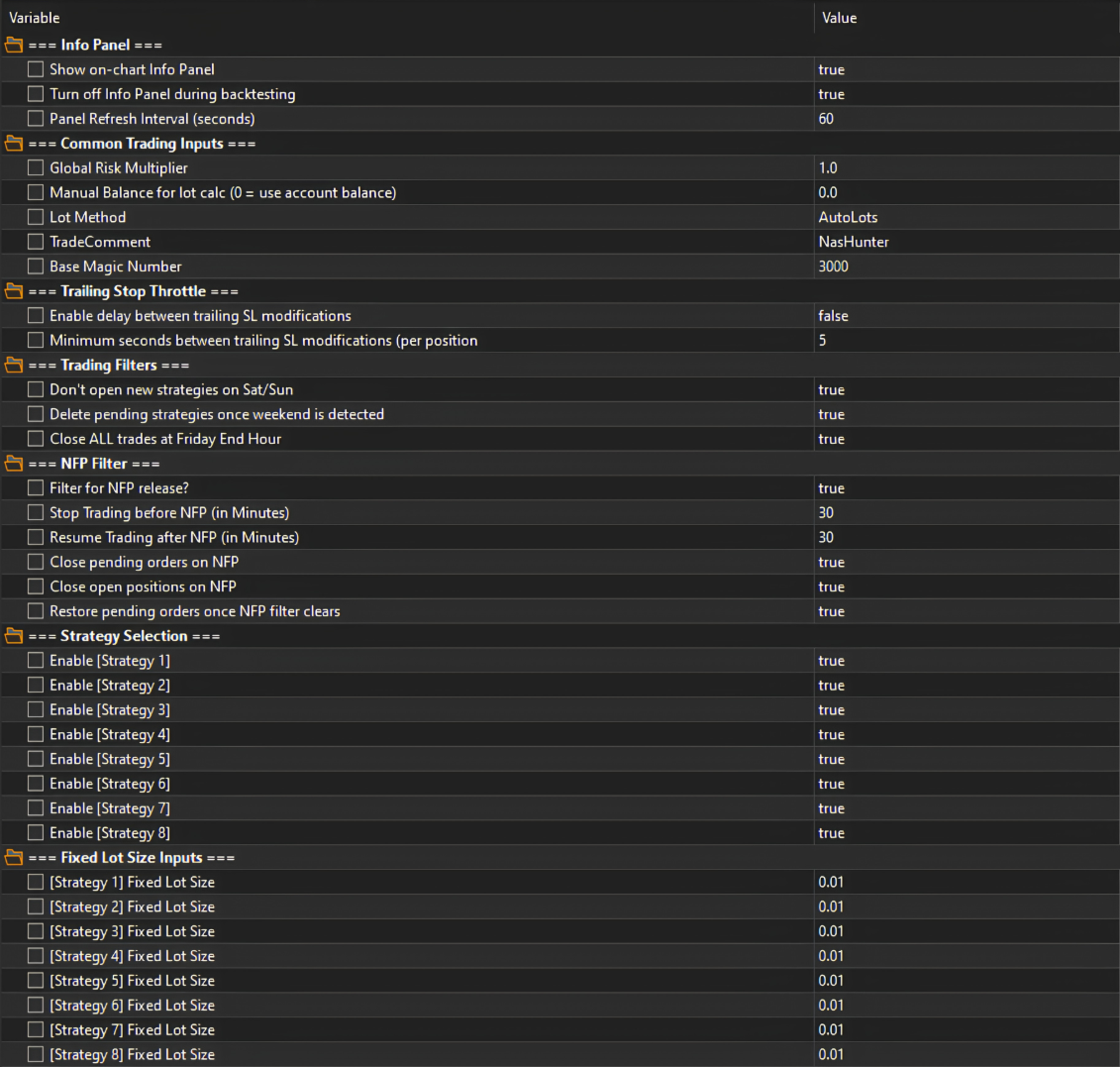
- Show on-chart Info Panel — shows or hides the on-chart dashboard.
- Turn off Info Panel during backtesting — automatically hides the panel while running in Strategy Tester, so backtests run faster.
- Panel Refresh Interval (seconds) — how often, in seconds, the dashboard's P/L and status figures refresh.
Common Trading Inputs
- Global Risk Multiplier — a single multiplier applied on top of every strategy's calculated risk-percent lot size, letting you raise or lower overall exposure across all strategies at once.
- Manual Balance for lot calc — overrides the account balance used for auto lot-sizing calculations. Leave at 0 to use your real account balance.
- Lot Method — chooses how position size is calculated: AutoLots (risk-percent of balance) or FixedLots (a constant lot size per strategy).
- TradeComment — base text used in each order's comment field, combined with a per-strategy suffix.
- Base Magic Number — the starting magic number; each strategy is automatically assigned BaseMagicNumber plus its strategy index, so all eight stay uniquely identifiable.
Trading Filters
- Don't open new strategies on Sat/Sun — blocks any new strategy from opening trades on Saturday or Sunday.
- Delete pending strategies once weekend is detected — when weekend trading is avoided, also deletes any pending orders still sitting on the book.
- Close ALL trades at Friday End Hour — at the Friday End Hour, closes all open positions in addition to pending orders, rather than just halting new entries, to avoid holding through the weekend gap.
NFP Filter
- Filter for NFP release? — master switch for Non-Farm Payrolls news protection.
- Stop Trading before NFP (in Minutes) — minutes before the NFP release that new trading is blocked.
- Resume Trading after NFP (in Minutes) — minutes after the NFP release before trading resumes.
- Close pending orders on NFP — cancels all pending orders ahead of the NFP release.
- Close open positions on NFP — closes all open positions ahead of the NFP release.
- Restore pending orders once NFP filter clears — restores saved pending orders when trading resumes.
Strategy Selection
- Enable [Strategy 1] — enables/disables Strategy 1
- Enable [Strategy 2] — enables/disables Strategy 2
- Enable [Strategy 3] — enables/disables Strategy 3
- Enable [Strategy 4] — enables/disables Strategy 4
- Enable [Strategy 5] — enables/disables Strategy 5
- Enable [Strategy 6] — enables/disables Strategy 6
- Enable [Strategy 7] — enables/disables Strategy 7
- Enable [Strategy 8] — enables/disables Strategy 8
Fixed Lot Size Inputs
- [Strategy 1] Fixed Lot Size – [Strategy 8] Fixed Lot Size — the lot size used for each individual strategy when Lot Method is set to FixedLots.