Prime Eagle Scalper
- Experts
-
Adnan Latif
 Nexaz Trade | Professional MT5 Developer & Trader | Forex, Crypto, Global Markets
- Versione: 3.10
- Attivazioni: 12
Prime Eagle Scalper v3.1 — Gold XAUUSD Scalping EA for MetaTrader 5 | Multi-Currency Forex Robot
PROP FIRM READY! (download SETFILE)
WARNING:
Only a few copies left at current price!
Final price: 850$
For any query -> contact me after purchase
SPECIAL INTRODUCTORY OFFER: Available for only $167 for limited number of copies
(Original Price: $850) — price will increase back to $850 once the allocated copies are sold.
SUPPORT AND INQUIRIES:
If you have any questions, need assistance with setup, or have any specific request, please feel free to send me a direct message (inbox) on MQL5. I am always happy to assist you. Prime Eagle Scalper v3.1 is a scalping expert advisor for MetaTrader 5 that trades Gold (XAUUSD), Forex majors (EURUSD, GBPUSD, AUDUSD, USDJPY), Silver (XAGUSD), and Bitcoin (BTCUSD). This MT5 scalper EA uses a strength-based trade management system with built-in trailing stop, optional grid trading, session filters, and multiple risk controls. It comes with ready-to-use .set files for different account sizes starting from $30.
This is not a martingale EA. Every position uses defined risk rules including account percentage stop loss and daily drawdown protection.
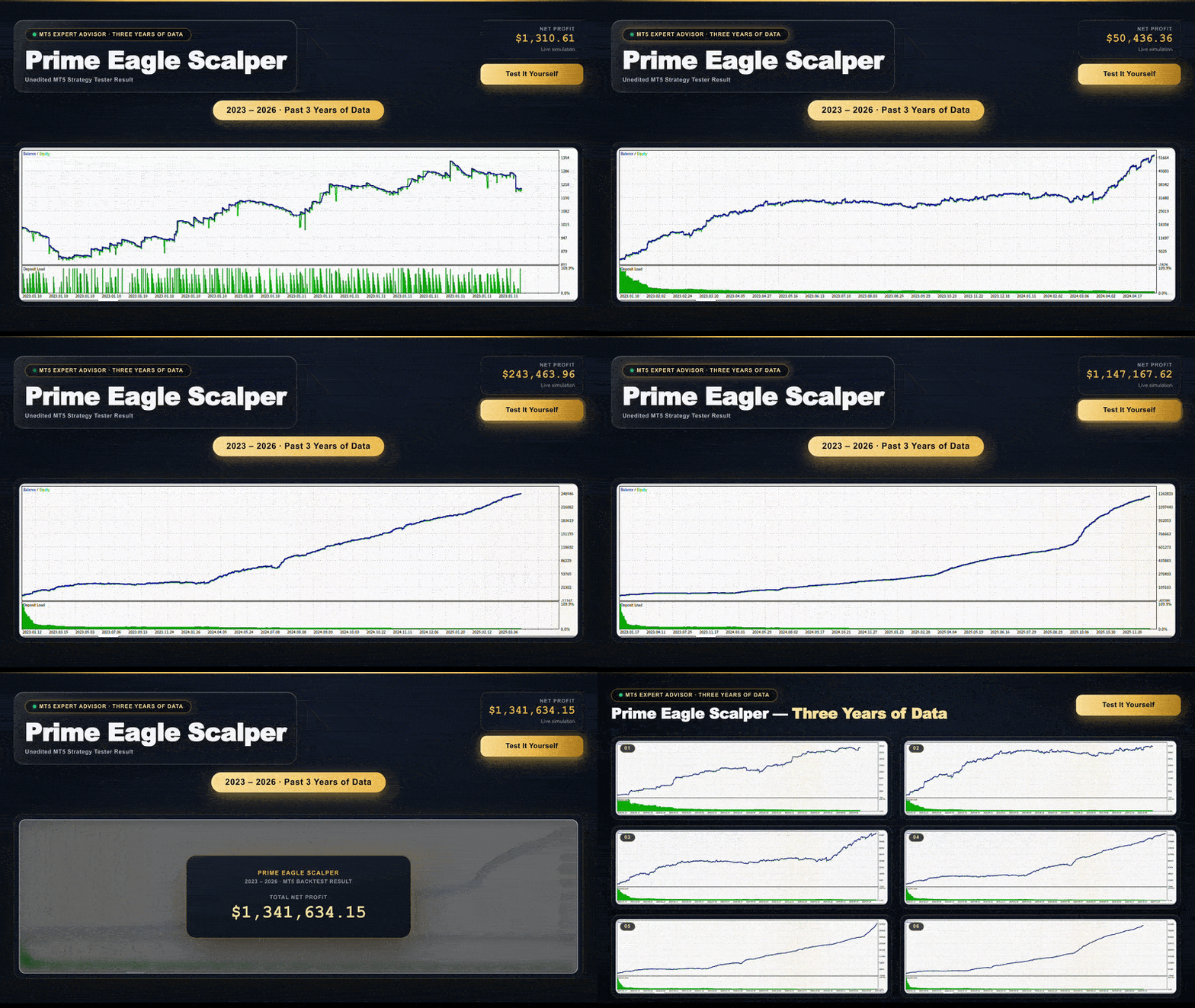
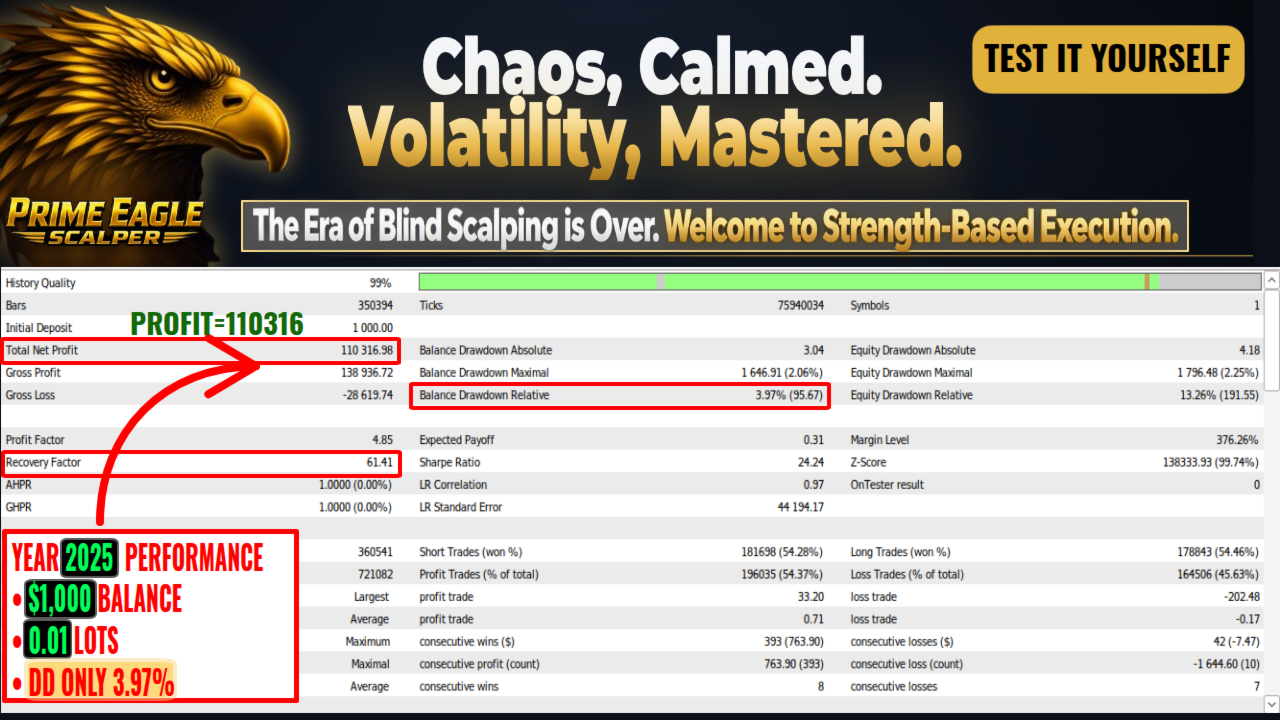
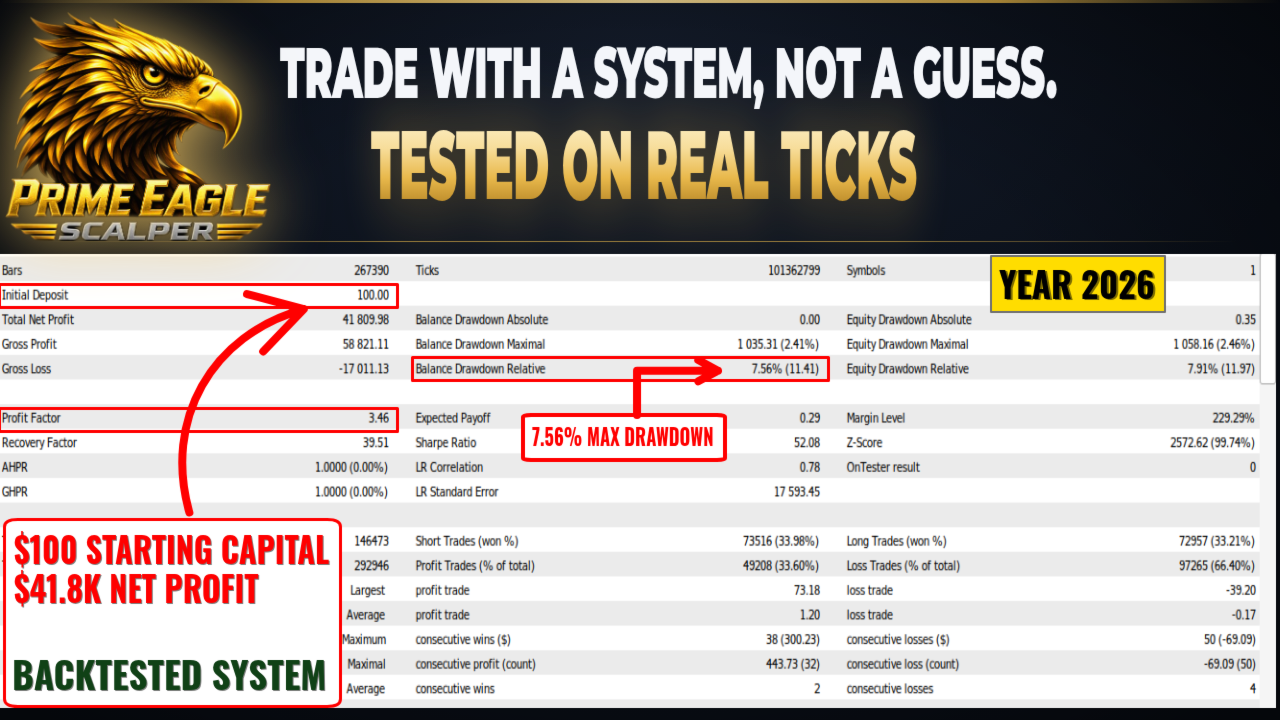
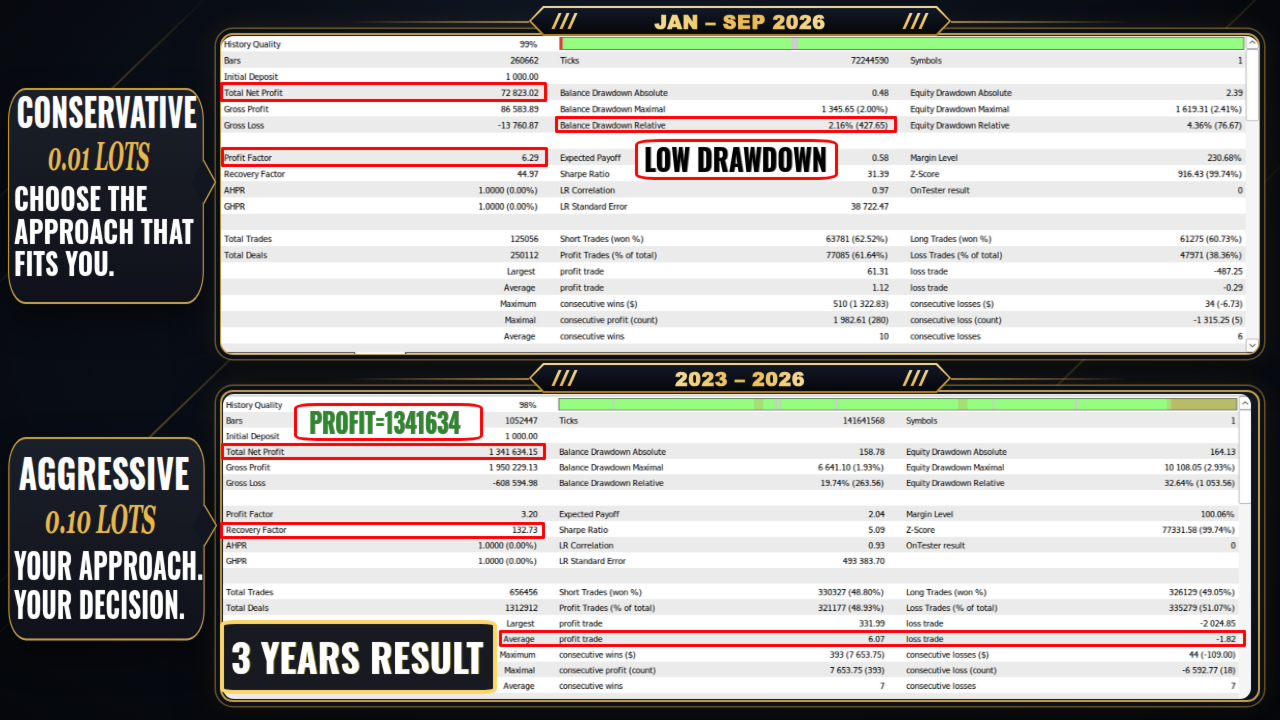
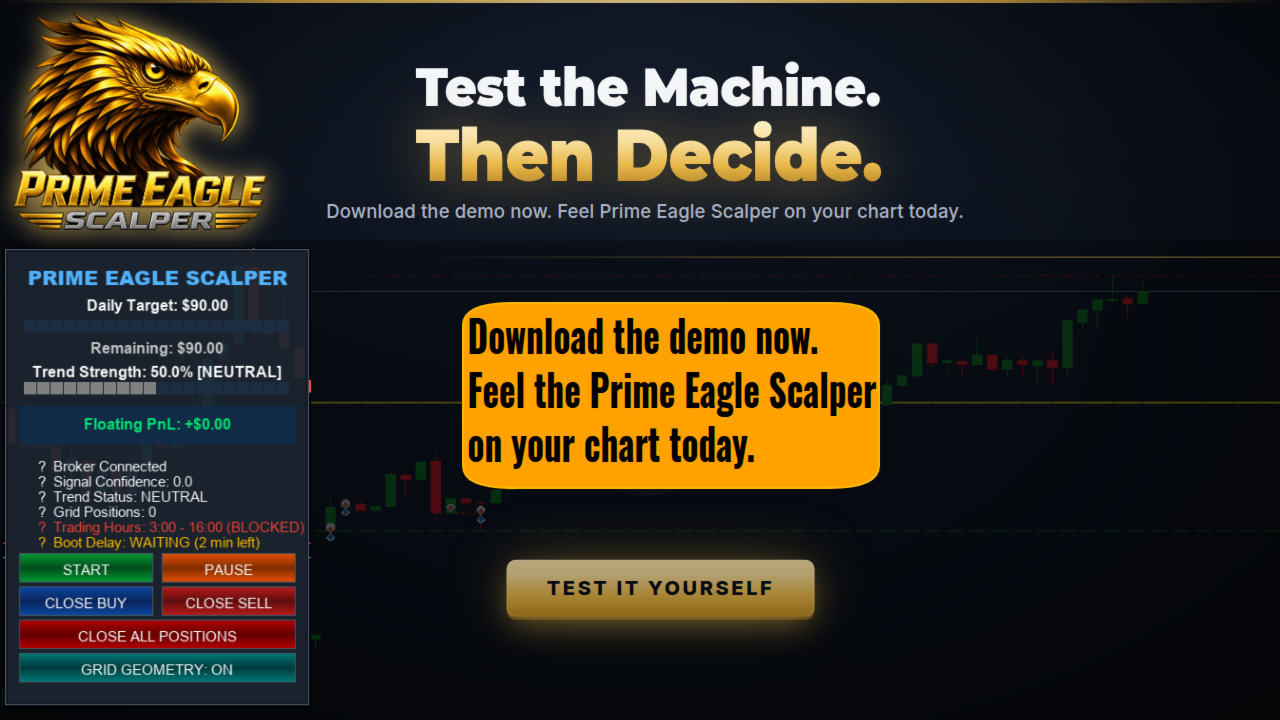
Download the free demo version, test it in the MT5 Strategy Tester with the included preset files, and evaluate the results yourself before making any decision.
HOW THIS SCALPER EA WORKS
Prime Eagle Scalper v3.1 monitors market conditions on your chosen timeframe (M1, M5, M15, or H1) and evaluates entry signals based on price structure and support/resistance levels. What separates this forex robot from a basic scalper is how it manages open trades:
When the market moves in the trade direction with strong momentum, the EA activates its trailing stop to follow the move and lock in floating profit.
When momentum weakens after entry, the EA uses a quick-exit rule to close the trade early with minimal market exposure.
The EA does not hold losing trades hoping for a reversal — it adapts its exit behavior to what the market is actually doing.
Trailing Stop Options:
Standard trailing stop that moves the stop loss at fixed point intervals behind the price.
ATR-based trailing stop that adjusts dynamically based on current volatility.
Trailing guard feature that activates trailing immediately once the trade reaches a minimum profit level.
RISK AND CAPITAL MANAGEMENT
Account Percentage Stop Loss: You set a percentage of your account balance (for example 1%). If total floating loss on open trades reaches that amount, the EA closes positions. This prevents large single-trade drawdowns.
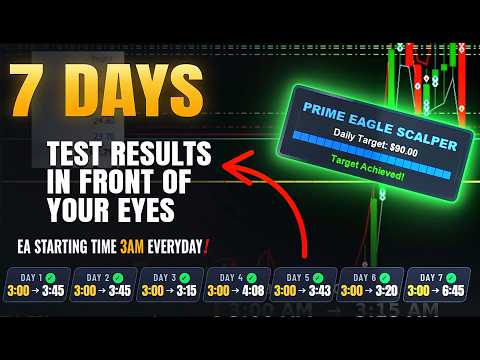
Daily Profit Lock: You set a daily dollar target (for example $50 or $90). Once closed profit for the day reaches this number, the EA stops opening new trades until the next trading day. This eliminates over-trading during late, unpredictable market hours.
Maximum Spread Filter: The EA checks the current broker spread before placing any order. If the spread is wider than your set limit, the order is blocked. This is essential for scalping on Gold and Forex where spread spikes can damage short-term trades.
Minimum Hold Time: A configurable timer prevents the EA from closing trades too quickly due to brief spread spikes or slippage noise.
GRID TRADING (OPTIONAL)
The grid feature is fully optional and can be enabled or disabled:
Safe Grid Mode: Only opens additional grid positions when signal confirmation and directional alignment are verified. This is not a blind grid or martingale system.
Standard Grid Mode: Places additional entries at fixed pip intervals when the market moves in the trade direction.
Group Close: All positions in the current grid basket close together once the combined target is reached.
You control the maximum number of grid levels, the pip distance between levels, and the lot multiplier per level.
SESSION AND TIME FILTERS
Asian Session Filter (00:00 to 08:00 broker time)
London Session Filter (08:00 to 16:00 broker time)
New York Session Filter (13:00 to 21:00 broker time)
Custom Hours Filter: Set your own start and end trading hours.
You can enable one session, multiple sessions, or disable the filter entirely.
These filters help you avoid low-liquidity periods and high-spread rollover hours that can hurt scalping results.
CANDLE COOLDOWN
After a trade closes, the EA can wait a configurable number of candles before looking for a new entry. This cooldown period prevents revenge trading and back-to-back entries in choppy market conditions. The conservative preset files have this feature enabled by default.
SUPPORTED SYMBOLS AND TIMEFRAMES
Symbols: XAUUSD (Gold), EURUSD, GBPUSD, AUDUSD, USDJPY, XAGUSD (Silver), BTCUSD (Bitcoin) Timeframes: M1, M5, M15, H1
Each symbol has its own dedicated .set file with parameters calibrated for that instrument.
RECOMMENDED BROKER AND ACCOUNT SETUP
Account Type: ECN, Raw Spread, or any account with low trading commissions and tight spreads.
VPS: A virtual private server with latency under 20 ms to your broker is recommended for consistent scalping execution.
Leverage: 1:100 to 1:500.
Minimum Deposit: $30 for micro lot trading (0.01 lots). $200 to $1,000+ for standard preset configurations.
INCLUDED PRESET FILES (.SET FILES)
This XAUUSD scalper EA comes with a full library of preset files so you do not need to configure anything manually:
By Account Size:
$30 Preset: 0.01 lot, tight risk parameters, designed for micro and cent accounts.
$100 Preset: 0.01 lot with candle cooldown and controlled trade frequency.
$200 Preset: Shorter hold times with faster trailing activation.
$1,000+ Preset: Multi-level trailing stops, daily profit lock enabled, safe grid mode.
Safe Grid Preset (safe grid optimized.set): Low drawdown basket configuration.
By Timeframe:
M1 Conservative: Candle cooldown enabled, safe grid mode, lower trade frequency.
M1 Standard: Faster entries for liquid Asian and London sessions.
M5 Preset: Wider trailing activation (70 points) for smoother intraday setups.
M15 Preset: Wider activation and offset for reduced trade count.
H1 Preset: Trailing activation at 400 points, designed for hourly chart swing-scalping.
By Instrument:
EURUSD Preset: Low-spread forex pair configuration with session filters.
GBPUSD Preset: Configured for London session volatility.
AUDUSD Preset: Tuned for Asian session crossover.
USDJPY Preset: News filter enabled for Yen-specific event sensitivity.
XAGUSD (Silver) Preset: Wider trailing distances for metal volatility.
BTCUSD (Bitcoin) Preset: Adapted for 24/7 crypto trading without weekend cutoffs.
Volatile Market Preset: Stricter entry filters for news days and erratic conditions.
HOW TO SET UP
Attach Prime Eagle Scalper v3.1 to your chart in MetaTrader 5.
Open the Inputs tab and click Load.
Select the .set file that matches your account balance, timeframe, or trading pair.
Check the InpLots parameter and adjust if needed for your account size.
Make sure "Allow Algo Trading" is enabled in the MT5 toolbar.
The EA will start monitoring the market and managing trades automatically.
ON-CHART DASHBOARD
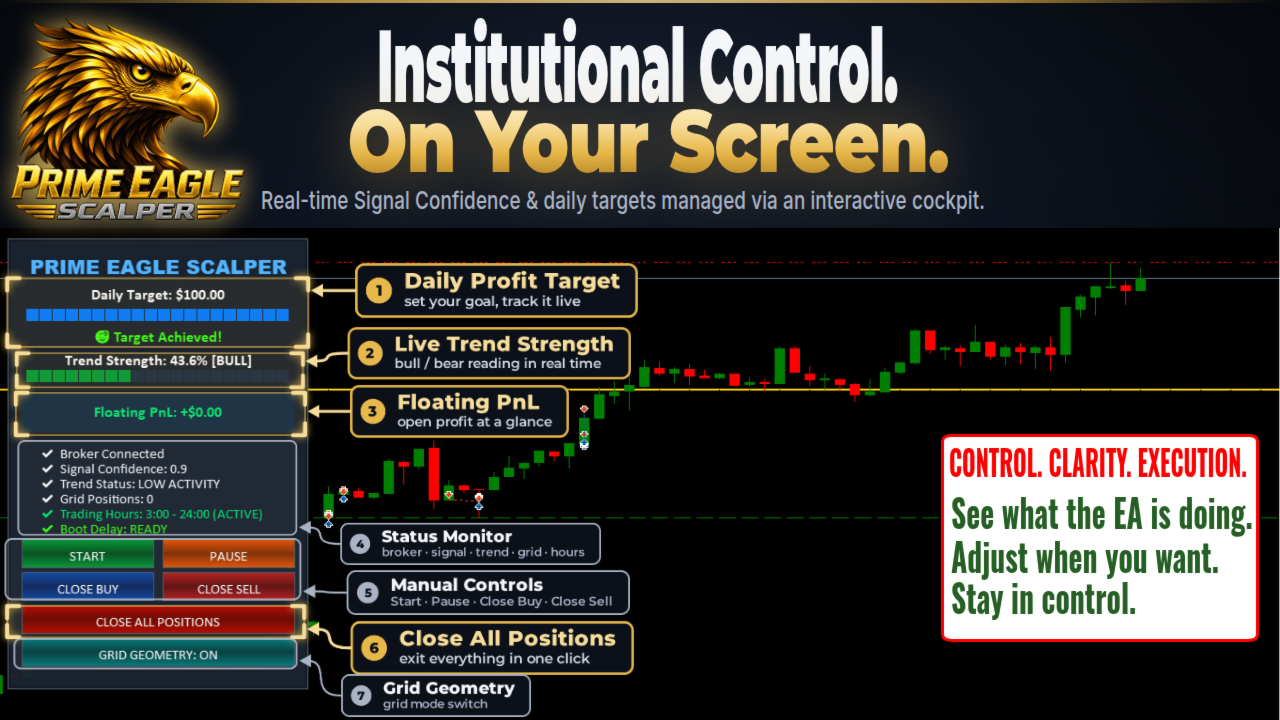
When enabled, the EA displays an information panel directly on the chart showing:
Current open positions and floating profit/loss.
Daily closed profit and remaining daily target.
Active session and trading hour status.
Grid level count and direction.
Signal strength reading.
RISK DISCLAIMER
Trading foreign exchange, commodities, and digital assets involves financial risk. This expert advisor does not guarantee profits. Past backtest results do not reflect future market conditions.
Trading forex, gold, silver, and cryptocurrency CFDs involves significant risk to your capital. This expert advisor is a tool — it does not eliminate market risk. Always test on a demo account and in the Strategy Tester before using real funds. Do not trade with money you cannot afford to lose.