Chettah Rescue
- Experts
- Versione: 1.0

Overview
Cheetah Rescue Guard MT5 is an Expert Advisor for MetaTrader 5 designed to help manage stressed trading accounts with controlled recovery support. It uses an adaptive micro-grid rescue engine, quick basket exit logic, margin checks, and an on-chart control hub.
The EA is built for defensive trade management, margin pressure relief, and structured recovery assistance. It does not guarantee profit and cannot guarantee that every account can be recovered. Results depend on market conditions, broker execution, spread, leverage, symbol volatility, account size, and user settings.
Who it is for
Cheetah Rescue Guard MT5 is intended for traders who need a controlled rescue-management tool for accounts with floating losses, drawdown pressure, or low margin level conditions.
It may be useful for users who:
- Trade on MT5 hedging accounts.
- Want a controlled basket-based recovery assistant.
- Need visual control through an on-chart panel.
- Prefer the EA to start paused until manually activated.
- Want optional logic that starts rescue trading only when account stress is detected.
This product is not suitable for users looking for guaranteed profit, fully risk-free trading, or an automatic solution that can save any account.
Main features
- Adaptive recovery grid engine.
- Five market and risk modes:
- Micro Range
- Balanced Range
- Trend Pullback
- Volatility Escape
- Margin Panic
- Starts paused by default for safer deployment.
- On-chart control hub with colored status panel.
- Main hub button: RESCUE ACCOUNT / PAUSE RESCUE.
- Optional damaged-account gate based on floating debt, drawdown, or margin level.
- Quick basket close with trailing logic.
- Partial reduction of existing losing positions after profitable rescue baskets.
- Margin checks before opening new trades.
- Spread and rollover filters.
- Session tracking:
- Rescued amount
- Basket profit
- Closed baskets
- Last cut
- Number of debt cuts
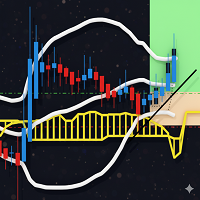
- Optional professional chart theme.
- Recommended timeframe: M1.
- Works best on XAUUSD, but can be configured for other symbols.
How it works
The EA monitors the account and the selected symbol. Depending on the chosen configuration, it can remain paused, wait for a damaged-account condition, or be activated manually from the on-chart hub.
When rescue mode is active, the EA opens controlled recovery trades using adaptive micro-grid logic. The goal is to close rescue baskets quickly when the configured profit or trailing condition is reached.
After a profitable rescue basket is closed, the EA can optionally use part of the recovered profit budget to reduce existing losing positions. This function is designed to help lower floating exposure gradually, not to guarantee full recovery.
Risk management
Cheetah Rescue Guard MT5 includes several protection layers:
- Starts paused by default.
- Optional activation gate for floating loss, drawdown, or low margin level.
- Margin checks before new trades.
- Spread filter to avoid poor execution conditions.
- Rollover filter to avoid sensitive swap/spread periods.
- Configurable recovery mode.
- Configurable basket close and trailing settings.
- Optional partial debt reduction using recovered profit only.
Important: grid and recovery systems can increase exposure and may create additional risk, especially during strong trends, low liquidity, high spread, or insufficient account capital. Always test carefully before live trading.
Recommended settings
General recommendations:
- Timeframe: M1.
- Main symbol: XAUUSD.
- Account type: hedging.
- Start mode: paused.
- First use: demo account or strategy tester.
- Use conservative lot size and grid settings.
- Use spread and rollover filters.
- Use margin protection settings suitable for your leverage and balance.
- Do not run on multiple charts without understanding total exposure.
- Avoid using aggressive settings on small accounts.
Account requirements
Recommended:
- MetaTrader 5.
- Hedging account.
- Stable broker execution.
- Sufficient margin and leverage.
- Low to moderate spread conditions.
- VPS or stable terminal connection for continuous operation.
Netting accounts are not recommended. Some functions, especially position-level rescue and partial reduction of individual losing positions, may be limited or unsuitable on netting accounts.
Important limitations
- The EA does not guarantee profit.
- The EA cannot guarantee recovery of every account.
- The EA cannot remove market risk.
- High volatility, spread widening, slippage, low margin, and strong one-directional trends can negatively affect results.
- Performance depends on broker conditions, leverage, symbol behavior, account size, and user settings.
- Backtests and demo results do not guarantee future live performance.
- Demo testing is strongly recommended before live use.
Final note / disclaimer
Cheetah Rescue Guard MT5 is a trading risk-management and recovery-support tool. It is designed to assist with controlled account defense and structured basket recovery, not to provide guaranteed profit or guaranteed account rescue.
Use it carefully, test it on demo first, and choose settings according to your account size, broker conditions, leverage, and personal risk tolerance.
Suggested input parameters sectionUse English input names in the EA and describe them clearly in the product page. MQL5 guidance states that product descriptions, messages, and input parameter names should be in English. Inputs
- StartPaused — Starts the EA in paused mode for safer launch.
- RiskMode — Selects the operating mode: Micro Range, Balanced Range, Trend Pullback, Volatility Escape, or Margin Panic.
- UseDamagedAccountGate — Allows the EA to start rescue trading only after account stress is detected.
- FloatingDebtTrigger — Floating loss level required to activate the damaged-account gate.
- DrawdownTriggerPercent — Drawdown percentage required to activate rescue mode.
- MarginLevelTriggerPercent — Margin level threshold used to detect low margin conditions.
- BaseLot — Initial lot size for rescue trades.
- LotMultiplier — Multiplier used for recovery grid progression.
- MaxGridTrades — Maximum number of rescue trades allowed in one basket.
- GridStepPoints — Minimum distance between recovery entries.
- BasketProfitTarget — Profit target for closing the active rescue basket.
- BasketTrailingStart — Profit level where basket trailing can start.
- BasketTrailingStep — Trailing step used after the basket reaches the start level.
- AllowPartialDebtReduction — Enables partial reduction of existing losing positions after profitable baskets.
- DebtReductionBudgetPercent — Percentage of recovered basket profit that may be used for debt reduction.
- MaxDebtReductionPerBasket — Maximum amount or percentage allowed for one debt-cut cycle.
- MaxSpreadPoints — Maximum allowed spread for opening new rescue trades.
- UseRolloverFilter — Blocks new entries during rollover or sensitive broker time.
- RolloverBlockMinutes — Minutes before and after rollover when new entries are blocked.
- MinMarginLevelAfterTrade — Minimum projected margin level required after opening a new trade.
- EnableChartTheme — Enables the optional professional rescue/control-room chart theme.
- MagicNumber — Unique identifier for EA-managed trades.
- CommentPrefix — Trade comment prefix for tracking EA activity.