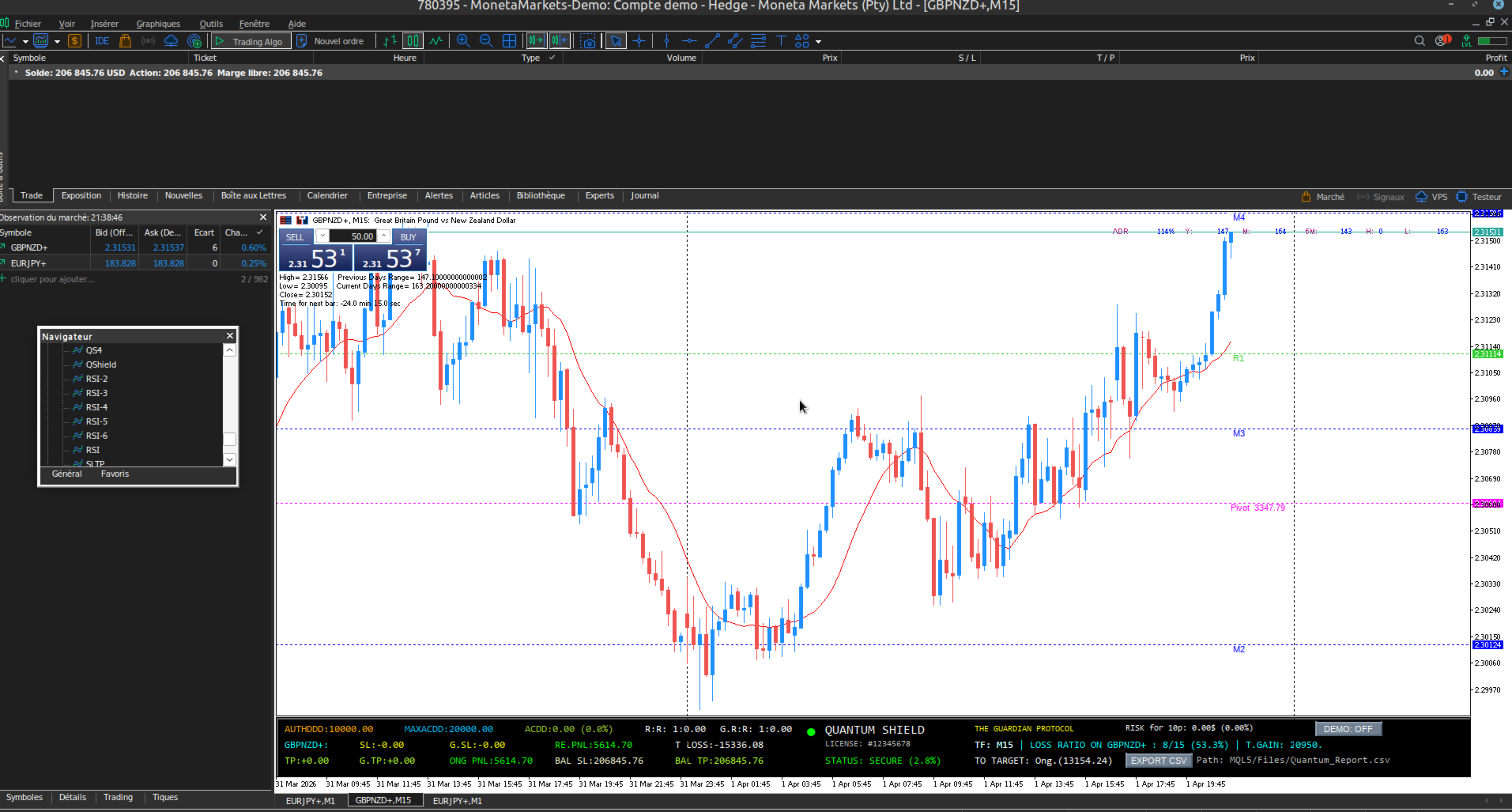
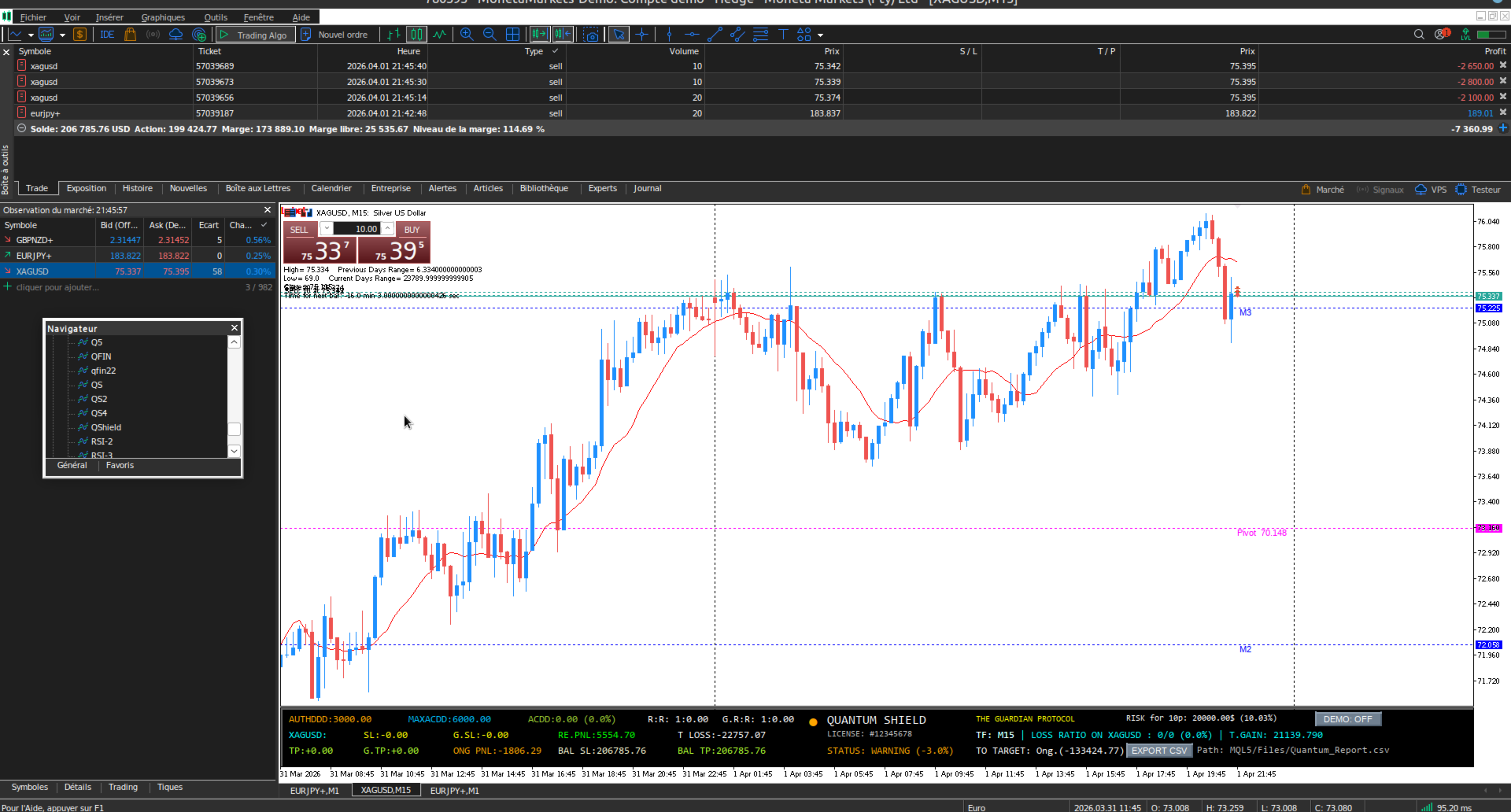
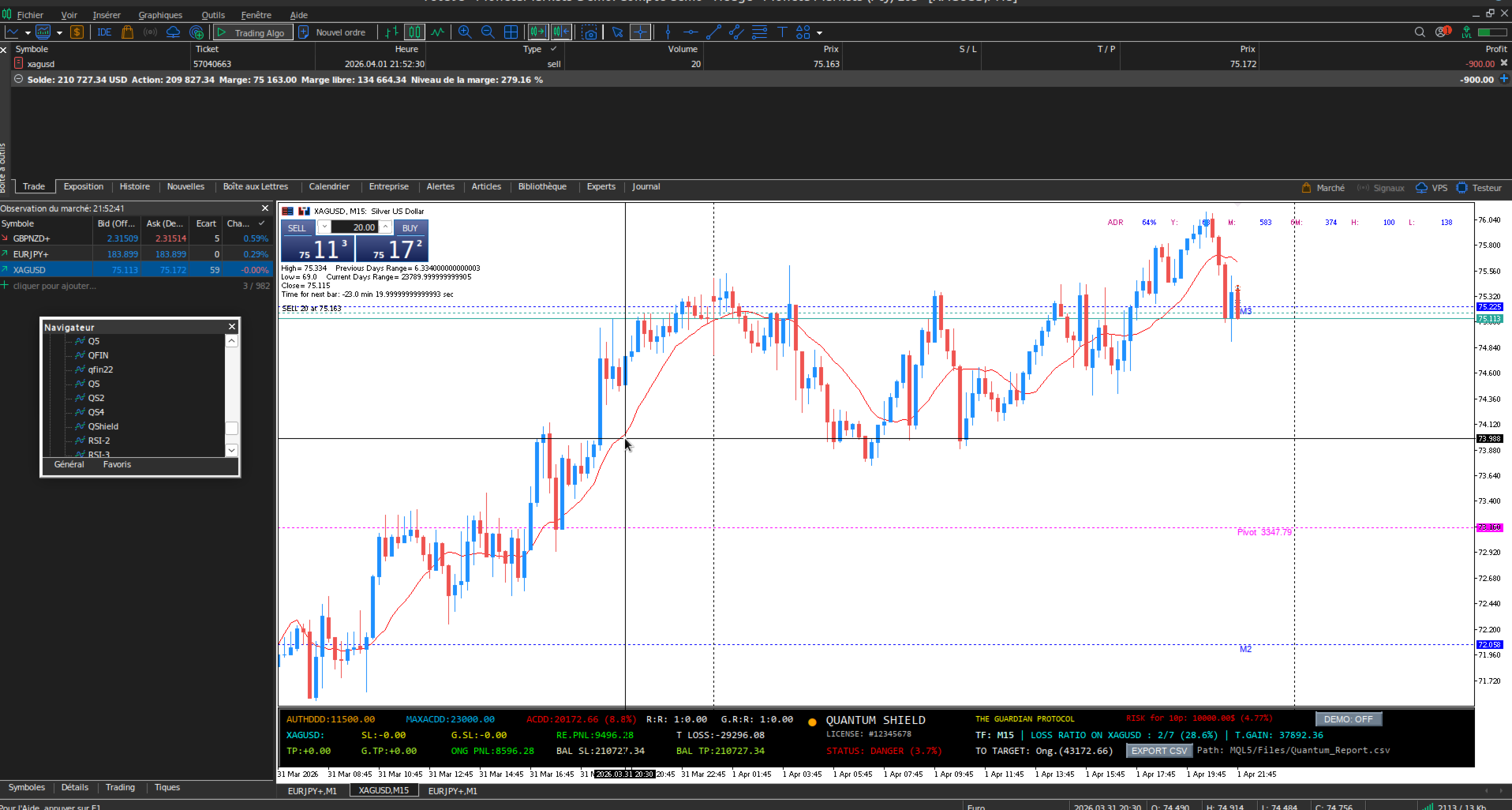
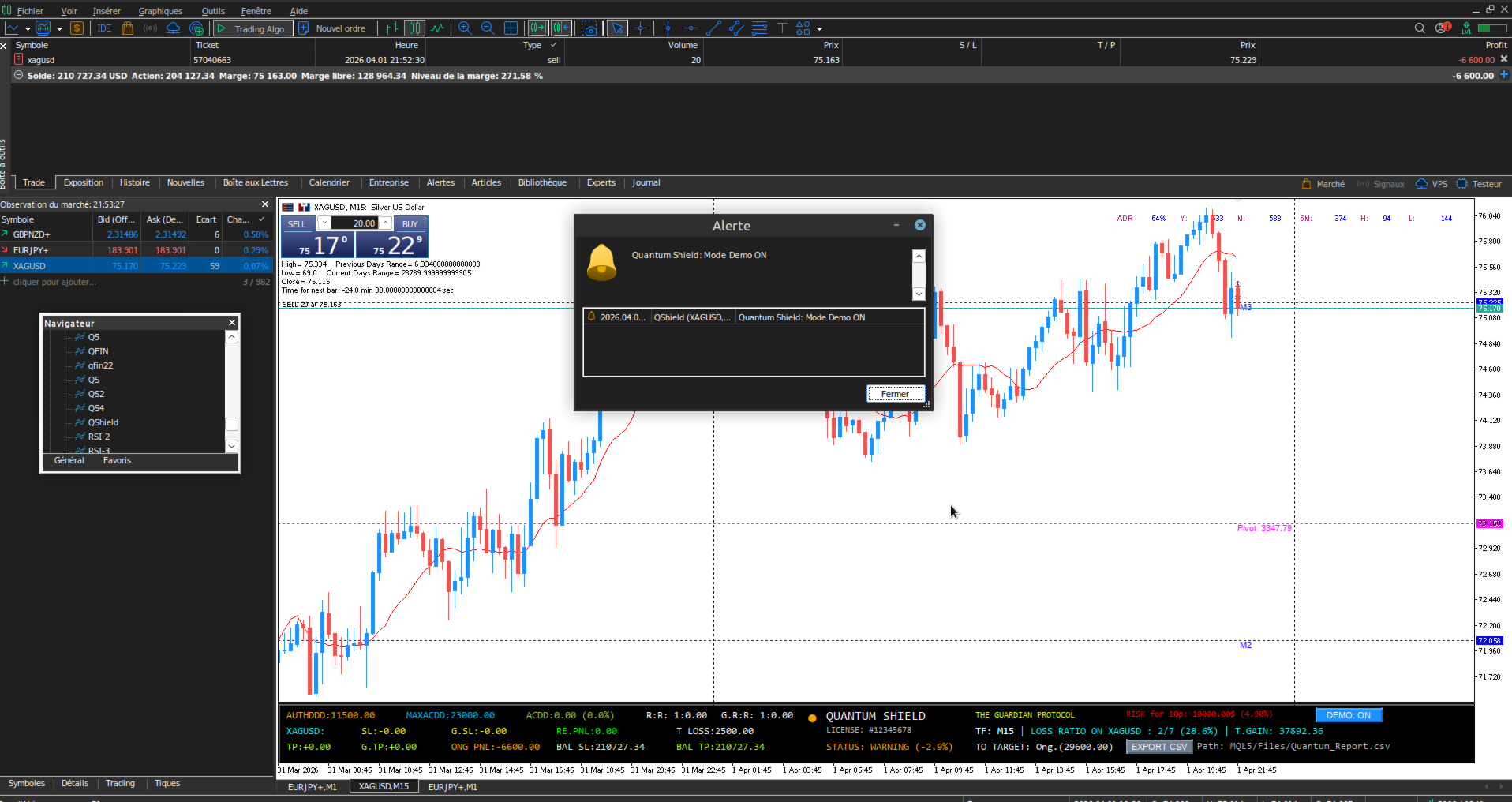
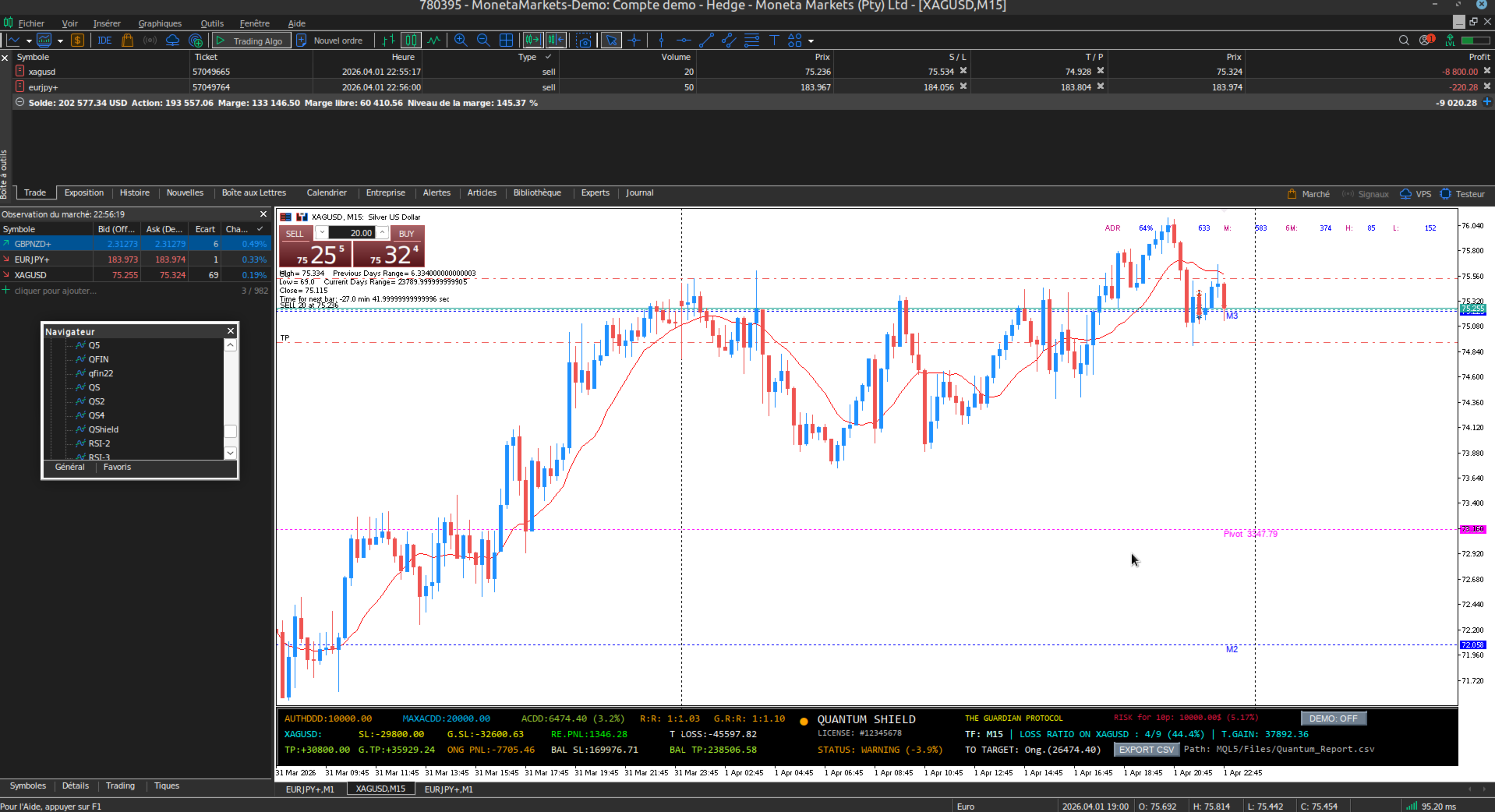
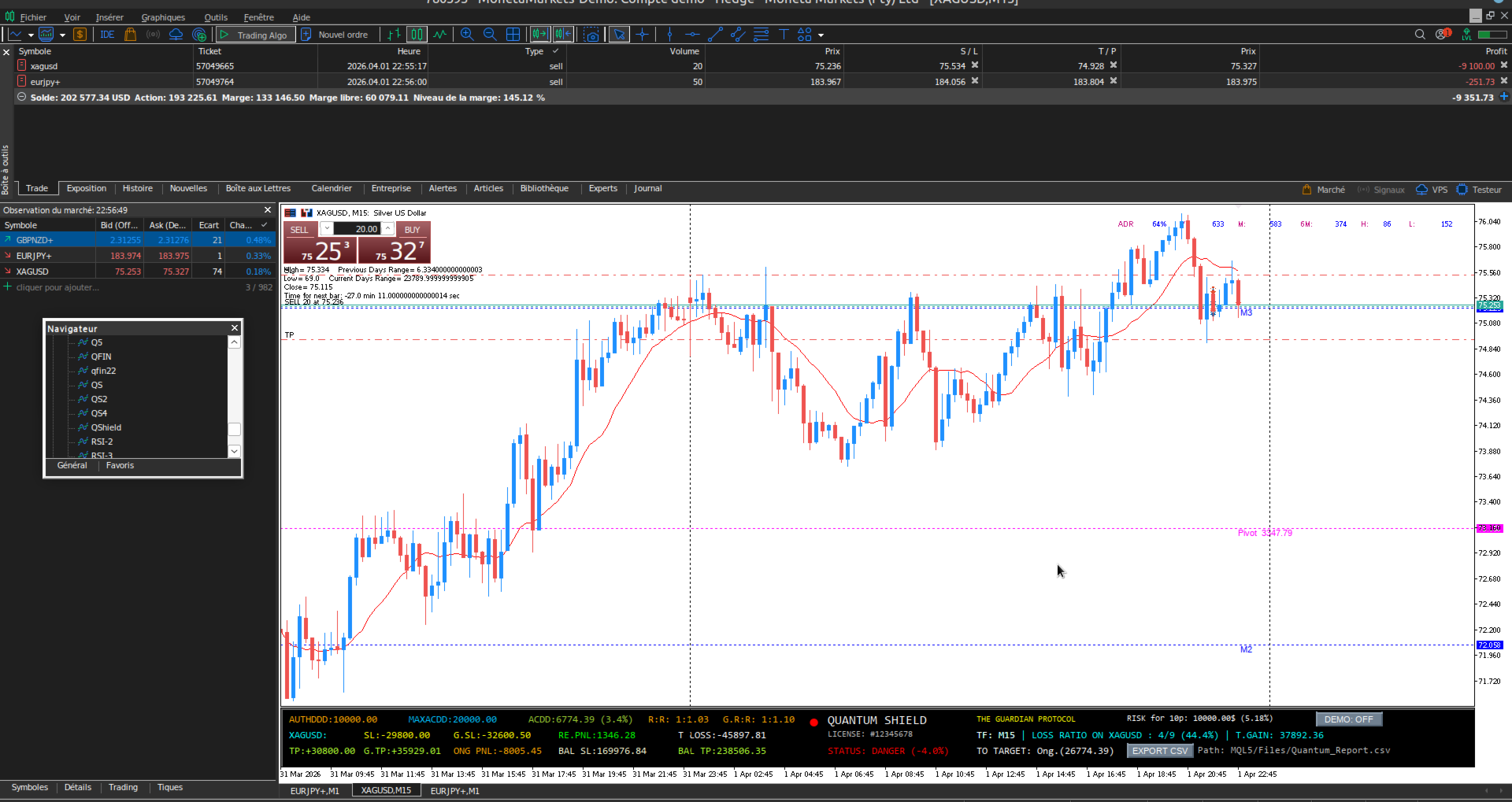
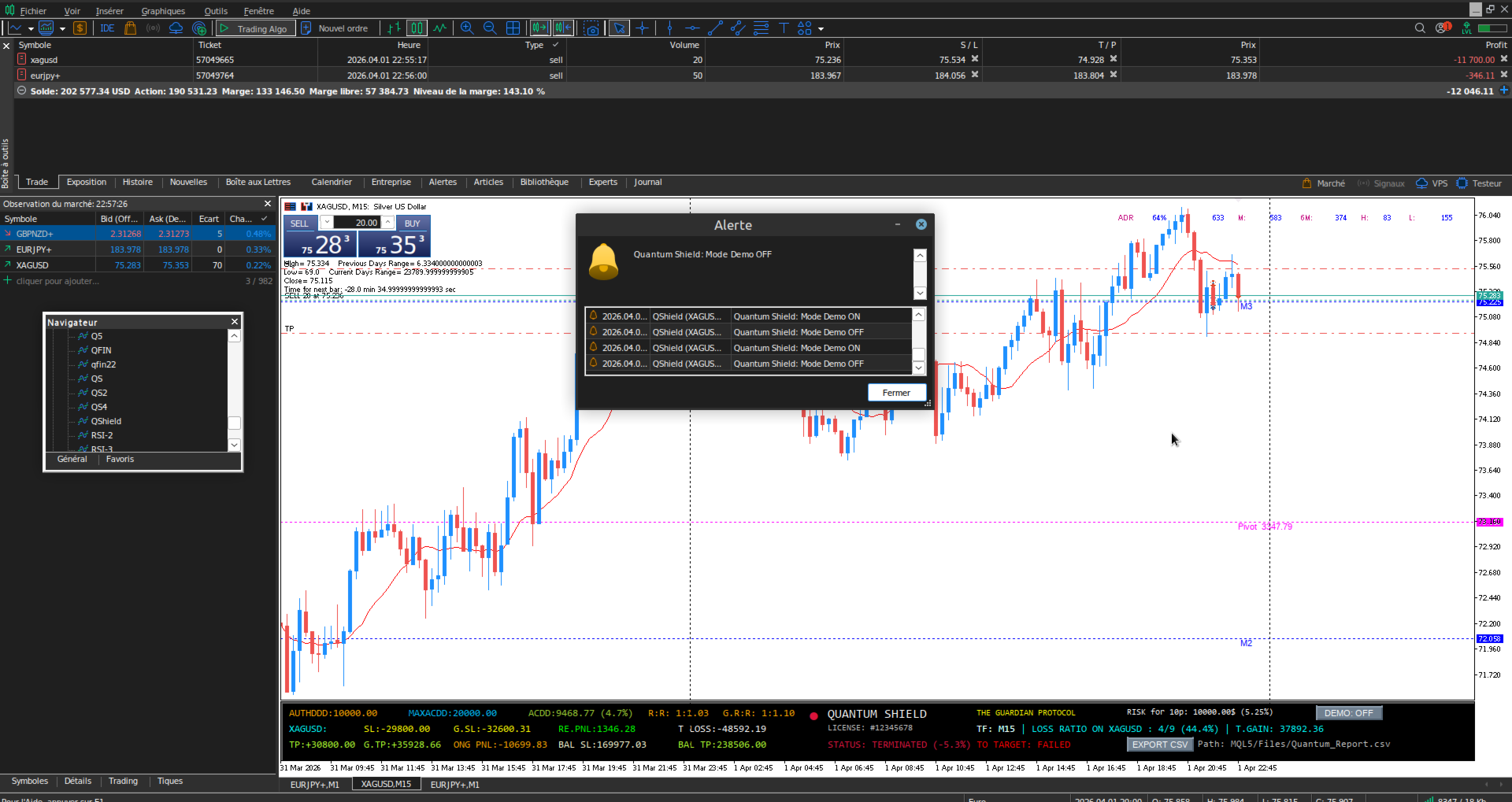
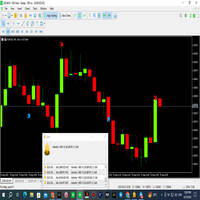
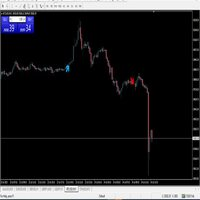
Quantum Shield Dashboard
- Indicatori
- Versione: 1.0
- Attivazioni: 5

QUANTUM SHIELD : THE GUARDIAN PROTOCOL FOR PROP FIRMS
Quantum Shield is the ultimate monitoring tool built specifically for Prop Firm traders (FTMO, MyFundedFX, etc.). Functioning as a high-tech control tower, it secures your trading by calculating real-time daily and maximum loss limits to prevent any account violations.
THE POWER OF REAL-TIME MONITORING
What makes Quantum Shield different?
Unlike standard indicators that only display profit targets, Quantum Shield Dashboard scans your entire terminal in milliseconds.
- Multi-Symbol Tracking: It instantly aggregates risks from all your open trades (Forex, Indices, Crypto, Gold) to provide your consolidated real exposure (T SL / T TP).
- Drawdown Anticipation: With BAL SL and BAL TP functions, you no longer react to the market—you anticipate it. Know your future balance before your orders even close.
- Dynamic Risk Management: Every price tick updates your LOSS RATIO and STATUS. If volatility spikes, the Guardian Protocol alerts you immediately through visual flashes and mobile push notifications.
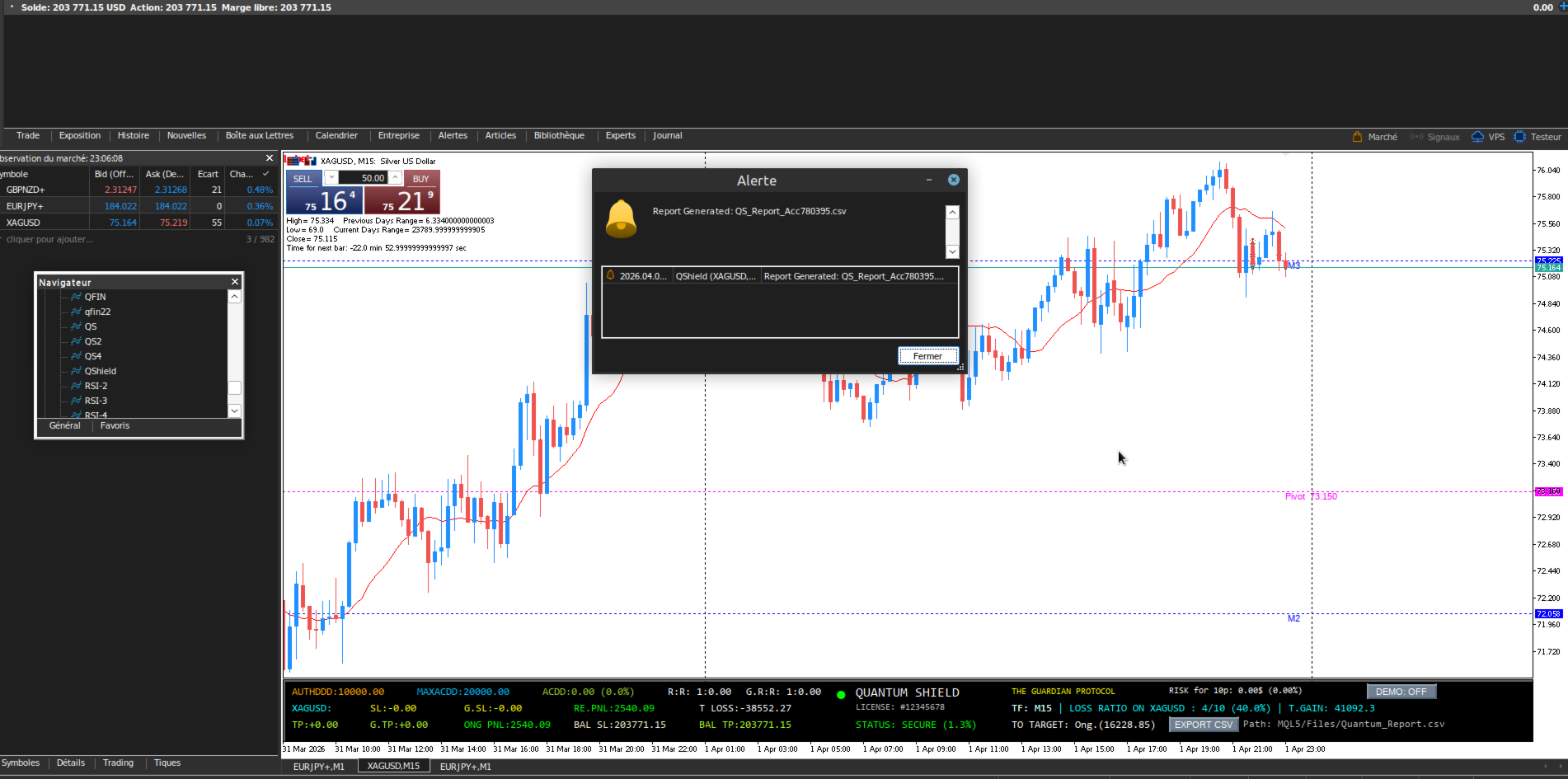
📊 DASHBOARD NOMENCLATURE (Lexicon
Daily Session & Risk Section
- AUTHDDD: Maximum allowed loss budget for the current day (Daily Reset).
- ONG PNL: Your real-time daily net result (Closed trades + Floating P&L).
- RE PNL: Your realized profit or loss (closed trades only) for the current session.
- T LOSS: Total cumulative closed losses for the current session.
- LOSS RATIO ON : % of loss (number of lost positions/total positions) for the current symbol.
Account Risk & Capital Section
- MAXACDD: The total loss limit allowed for the entire lifespan of the account.
- ACDD: Your real-time maximum loss relative to your account's high-water mark.
- BAL SL / BAL TP: Balance projection if all your current Stop Losses or Take Profits are hit simultaneously.
Position Analysis Section (Ratios)
- SL / TP: Dollar risk and potential gain on the current symbol.
- T SL / T TP: Total dollar risk and potential gain across all open positions.
- R:R & G R:R: Risk/Reward ratios (Current Symbol vs. Global Portfolio).
Performance & Targeting Section
- T GAIN: Accumulated daily gains.
- TO TARGET: The exact dollar amount remaining to hit your Prop Firm objective.
- RISK FOR 10P: Position sizing tool ($ risk for 1.00 lot over 10 pips).
- TF: Current chart's timeframe (e.g., M1, H1, D1).
🚨 SAFETY STATUS
- SECURE (Green): Account safe.
- WARNING (Orange): 50% risk threshold reached.
- DANGER (Flashing Red): 80% risk threshold reached. Immediate action required.
- TERMINATED (Crimson): Limit reached. STOP trading.
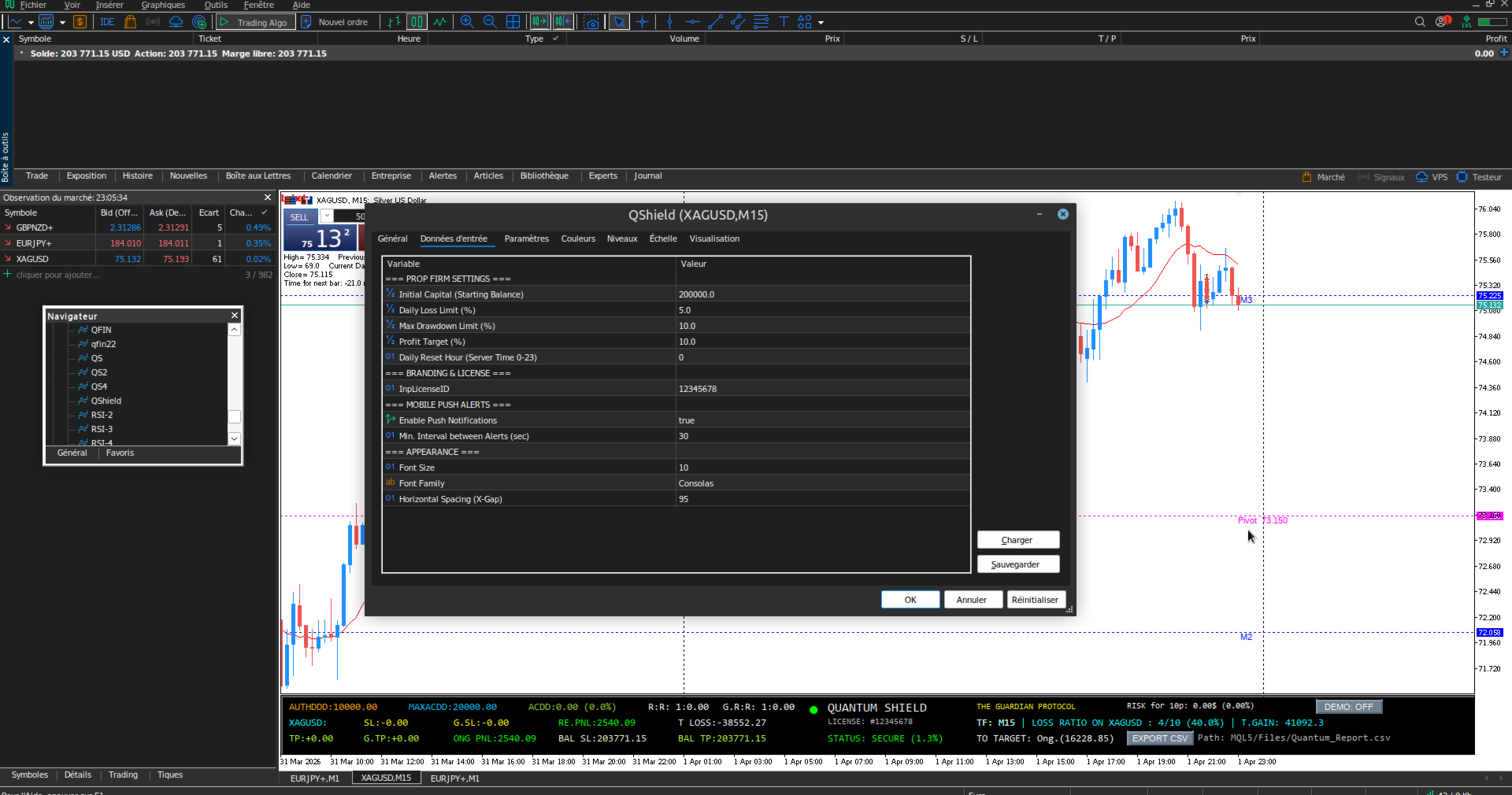
⚙️ SETUP & INSTALLATION
- Inputs: Enter your Initial Balance , % Risk Limits , and Daily Reset Hour (Server time).
- 🔑 Personal ID Activation: If requested, enter a 4 to 8 digit personal code in the License ID field. This ID will be displayed on your dashboard and serve as your unique identifier for VIP technical support.
- DEMO Mode: Click the [DEMO] button to simulate a fresh session with a broker cemo account without affecting your real account statistics.
- Data Export: Click [EXPORT CSV] to save your session stats into MQL5/Files/ .