Session Overview MT5
- Indicatori
-
Khaled A D K Alenezi
 Khaled Alenezi
Civil engineer from Kuwait, active trader, and Expert Advisor developer.
I have 10+ years of experience across forex and crypto markets, including several years working with funded prop firm accounts where risk control, consistency, and execution discipline are essential. - Versione: 1.3
- Attivazioni: 10
You have three open positions.
Your prop firm allows a 5% daily drawdown.
Right now — before the next candle closes — do you know what happens to your account if every stop loss gets hit at the same time?
Most traders don’t.
They track each position separately.
They estimate.
They feel “probably okay.”
Then one correlated move wipes out a week of progress.
Session Overview gives you that answer in one number — updated every second.
Three Live Projections — One Panel
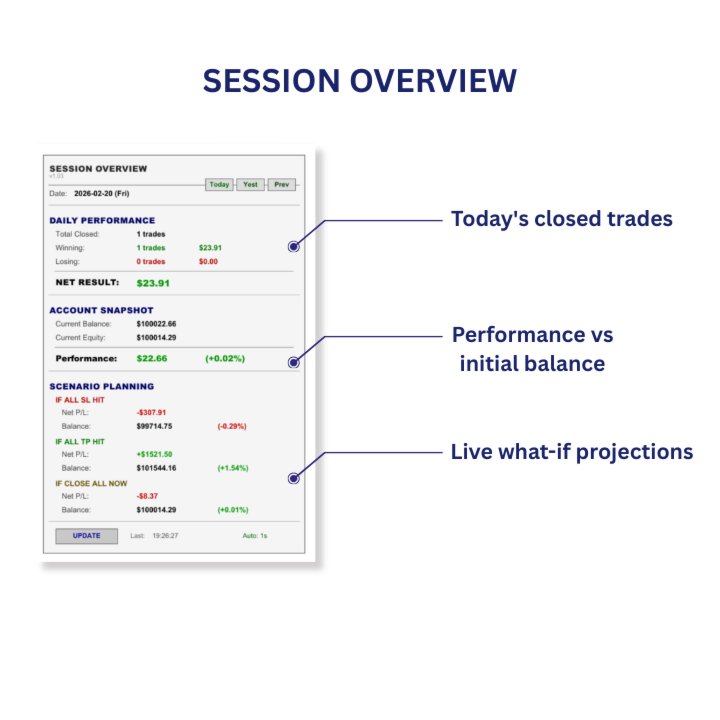
Session Overview reads your entire account and calculates three scenarios for your open positions in real time:
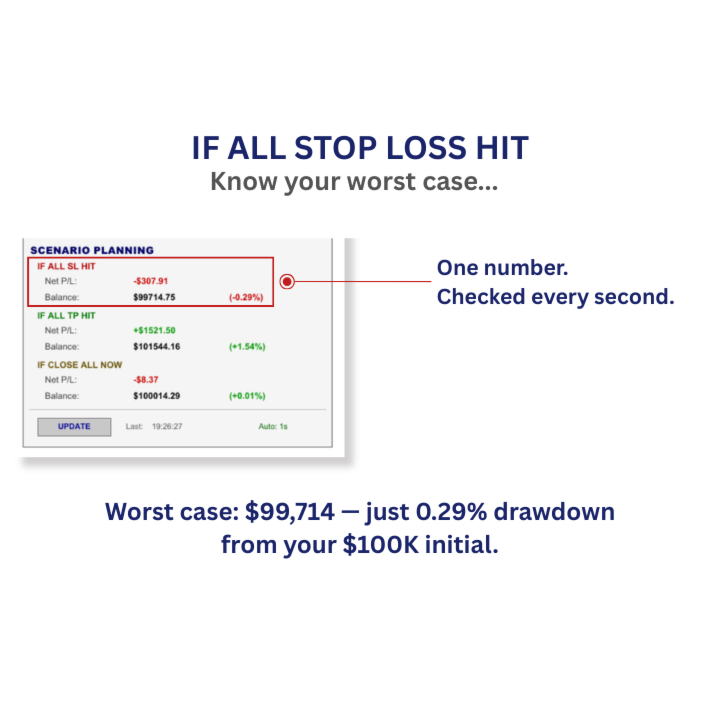
IF ALL STOP LOSS HIT
Your worst case.
One number tells you whether your current exposure is safe — or whether you need to act before the market decides for you.
You have a funded account with a 5% daily loss limit.
The panel shows:
IF ALL SL HIT — Performance: -3.8%
You are within your limit. You can hold with confidence.
If that number showed -5.2%, you would know instantly:
Your exposure exceeds your limit. Tighten a stop. Reduce a position.
The panel recalculates immediately.
No spreadsheets. No guessing.
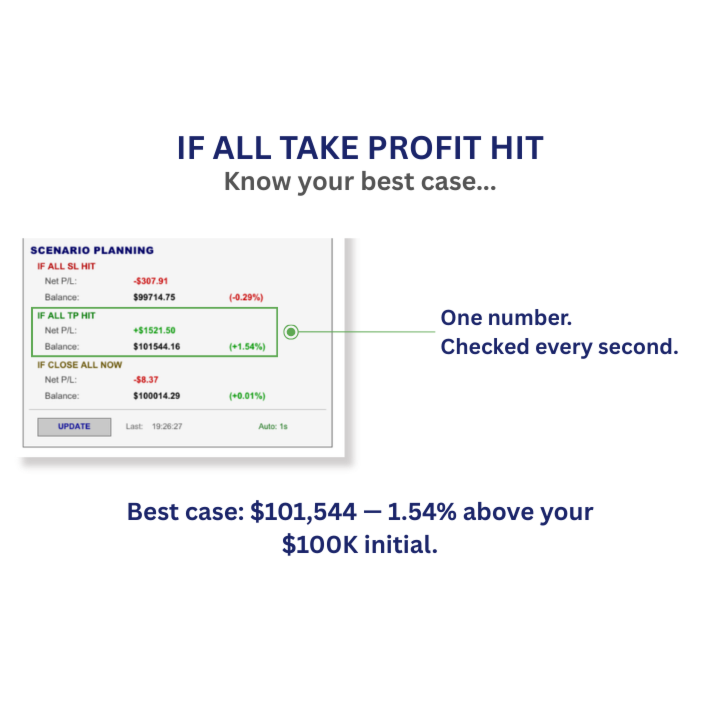
IF ALL TAKE PROFIT HIT
Your best case.
For traders working toward a specific target — a challenge phase, a weekly goal, a recovery plan — this tells you whether your current positions can get you there.
Your challenge requires 10% profit.
The panel shows:
IF ALL TP HIT — Performance: +12.3%
You don’t need 12.3%. You tighten one take profit for safety.
The panel updates instantly: +10.4%. You have a buffer. Even with slippage, you clear the target.
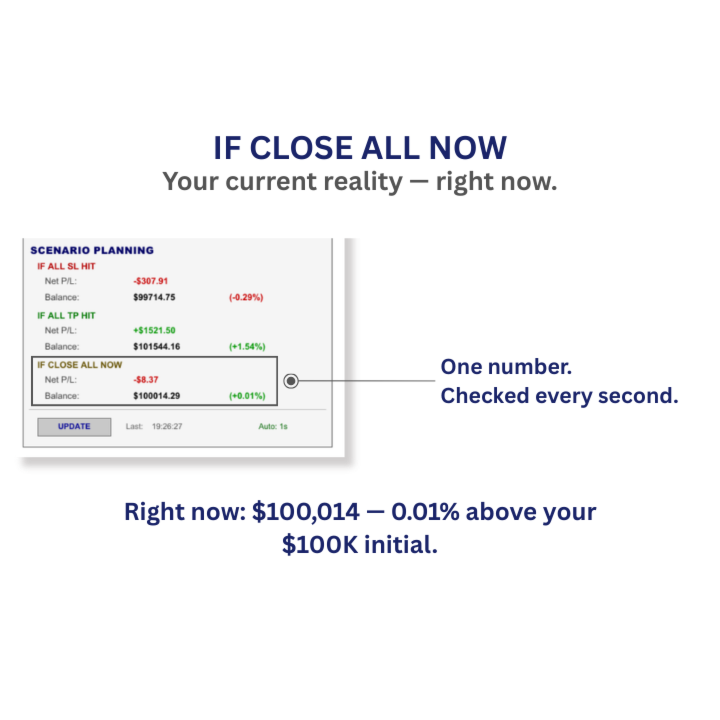
IF CLOSE ALL NOW
Your current reality.
What happens to your account if you close everything at the current market price, right now.
MT5 shows you floating profit in dollars — Session Overview goes further: it calculates your performance as a percentage of your initial account balance. That percentage is what matters when you are managing a drawdown limit or tracking a challenge target.
30 minutes before a major news event. Two positions open — one winning, one losing.
The panel shows:
IF CLOSE ALL NOW — Performance: +0.09% from initial balance.
You decide to lock in a positive day before volatility hits. That decision took two seconds because the number was already there.
True NET RESULT — Every Cost Included
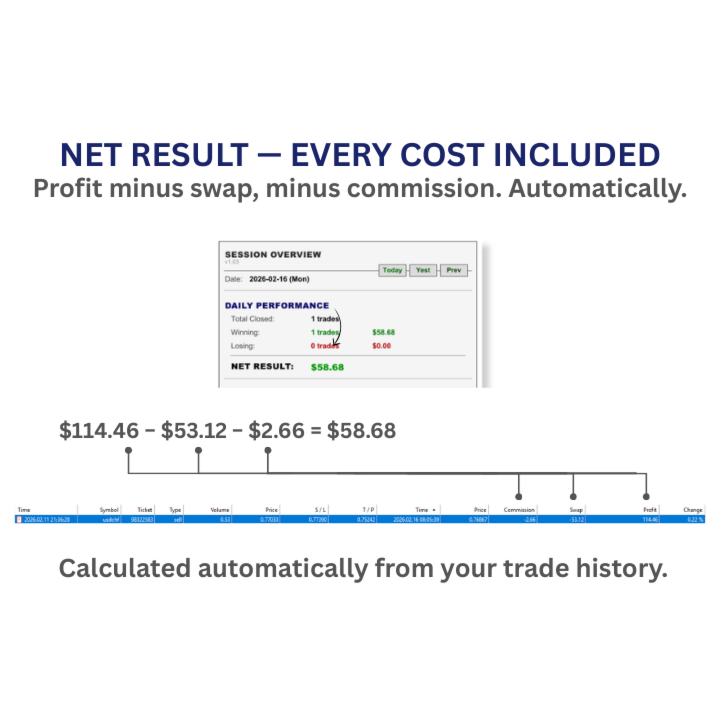
Every calculation in Session Overview includes commission and swap on every position.
When you see NET RESULT for your daily performance, that number reflects your real profit — not just the gross figure.
MT5 History offers two views: Deals and Positions. Each presents cost information differently. Session Overview combines all cost components into one number so you can see your true net result at a glance, without switching views.
A trade shows $114 profit in your history. Session Overview shows $58. The difference is $53 in overnight swap fees from holding over nights, plus commission. That is your real profit. Session Overview shows it automatically.
Daily Performance
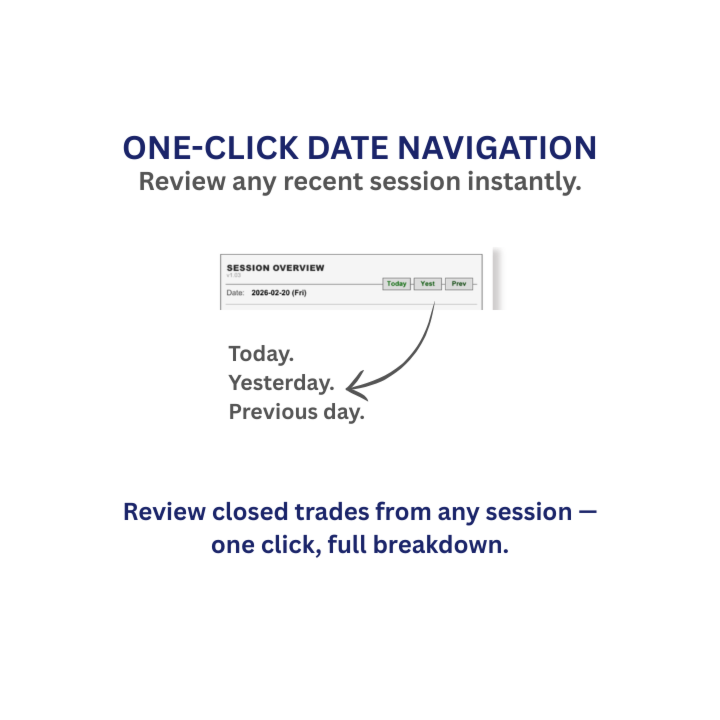
Closed trade results for today, yesterday, or two days ago — one click to switch. Winners, losers, and the number that matters most: Net Result.
You closed 4 winning trades and 3 losing trades today. Are you up or down?
Net Result gives you the answer in one number — for example, +$200 or -$90. No manual addition across your history tab. The total includes full commission and swap on every trade.
Account Snapshot
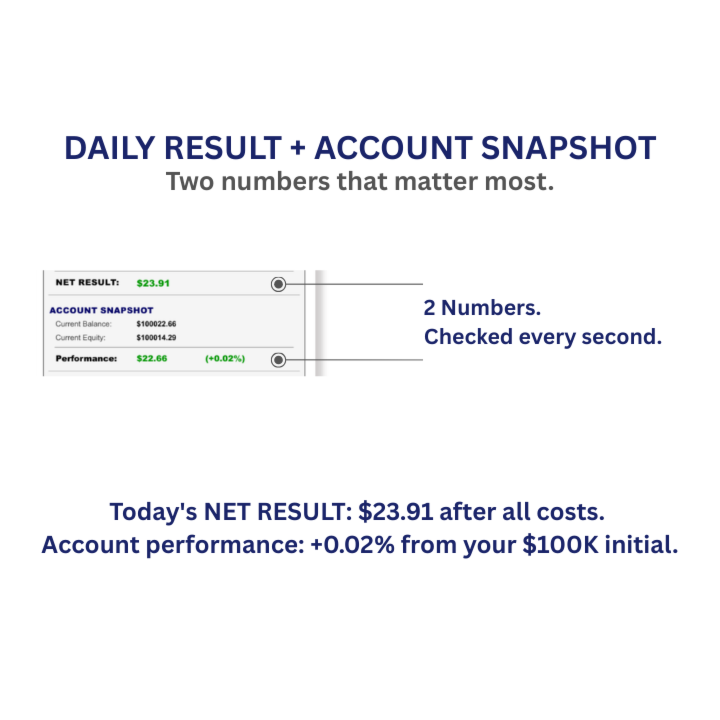
Your performance from your Initial Balance — in dollars and percentage, updated live with every tick.
MT5 shows your balance and equity. Session Overview shows what those numbers mean relative to where you started. Whether you are tracking a challenge target or monitoring drawdown over days, this is the number you check.
Who This Is For
- Prop firm traders managing daily drawdown limits on funded accounts
- Challenge phase traders tracking progress toward profit targets
- Discretionary traders running 2+ positions across multiple symbols
- Any trader who needs to see combined account risk — not just individual positions
Setup — 60 Seconds
- Attach to one chart — any symbol. Session Overview reads your entire account.
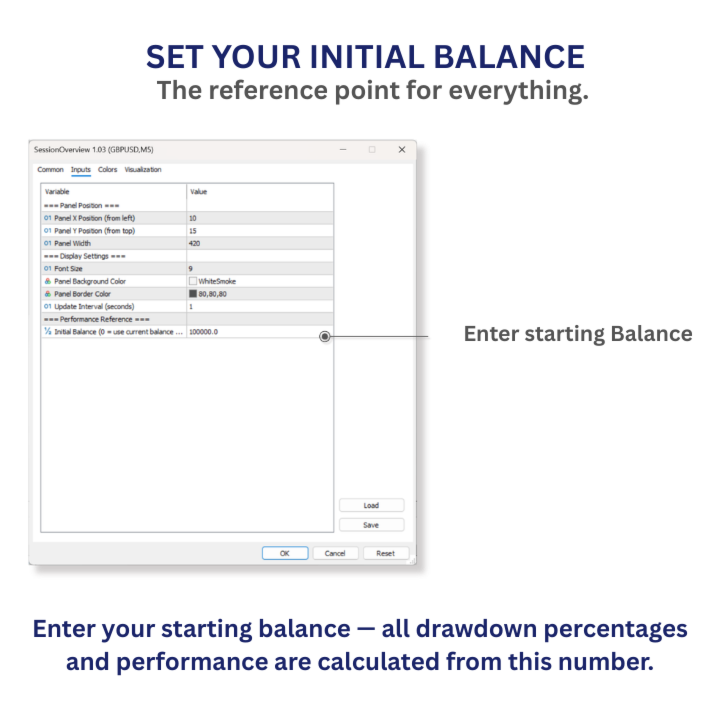
- Enter your Initial Balance (e.g., 100000 for a $100K funded account).
- Done. The panel updates every second. No interaction needed during trading.
What This Is Not
No signals.
No automation.
No trade execution.
Session Overview is a decision-support tool.
It shows you where your account stands — and where it is heading — based on your own positions, your own stop losses, and your own take profit levels.
You make the decisions.
This tool ensures you make them with full clarity.
Try It Free
Download the free demo and test it in the Strategy Tester. To see it live on your own charts with your own positions, rent it for one month.
Questions?
Use the Comments tab. We respond to every message.