Pro Manager EA
- Utilità
- Versione: 2.0
- Aggiornato: 21 gennaio 2026
- Attivazioni: 5

Pro Manager EA
What is Pro Manager EA?
The Advanced Pro Manager EA is a professional trade management Expert Advisor for MetaTrader 4 that does not open trades but provides comprehensive management of your existing open positions.
Key Features
- Multi-Instrument Management
- No need to load EA on multiple charts, works on just one
- Manages all trades across all currency pairs from a single chart
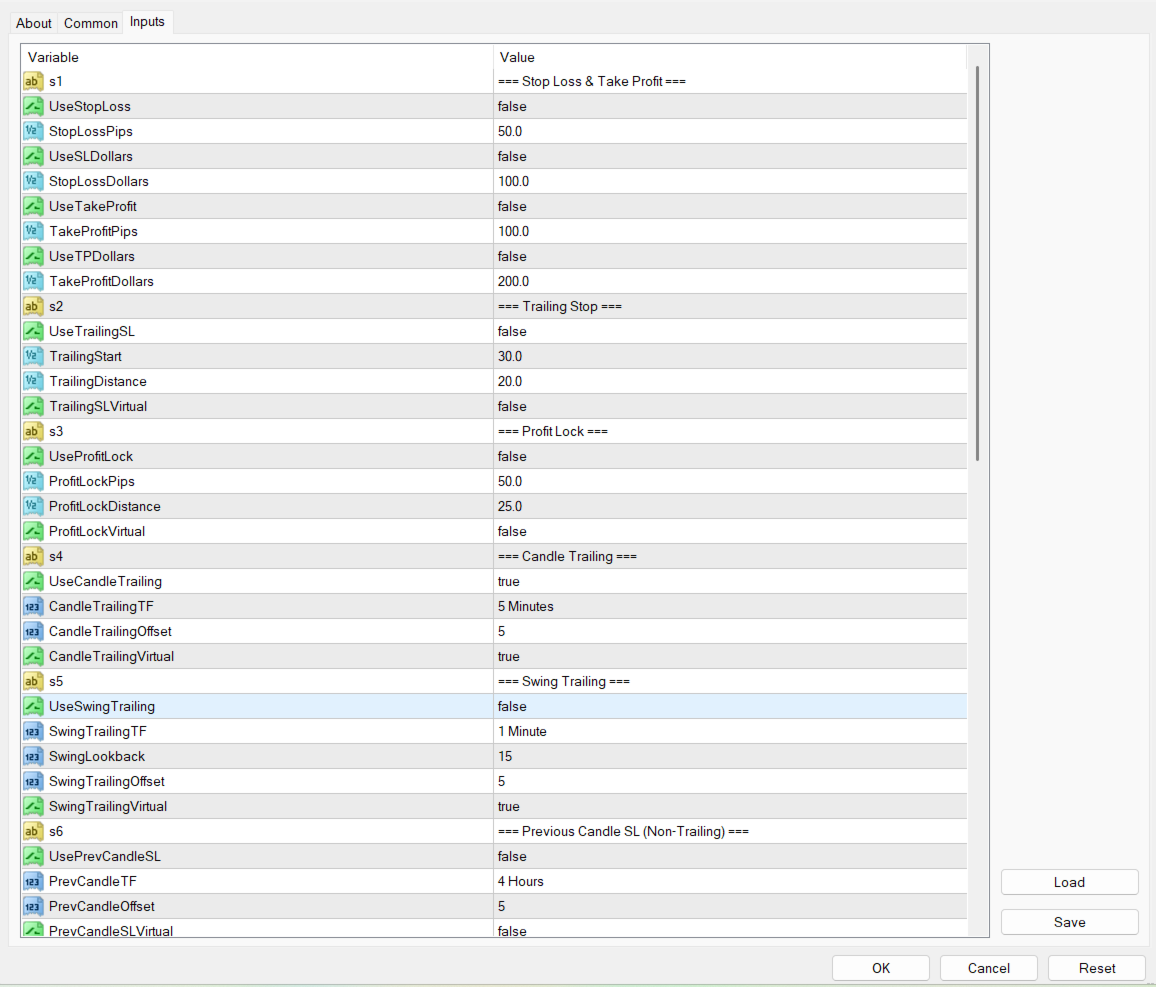
2. Multiple Exit Methods:
- Trailing Stop Loss - With start trigger and following distance
- Profit Lock - Locks in profit or breakeven at specified level
- Candle Trailing - Constantly moves stoploss to previous candle high for sell and previous candle low for buy
- Swing Trailing - Constantly moves stoploss to recent swing high for sell and recent swing low for buy
- Previous Candle SL - non-trailing, set once on previous candle high for sell or previous candle low for buy
- Swing High/Low SL - non-trailing, set once on recent swing high for sell or recent swing low for buy
3. Stop Loss & Take Profit:
- Traditional pip-based SL/TP
- Dollar-based SL/TP (risk/profit in monetary value)
- Virtual Stop Loss:
- Hide your stops from brokers while maintaining protection
- All trailing methods can be set as virtual to hide from broker
- Visual lines on chart show virtual SL levels
- EA monitors price and closes trade when virtual level is hit
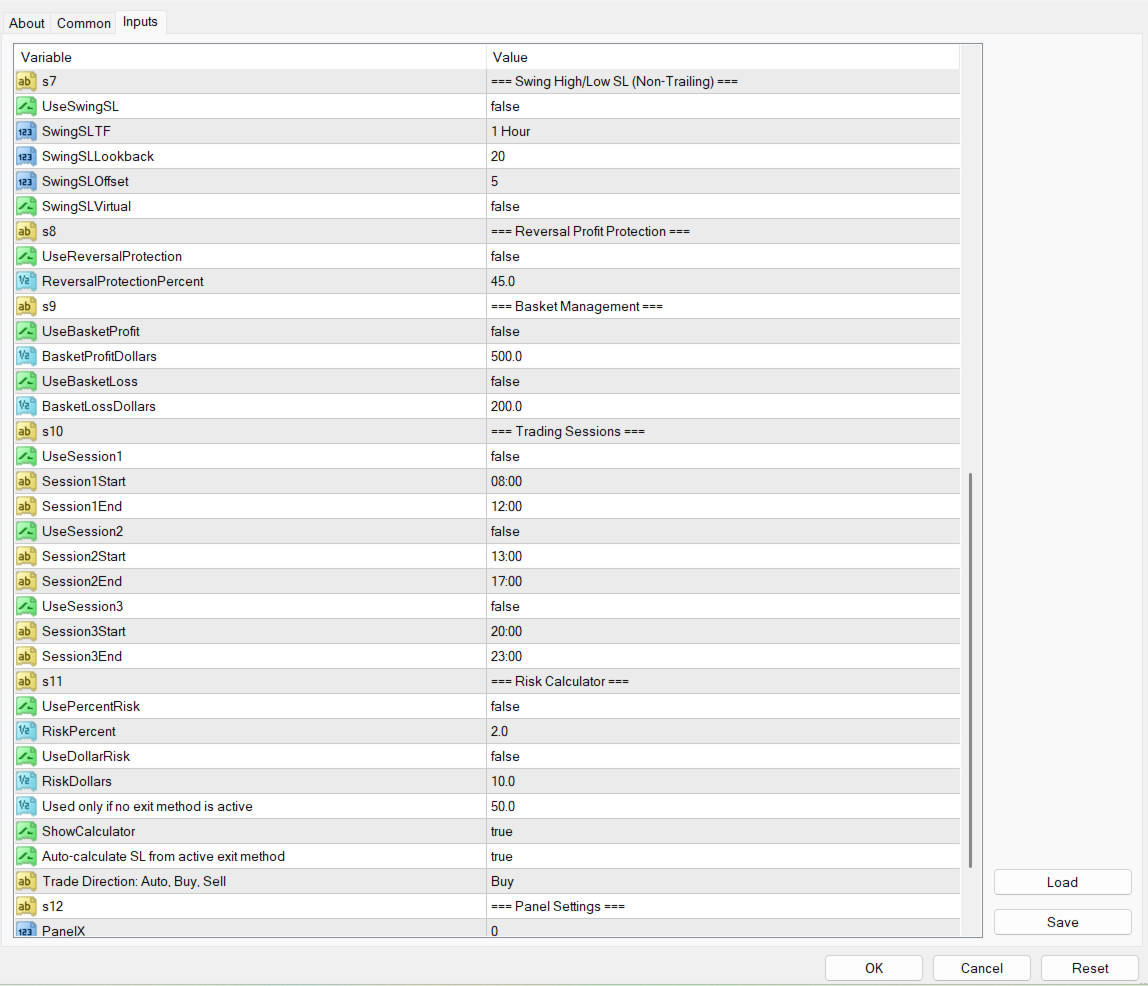
- Smart Risk Calculator:
· Calculates lot size based on dollar or percentage risk as per stop loss placement
- Reversal Profit Protection:
- Protects against giving back too much profit.
- Closes trades when a certain percentage “%” of profit is lost during pullbacks/retracement or reversal
- Basket Management:
- Manage total portfolio profit/loss targets
- Looks for all active trades on the different instruments and collectively close, if set amount is reached in dollars.
- Option to close on loss total or profit total
- Works even for a single trade
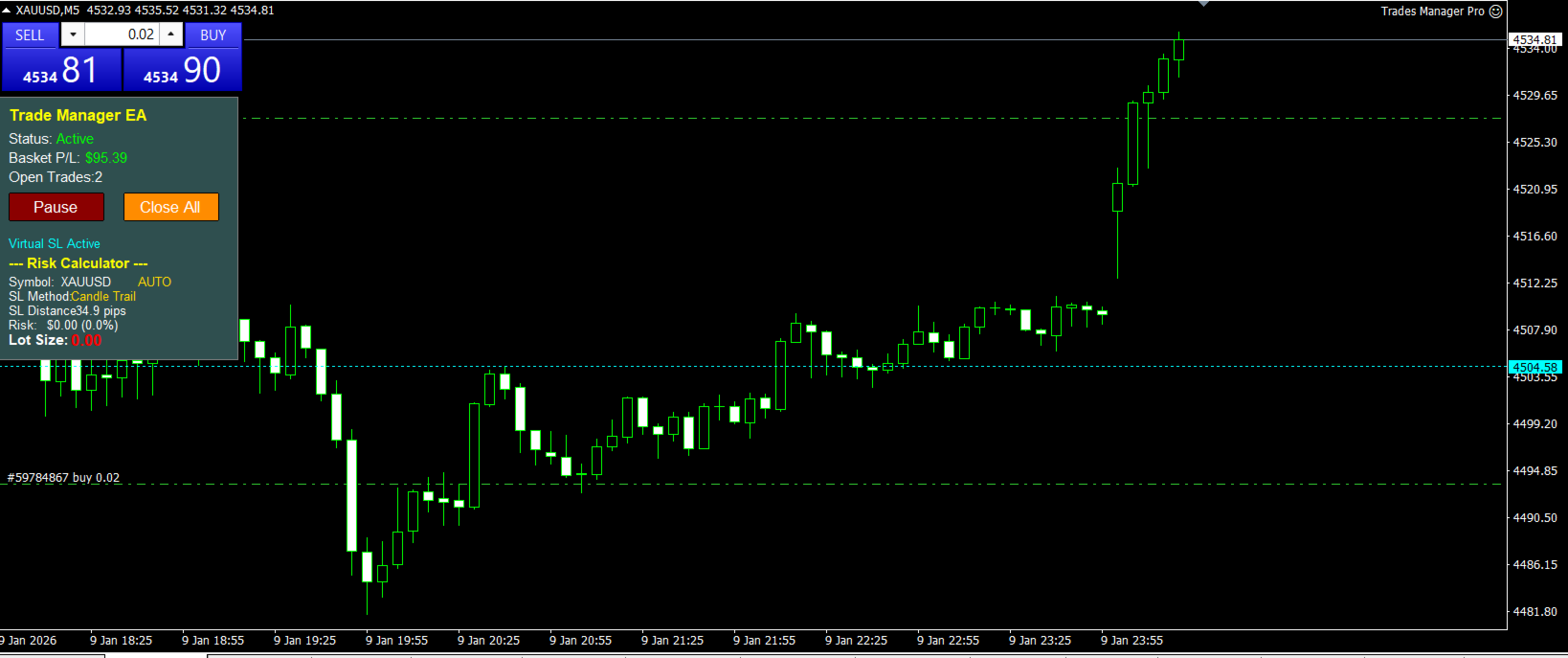
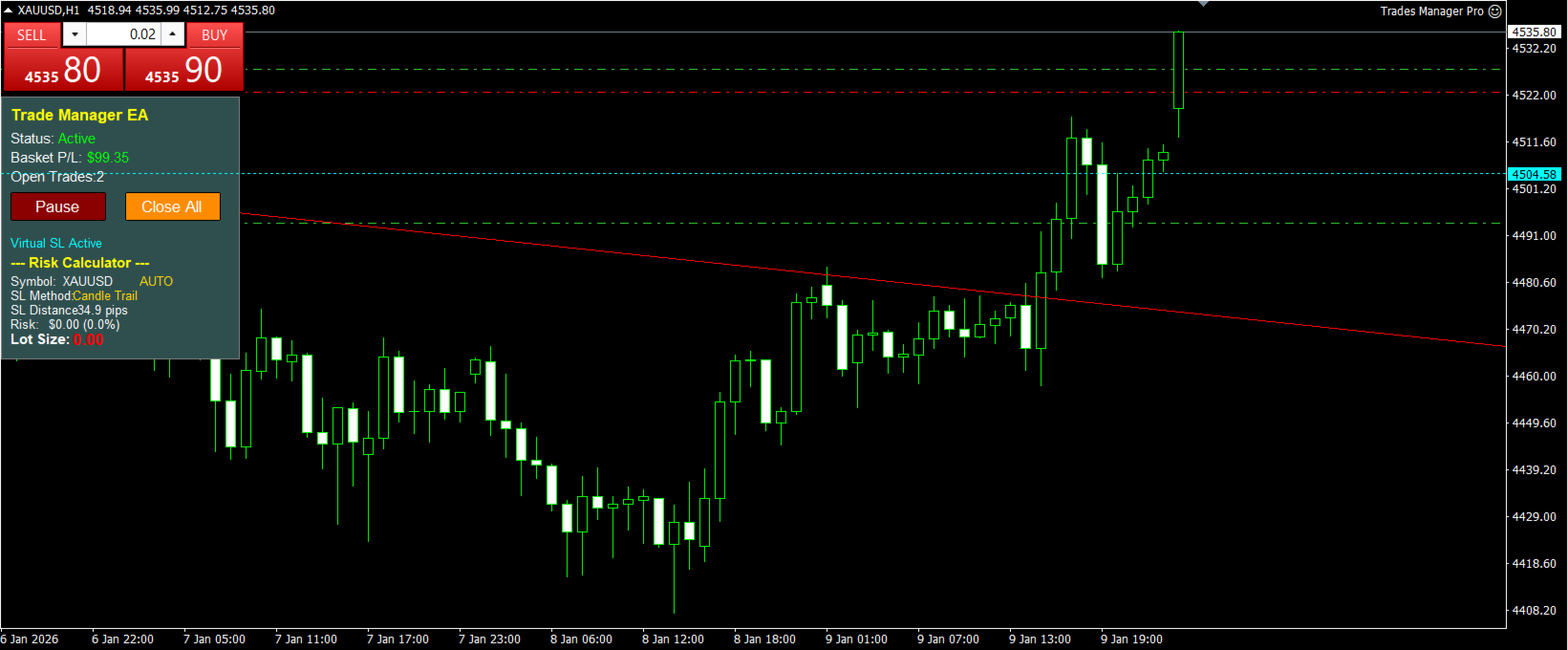
- Interactive Control Panel
- Pause/Resume button to stop management temporarily
- One Touch Close All button to exit all positions
- Real-time display of basket P/L
- Shows number of open trades
- Visual indicator when virtual SLs are active
Broker Type Recognition – automatic detection if broker is ECN or MM and information including leverage, account currency, etc…
How to Use:
- Attach the EA to your chart
- Configure the various stop loss methods via input parameters
- The EA will automatically manage any active trades on the chart symbol
- All levels will be displayed visually on the chart
Contact me for a User Manual once you have purchased.