TendencyLine
- Indicatori
- Versione: 1.20
- Aggiornato: 11 febbraio 2025

TendencyLine Indicator - Market Trend Analysis
General Description
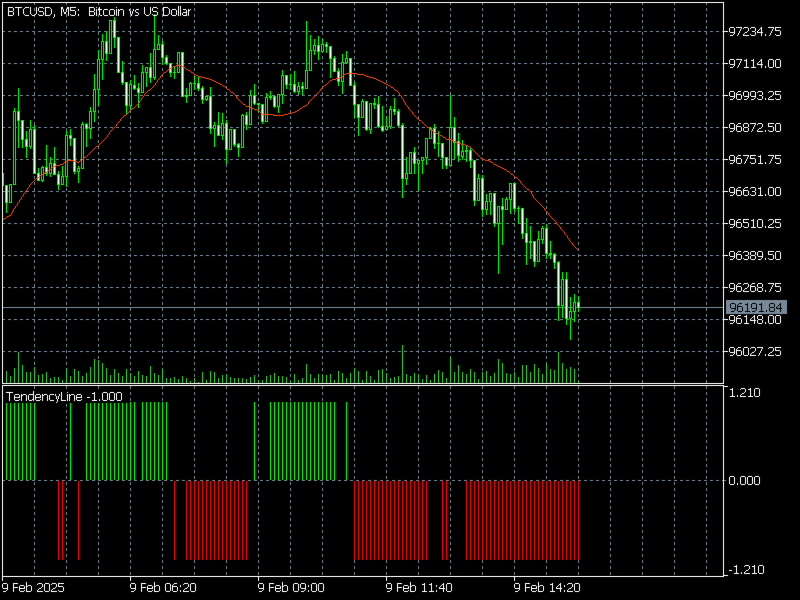
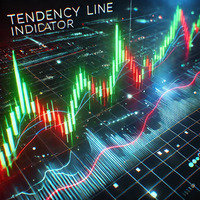
TendencyLine is a technical indicator to help traders identify the prevailing market trend. It overlays a trend line based on a user-selected moving average on the price chart and displays a colored histogram that signals the trend direction.Main Features
- Trend Identification: The indicator differentiates between bullish and bearish periods with colored histogram bars.
- Based on Moving Averages: Uses a user-configurable moving average to smooth price action and determine trend direction.
- Intuitive Visualization: Displays a histogram in the lower window of the chart, where:
- Green indicates an uptrend.
- Red signals a downtrend.
- Gray represents a sideways or undefined market.
How It Works?
- Moving Average Calculation: TendencyLine calculates the user-selected moving average based on closing prices.
- Comparison with Current Price: The indicator compares the candle’s high and low prices relative to the moving average.
- Histogram Generation: The histogram updates based on the price’s position relative to the moving average:
- Above the moving average → Bullish market (green bars)
- Below the moving average → Bearish market (red bars)
- Oscillating around the moving average → Indecisive market (gray bars)
Benefits of TendencyLine
- A tool developed for precise trend market analysis.
- Easy Trend Analysis – The color-coded histogram allows quick identification of market direction.
- Aids Decision Making – Can be used as a filter to avoid trading against the trend.
- Adaptable to Different Markets – Works in Forex, Cryptocurrencies, Stocks, and Indices.
How to Use It in Practice?
- Trend Confirmation: Use TendencyLine alongside other indicators such as RSI and MACD to confirm the trend.
- Stop-Loss Definition: A change in histogram color may indicate a potential reversal point.
- Identifying Entry and Exit Points: Wait for trend confirmations before opening or closing trades.