Array X Signal
- Indicateurs
-
Kantachart Bangngoen
 EMAiCloud — automated trading software
- Version: 2.2
- Mise à jour: 5 novembre 2026
- Activations: 10
Array X Signal — the entries of the whole Array gold family, on one chart.
One indicator, four signal sets, each with its own on / off button on the dashboard:
✔ Array — the entries of Array X Gold Flash: every entry of a basket, from the first one until the basket ends.
✔ Break 1 — the breakout entries of Array Breakout X Gold Scalp.
✔ Break 2 — the near breakout set of Array Breakout X Gold.
✔ Break 3 — the far breakout set of Array Breakout X Gold: the big break the market is heading for.
The entries are worked out the same way as in our EAs, and were checked against the EAs' own trades over ten years of real ticks.
What you see
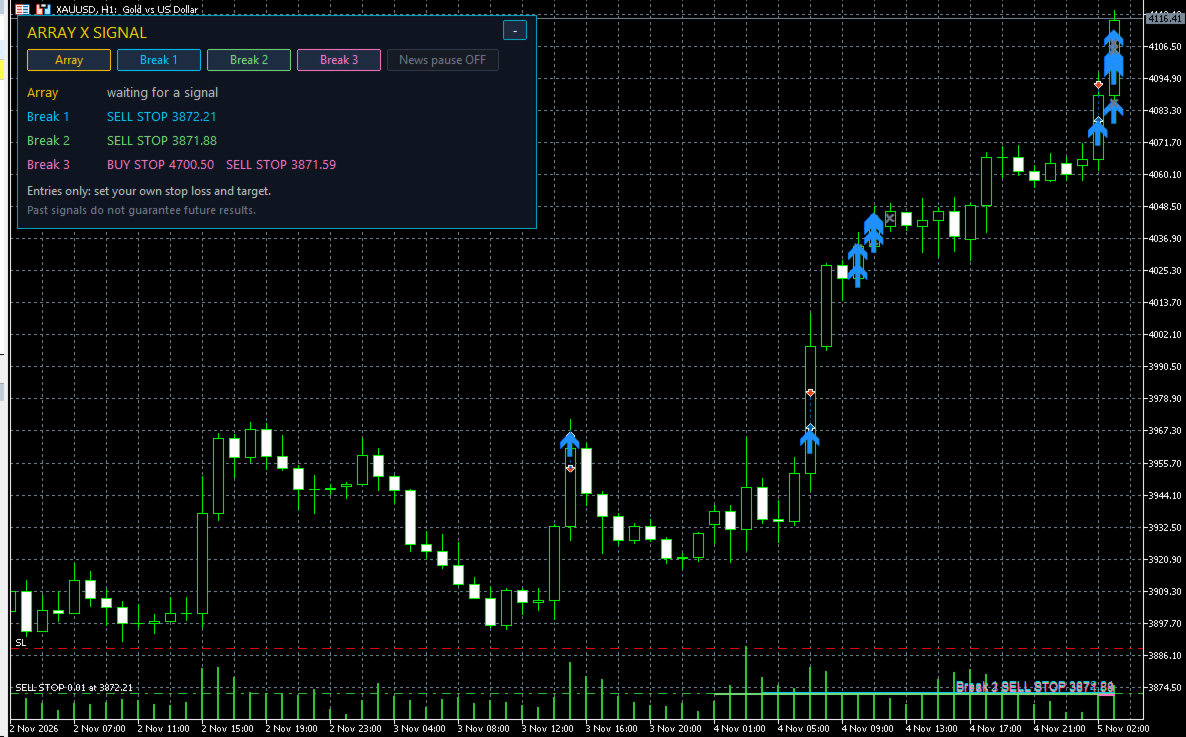
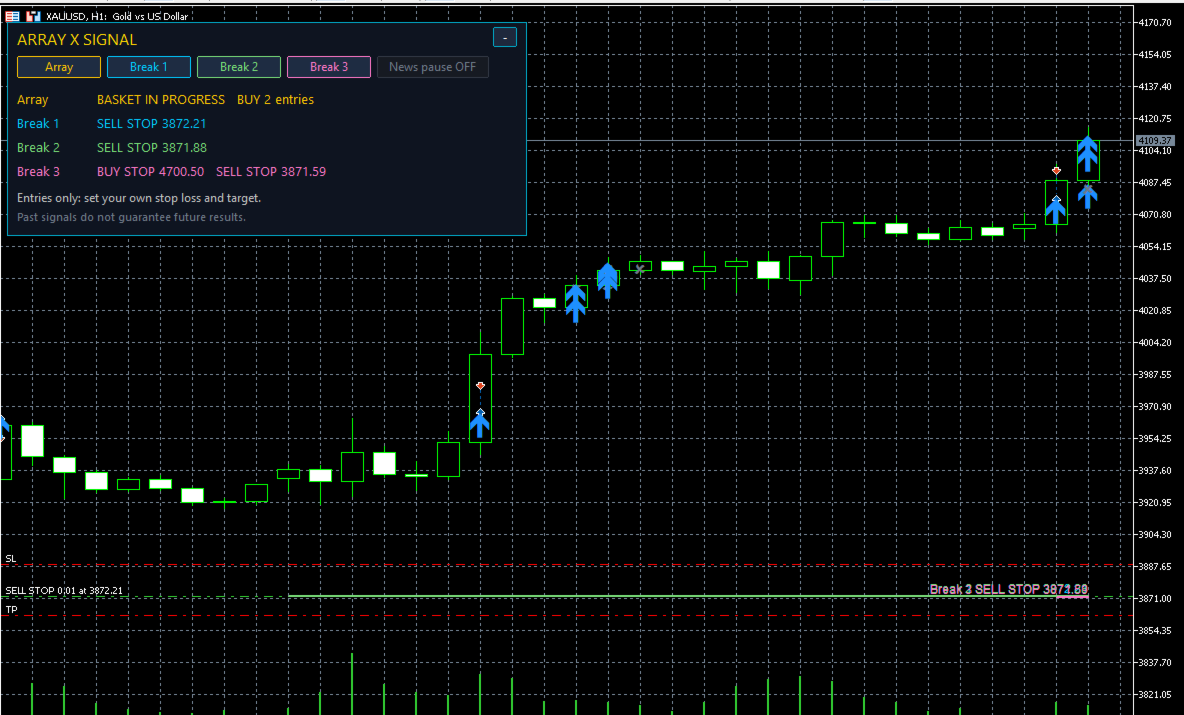
- The waiting orders of Break 1, 2 and 3 as lines on the chart: BUY STOP above, SELL STOP below.
- Every entry as an arrow (blue = buy, red = sell); for Array, also where each basket ended.
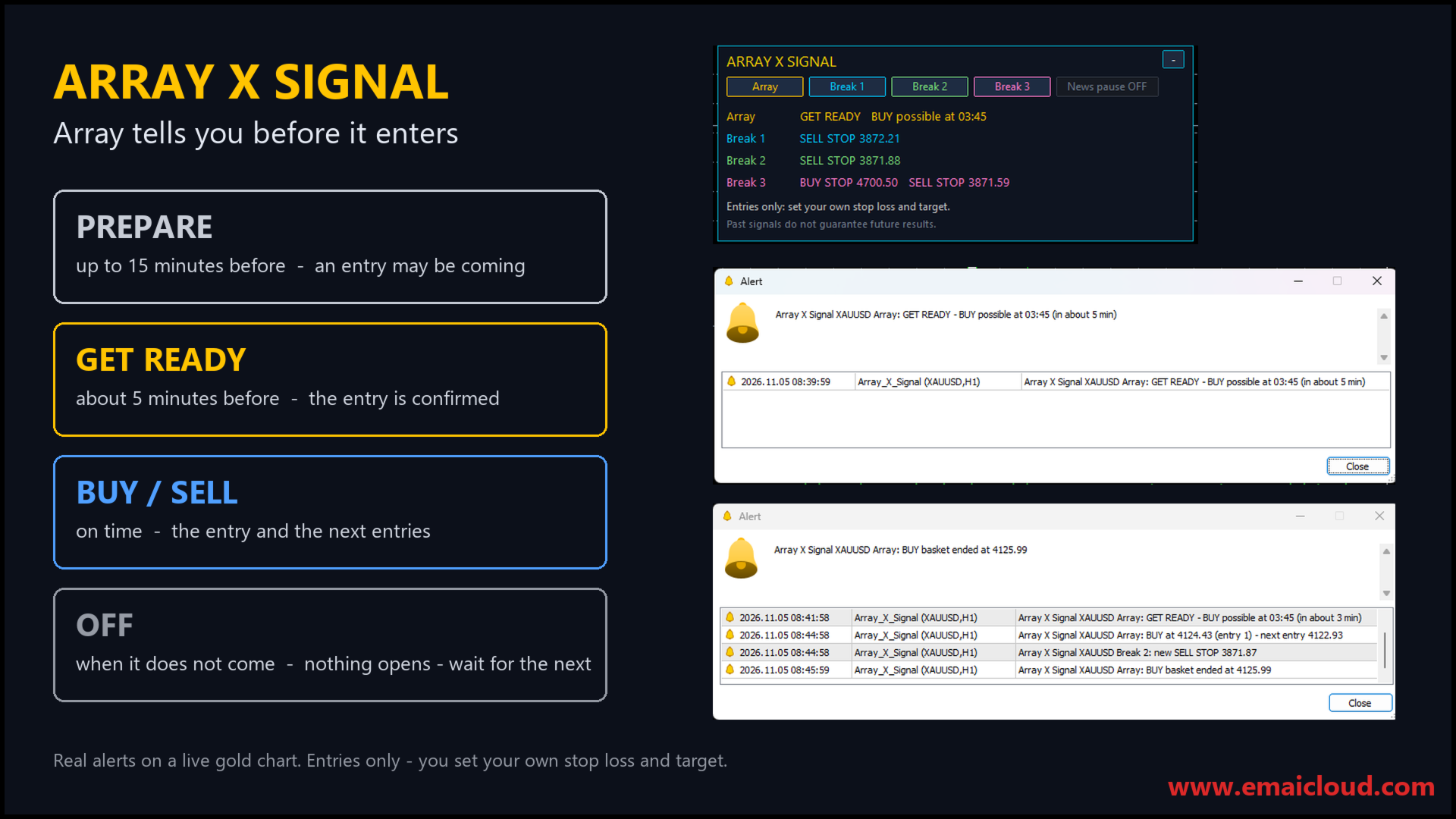
Array tells you before it enters
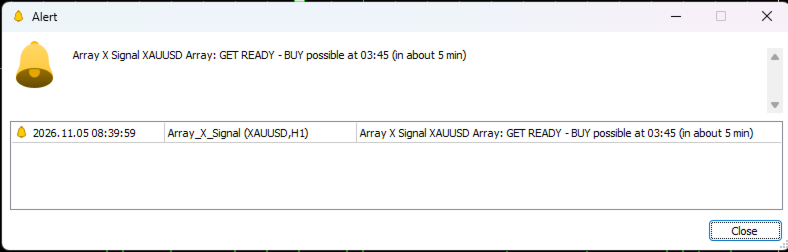
- PREPARE — up to 15 minutes before: an Array entry may be coming, and at what time.
- GET READY — about 5 minutes before: the entry is confirmed.
- OFF — when a prepared entry does not come, you are told: nothing opens, you simply wait for the next signal.
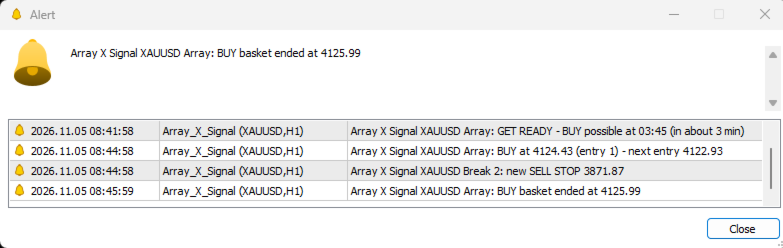
- Then the entry itself, and the price of every next entry of the basket, listed on the dashboard.
Waiting orders that no longer stand
When a Break 1, 2 or 3 order is withdrawn (it expired, a news pause, or the level moved), you get an alert: cancel that order too. If the price never reaches an order, nothing opens.
- About one month of past signals, drawn when you attach the indicator.
- A dashboard: what each set is doing now, the four on / off buttons and the news pause button. It folds away with one click.
Entries only — your plan
The indicator gives the entry. It shows no stop loss and no take profit and keeps no score: you manage each trade with your own plan and your own money management.
Study it first: run it in the Strategy Tester in visual mode and every entry of every set appears on the chart, trade by trade. Watch how the price moves after each signal and decide where your stop and target belong before you trade it live.
News pause
One button stands every set aside around major US releases, as our EAs do. Turn it off to see every signal.
Alerts
Pop-up with sound and push notifications to the MetaTrader app: PREPARE, GET READY and OFF for Array, a new or withdrawn waiting order, every entry, and the end of an Array basket. A set you switch off is silent.
Good to know
- Gold only (XAUUSD, GOLD and other names of gold). Any chart timeframe.
- The past month is drawn from the price bars your terminal holds; from then on every price is used as it comes.
- Prefer it fully automatic? The same strategies trade by themselves in our EAs:
Array Breakout X Gold https://www.mql5.com/en/market/product/200740
Array Breakout X Gold Scalp https://www.mql5.com/en/market/product/202398
Array X Gold Flash https://www.mql5.com/en/market/product/204209
Risk warning
Trading gold on margin carries a high level of risk. Signals, past or live, do not guarantee future results. This indicator is a software tool; it is not investment advice. Test it on a demo account first and trade only money you can afford to lose.