Rhino Dashboard Trade Panel MT4

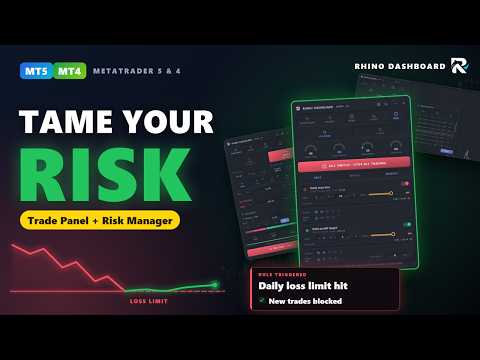
Rhino Dashboard Trade Panel est un panneau de trading et un gestionnaire de risque pour MetaTrader 4, conçu pour les traders manuels. Une barre supérieure et un seul panneau remplacent les fenêtres d'ordres. Un calculateur de taille de position transforme votre stop en volume, chaque ordre part avec ses sorties déjà planifiées, et une limite de perte journalière ainsi que des règles hebdomadaires et mensuelles surveillent tout le compte. Le panneau ne trade que lorsque vous cliquez. Ses règles peuvent bloquer les nouvelles positions ou fermer les positions lorsqu'une limite que vous avez choisie est atteinte.

Version pour MetaTrader 5 : Rhino Dashboard Trade Panel MT5
Manuel d'utilisation : Rhino Dashboard Trade Panel user manual
Télécharger la version démo: 7-Days Trial version

Barre supérieure : compte, prix et P/L

La barre supérieure longe le haut du graphique et montre l'état du compte d'un coup d'œil.

Compte
Le nom et la version du produit, un badge DEMO, LIVE ou TESTER, couverture ou compensation, et un avertissement avec la raison lorsque le trading est désactivé.

Symbole et prix
Cliquez sur le symbole pour ouvrir la liste de surveillance : cherchez n'importe quel symbole du courtier, mettez une étoile à ceux que vous utilisez et changez le symbole et l'unité de temps du graphique. À côté se trouvent Bid, Ask, le spread et la variation du jour.

Argent
Solde, fonds propres, marge, marge libre et niveau de marge.

Profits et pertes
Le P/L du jour, de la semaine, du mois et au total. Une petite jauge sous le jour, la semaine et le mois montre la part utilisée de sa règle de perte ou d'objectif.

Heure
L'horloge du serveur et le temps restant avant la clôture de la bougie. Cliquez pour voir les minuteurs de bougies, les sessions de Sydney, Tokyo, Londres et New York, les horloges serveur, locale et UTC, le prochain événement économique et le temps restant avant la clôture de la semaine.

Bouton Ce qu'il fait
Panel Affiche ou masque le panneau principal
Trades on chart Affiche ou masque les étiquettes de vos positions et ordres sur le graphique
Theme Passe du thème sombre au thème clair
Settings Langue, apparence, éléments de la barre supérieure, valeurs de trading par défaut, alertes, actualités et données
About La version et le compte sur lequel le panneau fonctionne
Remove Retire le panneau du graphique, après une confirmation

Panneau principal : New Order, Orders, News, Stats et Risk

New Order
Choisissez Buy ou Sell, la taille en lots, en argent ou en pourcentage du compte, et un ordre au marché, limite ou stop. Le travail est réparti en cinq sous-onglets. Order est le calculateur de taille de position : fixez le SL et le TP en prix ou en pips, ou laissez le TP suivre le SL selon un ratio gain/risque, et lisez le volume, le risque, le gain et la marge avant d'envoyer. Exits planifie jusqu'à quatre niveaux de clôture partielle, chacun pouvant déplacer le SL. Auto contient le break-even avec un déclencheur et un verrouillage, et le stop suiveur en quatre modes : continu, nouvelle barre, par paliers et ATR. Grid place un panier d'ordres avec un SL et un TP communs et montre le pire cas. More contient le glissement, le spread maximal, le numéro magique, le commentaire, l'expiration et les protections de l'ordre. Une boîte de trade sur le graphique montre les mêmes niveaux, et vous pouvez les faire glisser.

Orders
Positions liste les trades ouverts avec leur P/L, le risque ouvert et la marge ; modifiez, fermez ou consultez un trade, ou fermez tout, seulement les gagnants ou seulement les perdants. Pendings liste les ordres en attente, avec supprimer et tout supprimer. History montre les trades clôturés avec un filtre par période, symbole, sens, résultat et numéro magique, un résumé avec le facteur de profit et un export CSV.

News
Un calendrier économique issu du calendrier intégré de MetaTrader pour aujourd'hui, demain ou la semaine. Filtrez par impact et par devise, ou reprenez les devises du graphique ou de la liste de surveillance. Pour chaque événement, vous pouvez activer une alerte sonore, une ligne sur le graphique et la protection news, qui limite le trading autour de la publication. Le prochain événement affiche un compte à rebours.

Stats
Vos statistiques de trading. Calendar est un calendrier mensuel des P/L : cliquez sur un jour pour lister ses trades. Analysis filtre par période et par session et propose trois vues : les trades avec export, un résumé avec le taux de réussite, l'espérance, le drawdown maximal, achats contre ventes et les séries, et des graphiques de la courbe de solde et des résultats par jour, semaine, mois et session.

Risk
Des jauges pour la perte journalière, l'objectif journalier, le drawdown et le risque ouvert, et l'arrêt d'urgence (kill switch), qui ferme tout et bloque les nouveaux trades. P/L Rules fixe une limite de perte et un objectif de gain pour le jour, la semaine et le mois, en argent ou en pourcentage, chacun avec un seuil d'avertissement, des notifications (fenêtre, son, alerte, e-mail, push) et ses actions : bloquer les nouveaux trades, fermer les positions, supprimer les ordres en attente ou désactiver l'expert. Limits fixe le risque par trade, le volume et le spread maximaux, la marge libre minimale, le nombre de trades par jour et par semaine, une pause après une série de pertes, un arrêt après une série de gains, les heures et jours de trading, un blocage pendant les news et une clôture le vendredi.

À propos de Rhino Dashboard et de RhinoQuant

RhinoQuant est le nom sous lequel je crée des outils de trading pour MetaTrader 4 et MetaTrader 5, destinés aux traders qui prennent leurs propres décisions : les outils aident à planifier, mesurer et analyser un trade, et ils ne tradent jamais à votre place. Rhino Dashboard est né d'un constat simple : la plupart des traders connaissent leurs règles, mais les respecter dans un marché rapide est la partie difficile. Ainsi, les limites que vous fixez dans un moment de calme sont tenues par le panneau quand la journée tourne mal, et chaque refus nomme la règle qui a arrêté le trade. Les fenêtres sont dessinées avec la propre bibliothèque graphique de RhinoQuant, et les règles de risque sont vérifiées par un programme de test automatique dans le testeur de stratégie.

Trading réel et testeur de stratégie

Partie Graphique réel Testeur de stratégie
Panneau, calcul de la taille, ordres, sorties Oui Oui, en mode visuel ; les valeurs se règlent avec des boutons de pas
Règles de risque et limites Oui Oui, sur l'heure du testeur
Calendrier économique Oui Non, le testeur n'a pas de calendrier
Push et e-mail Oui, s'ils sont activés dans le terminal Non

Le testeur de stratégie rejoue des données historiques : ce que vous y voyez est une simulation, pas des résultats de trading réel.

Prise en main

Placez le panneau sur n'importe quel graphique et autorisez le trading algorithmique. Ouvrez Risk et fixez votre limite de perte journalière et les limites souhaitées. Dans New Order, choisissez la taille selon le risque, fixez le SL et le TP, ajoutez les sorties et appuyez sur Send. Suivez ensuite le trade dans Orders et le résultat du jour dans la barre supérieure. Tous les réglages se font dans le panneau et sont enregistrés par compte : ils sont conservés après un redémarrage et un changement de symbole ou d'unité de temps.

Questions, support et avis

Ouvre-t-il des trades tout seul ? Non. Il envoie uniquement les ordres que vous confirmez, et n'agit seul que pour le plan de sortie d'un trade et pour les actions de risque que vous avez activées. Les comptes en couverture et en compensation sont pris en charge ; la grille nécessite la couverture. Le panneau est disponible en anglais, russe, chinois et espagnol.

Si vous trouvez un bug ou avez une idée, écrivez dans l'onglet Commentaires de ce produit ou envoyez-moi un message privé sur mql5.com. Je lis chaque message, et vos demandes orientent les prochaines versions. Si le panneau vous est utile, un avis sur cette page aide les autres traders à décider et me montre ce qu'il faut améliorer.
Produits recommandés
Description: Please tick "Show object descriptions" in chart properties to enable hrays views That utility converts a trendline into a horizontal ray known as tool for drawing supply and demand zones. Simply create a trendline on a chart and once selected, it will get converted. Ray remains horizontal while dragging.  Quick ray plot: press "R" key to create horizontal ray. It will be snapped to the nearest OHLC value Further versions will be improved. For feature request please post new comm
Smartility
Syed Oarasul Islam
This utility is designed to help you with your Manual Trading. It allows different ways of closing trades. It can display total number of BUY and SELL orders individually and also their individual profits. It can enter trades without stopl loss and take profits. However upon selecting UseStopLossTakeProfit from the settings it can use best possible stop loss and take profits based on the market conditions. Upon selecting the CloseOppositeTrades  from the settings it can close opposite trades. Fo
ScalpingOne
Xian Er Sha Ao
Scalping Day Trading Support Utility Scalping One for MT4 setting faile (for white Chart)    http://www.emkyuradias.shop/indexenglish.html One position is displayed with one button. View P & L, Lot, and Point in real time. It is possible to switch the display of positions of only chart currencies and all currency pairs.   Supports automatic identification in Japanese and English   Account currency notation corresponds to dollar, euro, pound, yen (automatic identification) Lot, take profit and
Niveaux automatiques de seuil de rentabilité En   utilisant   cet   outil ,   v ous pouvez activer le déplacement automatique du SL, lorsque le trade atteint un profit souhaité.  Particulièrement   important   pour   les   traders   à   court terme   .   L'option de décalage est également disponible: une partie du profit peut être protégée. Outil multifonction : 66+ fonctionnalités, incluant cet outil  |   Contactez-moi  si vous avez des questions  |   Version MT5 Processus d'activation de la f
CoPilot dashboard MT4
Frederic Jacques Collomb
CoPilot — Tableau de bord de trading journalier Connaissez vos chiffres. Tradez avec clarté. MT5 version Qu'est-ce que CoPilot ? CoPilot est un assistant de trading de niveau professionnel qui affiche en temps réel toutes vos statistiques de performance journalière directement sur le graphique — avec une courbe d'équité live qui se met à jour trade par trade. Conçu pour les traders actifs qui ont besoin d'une visibilité instantanée sur leur session sans quitter le graphique, CoPilot agrège chaqu
Program Overview: This program is a trading tool designed to monitor and analyze the 7 major currency pairs. It is a variant of a similar program used for tracking stock indices, but this version focuses on the seven major currency pairs. The program helps in identifying and calculating significant price movements (gaps) between the high and low prices of these currency pairs over a specified time frame. It then provides insights through comments and alerts based on the calculated gaps. Major Cu
Trade panel manual is a multifunctional trading assistant. It allows you to open market and pending orders in one click. Value is set via button menu edit or deleted by specific buttons pending orders and the value of take profit and stop loss in one click. Through the edit menu of the button, a value is set that can be easily changed by simply moving level_tp lines for take profit or stop loss levels and for pending orders. It is possible to select orders and determine for them and set the leve
Risk Commander
Adisorn Soodkanueng
Product Name: Risk Commander: Trade Assistant & Strategy Simulator Risk Commander is more than just a trade panel—it is a complete Manual Trading Ecosystem . It serves two powerful purposes: Live Assistant: Helps you execute trades with speed, precision, and perfect risk management in real-time markets. Training Simulator: Fully compatible with the Strategy Tester (Visual Mode) , allowing you to practice manual trading on historical data without risking a cent. NEW! Built-in Simulator Mode Stop
TSTrendLineSymbol
Salvatore Labriola
Utility, which draws buy or sell trendlines, which can also become support or resistances able to close any position on the screen Algorithm that calculates the gain of the position, at the touch closure of the line.   The benefits you get: Works on forex and CFD, timeframe from M1 to Weekly. Easy to use screen control panel. Audible warning messages at the touch of the line. Easy to use.
Easy Virtual Trader
Anoop Sivasankaran
4.89 (9)
Setup Easy Virtual Trader > Input your Rules > You are ready to trade from mobile or another EA or anywhere....Let robot manage your Trades !  This powerful EA will help you manage ALL or SPECIFIC trades automatically based on your PRE-SET rules and settings Once it is setup and running on just one chart, you don't need to monitor your orders anymore, the software will keep watching and control your orders with your predefined rules You can trade from your desktop MT4 or from your mobile appli
Technical Trend Analysis Panel
AL MOOSAWI ABDULLAH JAFFER BAQER
Technical Trend Analysis Panel – Master the Market Trends with Precision! Are you tired of juggling multiple indicators and struggling to interpret trend signals? The Technical Trend Analysis Panel is your ultimate solution! This powerful MT5 utility simplifies trend analysis by bringing all essential indicators into one sleek, easy-to-read panel. Whether you're a beginner or a pro trader, this tool ensures you never miss a trend reversal or continuation again! What is the Technical Trend Analy
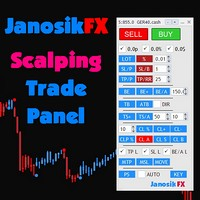
The Best One Scalping Trade Panel functional manual trade panel with risk reward, auto SL by candle ( original solution), lot size calculation, one-click trading, scale in and out of trades (partial close),  Works with all symbols not just currency pairs, perfect works on DAX, NASDAQ, GOLD, ...... I earn every day during live stream on ZakopiecFX - join Me Risk by lot Risk by percent SL by points SL by Candle, Renko, RangeBar ( original solution) TP by point TP by Risk/Reward Auto Trailing by P
AnyChart MT4
Irek Gilmutdinov
AnyChart is a multifunctional tool allowing you to work with non-standard charts in MetaTrader 4. It includes collector of ticks and generator of charts for trading (hst files) and testing (fxt files). Supported chart types are second, tick and renko ones. Settings Starting Date - start date for chart plotting. Ending Date - end date for chart plotting. Chart Type - chart type: Time - time chart, each bar contains a certain time interval; Tick - volume chart, each bar contains a certain number
VR Cub
Vladimir Pastushak
VR Cub est un indicateur permettant d'obtenir des points d'entrée de haute qualité. L'indicateur a été développé pour faciliter les calculs mathématiques et simplifier la recherche de points d'entrée dans un poste. La stratégie de trading pour laquelle l'indicateur a été rédigé prouve son efficacité depuis de nombreuses années. La simplicité de la stratégie de trading est son grand avantage, qui permet même aux traders débutants de négocier avec succès avec elle. VR Cub calcule les points d'ouve
Bienvenue sur Trade Manager EA, l’outil ultime de gestion des risques conçu pour rendre le trading plus intuitif, précis et efficace. Ce n’est pas seulement un outil d’exécution d’ordres ; c’est une solution complète pour la planification des trades, la gestion des positions et le contrôle des risques. Que vous soyez débutant, trader expérimenté ou scalpeur ayant besoin d’une exécution rapide, Trade Manager EA s’adapte à vos besoins, offrant une flexibilité sur tous les marchés, des devises et i
Easy Trade Executor est un outil de calcul rapide du volume, d’exécution d’ordres et de gestion des positions pour MT4. Placez directement les niveaux de Prix d'entrée, Stop Loss et Take Profit sur le graphique, obtenez automatiquement le volume adapté à votre risque et ouvrez vos trades en quelques clics seulement. Pourquoi choisir Easy Trade Executor ? Easy Trade Executor a été conçu pour les traders qui recherchent bien plus qu’un simple calculateur de risque. Ils veulent gérer leurs trades
An  MT4 Expert advisor for finding Break-Even point of open position, especially grid or hedge orders. also, you can close all open orders, or delete all pending orders , and set your desire Take Profit how far from Break Even point. All traders that using Grid strategy, or Hedge strategy should use this ea. it shows you break-even point by drawing a line and also automatically set your Take profit and stop loss.
VTB High Watermark Drawdown Lock EA for MT4 Advanced Equity Protection & Drawdown Management System VTB High Watermark Drawdown Lock is a professional risk management Expert Advisor designed to protect trading accounts, funded accounts, and proprietary trading challenges from excessive drawdown. Unlike traditional drawdown protection systems that calculate risk from the initial account balance, this EA uses a dynamic High Watermark (HWM) model that continuously protects both your original capita
SL InfoPanel
Sergei Lopukhov
SL InfoPanel is an information panel that displays operational trading information on the current instrument. The panel contains the following information: The first column: The fixed profit for the specified period of time and the percentage of this profit to the current deposit (the time period is configured in the "Account History"). The value is colored blue if there is a profit and red if there is a loss. Open Long orders (number of lots/number of orders). Open Short orders (number of l
You can change the time period of the chart at the touch of a button. You can also change multiple charts at the touch of a button. You can also change multiple charts at the touch of a button, saving you the trouble of changing time periods. We are live-streaming the actual operation of the system. https://www.youtube.com/@ganesha_forex We do not guarantee your investment results. Investments should be made at your own risk. We sharll not be liable for any disadvantage or damage caused by th
VN Trade Panel II
Vyacheslav Nekipelov
4 (1)
The new version of the trading panel, which now has the ability to separately close Buy and Sell orders, display targets for all orders on the chart, as well as the ability to use the panel to trade with brokers working on the FIFO rule. Also, the new version adds option buttons for separate management of open orders. It has a convenient visualized interface and intuitive control without a lot of additional tabs to which traders have to be distracted and switch their attention. Thanks to this,
"Auto FIBO Pro" Crypto_Forex indicator - est un excellent outil auxiliaire dans le trading ! - L'indicateur calcule et place automatiquement sur le graphique les niveaux de Fibo et les lignes de tendance locales (couleur rouge). - Les niveaux de Fibonacci indiquent les zones clés où le prix peut s'inverser. - Les niveaux les plus importants sont 23,6 %, 38,2 %, 50 % et 61,8 %. - Vous pouvez l'utiliser pour le scalping inversé ou pour le trading en grille de zones. - Il existe également de nombr

Panel "panel_kjutaMultiTerminal" for trading. Opens, modifies, closes and deletes trading and pending orders from the chart using virtual lines, buttons and the active information terminal. Automatically opens an order by indicator levels. Hints in Russian, English or disabled. It has a number of functions for trailing virtual Take Profit lines and limit orders. Displays information on the active information terminal.  Hides and includes virtual lines S/L , T / P, buttons "<>","M","X", as well a
TradePilot
Hossein Khalil Alishir
TradePilot Expert Advisor (EA) for MetaTrader 4 TradePilot is a professional and user-friendly Expert Advisor (EA) for MetaTrader 4 (MT4) . It simplifies automated trading , risk management , and trade execution using a smart trading panel . Perfect for beginners and experienced traders looking for a reliable trade manager EA with automated lot size calculation . Key Advantages User-Friendly Trading Panel: Customizable panel with buttons and hotkeys. Smart Risk Management: Supports percen
Extra Time Bar
Mostafa Saad Saeed Shawara
Barre de temps supplémentaire / Extra Time Scale Bar MT5 version est un outil conçu pour améliorer votre trading en vous permettant d'ajouter une barre de temps personnalisée à vos graphiques. Avec cet outil, vous n'êtes plus limité à l'heure du serveur uniquement : vous pouvez configurer le graphique pour qu'il affiche n'importe quel fuseau horaire de votre choix, comme votre heure locale, l’heure moyenne de Greenwich ou toute autre. Caractéristiques de la barre de temps supplémentaire : 1.
Complete Trade Panel for the No Nonsense Forex method: This panel encapsulates almost all things you will need to execute your own NNFX algorithm, helping you trade even faster and easier. It has 3 parts: Symbol Panel Switch to any symbol in your charts quickly by pressing its name. Additional information can be displayed in the panel: currently open trades , correlation of those trades with other symbols (except if their stop loss is in breakeven or positive) and upcoming news (next daily candl

It is so very disappointing when the price does not have enough points to achieve Take Profit and makes a reversal. This EA sets virtual levels near the TakeProfit levels. This EA sets virtual levels next to TakeProfit orders. If these levels are reached by price, breakeven or trailing stop is applied for an order. Features This EA does not set new orders. The aim of this EA is to manage stop losses of existing orders that are set by another EA or manually (magic number equals 0). For correct w
Vector Local Copier MT4 EA
Sotirios Apostolos Adaloglou
Most trade copiers give you forty features and a forty-page manual. Vector Local Copier gives you the copying that actually matters done reliably, set up in a minute, and protected by safety logic most copiers simply don't have. It mirrors trades from one master terminal to any number of slave terminals on the SAME Windows PC or VPS, MT4 to MT4, MT4 to MT5, or MT5 to MT4. No cloud, no DLLs, no external servers, no account passwords leaving your machine. Just fast, faithful local copying. W
Here   our more valuable tools SMC Trend Trading   ,  Easy SMC Trading  ,  Institutional SMC Architect Volume Analysis Tools  ,  Volume flow Profile  ,  Market volume profile  , FVG with Volume  , Liquidity Heatmap Profile  ,  Volume Spread Analysis       MT5 VERSION   TRADE COPIER Select Role: On the account sending trades, choose Sender (Master Account) . On the account receiving trades, choose Copier (Receiver Account) . Lot Size Mode: Same Lot Size as Master: Ignores multipliers, copies ex
Noize Absorption Index MT4
Ekaterina Saltykova
5 (1)
Noize Absorption Index - is the manual trading system that measures the difference of pressure between bears forces and bulls forces. Green line - is a noize free index that showing curent situation. Zero value of index shows totally choppy/flat market.Values above zero level shows how powerfull bullish wave is and values below zero measures bearish forces.Up arrow appears on bearish market when it's ready to reverse, dn arrow appears on weak bullish market, as a result of reverse expectation. S
Les acheteurs de ce produit ont également acheté
The product will copy all telegram signal to MT4   ( which you are member  ) , also it can work as remote copier.  Easy to set up, copy order instant, can work with almost signal formats, image signal, s upport to translate other language to English Work with all type of channel or group, even channel have "Restrict Saving Content", work with  multi channel, multi MT5 Work as remote copier: with signal have ticket number, it will copy exactly via ticket number. Support to backtest signal. How to
Trade Indicator Assistant is a powerful MT4 utility designed to turn indicators into automated trading systems. Its main feature is the ability to automatically detect an indicator’s   BUY and SELL signal buffers , without requiring you to know the buffer numbers, search through indicator settings, or modify the indicator source code. Bonus Indicator: After purchasing Trade Indicator Assistant, contact me to receive Trade Signal Pro completely free as a bonus indicator. [Download Demo Version]
Telegram to MT4 Multi-Channel Copier   copie automatiquement les signaux de trading de vos canaux Telegram et Discord directement vers MetaTrader 4. Pas de bots, pas d'extensions de navigateur, pas de copie manuelle. Un signal arrive sur Telegram ou Discord et l'EA ouvre le trade dans votre terminal en quelques secondes. Et avant de copier un canal, le backtester intégré vous montre ce que ce canal aurait fait sur votre compte. Le produit comprend deux composants : une application Windows qui éc
Unlimited Trade Copier Pro is a tool to copy trade remotely to multiple MT4, MT5 and cTrader accounts at different computers/locations over internet. This is an ideal solution for you if you are a signal provider and want to copy your trades to other receivers globally on your own rules. One provider can copy trades to multiple receivers and one receiver can get trade from multiple providers as well. The provider can even set the subscription expiry for each receiver, so that receiver will not b
Riskless Pyramid
Snapdragon Systems Ltd
5 (1)
Introduction This powerful MT4 trade mangement EA offers a way potentially to aggressively multiply trade profits in a riskfree manner. Once a trade has been entered with a defined stoploss and take profit target then the EA will add three pyramid add-on trades in order to increase the overall level of profit. The user sets the total combined profit target to be gained if everything works out. This can be specified either as a multiple of the original trade profit or as a total dollar amount. Fo
The FFx Hidden Manager panel will help you to manage easily your orders directly on the chart. Below all features described: TP, SL and TrailingStop are hidden Each order has its own lines on chart Drag & Drop any line to change the TP/SL as per your need Option to move automatically the SL line at breakeven when TP #1 is reached Option to choose the TP/SL type (by pips or price) Option to choose the TrailingStop type (by pips, MA, Fractals, PSAR or ATR) Define which order(s) you want to manage
FFx Risk Calculator panel will help you to calculate very easily your trades size, SL or the risk directly on the chart. All features are described below: Option to select which parameter to calculate: Risk, Stop Loss or Lot Size The panel will show if the lot size is allowed according to the current account free margin Button to maximize/minimize the panel Drag and Drop the panel anywhere on the chart How to use it? Select the parameter you want to be calculated. It will be based on the 2 other
Trade Copier Pro
Vu Trung Kien
4.29 (14)
Trade Copier Pro is a tool to copy trade remotely to MT4, MT5 and cTrader accounts at different computers/locations over internet. This is an ideal solution for you if you are a signal provider and want to copy your trades to other receivers globally on your own rules. One provider can copy trades to multiple receivers and one receiver can get trade from multiple providers as well. The provider can even set the subscription expiry for each receiver, so that receiver will not be able to receive t
News Trader Pro
Vu Trung Kien
4.38 (16)
News Trader Pro is a unique robot that allows you to trade the news by your predefined strategy. It loads every piece of news from several popular Forex websites. You can choose any news and preset the strategy to trade it, and then News Trader Pro will trade that news by selected strategy automatically when the news comes. News release gives opportunity to have pips since the price usually has big move at that time. Now, with this tool, trading news becomes easier, more flexible and more exciti
FFx Watcher PRO
Eric Venturi-Bloxs
The FFx Watcher PRO is a dashboard displaying on a single chart the current direction of up to 15 standard indicators and up to 9 timeframes. It has 2 different modes: 1. Watcher mode: Multi Indicators User is able to select up to 15 indicators to be displayed User is able to select up to 9 timeframes to be displayed 2. Watcher mode: Multi Pairs User is able to select any number of pairs/symbols User is able to select up to 9 timeframes to be displayed This mode uses one of the standard indicat
NickZ Tool
Nicolas Zouein
This is a must have tool for a serious trader. It saves your precious time spent for opening/closing trades, creating pending trades and modifying your TP/SL in bulk according to either pips or price. If you need to quickly open several pending orders (Buy Stop, Sell Stop) at a certain distance from each other, this script will do all the routine for you! The first time you use this handy tool, you will realize it has already paid for itself. Instructions: Drag and drop this script onto a chart.
The product combines a manual trade panel with the ability to perform actions automatically in a highly configurable way. Actions include capturing indicator values and then based on those values raising alerts, open/close or partially close trades, scale-in, setting up pending orders, adjusting stop loss, take profit and more. On-chart controls can be configured, such as tick boxes and buttons, so can be fully interactive. The EA also handles money management, news events, hidden stop loss, tak
Binary Options Copier Remote is an EA that allows to copy binary options trades between MT4 accounts at different computers. This is an ideal solution for signal provider, who want to share his trade with the others globally on his own rules. Provider can give free bonus license to 10 receivers. That means those 10 receivers can copy from provider by using Binary Options Receiver Free (no cost). From 11th one, receiver have to buy Binary Options Receiver Pro (paid version) in order to copy from
This panel is very simple to use and it is a very ally to manage your positions and orders. Also you can modify your risk, writing in fields directly on Panel. One click on buttons and the operation on market is done! Operations possible: BUY/SELL Break Even Split (close 50% all orders) Close All positions Hedging (opens reverse positions to cover) Close only BUY positions Close only SELL positions Close All pending orders Reverse all positions Please watch the video to verify the very simple u
Slow Pips OCO Trade Panel is an advanced trading panel for placing pending orders. Traders can use this panel to place two pending orders at once. One pending order would be of buy entry type and the other one would be of sell entry type. Both orders will have Stop Loss and Take Profit parameters. Since two pending orders are placed at the same time, the pending order for which the price hits first gets converted into a market order and the other pending order gets deleted (one order cancels the
This indicator changes the timeframe and chart profile for multiple charts. If you dispatched many charts (10~20 or more) in single MetaTrader terminal, it is very boring and difficult work to manage the timeframe and chart profile individually. If the indicators you use in a chart are numerous and the setting values are different from the default one, you might give up adding all the indicators to all charts. The changing of timeframes on multiple charts has the same problem, too. Whenever you
The Price Action Dashboard is an innovative tool to help the trader to control a large number of financial instruments. This tool is designed to automatically suggest signals and price conditions. The Dashboard analyzes all major Time Frame suggesting price action conditions with graphic elements. The Dashboard can suggest you the strength of the trend identifying directional movement, it is an indispensable tool for those who want to open position themselves using market trends identifiers. The
Elliott Wave Counter est un panneau pour le balisage manuel rapide et convivial des vagues d'Elliott. On peut sélectionner une couleur et un niveau de marques. Il existe également des fonctions pour supprimer le dernier balisage et tout le balisage effectué par l'outil. Le balisage se fait en un clic. Cliquez cinq fois - ayez cinq vagues ! Elliott Wave Counter sera un excellent instrument à la fois pour les débutants et les analystes professionnels des vagues d'Elliott. Guide d'installation et d
If you wish to draw Support and Resistance lines, view: daily market opening, classical pivot levels, Fibonacci pivot levels, trend lines, Fibonacci levels, the remaining time to candle closing, and current spread. If you seek to place your orders with the exact lot that meets your desired stop loss risk. If you wish to do all this and more with just one click, then this is the perfect tool to use. This tool will allow you to feel more relaxed when deciding to open orders, as well as predicting
L'outil d'analyse en un clic est un       création d'objet basée sur un raccourci clavier       et outil de copie pour MetaTrader. Il facilite l'utilisation des outils d'analyse dans MetaTrader en un seul clic. Avec notre outil, vous pouvez rapidement dessiner des niveaux de support et de résistance, des niveaux de Fibonacci, des formes, des canaux, des lignes de tendance et tous les autres objets de votre graphique. Cliquez simplement sur le bouton, déplacez la souris et l'outil d'analyse en un
Partial Close Expert   est un outil qui combine de nombreuses fonctionnalités en un seul système automatisé. Cet EA peut aider les traders à gérer leurs positions plus efficacement en offrant de multiples options pour gérer les risques et maximiser les gains potentiels. Avec Partial Close Expert, les traders peuvent définir une       fermeture partielle       niveau pour verrouiller les bénéfices, un       stop suiveur       niveau pour protéger les profits et limiter les pertes, un       seuil
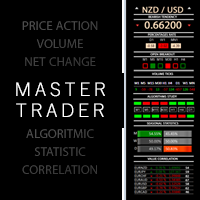
Master Trend Dashboard is a new generation indicator, compact, light and efficient. Each element of this Dashboard is designed to return specific signals as: Price Action, Breakout, Net Change (performance of the instrument), algorithmic studies, correlations and statistical calculations. This tool will change your way of trading allowing you to receive important information. See the Graphic Signals to understand every single signal below: Graphic Signals Symbol name and arrow color Green = Cur
Trade Copier Agent est conçu pour copier des transactions entre plusieurs comptes/terminaux MetaTrader(4/5). Avec cet outil, vous pouvez agir en tant que fournisseur (source) ou récepteur (destination). Toutes les actions de trading seront copiées du fournisseur vers le récepteur sans délai. Cet outil vous permet de copier des transactions entre plusieurs terminaux MetaTrader sur le même ordinateur avec des vitesses de copie ultra-rapides inférieures à 0,5 seconde. Guide d'installation et d'ent
Unlimited Binary Options Copier Remote is a powerful tool to copy binary options trades remotely between multiple accounts at different locations over internet. This is an ideal solution for signal provider, who want to share his binary options trades with the others globally on his own rules. One provider can copy trades to unlimited receivers and one receiver can get trade from unlimited providers as well. The provider can set the subscription expiry for each receiver, so that receiver will no
This is an Expert Adviser use for manual trading as a background EA or combine with external EA to open orders. Loss Recovery Trading is one of your options to handle the lose positions instead of using stop loss by setting a zone recovery area and target to exit the turn rounds sequence. How It Work? If the market goes against your first positions direction at the specific of losing points, the EA will open an opposite direction position with calculated larger lot size and also keep the first
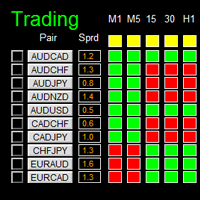
如果产品有任何问题或者您需要在此产品上添加功能,请联系我 Contact/message me if you encounter any issue using the product or need extra feature to add on the base version. Dashboard Super Candle is an intuitive, and handy graphic tool to help you to: Have 28 pairs under control with one dashboard. Monitor candle direction, identify possible price movement and trend. Provide trading signals based on the candle direction selected by you. Automatically manage order once signal are generated. Have the ability to select which p
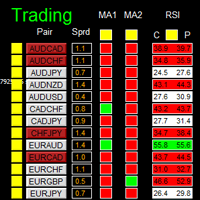
如果产品有任何问题或者您需要在此产品上添加功能,请联系我 Contact/message me if you encounter any issue using the product or need extra feature to add on the base version. There is Demo version of this panel Dashboard Super MA RSI CCI Demo in my product list, pls try it out to get familiar with all functionalities free . Dashboard Super MA RSI CCI is an intuitive, and handy graphic tool to help you to: Have 28 pairs under control with one dashboard Monitor price movement, identify possible trend based on MA, RSI, and CCI i
如果产品有任何问题或者您需要在此产品上添加功能,请联系我 Contact/message me if you encounter any issue using the product or need extra feature to add on the base version. Dashboard Super Currency Strength is an intuitive, and handy graphic tool to help you to: Have 28 pairs under control with one dashboard. Monitor price movement, identify possible trend based on currency strength gap of two currency on 3 timeframe. Provide trading signals based on the CSM (currency Strength Meter) selected. Manage order automatically onc
Dax Scalping Bracket is a new generation Expert Advisor Panel. This a very professional tool for SCALPING. The usability makes this tool an excellent ally for FAST operations of SCALPING on Index instruments and Forex market. The main feature of this EA is the ability to open multiple operations with a single click. Each position is autonomous and you can set different take profit and stop loss for each position. Special functionalities: STOP MOVE to manage your stop chasing the price BREAK EVEN
Great for scalper/intraday weapon for your ease daily trading. Scalper weapon will suit's you for any trading condition, whether it's intraday / scalper this tool is important for you which providing the missing function on the native MT4 platform. You have to check Allow Auto Trading by pressing Ctrl+O, going to Expert Advisors tab, and checking " Allow automated trading" . also to ensure the " auto trading " is green. Input Parameters _MINIMIZED_AT_START: to chose whether the panel is minimiz
Plus de l'auteur
Rhino Chart Drawing Tools fournit un flux de travail de dessin de type TradingView pour MetaTrader 4. Il comprend 54 outils de dessin , une barre d'outils personnalisable, les Favoris, des styles rapides, les paramètres des objets, des modèles et un gestionnaire d'objets. Manuel utilisateur : Comment utiliser le produit Version démo gratuite : Télécharger la démo Version MetaTrader 5 : Rhino Drawing Tools pour MT5 Outils de dessin Groupe Liste des objets Lignes Ligne de tendance, rayon, ligne
Rhino Chart Drawing Tools pour MetaTrader 5 Rhino Chart Drawing Tools offre une expérience de dessin similaire à TradingView pour MetaTrader 5. Il comprend 54 outils de dessin, une barre d'outils personnalisable, des favoris, des styles rapides, des paramètres par objet, des modèles et un gestionnaire d'objets. Outils de dessin Lignes Ligne de tendance, rayon, ligne étendue, ligne horizontale, ligne verticale, rayon horizontal, ligne croisée, angle de tendance, flèche, chemin, polyligne et ligne
Rhino Trade Manager est un gestionnaire de trades pour MetaTrader 5 qui fonctionne sur les graphiques en temps réel et dans le Testeur de Stratégie en mode visuel. Vous placez et gérez les ordres dans le testeur avec le même panneau que sur un compte réel, de sorte que le backtesting manuel sur données historiques et le trading réel se font avec un seul outil. Il s'adresse aux traders discrétionnaires qui ont besoin d'un calcul de la taille de position selon le risque, de niveaux de Stop Loss et
Rhino PDF Trade Report — Exportez votre historique de trading MT5 en PDF Transformez l'historique des transactions de votre compte MetaTrader 5 en un rapport PDF clair et prêt à imprimer. Sélectionnez une plage de dates, un nombre de transactions ou un symbole pour générer un rapport structuré destiné à votre journal de trading, à l'analyse des performances, aux rapports destinés aux investisseurs ou à l'archivage. Résumé des performances La première page présente un résumé de vos résultats de t
FREE
Rhino PDF Trade Report — exportez votre historique de trading MT4 en PDF Transformez l'historique de votre compte MetaTrader 4 en un rapport de trading  PDF  net et prêt à imprimer, en un clic. Lancez le script, choisissez une plage de dates ou un nombre de transactions, et obtenez un document que vous pouvez envoyer à un investisseur, joindre à une candidature en prop firm, remettre à votre comptable ou conserver comme journal de trading. Ce que vous obtenez Page 1 — vue d'ensemble des perf
FREE
Rhino Backtest Manager - panneau de gestion des trades pour le trading réel et le testeur de stratégies Rhino Backtest Manager est un panneau de gestion des trades qui fonctionne aussi bien en trading réel que dans le testeur de stratégies de MetaTrader 4. Il permet de placer et de suivre des ordres manuellement à l'intérieur du testeur avec la même interface que sur un compte réel, de sorte qu'une stratégie peut être vérifiée sur des données historiques puis tradée sans changer d'outil. Le pan
Rhino Dashboard Trade Panel est un panneau de trading et un gestionnaire de risque pour MetaTrader 5 , conçu pour les traders manuels. Une barre supérieure et un seul panneau remplacent les fenêtres d'ordres. Un calculateur de taille de position transforme votre stop en volume , chaque ordre part avec ses sorties déjà planifiées, et une limite de perte journalière ainsi que des règles hebdomadaires et mensuelles surveillent tout le compte. Le panneau ne trade que lorsque vous cliquez. Ses règles
Filtrer:
Aucun avis
Répondre à l'avis