QuantMultiSymbolHunter
- Experts
- Version: 1.22
- Mise à jour: 2 août 2026
- Activations: 5

A trend-following EA with an embedded machine-learning filter
No martingale No grid No repaint
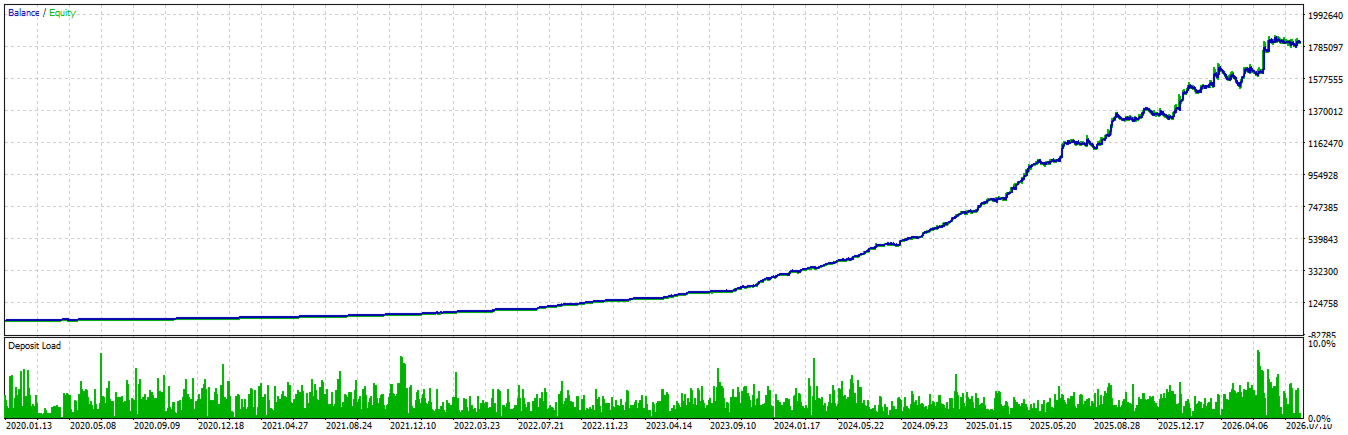
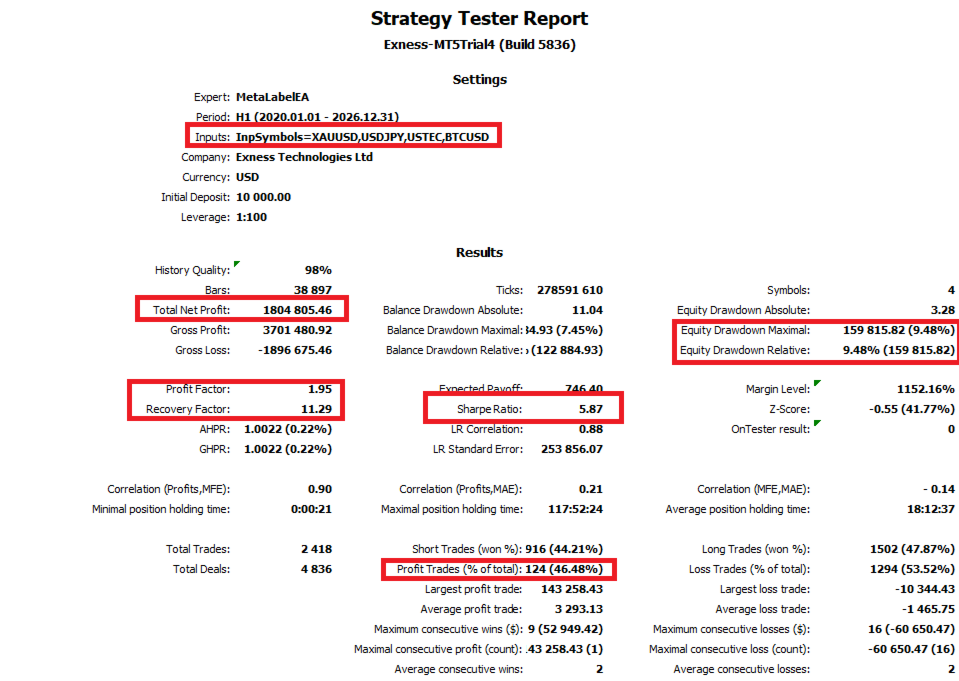
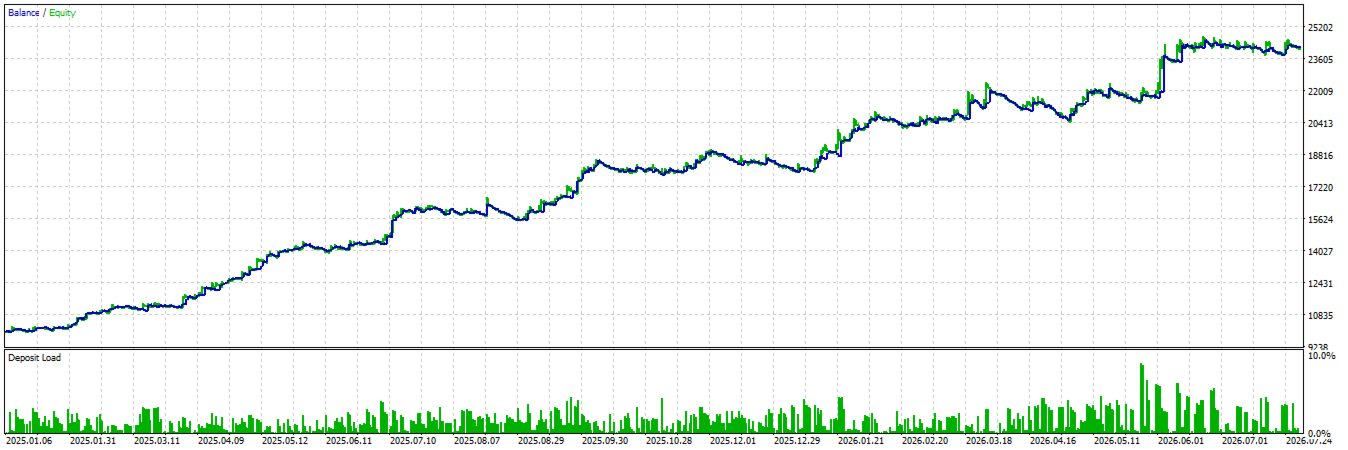
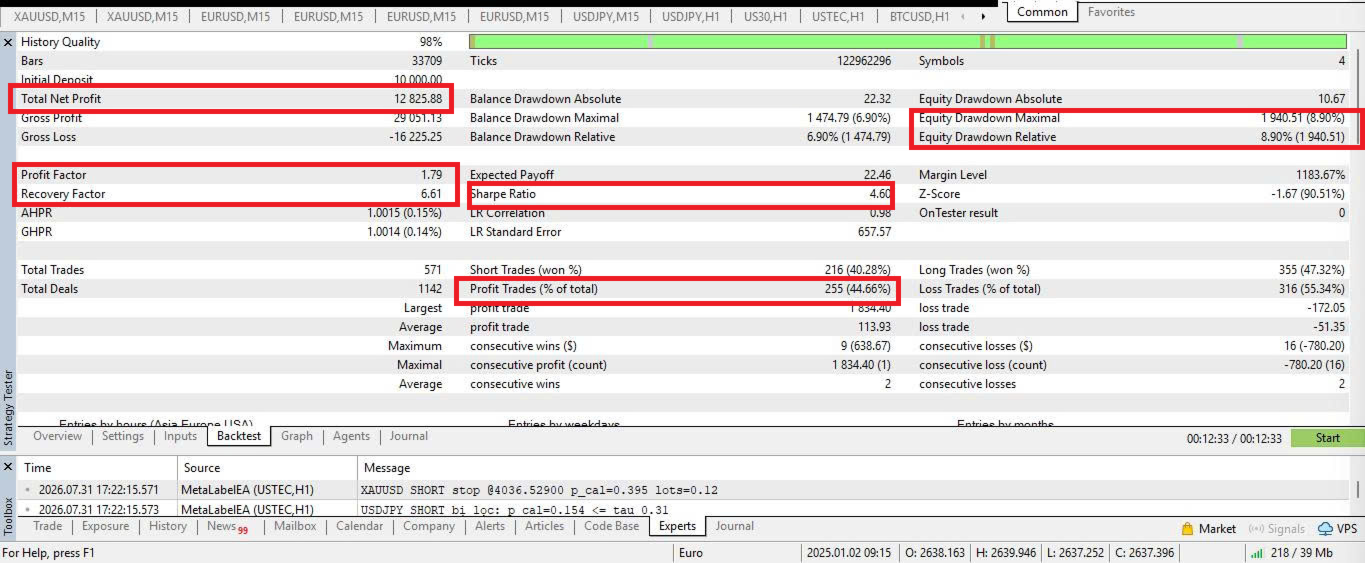
Quant Multi Symbol Hunter trades H1 breakouts on four uncorrelated markets — XAUUSD, USDJPY, USTEC, BTCUSD — from a single chart. Every setup is scored auto; only high-confidence setups become orders. It wins about 44% to 46.8% of its trades, and this page explains why that is the point rather than the problem. Signals are computed on closed bars and never redrawn, one position per direction, and a hard stop is attached to every trade from the moment it is placed.
- Video walkthrough — strategy explained, live radar, backtest walkthrough
- Setup guide and blog — installation, inputs, symbol mapping, methodology
- Telegram support — direct help with setup, brokers and updates
Read the setup guide before the first run. Ninety percent of support questions are symbol names that do not match the broker.
The Backtest Records
| Metric | Value | Meaning |
|---|---|---|
| Win rate | 44 – 46% | Where everytick in stategy |
| Payoff ratio | ≈ 5.87 | Average win divided by average loss |
| Profit factor | ≈ 1.95 | Gross profit divided by gross loss |
| Max balance drawdown | ≈ 10% | Drawdown-first position sizing |
| Risk per trade | 0.5% | Fixed fractional, adjustable, hard stop always |
A trend system earns from a few large winners, not from many small ones. The arithmetic lives in the payoff ratio, not in the win rate.
Past performance does not guarantee future results. Live results differ from any backtest because of spread, slippage, swap and execution.
02Why a 99% win rate is the warning sign
There are only two ways to produce one:
- A tiny take-profit behind a huge stop. Ninety-nine wins of +0.1R look perfect until the single hidden −40R takes the year back with it.
- Martingale, under whatever name it is sold. Averaging down, grid recovery, smart re-entry. The loss is never booked, only postponed and multiplied.
This EA does neither. One position per direction per symbol, a hard stop attached from the start, and a lot size that never grows after a loss.
03How it works: two layers
Layer 1 — Primary engine, fully deterministic
H1 breakout via stop orders at 25-bar channel extremes, on four markets that do not move together.
Exit is a chandelier trailing stop that only ratchets in your favour, with no upper cap on a winner.
Every channel level, filter value and model input is computed on closed bars only. Nothing on the chart is redrawn after the fact, and the entry price you see on the target lock is the price the stop order was actually sent at.
Layer 2 — AI meta-filter.
Verify the filter yourself
This is the input most sellers would never hand you:
Set it to false and the EA runs as the raw breakout engine with the AI layer switched off. Run the same symbols over the same period twice — once true, once false — and you see exactly what the model added and what it removed, on your broker's data, in your own tester. No trust required.
Every rejection is printed in the Experts log with its score:
Radar HUD: see what the model sees
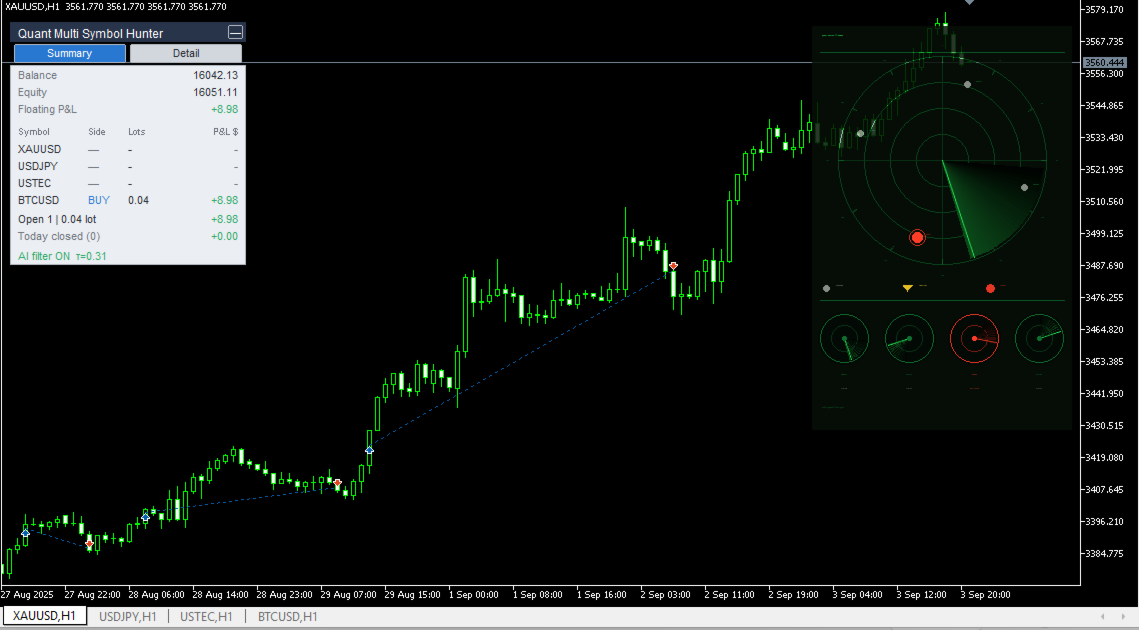
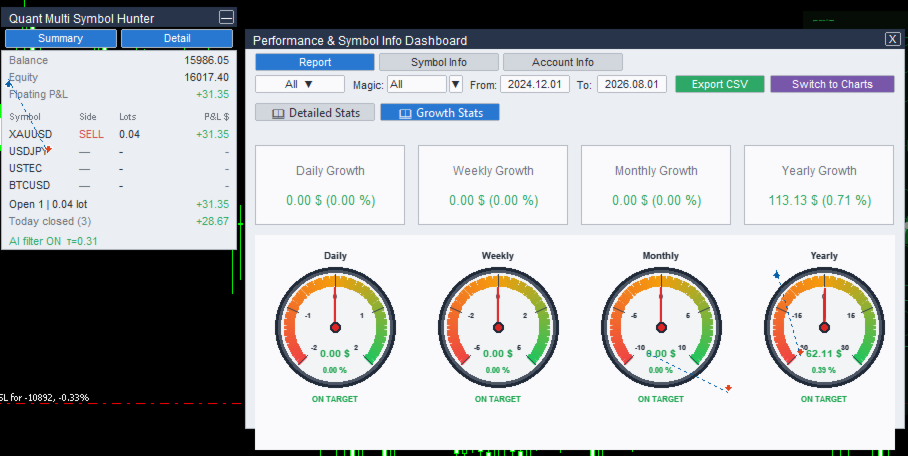
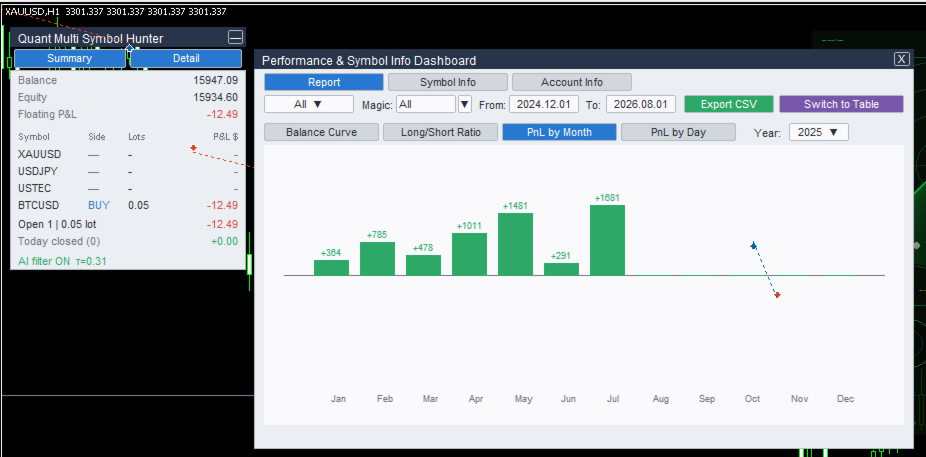
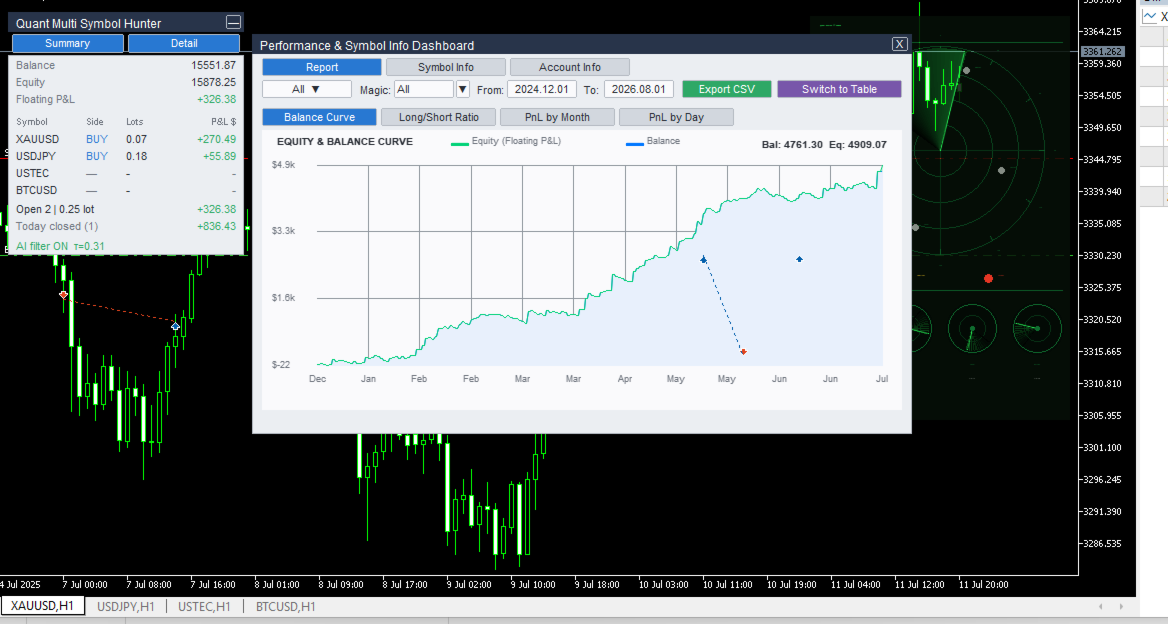
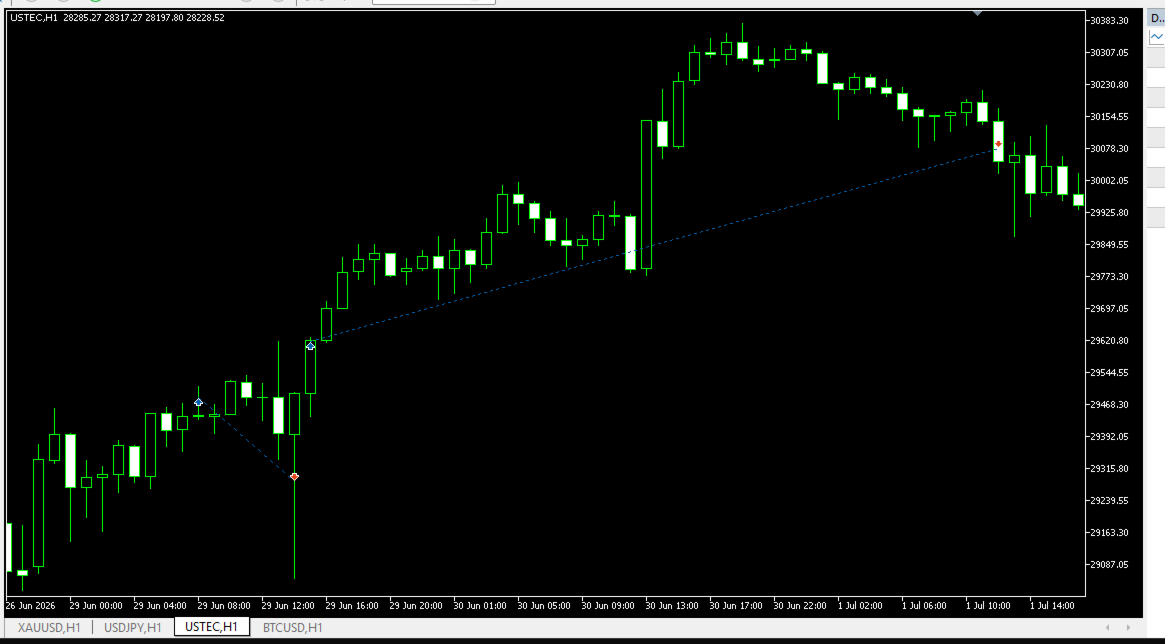
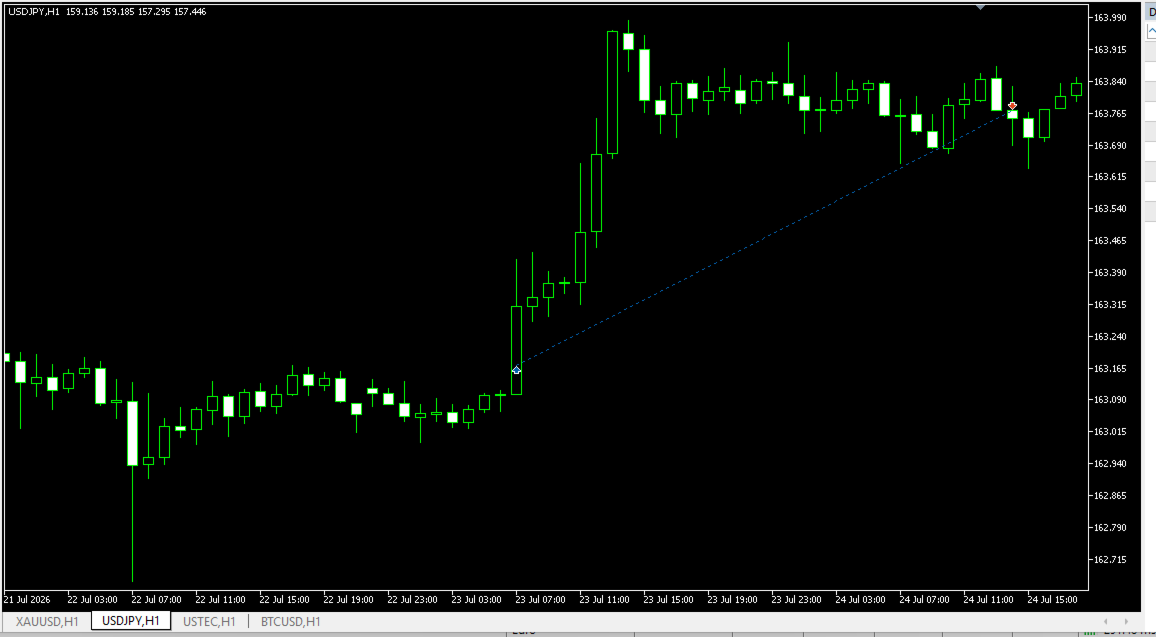
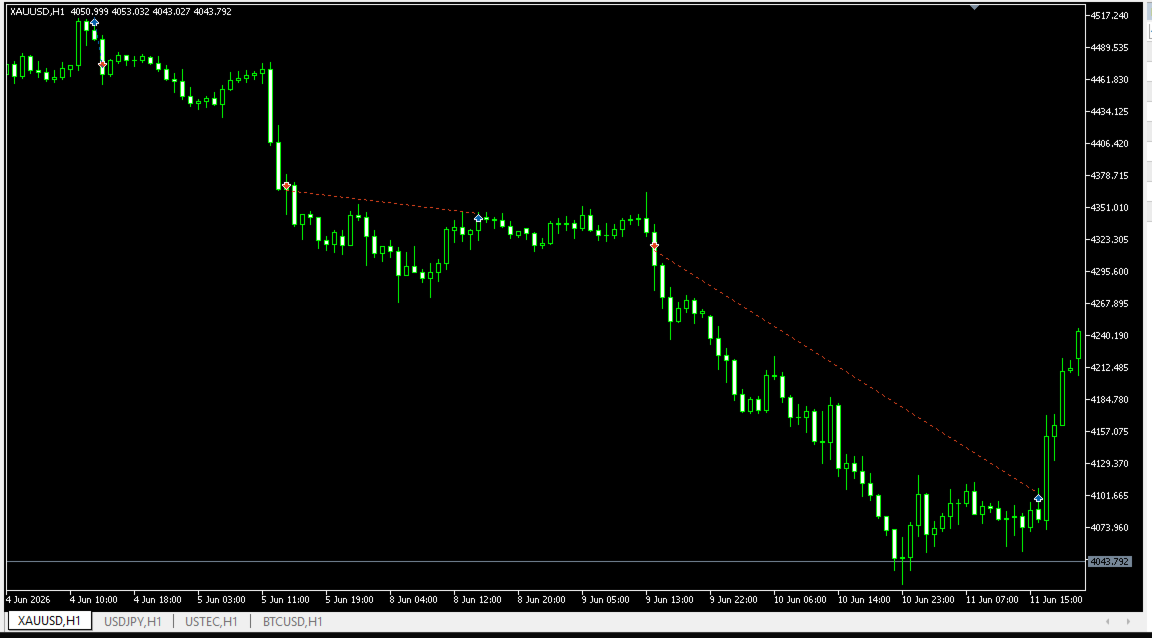
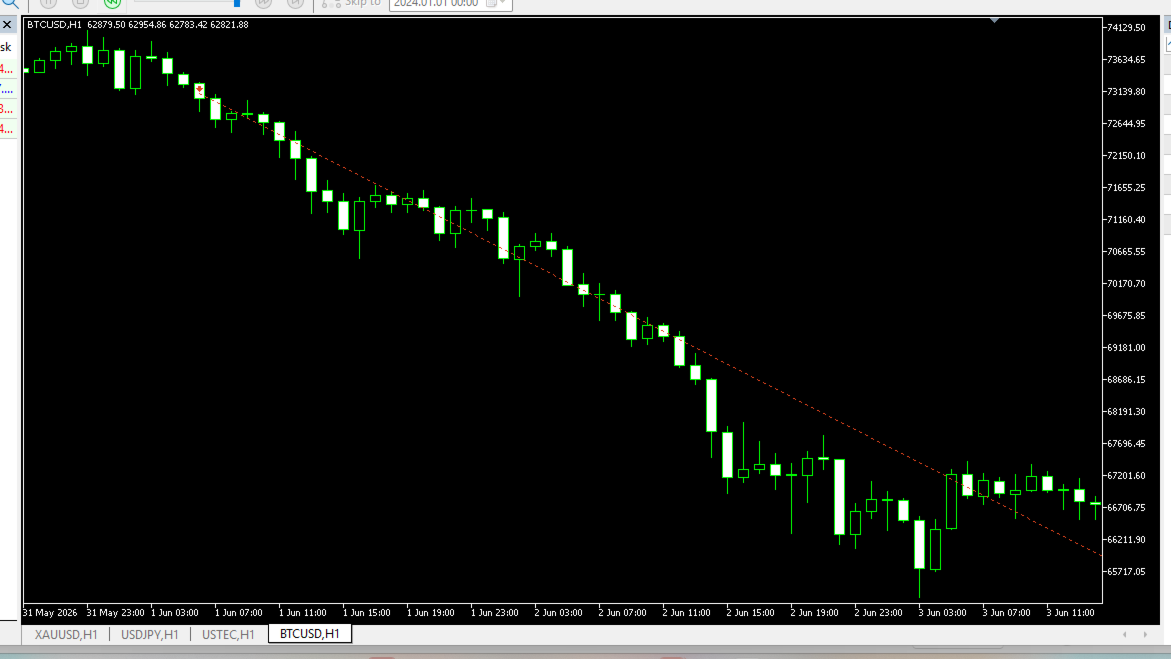
A radar panel tracks all four markets at once. Each blip is a symbol, and its distance from the centre is the model's live confidence. When a stop order is placed, a target lock pins the exact entry price on the chart together with the model score, the threshold, the filter margins and the lot size. Open a chart of another traded symbol and the lock projects there too.
Pure visualisation: zero interference with trading logic, and one input turns it off completely.
06What to expect before you buy
These are not selling points. They are the things that make people switch an EA off at the worst possible moment, so read them first.
- Roughly two out of three trades are losses. That is the design, not a fault.
- Losing streaks are long. Test runs contain a run of 8 consecutive losing trades. If a streak of that length would make you stop the EA, this system is not for you.
- Trades are held for hours to days — around 18 hours on average, with the longest positions running about five days. Swap costs matter.
- A drawdown near 10% is normal operating range, not a malfunction.
- It trades selectively. Quiet weeks with few or no orders are expected.
Markets and setup
| Symbols | XAUUSD, USDJPY, USTEC, BTCUSD. Editable input — rename to match your broker, for example NAS100 or BTCUSD.x. Unknown symbols are skipped safely instead of being traded blindly. |
| Charts | Attach to one H1 chart of any traded symbol. The EA manages all four markets from that single chart. |
| Dependencies | None. Model, calibrator and threshold ship inside the EA file. No extra downloads, and it runs in Strategy Tester out of the box. |
| Account | Hedging account, low spread, VPS recommended. Swap-free is preferable if you hold multi-day trends. |
| Configuration | Defaults are the exact research configuration. In normal use the only input you change is risk. |
Inputs
| Input | Purpose |
|---|---|
| InpSymbols | Traded symbols, comma separated |
| InpMagic | Magic number |
| InpRisk | Risk per trade as a fraction of equity. 0.005 = 0.5% |
| InpHistBars | History window used for feature calculation, minimum 1500 |
| InpTauOverride | Confidence threshold override. Leave at 0 to use the locked threshold the model shipped with |
| InpUseFilter | false runs the raw breakout engine with the AI layer off, for A/B testing |
| InpShowRadar | Radar HUD on or off. Display only, no CPU cost when off |
What you are actually buying
A research process rather than a curve fit:
- Walk-forward validation, with the final test window touched exactly once
- Purged cross-validation, rolling normalisation, lagged features throughout
- A bit-reproducible pipeline — same data and configuration, same model
- Features verified identical between the research code and the EA, to a maximum deviation below 1e-6
- Fixed fractional risk, hard stops, drawdown-first design
- An input that lets you audit the AI layer instead of believing it
If you are looking for an EA that doubles an account in a month, this is not it. If you want research-grade methodology at a retail price, welcome, hunter.
10Risk warning