Ultimate Vesper
- Experts
- Version: 1.87
- Mise à jour: 11 septembre 2026
- Activations: 12

Ultimate Vesper - live signal - https://ultimateextractor.com/v2/trader/trader-5461fc3bb1756f678977
Ultimate Vesper is an automated multi-module Expert Advisor for Gold (XAUUSD) on MetaTrader 5. It coordinates shorter-duration and longer-duration trading modules through one execution and portfolio-risk layer.
Developed by Ultimate Trading Solutions LLC.
Main features
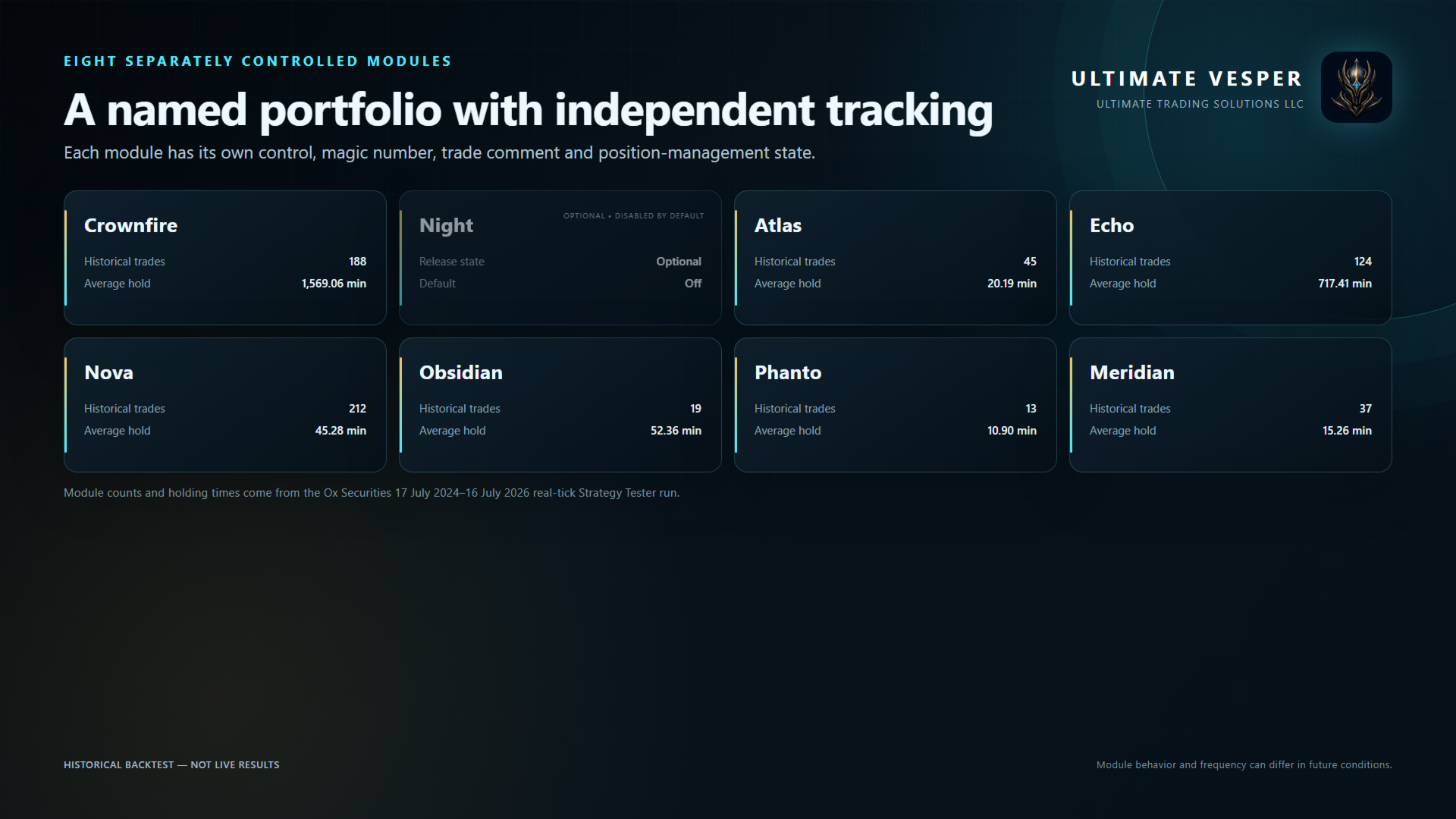
• Eight separately controlled modules: Crownfire, Night, Atlas, Echo, Nova, Obsidian, Phanto and Meridian
• Seven modules enabled in the default release profile; Night is optional and disabled by default
• Combination of shorter and longer holding periods
• Percentage-based position sizing
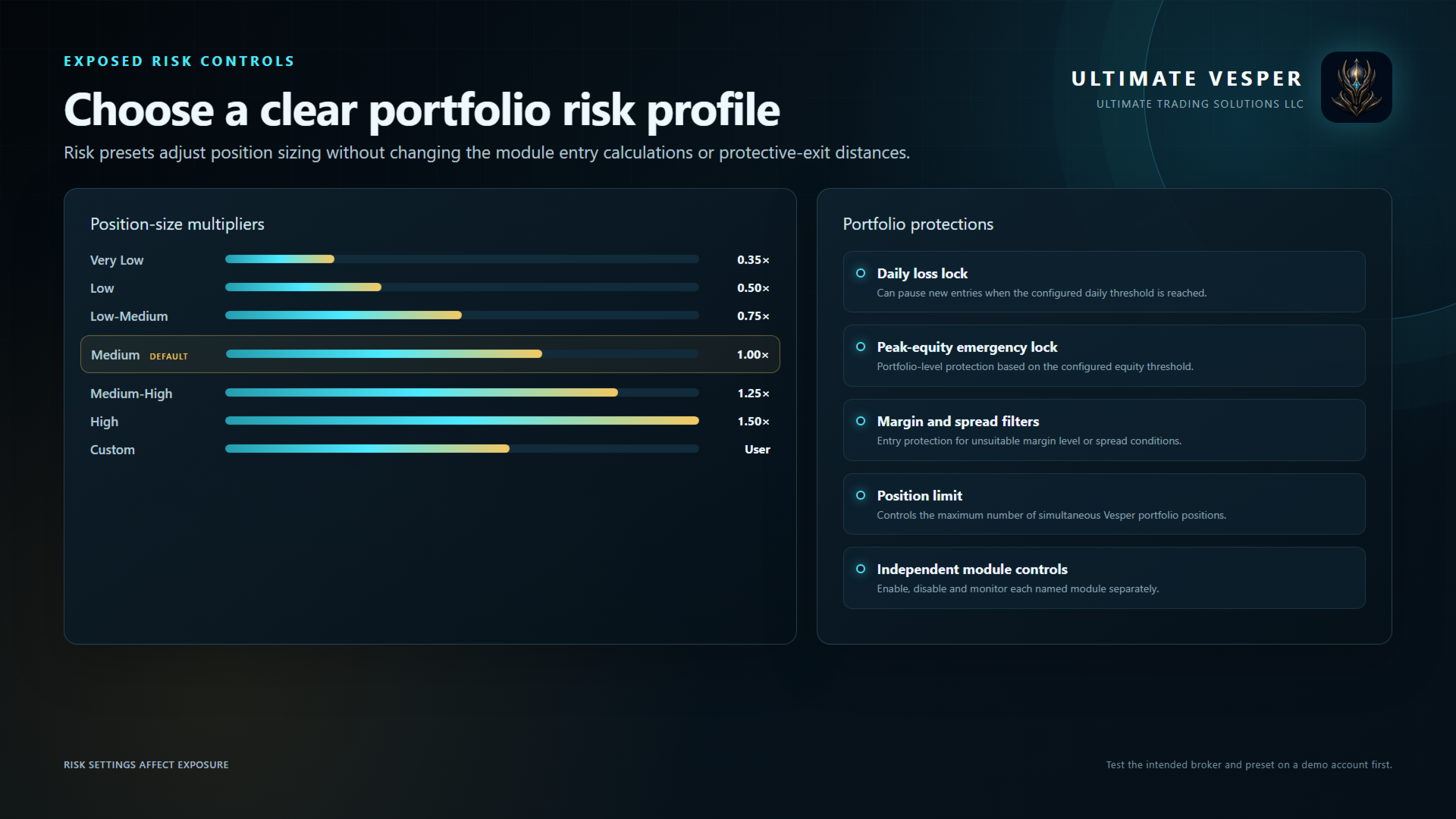
• Risk presets from Very Low through High, plus Custom
• Maximum portfolio-position control
• Daily loss lock and peak-equity emergency lock
• Margin-level and spread protection
• Independent module magic numbers, trade comments and cooldowns
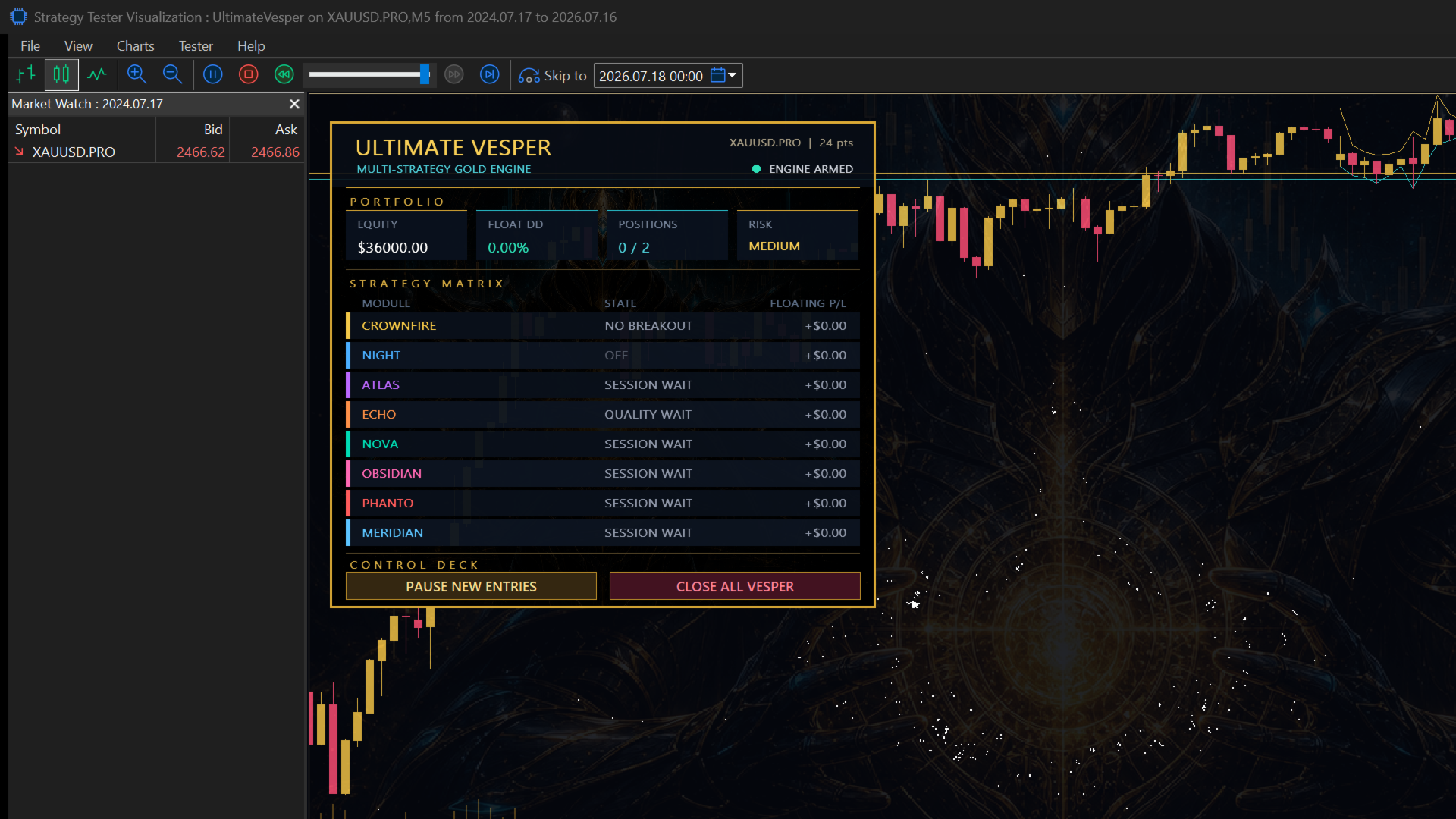
• Integrated on-chart canvas dashboard
• Live module state and floating P/L display
• Pause-new-entries and close-all controls
• Embedded visual resources
• No DLL calls or external services
Ultimate Vesper does not use martingale sizing, grid trading, recovery lot progression or averaging into losing positions.
Risk presets
Very Low: 0.35x
Low: 0.50x
Low-Medium: 0.75x
Medium: 1.00x
Medium-High: 1.25x
High: 1.50x
Custom: user-defined multiplier
Medium is the default release setting and was used for the historical test shown in the screenshots. Changing the preset changes position sizing; it does not change the internal entry calculations or protective-exit distances. New users should begin with Very Low or Low on a demo account.
Public inputs
The public Inputs page is organized into General, Portfolio Risk, module switches and Display. Each named module exposes only an Enable/Disable switch. Strategy calculations and tuning values are internal to the compiled product.
Installation
1. Attach Ultimate Vesper to the broker's XAUUSD symbol on an M5 chart.
2. Use a hedged account for full independent multi-module operation.
3. Enable Algo Trading.
4. Select a risk preset and confirm the maximum portfolio positions.
5. Keep the default module switches for the release profile.
6. Use a unique Base Magic value if more than one instance is running.
7. Test on a demo account with the intended broker before live use.
The EA reads M5, M15 and H1 data internally. Only one M5 host chart is required. Broker symbol suffixes are supported through the attached chart symbol.
Broker and account notes
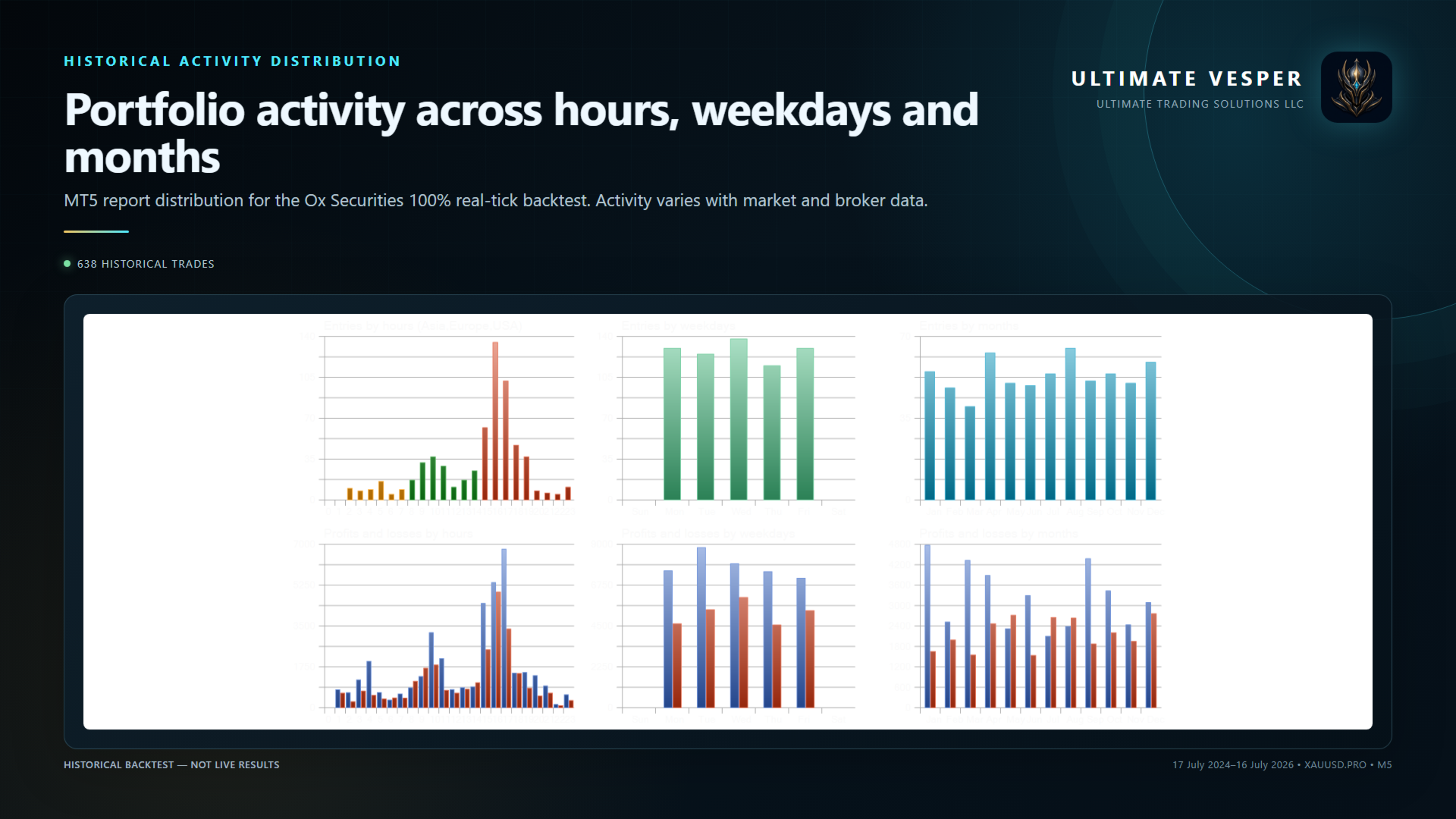
Execution conditions differ between brokers. Server time, tick volume, spread, stop level, minimum lot and contract size can change trade frequency and results. The default profile was selected using Ox Securities XAUUSD.PRO real-tick history and was also checked against separate Coinexx XAUUSD history.
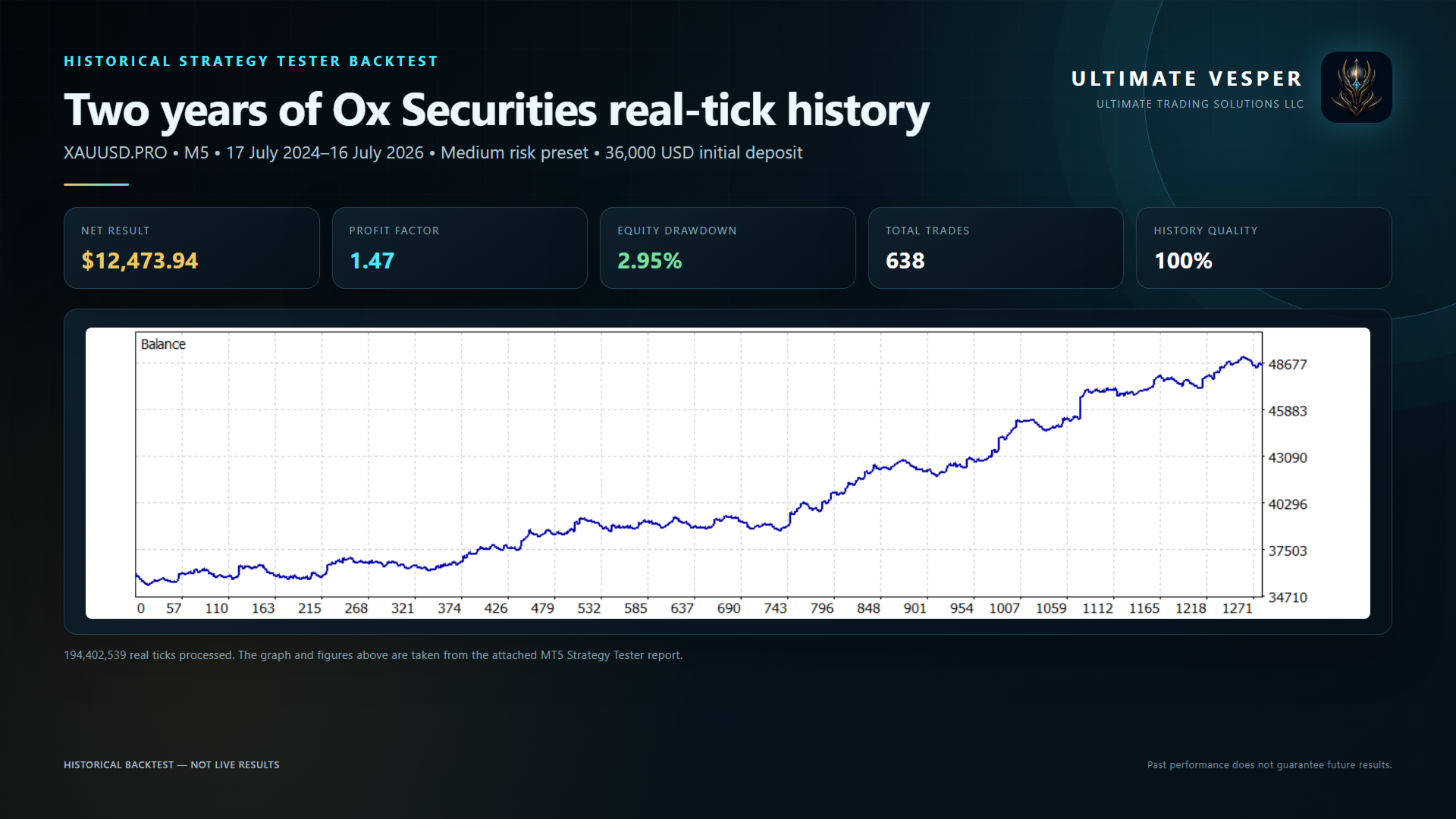
Historical Strategy Tester reference
Ox Securities XAUUSD.PRO
M5 host timeframe
17 July 2024 through 16 July 2026
Every tick based on real ticks
100% real ticks
194,402,539 ticks processed
36,000 USD initial deposit
Medium risk preset
638 total trades
12,473.94 USD total net result
1.47 profit factor
2.95% relative equity drawdown
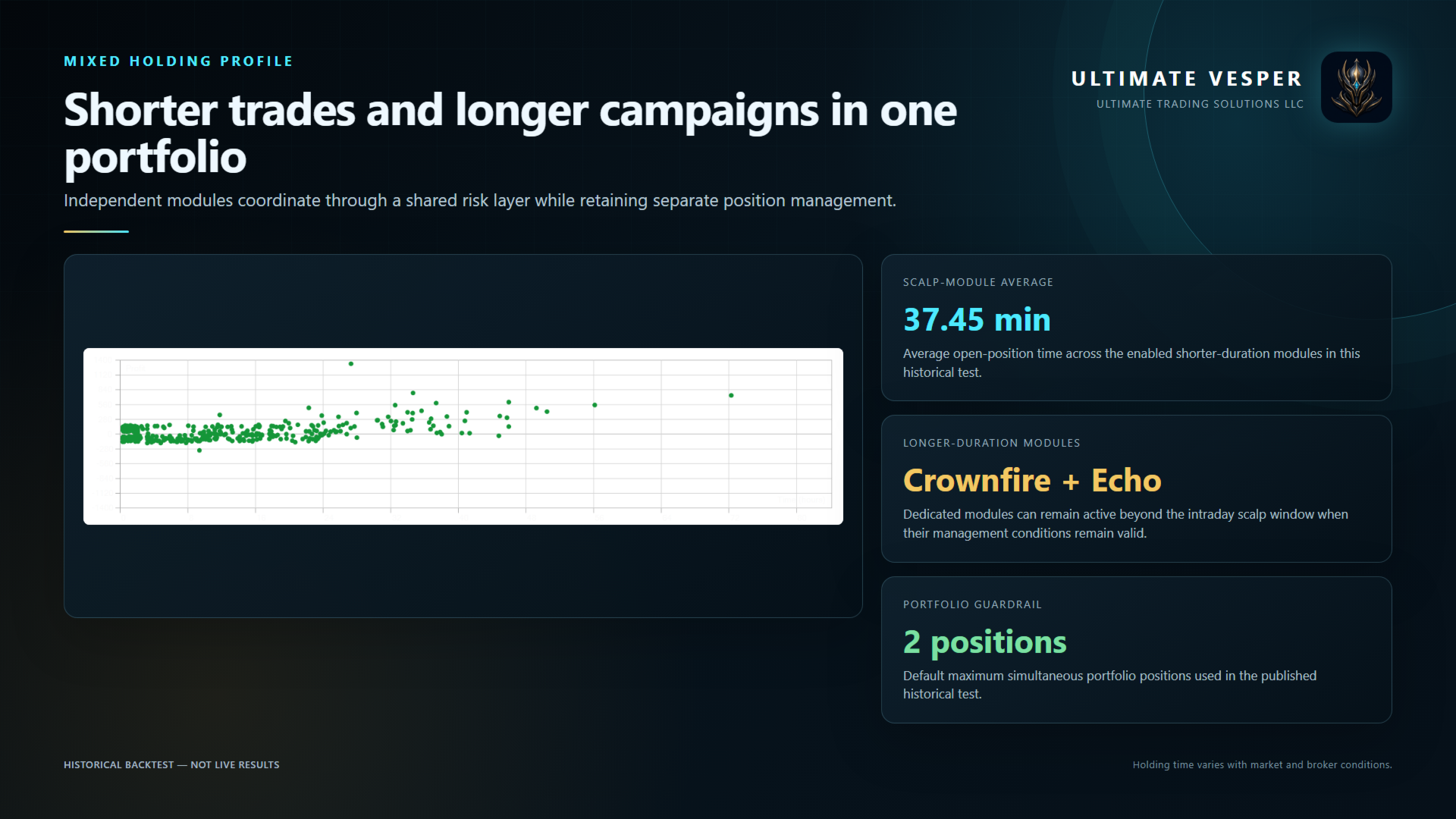
37.45-minute average scalp-module holding time
These figures are historical MetaTrader 5 Strategy Tester results. They are not live trading results, a profit promise or a forecast of future performance. Market conditions and execution can produce materially different results.
Default module state
Crownfire: Enabled
Night: Disabled
Atlas: Enabled
Echo: Enabled
Nova: Enabled
Obsidian: Enabled
Phanto: Enabled
Meridian: Enabled
Support and risk
For support, include the product version, symbol, broker, account type, chart timeframe and relevant Experts or Journal messages. Product support is provided through MQL5 product comments and MQL5 messaging.
Trading leveraged products involves risk. Historical tests do not guarantee future results. Test the EA under the intended broker conditions and choose a risk level appropriate for the account.