Visual Order Sizer Trade Manager Tool
- Utilitaires
- Version: 1.0
- Activations: 5

Trade Manager MT5 — Visual Position Sizer
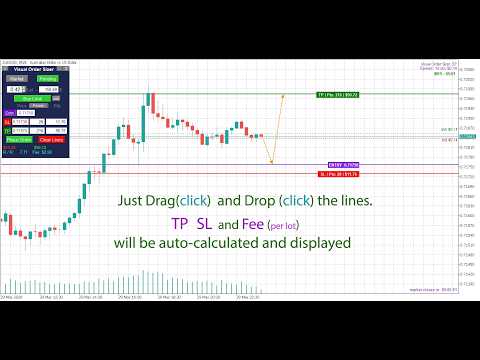
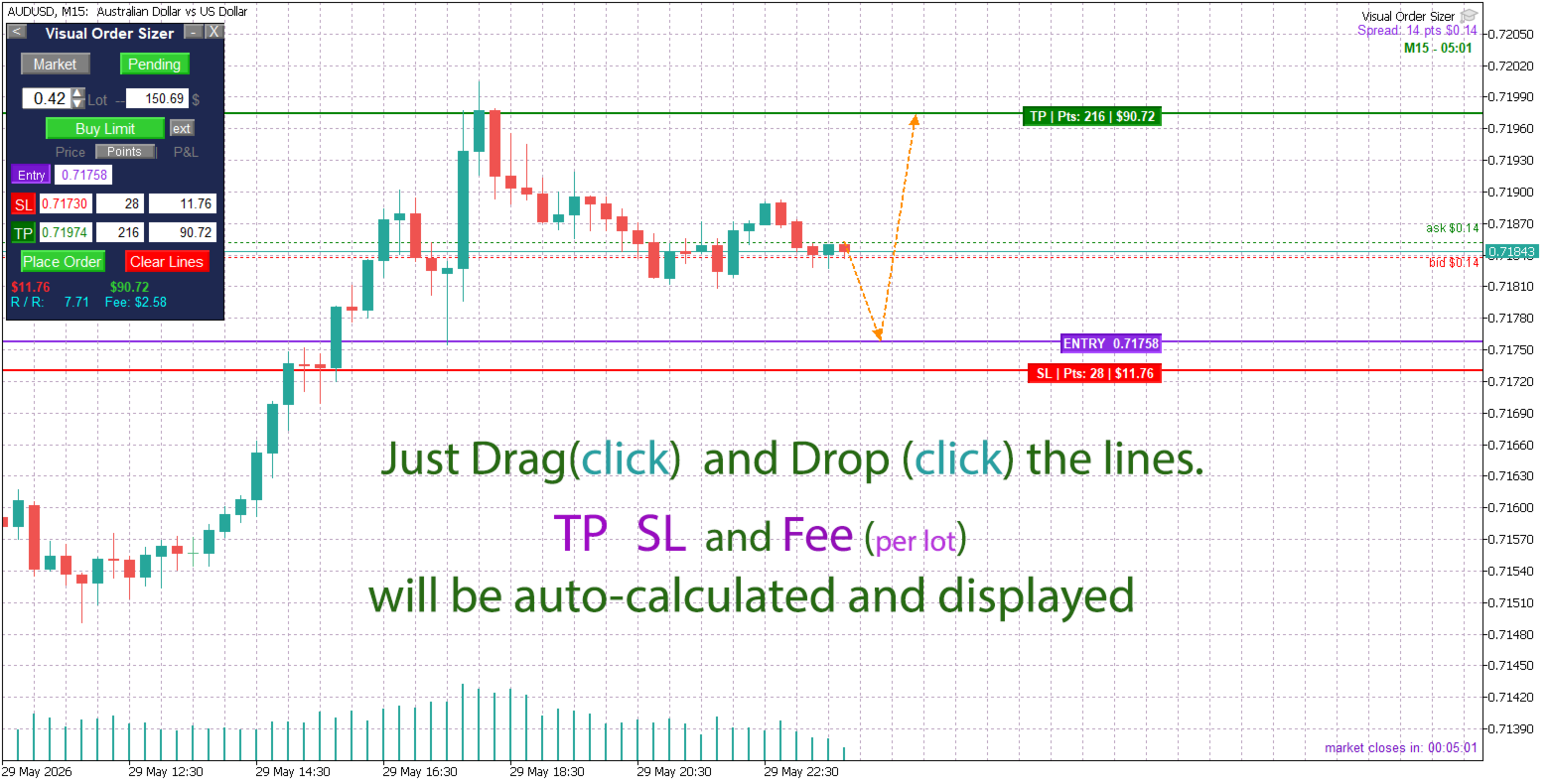
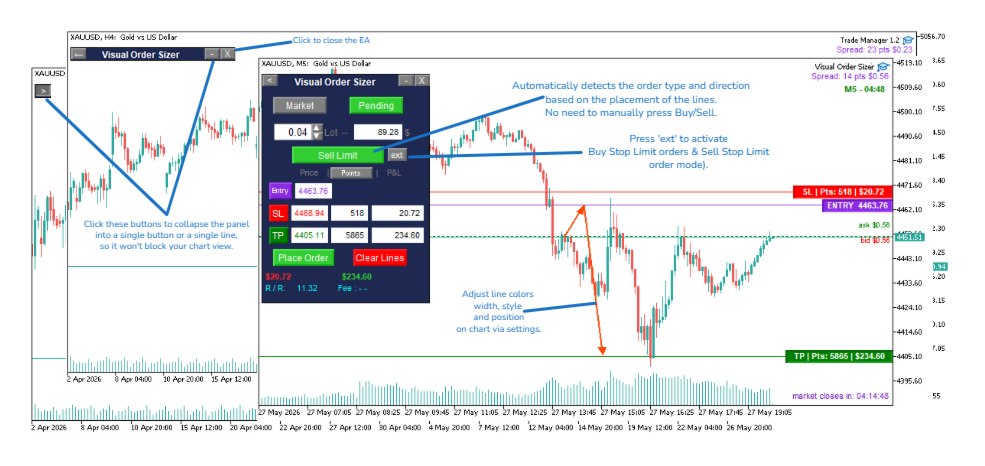
Outil de calcul de taille de position et de gestion d'ordres : Fini les calculs manuels ! Faites simplement glisser vos lignes d'entrée (Entry), Stop Loss et Take Profit directement sur le graphique — tout est automatiquement calculé et affiché en temps réel.
Observez la mise à jour instantanée de tous les calculs, à la fois sur le panneau et sur les lignes. Entrez en position avec un risque parfaitement maîtrisé et sans moindre hésitation.
Mode d'emploi :
- Attachez Trade Manager MT5 à n'importe quel graphique.
- Indiquez la taille du lot ou le montant de la marge sur le panneau.
- Cliquez sur les boutons SL / TP pour placer les lignes de Stop Loss et de Take Profit.
- Faites glisser les lignes vers les niveaux de prix souhaités.
- Les valeurs de SL, TP et la commission (frais par lot) sont calculées automatiquement pendant le déplacement des lignes.
- Cliquez sur « Place Order » (Placer l'ordre) — votre transaction est exécutée instantanément selon vos paramètres de risque exacts.
Dimensionnement intelligent de position et gestion des risques
- Ajustement automatique du lot (Auto Lot Adjustment) : La taille du lot s'adapte automatiquement aux limites minimale/maximale et au pas du symbole, avec des alertes claires.
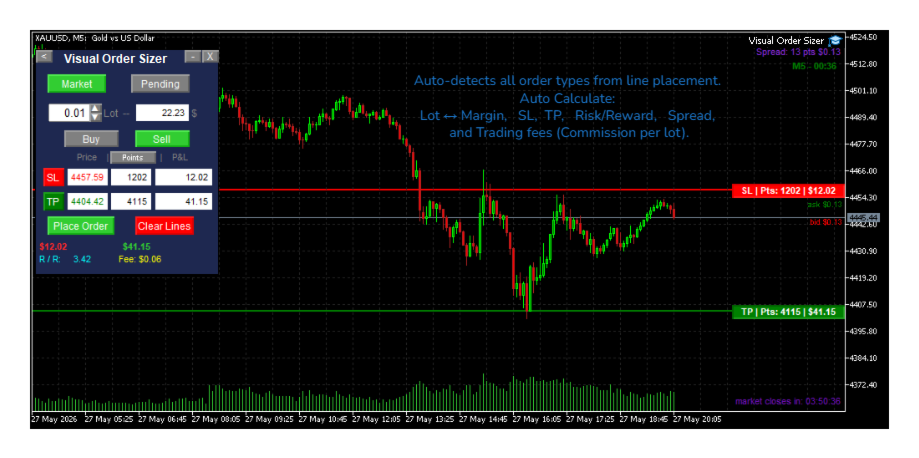
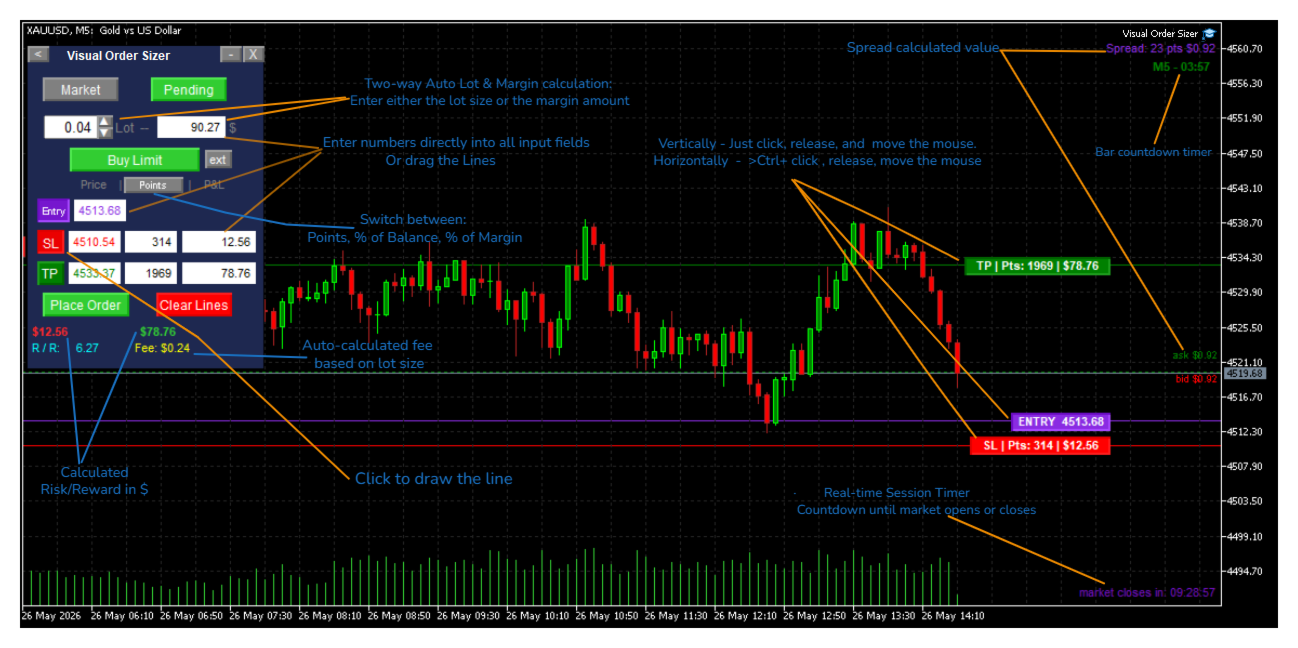
- Calcul bidirectionnel du lot et de la marge : Saisissez soit la taille du lot, soit le montant de la marge ; l'outil calcule automatiquement l'autre valeur.
- Calcul intelligent du Ratio Risque / Récompense : Calcule automatiquement le rapport Risk/Reward en points, dans la devise du compte ou en pourcentage du solde / de la marge.
- Calcul automatique des commissions : L'EA analyse votre historique de trading pour déterminer la commission exacte par lot pour chaque symbole. Visualisez les frais appliqués avant d'ouvrir la position et évitez toute perte inattendue.
Système visuel « Drag & Trade »
- Lignes interactives sur graphique : Faites glisser les lignes d'entrée, de SL et de TP directement sur le graphique sans saisie manuelle de prix. Les valeurs en points et en devise se mettent à jour instantanément sur les lignes et sur le panneau.
- Visualisation du flux d'ordre par flèches : Suivez l'intégralité du processus d'exécution grâce à un schéma fléché (Marché → Déclenchement → Entrée → TP). Option activable ou désactivable dans les paramètres.
- Affichage dynamique du type d'ordre : Visualisez précisément le type d'ordre différé (pending order) qui sera placé lorsque vous déplacez la ligne d'entrée. Le sens Achat/Vente (Buy/Sell) bascule automatiquement. En mode Marché, le sens est défini automatiquement selon vos niveaux de SL et TP.
Ordres avancés et minuteurs
- Ordres Stop Limit : Définissez facilement les niveaux de déclenchement (Trigger) et d'entrée (Entry) pour les ordres différés complexes tels que Buy Stop Limit et Sell Stop Limit.
- Minuteur de session en temps réel : Compte à rebours jusqu'à l'ouverture ou la fermeture du marché (prend en charge les marchés 24/7 et les sessions Forex). Clôturez vos ordres à temps sans retard.
- Minuteur de bougie (Bar Timer) : Affiche le temps exact restant avant la fermeture de la bougie en cours. Un outil indispensable pour les traders utilisant les figures chandelier.
Affichage du Spread et des Commissions en direct
- Affichage du Spread : Lignes visuelles ASK / BID avec valeur du spread exprimée dans la devise du compte. Lorsque le spread augmente, évaluez immédiatement le coût à l'ouverture de vos ordres Buy ou Sell.
- Suivi de la commission en direct : L'EA détecte automatiquement la commission par symbole sur la base de vos transactions passées et affiche le coût exact pour le lot sélectionné directement sur le panneau.
Sauvegarde des paramètres et compatibilité universelle
- Paramètres persistants : Conserve en mémoire l'état du panneau, la taille du lot, le mode d'ordre et la direction de la transaction même après un changement de graphique ou d'unité de temps.
- Prise en charge multi-devises : Détection et affichage dynamiques des symboles monétaires.
- Large compatibilité : Compatible avec l'ensemble des symboles Forex, indices, matières premières et crypto-monnaies (sous réserve des autorisations de votre courtier).