 MetaTrader 5
 Experts
 Indicateurs
 Bibliothèque
 Utilitaires
 Widgets
 Règles
Regardez les tutoriels vidéo de Market sur YouTube
Comment acheter un robot de trading ou un indicateur
Exécutez votre EA sur
hébergement virtuel
hébergement virtuel
Test un indicateur/robot de trading avant d'acheter
Vous voulez gagner de l'argent sur Market ?
Comment présenter un produit pour qu'il se vende bien
Utilitaires de trading gratuits pour MetaTrader 5 - 24
 Vous trouverez ci-dessous des programmes de trading simplifiant le trading dans MetaTrader 5. Passez la souris sur un utilitaire pour lire sa description et son objectif.
Strategy: This is a Guard for your account in case the Margin Call of the Account is called. The most brokers have Margin Call at Margin Level of 100%. If account Margin Level is below TriggerMarginLevelPercent (100%), the EA checks all open account positions. For every non-hedge position it opens one reverse position with the same symbol and same volume. After that it will remove itself from the Chart
IMPORTANT: CHECK this manually on the Account before using this EA. Only some Broker offer t
FREE

The CandleStick Factory is a tool that allow you to perform a market scan and search any candlestick pattern that you already created. The lite version can be downloaded here : https://www.mql5.com/en/market/product/75568 You can perform a quick search in the current chart (500 bars will be scanned), or save your custom candlestick patterns, and search in different Symbols/Timeframes that you can select in the settings tab, the scan can be scheduled every 1, 5 or 10 minutes by updating the Ref
FREE

Easy to use Trade Panel that I personally use for my personal trading and trade copying. For Trade copy: This is the Slave Script, you need the extra Master Panel. Search for "Trading Panel and Copier"
Functions of the Master Panel: Automatic Lotsize calculation via given risk in % Buy and Sell Mode Manage Core and Addon Positions Limit Order Function Stop Loss and Limit Lines Hotkeys Close last Trade Close all Trades Manual SL price Manual TP price Manual Limit price Trade Copy via slave scri
FREE

FOX CUSTOMER BENEFITS Verified customers with qualifying MQL5 Market purchases may be eligible for complimentary FOX commercial Expert Advisors. Learn more about the FOX Customer Benefits Program: https://www.mql5.com/en/blogs/post/774575
Dpi Trading Command Center is a read-only account monitoring and analysis utility for MetaTrader 5. It provides a unified dashboard for reviewing account status, open positions, pending orders, trading history, performance statistics and economic-calendar ev
FREE

FOX CUSTOMER BENEFITS Verified customers with qualifying MQL5 Market purchases may be eligible for complimentary FOX commercial Expert Advisors. Learn more about the FOX Customer Benefits Program: https://www.mql5.com/en/blogs/post/774575
ACCOUNT NUCLEAR One account. One control panel. Full manual authority when you need it. Account Nuclear is a free MetaTrader 5 utility built for traders who manage multiple positions, pending orders, manual trades or several Expert Advisors on the same account
FREE

Take control of your trading performance with the Pro Dashboard Screener Designed for serious traders, this utility provides a clean, professional, and real-time overview of your account's health directly on your chart. Stop switching between tabs to check your stats. With the Quant Pro Dashboard, your key metrics are always front and center, allowing you to focus on what matters most: your analysis. Key Features: Account Intelligence: Automatically detects your Account Number and Broker detail
FREE

Free for a limited time, grab it now! Please, if you like this utility, leave a review, it helps us build more tools like this.
Many retail traders fail because they enter trades when a market session is already "exhausted." Session Monitor gives you the context you need by comparing current price movement against historical session averages.
The utility calculates the absolute range (the distance between the highest and lowest price reached) during the session. It is a MT5 utility that trac
FREE

Nom du produit : StopAndTake — Un script simple pour une gestion rapide et précise des SL/TP Description du produit : StopAndTake est un script léger et intuitif, conçu pour les traders qui valorisent la rapidité, la précision et la fiabilité dans la gestion de leurs positions. Cet outil permet de mettre à jour instantanément les niveaux de Stop Loss (SL) et Take Profit (TP) pour toutes les positions sur le graphique sélectionné, en toute simplicité. Avantages et bénéfices : Simplicité : Une int
FREE

Close Trade A simple, fast, and practical tool for managing and closing trades in MetaTrader
In the trading world, there are countless methods and strategies for opening and closing positions. Sometimes, due to volatile market conditions or multiple open trades, you need a tool that allows you to close all or specific trades instantly and efficiently. Close Trade is designed precisely for that, a lightweight, reliable, and easy-to-use tool for complete trade and order management in MetaTrader.
FREE

Features The Expert Advisor (EA) is a semi-automated trading system that blends user-initiated entries with algorithmic trend management. Trade entries are triggered manually, while scaling, trailing stops, and risk control are handled automatically by the EA. Functional Specifications 1. Trading Modes Manual Execution Mode Trades initiated via on-chart control panel User selects Buy or Sell direction EA applies predefined Stop Loss and Take Profit values Trend management logic activates after
FREE

If you want something as below: Sell FOREX trading signal. Manage multiple accounts. Follow the trading from somebody. "TradeCopier_follow" and "TradeCopier_source" can help you! Features: Copying from one source (master) account to multiple follower (slave) accounts. Allow investor (read only) password for the source (master) account. There are no complicated settings and input parameters, everything is easy. Works with different Brokers. Works with different symbols (EURUSD_FX, eurusd_m, e
FREE

JVH Trading Information Panel – Professional Account Dashboard (MT5) The JVH Trading Information Panel is a clean, accurate, and professional account monitoring dashboard for MetaTrader 5.
It gives traders full control and insight into account performance, risk, drawdown, and trading statistics — all in real time , directly on the chart. Designed for manual traders, funded traders, scalpers, and algorithmic traders , this panel focuses on clarity, correctness, and stability . What This Indic
FREE

Greed Siphon - The Emotional Risk Manager "Secure the Bag. Automate Discipline. Eliminate Greed." Greed Siphon is not just a utility; it is an Emotional Firewall for your trading. It solves the #1 reason traders fail: Greed . How many times have you watched a winning trade turn into a loser because you held it too long, hoping for "just a little more"? Greed Siphon automatically detects when your trades hit a sophisticated, multi-metric profit target and instantly siphons the liquid (pro
FREE

It's demo version of Auto StopLoss Defender , you can buy on page - https://www.mql5.com/ru/market/product/33106 or extended version of the program is Auto StopLoss Premium , you can set stoploss and takeprofit - https://www.mql5.com/ru/market/product/33111
Demo restrictions: Stop-loss 0.10% for new order.
While you are trading, Auto StopLoss Defender doing all the routine work. "Must have" for scalping. Best way to save account balance in case of force majeure.(Internet connection loss
FREE

Présentation de Trade Stacker : Votre Multiplicateur de Force de Trading Ultime Transformez votre trading avec la puissance de l'empilement automatique de positions ! L'EA Trade Stacker transforme les opportunités de trading uniques en positions stratégiques à plusieurs niveaux en un seul clic. Attention, l'application ne fonctionne pas dans le testeur de stratégie. Téléchargez la démo ici: https://kevinafeku8.gumroad.com/l/avmxc Instructions for the demo: https://www.mql5.com/en/blo
FREE

️ Instant Close All Charts – MT5 Utility Script One-Click Solution to Instantly Close Every Chart Window in MetaTrader 5 Managing too many open chart windows in MetaTrader 5 can slow down your platform, clutter your workspace, and reduce productivity. Instant Close All Charts is a lightweight, ultra-fast MT5 utility script designed to close all open chart windows with a single click — clean, safe, and efficient. Download MT5 EA Products Whether you're a trader working with dozens of charts or
FREE
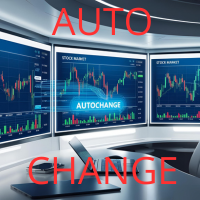
Introducing Auto Change , an Expert Advisor (EA) designed to automatically switch between charts according to the market watchlist. To use it, simply drag it onto the screen and confirm with "OK". Users can set the time interval in seconds for automatic chart switching and start the process by clicking "Start". For example, if a two-second interval is selected, the charts will switch automatically every two seconds. Additionally, the EA includes "Next" and "Back" buttons for manually advancing o
FREE

Export Deals to CSV - Excell File location: HistoryDeals/<SERVER>/<LOGIN>.<DATETIME>.csv Works as an Script, reading all DEALS in history and exporting it as a plain text CSV file There's no option to change. There's no WebRequest. There's no DLL use. I need to write 300 characters to allow this product being exposed at MQL5 market place. It's simple to use, plug it in graph and wait completion.
FREE

简单交易面板。 //+-------------------------------------------------------------------------------------------+ 实现开平,全平简单功能。 参考系统自带面板样式设计。 //+-------------------------------------------------------------------------------------------+ 此为更新版。应部分使用者建议,对上一次有效使用的仓位作了保留,对价格数据显示作了部分放大修饰。 …… //+-------------------------------------------------------------------------------------------+ 喜欢的朋友欢迎下载使用。
FREE

Скрипт для быстрого закрытия рыночных и отложенных ордеров. Этот зацикленный скрипт гарантированно закроет все выбранные ордера. Он будет работать, пока не закроет все выбранные позиции и удалится когда сделает свою работу. Если у Вас много открытых позиций этот скрипт поможет вам. Интуитивно понятный интерфейс 1) Просто бросьте его на график. 2) Выберите ордера, которые надо закрыть. По умолчанию выбраны все! 3) нажмите кнопку "Close". Если вы забыли включить Авто торговлю, будет выдано сообщен
FREE

An essential utility for continuous background downloading and synchronization of quote history across all 21 MetaTrader 5 timeframes. This tool is indispensable for traders and developers working with market structures (Market Structure, Smart Money Concept, Price Action). The utility ensures there are no gaps or missing bars in the history, which is critical for accurate multi-timeframe analysis and the correct operation of indicators. Input parameters: Synchronization interval (in minutes) —
FREE

Positions Risk Analyzer Utility
The Trade Analyzer is a powerful tool designed for real-time monitoring of your trading performance directly on the chart. It provides insights into: Total Open Positions : Number of active trades. Potential Profit (TP) : Estimated profit if all Take Profits are hit. Potential Loss (SL) : Maximum potential loss if all Stop Losses are triggered. Floating Profit/Loss : Real-time net profit or loss of all open trades. This utility dynamically updates its calculation
FREE

OrderBook Utilities is a script, which performs several service operations on order book hob-files, created by OrderBook Recorder . The script processes a file for work symbol of the current chart. The file date is selected by means of the input parameter CustomDate (if it's filled in) or by the point where the script is dropped on the chart. Depending from the operation, useful information is written into the log, and optionally new file is created. The operation is selected by the input parame
FREE
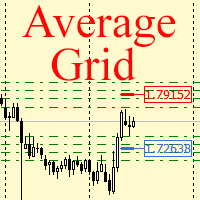
For any number of placed market and pending orders, the utility calculates the "breakeven level" - weighted average price. The calculation is performed individually for buy and sell orders. The weighted average price is marked with a label and colored horizontal line separately as well - one line for the buy price, and the other for sell price.
Input Parameters: Include pending. Include the pending orders in calculation. The default value of this parameter is false, and the calculation of the b
FREE

Advanced Expert Advisor Monitor: Shows whether your Expert Advisor is still running, right on the chart. Keeps reporting its trades even after the Expert Advisor has stopped or was removed. Closed profit, win rate and floating profit for Today, 3 Days, Week or Month. A 365-day view: profit factor, drawdown, expectancy, streaks and more. Draws only your Expert Advisor's trades on the chart, by magic number. Popup and phone alerts when the Expert Advisor unexpectedly crashes.
Does this sound fa
FREE

Effacer Tous les Stop Loss et Take Profit — Une solution simple pour supprimer instantanément les niveaux SL/TP Supprimez tous les niveaux de Stop Loss et de Take Profit en un seul clic ! Effacer Tous les Stop Loss et Take Profit est un script pratique conçu pour les traders qui souhaitent supprimer rapidement et efficacement les niveaux de SL et TP sur toutes les positions ouvertes. Sa simplicité d'utilisation et son exécution instantanée en font un outil indispensable pour les conditions de ma
FREE

Convenient information line on the chart.
Displays the cost of the point depending on the selected volume (selection in the settings) Displays a swap of short and long trades depending on the selected volume. Shows a triple swap and indicates the day of the week on which it is charged Displays the current spread for the current instrument Displays the remaining time until the next bar on the current timeframe. In the settings you can choose the color, font size, placement and volume.
FREE

opnMAX Ponos: Utility Overview opnMAX Ponos is a highly interactive, institutional-grade risk management and trade execution utility designed for MetaTrader 5. It acts as an on-chart graphical dashboard that allows for precise, mathematically validated position sizing and one-click order execution. Instead of manually calculating risk thresholds before taking a trade, Ponos uses a reactive, omni-directional calculation matrix to handle the math in real-time. Key Functional Features Omni-Directio
FREE

Donation: USDT (TRC20) : TQJsYp64FgLLeQiyNnS6hhCNBjnz4ykbT1 USDT (BEP20, Polygon) : 0x5b50AaaE515452071D395D28BC3D78d16279D168
You can use this expert to execute Martingale orders for you open positions. This expert will add to your positions with a pre-defined loss step.
For choosing open positions you can use Symbol Name or Magic Number . Also the loss step will be defined by currency or pips. All positions that refer to a certain order will be closed by entered Profit from input section. For
FREE
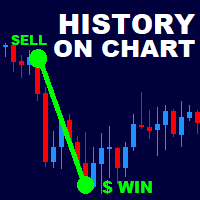
History On Chart is an indicator that shows the "trail" of all trades made in a specific period of time. It shows the entry and exit point with their respective dates and prices. It also shows the type of trades and the cash result. Open trades are also displayed, but only the entry point. The indicator is free and fully customizable. If you have any questions please contact us. Enjoy!
This is a free indicator, but it took hours to develop. If you want to pay me a coffee, I appreciate a lot <
FREE

Az Order Manager - Free Visual Hook Edition V1.2
The most visual order management panel, now available for free to try.
This is the free version of Az Order Manager Diamond 9.41 (Best Seller).
What is this tool? A professional panel to manage orders with visual lines. You can draw entry, stop loss and take profit lines, move them on the chart and see lot size, risk in $ and reward in real time before executing.
WHAT YOU CAN DO IN THIS FREE VERSION (100% Working):
Visual Lines - Click Pen
FREE

Anti Revenge Trading Police Bot v1.80 (Revenge Trading Protector) Développé par Mindfultradeness
Êtes-vous piégé dans le cycle du revenge trading, où chaque perte vous pousse à revenir sur le marché ? Imaginez un gardien à vos côtés — l’Anti-Revenge Police Bot, votre outil ultime pour surmonter le revenge trading ! Cette utilité innovante surveille chacun de vos mouvements, détecte les pertes closes et active une période de cooldown personnalisable pour arrêter ces impulsions toxiques. Avec u
FREE

Parfois, on a juste envie de souffler une minute : pendant que le graphique « respire », on peut décrocher un instant et reposer son attention — sans quitter le terminal. ARKAVELLE se dessine directement sur le chart : une petite borne d’arcade pour une pause tranquille entre idées et trades. Les règles sont simples • Objectif : renvoyer la balle avec la plateforme et casser les briques.
• Commandes : flèches ← / → ou souris (déplacement à l’intérieur du panneau). Attrapez les бонус qui tombent
FREE

Fundamental Bias Dashboard for MetaTrader 5 Overview MacroEdge Pro is a comprehensive fundamental analysis panel that surfaces macro data, institutional positioning, and session timing in a single clean dashboard — directly on your chart. Designed for discretionary traders who need economic context without switching between tabs, terminals, or external tools. Rather than displaying raw numbers, MacroEdge Pro interprets them: beats vs misses, consecutive streaks, COT trend direction, kill zone ti
FREE

Pivot points have been a trading strategy for a long time, originally used by floor traders. Using this method, you can understand where the market is going in a day through a few simple calculations.
The pivot point in the pivot point method is the turning point of the market direction during the day. A series of points can be obtained by simply calculating the high, low and closing price of the previous day. These points may form key support and resistance lines. The pivot point, support and
FREE

A complete copy trading EA suite that automatically replicates trades across MT4 and MT5 platforms. Supports all four combinations — MT4→MT4, MT4→MT5, MT5→MT4, and MT5→MT5 — in a single package. Uses the FILE_COMMON shared folder method for fast, reliable signal delivery within the same PC or VPS.
Overview
CopyTrading EA Suite is a utility package that automatically replicates trades between MetaTrader 4 and MetaTrader 5 platforms. A single Sender EA can broadcast signals to multiple Receive
FREE

Manage Positions is an MT5 script designed with five distinct options for efficiently managing open positions. It offers versatile functionality, allowing for both global impact across all currency pairs and localized influence on specific pairs of interest. Additionally, users can target particular currency pairs to tailor their actions accordingly. For instance, leaving the "LEAVE BLANK to Manage Positions for ALL Symbols" field empty enables closing all positions universally, while specifyin
FREE
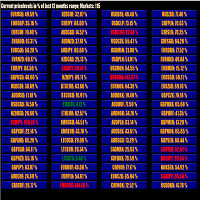
This tool scans up to 200 markets simultaneously and displays the current price level in a range specified by the user in a chart window.
By clicking on one of the buttons, a new chart window opens for the selected symbol. A template file can be specified as an input parameter, which is applied directly to the opened chart window.
The user can specify the font size of the buttons, the number of buttons per column and the level at which marking should take place in the input parameters. The upd
FREE

Trading assistant NewsRForestExpert v4.01 Purpose and principle of operation NewsRForestExpert is a trading assistant for MetaTrader 5, using the built-in economic calendar
and the machine learning model "Random Forest" of the ALGLIB library (hereinafter simply "model"). The assistant: in this version works only on the EURUSD currency pair timeframes M1 – M5; loads news history for the selected period and forms training and test samples; trains on the obtained data or loads an already trained
FREE
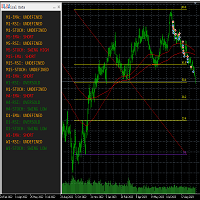
This tool helps to get a quick overview of a market. In one panel, indicators show trend, swing highs/lows and overbought/oversold information of various time frames (M1,M5,M15,H1,H4,D1,W1). Fibonacci can be used to identify different price levels. The input parameters of all indicators can be set by the user. The time frames can be changed as desired. The user can decide for himself which indicators he would like to see in the panel. Fibonacci appears on the chart at the next minute change at t
FREE
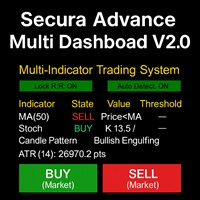
# Secura Multi Dashboard - Advanced Trading Assistant ## **Professional Multi-Indicator Analysis Platform** Secura Multi Dashboard is a comprehensive trading assistant designed for traders who demand clarity, precision, and efficiency. This powerful EA integrates multiple technical analysis tools into a single, intuitive interface, helping you make informed trading decisions without overwhelming complexity.
### ** Key Features:**
** Multi-Indicator Consensus System** - Simultaneous anal
FREE

The utility opens copies of open trades. It is very convenient if you use the Signals service and want to increase the volume of transactions.
Settings: Symbols: all symbols only current symbol Orders: Buy Sell Magic Any Magic Input Magic Lot size Original - lot size from original order; Fix Lot - fix lot size (input); Lot X Mult - lot size X koef; Stop Loss From sender - Stop Loss from original; Without - without Stop Loss; Plus Fix - Stop Loss from original order + fix points; Fix Point -
FREE

Dynamic ATR TP Ratio The ATR Take Profit Manager Expert Advisor (EA) automatically calculates and adjusts the take profit (TP) level for your open trades, based on market volatility. This EA uses the Average True Range (ATR) indicator, which measures market volatility, to set your TP level, ensuring it adapts to the current market conditions. What is ATR? The Average True Range (ATR) is a technical indicator that shows the volatility of an asset over a specific period. It measures how much the
FREE

Book Data Binance! Avez-vous déjà imaginé avoir accès au carnet de commandes de votre cryptomonnaie préférée, avec des détails sur les prix, les volumes et l'analyse des déséquilibres, même si votre plateforme d'échange ne propose pas d'accès au DOM ? Avec Book Data Binance, cela devient réalité ! Ce script en MQL5 a été spécialement développé pour les traders de cryptomonnaies qui cherchent à approfondir leur compréhension des dynamiques du marché. Caractéristiques principales :
FREE

Manual trading panel for MetaTrader 5. This tool enables you to open a trade in a single step. You can set the risk and levels directly on the chart and the position size will be calculated automatically. The tool does the following: You simply drag the stop-loss (SL), entry, and take-profit (TP) lines directly onto the chart. The position size is then calculated automatically, based on the specified risk as a percentage of the deposit or in the account currency. If necessary, you can specify a
FREE

TradePulseMonitor for MetaTrader 4 & 5 Overview: TradePulseMonitor is a comprehensive, real-time dashboard indicator designed for MetaTrader 4 and MetaTrader 5. It provides traders with an at-a-glance overview of their account's financial health, risk exposure, position metrics, and historical performance. By consolidating critical data into a single, customizable on-chart dashboard, it eliminates the need to constantly check the Terminal window, allowing for faster and more informed trading de
FREE

EARLY ACCESS
The first users can download Riskonix for FREE.
This is a limited early release to gather feedback and improve the product.
Users who download now will get: • Free access before price increase • Priority updates • Direct support
️ Price will increase soon.
Riskonix is a professional trading panel for MetaTrader 5 designed to simplify execution, automate risk management and improve trading precision.
Built for serious traders, Riskonix combines smart automation with full m
FREE

RiskLock MT5 — Professional Drawdown Protection & Emergency Account Lock System RiskLock MT5 is a professional risk management utility designed to protect trading accounts from excessive drawdown and catastrophic loss events.
Main Features Drawdown Percentage Protection
Fixed Monetary Loss Protection
Emergency Account Lockdown
Automatic Position Liquidation
Pending Order Deletion
Optional Close-All-Charts Protection
Real-Time Color Dashboard
Emergency Global Variable Lock
Mult
FREE

The SmartTrader Panel is a powerful and intuitive trading panel designed to streamline trade execution and risk management in MetaTrader. With its sleek and user-friendly interface, traders can quickly manage their positions, calculate risk metrics, and execute trades with precision. Key Features: One-Click Trading: Easily place Buy or Sell orders with a single click.
Risk Management: Automatically calculates risk percentage, risk-reward ratio, and potential profit/loss.
Customizable Trad
FREE

After downloading, message me via MQL5 inbox to receive your FREE User Kit - setup guide, practical checklist, and workflow resources built specifically for XAUUSD traders. After years of trading Gold, one thing becomes clear fast: the P/L number alone does not tell you whether your position structure is clean or quietly building pressure. You can have a positive float while simultaneously carrying too many layered positions, a one-sided exposure that is not hedged, a margin level that is slowl
FREE

PrimeFlow Trade Manager turns your MetaTrader 5 chart into a precision trading cockpit. Instead of typing prices into order dialogs, you simply drag three lines — Entry, Stop Loss, and Take Profit — and the EA handles everything else: lot sizing, risk calculation, order placement, and live P&L tracking. All in real time, right on your chart. Why Traders Love It Most traders lose money not because of bad ideas — but because of poor execution. Wrong lot sizes, slippage from manual entry, fumbling
FREE

Find Your Fibonacci Entry Levels Automatically Fibonacci Entries is a FREE trading utility that automatically displays key Fibonacci entry levels from the selected candle—so you can quickly identify potential pullback areas without manually drawing Fibonacci levels. KEY FEATURES Automatic Fibonacci Entries
Automatically calculate and display Fibonacci levels from the selected candle. Key Entry Levels
Displays: 23.6% • 38.2% • 50.0% Last Candle Analysis
Use the previous can
FREE

Panel Tool – Button Click Trading (Replaces Default Trade Panel)
Features
1. Open or close Long positions with a button click.
2. Open or close Short positions with a button click.
3. Set lot sizes.
4. Set Stop-Loss (SL) or Take-Profit (TP) points (0 = not used).
5. Set order comments.
6. Display the Break-Even price .
7. Show total Long and Short lot sizes.
8. Display Profit or Loss in USD.
9. Show daily Profit or Loss in USD.
10. Set ID = 0 to manage manual orders together .
FREE

The Expert Advisor "TimeLeft Display" shows the remaining time until the close of the current candle in a digital display. The time is displayed in days, hours, minutes, and seconds. Features: Time Calculation: Calculates the remaining time until the close of the current candle based on the current timeframe of the chart. Digital Display: Shows the remaining time in a digital format. Customizable Font and Size: Allows selection of the font (Arial, Arial Black, Aptos Display, Tahoma,
FREE

AlphaMonitor — Free Trading Risk Monitor Monitor your trades. Understand your exposure. Stay informed. AlphaMonitor is a lightweight monitoring utility for MetaTrader 5 designed to help traders keep track of their open positions, floating profit and loss, and potential trade outcomes from a single, convenient overview. Whether you trade manually or use Expert Advisors, AlphaMonitor provides useful information about your current positions, helping you monitor your trading activity without th
FREE

How to run the script in MT5. Open MetaTrader 5. Press Ctrl + N to open the "Navigator" window. Locate the "Scripts" folder. Drag and drop RR Control Pro onto the chart with the open trade.
How it works.
Automatic detection: Once you drag the script onto the chart, it automatically identifies the most recently opened position on your trading account. Direction detection: The script checks whether the trade is a BUY or a SELL to calculate distances correctly. Formula: The ratio is calculated a
FREE
Template name allows you to write custom text that will show up on your charts. It allows you to position the text anywhere including selecting any color that you prefer. You can position the text at any of the 4 corners of your chart screen. This custom text can aid as a watermark for your screen shots. This text can act as a unique and true signature for your charts.
FREE

Noetrix Lens
Read-only portfolio and performance analytics for MetaTrader 5.
Noetrix Lens turns native MT5 account history into clear portfolio intelligence from a single chart. It is designed for traders who want to understand where results come from without giving an analytics tool control over their trading.
Lens never places, modifies or closes trades. Algo Trading is not required.
## Main features
- Portfolio overview with net P/L, return, trade count, Profit Factor, win rate, average
FREE
M ulti Cross Alert! on your smartphone. Use multiple indicators to get a crossover signal on chart as well as on MetaTrader app. You can use all crossovers at the same time but it is not recommended cause your chart will look messy. Instead use combination of two indicators which will be better. IMP NOTE:- More indicators will be added in future updates. Any suggestions regarding indicators are welcome! Indicators List: 1. MA (Cross) 2. RSI (OB/OS) 3. MACD Lines (Main Line & Signal Line Cross)
FREE

Msg2Slack est l'outil qui envoie des messages depuis les zones de texte MT4/MT5 vers Slack. En un seul clic sur le bouton situé sur le côté droit de la zone de texte, vous pouvez facilement envoyer du texte et des images graphiques à votre chaîne Slack. Même si vous dessinez des lignes, des marques, des commentaires et plus encore sur le graphique, l'image sera publiée.
Que vous souhaitiez envoyer des messages à vous-même ou à un groupe, cet outil simple mais puissant facilite incroyablement la
FREE
Présentation du Chart Chimes - l'indicateur MT4/MT5 qui fait du trading une symphonie sonore ! Vous en avez assez de regarder des graphiques toute la journée ? Besoin d'un petit coup de pouce pour garder le moral pendant que vous tradez ? Eh bien, Chart Chimes a ce qu'il vous faut !
Avec Chart Chimes, chaque fois que vous appuyez sur ce bouton, vous entendrez un son amusant qui vous fera sourire et vous fera sauter le pas. Imaginez que vous échangez avec le son d'une trompette triomphante ou d
FREE
PANEL OF TOPOS AND HISTORICAL BACKGROUNDS This is a panel that does not open orders only manages all Symbols and calculates the tops and bottoms and presents the calculation in relation to the top and bottom in 5 Years, 2 Months and 1 Week.
It is ideal for filtering the pairs that are in the good regions to operate. You can filter the range and choose whether to consider the body or shadow of the candle in the monthly. Good luck...
FREE

EA Portfolio Dashboard Telegram Alerts Professional dashboard designed to analyze, monitor and control multiple Expert Advisors in real time, providing institutional-level statistics directly on your MT5 chart . Track the true performance of your portfolio with clean visual analytics, automatic EA grouping, drawdown monitoring and Telegram notifications. Ideal for traders running multiple EAs, prop firm challenges or VPS trading environments. Key Features Automatic detection of all EAs runn
FREE

Simple script for Buy by Market Execution on all financial instruments.
Inputs Volume - default: 0.10 Deviation - default: 10 points Stoploss - default: 50 points Takeprofit - default: 50 points Comment - default: Order by Market Confirm - default: false
Inputs Details Type Order Buy Order is preset. Deviation Maximum deviation from quoted price in points. Stoploss & Takeprofit In points value, be careful that this value will be added to minimum stop allowed by the broker. For example if you s
FREE

Phone Notification
Send Information from VPS direct to Phone No TradingOperation only MessageNotification Send Information to your selected Time-Window Configure Time when want to receive the Message What will be send:-Bull/Bear Candle Bull: 0 Bear: 0 Level that get Touched by Price most Level: 00000.00 any Question or modification ex5 Code write me a Message
FREE

The Teaching T-INN utility was created to train architecture neural networks (T-INN) Target-IntelNeuroNet adapted to the currency market. The utility file must be placed in the scripts folder and run on the chart and timeframe on which you want to train the neural network. The result of the training will be recorded in a file, and the entire training process is displayed in the console on the chart and an additional log file. Before starting the script, it is necessary to download all the stori
FREE

Risk Optimizer is the absolute solution for applying risk management on your account. Bad risk management is the main reason that causes traders to lose money. Risk Optimizer calculates and suggests the correct lot size for each position according to your personal, customized risk profile. You can give directly your preferred risk as percentage (%) for each position or you can trust our algorithms to calculate and optimize according to your risk category selection. But it is not only that! Selec
FREE

Pro 10:00 Powell Strategy [NQ ES] by Ash_TheTrader
This indicator is just for who wanna trade base on Powell 10AM/PM method and its not a bigdeal holygrail strategy ! Its just a hands-Free tools for users . Does it works or not ? You should test it !
This indicator is specifically designed for Nasdaq (NQ) and S&P500 (ES) traders to capitalize on the massive liquidity sweeps that happen right at the New York 10:00 AM (and PM) opening hours. It automatically detects the true opening price,
FREE

Position Closer MT5 est un utilitaire de trading pratique qui s'affiche directement sur le graphique et permet de gérer la clôture des positions rapidement et efficacement. Au lieu de fermer chaque position individuellement, vous pouvez toutes les fermer en un seul bouton. Comment ça fonctionne : Le panneau se compose de deux grands boutons informatifs : Le bouton vert "Close BUY" — affiche le nombre de positions d'Achat ouvertes sur le symbole actuel et leur profit/perte total. Le bouton marron
FREE
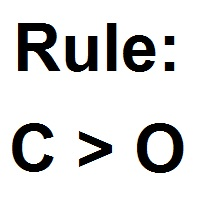
Patterns Wizard est un outil de création de motifs de bougies. Avec lui, vous pouvez créer plusieurs motifs différents et ajouter autant d'instances de cet indicateur que vous le souhaitez sur votre graphique, chacune avec un motif différent. Pour mieux comprendre le fonctionnement des formules de création, vous pouvez prendre des exemples de l'indicateur My Candle, qui contient plus de 70 exemples de motifs de bougies, disponible sur le marché MQL5 . La principale différence de cet indicateur
FREE
Le MetaTrader Market est la seule boutique où vous pouvez télécharger un robot de trading de démonstration gratuit pour le tester et l'optimiser à l'aide de données historiques.
Lisez l’aperçu de l'application et les avis d'autres clients, téléchargez-la directement sur votre terminal et testez un robot de trading avant de l'acheter. Seul MetaTrader Market vous permet de tester gratuitement une application.

Vous manquez des opportunités de trading :
- Applications de trading gratuites
- Plus de 8 000 signaux à copier
- Actualités économiques pour explorer les marchés financiers
Inscription
Se connecter
Vous acceptez la politique du site Web et les conditions d'utilisation
Si vous n'avez pas de compte, veuillez vous inscrire