Taras Slobodyanik / Perfil
- Información
|
9+ años
experiencia
|
60
productos
|
236
versiones demo
|
|
628
trabajos
|
0
señales
|
0
suscriptores
|
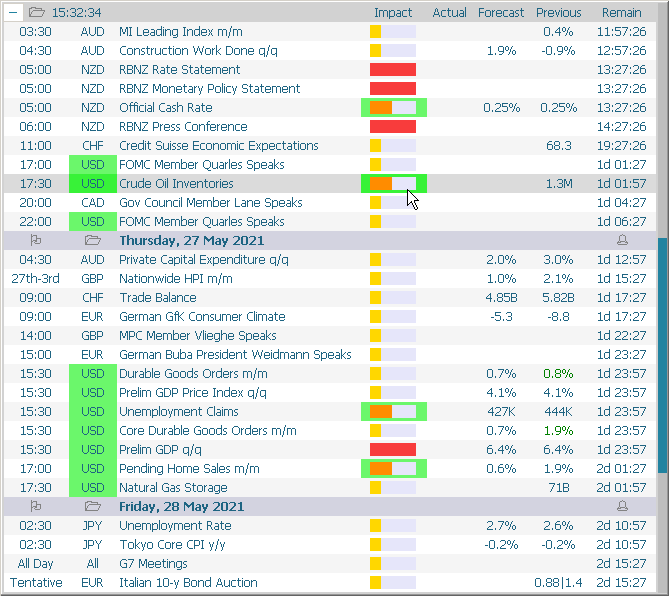
1) Now while holding down the CTRL key, you can select the desired currencies and the impact of news. After releasing the CTRL button, only the selected currencies (and impact) will be displayed.
2) Added a parameter to activate all alerts at once (at start) - "Activate all alerts".
3) Added a parameter to activate all news on the chart (at start) - "Activate all news on the chart".
4) Added parameters for sorting news without using a mouse - "Use static settings (don't use mouse select)".
------------------------------------------------------------
News Dashboard (обновление 2.10)
1) Теперь при зажатой клавише CTRL, вы можете выбрать желаемые валюты и важность новостей. После отжатия кнопки CTRL, только выбранные валюты будут отображены.
2) Добавлен параметр для активации всех алертов сразу (при старте) - "Activate all alerts".
3) Добавлен параметр для активации всех новостей на чарте (при старте) - "Activate all news on the chart".
4) Добавлены параметры для сортировки новостей без использования мышки - "Use static settings (don't use mouse select)".
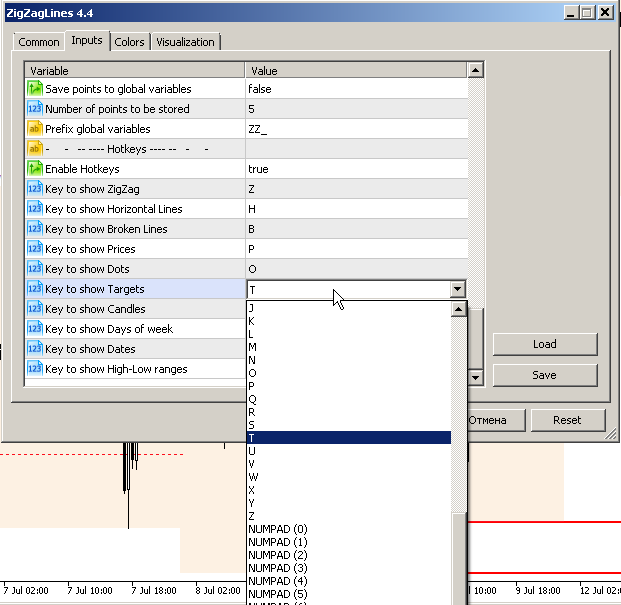
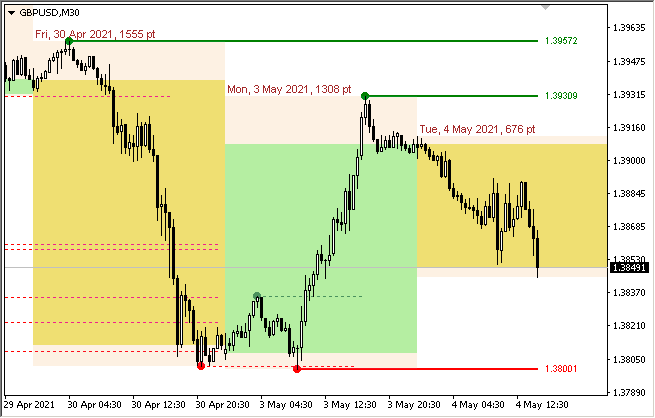
1) For the parameter "Candles" added "Show Day of week", "Show Date" and the ability to specify a color for each day of the week.
------------------------------------------------------------
ZigZag Lines MTF (обновление 4.30)
1) Для параметра "Свечи" добавлены "Show Day of week", "Show Date" и возможность указания цвета для каждого дня недели.
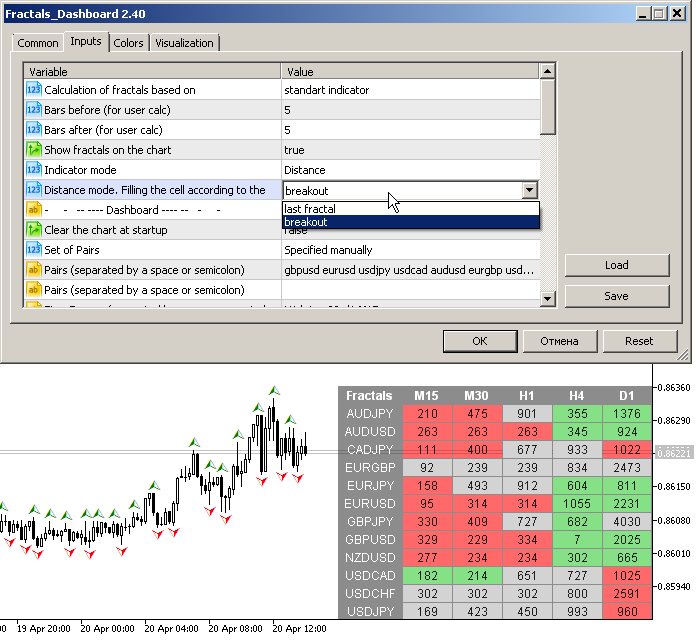
1) For the "Distance mode", the parameter "Filling the cell according to the breakout or the last fractal" has been added.
2) Added parameter "Allow to move the table manually". Now, after double-clicking on the table headers, you can move it with the mouse. The binding to the corner of the chart remained unchanged.
3) Added options to disable the table headers.
4) Now, in the "user bars" calculation mode, fractals can appear in front of the current bar.
------------------------------------------------------------
Fractals Dashboard MT4/MT5
1) Для режима "Расстояние между фракталами", добавлен параметр "Filling the cell according to the breakout or the last fractal".
2) Добавлен параметр "Allow to move the table manually". Теперь после двойного клика на заголовках таблицы вы можете перемещать ее мышкой. Привязка к углу чарта осталась неизменной.
3) Добавлены параметры для отключения шапки таблицы.
4) Теперь, при режиме расчета "user bars", фракталы могут появляться перед текущим баром.
1) Added a clock showing the current time. Click on the clock - go to the current news.
2) Added an icon for collapsing and expanding all days at once.
3) Added highlighting of the current today's news.
4) Correction of minor bugs.
------------------------------------------------------------
News Dashboard (обновление 1.20)
1) Добавлены часы показывающие текущее время. Клик по часам - переход к текущей новости.
2) Добавлена иконка сворачивания и разворачивания всех дней сразу.
3) Добавлена подсветка текущей сегодняшней новости.
4) Исправление мелких багов.
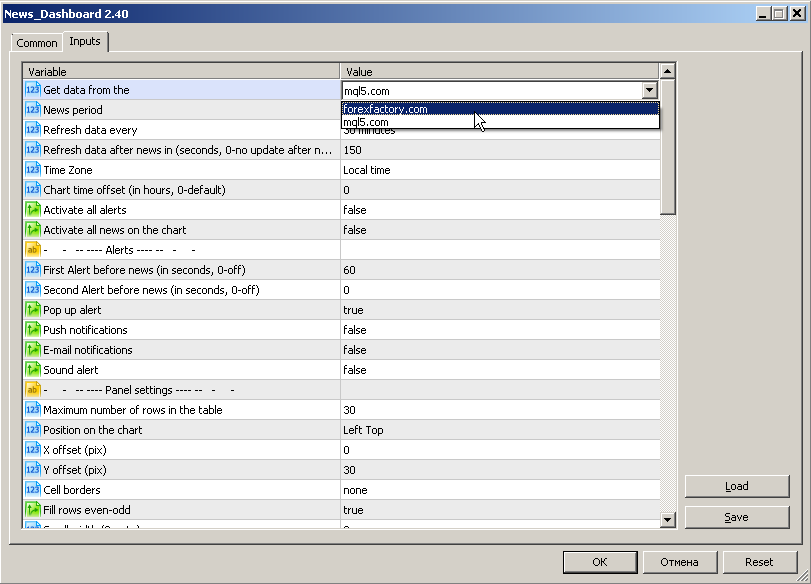
Este panel muestra noticias actuales de tres fuentes: del sitio web ForexFactory.com (calendario FFC), del sitio web Investing.com y del calendario económico de mql5.com. Puede ordenar las noticias por impacto y por país y mostrarlas en el gráfico con un solo clic. Al mantener presionada la tecla 'Ctrl', puede seleccionar varias 'monedas' o 'impactos' diferentes para ordenar. Además, esta utilidad muestra no solo el pronóstico, sino también los valores reales después de que aparecen en el
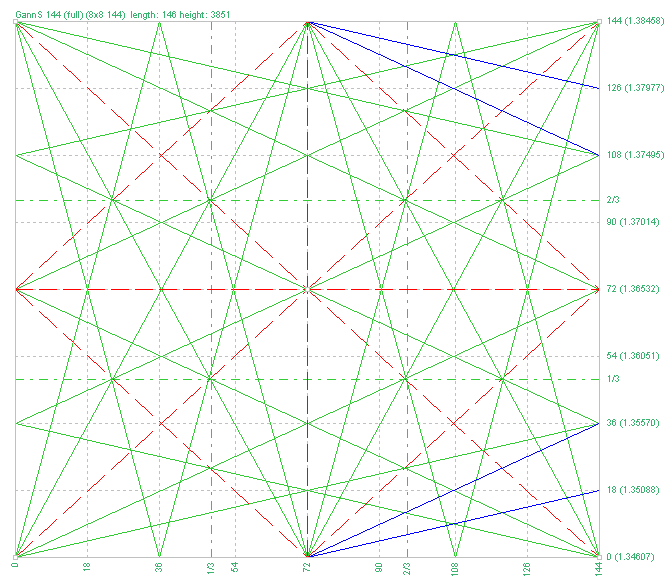
1) Added parameters for additional angles (Additional angles 1/4 & 1/8).
------------------------------------------------------------
Gann Square of 144 (обновление 3.00)
1) Добавлены параметры дополнительных углов (Additional angles 1/4 & 1/8).
Symbol Manager o Grid Manager, diseñado para agrupar órdenes en una posición (por Símbolo o por Número Mágico). Esta utilidad será útil para los traders multidivisa (muchos EAs), que pueden tener múltiples órdenes en varios pares. Podrá ver el número total de lotes, el beneficio total, y establecer stop loss y take profit virtuales. Para establecer un TP (o SL) real, primero debe establecer el valor virtual, y luego introducir el comando en esta celda: "Si desea establecer un TP/SL real para
1) Added parameters for showing open and close lines.
2) Added parameter "Week starts on Sunday".
------------------------------------------------------------
Levels of Timeframes (обновление 2.30-2.40)
1) Добавлены параметры для показа линий открытия и закрытия.
2) Добавлен параметр "Неделя начинается в воскресенье".
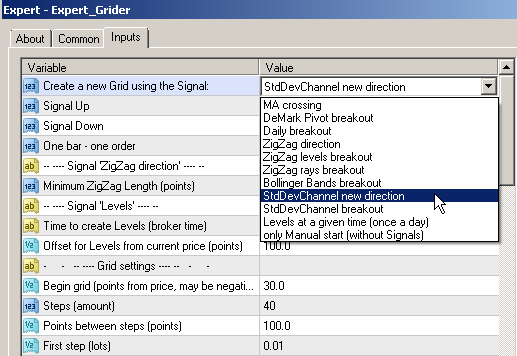
1) Added a signal - StdDevChannel new direction.
2) Added a signal - StdDevChannel breakout.
3) Added a signal - Bollinger Bands breakout.
------------------------------------------------------------
Easy Grider (обновление 3.9)
1) Добавлен сигнал для входа в рынок - StdDevChannel new direction.
2) Добавлен сигнал для входа в рынок - StdDevChannel breakout.
3) Добавлен сигнал для входа в рынок - Bollinger Bands breakout.
Indicador multidivisa y multitemporal del Canal de Desviación Estándar. Muestra la dirección actual del mercado. En el panel se pueden ver rupturas y toques (por precio) de los niveles del canal de regresión lineal. En los parámetros, puede especificar las monedas y plazos que desee. Además, el indicador puede enviar notificaciones cuando se tocan niveles. Al hacer clic en una celda, se abrirá este símbolo y punto. Este es el escáner MTF. La clave para ocultar el panel del gráfico es "D" de
1) For the parameter "Set of Pairs" added the option "Current pair".
2) Added cell highlighting modes.
------------------------------------------------------------
ZigZag Dashboard (обновление 1.80)
1) Для параметра "Set of Pairs" добавлена опция "Current pair".
2) Добавлены режимы подсветки ячеек.
1) Added parameters for setting the color when the price rolls back, after touching the band.
2) For the parameter "Set of Pairs" added the option "Current pair".
3) Added parameters for setting arrow codes when the price rolls back after touching the band.
------------------------------------------------------------
Bollinger Bands Dashboard (обновление 1.20)
1) Добавлены параметры для задания цвета при откате цены, после касания бенда.
2) Для параметра "Set of Pairs" добавлена опция "Current pair".
3) Добавлены параметры для установки кодов стрелок при откате цены после касания бенда.
1) Added third level check - Medium level (only alert).
2) Added a choice of sounds for each type of sound alert.
------------------------------------------------------------
Dashboard Stochastic Multicurrency (обновление 2.7)
1) Добавлена проверка третьего уровня — Средний уровень (только алерт).
2) Добавлен выбор звуков для каждого типа звукового алерта.
1) Added calculation of fractals by custom number of bars.
------------------------------------------------------------
Fractals Dashboard (обновление 1.8)
1) Добавлен расчет фракталов по пользовательскому количеству баров.
1) Added options for hiding / showing columns in the table.
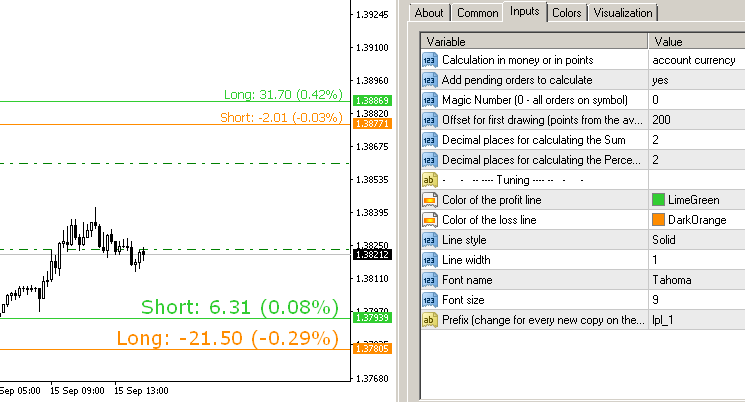
2) Added column "Points", showing the profit in points.
3) Added column "Percent", showing the percentage of profit from the current balance.
4) Fixed error calculating profits on indices.
------------------------------------------------------------
Symbol Manager
1) Добавлены параметры для скрытия/показа колонок в таблице.
2) Добавлена колонка "Points", показывающая прибыль в пунктах.
3) Добавлена колонка "Percent", показывающая процент прибыли от текущего баланса.
4) Исправлена ошибка подсчета прибыли на индексах.
El Tetris - el más famoso mata-tiempo está ahora en MT. El juego desarrolla la lógica activa, la atención y la rapidez en la toma de decisiones. Esta es una versión clásica del juego, sin florituras, pero todavía se puede ajustar el tamaño del cristal, la escala del juego, el color de las figuras, y la velocidad deseada. El juego está hecho como un indicador. Teclas de control: 'WASD' o 'Cursor' o 'NUMPAD'. S - Empezar nueva partida. C - Continuar juego anterior. P - activar / desactivar la
El Tetris - el más famoso mata-tiempo está ahora en MT. El juego desarrolla la lógica activa, la atención y la rapidez en la toma de decisiones. Esta es una versión clásica del juego, sin florituras, pero todavía se puede ajustar el tamaño del cristal, la escala del juego, el color de las figuras, y la velocidad deseada. El juego está hecho como un indicador. Teclas de control: 'W,A,S,D' o 'Cursor' o 'NumPad'. S - Empezar nueva partida. C - Continuar juego anterior. P - activar / desactivar la
Modificación multidivisa y multitemporal del indicador Bandas de Bollinger. En el tablero puedes ver rupturas y toques de las Bandas de Bollinger. En los parámetros puede especificar las monedas y plazos que desee. El indicador también puede enviar notificaciones cuando el precio toca las Bandas de Bollinger, cuando la volatilidad actual cambia (se expande o cae) y cuando el precio toca todas las bandas. Al hacer clic en una celda con un punto, se abrirá este símbolo y punto. Este es el escáner