• Información
9+ años
experiencia
60
productos
236
versiones demo
628
trabajos
0
señales
0
suscriptores
Taras Slobodyanik
Taras Slobodyanik
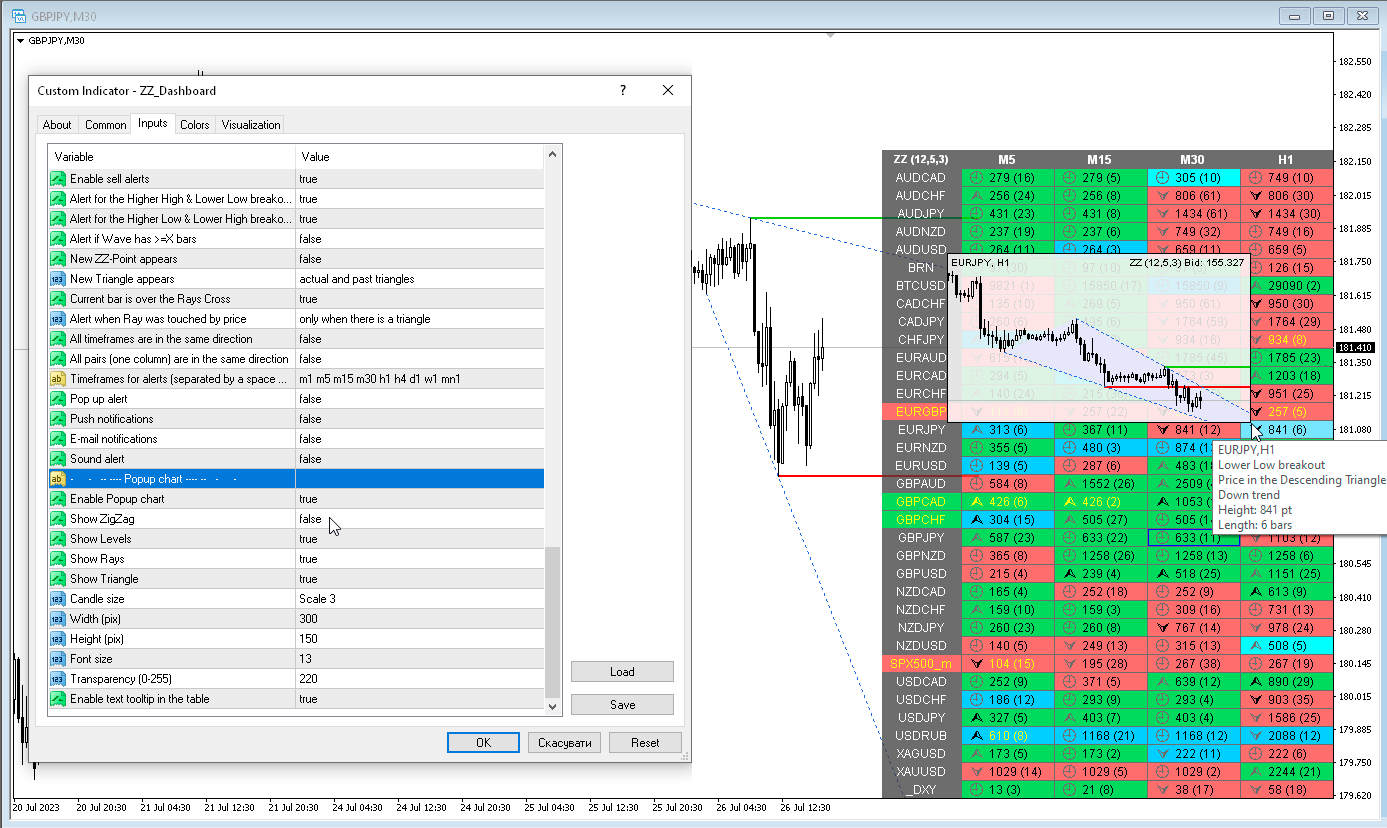
ZigZag Dashboard (version 4.00)
1) Various alerts have been added for the Triangle. Also cell fill colors when the price is in the Triangle.
2) Added more tooltips, fixed some text descriptions.
3) Added "Color scheme" parameter.
4) Added a hotkey to hide the dashboard, by default "D".
5) Added "Popup chart" parameters. Now, when you hover the mouse over the cells, you can see a pop-up chart from this timeframe.
6) The condition of the list of pairs for the second parameter has been changed. Pairs in the second parameter must be typed only with a semicolon and must be in exact case. "Pairs (separated ONLY by a semicolon and have exact letter case)"
7) Code optimization and bug fixes.
Taras Slobodyanik
Taras Slobodyanik
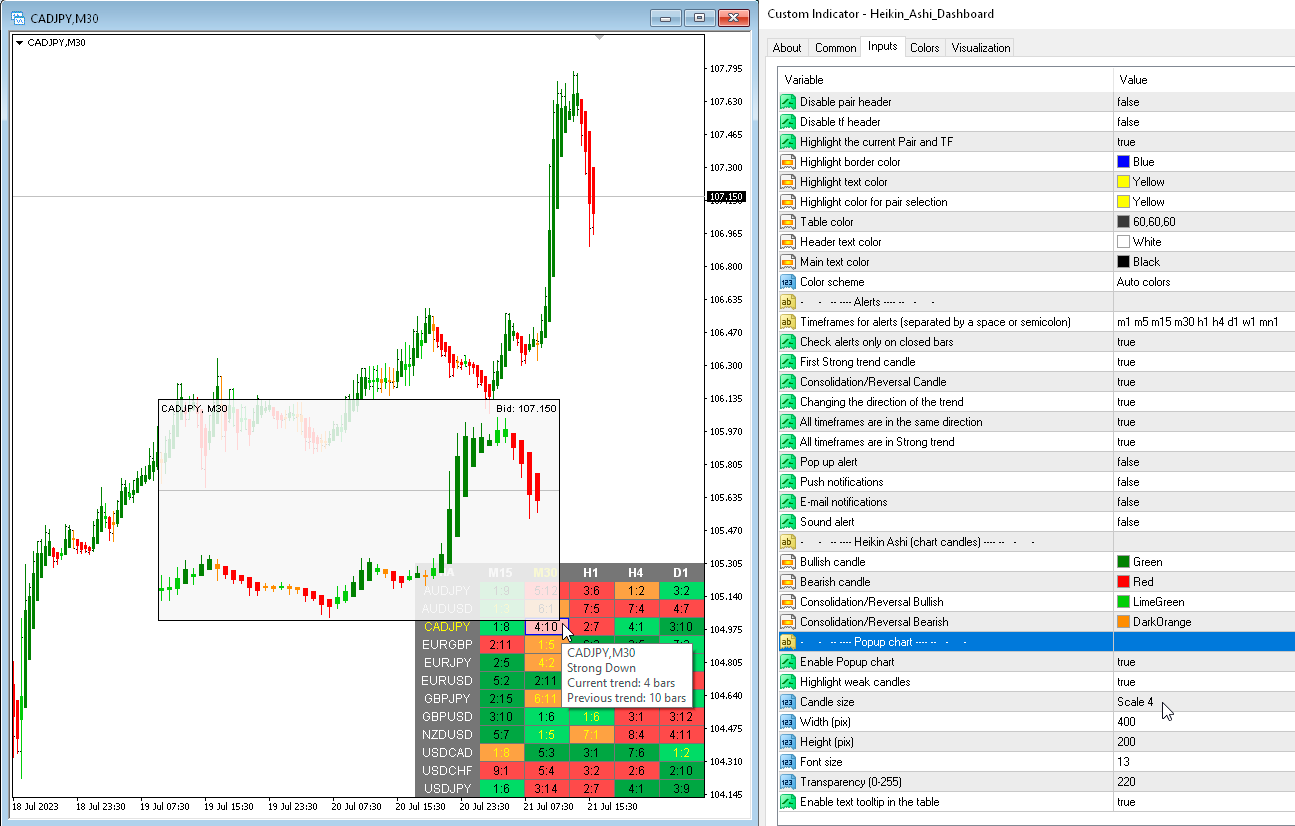
Heikin Ashi Dashboard (version 1.40)
1) Added "Popup chart" parameters. Now, when you hover the mouse over the cells, you can see a pop-up chart from this timeframe.
2) Added "Bars to calculate" parameters for Dashboard and Chart.
3) The condition of the list of pairs for the second parameter has been changed. Pairs in the second parameter must be typed only with a semicolon and must be in exact case. "Pairs (separated ONLY by a semicolon and have exact letter case)"
4) Fixed some minor bugs.
Taras Slobodyanik
Taras Slobodyanik
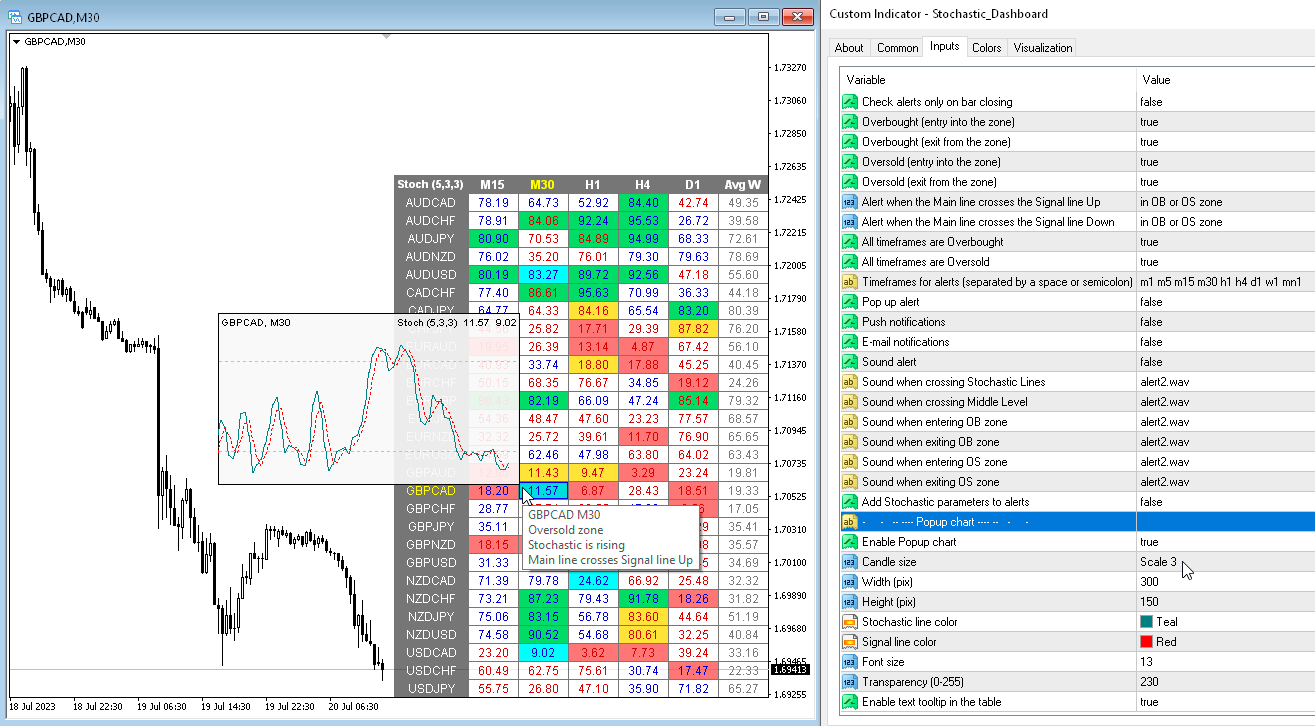
Dashboard Stochastic Multicurrency (version 5.30)
1) Added "Popup chart" parameters. Now, when you hover the mouse over the cells, you can see a pop-up chart from this timeframe.
2) Fixed some minor bugs.
Taras Slobodyanik
Taras Slobodyanik
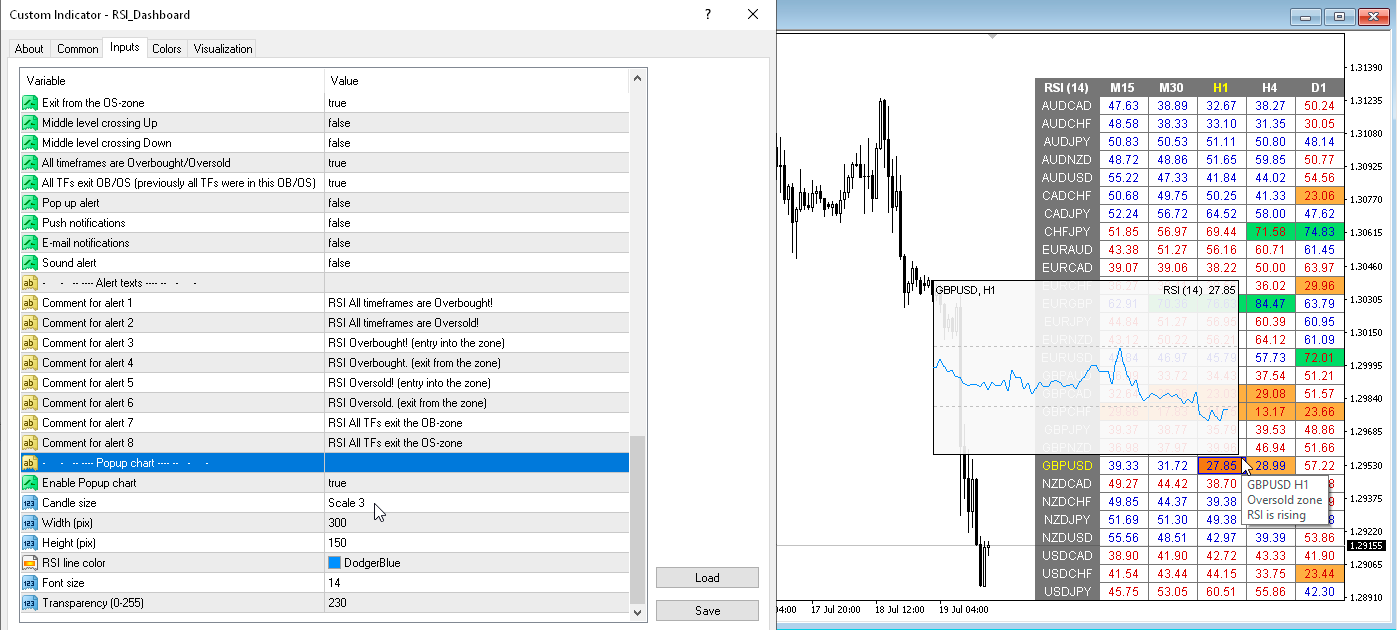
Dashboard RSI Multicurrency (version 4.00)
1) Added "Popup chart" parameters. Now, when you hover the mouse over the cells, you can see a pop-up chart from this timeframe.
2) Fixed some minor bugs.
Taras Slobodyanik
Taras Slobodyanik
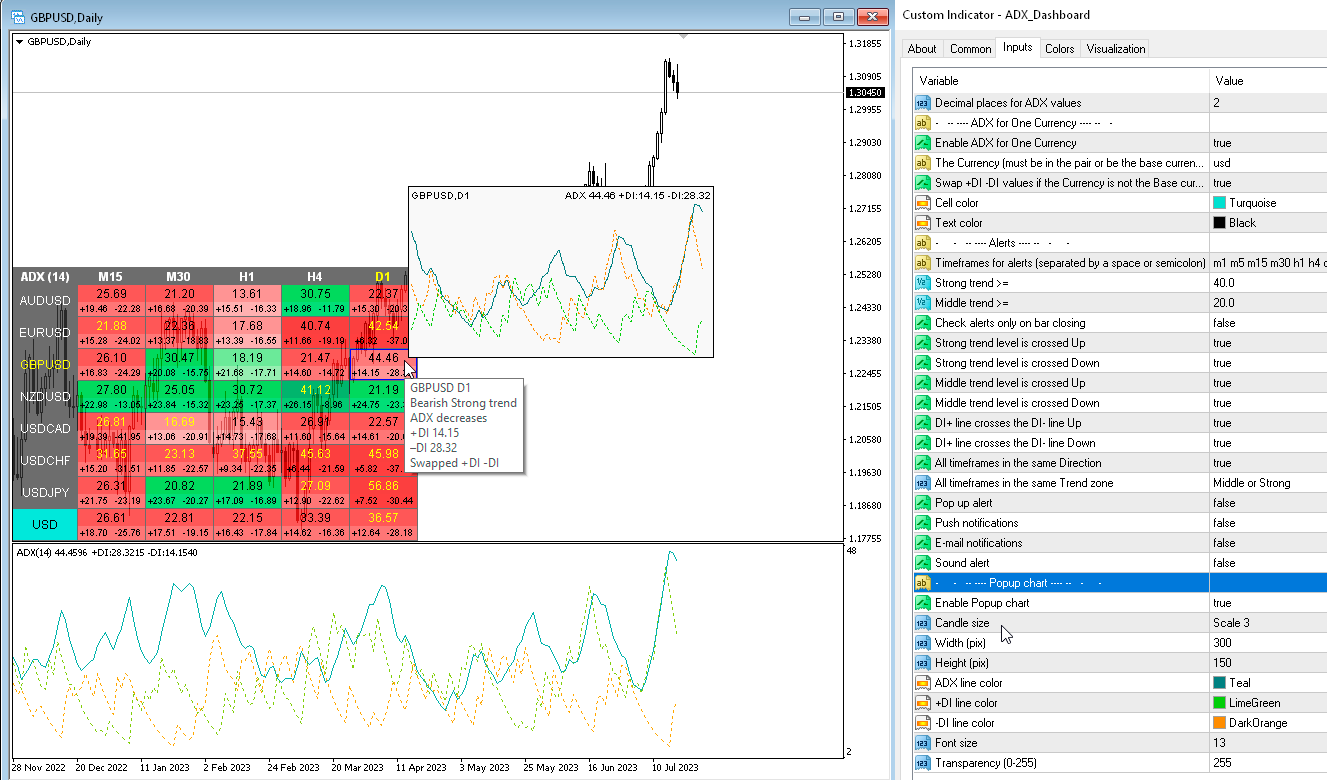
ADX Dashboard (version 2.20)
1) Added "Popup chart" parameters. Now, when you hover the mouse over the cells, you can see a pop-up chart from this timeframe.
2) Fixed some minor bugs.
Taras Slobodyanik
Taras Slobodyanik
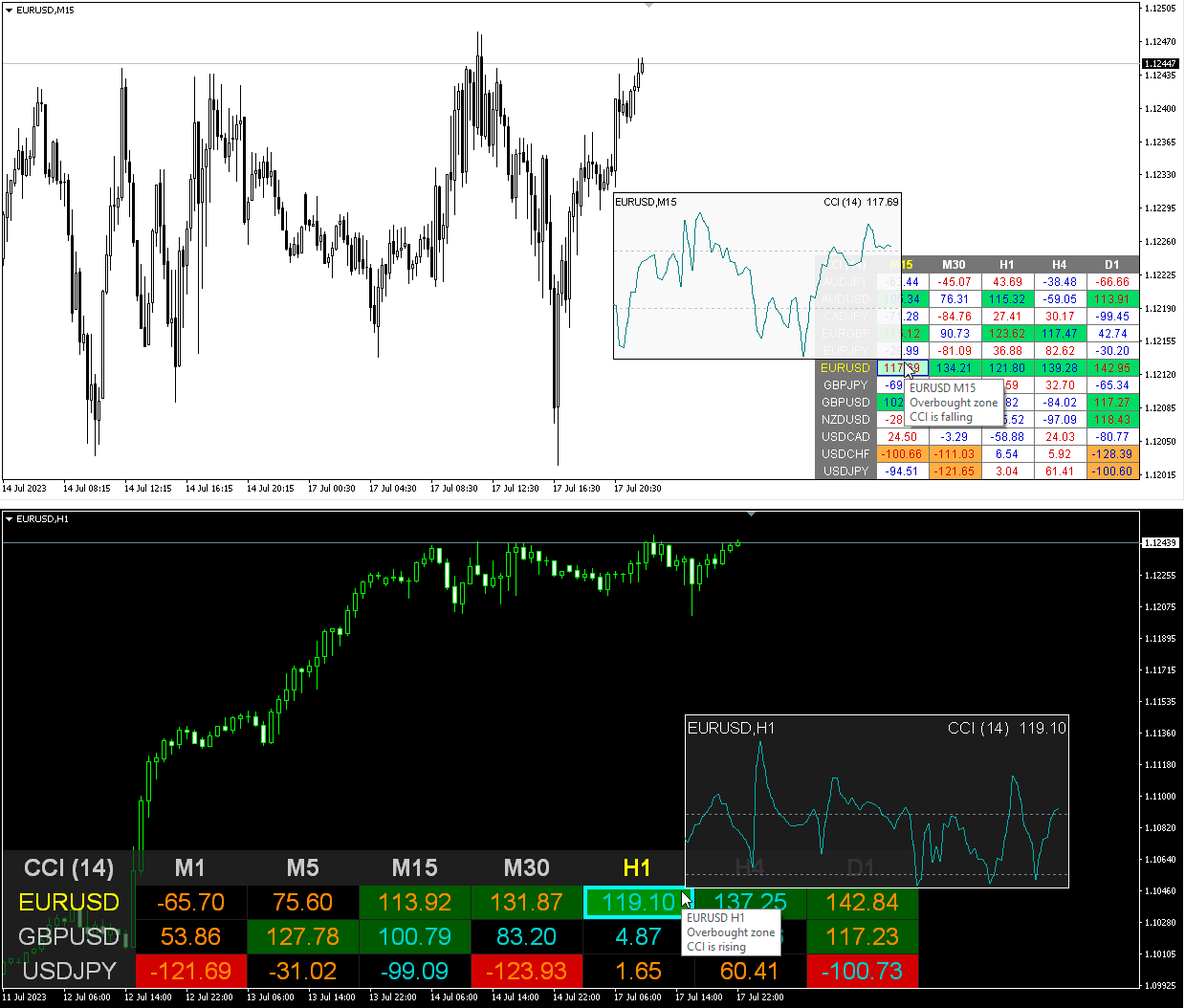
CCI Dashboard (version 2.80)
1) Added "Popup chart" parameters. Now, when you hover the mouse over the cells, you can see a pop-up chart from this timeframe.
2) Fixed some minor bugs.
Taras Slobodyanik
Taras Slobodyanik
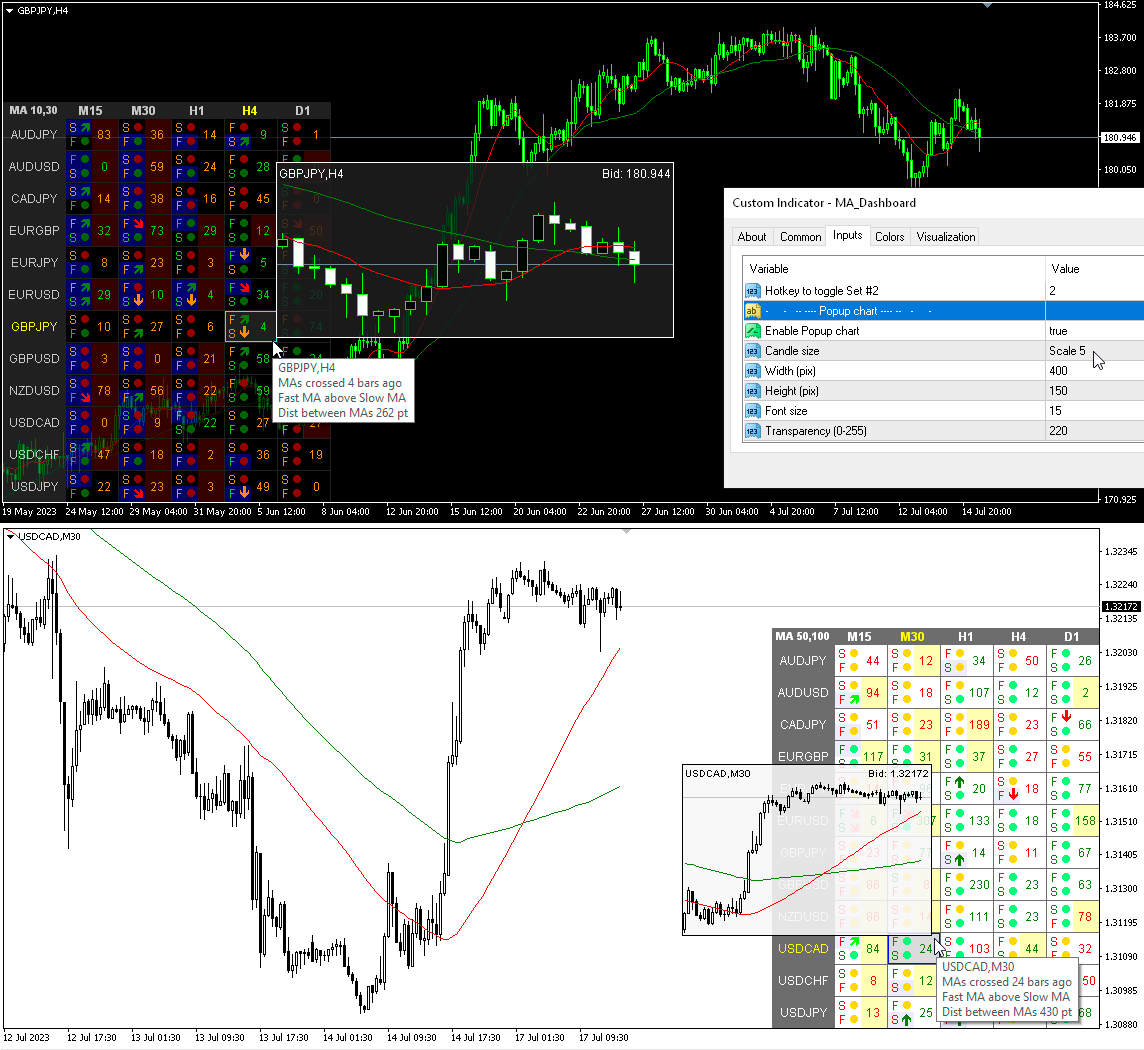
MA Dashboard (version 2.20)
1) Added "Popup chart" parameters. Now, when you hover the mouse over the cells, you can see a pop-up chart from this timeframe.
2) Fixed some minor bugs.
Taras Slobodyanik
Taras Slobodyanik
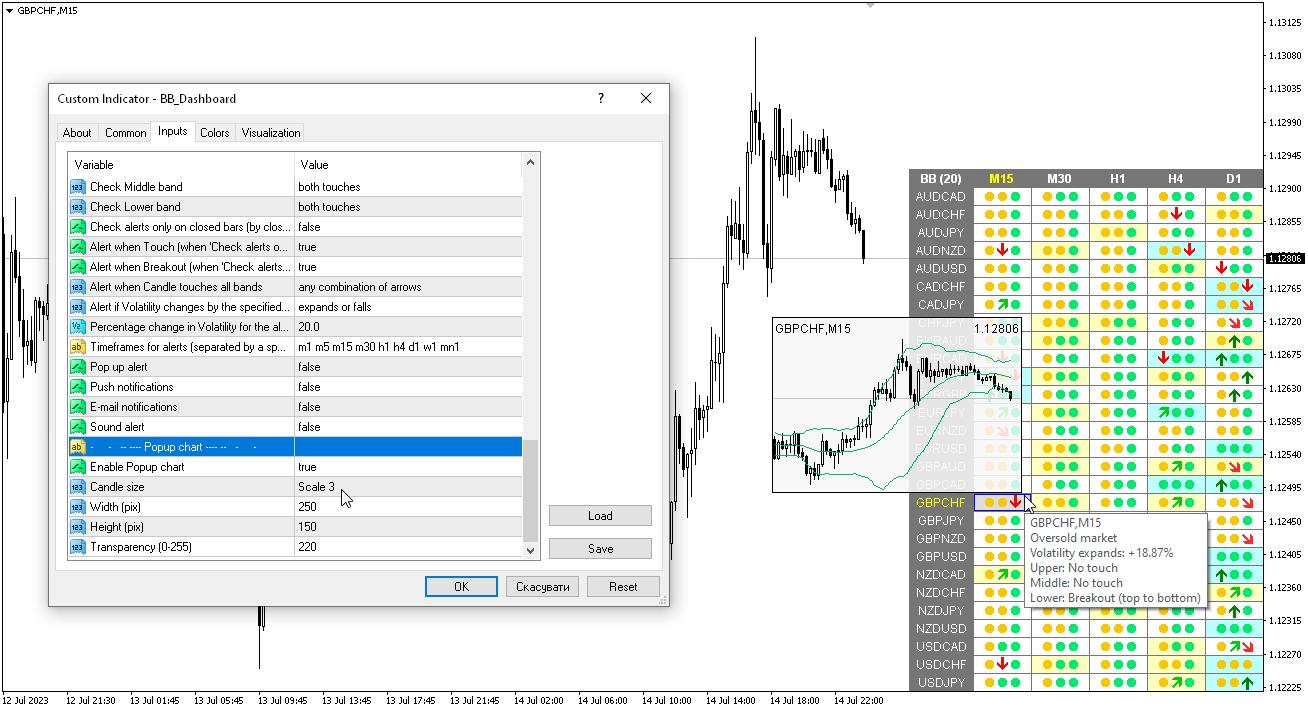
Bollinger Bands Dashboard (version 2.50)
1) Added "Popup chart" parameters. Now, when you hover the mouse over the cells, you can see a pop-up chart from this timeframe.
2) Fixed some minor bugs.
Taras Slobodyanik
Taras Slobodyanik
Bollinger Bands Dashboard (version 2.30)
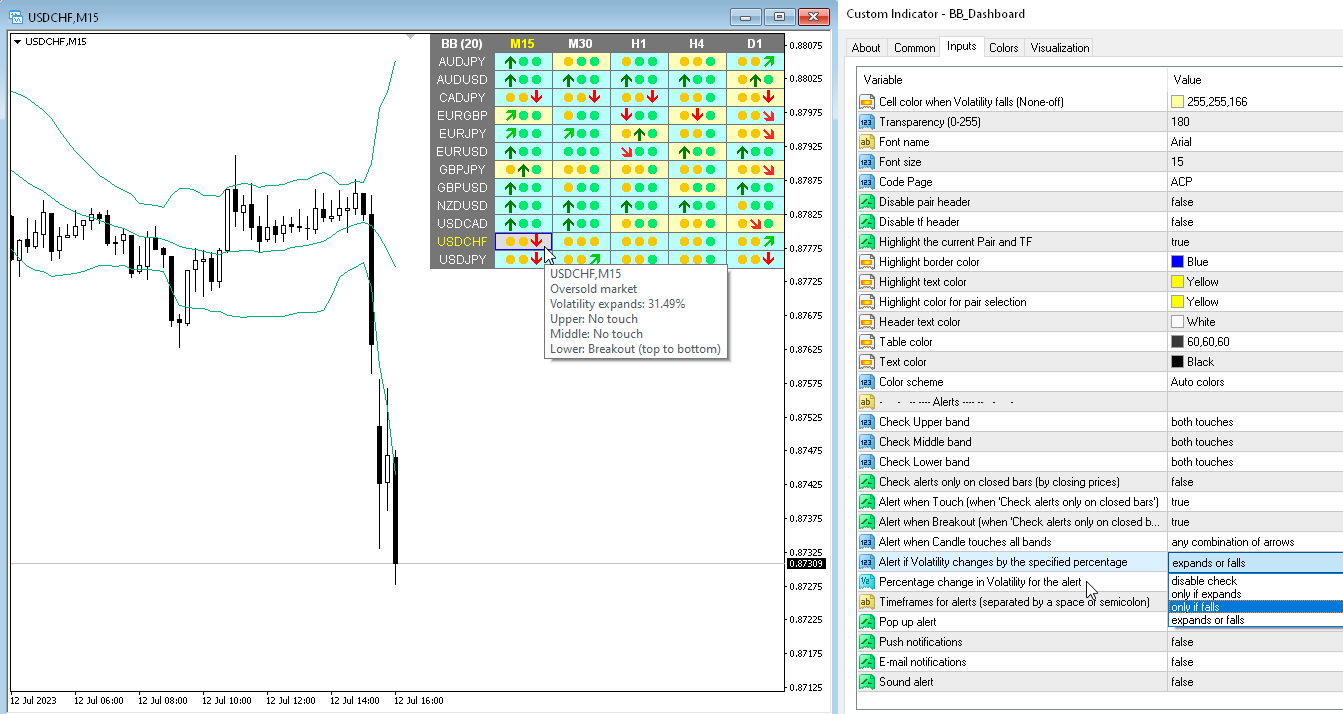
1) Added alert when changing volatility "Alert if Volatility changes by the specified percentage".
2) Added text to tooltips.
Taras Slobodyanik
Taras Slobodyanik
Bollinger Bands Dashboard (version 2.20)
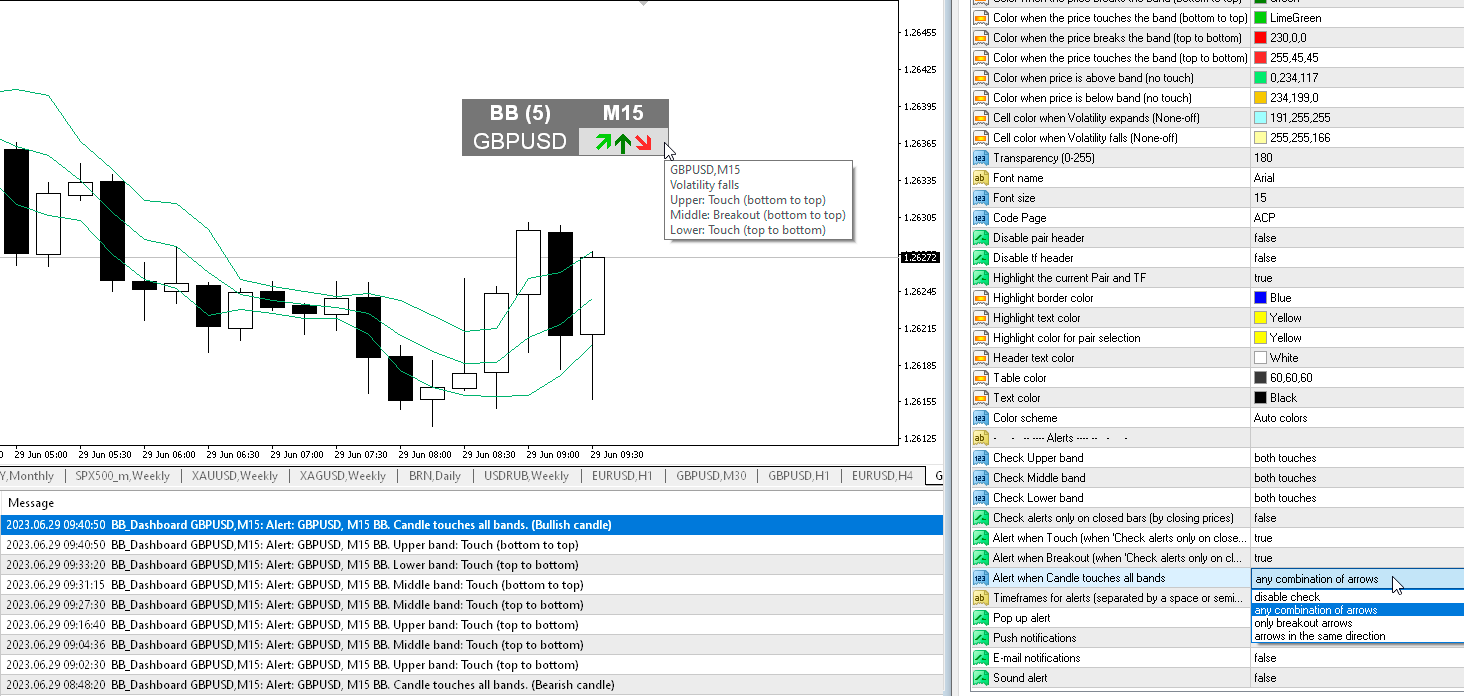
1) Added alert "Alert when Candle touches all bands". Alert options: "any combination of arrows", "only breakout arrows", "arrows in the same direction".
2) Added the ability to enable/disable alerts for each Symbol when clicking on the name of the Pair. If no Pair is selected then alerts are enabled for all Symbols.
3) Added "Color scheme" parameter. Now the color scheme can automatically change.
4) Fixed a bug where the table disappeared when the chart was resized after moving.
Taras Slobodyanik
Taras Slobodyanik
MA Dashboard (version 2.0)
1) Added "Color scheme" parameter. Now the color scheme can automatically change.
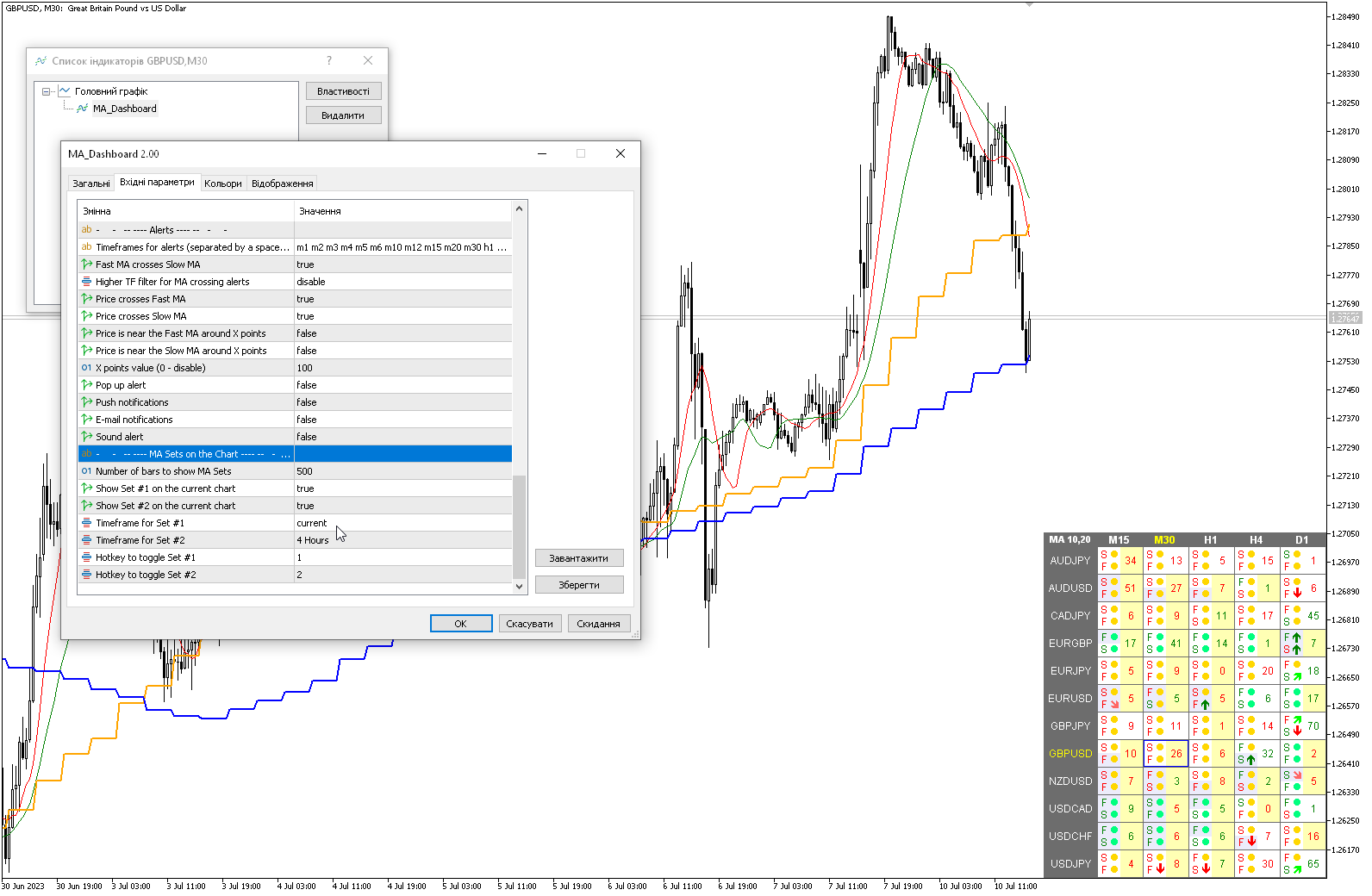
2) Added parameters for displaying Fast MA and Slow MA lines on the current chart "MA Sets on the Chart". You can select the MA timeframe to display. The default hotkeys are "1" and "2".
Taras Slobodyanik
Taras Slobodyanik
MA Dashboard (version 1.90)
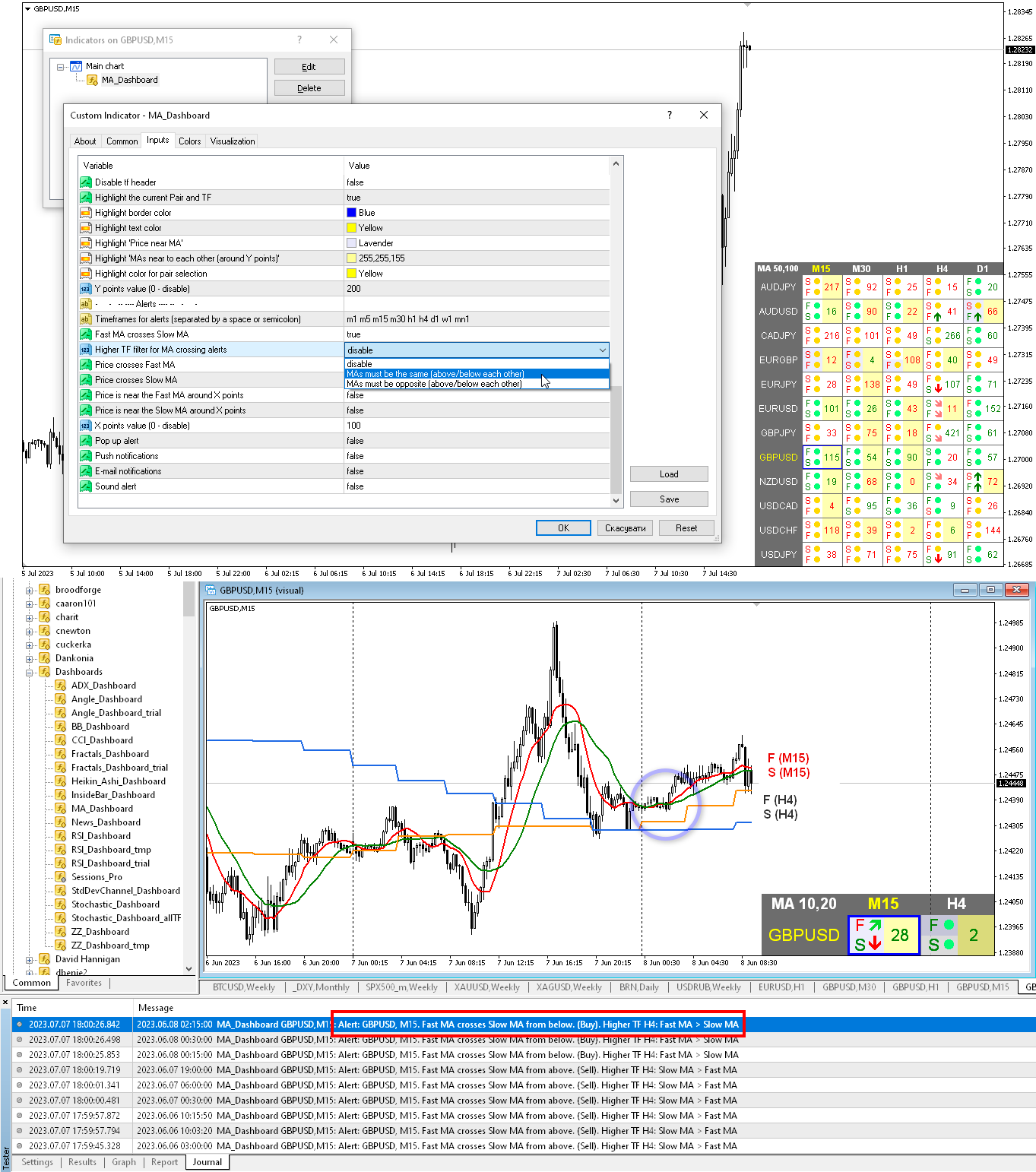
1) Added filter for MA crossing alerts - "Higher TF filter for MA crossing alerts". When the filter is enabled, when MAs cross, the indicator will check the MA values from the next higher timeframe (on the dashboard). If MAs from the higher timeframe meet the specified conditions, the MA crossing alert will be sent, otherwise there will be no alert.
Taras Slobodyanik
Taras Slobodyanik
ADX Dashboard (version 2.0)
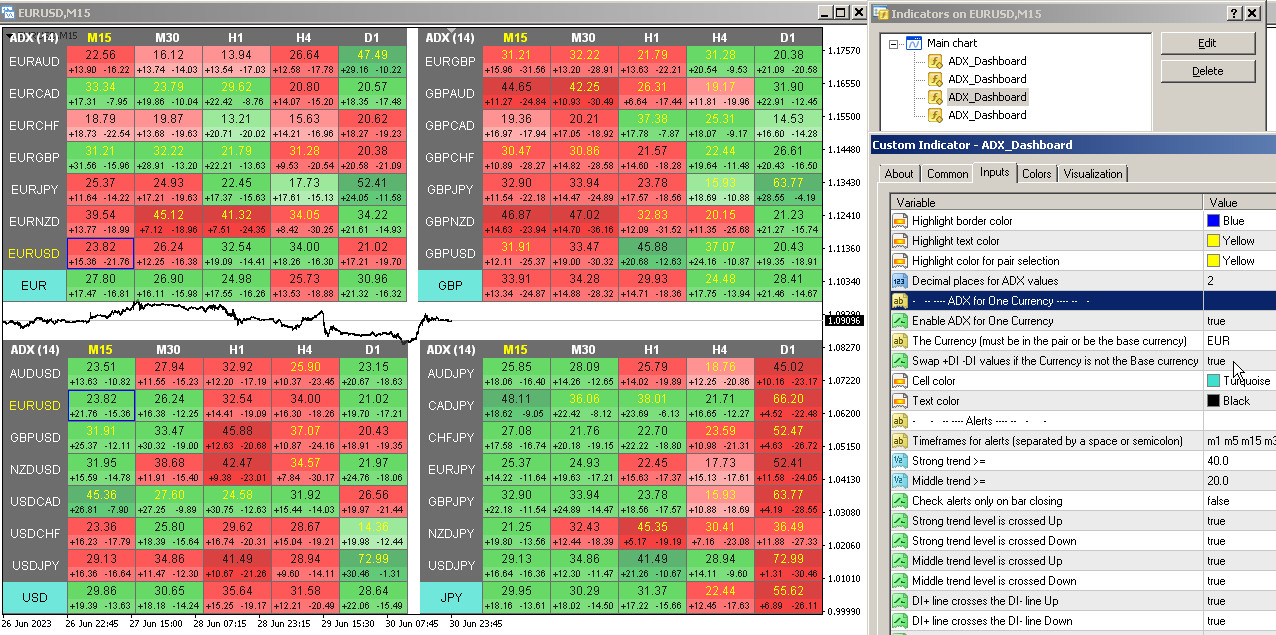
1) Added parameters "ADX for One Currency" and "Swap +DI -DI values". The dashboard will automatically select pairs containing the specified Currency or those pairs that have this Currency as the base. The indicator will also calculate the ADX for this Currency on a separate line.
2) Alert bug for "All timeframes in the same Trend zone" has been fixed.
Taras Slobodyanik Ha publicado el producto

MACD - el indicador de Convergencia/Divergencia de Medias Móviles muestra información simultáneamente de diferentes periodos en una subventana del gráfico. Parámetros EMA rápida - período para el cálculo de la media rápida. EMA Lenta - período para el cálculo de la media Lenta. MACD SMA - período para el cálculo del promedio de sus diferencias. Tipo de precio - precio utilizado. Timeframes for MACD - lista de periodos, separados por un espacio o coma o punto y coma. Número de barras para cada

Taras Slobodyanik
Taras Slobodyanik
Dashboard RSI Multicurrency (update 3.80)
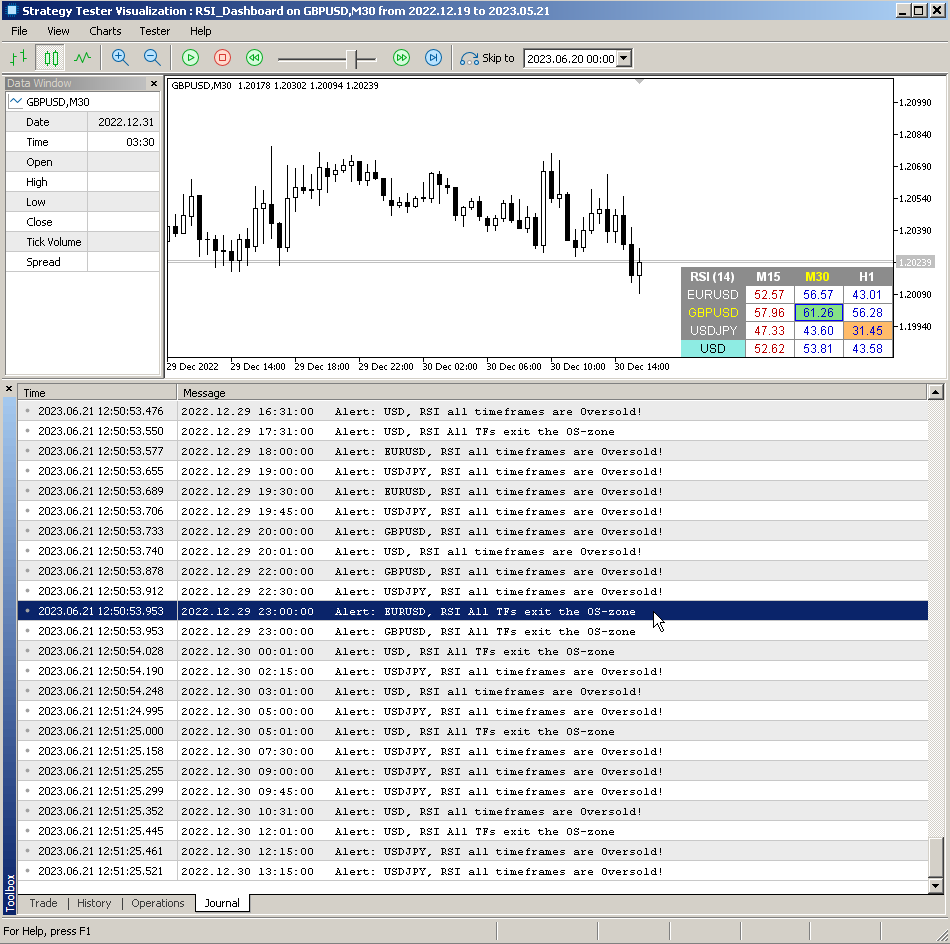
1) Added alert: "All TFs exit OB/OS (previously all TFs were in this OB/OS)". For it to work, the RSI of all timeframes must first visit the Overbought or Oversold zone.
2) For "All timeframes" alerts, the "Check alerts only on bar closing" parameter now works. Values are checked only for closed candles of each timeframe.
Taras Slobodyanik
Taras Slobodyanik
Dashboard RSI Multicurrency (update 3.70)
1) Added parameters "RSI for One Currency" and "Reverse RSI value". The dashboard will automatically select pairs containing the specified Currency or those pairs that have this Currency as the base. The indicator will also calculate the RSI for this Currency on a separate line.
--------------------------------------------------------------------------------------------------------
Dashboard RSI Multicurrency (обновление 3.70)
1) Добавлены параметр "RSI for One Currency" и "Reverse RSI value". Дашбоард автоматически отберет пары содержащие заданную валюту или те пары которые имеют эту валюта как базовую. Также индикатор рассчитает RSI для этой валюты в отдельной строке.
Taras Slobodyanik
Taras Slobodyanik
MA Dashboard (update 1.80)
1) Added the ability to enable/disable alerts for each Symbol when clicking on the name of the Pair. If no Pair is selected then alerts are enabled for all Symbols.
--------------------------------------------------------------------------------------------------------
MA Dashboard (обновление 1.80)
1) Добавлена возможность включения/отключении алертов для каждого Символа при клике по имени Пары. Если ни одна Пара не выбрана то алерты включены для всех Символов.
Taras Slobodyanik
Taras Slobodyanik
CCI Dashboard (update 2.50)
1) Added "Coloring Text according to" parameter.
2) Added tooltips.
3) The current CCI settings have been added to the alerts.
4) Changed the color scheme.
--------------------------------------------------------------------------------------------------------
CCI Dashboard (обновление 2.50)
1) Добавлен параметр "Coloring Text according to".
2) Добавлены всплывающие подсказки.
3) В алерты добавлены текущие настройки CCI.
4) Изменена цветовая схема.
Taras Slobodyanik
Taras Slobodyanik
Pro Sessions (updates 1.50-1.70)
1) Added parameters "Show Middle lines (between High-Low)" and "Alert when price touched 'Middle'".
2) Added parameter 'Hide all drawings if the timeframe is more than'.
3) Code optimization.
4) Added 'Show Open-to-Close Lines' parameter.
5) Added option selection for 'Show Middle Lines'.
6) Added 'Sessions Pivot' parameters. Pivot levels are calculated for each session individually.
7) The order of the parameters has been changed.
--------------------------------------------------------------------------------------------------------
Pro Sessions (обновления 1.50-1.70)
1) Добавлены параметры "Show Middle lines (between High-Low)" и "Alert when price touched 'Middle'".
2) Добавлен параметр 'Hide all drawings if the timeframe is more than'.
3) Оптимизация кода.
4) Добавлен параметр 'Show Open-to-Close Lines'.
5) Добавлен выбор опций для 'Show Middle Lines'.
6) Добавлены параметры 'Sessions Pivot'. Уровни Пивот рассчитываются для каждой сессии индивидуально.
7) Изменен порядок параметров.
Taras Slobodyanik
Taras Slobodyanik
Pro Sessions (update 1.40)
1) Added parameters for calculating and displaying ASR - Average Session Range (default hotkey A).
2) Changing the calculation of future sessions.
3) Code optimization, fixing some bugs.
--------------------------------------------------------------------------------------------------------
Pro Sessions (обновление 1.40)
1) Добавлены параметры для расчета и отображения уровенй ASR - Средний диапазон сессий (по умолчанию горячая клавиша А).
2) Изменение расчета будущих сессий.
3) Оптимизация кода, исправление некоторых ошибок.