VPS mql5, my broker move server this week end, from NY to london
- Move VPS from one MT4 trade account to another
- [Solved] VPS problem (January 2024)
- Broker moving server from London to NY
Each MQL5 VPS subscription is assigned to a specific trading account number and broker, the server details are irrelevant.
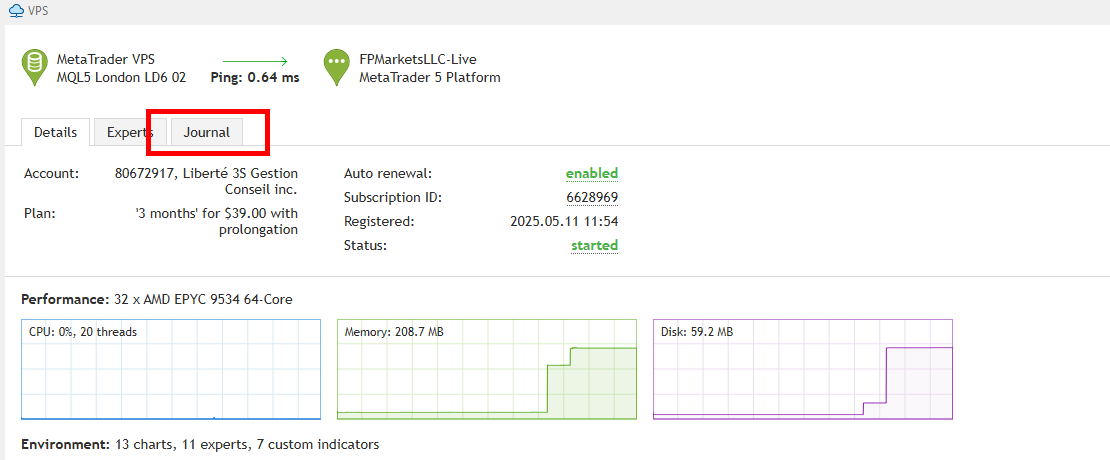
So, your MQL5 VPS will be availabe under your trading account number in the Navigator window as usual, but you should check its (right click) Journal to see if everything still runs smoothly or a new migration is needed.
I don't know if the VPS is working, I migrated on Monday LD 6, I went from about 13 ms to 82.5 ms, it's much slower, can mql5 check if this is the best result we can get, how can I be sure it's normal? thanks
Where is your broker's server located?
If it is far from the MQL5 VPS server, its not strange that latency has increased.


the screenshot you see 2 server first NY and i click down right on green 82.56 and access server LD3 NEW. thanks
isend a other screenshot all server and Vps connectionThis is your local MT5 terminal's latency, I've told you to check the MQL5 VPS Journal.
Your MQL5 VPS's latency to your broker's server is 0.64ms.


- Free trading apps
- Over 8,000 signals for copying
- Economic news for exploring financial markets
You agree to website policy and terms of use