{BUG} show trend lines on other charts!
hello
when i draw a trend line or a box in xauusd(for Example), when switch it to the other chart like eurusd, then i see that trend line also showing in the eurusd
How can i solve this issue!?
Have screen/pic?
How can i solve this issue!?
Manually, drawing on the chart and changing symbols are two totally different things. Why do you not expect to see your previous objects?
Set up a chart the way you want it and save a template. After switching, apply the template.
Alternatively, stop switching and open a second chart with the second symbol.
hello
when i draw a trend line or a box in xauusd(for Example), when switch it to the other chart like eurusd, then i see that trend line also showing in the eurusd
How can i solve this issue!?
When you drag a symbol or use mql functions to switch symbol on a single window of chart, objects will remain there. You can confirm it by pressing Ctrl + B and List All to check if object remain there despite switching chart.
This is not a bug but its a feature from very long time.
If you think its a bug and its bothering you, code a simple indicator and call ObjectsDeleteAll under OnDeInit function and your problem can be solved.
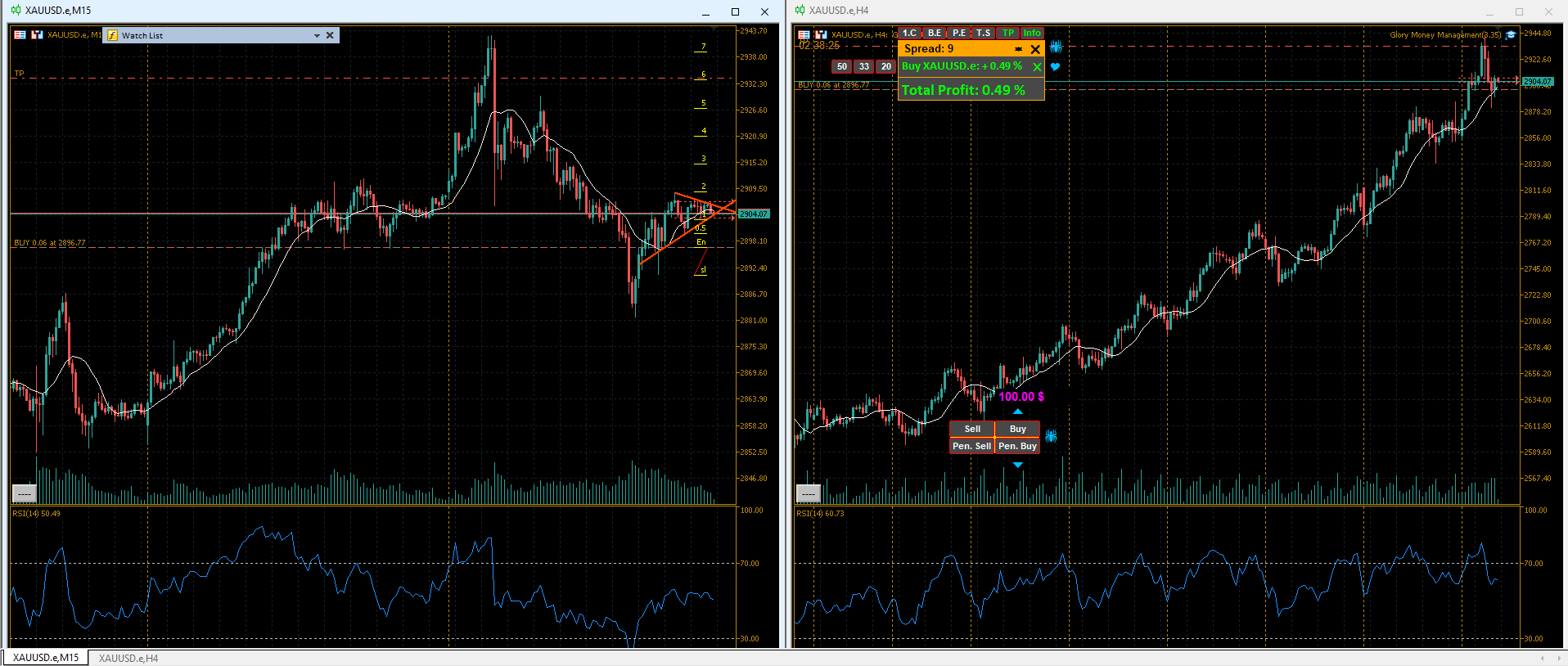

thank you for your attention.
In the charts above, I drew two trend lines and a Fibonacci on the gold chart manually, not with a script, expert advisor, or indicator. And in the next picture you can see how they are displayed.
I saw that, but I didn't understand. Do they mean that a new window should be opened for each symbol?
yeah or use templates as mr Roeder suggested.
Or code an indicator to automatically arrange the objects based on symbol (delete them + restore them) then place it in the default template.
But just opening a new chart is easier

- Free trading apps
- Over 8,000 signals for copying
- Economic news for exploring financial markets
You agree to website policy and terms of use
hello
when i draw a trend line or a box in xauusd(for Example), when switch it to the other chart like eurusd, then i see that trend line also showing in the eurusd
How can i solve this issue!?