(iOS iPad MT5) How do I shift the chart to get an open space at the right edge?
you need to add ANY indicator but it must be to a new window and then it will work ok...dont add a MA to the main window bcoz it wont work...U must add a new window, like MACD, or RSI etc..adfter that you can delete the indi and the chart shift will remain...:)
this doesn't work
"bcoz" is not an English word. "U" is not an Englich word. "adfter" is not an Enghosh word. "Indi" is also not. This is an international English forum; post in English on this part of the forums.
Please don't write ur - it's "you are" or "your" - MQL4 programming forum (2014)
MetaTrader 5 for iPhone/iPad update: Improved on-chart trading and analytical functions
3. Improved functionality which shifts the right border of the price chart. To change the shift, simply scroll the chart to the last price until a vertical separator appears. Next, drag the triangle at the bottom chart scale:
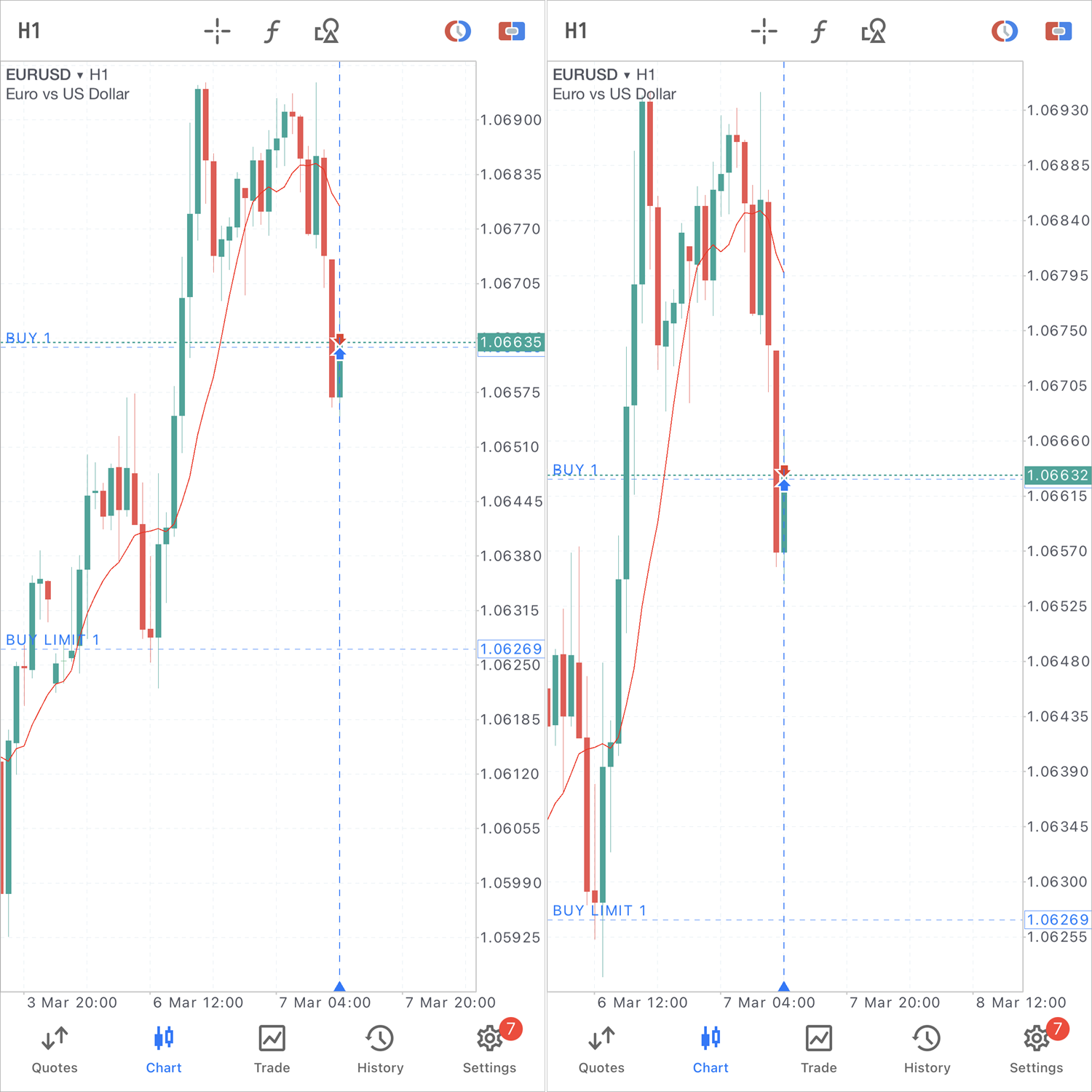

- 2023.03.09
- www.mql5.com
Forum on trading, automated trading systems and testing trading strategies
Last bar indenting problem ...
Fernando Carreiro, 2023.04.07 21:07
This short GIF animation shows how one should touch the little "up arrow" at the bottom of the chart and drag it to the desired position and then release it.
I highlighted it with a yellow circle in the first part of the animation.
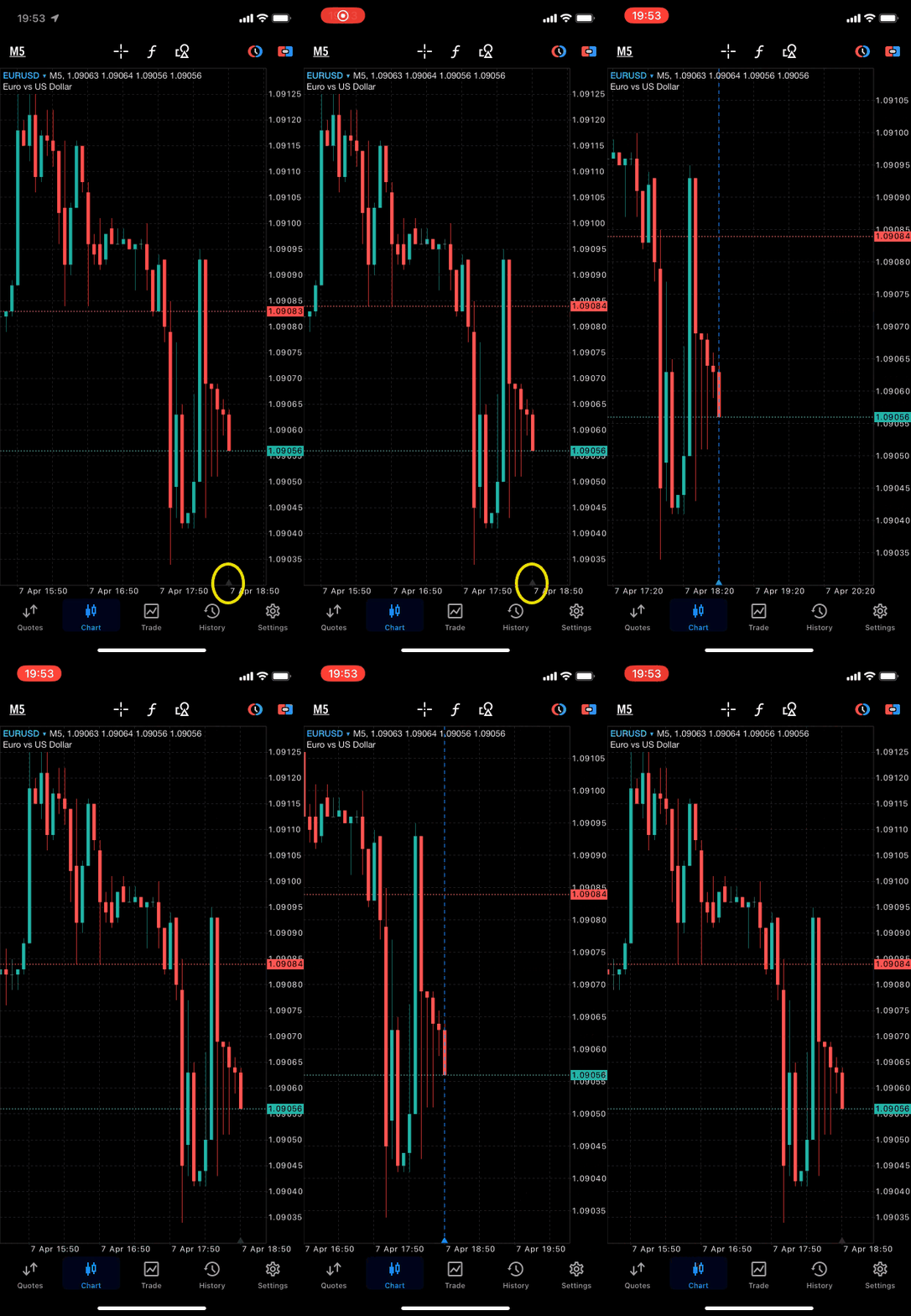
Forum on trading, automated trading systems and testing trading strategies
Last bar indenting problem ...
Fernando Carreiro, 2023.04.07 21:50
It is working for me! Try touch it below the arrow in the date range section.Have u found the solution? U need to add any indicator first on your chart, after that only u can press and hold the chart, now u should be able to shift the chart

- Free trading apps
- Over 8,000 signals for copying
- Economic news for exploring financial markets
You agree to website policy and terms of use
How do I shift the chart to get an open space at the right edge?
I see this feature in MT4 or smartphone apps by tap and holding, but does it have a similar feature in iPad MT5?