Libraries: SubWindow
Is it possible to do something similar for the MT5 tester subwindow? It would hide the indicators, when there are a lot of them, it is ugly
I have never run indicator-based Expert Advisors in the tester, but I think this library will not solve the issue.
I use it myself when I want the chart to be between subwindows, as on the screenshot in the description.
ZY If you run SubWindow_Manager, it will quickly become clear what functionality of the library is and whether it is needed/useful.
I have never run indicator-based Expert Advisors in the tester, but I think this library will not solve the issue.
I use it myself when I want the chart to be between subwindows, as on the screenshot in the description.
ZY If you run SubWindow_Manager, it will quickly become clear what functionality of the library and whether it is needed/useful.
Yes, I'll try it, I'll write back later )
The library will work in MT4 (it will become cross-platform) if you write the following lines in its beginning(SubWindow.mqh)
#property strict

#ifndef __MQL5__
  #define ShortArrayToString CharArrayToString
  #define StringToShortArray StringToCharArray
  #define short uchar
#endif // __MQL5__
and this
Forum on trading, automated trading systems and testing trading strategies
Features of mql4 language, subtleties and techniques of work
fxsaber, 2018.01.30 14:51
// https://www.mql5.com/en/docs/files/fileload
template <typename T>
long FileLoad( const string FileName, T &Buffer[], const int CommonFlag = 0 )
{
  long Res = -1;
  const int handle = FileOpen(FileName, FILE_READ | FILE_BIN | CommonFlag);

  if (handle != INVALID_HANDLE)
  {
    if (!(Res = FileReadArray(handle, Buffer)))
      Res = -1;

    FileClose(handle);
  }

  return(Res);
}
// https://www.mql5.com/en/docs/files/filesave
template <typename T>
bool FileSave( const string FileName, const T &Buffer[], const int CommonFlag = 0 )
{
  const int handle = FileOpen(FileName, FILE_WRITE | FILE_BIN | CommonFlag);

  const bool Res = (handle != INVALID_HANDLE) && FileWriteArray(handle, Buffer);

  if (handle != INVALID_HANDLE)
    FileClose(handle);

  return(Res);
}
Hello. Could you please tell me how to activate your SubWindow library in mt5? I could not find anything on google(
The library is intended for those who know how to write code. Working examples of use can be found in mq5-files attached to the library.
The library is intended for those who know how to write code. Working examples of use can be found in mq5-files attached to the library.
I'm sorry for my complete nerdiness. But I don't understand in which folder to add mq5 file. And how to activate it in metatrader. As a script, advisor or as something else.
I'm sorry for a complete nub. But I don't understand in which folder to add mq5 file. And how to activate it in metatrader. As a script, EA or as something else.
Your questions have nothing to do with this library and are of a general nature. If you wish, you will understand them on your own.
Thanks for the script.
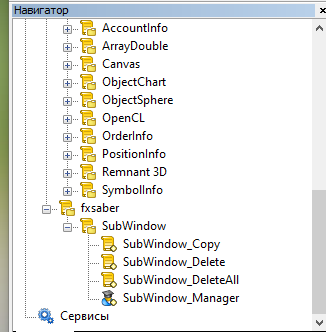
I managed to connect the script in the following way: I copied the contents of the zip-archive to the MT5 directory (File-Open data directory), restarted MT5.
After that the list of scripts from fxsaber appeared in the scripts window.
Double-click to launch the SubWindow_Manager script . In the chart window appears help for changing the composition of indicator subwindows.


- Free trading apps
- Over 8,000 signals for copying
- Economic news for exploring financial markets
You agree to website policy and terms of use
SubWindow:
A library for working with chart subwindows.
Author: fxsaber