Trade Panel Pro by RunwiseFX MT5
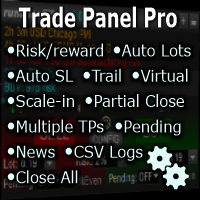
FREE
Veröffentlicht:
9 Mai 2020
Aktuelle Version:
5.1
Keinen passenden Roboter gefunden?
Geben Sie Ihren Eigenen in Auftrag
auf Freelance!
Gehen Sie zu Freelance
Geben Sie Ihren Eigenen in Auftrag
auf Freelance!
Wie man einen Roboter oder Indikator kaufen kann
Starte Deinen EA im
Virtual Hosting
Virtual Hosting
Teste einen Indikator/Roboter vor dem Kauf
Möchtest Du Geld im Market verdienen?
Wie man Produkte richtig präsentiert

Sie verpassen Handelsmöglichkeiten:
- Freie Handelsapplikationen
- Über 8.000 Signale zum Kopieren
- Wirtschaftsnachrichten für die Lage an den Finanzmärkte
Registrierung
Einloggen
Sie stimmen der Website-Richtlinie und den Nutzungsbedingungen zu.
Wenn Sie kein Benutzerkonto haben, registrieren Sie sich
how can i disable the confirmation when i click close a position?
Set EA input Main_confirmTradeClose to false
hey guys i have a suggestion for you great EA:
partial TPs to reorganize automatically when you move the last TP. and TPs to be based on percentage of last target.
hey guys i have a suggestion for you great EA:
partial TPs to reorganize automatically when you move the last TP. and TPs to be based on percentage of last target.
We would be able to do that as bespoke configuration for our Panel + Configurable Automation product: https://www.mql5.com/en/market/product/18164
Hi! Whenever I try to send an order I get this message:
Then the smiley goes sad and nothing happens :(
Hi! Whenever I try to send an order I get this message:
Then the smiley goes sad and nothing happens :(
Need to make sure the 'Algo Trading' button is green on the MetaTrader tool bar. Also make sure 'Allow Algo Trading' option is ticked in the Expert Properties | Common tab. Finally, if all of those are in place and still not working then you need to ask your Broker to enable EAs on your account, as this is the third place that 'not allowed' can come from.
Note, recommend emailing us for support at: support@runwisefx.com
Need to make sure the 'Algo Trading' button is green on the MetaTrader tool bar. Also make sure 'Allow Algo Trading' option is ticked in the Expert Properties | Common tab. Finally, if all of those are in place and still not working then you need to ask your Broker to enable EAs on your account, as this is the third place that 'not allowed' can come from.
Note, recommend emailing us for support at: support@runwisefx.com
Thank you! Yes, Algo trading is enabled, I have another EAs running on another charts without a problem, would this be at conflict? When I run this EA on a chart the smiley is happy and it stays happy until I click Buy or Sell, as soon as I do that it freezes for a second and then this error message is shown. I have IC Markets.
Thank you! Yes, Algo trading is enabled, I have another EAs running on another charts without a problem, would this be at conflict? When I run this EA on a chart the smiley is happy and it stays happy until I click Buy or Sell, as soon as I do that it freezes for a second and then this error message is shown. I have IC Markets.
Would you consider compiling a LITE version of this tool? What I wanted was a simple bracket order generator, nothing fancy. This tool of yours is marvelous, but I don´t think I would use even 95% of what it offers.
I wanted a small window on the corner of the chart just with a buy/sell buttons, then the fields to put lot, stop loss and take profit sizes. Perhaps a trailing stop function based on PSAR parameters.
Something like this:
You can add boxes to the panel to make on-the-fly adjustments like that in CONFIG button | Display | Panel Items, including the trailing SL tick box. Also in the Display pop-up you can hide things you don't want to see, e.g. news events, status text, arrow trend indicators. Very high chance you could, in the future, use the other features like partial close and trade adjustment when profit target reached, risk per trade money management, etc.
Note, to trail SL with PSAR then need to set EA input Main_stopLossUseCalcValueAtOpenForTrail to false, so the trail will use latest value of PSAR indicator.
In you need anymore help please email us at: support@runwisefx.com (we have a help system linked with that)
Best Regards!
Thanks for good work, perfect job. This tool fits in my strategy. But how can I activate autotrading within my strategy?
You would need our paid for product for that: https://www.mql5.com/en/market/product/27263
Is it posible to disable the confirm pop up window: "are you sure you wish to close all open trades on the account?"
I have installed the close all trades button but the behavior is the same.
thanks a lot!
cheers
Hello, thank for share this great EA
Is it posible to disable the confirm pop up window: "are you sure you wish to close all open trades on the account?"
I have installed the close all trades button but the behavior is the same.
thanks a lot!
cheers
We've added that to our library with quick load code s-ca2
However, you would need to upgrade to the paid for version to use other quick load codes such as this. Not that expensive though and you get more features: https://www.mql5.com/en/market/product/68762 Plus supports our development efforts.
i need a product that does not do virtual SL but sets them on broker server, does this do that? So the broker sees the stop loss put in when the order is put in?
Yes it does. You can set the broker stop loss offset in CONFIG button | Stop Loss | Broker SL Offset from Hidden. So, set it to 0.
Also, if your broker supports/requires setting SL with order send (open) then set EA input Important_brokerSLTPSetOnOrderSend to true.
Using this EA should i have to config to All open trade to work the trailing stop and break even. Let's say I'm trading with 10 Symbols do i need to config to 10 symbols
No. By default, configuration changes, via the CONFIG button, will apply to all symbols. So, configure once then open charts for each symbol you wish to trade, with the EA running on each chart.