HTF Power of Three ICT
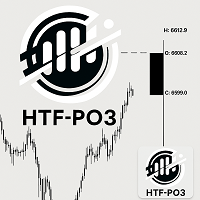
59.99 USD
Demo heruntergeladen:
38
Veröffentlicht:
20 Oktober 2025
Aktuelle Version:
1.1
Keinen passenden Roboter gefunden?
Geben Sie Ihren Eigenen in Auftrag
auf Freelance!
Gehen Sie zu Freelance
Geben Sie Ihren Eigenen in Auftrag
auf Freelance!
Wie man einen Roboter oder Indikator kaufen kann
Starte Deinen EA im
Virtual Hosting
Virtual Hosting
Teste einen Indikator/Roboter vor dem Kauf
Möchtest Du Geld im Market verdienen?
Wie man Produkte richtig präsentiert

Sie verpassen Handelsmöglichkeiten:
- Freie Handelsapplikationen
- Über 8.000 Signale zum Kopieren
- Wirtschaftsnachrichten für die Lage an den Finanzmärkte
Registrierung
Einloggen
Sie stimmen der Website-Richtlinie und den Nutzungsbedingungen zu.
Wenn Sie kein Benutzerkonto haben, registrieren Sie sich
Good morning! I purchased the product, running on H4 XAUUSD timeframe, and the only information plotted on the chart was new candle connections. I would like to know if the time count and current phase should appear continuously on the chart or if it will inform me in the terminal's alert panel...
Hi Jose,
Thank you for choosing my indicator.
From your pictures I noticed that the "Chart shift" is not activated. Just right click on the chart and click it. The Candles will be soon visible. If this doesn't help, drag the cursor on the top right of the chart until you can see the candles. Please, let me know if you need further assistance.
Hi Jose,
You can also set the distance between the HTF candle and the last chart candle via the third input parameter of the indicator (Offset from last candle).
Hi Jose,
You can also set the distance between the HTF candle and the last chart candle via the third input parameter of the indicator (Offset from last candle).
Hi Jose,
You can also set the distance between the HTF candle and the last chart candle via the third input parameter of the indicator (Offset from last candle).
Hi Jose,
Thank you for choosing my indicator.
From your pictures I noticed that the "Chart shift" is not activated. Just right click on the chart and click it. The Candles will be soon visible. If this doesn't help, drag the cursor on the top right of the chart until you can see the candles. Please, let me know if you need further assistance.
Hi Jose`,
Thank you for informing me.
If you like to trade with a black chart background, set the "count" font color to a different color:
Anything, just ask.
Please, don't forget to rate your experience and the product with a feedback.
Thanks again.