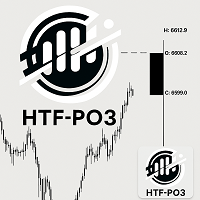
HTF Power of Three ICT
59.99 USD
Скачано демо:
40
Опубликован:
20 октября 2025
Текущая версия:
1.1
Не нашли подходящего робота?
Закажите собственного
на бирже фрилансеров
Перейти на биржу
Закажите собственного
на бирже фрилансеров
Как купить торгового робота или индикатор
Запусти робота на
виртуальном хостинге
виртуальном хостинге
Протестируй индикатор/робота перед покупкой
Хочешь зарабатывать в Маркете?
Как подать продукт, чтобы его покупали

Вы упускаете торговые возможности:
- Бесплатные приложения для трейдинга
- 8 000+ сигналов для копирования
- Экономические новости для анализа финансовых рынков
Регистрация
Вход
Вы принимаете политику сайта и условия использования
Если у вас нет учетной записи, зарегистрируйтесь
Good morning! I purchased the product, running on H4 XAUUSD timeframe, and the only information plotted on the chart was new candle connections. I would like to know if the time count and current phase should appear continuously on the chart or if it will inform me in the terminal's alert panel...
Hi Jose,
Thank you for choosing my indicator.
From your pictures I noticed that the "Chart shift" is not activated. Just right click on the chart and click it. The Candles will be soon visible. If this doesn't help, drag the cursor on the top right of the chart until you can see the candles. Please, let me know if you need further assistance.
Hi Jose,
You can also set the distance between the HTF candle and the last chart candle via the third input parameter of the indicator (Offset from last candle).
Hi Jose,
You can also set the distance between the HTF candle and the last chart candle via the third input parameter of the indicator (Offset from last candle).
Hi Jose,
You can also set the distance between the HTF candle and the last chart candle via the third input parameter of the indicator (Offset from last candle).
Hi Jose,
Thank you for choosing my indicator.
From your pictures I noticed that the "Chart shift" is not activated. Just right click on the chart and click it. The Candles will be soon visible. If this doesn't help, drag the cursor on the top right of the chart until you can see the candles. Please, let me know if you need further assistance.
Hi Jose`,
Thank you for informing me.
If you like to trade with a black chart background, set the "count" font color to a different color:
Anything, just ask.
Please, don't forget to rate your experience and the product with a feedback.
Thanks again.