Good morning! I purchased the product, running on H4 XAUUSD timeframe, and the only information plotted on the chart was new candle connections. I would like to know if the time count and current phase should appear continuously on the chart or if it will inform me in the terminal's alert panel...
Lierson José #: Good morning! I purchased the product, running on H4 XAUUSD timeframe, and the only information plotted on the chart was new candle connections. I would like to know if the time count and current phase should appear continuously on the chart or if it will inform me in the terminal's alert panel...
Hi Jose,
Thank you for choosing my indicator.
From your pictures I noticed that the "Chart shift" is not activated. Just right click on the chart and click it. The Candles will be soon visible. If this doesn't help, drag the cursor on the top right of the chart until you can see the candles. Please, let me know if you need further assistance.
You can also set the distance between the HTF candle and the last chart candle via the third input parameter of the indicator (Offset from last candle).
Sorry Jose, I forgot to answer you question. The info panel should appear in the corner set in the parameter and continuously give you the required information. Keep in mind that if you have 2 or more HTF candles on the same chart you need to set a different corner for each candle's panel otherwise the panels will overlap. The default color of the panel's font is black, so change to another color it if you have a black background.
You can also set the distance between the HTF candle and the last chart candle via the third input parameter of the indicator (Offset from last candle).
And what is the purpose of this distance between the HTF candle and the last candle on the chart? (Sorry for my lack of knowledge)
You can also set the distance between the HTF candle and the last chart candle via the third input parameter of the indicator (Offset from last candle).
Could you help me set up a distance or give me an example, please?
From your pictures I noticed that the "Chart shift" is not activated. Just right click on the chart and click it. The Candles will be soon visible. If this doesn't help, drag the cursor on the top right of the chart until you can see the candles. Please, let me know if you need further assistance.
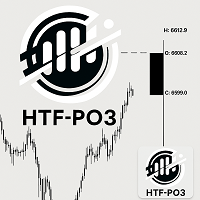
Yes...it worked...take a look at the screenshot I sent you...but the count still doesn't appear...right now it shows (O) open, (L) low and (H) high

Good morning! I purchased the product, running on H4 XAUUSD timeframe, and the only information plotted on the chart was new candle connections. I would like to know if the time count and current phase should appear continuously on the chart or if it will inform me in the terminal's alert panel...
Hi Jose,
Thank you for choosing my indicator.
From your pictures I noticed that the "Chart shift" is not activated. Just right click on the chart and click it. The Candles will be soon visible. If this doesn't help, drag the cursor on the top right of the chart until you can see the candles. Please, let me know if you need further assistance.
Hi Jose,
You can also set the distance between the HTF candle and the last chart candle via the third input parameter of the indicator (Offset from last candle).
Hi Jose,
You can also set the distance between the HTF candle and the last chart candle via the third input parameter of the indicator (Offset from last candle).
Hi Jose,
You can also set the distance between the HTF candle and the last chart candle via the third input parameter of the indicator (Offset from last candle).
Hi Jose,
Thank you for choosing my indicator.
From your pictures I noticed that the "Chart shift" is not activated. Just right click on the chart and click it. The Candles will be soon visible. If this doesn't help, drag the cursor on the top right of the chart until you can see the candles. Please, let me know if you need further assistance.
Hi Jose`,
Thank you for informing me.
If you like to trade with a black chart background, set the "count" font color to a different color:
Anything, just ask.
Please, don't forget to rate your experience and the product with a feedback.
Thanks again.