在Facebook查找我们! 加入我们的粉丝群
使用MetaTrader 5新的可能性
uForex TopRobot EA / Expert Advisor Requirements: You need a good NDD Broker and a fast VPS to use this EA! If you want to use this EA, your VPS needs a fast connection to your ECN Broker. Moreover not every ECN Broker is a good (fast & cheap with low slippage) Broker. Please use this Expert Advisor only, if your latency/ping to your Broker is smaller than 6ms. Demo: https://www.mql5.com/en/signals/262725 Currencies: EUR/USD and USD/GBP Time-Frame : M30 & H1 Indicator parameters Stoploss, Tak
Ilanis is and Expert Advisor for stock trading, it can be used for trading on Forex and other markets, including commodities, metals and index markets. To determine the market entry, the EA uses the modern and ultra-light adaptive indicator FourAverage. Principle of position maintaining is similar to that of the popular Forex robot Ilan, using averaging. But unlike Ilan, Ilanis uses an accurate entry into the market. The robot pays a lot of attention to position control, if the price goes in the
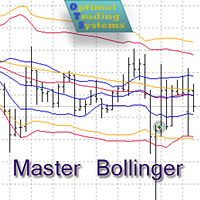
The Expert Advisor opens and closes positions using Bollinger Bands signals: it buys on lower bands when price rolls back, and it sells on upper bands. It has the option to close positions by an opposite signal, by take profit and stop loss, move a trade to breakeven upon reaching the central Bollinger band or after a certain price movement. Many good strategies use one or more Bollinger Bands indicators. In this EA, it is possible to use up to 3 such indicators. When using the first and second
Unlike the free version, this Expert Advisor uses a news filter and additional filters to determine the trend. It protects orders with the help of locking. The robot uses martingale. This EA use pending orders. Sooner or later martingale can lose the deposit, it is recommended to control the trading of the EA while analyzing the market. The EA trades on any symbol. The minimum recommended deposit is $1000 (it is better to start with a cent account). The EA works on M1 timeframe. MarSe for MT5 h
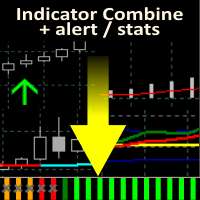
Allows multiple indicators to be combined into a single indicator, both visually and in terms of an alert. Indicators can include standard indicators, e.g. RSI, CCI, etc., and also Custom Indicators, even those purchased through Market, or where just have the ex4 file. An early alert is provided, say when 4 out 5 indicators have lined up, and a confirmed alert when all are in agreement. Also features a statistics panel reporting the success of the combined indicator by examining the current cha
若您在mql5.com网站雇佣信号,赚取投资利润,从信号取得之MT4软件手数大小将被限制,以降低風險。因訂單手数大小过小所以投资利润也很低。 这是增加订单手数大小之实用工具,以利增加投资利润。此工具将自动复制原始订单。根据您填报之技术指标,复制的订单将具有乘数的大小。订单开启及关闭的所有过程将根据原始订单自动执行。它亦自动复制stop loss及take profit之数值。 例如: 您要把大小增加三倍 原始订单(从信号提供厂商取得):0.01手数 复制的订单(以实用工具复制之订单): 0.02 手数 您要设定技术指标lot multiplier: 2 订单手数总数:0.01 + 0.01 * 2 (lot multiplier) = 0.03 手数 因此您的手数大小自0.01增加到0.03 备注:您仅能将此工具设定在1台电脑/vps、一个画面及一个图表/一个账号。工具将针对所有货币代码自动启动。若您在许多电脑/ vps(或许多图表)同时设定此工具将发生重复复制订单之状况 产品说明 Lot_multiplier-乘数。手数大小= Lot_multiplier x原订单之手数大小Def
The Navigator is a next-generation panel very easy to use. Apply this indicator on the chart to navigate very quickly through all the symbol and timeframes listed in input. The arrows manage the zoom and time frames. You can customize both the graphic colors and the list of symbols to display. A quick and easy tool that it will help to analyse the charts. Input Values Show_TF_Panel (true/false) it permits to show/hide panel with TF and Arrows 32 symbols COLORS AND SIZE SETTINGS BUTTON_WIDTH But
Veno EA is a fully automated and secure medium-term trading robot. The Expert Advisor does not use martingale, grid, hedging, arbitrage etc. Veno Expert System automatically analyzes the appearance of participants with distinct preference towards buying or selling on the market. It trades sharp cluster and news based movements of the market. The robot analyzes the market volumes and volatility, and follows strong supply and demand movements. It smoothly sets breakeven levels and features th
MT4 策略生成器 ('StratBuilder') 是一种在 MT4 平台上运行的网格交易订单管理实用程序。 该产品现在也可在 MT5 平台上使用: https://www.mql5.com/en/market/product/68858 强烈建议从 MQL5 租用虚拟专用服务器 (VPS),并将交易者计算机上的设置迁移到 VPS,以允许 StratBuilder 24/7 运行。 独特的 StratBuilder 概念: 一篮子交易以预定的价格水平开盘(每个品种和交易方向的环围),当实现账户余额或净值的目标利润百分比时,就会发生获利回吐,此时所有头寸同时平仓,新的一篮子交易被打开。请选择此链接观看 YouTube 介绍视频: https://www.youtube.com/watch?v=4IgkdZKk25k 示例策略参数 .set 文件可以从我们的 MQL5 博客下载(首次下载时的默认参数是示例策略 4,针对 EURUSD 货币对,针对博客上指定的交易条件进行了优化)
This panel is very simple to use and it is a very ally to manage your positions and orders. Also you can modify your risk, writing in fields directly on Panel. One click on buttons and the operation on market is done! Operations possible: BUY/SELL Break Even Split (close 50% all orders) Close All positions Hedging (opens reverse positions to cover) Close only BUY positions Close only SELL positions Close All pending orders Reverse all positions Please watch the video to verify the very simple u
Target Geometry is a next-generation indicator that uses the geometric nature of the markets to give high statistical probability levels ( Fibonacci ). This indicator creates a very important map that optimizes the entry points and it optimally defines your own money management. The indicator can be used both in static mode or in dynamic mode, you can use it on any financial instrument. The use in multi timeframe mode is a very good ally to have. The target levels are high statistical probabilit
目前40%的折扣 任何新手或专家交易者的最佳解决方案! 这个指标是一个独特的、高质量的、可负担得起的交易工具,因为我们纳入了一些专有的功能和一个新的公式。只需一个图表,你就可以读出28个外汇对的货币强度!想象一下,你的交易将如何得到改善,因为你的交易是在你的手中进行的。想象一下,你的交易将如何改善,因为你能够准确地确定新趋势或剥头皮机会的触发点? 用户手册:点击这里 https://www.mql5.com/en/blogs/post/697384 这是第一本,原版的! 不要买一个毫无价值的崇拜者的克隆品。 特别的 子窗口中的箭头显示强劲的货币势头GAP将指导你的交易! 当基础货币或报价货币处于超卖/超买区域(外盘斐波那契水平)时,在个人图表的主窗口中出现警告信号。 当货币力量从外围区间回落时,回撤/反转警报。 十字星模式的特别警报 可选择多个时间框架,以快速查看趋势! 货币强度线在所有的时间框架中都非常平稳,当使用较高的时间框架来识别总体趋势,然后使用较短的时间框架来确定精确的入口时,效果非常好。你可以根据自己的意愿选择任何时间框架。每个时间框架都由其自身进行了优化。
Razor scalper is a fully automated scalping Expert Advisor based on price level breakthroughs. The EA does not use indicators. Each entry point is calculated using an advanced entry filter based on price chart movement analysis. All trading positions are controlled by a tight hidden stop order allowing you to minimize a drawdown and protect the deposit. A profit is fixed by the dynamic stepwise algorithm allowing the EA to take a maximum profit. The EA allows selecting either a fixed trading lot
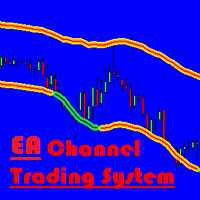
This grid Expert Advisor is based on the Channel Trading System indicator, it can build up a grid of orders or increase the lot size after reaching stop loss. It is recommended to use accounts with low spread. Recommended deposit is $100 and higher. Real operation monitoring as well as my other products can be found here: https://www.mql5.com/en/users/mechanic/seller Input Parameters The product works both on 4 and 5-digit quotes. Specify values in points like for 5 decimal places in the input
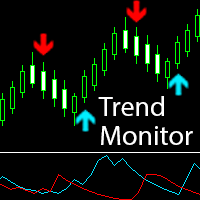
The Pioneer Of Trend Detection! A Powerful Indicator That Avoids Whipsaws And Uncertain Market Noise. Functions mainly as a filter to help you trade in the direction of the trend. It works in any pair or timeframe. Features Advanced trend detection software using complex algorithms that can be used as the supporting tool or system. Unique trend detection that avoids whipsaws and uncertain market noise Analyzes statistics of maximum profits and calculates possible targets for the next signal Fle
你想成为一个持续盈利的五星级外汇交易商吗? 1. 阅读我们简单的 交易系统 的基本描述 和 以及它在2020年的主要策略更新 2. 发送您的购买截图,以获得我们独家交易聊天的个人邀请 FX趋势 实时显示所有时间框架的趋势方向、持续时间、强度和由此产生的趋势评级。 您将一目了然地看到趋势在哪个方向运行,它们持续多长时间以及它们有多强大。 所有这些使它成为初学者、高级和专业交易者的易于使用的趋势交易系统 。 分析功能 所有时间框架的实时趋势分析 所有时间框架的计算结果完全相同 配置您个人的时间框架集 可定制的趋势计算参数 图形功能 在紧凑模式、细节模式和仪表板模式之间一键切换 紧凑模式在一个缩小的面板中提供基本的趋势信息 细节模式提供相关符号的深入趋势分析 仪表板模式涵盖了所有主要的或你最喜欢的交易符号 只需在面板内点击一下,就可以访问所有的时间框架和符号 可移动的外汇趋势显示(通过拖放)。 适用于高分辨率的QHD、UHD和4K显示器 不需要重新画图 一般特征 自动的终端配置 针对平板电脑和触摸屏的使用进行了优化 通过电子邮件、信息和手机通知发出警报 为EA请求提供可访问的缓冲区
The Zigzag Support And Resistance is an indicator for showing support and resistance zones based on the ZigZag extremums. Indicator Settings PrecalculateBars - the number of bars for the preview; SmoothPercent - smoothing of the levels as a percentage; LiveBars - lifetime of a level in bars; D1Depth - depth of the ZigZag indicator on the D1 chart; H4Depth - depth of the ZigZag indicator on the H4 chart; H1Depth - depth of the ZigZag indicator on the H1 chart; M15Depth - depth of the ZigZag indi
Good News ! Advanced Currency Meter is more awesome now ! If you have been a fan of the free version of Advanced Currency Meter then I will implore you not to be discourage because you will soon find that the new paid version is worth every dime. Unlike the free version the new paid version of Advanced Currency Meter now has a newly added panel called the “% Daily Range” . Why A Paid Version Now? We believe you like good things and many who has used Advanced Currency Meter over the years will te
1.每月,每周和每日枢轴计算每个时期的开始和结束数据。 这在图表上提供了一条简单的线,用于识别枢轴的位置并减少计算误差。 3.即使您不了解如何计算枢轴,该指示器也将帮助非常快速地定义仪器的主要枢轴。 4.您还可以比较每周和每日的支点,以便您更好地了解价格的位置。 5该指标将帮助您更有效地交易,更接近阻力或支撑。 1. Měi yuè, měi zhōu hé měi rì shū zhóu jìsuàn měi gè shíqí de kāishǐ hé jiéshù shùjù. Zhè zài túbiǎo shàng tígōngle yītiáo jiǎndān de xiàn, yòng yú shìbié shū zhóu de wèizhì bìng jiǎnshǎo jìsuàn wùchā. 3. Jíshǐ nín bù liǎojiě rúhé jìsuàn shū zhóu, gāi zhǐshì qì yě jiāng bāngzhù fēicháng kuàisù de dìngyì yíqì de zhǔyào shū zhóu. 4. N
The Average Daily Range is an indicator for showing support and resistance zones based on the average daily price range of currency. It is necessary to look for the buy signal when the price goes over the resistance level, and for the sell signal when the price goes over the support level. The indicator shows the static and dynamic levels. Static levels are calculated based on the opening price of the day. Dynamic levels are calculated based on the daily Highs and Lows. Indicator Settings ADRPe
The Zigzag Support And Resistance is an indicator for showing support and resistance zones based on the ZigZag extremums. Indicator Settings PrecalculateBars - the number of bars for the preview; SmoothPercent - smoothing of the levels as a percentage; LiveBars - lifetime of a level in bars; D1Depth - depth of the ZigZag indicator on the D1 chart; H4Depth - depth of the ZigZag indicator on the H4 chart; H1Depth - depth of the ZigZag indicator on the H1 chart; M15Depth - depth of the ZigZag ind
This indicator depends on some secrets equations to draw Signals with Stop loss and maximum 4 Take profits. There is a free EA depends on this indicator as a gift when you purchase/rent it. Features Simply it gives you entry point as Ready sign (Buy / Sell) and arrow (Buy / Sell) after candle closed, also SL line and 4 TP lines or less. Once SL-TP lines are shown with the arrow, they remains as they are until signal change. It is historical indicator. No Repaint. user manual for V5 please click
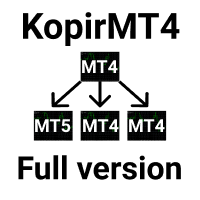
The adviser has been withdrawn from sale KopirMT4 (CopierMT4) - transaction copier for the MetaTrader 4 terminal, copies (synchronizes, duplicates) transactions from any accounts (copier, copy dealers). Supports copying: MT4 <-> MT4, MT4 -> MT5 Hedge, MT5 Hedge -> MT4 Support: https://www.mql5.com/ru/messages/01c3f341a058d901 Why exactly our product? The copier has a high speed and is not dependent on ticks. Copy speed - less than 0.5 sec. Transactions are copied with high accuracy, the sc
Trend Guider indicator work with price trend and resistance/support Line to detect best buy and sell opportunities. This indicator use moving average and price pattern actions to find latest and power full resistance and support lines and then guide trader to start trade in direction and use last active support as buy trades stop loss and last active resistance as sell trades stop loss. Never has not repaint signals. Input Parameters Are: Weak Power Signal = true/flase : if you enable it , indic
Gegatrade Pro EA is a Cost Averaging System with a Sophisticated Algorithm. It is secured by a built-in “ News WatchDog ” system that suspends trading during news events. Trading Strategy Gegatrade Pro EA is based on the fact that most of the time the price usually moves between the upper and lower boundaries of the trading channel. Basing on this fact, Gegatrade Pro places its first trade, assuming that the price is going to return to its average value and take the profit which is defined. If
MonsterDash Harmonic Indicator is a harmonic pattern dashboard. It recognizes all major patterns. MonsterDash is a dashboard that displays all detected patterns for all symbols and (almost) all timeframes in sortable and scrollable format. Users can add their own user defined patterns . MonsterDash can open and update charts with the pattern found. Settings MonsterDash's default settings are good enough most of the time. Feel free to fine tune them to your needs. The color settings are for thos
The indicator generates early signals basing on ADX reading data combined with elements of price patterns. Works on all symbols and timeframes. The indicator does not redraw its signals. You see the same things on history and in real time. For better visual perception signals are displayed as arrows (in order not to overload the chart). Features Easy to use. Filter configuration only requires selection of sensitivity in the " Sensitivity of the indicator " input. Signals can be filtered using
你想成为一个持续盈利的五星级外汇交易商吗? 1. 阅读我们的简单 交易系统 的基本描述 ,以及 它在2020年的主要战略更新 2. 发送您的购买截图,以获得您的个人邀请,参加我们的独家交易聊天。 FX Power 是第一个具有所有时间框架的完整历史的货币强度表。 它分析所有主要货币的势头和强度,以确定高概率交易。 主要特点 所有主要货币的完整强度历史 跨越所有时间框架的货币强度历史 在所有经纪商和图表中的计算结果完全相同 100%可靠的实时计算---无重绘 可通过下拉列表选择时间段 一个图表中可以有多个实例 可移动的FX Power显示(通过拖放)。 适用于高分辨率的QHD、UHD和4K显示器 自动的终端配置 针对平板电脑和触摸屏的使用进行了优化 通过电子邮件、信息和手机通知发出警报 可供EA请求的缓冲区 如何使用FX Power进行交易? 使用FX Power柱状图按钮来显示你需要的货币线,并比较短期和长期分析,以确定有效的组合。 A.交易货币直方图线的 "交叉 "情况 如果欧元与美元交叉,则买入 如果欧元向下穿越美元,则卖出 B.交易不同时间段的确认模式 运行两个FX
This is an extended version of EA Channel Trading system . It is protected by the built-in News Stop Trading system that suspends trading during news. The EA can receive news from the two economic calendars based on user's choice. The expanded version is provided by the trading panel allowing you to manage the EA settings directly from the chart without opening the settings. The EA features the ability to use a profit from the last order to cover the loss of the first loss-making one. Also, it i
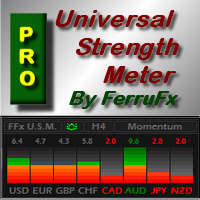
FFx Universal Strength Meter PRO is more than a basic strength meter. Instead of limiting the calculation to price, it can be based on any of the 19 integrated strength modes + 9 timeframes. With the FFx USM, you are able to define any period for any combination of timeframes. For example, you can set the dashboard for the last 10 candles for M15-H1-H4… Full flexibility! Very easy to interpret... It gives a great idea about which currency is weak and which is strong, so you can find the best pai
你想成为一个持续盈利的五星级外汇交易商吗? 1. 阅读我们简单的 交易系统 的基本描述 以及 它在2020年的主要策略更新 2. 发送你的购买截图,以获得我们独家交易聊天的个人邀请 Lighthouse 是一个惊人的精确和可靠的支撑和阻力指标。 它显示最重要的交易水平,并根据其相关性绘制。 如果一个水平被明显打破,它将改变其作用和颜色。支撑位变成阻力位,反之亦然。 主要特点 自动调整到基础时间框架 只显示重要的支撑和阻力水平 如果一个水平被明显突破,立即作出图形反应 较厚的SR水平比较薄的水平更重要 一般设置 分析模式: 在三种不同的扫描模式(日内、中度和高度时间框架)中选择,或使用默认设置的自动调整。 自动模式根据基础图表时间框架调整使用的分析模式。 敏感模式。敏感模式可以识别更多的支持和阻力水平。如果您是一个日内交易员,我们建议使用它。将此设置为 false ,如果您想减少绘制的SR水平的数量。 SR距离(点)。这个可改变的数值是内置支撑和阻力位距离检查的基础。它测量当前价格与下一个Lighthouse水平之间的距离。如果当前价格与下一级别的距离超过5个点,你将看到 "等待
This EA will be a joined effort to develop an EA based on your inputs. By purchasing the EA, you would be entitled to express opinions on what you wish to see on it and if there is enough interest or potential in the suggestion, your idea will be added in the EA. I will be updating and reposting options as the EA gets developed. The following parameters can be modified. MOVING AVERAGE OPTIONS Enable_MA_Option - Uses the Moving Average Crossover for opening trades. MA1_Period - First Moving Avera
The trading robot opens and closes positions by the indicator signals - buys at support levels, sells at resistance levels, which allows to capture large movements. It has the option to close positions by take profit and stop loss. When new signals appear the EA adds orders. When an opposite signal appears: if the order basket is in profit, then the EA closes it; if the basket is in loss, the robot opens opposite orders. The EA settings can be adjusted right from the chart. The EA also features
返佣机器人 执行大量交易,不光可以从外汇市场盈利,而且可以收到许多返佣 (返回点差的一部分)。 因为证券锁仓所需的保证金大约为 25-50% (依经纪商), 返佣机器人 在出现适当信号时双向并发下单。 下单基于 交易者之梦 指标的当前颜色。如果颜色为蓝, EA 走多头。如果颜色为红, 走空头。若价格走势方向错误, 则 返佣机器人 加仓。买和卖序列彼此不相连。它们之中的每一单都有自己的止盈和尾随终止。 常用推荐 您可以在所有货币对中并发启动 EA,经过测试的,或优化其它对; 使用经纪商提供的返佣; 证券所需的锁仓保证金越少越好。 输入参数描述 本产品在 4 和 5 位报价平台上均可工作。当使用 4 位报价时 Pips 乘以输入参数等于 1, 当使用 5 位报价时它是 10 (输入乘以 10)。 Intial Lot - 初始手数; Maximum Lot - 最大手数; Lot Multipler - 第二和后继开单的手数乘数; Maximum number of position - EA 的最大开单数; Pips multiplier - 若是 5-位报价,参数乘数为 10; G
您试过网格策略吗? 现在, 您不必再花时间坐在您的电脑前。仅需开一单, 则 手工交易者 将完整剩余的! 这是一键交易!简单点击面板上的 买 或 卖 按钮, 以及 手工交易者 将设置一个止盈, 挂单和尾随终止。 开单之后,您就可以做其它事情了。 您可以用策略测试的可视模式对产品进行检查。 输入参数 Buy - 买单按钮。 Sell - 卖单按钮。 Close - 所有持仓平仓。 Lots - 首单开仓手数。 Step - 生成网格的步距。 Martin - 后续订单的乘数。 TakeProfit - 止盈点数。 SLPersent - 止损为本金百分比; 若不使用设为 0。 TrailStart - 止盈点数, 开始放置尾随终止。 TrailDistance - 价格距尾随终止的点数。 TrailStep - 尾随终止步距点数。 Orders - EA 放置挂单的数量。 Slippage - 订单执行时的滑点点数。 TimeOut - 开单失败后的重复尝试间隔,以秒为单位。
一个非指标交易系统,顾问的工作从两个双向订单的打开开始。其中之一被止盈平仓后,两个双向订单再次打开,手数乘以手数乘数,直到订单数量达到最大值。锁定订单。一旦市场上的订单数量达到最大值。 Locked Orders,锁定订单将不再被打开,只有在现有系列的方向上的订单将被打开,并且订单之间有一个带有网格步长值的订单。 它受到内置新闻停止交易系统的保护,该系统在新闻事件期间暂停交易 - 可以从用户选择的两个经济日历中接收新闻。此外,扩展版本配备了交易面板,允许您直接从图表管理顾问的设置,无需进入设置,添加了将最后一个订单与第一个无利可图的利润重叠的功能。 您可以下载顾问手册#1808 真实账户监控以及我的其他发展,可以在这里找到: https://www.mql5.com/en/users/mechanic/seller 推荐货币对 - AUDNZD AUDUSD CHFJPY EURUSD GBPCHF USDCAD USDCHF TF H1 默认设置,最低存款额 3000 美元或 3000 美分。 输入参数 EA 自动检测四位数和五位数报价 初始手数 - 初始手数; A
StelsOne is designed for automated trading on the exchange. It can quickly raise your deposit, as well as ruin it, so do not forget about proper money management and optimization of settings for the symbols used. The trading robot sets a pending limit orders in the price areas where the trend is most likely to reverse. When a signal appears, the robot places a pending order and waits till it triggers. Then it closes a profit or uses averaging with pending limit orders, which are opened as they a
High-speed trades duplicator, specially designed for copying trades with adjusted lot size and direction at same account. It can be aslo useful for subscribers of SIGNALS service. If you are a subscriber of trading signals then you can see that trading lot size could be different from signal provider to subscriber. Provider can use too big or too small lot size that can be inappropriate for your deposite amount (too risky). Another feature of this copier is a trading direction reverse. It can b
The strategy is based on retracements during night-time. It is recommended for use on EURCHF, CADCHF and GBPCHF, M15 timeframe. It is possible to work with a fixed and auto lot size. The EA is able to operate according to the FIFO rule. No martingale or grid. All trades are protected by stop loss. Real account monitoring: https://www.mql5.com/en/signals/author/bebikovi Parameters Show Info Panel - show information panel; Trade Comment - trade comment; Auto MM - calculate the lot automatically (
MOMENTUM EA is a price action swing system which does 2 things: First strategy will hunt down strong price movements. It will then start opening multiple trades in the direction of that trend. The trades will either hit Take profit or Stop loss, or the EA will close the group of trades when it exceeds a certain profit. It is NOT a grid system and will only place extra trades if the momentum of the trend is continuing. If there is a reversal in the trend, it will not add extra trades. Second str
自动交易复制器旨在以 100% 的准确度在多个 MT4/MT5 账户/终端之间复制交易。提供商和接收方账户必须位于同一台 PC/VPS 上。使用此工具,您可以将交易复制到同一台 PC/VPS 上的接收方账户。所有交易操作都将从提供商复制到接收方,不会有任何延迟。此版本仅适用于 MT4 账户。对于 MT5 账户,您必须使用 MT5 的自动交易复制器。参考: 参考: 对于 MT4 接收器,请下载“Trade Receiver Free” 这里 . 对于 MT5 接收器,请下载“Trade Receiver Free MT5” 这里 . 对于同一台 PC/VPS 上的 MT5 提供商,请检查“Auto Trade Copier MT5” 这里 . 如果您需要通过互联网在不同的 PC/VPS 上进行账户复制,请查看“Trade Copier Pro” 这里 . 如果您需要通过互联网在不同的 PC/VPS 账户之间进行复制,且接收方数量不限,请查看“无限交易复制器专业版” 这里 . 以下是重点功能 在 MT4 和 MT5 账户之间复制。 一个提供商可以将交易复制到多个接收者的账户。 一个提
Found a great signal, but a provider's lot is too small? You need larger position volume, but terminal settings are too poor? SignalLotEnlarger will increase the provider's position volume by means of a duplicate order of the needed volume. Just set a lot size and a name of a signal for copying orders from. The EA's Features: Duplication occurs when the price is equal to, either lower (for Buy) or higher (for Sell) than the open price of the signal position; Copies positions of any currency pai
Found a great signal, but a provider's lot is too small? You need larger position volume, but terminal settings are too poor? SignalLotEnlarger will increase the provider's position volume by means of a duplicate order of the needed volume. Just set a lot size and a name of a signal for copying orders from. This is the version with extended functionality, the lite version can be found here: https://www.mql5.com/en/market/product/8117 With the Pro version you can: disable copying new orders fro
Theorem EA Analyzes the market and auto determines the entry levels based on the finding of price fluctuations in quiet periods. The direction of the trade is determined by the EA's clever adaptive system. The most powerful part of the EA is the Smart Auto-Close function that has been developed after many years of market experience, it tracks TP/SL breakouts of the open trades and auto-closes them according to market conditions, this means that the TP/SL levels are dynamic and not static. Above
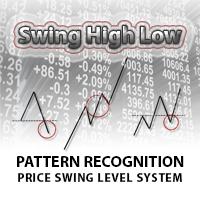
Swing High Low Pattern Recognition is a great indicator able to fix price levels and analyze the market swings. Swing High Low uses a dynamic approach of analysis that allows you to identify easily the best entry levels. The indicator using the minimum and maximum periods of the previous candles to analyze the impulsive movement and finally it sets the entry levels. The entry levels are: fast, good and best . The best is the last confirm of the swing. For a correct use we advise to wait the comp
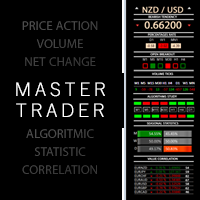
Master Trend Dashboard is a new generation indicator, compact, light and efficient. Each element of this Dashboard is designed to return specific signals as: Price Action, Breakout, Net Change (performance of the instrument), algorithmic studies, correlations and statistical calculations. This tool will change your way of trading allowing you to receive important information. See the Graphic Signals to understand every single signal below: Graphic Signals Symbol name and arrow color Green = Cur
This indicator helps you to scan all symbols which are in the Market Watch window and filter out a trend with alerts. It works on five most effective indicators which are used by most of traders for trading: Moving Average Average Directional Moment (ADX) Relative Strength Index (RSI) Parabolic SAR MACD It calculates two bars for scanning. When box colour changes to coral or royal blue colour, it indicates you for trend change for long and short entry. And also you will get alert on screen. When
The EA CHIEF UT is a fully automated Expert Advisor designed for trading the EURCHF currency pair. The EA considers the market fluctuations on multiple timeframes. It is based on specially designed filters, which make the EA as adapted to volatility and trading dynamics of the EURCHF as possible. The trading system always uses stop loss and take profit. The EA also has a filter to dynamically close an order, considers the order opening place and the following behavior of the order's price to clo
Was: $299 Now: $99 Supply Demand uses previous price action to identify potential imbalances between buyers and sellers. The key is to identify the better odds zones, not just the untouched ones. Blahtech Supply Demand indicator delivers functionality previously unavailable on any trading platform. This 4-in-1 indicator not only highlights the higher probability zones using a multi-criteria strength engine, but also combines it with multi-timeframe trend analysis, previously confirmed swings
Expert Advisor designed for news trading. The news are downloaded from the Forex Factory, Investing.com, myfxbook.com websites. Make sure to add the URL to the terminal settings. The EA should be attached to each currency chart. In the Symbol News field, set the currency symbol for searching news in the calendar. Example: if the EA is attached to the AUDUSD chart, set Symbol News to AUD; if USDCAD, Symbol News - CAD, XAUUSD Symbol News - USD, and so on. Change the magic number for each chart, an
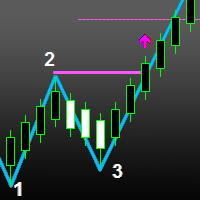
The indicator automatically identifies the 1-2-3 pattern on the chart. The indicator is able to monitor the formation of pattern in real time. It informs the trader when the pattern is completely formed (when the price breaks the line in point 2) and displays the completed patterns in history. The patterns are never redrawn. The indicator can identify patterns on any instruments (currency pairs, stock market, gold, etc.) without the need to adjust to each instrument. Simple and clear visualizati
The PZ Harmonic Scanner scans for harmonic patterns among all your desired instruments and timeframes. Stop missing out on trading opportunities! Find dozens of trading opportunities each day The indicator implements alerts of all kinds Patterns and timeframes can be enabled or disabled Customizable font sizes and colors It supports a wide variety of patterns: Bat and Alternate Bat pattern Crab pattern Butterfly pattern Gartley pattern Cypher pattern Shark pattern AB=CD pattern Five-O pattern T
你想成为一个持续盈利的五星级外汇交易商吗? 1. 阅读我们简单的 交易系统 的基本描述 , 以及它在2020年的主要策略更新 2. 发送您的购买截图,以获得您的个人邀请,参加我们的独家交易聊天 该交易管理器 是所有喜欢使用全自动交易管理的 FX趋势 用户的理想补充。 它立即检测您手动开启的交易,并沿FX趋势线自动管理其止损。 完全自由地浏览所有时间框架而不影响你的订单。 你的交易是根据你在交易经理属性中设置的固定计算设置来管理的。 一个非常特殊和强大的功能是检测和管理由外部专家顾问开出的订单。 设置正确的EA魔法号码,你就能够按照你的个人趋势交易风格管理这些EA订单 。 功能 介绍 自动检测有效订单 自动设置初始止损 自动跟踪止损 自动检测活跃的专家顾问订单 自动管理活跃的专家顾问订单 反趋势交易的安全止损 可选择使用盈亏平衡止损 可选择设置止盈 一些交易操作的通知选项 在所有种类的交易符号上运行,如外汇、股票、商品、债券等。 在所有种类的离线图表上运行,如Renko和范围条形图 主要设置 时间框架。从下拉列表中选择用于计算趋势线的时间框架 外汇趋势周期。选择你喜欢的趋势线计算的
Midnight EA is an advanced system based on Price Action technique in order to identify current market situation and predict future price movement. It does not use anything else than pure price action. It does not use martingale, grid, hedging, scalping and other risky techniques. The EA works late in the evening (before midnight GMT) on M30 . It closes orders after several minutes to 2-3 hours . Sometimes, it may take longer, but mostly in the morning all orders are closed. The EA works with all
If you use trading signals regularly, you probably know that a signal provider's trading lot volume can differ from that of a subscriber. The provider may apply a volume that is too large or too small relative to your deposit. The Dublicator Deals utility automatically opens an additional order with an increased lot. Orders will be opened and closed automatically in accordance with the original order. Also the tool automatically copies the Stop Loss and Take Profit values. This tool can automati
This automated Expert Advisor is designed to work with any broker and with any value of spread. It does not require ECN accounts. The EA parameters are optimized for EURUSD by default. The EA can work on any timeframe as it does not affect the results of trading. The Expert Advisor automatically detects the number of digits in the quotes. Recommended leverage is 1:500 (1:400). If the leverage is smaller, the risk parameter should be reduced. The recommended minimum deposit is 1000 USD or higher