 MetaTrader 5
 专家
 指标
 程序库
 实用工具
 窗口小部件
 规则
适用于MetaTrader 5的免费EA交易和指标 - 136
 使用EA交易和指标,使外汇交易获得更多盈利。EA交易可使您自动开启和关闭交易,而指标将帮助您更准确地预测市场行为。
该页面提供MetaTrader 5应用程序的目录。

选择StopLoss和TakeProfit的水平会对交易的整体表现产生非常强烈的影响。除了交易交易的明显参数 - 可能获胜或可能亏损的大小 - 止损和止盈的水平也会影响交易的预期持续时间以及一般交易的盈利能力。 如果您已使用“ AIS-ODT ”脚本确定了最佳事务持续时间,则可以开始确定与StopLoss和TakeProfit级别关联的参数。 为此,我们按以下步骤操作。首先,我们将确定在一个方向或另一个方向上的所有可能的价格偏差,并计算在一定时间内实现它们的概率。之后,您可以根据其大小,概率和预期利润值计算StopLoss和TakeProfit的最佳水平。 为此,请在感兴趣的货币对的图表和所需的时间范围内运行脚本。使用属性窗口中的ILB参数,设置交易仓位的期望持续时间,以柱数表示。在实用程序的工作期间,分析整个历史记录的数据,并选择最佳值。在脚本结束时,形成了两个文件 - “Buy.csv”和“Sell.csv”,其中包含获得结果的表 - 图1。 在表格的第一列中,指示了可能的TakeProfit大小,在第二列中,指示了最佳的StopLoss大小。第三列显示以百分比表示获胜这些参数的概
FREE

️ Prop Circuit Breaker MT5 Prop Circuit Breaker MT5 is an advanced, high-performance risk management utility designed exclusively for the MetaTrader 5 platform. This EA does not execute trades . Instead, it acts as an automated security shield, protecting your funded or challenge accounts from catastrophic losses and ensuring complete rule compliance. Whether you are manually trading or running a commercial EA that lacks built-in drawdown protection, Prop Circuit Breaker MT5 continuously moni
FREE

RiskCalc Shield: Comprehensive System Overview & User Manual ️ WARNING / DISCLAIMER Please manually verify all calculations before trading with real money! This tool is designed to be comprehensive but has currently only been tested extensively on a single broker. We highly recommend cross-checking the calculated values manually against your broker's Symbol Properties. (Alternatively, as an additional option, you could provide a screenshot to an AI to help verify the formula accuracy). The deve
FREE

️ This is a FREE version of the tool. Developed by a practicing trader with 12 years of live trading experience (verified tax records, 51 Finam certificates). Looking for professional trading solutions (Volume Profile, SMC, Risk Manager)? Author's full lineup of PRO indicators: https://www.mql5.com/en/users/musa1994/seller Official website and portfolio: https://developer-mql4-mql5.netlify.app/ SpreadMonitor is a professional MetaTrader 5 indicator that colorizes candles by spread level a
FREE

Monkey Lite offers the following array of features: One-click instant order entry (short or long). Track total current orders and total current profit. Instant Close Buy, Close Sell, Close All button. Utility types Risk management, Graphical objects, Panels. Main features
Take Profit and Stop Loss by money (not pip). After the price reached the Take Profit threshold, trailing stop 20% of the current profit. After the price reached the Stop Loss threshold, the orders will be closed immediately.
FREE

Presentation The URL html and xml to csv is designed to get contents from URLs with html or xml content, and to download it to an output format as a txt or as a csv file. It enables to get the whole web sites page, starting with the http protocol, in a document for a further use and in additional with downloading directly on the MetaTrader applications and on the desktop. It is a good advantage for taking the most data from events and economic calendars, and also publications related to the inst
FREE

The Martinware Eye Rest Reminder serves to periodically remind traders to rest their eyes without the need for a tool outside MT5.
Input parameters: Periodicity: play the alert every n minutes Alert with sound: define if the alert should include playing a sound Custom sound file: name of the custom sound file to be used instead of the default. It must be inside a folder named "Sounds", this one inside the "Files" folder in the Terminal's MQL5 directory tree. Alert with Alert message: informs
FREE

What is Close Charts Now? Do you have multiple charts open in MetaTrader 5 and need to close them all with a single click? Close Charts Now is the ideal solution for traders looking to save time and keep their workspace clean and organized. This script is designed to automatically close all open charts in your terminal, streamlining your workflow and avoiding tedious manual tasks. Features Simplicity: Just drag and drop. Efficiency: Save time by removing unnecessary charts in seconds. Ease of u
FREE
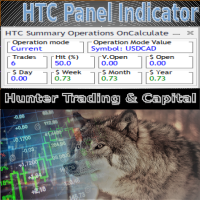
HTC Panel Indicator is an operational summary dashboard for use in conjunction with trading EA.
It provides a concise summary of the current year's trades, open positions and profit history.
The summary can be filtered by the current chart asset, by the ID (magic number) of an EA or by all trades performed in the year.
The panel must be inserted into the chart as an indicator, making it possible to add it to a chart that already has a trading EA.
FREE

The script analyzes the history of quotes and gives recommendations on the minimum deposit. The calculations take into account the variability of prices and the standard deviation. Margin requirements for the instrument are also taken into account. The result of the script is the minimum recommended deposit for trading the given currency pair.
FREE

WS Trade Result HUD is a lightweight and fast utility that displays essential information about your open trade directly on the chart: current profit/loss, lot/contract size, and TP/SL values automatically converted into points.
It is perfect for traders who want clarity and speed without cluttering the chart with heavy dashboards. The HUD works on any MetaTrader 5 instrument — including Forex, Crypto, Indices, Stocks and Futures — and updates in real time with every tick.
You can customize corn
FREE

Script for quick insertion of Limit orders offered for free by NS Finanças! Do not waste more time entering the price manually in order creation manually in the metatrader, with this script it is possible to save sets of your main limits entries and execute it quickly, in addition to the possibility of configuring the keyboard shortcut for quick access of the script . In addition, it is also possible to use the Qty Orders function, which will automatically create limit type orders with the gap s
FREE

## What It Does
2RICH.CAPITAL APP SYNC is a lightweight MetaTrader 5 Expert Advisor that acts as a push client, automatically syncing live positions and closed trade history from a trader's MT5 terminal to their personal journal on the 2RICH Capital website. Rather than requiring manual CSV exports or imports, the EA connects once with a secure API key and connection token, then reports account and trade data to the platform on a recurring interval.
## Core Features
- Multi-user architecture
FREE

HighVolume SR Boxes is a professional support and resistance zone indicator designed to identify important price areas using confirmed pivot structure and volume-based filtering. Instead of drawing simple horizontal lines, the indicator highlights market zones as dynamic boxes, helping traders see where price has previously reacted with meaningful volume participation. These zones can be used to observe potential reversals, breakouts, retests, and role-reversal behavior between support and resis
FREE

Advanced position management EA that automatically closes ALL positions when your profit target is reached. Features cycle tracking, position limits by type (BUY/SELL), emergency close button, and detailed reporting. Perfect for managing multiple EAs or manual trading with automated profit taking.
FB CycleCloser Pro - Advanced Profit Target Manager
OVERVIEW: FB CycleCloser Pro is a sophisticated position management Expert Advisor designed to automatically close ALL open positions when a specif
FREE

This script allows you to visualize the risk of your account based on the open orders you have. * Low risk is between 0 and 10% of handicap * Medium risk is between 11% and 30% of handicap * High risk is more than 31% of handicap
The script displays the spread of the current pair, the total of open positions, showing the lotage for both directions (buy, sell) as well as the number of buy and sell operations.
FREE

This script is a very useful tool when it comes to practicing chart analysis.
If you activate this script, you are going to be thrown down on a random chart position. The active chart is used where you are right now. You need to have at least 6000 historical bars. You can set the number of bars at: Tools->Charts tab->"Max bars in chart"
Should you have any questions, comments feel free to contact me.
FREE

Script to load on chart the orders, starting from "Signal history report" downloaded from MQL5. If you found a good signal on "Signals" section of this site and you want to see the history orders on chart, you can do it, following this steps: - Download the csv file of history orders - Copy file in the common folder - Launch the script and set the input that are: - Report type (MT4 or MT5) - File name - Delimiter (default is ;) - Name of symbol to load (if symbol on file is for example EURUSDi,
FREE

Utility for know all informations and settings of terminal where the utility is loaded. The informations that you can know are for example:
- The path of folder where the terminal start
- The path of folder where the terminal store the indicators, experts advisors etc
- The path of common folder
- The permission to use DLL, to automated trading etc
- The permission to send email, FTP or notifications to smartphone
and many other informations
FREE

Utility for know all informations and settings of account where the platform is connected The informations that you can know are for example:
- The difference from server time and time of your PC
- The limit orders that you can place at market
- The credit that you have
- The stopout mode of your broker
- The exact name of company of your broker
and other informations
FREE

BatchLoader for Mobile Traders: The idea of BatchLoader just as the name implies is to enable traders open a single position through their mobile phone and have it duplicated based on the max position such trader set in the "input settings", we have day traders and scalpers who find it difficult to open several position when trying to scalp, with this BatchLoader, you won't have to worry about poor entry execution.. How to Use it; *install the expert on your desired chart you usually trade on(
FREE

Иногда бывает, что наши построения на графике выходят за пределы последнего бара. После выходных, эти построения могут измениться в виду особенностей учета времени в мт5. Данный индикатор поможет решить эту проблему - он проходит по всем графикам и сдвигает дату объекта, которая дальше, чем нулевой бар. После завершения работы индикатор удаляется. Параметры:
Direction - направление сдвига; DaysShift - количество дней, на которые сдвигается дата объекта, правее нулевого бара.
FREE

The script allows selecting the required 'Filter level' value of the AIS-MTF MT5 indicator. Run the script on the required chart and selected timeframe. Once its operation is complete, the HPS.csv file will be created in the Files folder. Open the file. You will see three columns. The 'Filter lvl' column represents the value of the 'Filter level' for the AIS-MTF indicator. Am. dev. - degree and direction of the indicator's deviation from the price level (sorted in ascending order). Negative valu
FREE

Expert Advisor to help beginners.
It allows you to adjust the following parameters:
Number of simultaneous positions The asset allowed to trade Maximum lots allowed per position Maximum number of positions per day When one of the parameters is not/no longer valid, the EA automatically closes new positions, preventing you from trading. This Expert Advisor helps you trade by mastering your trading psychology for you.
VPS essential.
Feel free to give me feedback and suggest further improvement
FREE

Tetris remains one of the most fun and addictive pieces of software to ever grace the computing scene. That's right, everything that everyone loves about Tetris can now be experienced on MT5 platform. Its beautiful simplicity and surprisingly fast-paced gameplay make it an exceptionally easy thing to just pick up and play on short notice. This version comes with everything everyone loves about Tetris. It has all six of the classic tetrimino shapes, the steadily growing level of challenge tha
FREE

The Maximun Minimun Strata (100 bars and any period) is used to identify key levels on a price chart, which can be useful in technical analysis and decision making in trading:
Identify Key Levels: They help identify support and resistance levels on a price chart. The support level represents a minimum floor at which the price tends to bounce upwards, while the resistance level represents a maximum ceiling at which the price tends to bounce downwards.
Decision Making: Traders use these key lev
FREE

Introduction Scruffy Countdown is a utility for MT5 that displays a countdown timer based on the chart's current timeframe. As each new bar (candlestick) appears the countdown is reset. Features include: Countdown based on current chart timeframe Customisable font and size Warning before and after the hour in minutes with customisable colours (optional) About Scruffy Coder We may be scruffy in name and wear a few scruffy clothes but we're dedicated to bring you useful and reliable tools for MT5
FREE

️ META SHOOTER MT5 – Defeat Trading Stress Before It Defeats Your Deposit. Exhausted by endless market waiting and staring at charts? It's time to turn your trading terminal into a powerful source of stress relief and adrenaline! META SHOOTER is a full-featured, dynamic Survival Shooter that runs directly on your MetaTrader 5 chart . It is the ultimate tool for traders to manage emotions and conquer stress. Why META SHOOTER is Your Best Anti-Stress Weapon: Instant Psychological Relief: Trad
FREE

All utilities of my experts advisors included in a single one. Includes: Raba Time Scheduler EA Raba Challenge Manager EA Raba BreakEven and Trailing StopLoss EA Notes: Auto enabling/disabling algo trading is disabled due to MQL Market policies.
I you have any doubt you can leave it in comments and I will anwer it asap. If you found this tool helpful for you, a comment and a good rating will be appreciated. Also any proposal will be taken into account for future versions.
FREE

This script allows selecting the TakeProfit and StopLoss levels. It analyzes the history data, and then calculates the probability of reaching a given price level.
How the script works Suppose you have a trading strategy and you want to select the TakeProfit and StopLoss levels. Run the script and set the parameter: Number of Bars - the average position holding time in bars. Once the script operation is complete, the AIS-PPL.csv file will be created in the Files folder in the terminal data cata
FREE
The strategy tester of the MT5 terminal does not allow robots (advisers) to read the events of the economic calendar. Therefore, news robots cannot be tested and optimized in the strategy tester. The solution to this problem is the reading of events by the robot from a previously prepared external database, in which the events of the economic calendar are recorded.
With the help of this utility, a Database File is generated from the economic calendar of the MT5 terminal. The File is created in
FREE

EA to prevent inactivity violations on prop firms.
This EA will scout for your most recent trade and if it is older than the number of days defined, will enter a micro lot position size 0.01 on the pair defined. It is recommended to use a tight spread pair like EURUSD. This EA will not act as long as you have at least one trade in the last X days (defined on config).
This EA will not place other trades or modify existing position.
FREE

Close All Charts Script (MT5 One-Click Cleaner) Instantly close all open charts in MetaTrader 5 with a single click Productivity Tool for Serious Traders Tired of manually closing dozens of charts one by one?
This lightweight script helps you clean your workspace instantly and stay organized. What This Script Does The Close All Charts Script automatically: ️ Detects all currently open charts
️ Closes them one by one
️ Provides execution log in the terminal All done in as soon
FREE

Dashboard – Trading Panel for MetaTrader 5 Dashboard is an essential tool for traders who need a centralized view , efficient order control , and quick access to key market information , all displayed directly on the MetaTrader 5 chart. Features: Clear display of open positions Quick order management (open/close) Profit/loss tracking per trade Built-in trend indicators (moving averages, candles, etc.) Customizable panel for different trading styles Optimized interface for day trading, swing
FREE
A service to keep the SQLite database up to date . Fast real -t ime operation . Saves open positions and orders , current quotes , and trading history . Take advantage of SQLite 's capabilities for intermediate data storage , analytics , and integration of the MetaTrader platform . Save all your data in one place . Use the saved data in SQL analytical queries , from Python and other la
FREE

Script to configure "TweetHelper for MT5" environment settings for "Twitter API v2 OAuth 2.0 with PKCE".
Client ID : ${CLIENT_ID} Auth Basic base64 : β string(Base64) Response Code : auth_code to be obtained in step 2 of "Connection Procedure Using OAuth2.0" Callback URI : the value set in User authentication settings "Callback URI / Redirect URL"
TweetHelper trial for MT5 https://www.mql5.com/ja/market/product/54832
TweetHelper for MT5
https://www.mql5.com/ja/market/produ
FREE

The indicator is a real-time trading dashboard for MT5, showing account, trade, and risk information in a compact panel directly on the chart. Key Features Dashboard Display Shows instrument, price, spread, and remaining candle time. Shows account stats: balance, equity, margin, free margin, margin used. Floating profit and pips of all open trades. Historical profits: today, this week, this month, and all-time. Risk stats: total lot size, average risk per trade, average R:R ratio, average tr
FREE
Optimize Your Imported Data – Reduce Spread Effectively! When importing data, especially from sources like Ducas Copy , you may notice that the spread is significantly higher than usual. This free MQL5 script is designed to help you adjust and reduce the spread for more accurate backtesting and analysis. How It Works: Import the script into MetaTrader 5 . Open the chart where you want to apply the adjustment. Drag and drop the script onto the chart. A window will appear, asking how much (%) you
FREE

GT No Trading Zone – Smart Trade Restriction for Enhanced Risk Management Overview The GT No Trading Zone indicator is a powerful tool designed for traders who want to implement structured trade restrictions during specific time intervals. This is ideal for avoiding high-risk periods, such as news releases, market opens/closes, or any other predefined time frames where trading may be unfavorable. With GT No Trading Zone , you can:
Define up to 5 custom no-trade periods during the day.
Automa
FREE

This MetaTrader 5 script - design to manage your workspace to close all open charts except the most recently active one. Perfect for traders who need a quick and reliable way to declutter their platform while keeping the current chart in focus.
Key Features: One-Click Convenience: Instantly closes all charts except the active one, streamlining your workspace. Safe and Efficient: Skips the current chart to ensure uninterrupted analysis. Error Handling: Robust error detection with detailed loggi
FREE

Shows the full name of the symbol on the chart.
Especially relevant for Stocks, CFDs, Indices and Futures.
Also, when you press "right"(cifre 6) on the NumPad, an "Alert" is issued, from which you can copy the name in the "Experts" column
and use, for example, to search for additional information about the company.
In the settings you can select the color, placement and font size.
FREE

The script illustrates the usage of the OBJPROP_XOFFSET and OBJPROP_YOFFSET properties. It displays the specified fragment of the .BMP image.
FREE
CYP Trade Manager Basic - Advanced Position Management for MT5 Protect Your Trades with Professional Risk Management CYP Trade Manager Basic is a sophisticated trade management Expert Advisor designed to protect your trading capital and maximize profit potential through intelligent position management. Perfect for both beginner and experienced traders who want to automate their trade management without the complexity. Key Features Automatic Breakeven Protection Moves stop loss to breakeven
FREE

Ofir blue is the first full trading application for Telegram. It is proposed in 2 versions : OfirBlueLite (without trading) and OfirBluePro (with trading). The Pro version is still in beta (available on request).
To access Ofir Blue Lite, go to Telegram and open the bot @OfirBlueLite. All demos, tutorials and docs are available in Telegram.
Join the Telegram group @OfirBlueUserGroup to get updated information and support.
Features: Dashboard ️ Account summary ️» Profit of the day ️» Eq
FREE

直接在您的 MetaTrader 5 图表上提供简洁、快速的实时平均盈利(Average Win)追踪。 告别杂乱的屏幕和笨重、卡顿的仪表盘。InnovaDash 推出的 Simple Average Win Tracker 是一款超轻量级的小工具,能够在您最需要的地方为您提供最精确的数据。 为什么要追踪平均盈利? 了解您的平均盈利交易金额($)对于建立风险回报率至关重要。当与您的平均亏损相结合时,该指标将准确地告诉您每次达到目标时,您的交易优势能带来多少回报。 InnovaDash 生态系统 此小工具是 InnovaDash 分析引擎的免费示例。想一次性查看所有指标而不让 MT5 图表变得杂乱吗? 访问 innovadash.com 绑定您的账户并解锁完整的仪表盘。同时追踪 50 多项高级指标,按自定义日期范围筛选数据,分析特定交易品种,按注释进行筛选等等。
FREE

Broker & Account Info / Network Connection / Historical Order Benchmarks / Market Watch Symbols / Current Order Status
Features:
1. Symbol’s Trading Privileges – Ensure the symbol is tradable.
2. Order Execution Mode – Check the broker’s execution type.
3. Trade Session Hours – Verify the trading hours.
4. Min/Max Lot Sizes – Check the allowed lot range.
5. Max Pending Orders – Confirm the maximum number of pending orders allowed.
6. Freeze Point & Pending Order Distance – Minimum distance re
FREE

Total Closed Trades – MT5 Indicator The Total Closed Trades indicator for MetaTrader 5 provides a quick, visual overview of your trading performance by displaying a simple and intuitive 3-value breakdown : Total Trades – The total number of closed trades. Winning Trades – Number of profitable trades. Losing Trades – Number of losing trades. Instead of digging through reports, traders can instantly monitor their historical performance with a compact and elegant pie chart-style widget. Key
FREE

Tradeguard Account Control Tradeguard Account Control is a lightweight risk and trade management tool for MetaTrader 5 designed to help traders control risk, protect their accounts and manage open positions efficiently. This tool does not open trades . It works alongside manual trading or any Expert Advisor and focuses strictly on account protection and trade management. Key Features Automatic Stop Loss and Take Profit management
Partial close at predefined profit levels
Maximum daily loss
FREE

Four EAs on one account. Which one is actually making money? Most people cannot answer that without exporting their history to a spreadsheet and sorting by magic number, which is why most people never do it, and why an EA that has quietly stopped working can run for months before anyone notices. The High Tide Health Monitor answers it on one panel. It runs on a single chart, attributes every trade to the EA that opened it, and shows you what each one has made this month, what it has made since y
FREE

MNFM Spread History records your broker’s bid–ask spread for the chart symbol, in points. It is a read-only indicator.
The dashboard shows broker and local clocks, the current recording hour, the most recent completed recorded hour, and a chart of up to 60 recent readings with the current spread in points and a right-side scale. Number of Readings counts valid samples. Middle Spread is the median. 95% Equal or Below is the spread level at or below which at least 95% of readings fall. Highest Sp
FREE

Be sure to check out my profile for more professional indicators and trading tools !!!!
One-Touch Close Panel (v1.07) - Advanced One-Touch Position Management & Multi-Currency Conversion Panel Designed for traders using the MetaTrader 5 (MT5) platform, this sleek and highly functional panel allows you to manage and close all your open positions with a single touch. With the new version updates, it now delivers a fully global and customizable experience. Key Features: Fast & Secure Execut
FREE

CLOUDPips Kaze answers one question before you trade: is the market really moving right now, or is it just quiet? Ever seen price break out, only to snap back minutes later? Many false breakouts happen when the market is quiet. Kaze makes that quiet visible.
How it works Kaze combines each candle's tick volume and its range (high − low). It compares them with what is normal for the same hour of the day over the last 20 days (adjustable). 1.0 = normal for that hour. The Asian session is always
FREE

Gold Command Dashboard puts the context you need before you click Buy or Sell into one compact panel on your XAUUSD chart. It does not draw arrows, does not generate signals and does not trade. It tells you what kind of market you are in , so your own strategy can make better decisions. Free, no time limit. What the panel shows SESSION - active session (Tokyo / London / New York, overlaps shown as "LONDON + NEW YORK"), countdown to the close and to the next session. RANGE - today's range as a %
FREE

BREAKING INDEX – US30 Hour-Range Breakout EA Don't Chase the Market. Trade the Breakout. Introducing BREAKING INDEX, an automated Expert Advisor designed specifically for US30 (Dow Jones), built around an Hour-Range Breakout trading strategy. The EA identifies a predefined hourly trading range, monitors price action around its boundaries, and executes trades according to its programmed breakout logic. KEY FEATURES Specialized for US30. Hour-Range Breakout strategy. Fully automated trade executio
FREE

TradeMath 是一个只读脚本。它读取所在账户的已平仓交易,并输出描述迄今交易情况的五个数字。它不开仓、不修改、不平仓。它只衡量过去,不做任何预测。 五个数字 期望值 :胜率 x 平均盈利 - 亏损率 x 平均亏损 = 扣除成本后的平均每笔交易。同时给出净结果和盈利因子。 成本 :库存费、佣金和费用的金额,以及它们占毛利润的比例。 回撤 :已平仓交易余额的最大跌幅、当前余额低于峰值的幅度,以及恢复所需的涨幅。 连续亏损 :最长的连续亏损笔数,以及在每笔风险 1 %、2 % 和 5 % 时这样一段连亏的代价。 运气检验 :平均每笔交易的 t 统计量。它说明结果能否与运气区分开,以及大约需要多少笔这样的交易才能判断。 使用方法 将 TradeMath 从导航器拖到任意图表上。图表的品种和周期无关紧要。报告显示在图表上和“专家”标签页中。开启 Save_Report 时,报告还会写入终端 MQL5\Files 文件夹中的文本文件。 输入参数 From_Date 、 To_Date :时间段。To_Date 为 0 表示到现在。 Magic_Filter :-1 = 所有交易;否则只统计某
FREE

Pivot Points Six Types with Level Alerts 是一款适用于 MetaTrader 5、与 TV 兼容的枢轴点指标。它使用与 TradingView 自带的 "Pivot Points Standard" 指标相同的公式和相同的周期划分,并以相同的方式绘制水平线:从每个周期第一根K线开始的短水平线,带有橙色(#FB8C00)的 "R1 (价格)" 样式标签。
六种计算类型 各水平由前一周期的最高价、最低价和收盘价计算。 - Traditional:P、R1–R5、S1–S5 - Fibonacci:P、R1–R3、S1–S3(前一周期波幅的 0.382 / 0.618 / 1.000) - Woodie:P、R1–R4、S1–S4(与 TradingView 一样,使用当前周期的开盘价) - Classic:P、R1–R4、S1–S4 - DM (DeMark):P、R1、S1(同时使用前一周期的开盘价) - Camarilla:P、R1–R5、S1–S5(R5 = high / low x close) 水平数量较少的类型,其余水平只是留空。
FREE

Nested Candles 在您图表的K线周围绘制更大周期的K线。每根 H4、D1 或 W1 K线都按真实的开盘价、最高价、最低价和收盘价绘制,并准确框住构成它的小周期K线。无需切换周期,即可在同一张图表上同时看到大格局和细节。适用于任何品种:外汇货币对、金属、指数和加密货币。
如果您觉得有用,请在“评论”标签中留下星级评分和简短评论。这能帮助我继续改进这个工具。谢谢。
工作原理
将指标添加到任意图表,一个小面板会列出比您当前图表更大的周期(从 M5、M15、H1、H4、D1、W1 和 MN 中),以及您在输入参数中添加的任何额外周期。每个周期都可以一键开启或关闭。仍在形成中的K线以虚线轮廓绘制,并随每个报价实时更新。
透明度随缩放变化。缩小图表时,更大周期变得更明显并成为主角;放大时,它们会淡出,让图表本身的K线保持清晰。如果您更喜欢固定数值,可以关闭自动透明度,使用每个周期的强度滑块。
样式与工具
提供三种样式:极简(细轮廓加柔和填充,默认)、方框和幽灵。每个周期可以选择填充或仅轮廓,边框颜色可选自动、灰色或自定义。面板还提供: 信息卡:将鼠标指向大周期K线,即可查
FREE

TTB ABC Trend Structure is a clean, practical price-action indicator designed to help traders spot trend alignment, market structure swings, and high-probability entry points without chart clutter.
MAIN FEATURES: 1. ATR TREND LINE: - A single, smooth dynamic trendline that filters macro market direction. - Sky Blue line = Bullish trend. - Crimson Red line = Bearish trend. - Keeps your chart clean and free of noisy indicators.
2. POINT C SIGNAL ARROWS & TRIGGER STRIPE: - Clear si
FREE

HyperSIGNAL — Telegram & Discord Alerts with Chart Screenshot Short description
Free companion EA for HyperALGO indicators. Get every signal on Telegram and Discord instantly, with a live screenshot of your chart. Description Your signals. On your phone. With the chart.
HyperSIGNAL sends the alerts of your HyperALGO indicators (HyperPOWER, XAUUSD POWER) straight to Telegram and Discord , each with a screenshot of the indicator chart : ribbon, arrows, levels and panels included. See the setup
FREE

ICT Projection answers one question: "the last times the chart looked like this, where did price go next?" It searches the history of your chart for bars with the same ICT snapshot as now and draws the path price took after them, in ATR units, as a shaded area to the right of the last candle. It is a statistics tool: it shows what usually happened and how often, and it says so plainly when there is no edge.
What it measures - The ICT snapshot of every bar, from 14 features: market structure, r
FREE

Get your DuoFX indicator alerts on Telegram and Discord, with a chart screenshot, without staring at the terminal. Free, for DuoFX products only This relay forwards alerts from DuoFX indicators and tools that have the "Send to DuoFX Alert Relay" option. It does not forward alerts from other indicators or Expert Advisors. Supported today: DuoFX Divergence Scanner (version 1.3 and later and DuoFX Currency Strength Meter 1.1 and later). More DuoFX tools get the option in their next updates; the cur
FREE

MT5 Bars Exporter – export price history to CSV in one click MT5 Bars Exporter writes the bar history of any symbol in your MetaTrader 5 terminal to clean CSV files: open, high, low, close, tick volume, spread and (optionally) real volume. Use the data in Excel, Python, R, machine-learning projects, your own backtesting tools or as an input for other Expert Advisors. The utility does not open, modify or close any trades. KEY FEATURES - All 21 MT5 timeframes: M1, M2, M3, M4, M5, M6, M10, M
FREE

Gold Sniper SMC v4.0 — Institutional Market Structure & Precision Entries
PREMIUM LAUNCH OFFER: GET IT TODAY FOR ONLY 50 USD! (Limited Slots Remaining) INSTITUTIONAL-GRADE SYSTEM: ZERO-REPAINT SIGNALS BACKED BY REAL MARKET STRUCTURE!
Welcome to the future of institutional trading on MetaTrader 5. Gold Sniper SMC v4.0 is an all-in-one elite trading system engineered to track smart money footprints (SMC/ICT) and execute precision entries with pinpoint accuracy. Say goodbye to laggin
FREE

Automatic Stop Loss and Take Profit for your manual trades. Choose the distance in price, points, pips, percent, ATR or money. Works on any symbol. Never opens trades.
Donker Guard makes sure every manual position gets a Stop Loss and a Take Profit, even when you open trades in a hurry from your phone, the one-click panel or the order window. Attach it to a chart once, and every new position is protected within a fraction of a second.
The EA is completely passive: on a live or demo account it
FREE

APSC Trade Manager Pro 直接在图表上管理交易,简单直观。 APSC Trade Manager Pro 是一款适用于 MetaTrader 5 的工具,可帮助您计算交易手数、控制风险,并快速便捷地管理持仓。 您只需设定愿意承担的风险,并在图表上放置入场价、止损(Stop Loss)和止盈(Take Profit)线。APSC 会自动计算建议手数,并显示可能的盈利或亏损金额。 您可以用鼠标拖动这些线,实时查看数值更新,无需手动计算。 主要功能 自动手数计算器 自定义风险: 输入账户余额及每笔交易的风险百分比。 自动计算: 根据与止损位的距离计算建议交易手数。 实时更新: 价格或交易价位变化时,相关数值会重新计算。 风险与收益: 以账户货币查看可能的亏损与盈利。 风险回报比(RR): 根据与止损位的距离调整止盈位。 5 种交易模式 Market: 按当前市场价格开立 Buy 或 Sell 交易。 Stop Orders: 在选定价位设置 Buy Stop 和 Sell Stop 挂单。 Limit Orders: 直接在图表上设置 Buy Limit 和 Sell L
FREE
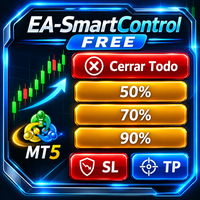
SmartControl Panel Inteligente de Gestión de Operaciones para MetaTrader 5 SmartControl es un Asesor Experto (EA) gratuito diseñado para simplificar y agilizar la gestión manual de posiciones abiertas en MetaTrader 5. Su interfaz intuitiva mediante botones permite ejecutar acciones clave con un solo clic, ayudando al trader a proteger beneficios, reducir exposición al riesgo y administrar operaciones de forma rápida y eficiente. Características principales Cierre total de posiciones •Cierra
FREE

MetaTrader 5 Expert Advisor | GBPUSD H1 | Advanced ATR-Based Recovery Strategy
HUNGRY WOLF is an automated trading system designed for GBPUSD H1.
The Expert Advisor combines an advanced ATR-based recovery strategy with volatility-adaptive position management and coordinated basket exits .
Positions are managed collectively, including swap charges, reaches the predefined target. Historical Backtest Results HUNGRY WOLF was evaluated using MetaTrader 5 historical simulations with 100% real tic
FREE

KF Account Protector — Automated Daily & Total Drawdown Safeguard for MT5
Never breach a prop-firm evaluation again. KF Account Protector is an automated risk safeguard utility for MetaTrader 5 designed specifically for funded traders (FTMO, FundedNext, MFFU, The Funded Trader, and similar evaluation firms) as well as live account traders seeking disciplined risk defense.
It monitors your daily and overall maximum drawdown in real-time based on your prop-firm's specific daily reset timezone.
FREE

Trading Opportunity Scanner 不再需要逐个翻看几十张图表。Trading Opportunity Scanner 同时监控外汇货币对、指数、黄金、白银、原油和加密货币,并在一个屏幕上告诉您:哪些市场此刻正处于支撑或阻力区域,以及背后的动能有多强。 本工具专为使用 支撑与阻力(SNR)结合多时间周期市场结构 的交易者设计,适用于波段、日内以及剥头皮交易。 显示内容 1. 货币强弱与资金流 8 种主要货币以及黄金、白银在 M15、H1、H4、D1 上的强弱。 每种货币附一句简短解读,例如“强势但开始转弱”或“弱势但开始转强”。 2. FX Flow(28 个货币对 + 黄金和白银) 每个货币对的市场结构(D1 / H4 / H1)。 小周期与大周期的动能:推动、维持、疲软或无力。 日波幅已用比例(ADR %)、潜力评分(POT)、解读以及备选情景。 3. Multi Asset Flow(多资产) 指数(US30、NAS100、SPX500、GER40、FRA40、EU50、UK100、JP225)、黄金、白银、原油(USOIL、UKOIL)和加密货币(BTCUS
FREE

CT All in One Trading Manager V603 | Professional Trading, Order & Market Management for MetaTrader 5 One Screen. Full Control. Professional Trading Management. CT All in One Trading Manager is a multifunctional manual trading and market monitoring utility developed for MetaTrader 5 (MT5). The software brings manual order execution, pending order management, position monitoring, live market charts, trading hours, and account information together in a single interface. Instead of switching betwee
FREE
MetaTrader市场提供了一个方便,安全的购买MetaTrader平台应用程序的场所。直接从您的程序端免费下载EA交易和指标的试用版在测试策略中进行测试。
在不同模式下测试应用程序来监视性能和为您想要使用MQL5.community支付系统的产品进行付款。
