 MetaTrader 5
 专家
专家
 指标
指标
 程序库
程序库
 实用工具
实用工具
 窗口小部件
窗口小部件
 规则
规则
适用于MetaTrader 4的新EA交易和指标 - 313
 EA交易自动执行市场交易,而指标可使您更准确地分析报价并预测价格行为。
通过这些应用程序,您将能够更明智地在MetaTrader 4执行交易,抓住更多的交易机会。
EA交易自动执行市场交易,而指标可使您更准确地分析报价并预测价格行为。
通过这些应用程序,您将能够更明智地在MetaTrader 4执行交易,抓住更多的交易机会。 
We highly recommend you running this expert at EURUSD H4. This expert has the name Triple Trailer because it employs Trailing Stop and is based on 3 following elements: Slow Moving Average Fast Moving Average Money Flow Index Indicator Main Information
MA intersection is mostly a criteria for closing positions, while MFI is used to open ones . The signal for buying is received when fast MA intersects slow MA from the bottom AND MFI is in its oversold area (< 20) Respectively, the signal for sell

Индикатор Magneto BCS работает на основе анализа свечей. Определяет точки разворота и продолжение тренда. Основан на простой и стабильной стратегии для внутридневной и среднесрочной работы. Адаптируется к текущей волатильности инструмента.
Настройка и работа с индикатором Настройка индикатора сводится к подбору параметров Gate и Size detect . Чем больше значение Gate тем меньше сигналов. Size detect позволяет применить расчёт только к телу свечи либо к полному размеру. Кроме выделенных на граф
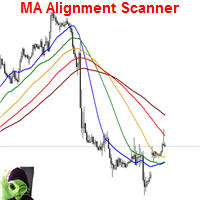
This indicator scans and displays currency pairs that have recently aligned moving averages on a given timeframe. You can configure which pairs the indicator will scan. It also includes all types of alert options. Bullish MA Alignment = MA1>MA2>MA3>MA4>MA5
Bearish MA Alignment = MA1<MA2<MA3<MA4<MA5
Features Attach to one chart and scans all the currency pairs configured and visible in the Market Watch Window It can monitor all the available timeframes from M1 to MN1 and sends alerts on every

NewsReleaseEA is an expert to trade about economic news uses pending orders. Expert receives data for events from ' http://forexfactory.com '." The expert can trade up 28 (31 with yuan) pairs from one chart. Expert has the option for manual strategy (user strategy) or uses one of five included strategies. Expert has analyzer for any trade to show information for any currency and any pair to help trader to make better strategy.
Include Strategies Custom_Stategy - There are too many options t
FREE

Features This EA is a fully automated EA for Forex trading. This EA will be entered when the volatility of the market increased. The target currency is GBPJPY. This EA takes up to two positions. The input parameters are optimized for H4,H1,M30. The maximum profit is set at 300pips. The maximum loss cut is set at 100pips.
Parameters FUNDA - If you only want to buy, please set 1. If you only want to sell, please set -1. if you wish both, please set both 0 . magic - Please set a magic number whic
FREE

This classic "old school" MAGIC MACD indicator gives you the cross of the parameters you set. Standart setting is (12,26,9) . The arrows give you a possible change of trend. Be careful and do not use this indicator as a single signal source.
FREE version Please feel free to check out our other REX indicator series. We do have other free indicators.
"OLD BUT GOLD"
FREE
This indicator is designed to find the difference in MOMENTUM price and indicator. This indicator shows the price and indicator difference on the screen. The user is alerted with the alert sending feature. Our Popular Products Super Oscillator HC Cross Signal Super Cross Trend Strong Trend Super Signal Parameters divergenceDepth - Depth of 2nd ref. point search Momentum_Period - Second calculation period indAppliedPrice - Applied price of indicator indMAMethod - MA calculation method findEx
FREE

Индикатор " AutoDiMA " рисует по графику в основном окне скользящую среднюю с динамическим периодом, рассчитываемым по стандартному индикатору " Average True Range (ATR) ". Когда " ATR " изменяется в диапазоне значений между верхним уровнем и нижним уровнем - тогда в заданном диапазоне меняется вариативный период скользящей средней. Принцип ускорения или замедления скользящей средней переключается в настройках параметром " FLATing ".
ВХОДНЫЕ ПАРАМЕТРЫ: - DRAWs : Количество баров для отображения
FREE

Just Rider EA is a fully automated Expert Advisor with the using of martingale and hedging strategies. Linear Regression and Moving Average Indicator-based filter are used for entries. The minimum deposit is 100 USD (10,000 cent), the recommended symbol is EURUSD and GBPUSD, timeframe is H1. Use a broker with good execution. A VPS is required. The product works both on 4 and 5-digit quotes. Specify values in points like for 5 decimal places in the input parameters, and it will automatically reca
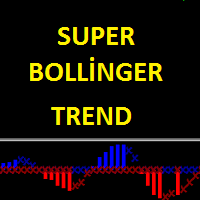
Super Bollinger Trend indicator is an oscillator designed to calculate trend points. A set of bollinger bands calculations and a set of algorithms to calculate trend reversals. Level probing system with high probability trends. All of these features combine to make it easier for investors to find trends. Prameters bollinger_Period - bollinger bands period setting bollinger_Deviations - bollinger bands deviations setting
Big DipperEA Big DipperEA is According to the indicators, Martin Geer should cooperate with each other. From Martin's theory, but the risk is much lower than Martin's, built-in risk control, so that you do not like pure Martin EA, after ten years of historical data review, repeated revision strategy, I have just released, in line with investors and users responsible for Caution is prudent. As the world's most knowledgeable person, I've set the parameters to the optimal parameters, users can dire

This robot searches for important support and resistance on the market, and trades breakouts of these levels. It uses hidden pending orders and tight TrailingStop. The default setting is for EURUSD H1. This EA can also be used in other markets and time frames.
For safer trading, it includes protection against large slippage and high spread. No hedge, no martingale, no grid or any other type of dangerous practices. Stop loss is set for every order. Use True ECN broker with a low spread and a low
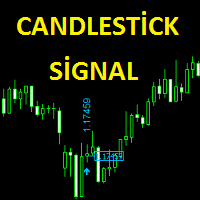
The Candlestick Signal indicator generates signals using a set of indicators and a set of candle patterns. It allows you to operate with these signals. Features
Works on any currency pairs. It works in all periods. Sensitivity setting. You can set the signal frequency. Use recommended standard settings. The greatest feature of this display is the possibility of manual martingale.
The signal intensity region tends to go in the direction of the signal. Works on all charts. Any broker. It is advi
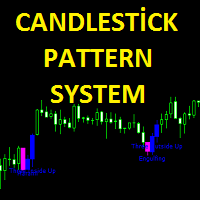
Candlestick pattern system finds 40 candle formations. Features Has the feature to send the notification. It has candlestick patterns feature. Bullish patterns feature. Bearish patterns feature. Trend filter and reliability features.
Parameters Show alert - Send alert Send email - Send alerts to mail address. Look back - Retrospective calculation === PATTERN SETUP === Show bullish patterns - Open close feature Show bearish patterns - Open close feature Trend filter - Open close feature

Утилита « Loss Control Panel » является информационной панелью для контроля убытков. Во входных параметрах пользователь задает начальный депозит и минимально допустимый размер эквити, при достижении которого все ордера, включая отложенные, принудительно закрываются, предотвращая, таким образом, потерю средств. Также есть возможность детально настроить цветовую схему панели. На панели отображаются следующие данные: Start deposit Начальный депозит. Min allowable deposit Минимально допустимый разме
FREE
Brave man EA Brave man EA is a Martin-like EA, from Martin's theory, but the risk is much lower than Martin's, built-in risk control, so that you do not like pure Martin EA, after ten years of historical data review, repeated revision strategy, I have just released, in line with investors and users responsible for Caution is prudent. On the parameters
control : You can control this EA as you like. Reap profit1 and Reap profit1 :Profit point。 proposal
As the world's most knowledgeable person,
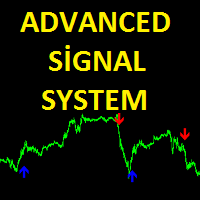
Advanced Signal System is an indicator that generates trade arrows. It generates trade arrows with its own algorithm. These arrows give buying and selling signals. Can be used in all pairs. Sends a signal to the user with the alert feature. The indicator certainly does not repaint.
Trade rules Enter the signal when the buy signal arrives. In order to exit from the transaction, an opposite signal must be received. It is absolutely necessary to close the operation when an opposite signal is rece
Tai Chi EA Tai Chi EA is according to the system's own indicator Written。Strong trend capability,you can to be try. As the world's most knowledgeable person, I've set the parameters to the optimal parameters, users can directly use, without modification. Use default settings. Broker: ECN broker, low communication / Commission, 1:400 leverage, non FIFO or FIFO. If you want to run in different currency pairs, please modify the parameters BM and SM. Please use default parameters.
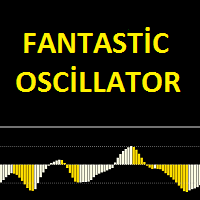
Fantastic oscillator indicator is an oscillator designed to calculate trend reversal points. A set of bar calculations and a set of algorithms to calculate trend reversals. Level probing system with high probability trends. All of these features combine to make it easier for investors to find trends.
Suggestions and Features There are two levels on the fantastic oscillator indicator. They are at levels of 0.5 and -0.5. The oscillator bar should be below -0.5 to find the upward trend. And a blue
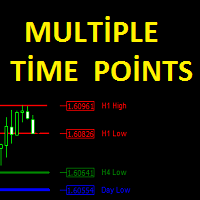
The Multiple Time Points indicator is designed to show candle high and low points. It also shows the high and low points of 4 different time periods. All graphics appear on a single graphical screen. the currently used time slots are H1, H4, D1, W1. Parameters Line style - Line style setting. H1 color - H1 color setting. H4 color - H4 color setting. Day color - D1 color setting Week color - W1 color setting. H1 width - H1 width setting. H4 width - H4 width setting. Day width - D1 width setting.

This indicator is designed to find the difference in RSI price and indicator. This indicator shows the price and indicator difference on the screen. The user is alerted with the alert sending feature. Our Popular Products Super Oscillator HC Cross Signal Super Cross Trend Strong Trend Super Signal
Parameters divergenceDepth - Depth of 2nd ref. point search RSI_Period - Second calculation period indAppliedPrice - Applied price of indicator indMAMethod - MA calculation method findExtInte
This indicator is designed to find the difference in MACD price and indicator. This indicator shows the price and indicator difference on the screen. The user is alerted with the alert sending feature. Our Popular Products Super Oscillator HC Cross Signal Super Cross Trend Strong Trend Super Signal
Parameters divergenceDepth - Depth of 2nd ref. point search Fast ema - Fast ema setting Slow ema - slow ema setting MACD sma - macd sma setting indAppliedPrice - Applied price of indicator indMAM

VolatilityHunter
VolatilityHunter is an intelligent expert advisor that records unusually high movement bars to csv file.
VolatilityHunter's generated csv file can be found in:
Files/VolatilityHunter/{BROKER_NAME}/{PAIR_NAME} [{TIME_FRAME}].csv
Afterwards it is possible to compare csv data with economic calendar such as:
https://www.investing.com/economic-calendar/ for further analysis.
RECOMMENDATIONS:
Use history ticks data converted to GMT time zone.
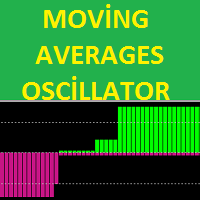
The MA's oscillator indicator is a trend indicator consisting of moving average indicators. It was formed with 4 moving average indicators. This indicator is used to find trends. It is also compatible with other indicators suitable for stretching. The indicator also has multi-time frame (MTF) capability.
Features There are two channel lines on the display. these are the channel lines 3.5 and -3.5. The 3.5 level is the overbought territory The -3.5 level is the oversold territory. The indicator

EZT_Stochastic This is a Multi Timeframe stochastic indicator, with colored background. The colored background can be set to different colors based on the K and D line, (moving up, or down), and also about the position of the lines. In the oversold or overbought zones you can choose different colors. Settings: You can choose the time-frame you want to see the stochastic. Set the regular parameters in a same way like in the original stochastic. Histogram style: The style. Histogram width: The

This Cross Trend Signal indicator uses Donchian channel and ATR indicators. This trend tracking system uses historical data to buy and sell. This indicator does not repaint. The point at which the signal is given does not change. You can use it in all graphics. You can use it in all pairs. This indicator shows the input and output signals as arrows and alert. Open long deals on blue arrows Open short deals on red arrows When sl_tp is set to true, the indicator will send you the close long and cl

TREND REBORN is a non-repainting indicator that shows you the trend of the market can be used as a trend filter or a trade entry or exit BUY when indicator is blue and SELL when Indicator is Orange only The indicator can be used alone or with another indicator based on your trading strategy
Timeframe All Timeframe can be traded Currency pairs All Currency pairs can be traded

具有双线信号、三级系统、多时间框架支持、可自定义视觉信号和高度可配置警报系统的高级随机振荡器。
自由职业编程服务、更新和其他TrueTL产品可在我的 MQL5主页 获取。
非常欢迎您的反馈和评价!
什么是随机振荡器? 随机振荡器是一种动量指标,它将证券的收盘价与特定时期内的价格范围进行比较。该指标由两条线组成:%K(主线)和%D(信号线——%K的移动平均线)。 随机振荡器在0到100之间振荡。高读数表示超买状态,而低读数表示超卖状态。%K和%D线之间的交叉以及穿越水平边界的移动通常被用作交易信号。 功能特点: 具有三级系统(高、中、低)的双线随机振荡器(%K和%D) 带有三个独立可配置信号缓冲区的视觉信号标记(箭头、垂直线) 两条线的高级信号检测:方向变化、线交叉、水平交叉、峰值/谷值 具有时间范围过滤的可配置警报功能(电子邮件、推送、声音、弹窗) 带插值的多时间框架(MTF)、多种颜色模式以及用于EA集成的iCustom缓冲区访问 输入参数: 基本设置: 随机参数: K周期(默认:5)、D周期(3)、减速(3)、MA方法、应用价格。 多时间框架: 随机时间框架选择及MTF插值模
FREE

Market Skanner Baks is a new indicator of market scanner. This indicator is equipped with a new algorithm for determining the trend. Now the trader does not need to analyze dozens of different indicators to determine the direction of the price movement. It is enough to place on the Market Scanner Baks chart and see where the arrow shows on the big and small timeframes. Thus, one can understand the short-term and long-term potential price movement. In addition, the indicator on the completion of

MT5 version here
The Flexible Grid EA uses the RSI indicator to enter the trade. To enter BUY, the RSI must cross the bottom up the value specified in the EA parameters (for the sales, on the contrary, cross from top to bottom).
In case of a successful entry, the transaction closes either according to Take Profit, or Trailing Stop is used.
If the market goes in opposite direction, the order grid opens at a specified distance from the average price of the grid. Also, newly opened orders can b

ClosureMaster Utility closes all orders and offers 7 additional modes. If you have dozens or even hundreds of orders and need to close them all or some of them selectively by comment, magic number, buy only, sell only, if Stop Loss is not set, only profitable or losing trades, then ClosureMaster Utility can take care of this task.
External parameters:
Close all Losing trades Close all Profitable trades Close all orders without Stop Loss Close Buy orders only Close Sell orders only Close by Magic
FREE

This highly informative indicator applies overbought/oversold levels for more accurate representation of the market situation. All moving average settings are available, including average type and price it is based on. It is also possible to change the appearance of the indicator - line or histogram. Additional parameters enable more fine-tuning, while trading can be inside the channel and along a trend.
Distinctive features Oversold/overbought levels; Does not redraw. Additional parameters for

The Easy Strategy Builder (ESB) is a " Do It Yourself " solution that allows you to create a wide range of the automated trading strategies without any line of codes. This is the world’s easiest method to automate your strategies that can be used in STP, ECN and FIFO brokers. No drag and drop is needed. Just by set conditions of your trading strategy and change settings on desired values and let it work in your account. ESB has hundreds of modules to define unlimited possibilities of strategi
Binary options tester Trading panel to test your strategies according to the rules of binary options. Scope: Set the percentage of profit from the transaction. Set the expiration time in seconds. Set the bet size Set the Deposit amount. Make several deals in a row. Keep track of the time before expiration. The tick chart with trade levels is duplicated to an additional window for accuracy. It allows you to work both in the testing mode and in the real quotes mode. The program gives an idea of bi
FREE

Bollinger Bands Breakout Alert is a simple indicator that can notify you when the price breaks out of the Bollinger Bands. You just need to set the parameters of the Bollinger Bands and how you want to be notified.
Parameters: Indicator Name - is used for reference to know where the notifications are from Bands Period - is the period to use to calculate the Bollinger Bands Bands Shift - is the shift to use to calculate the Bollinger Bands Bands Deviation - is the deviation to use to calculate t
FREE

Needle is an adviser who trades on the breakout of support and resistance levels. Trading is pending orders. To support the position, a trailing stop is used.
Recommendations Currency pair: EURUSD; Accuracy : 5 signs; Timeframe: M5, M15, M30, H1; Recommended leverage: from 1:100 and above; Minimum deposit: $ 100; Before installing on a live account, test with minimal risk; Brokers with low spreads and low commission.
Settings and Input Parameters Risk - Risk per trade (as a percentage of th

The advisor determines the candle formations of the two timeframes (current and one timeframe below) and starts working towards the most likely price move. Main analyzable ligaments: Head-shoulders + flag; Head-shoulders + double top; Flag + tapering triangle; Absorption + hammer. Each transaction has a Stop-loss and Take-Profit. Each transaction is independent. Hazardous methods of work are not used. It is recommended to use currency pairs for the default settings: GBPUSD 15m и EURUSD 15m. You

The indicator Universal Main Window works according to your rules. It is sufficient to introduce a formula, along which the line of the indicator will be drawn.
This indicator is intended for use in the main chart window.
All indicators of the series Universal :
Main window Separate window Free MT4 Universal Main Window Free MT5 Universal Main Window Free MT5 MT4 Universal Separate Window Free MT5 Universal Separate Window Free MT5 Full MT4 Universal Main Window MT5 Universal Main Window MT5 M

The indicator Universal Separate Window works according to your rules. It is sufficient to introduce a formula, along which the line of the indicator will be drawn.
This indicator is intended for use in the separate chart window.
All indicators of the series Universal :
Main window Separate window Free MT4 Universal Main Window Free MT5 Universal Main Window Free MT5 MT4 Universal Separate Window Free MT5 Universal Separate Window Free MT5 Full MT4 Universal Main Window MT5 Universal Main Wind

This scanner is a tool used to support trading. Scanner searches on a wide market, in real time setups, created by mutual arrangements of candles (candles pattern). Its basic features are: 8 implemented trading setups (it is possible to add further setups, additional versions of the scanner), the possibility of simultaneous scanning, all financial instruments available on the platform, the possibility of simultaneous scanning, in all timeframes available on the platform, the ability to manua

Simplicity is a necessary condition of beauty (c)
Leo Tolstoy
This expert was developed for the 2008 championship. In that year he took 25th place.
The recommended tool is GBP, timeframe M30.
Transactions are opened to return to the calculated midline.
Expert Options:
minlot - the minimum lot;
maxlot - the maximum lot;
UseEquityStop - use stop by equity;
TotalEquityRisk - percentage of drawdown;
slip - slippage.

JustLineTrader is an EA for trading manually using Graphic Objects that are easy to use. There are 6 lines, namely Buy Line, TP Buy Line, SL Buy Line, Sell Line, TP Sell Line, and SL Sell Line. 6 The line is a trend line chart that we manually installed on the Chart. When the price reaches its Line, it will execute the order on the Panel Line Day Trade. JustLineTrader consists of a panel section for manual trading and part 6 lines for installing trend lines as triggers for order-send and order-c
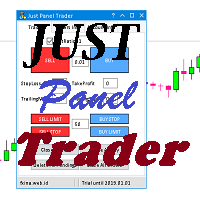
JustPanelTrader is an EA for trading manually using Graphic Objects that is easy to use. Trading is done by clicking the button on the panel Button consists of Sell: To place a Sell order Buy: To place a Sell order SellLimit: To install a Sell order SellStop: To install a Sell Pending Order CloseAll: To close all orders and pending orders ClosePendingOrder: To delete all pending orders CloseSell: To close all Sell orders Close Buy: To close all Buy orders
TextBox consists of LotRatio: to deter

This is the complete REX package. It consists of the lite, pro and ULTRA version.
Perfect for beginners and intermediates. REX complete is 100% non repaint. The strategy is based on a mix of different strategies, statistics, including pivot points, oscillators and patterns. As the trading idea consists of a variety of some classic indicators like Momentum, Williams Percent Range, CCI, Force Index, WPR, DeMarker, CCI, RSI and Stochastic, it is clear that the fundamental indicators have being u
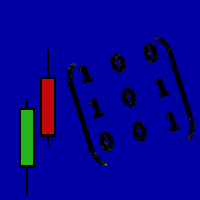
We highly recommend you running this expert at EURUSD H1. Linear Regression Trader employs the mathematical model of linear regression for smoothing price movements and trend recognition. Best results can be achieved when trading at the change of the trend or when the prices form a triangle, rectangle or similar patterns. Uses libraries for executing operations with matrices, already included into EX4 file. The principles of work:
Define the tangent coefficient of the line for the Large period
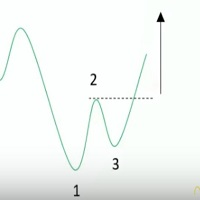
Ross Hook is a price pattern indicator that help traders to forecast market inversions. The activation of the pattern could identify turning points by finding the breakout SR levels or technical analysis figures like triangles, rectangles or head and shoulder. The Indicator runs in all Brokers using Metatrader 4 platform and can be used in an Expert Advisor or as a support of manual trading. This indicator is composed by the OnChart and OnWindow parts: OnChart : Draws the points 1, 2 and 3 t

PipMaster is built using a powerful trend + momentum following algorithm. Made after years of testing and with market noise filtering built-in. Aggressive traders can enter a trade as soon as an arrow appear. Conservative traders should wait for a visual alert after a closed candle bar. This indicator is a great tool to be used with your most trusted trend/momentum trading strategy and with solid money management rules.
Key Benefits: -Super easy to use by following color coded arrow pointing t

Due to the huge success of the limited free version, the now low priced LOTUS version will continue being updated in the future.
Optimal for Binary Options and Forex. For beginners and intermediates. Lotus is 100% non repaint. The strategy is based on 4 ADX parameters, including pivot points and candle patterns. It is recommendable to combine the arrow with an moving average, Elliot waves indicator or Parabolic SAR. The main goal was to keep it as simple as possible ! No useless oscillators.
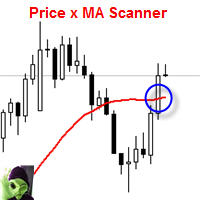
This indicator scans and displays currency pairs that have crossed a moving average depending on a given timeframe. You can configure which pairs the indicator will scan. It also includes all types of alert options.
Features Attach to one chart and scans all the currency pairs configured and visible in the Market Watch Window It can monitor all the available timeframes from M1 to MN1 and sends alerts on every timeframe's candle close when it crosses over a Moving Average Display all currency pa

Supporting file (1 of 2) for T3 Cloud MA
Trend indicator derived from T3 moving averages. The cloud is bounded by a fast T3 and slow T3 lines. Buying/Selling opportunities above/below cloud. The fast and slow T3 MA lines can also be used as dynamic support/resistance for more aggressive entries. Use default values for best settings. The number of look back bars is user defined. This indicator can be used in combination with other strategies such as price action. Suitable for all time frames. Pr
FREE

Supporting file (2 of 2) for T3 Cloud MA
Trend indicator derived from T3 moving averages. The cloud is bounded by a fast T3 and slow T3 lines. Buying/Selling opportunities above/below cloud. The fast and slow T3 MA lines can also be used as dynamic support/resistance for more aggressive entries. Use default values for best settings. The number of look back bars is user defined. This indicator can be used in combination with other strategies such as price action. Suitable for all time frames. Pr
FREE

Panel Tool – Button Click Trading (Replaces Default Trade Panel)
Features
1. Open or close Long positions with a button click.
2. Open or close Short positions with a button click.
3. Set lot sizes.
4. Set Stop-Loss (SL) or Take-Profit (TP) points (0 = not used).
5. Set order comments.
6. Display the Break-Even price .
7. Show total Long and Short lot sizes.
8. Display Profit or Loss in USD.
9. Show daily Profit or Loss in USD.
10. Set ID = 0 to manage manual orders together .
FREE

Broker & Account Info / Network Connection / Historical Order Benchmarks / Market Watch Symbols / Current Order Status
Features:
1. Symbol’s Trading Privileges – Ensure the symbol is tradable.
2. Order Execution Mode – Check the broker’s execution type.
3. Trade Session Hours – Verify the trading hours.
4. Min/Max Lot Sizes – Check the allowed lot range.
5. Max Pending Orders – Confirm the maximum number of pending orders allowed.
6. Freeze Point & Pending Order Distance – Minimum distance re
FREE
Super signal series mystery arrows is an indicator designed to generate trading signals. This indicator uses a number of different indicators and generates a signal using a number of historical data. Currency pairs: Any Time interval: M5, M15, M30. Suggested M5 Work with at least 20 pairs
Parameters AlertsOn - send alerts. If this feature is activated, it will be activated in other warning properties. AlertsMessage - send a message AlertsSound - sound alert setting AlertsEmail - email ale

Virtue Multi Lot "Virtue" is a fully automated Long term Expert Advisor. It calculates market condition itself and decides to enter a position. This is the main position. After that position, it adds some small lots for scalping. You can select how many orders will be open extra. It depends on your account margin and risk managment.
"Virtue" needs patience that is the why its name Virtue. Patience is a virtue. You must be patient to make some Money. You have to be wait it find optimal conditi

Andrews Pitchfork channels is a triple trend channel tool consisting of three lines. In the middle, there is a median trend line on both sides that has two parallel equidistant trend lines.
These lines are usually drawn by selecting three points based on the heights moving from left to right on the response heights or graphs. As with the normal trend lines and channels, the outward trend lines mark potential support and resistance areas.
Parameters Trend_period - the period setting to be calcu

HLOC Trend Indicator This indicator helps you to determine trend direction on your trade. Default parameters for H1 time frame. You can use this indicator both bigger time frame and smaller time frame to open a trade. The calculation is based on high, low, opening and closing price values of each bar in the selected time period. When the values found in the Indicator custom formula are exceeded, the buy or sell signal falls on the screen. There are two extern inputs; RiskFactor: Early but risky

Price Action Signals generates buy and sell signals with price close and complex logic. You can use it different timeframes and pairs. Best results are on M30 and H1 charts with default parameter. You can change this parameter ( nFrequency ) for other timeframes. ( except M1 timeframe ) There is only one extern input: nFrequency: It determines signal frequency. Default is 0.004. You can use this arrow for Expert Advisors. Upsignal: iCustom(......"PriceActionSignals", buffer nr:0 ) Downsignal :
Dragon flight EA Dragon flight is a Martin-like EA, from Martin's theory, but the risk is much lower than Martin's, built-in risk control, so that you do not like pure Martin EA, after ten years of historical data review, repeated revision strategy, I have just released, in line with investors and users responsible for Caution is prudent. On the parameters
control : You can control this EA as you like. Reap profit1 and Reap profit1 :Profit point。 proposal
As the world's most knowledgeable person

Here is an automated Andrews Pitchfork indicator which is DESIGNED SPECIFICALLY to integrate with custom Expert Advisor or MANUAL indicator. It will not allow manual modification as it is strictly use for automatic. However, you still can change the Zig Zag parameters to suits your need. Proposed default parameter is 18-Periods or more with +18. Feature Highlight
Right top corner of the Currency information % Strength / Spread / Remaining Bar Time Bottom Right Current & Previous SEQUENC

ATR Channel is an indicator. It shows us ATR ( depends on selected period ) Line on main chart. It also draw 3 up ATR channels (ATRu) and 3 down ATR channels (ATRd) on the same window. All they helps you to trade with a ATR indicator. There are 6 extern inputs; PeriodsATR : You can change ATR Period default is 13. MA_Periods : Use for draw ATR channels MA periods. Default is 34. MA_Type : You can change MA_method here. Default is Linear weighted. Mult_Factor1 : It is for first up and d
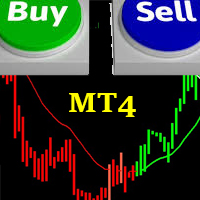
FRIENDLY TREND This indicator is based on the common saying in forex and stock trading that:"THE TREND IS YOUR FRIEND" It is easy to understand and follow; even newbies can achieve great trades out of it. It paints Green candles in an uptrend and signals BUY. It also paints Red candles in a downtrend and signals SELL. The indicator DOES NOT repaint. It is good for any time frame and currency pair. It can be used for Scalping, Day Trading and Swing Trading. Friendly Trend gives push notifications
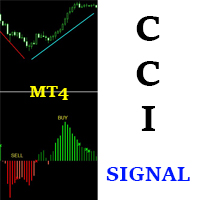
CCI SIGNAL This indicator is based on a custom CCI that is colored to reflect the trend. It was created with the idea in mind: "THE TREND IS YOUR FRIEND". It is simple and easy to use. Even a newbie can understand and use it to achieve great trade results. Simply follow the colors. RED means SELL. GREEN means BUY. It DOES NOT repaint and can be used for Scalping, Day Trading and Swing Trading. It can be used for any time-frame and any currency pair. CCI Signal is highly reliable and provides pow
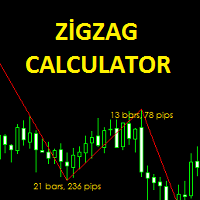
The Zigzag Calculator indicator is designed to calculate bar and pips of zigzag lines. this indicator pips the distance between the end points. You can also see how many zigzag lines are completed in the bar. It is simple and practical to use. Parameters Fontsize - Font size setting. TextColor - Text color adjustment. Depth - the depth setting. Deviation - Deviation setting. Backstep - back calculation setting.

Buy Bot - это полностью автоматизированный советник для торговли в восходящем тренде. Используются элементы стратегий сетки, скальпинга, без убытка, установка Stop Loss и Take Profit . Торговля по новостям. Советник выводит на график и сохраняет новости на локальном компьютере за 1 год. Новости обновляются каждые 60 минут или при нажатии кнопки "Обновить новости". Новости загружаются с сайта http://www.investing.com/economic-calendar/ . Для работы советника нужно добавить сайт в список разреше
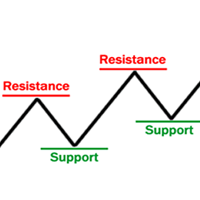
Supports & Resistances is an indicator that draws and reads automatically support and resistance levels like trendlines and fibonacci retracements to identify the most likely areas where the market will bounce. It mainly generates several horizontal and diagonal lines based on past highs and lows. The strenght: Reading on the code the supports and resistances areas permits to use the indicator in the Expert Advisor. The risk: Too many drawn lines on chart could confuse the manual trader but it

Mr Pound
Mr Pound is an Expert Adviser derived from many trend following indicators to generate signals that are automatically traded please make sure you have an account with a leverage of 1:50 0 Strictly recommended to 1H timeframe ,GBPUSD only The lot size is based on your balance Do not close any trade ,whether in profit or in loss to allow a safe money management If the Last trade is a loss while back testing ,it just mean that the trade was still opened but close at stop ,adjust th
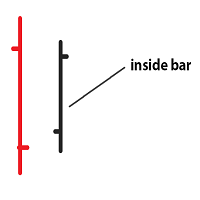
Inside bar price action. Inside bar must be completely engulfed within mother bar (mother bar is indicated as bar 2 in inputs). Stop orders will be placed after the formation of the inside bar at the top and bottom of the mother bar. Inputs: Interval from bar 2 - the distance of placing stop orders from the top and bottom of the mother bar. Lot Size - volume of the trade. Take Profit - multiple of the size of the mother bar. Stop Loss as % of mother bar - adjust the stop loss of the stop orders

A Trading is a fully automated Expert Advisor that uses Price Action strategy to detect the new trend and enter trade with fix take profit and stop loss every orders. It uses smart algorithms to adapt to all markets. This EA can work successfully with any brokers and spreads. This EA always uses fix take profit and stop loss. No scalping, no martingale, no grid trading, no arbitrage. You can use EA with any brokers and spreads. Minimum balance is $100. However, bigger amount will help the EA pe

介绍 TPSL Driver Utility ,这是一款功能强大的工具,旨在通过自动化止损和获利管理来增强您的交易体验。该实用程序迎合了每个需要无缝订单管理和高级利润保护技术的交易者。 使用 TPSL Driver Utility,您可以灵活地在两种订单管理模式之间进行选择:隐藏和可视。隐藏模式允许您隐藏获利和止损水平,提供一种谨慎的方法来管理您的交易。另一方面,可视模式提供传统的获利和止损水平显示。 通过多种选项来设置止损和获利,从而控制您的风险和利润目标。无论您喜欢按点数还是按美元金额计算,该实用程序都能确保精确控制您想要的水平。此外,利润保护选项通过在您的交易达到特定点数或特定金额时自动调整止损水平来增加额外的安全层。 使用跟踪选项最大化您的利润,该选项会随着市场向您有利的方向动态调整止损水平。此功能允许您锁定收益并跟踪您的利润以捕捉额外的上涨潜力。 通过弹出通知、声音警报和移动通知提供的实时警报,随时了解情况,不错过任何交易机会。该实用程序的用户友好设置使自定义变得轻而易举,让您可以将其无缝集成到您的交易设置中。 体验 TPSL Driver Utility 的快速响应性能
学习如何在MetaTrader AppStore上购买EA交易,MetaTrader平台的应用程序商店。
MQL5.community支付系统支持通过PayPay、银行卡和热门付款系统进行交易。为更好的客户体验我们强烈建议您在购买前测试EA交易。
