 MetaTrader 5
 专家
专家
 指标
指标
 程序库
程序库
 实用工具
实用工具
 窗口小部件
窗口小部件
 规则
规则
适用于MetaTrader 4的新EA交易和指标 - 341
 EA交易自动执行市场交易,而指标可使您更准确地分析报价并预测价格行为。
通过这些应用程序,您将能够更明智地在MetaTrader 4执行交易,抓住更多的交易机会。
EA交易自动执行市场交易,而指标可使您更准确地分析报价并预测价格行为。
通过这些应用程序,您将能够更明智地在MetaTrader 4执行交易,抓住更多的交易机会。 
You can avoid constant monitoring of computer screen waiting for the DeMarker signal while receiving push notifications to a mobile terminal or a sound alert on the screen about all required events, by using this indicator - DeMarker Alerts. In fact, it is the replacement of the standard indicator with which you will never miss the oscillator signals. If you don't know the benefits of DeMarker or how to use it, please read here . If you need signals of a more popular RSI indicator, use RSI Alert

If you use the MFI (Money Flow Index) indicator, the waiting time till the next signal can be long enough. Now you can avoid sitting in front of the monitor by using MFI Alerts. This is an addition or a replacement to the standard MFI oscillator . Once there appears an MFI signal on the required level, the indicator will notify you with a sound or push, so you will never miss a signal. This is especially significant if you follow the indicator in different timeframes and currency pairs, which ca
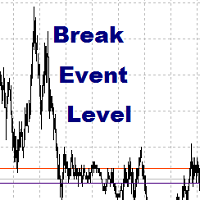
Break Even LeveL 该指标在市场上有未平仓订单时起作用并计算价格水平,达到该水平后,所有未平仓订单的总利润将为零,即无亏损水平。该计算考虑了运行指标的货币对的订单。订单可以通过幻数过滤。 指标设置说明: Line_Create - 无损失地显示一条线 color_Line - 线条颜色 style_Line - 线条样式 width_Line - 线宽 Text_Create - 在线条上方和线条下方显示文本 font_Text - 文本的字体 font_size_Text - 文本字母的高度 color_Text - 文本颜色 color_Text_Profit_Zone - 盈利区域的文本颜色 Label_Create - 显示文本标签 坐标_x - 文本标签的 x 坐标,以像素为单位 坐标_y - 文本标签的 y 坐标,以像素为单位 corner_Label - 图表的角以锚定文本标签 font_Label - 文本标签的字体 font_size_Label - 文本标签的字体高度 color_Label - 文本标签的字体颜色 anchor_Label - 一
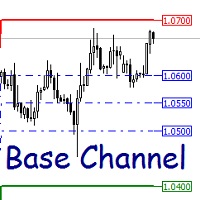
Base Channel 动态支撑位和阻力位的指标。 指标设置说明: Channel_expansion_coefficient - 通道扩展系数
Main_Level - 重新计算指标水平的限制大小 ArrowRightPrice - 启用或禁用正确价格标签的显示 color_UP_line - 上阻力线的颜色 color_DN_line - 下支撑线的颜色 color_CE_line - 中心线颜色 style_ - 中心线样式 width_ - 中心线的宽度 动态支撑位和阻力位的指标。 指标设置说明: Channel_expansion_coefficient - 通道扩展系数
Main_Level - 重新计算指标水平的限制大小 ArrowRightPrice - 启用或禁用正确价格标签的显示 color_UP_line - 上阻力线的颜色 color_DN_line - 下支撑线的颜色 color_CE_line - 中心线颜色 style_ - 中心线样式 width_ - 中心线的宽度

This indicator depends on some secrets equations to draw Signals with Stop loss and maximum 4 Take profits. There is a free EA depends on this indicator as a gift when you purchase/rent it.
Features Simply it gives you entry point as Ready sign (Buy / Sell) and arrow (Buy / Sell) after candle closed, also SL line and 4 TP lines or less. Once SL-TP lines are shown with the arrow, they remains as they are until signal change. It is historical indicator. No Repaint. user manual for V5 please click

Who will be interested in this product: those who are used to diversify the portfolio with a large number of pairs. those who work with a large number of orders those who trade news using pending orders (see the "Grid request" tab). The panel is designed to make managing a large number of orders as easy as managing one.
"Trading" window "Request" tab The currency pairs and order types for opening are formed here. The prices and stop levels are set.
User can define the price values in points and

This is an optimized and ready-to-use automated trading system. A market entry is performed at a certain time on a quiet market. When certain conditions are met, a trade is closed. As a rule, a profit is small. The EA features SL to manage losses. The EA is recommended for use on currency pairs and M5 timeframe. Before using on a live account, it is recommended to test the EA in the strategy tester in the terminal. The EA operation requires a broker with minimum spread and minimum or no commissi
This indicator is suitable for trading Forex and Binary Options, depending on its settings. The indicator is designed for trend trading. A buy signal: An up arrow appears on the chart. A sell signal: A down arrow appears on the chart.
Input parameters === Setup CCI === Period CCI 1 - Period of the CCI Period CCI 2 - Period of the CCI Level BUY - Level of the CCI for buying Level SELL - Level of the CCI for selling === Setup RSI === Level SELL - Level of the RSI for selling Period SELL - Period
FREE

It is based on Surfing strategy. USES MARTINGALE. The EA catches the moments when the previous candle crosses the moving average indicator and eliminates the false breakouts using the RSI+MA indicator, and at the same time analyzes the trend direction. The EA trades pending orders, which also allows to avoid false movements. If the pending order was not triggered and the chart reversed, then the EA deletes the pending order. If the pending order was not triggered and the chart reversed, then the
FREE

The indicator can help traders to assess in advance the number of Lots, Balance and Equity, if the price deviates from the current levels. The indicator will be useful for those who trade using Martingale.
Features The indicator belongs to the category of risk management. The indicator helps to assess in advance the account change that would happen in case of possible price change from the current value to a threshold. It also recalculates swap, lock, pending orders, take profit and stop loss.
FREE

This tool monitors your current Expert Advisors and manages stop losses and take profits. You can customize which EAs and/or which currencies to monitor. It is primarily meant for EAs that you feel manage stop losses and/or take profits poorly. If you want this tool to be able to monitor manual trades, please use '0' (zero) as the magic number. Supports hidden stoploss and take profit Supports ATR-calculated dynamic stoploss Supports Breakeven for individual trades Supports Trailing stop Lower r
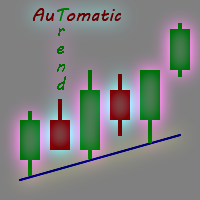
Every experienced trader knows that the trend lines should be paid the special attention in Forex trading. But plotting trend lines takes time, and there can be many of them on the charts… Do you want to learn how to quickly and easily automate this process? Then read on. There is a solution — smart and reliable trend line indicator, the Automatic Trendline . All you need to do is attach the indicator to the chart, and it will draw all possible trend lines for you. You just have to admire the re

Features All in One indicator is a simple indicator. It makes you know about eight indicators in all timeframes at just one view in the same time. Stochastic RSI Moving Average (MA) Parabolic SAR ADX MACD CCI Last Candle (Candle) in all timeframes (M1, M5, M15, M30, H1, H4, D1, MN) in the same time.
Parameters Stochastic PercentK : period of the %K line. PercentD : period of the %D line. Slowing : slowing value. RSI RSIP1 : period 1 RSIP2 : period 2 Fast Moving Average MA averaging period: aver

This Expert Advisor trades based on trend lines, as well as on the basis of volume analysis. Volumes are calculated using minute bars, in order to determine if they were ascending or descending. The trend lines are drawn based on High and Lows in the trade history. There are also additional indicators. Buy or sell signals depend on all those factors. This allows the EA to enter the market with more accuracy and to perform more deals.
Input parameters Lots - lot size (if 0, a lot is calculated b
Grid Flat EA 以指定的步骤放置一个订单网格。对于所有相同类型的订单,订单具有网格步距的利润水平和一般亏损水平。交易仅在设置中指定的时间段内进行,在时间结束时删除所有挂单并强制关闭所有未平仓头寸。不建议将 EA 用作长期交易的全自动交易系统,仅用于在某些市场情况下工作,例如发布重要新闻或其他类似市场情况。
顾问设置说明 Open_BuyStop - 打开/不打开待处理的 Buy Stop 订单网格 Open_SellStop - 打开/不打开挂单的卖出止损订单网格 Open_BuyLimit - 打开/不打开待定买入限价订单网格 Open_SellLimit - 打开/不打开挂单的卖出限价订单网格 TIME_HOUR_START - 顾问开始工作的小时数,值从 0 到 23 TIME_MINUTE_START - 顾问开始工作的分钟数,值从 0 到 59 TIME_HOUR_STOP - EA 交易结束的小时数,值从 0 到 23 TIME_MINUTE_STOP - 顾问结束的分钟数,值从 0 到 59 Grid_levels - 网格中的级别数 Step_Grid

Strong Weak 多货币指标同时分析 56 个货币对:
AUD EUR GBP NZD CAD CHF JPY USD AUD SUMM EURAUD GBPAUD AUDNZD AUDCAD AUDCHF AUDJPY AUDUSD EUR EURAUD SUMM EURGBP EURNZD EURCAD EURCHF EURJPY EURUSD GBP GBPAUD EURGBP SUMM GBPNZD GBPCAD GBPCHF GBPJPY GBPUSD NZD AUDNZD EURNZD GBPNZD SUMM NZDCAD NZDCHF NZDJPY NZDUSD CAD AUDCAD EURCAD GBPCAD NZDCAD SUMM CADCHF CADJPY USDCAD CHF AUDCHF EURCHF GBPCHF NZDCHF CADCHF SUMM CHFJPY USDCHF JPY AUDJPY EURJPY GBPJPY NZDJPY CADJPY CHFJPY SUMM USDJPY USD AUDUSD EURUSD GBPUSD N

Octet 该指标是多货币的,它同时分析 56 种货币对。重要的是,所有货币对都在市场概览中并为其加载报价。 该指标以一条线的形式显示某种货币相对于其他7种货币的涨跌。指标值以百分比表示。
指标设置说明 Type_Calculation - 计算货币增长或下跌百分比的三个选项 前缀 - 当货币对的名称中有前缀时使用,例如:EURUSD.fxp,则设置 Prefix = .fxp Show_AUD - 显示澳元货币相对于其他 7 种货币的总计算值 Show_EUR - 显示欧元货币相对于其他 7 种货币的总计算值 Show_GBP - 显示英镑货币相对于其他 7 种货币的总计算值 Show_NZD - 显示新西兰元货币相对于其他 7 种货币的总计算值 Show_CAD - 显示 CAD 货币相对于其他 7 种货币的总计算值 Show_CHF - 显示 CHF 货币相对于其他 7 种货币的总计算值 Show_JPY - 显示日元货币相对于其他 7 种货币的总计算值 Show_USD - 显示美元货币相对于其他 7 种货币的总计算值 Show_NAME - 显示指标线的货币名称 cal

Professional Prediction Indicator Based on matching the history with selected pattern model and shows the most likely outcome.
Pi indicator includes Pattern line, Scanned_Past line, Matching_Pattern line, Future_Predicted line, adjustable Model Band , and some other controls.
This indicator is designed primarily for professional use and is very useful in the search for the probability of the results relating to the future.
Note : The results depend on model_band and past_bars . They are approxim

The List swap is an indicator for the MetaTrader 4 platform, which allows to display swaps for all symbols (available in the Market Watch). When using the free demo version, you need to remember that the Strategy Tester of the MetaTrader 4 does not provide the ability to obtain data on other symbols. In the Strategy Tester, the swap information will be displayed only for the symbol the indicator is attached to. The indicator can be useful for traders utilizing the "Carry trade" strategy, as well

The Green Dragon is a strategy that uses the Ichimoku Kinko Hyo system to place trades. The primary element of the Green Dragon is the use of the Chinkou Span as it crosses price action to place trades. This is a classic strategy of the Ichimoku even though its not as popular as some of the other strategies. The Chinkou Span is normally thought of as a market momentum indicator and used to give a trade set up more conviction when analyzing price movement. I find this description somewhat vague a
FREE

Trade Copier Global: The name speaks for itself. This copier allows you to copy orders between MT4 terminals even if they are not installed on the same computer.
Features Copying trades between MT4 terminals around the world with a short delay. Automatically recognizes symbol prefixes. Can connect many Slaves to the same Master. Supports pending and market orders. Supports partial order close (with limitations, see below) Can send messages and notifications to the Slaves from the Master Several
The indicator calculates and displays Renko bars using PSAR and CCI data as well as provides buy/sell signals. Renko is a non-trivial price display method. Instead of displaying each bar within a time interval, only the bars where the price moved a certain number of points are shown. Renko bars do not depend on a time interval, therefore the indicator works on any timeframe without losing its efficiency. The buy signal is generated when the CCI indicator crosses the 100 level upwards, and the PS

This is an advanced Expert Advisor based on Lasors. The modified analysis algorithm allows you to better process the signals of the same-name indicator. Along with other changes and innovations, this facilitated program separation into a new product. The EA features a level breakthrough strategy. Stop loss and take profit levels are added immediately after a trade is opened. If the market has no definite trend, part of a position is gradually closed with a new impulse. In case of a dynamic trend

The strategy is based on a reverse breakout, it trades using pending BUY LIMIT and SELL LIMIT orders. Recommended currency pair/timeframe: EURUSD M30.
Monitoring https://www.mql5.com/en/signals/author/profi_mql
Parameters Magic — ID of EA's trades. Order Comment— a comment to the EA's orders. Slippage — Allowable slippage before an order triggers. Order Type — select trade direction. Max Spread — Maximum Spread allowed before pending order triggers. disable trade if spread high — disable tradi

This long-tern Expert Advisor uses 2 trading strategies: The first strategy will hunt down strong price movements. It will then start opening multiple trades in the direction of that trend. The trades will either hit Takeprofit or Stoploss, or the EA will close the group of trades when it exceeds a certain profit. The EA uses a smart filter to gradually capture profit. If there is a reversal in the trend, it will not add extra trades. The second strategy tracks the trend reversals. Also with thi

Multi-currency grid Expert Advisor, in most cases it receives quite accurate entries. If an entry is not accurate enough, the positions are managed using an elaborate martingale strategy. Work on real account: http://tiny.cc/nkaqmz Entries are performed using the signals of RSI and Stochastic indicators, in the overbought/oversold areas, plus additional entry conditions based on a proprietary algorithm. Recommended timeframe - М15. The EA features a drawdown management system, which takes into

The EVO Exclusive EA is based on support/resistance level breakthroughs. It works autonomously on a VPS server. The EA passed testing on real ticks. Pro or ECN accounts with Market Execution are required for correct operation. The Expert Advisor controls the spread and slippage, thereby protecting your capital from risks. It does not use Martingale, grid or hedging techniques. It uses stop loss, tale profit and trailing stop. Real account monitoring: https://www.mql5.com/en/signals/author/aibeku

一个你不希望错过的交易工具。该指标在图表中显示所有的交易/交易,以及它所连接的符号。它打印出盈利或亏损的点数。根据选择,它通过子窗口打印一条垂直线,以便更好地进行分析。
也可以在这里查看专业版。我的交易历史专业版 https://www.mql5.com/en/market/product/50206
此外,它还增加了关于存款货币交易的总结果和总点数的信息。
你可以选择只显示当天的交易,或只显示一定数量条内的交易。
它可以显示有指定魔数的交易。如果该值被设置为0,指标将显示所有交易。如果您指定了一个专家顾问的魔数,它将只显示该专家顾问的交易。鼠标放在入口处的箭头会显示订单号,评论和魔力号码。
该指标主要与我的其他专门的货币强度指标之一一起使用。 https://www.mql5.com/en/blogs/post/679077
指标参数
===指标设置
显示垂直线(线穿过子窗口) 显示总利润(利润或损失,包括佣金和掉期)。 显示总点数 只显示今天 在条形图中显示(0=全部)(限制条形图的数量,0将显示全部)。 在角落里显示总结果(改变结果的角落) 魔术数字过滤器
FREE

Firm EA 不使用指标,它一直在市场中。顾问的逻辑基于对市场上已打开订单的分析。 顾问设置说明: StopLoss_Percent - 损失水平,百分比 TakeProfit - 利润水平,以点为单位 风险 - 自动确定 EA 订单量的设置,适用于 LOT = 0 LOT - 固定数量的订单 Slippage - 最大允许的价格滑点 MagicNumber - 顾问订单的幻数 Show_Information - 启用或禁用信息板 color_background - 背景颜色 color_text - 文本颜色 color_negative - 负值的颜色 color_positive - 正值的颜色 EA 不使用指标,它一直在市场中。顾问的逻辑基于对市场上已打开订单的分析。

Elastic Grid MT4 is a multi-functional grid Expert Advisor, designed for full or partial automation of various ideas related to grid trading. The EA trades on any timeframe and symbol. It can also trade several symbols with any amount of decimal places. It does not interfere with manual trading and other EAs' operation or any indicators. It allows to adjust its settings on the fly, works only with its own orders displaying all necessary data on them when needed, and for some situations it can be

The indicator can help traders to assess in advance the number of Lots, Balance and Equity, if the price deviates from the current levels. The indicator will be useful for those who trade using grid strategies or Martingale.
Features The indicator belongs to the category of risk management . It will be useful for the traders who usually have a lot of open orders on one instrument. The indicator helps to assess in advance the account change that would happen in case of possible price change from
Operation principles Non-linear TrailingStop ! The Expert Advisor works on any timeframe and currency pair. Multiple indicators are analyzed during the EA operation. If the required conditions are met, a market order is placed. The EA does not open the next order until the previous one closes.
Important! The significant part of this EA is the TrailingStop block, making the StopLoss follow the price. The main difference between this block from the standard one is that it is not linear. Specify t
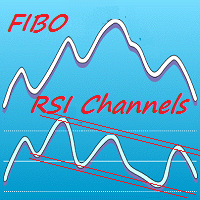
Colored indicator of the linear channels based on the Fibonacci sequence for the RSI. It is used for making trading decisions and analyzing market sentiment. The channel/channels boundaries represent strong support/resistance levels, as they are the Fibonacci proportion levels. Users can select the number of displayed lines of channel boundaries on the chart by means of the input parameters. Various options for using the indicator are shown in the screenshots. The middle of the channel is shown

Femade Indie Vs 1.0 is a simple but multi-currency monitoring Indicator created to instantly notify the trader when an attached currency pair is ready to buy, sell or give signal when such currency pair is getting ready for a big move either up or down. It does this by visual aids on the screen charts, sound and pop-up alerts. If it shows " Medium ", this means that the so called currency signal is almost gone but can still be traded provided the trader will not need a lot of pips which can be b

The ZUP is based on two ideas. Idea 1 - combine a variety of methods for identifying extremums (minimums and maximums) on the market price charts in a single indicator. Idea 2 - make it possible to easily bind various graphical tools, which allow to analyze the market behavior, to the identified extremums. To implement the first idea , the following has been made in the indicator. Included multiple ZigZag algorithms. Standard ZIGZAG algorithm. The basis of this algorithm is taken from the ZigZag
FREE

This simple visual expert advisor allows you to trade easily from the chart. It handles risk management for you and can perform several useful tasks with your existing trades, saving time and making risk-management for each individual trade easier. [ Installation Guide | Update Guide | Troubleshooting | FAQ | All Products | Get Help ] Trade easily from the chart Trade with precise risk management, hassle free Trade pending order with drag and drop price selection Set SL and TP levels with
FREE

Listo Scalper is a fully automated Expert Advisor designed for Traders. Listo Scalp using several indicators. Recommendations for EA use EURUSD, GBPUSD, USDJPY. This robot trades on any Time Frame, please use this EA on M5 timeframe. The system is ready-to-use with the setup is simple,with simple optimization on Take Profit, Stop Loss, and Trailing. Please use a good broker with low spread.
Input Parameters OrderCmt = used for comments Magic = 256 - magic number to identify the order's mode for

The Panda EA trading system is based on the analysis of price action, and it monitors the trend reversals. The operation principle is similar to trailing stop, with the exception that this system helps in finding the entry points, plus additional filters.
Parameters Level: Level of the price channel (in points), for the analysis. The_number_of_levels: The number of levels. StopLoss: Stop loss. TakeProfit: Take Profit. TrailingStop: Trailing stop, works based on the order opening price, set 0 to
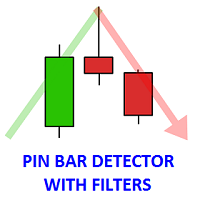
The indicator finds the Pin bars on the chart, perhaps, the most powerful Price Action pattern. The indicator has additional filters, and the user can: specify all parameters of the pin bar size as a percentage of the total candle size (minimum length of the large wick, maximum values of the short wick and body size). set the number of fractals for the last N bars, the Pin bar is based on, i.e. define the support/resistance levels. specify the required number of bearish/bullish bars before the P

A script for closing all open positions in one click. It has no settings, you only need to save it to folder ...\mql4\scripts folder and restart the terminal. A click on the script will close all open positions with the best possible time. Works on all types of accounts with all currency pairs and any broker. The number of open positions is not limited.
The script will be useful for trading strategies, in which you need to manage a large number of orders.

Hi Traders, This useful product will Helps you to get 28 currencies power meter as indicator buffers for use in Expert Advisors and other Indicators . You can get them as buffers 0-27 for current candle. Buffers Value - This values are between -100 to +100 ("-" for Bearish Trend, "+" for Bullish Tread), For Ex. if EURUSD's Buffer is +37 it means it is in a bullish trend and bigger values is better for us. Time Frames - In all time frames you will get same values for each buffer (thy are not depe
Bollinger Bands (BB) + Relative Strength Index (RSI) + Alert
Many traders are interested in the Reversal Strategy. The indicators Bollinger Bands (BB) and the Relative Strength Index (RSI) are suitable for this strategy. The indicator offered here combines Bollinger Bands (BB) and the Relative Strength Index (RSI) to get pop-up and sound alerts. This supports you especially when trading multiple currency pairs. For this strategy a periodicity of for example >30 minutes could be appropriate.
T

AIS 正确平均线指标允许您设置市场趋势运动的开始。该指标的另一个重要品质是趋势结束的明确信号。指标不会重新绘制或重新计算。
显示值 h_AE - AE 通道的上限
l_AE - AE通道的下限
h_EC - 当前柱的高预测值
l_EC - 当前柱的低预测值
使用指标时的信号 主要信号是通道AE和EC的交点。
当 l_EC 线高于 h_AE 线时,可能会开始上升趋势。
在 h_EC 线低于 l_AE 线之后,可以预期下降趋势的开始。
在这种情况下,应注意 h_AE 和 l_AE 线之间的通道宽度。它们之间的差异越大,趋势就越强。您还应该注意 AE 通道实现的局部高点/低点。这时,价格变化的趋势变得最强。
可定制的指标参数 设置指标包括根据时间范围选择 LRH 参数。此参数的有效值范围为 1 到 350。
此参数越小,指标越敏感,错误信号的增加可能。另一方面,此参数不应设置得太高,因为指标会变得不那么敏感并会跳过信号。

Professional Trend Indicator Ti indicator is based on its own oscillator and shows you trend changes .
Indicator includes adjustable Polynomial and MAs channels , Trend lines and Oscillator filter with whom you can adjust the spread of indicator.
You can run many instances, for all time frames at once, is very fast and has a built-in " slider history testing " technology and “ Error control ”.
Program operates in 2 automatic modes:
1. Slider mode
Turns on when attaching the indicator to the Cha

Colored indicator of the linear channel based on the Fibonacci sequence. It is used for making trading decisions and analyzing market sentiment. The channel boundaries represent strong support/resistance levels, as they are the Fibonacci proportion levels. Users can select the number of displayed lines of channel boundaries on the chart by means of the input parameters. Attaching multiple instances of the indicator to the chart with different calculation periods leads to displaying a system of c

The Expert Advisor works on any timeframe and currency pair. A large spectrum of variables and indicators is analyzed during the EA operation. If the required conditions are met, a pending order is placed. The EA does not open the next order until the previous one closes. The EA contains the TrailingStop block making STOPLOSS follow the price. It is the most efficient on the EURUSD, GBPUSD, USDCHF currency pairs, but it can also be used on any other pair. For best results, run the expert at a br

Price Pressure indicator is capable to determine the total result of buy/sell pressure. The result is given in Average True Range (ATR) percent. Price Pressure analyze price action determining how much pressure is present for each candle. Buying or Selling pressure is cumulative, and the more bear/bull bodies and the larger the bodies, the more likely it is that the pressure will reach a critical point and overwhelm the bulls/bears and drive the market down/up. Strong bulls create buying pressur

Colored indicator of the linear channel. Plotting and calculation is based on the Keltner method. It is used for making trading decisions and analyzing market sentiment. The input parameters provide the ability to adjust the channel on the chart. Attaching multiple instances of the indicator to the chart with different calculation periods leads to displaying a system of channels on the chart. Various options for plotting the channel are shown in the screenshots.
Purpose The indicator can be use

xCalper Economic Calendar MT4 brings economic calendar information to your Terminal chart and Experts from online sources. Just add it to your chart to see detailed news without losing attention or automate reading of calendar information to improve trading decisions.
Main Features Support data sources: Forex Factory Filtering by day, impact or currency of news. Visual alert of upcoming news. Platform notification of upcoming news.
Parameters Filters Impact expected - Show/Hide by impact: Low,
FREE

Free parabolic SAR expert advisor is a completely free expert advisor that trades using Parabolic SAR dots. It opens and closes trades based on the first dots of a new trend. The various settings are explained below.
Parameters NOTE: The default settings are just place holders and not necessarily the best. Use the settings that best suites you or your strategy. Lots - This is the lot size of the EAs trades. 0.1 is the default setting. StopLoss - Stop loss setting. AllowBuy - Set to true to allo
FREE

The Expert Advisor allows to move the stop loss following the price, which gives you the ability to protect the floating profit from sudden price reversals. It is possible to use a simple trailing stop which moves the stop loss at the specified distance from the price, as well as based others based on various indicators.
Parameters Magic - unique magic number for identifying positions, if 0 - no number; Trailing - select the type of trailing stop: Simple, Fractals, ParabolicSar, ZigZag; Trailin
FREE

Liti Boma Scalper is a fully automated Expert Advisor designed for Traders. Liti Boma Scalper using several indicators. The EA uses EURUSD, GBPUSD. This robot trades on any Time Frame, please use this EA on M1 or M5 timeframe. The system is ready-to-use with the setup is simple, with simple optimization on Take Profit, Stop Loss, and Trailing. Please use a good broker with low spread.
Input Parameters OrderCmt = used for comments Magic = 525 magic number to identify the order's mode for the EA.

The "Karina" Expert Advisor trades based on the signals of the Several Moving Average indicator and "averaging" of the open orders. The signals are filtered based on the Relative Strength Index indicator. The TakeProfit(TP) level is set when opening the first deal. If the market reverses, new orders will be opened in the direction of the first order, followed by "covering" of losing orders with profitable ones. It is recommended to have a large deposit and/or cent account in order to use this EA
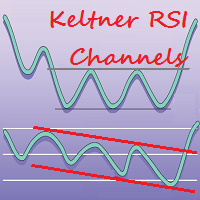
This is a color indicator of linear channel for RSI. The indicator and its calculations are based on Keltner's methodology. It is used for making trading decisions and analyzing market sentiment. Input parameters allow the user to customize the channel/channels. The indicator allows drawing two channels on a single chart of the RSI indicator. Possible options for channel drawing are shown in the screenshots.
Purpose The indicator can be used for manual or automated trading within an Expert Advi

## THE CHART, READ FOR YOU.
Chart reading is slow, and it is easy to get wrong. You need to know which highs and lows actually matter, which ones the market has already invalidated, and what the ones that remain are telling you. Miss a point and the whole read changes.
Cycle Finder Pro marks TRUE highs and lows, and nothing else.
A high is confirmed when two subsequent bars each take out the low beneath them. A low when two take out the high above. The bars need not be consecutive — the marke
This is the linear regression indicator for basic indicators included in the standard package of the MetaTrader 4 terminal. It is used for the analysis of price movements and market mood. The market mood is judged by the slope of the linear regression and price being below or above this line. Regression line breakthrough by the indicator line may serve as a market entry signal. There is possibility of setting the color for bullish and bearish sentiments of the basic indicators as well as plottin

The Hedging indicator is a trading tool, allowing to exit a floating loss that results from erroneous trades by using hedging of trade results. This tool also allows you to solve the problem of negative locking. Hedging of trade results means their simultaneous closing TakeProfit and Stop Loss calculated by the indicator. The indicator takes into account the volume of opened positions! When the number or volume of trades is increased or reduced, the TakeProfit and StopLoss levels are automatical

The HedgingScript utility is a trading tool, allowing to exit a floating loss that results from erroneous trades by using hedging of trade results. This tool also allows you to solve the problem of negative locking. Hedging of trade results means their simultaneous closing TakeProfit and Stop Loss calculated by the script. The script takes into account the volume of opened positions! However, if the number or volume of trades is increased, the script should be relaunched on the chart! The TakePr
The Open Line indicator is a simple indicator that tracks the opening levels of more time sessions. This version allows the user to check the opening levels using different time time frames. It is possible to add on the same chart different Open Lines to have more important horizontal levels. The colors and lines are fully customizable also for the label text. A simple indicator but very powerful to give you a proper orientation for your trading.
Input Values TimeFrame (to show the open price t

Eldorado MT4 is a new MetaTrader 4 indicator based on a digital filter, it has been developed by a professional trader. By purchasing this indicator, you will receive: Excellent indicator signals! Free product support. Regular updates. You can use it on any financial instrument (Forex, CFD, options) and timeframe. Simple indicator setup, minimum parameters. Signals for Position Opening: Open Buy when the channel goes up. Open Sell when the channel goes down. Recommended Usage It is recommended t
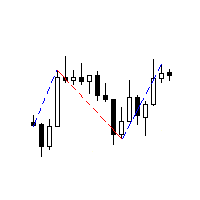
The Expert Advisor receives signals from an artificial neural network that uses the RSI indicator. Trades are closed by the opposite signals. Presence of a signal is checked at the closing of the bar. The EA also has the following functions: changing a position volume in proportion to the change in balance (function for the tester); transfer of unprofitable trades into breakeven;
Parameters Start with lot - initial position volume increased in proportion to the balance change; Lotsize by balanc
FREE

Slow Pips OCO Trade Panel is an advanced trading panel for placing pending orders. Traders can use this panel to place two pending orders at once. One pending order would be of buy entry type and the other one would be of sell entry type. Both orders will have Stop Loss and Take Profit parameters. Since two pending orders are placed at the same time, the pending order for which the price hits first gets converted into a market order and the other pending order gets deleted (one order cancels the

Medium-term trading system that tries to profit during the price rollbacks after significant movements. The system automatically determines the current trading range, the price rollback levels. This is a demonstration version of the Algorithmic EA, which is optimized over the year 2016 for trading the EURUSD currency pair. It is possible to trade in manual mode using a simple on-screen panel or in fully automatic mode. Amount of trades per month is from 5 to 18 in automatic mode. The recommended
FREE

News Detector -the robot allows placing market or pending orders with a single click on the panel. The EA is a good assistant for scalping, news trading and for opening a multitude deals. The robot consists of a calendar and the News Trade Panel . The orders for the selected news can be placed either manually or automatically. The lines indicate distance for placing the order. The EA trades the pair it is attached to. The trailing stop and breakeven features will take care of the deal, in case i
The True Macd Range Expert Advisor is based on the standard MACD and ATR indicators. A market entry is performed according to indicators' aggregate signals using stop levels and trailing. The EA utilizes averaging and martingale, as well as the function of recovery from a loss.
System settings averaging included – enable averaging. averaging only on signal – average only by a signal. closing by opposite signal – close in case of an opposite signal. martingale mode – martingale type. recovery mo

The Averaging indicator is designed for traders who trade using averaging techniques or from time to time need to exit a floating loss resulting from erroneous trades by averaging trade results. Averaging of results means closing trades by TakeProfit calculated by the indicator. The indicator takes into account the volume of opened positions! When the number or volume of trades is increased or reduced, the TakeProfit level is automatically recalculated! The recommended TakeProfit level is displa

The Averaging utility is designed for one-time use and is intended for traders who trade using averaging techniques or from time to time need to exit a floating loss resulting from erroneous trades by averaging trade results. Averaging of results means closing trades by TakeProfit calculated by the script. The script takes into account the volume of opened positions! However, if the number or volume of trades is increased, the script should be relaunched on the chart! The total result of trades

HandMarket is an interactive trading robot. It works inside various market formations (descending and ascending trend channel, horizontal, narrowing or expanding flat, triangle, flag, etc.) The lines limiting these formations should be set by the user.
Strategy Features Computer algorithms cannot precisely determine trend channels and other market shapes. Only a human can do it correctly. Using this robot, a person can draw a selected shape on the chart and trade inside the selected area. When

所有MQL5 EA产品,付费100RMB加入VIP会员即可全部无限制使用,详情请咨询客服QQ407776353 所有MQL5 EA产品,付费100RMB加入VIP会员即可全部无限制使用,详情请咨询客服QQ407776353 所有MQL5 EA产品,付费100RMB加入VIP会员即可全部无限制使用,详情请咨询客服QQ407776353 所有MQL5 EA产品,付费100RMB加入VIP会员即可全部无限制使用,详情请咨询客服QQ407776353 所有MQL5 EA产品,付费100RMB加入VIP会员即可全部无限制使用,详情请咨询客服QQ407776353 所有MQL5 EA产品,付费100RMB加入VIP会员即可全部无限制使用,详情请咨询客服QQ407776353 所有MQL5 EA产品,付费100RMB加入VIP会员即可全部无限制使用,详情请咨询客服QQ407776353
FREE

Market Pressure Dashboard is a new generation utility. Its main function is to assist you and give you operational ideas optimizing your analytical work. Using this utility you could monitor a lots of financial instruments (max 28 symbols FOREX) in a very simple way. The Market Pressure indicator allows you to customize the internal list of the symbols to be monitored. The opening function and position management with this panel will be much more comfortable and navigation charts very powerful.
MetaTrader 市场 - 在您的交易程序端可以直接使用为交易者提供的自动交易和技术指标。
MQL5.community 支付系统 提供给MQL5.com 网站所有已注册用户用于MetaTrade服务方面的事务。您可以使用WebMoney,PayPal 或银行卡进行存取款。
