 MetaTrader 5
 专家
专家
 指标
指标
 程序库
程序库
 实用工具
实用工具
 窗口小部件
窗口小部件
 规则
规则
适用于MetaTrader 4的新EA交易和指标 - 310
 EA交易自动执行市场交易,而指标可使您更准确地分析报价并预测价格行为。
通过这些应用程序,您将能够更明智地在MetaTrader 4执行交易,抓住更多的交易机会。
EA交易自动执行市场交易,而指标可使您更准确地分析报价并预测价格行为。
通过这些应用程序,您将能够更明智地在MetaTrader 4执行交易,抓住更多的交易机会。 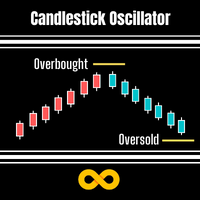
Candlestick Oscillator is a truly unique Oscillator that uses the concepts of within candlestick trading called the Record Session High. This is a method of analysing candlesticks to gauge when a trend might be wearing out and therefore ready for reversal or pause. We call it a record session high when we get 8 or more previous candles that have higher closes. We call it a record session low when we get 8 or more previous candles that have lower closes.
We don't rely on the typical Oscillation
FREE

The journey of a thousand miles begins with one step. Lao Tzu The trading advisor tries to constantly make a profit of 50 cents. If he fails - fixes the loss. I recommend it only for pair EURUSD. Working timeframe only M1. Do not use other EA on your account with EA Fifty cent. Parameters (Some of the safest. Please also use these parameters for testing) Fifty cent Profit in $ 0.5 Profit in $

Общие сведения Для начала торговли достаточно небольшого депозита. Подходит для мульти-валютной торговли. Не зависим от качества соединения и торговых условий. Мониторинг моих счетов: https://www.mql5.com/ru/signals/author/mizrael
Принцип работы Эксперт открывает ордера по встроенному индикатору. Если прибыль ордера больше значения параметра Profit в пунктах графика. Данный ордер закрывается и открывается новый в противоположном направлении объёмом Lot . Если прибыль ордера меньше значения

Definition Pompalamasyon is a fully automated trend trader that performs best on 1 Hour EURUSD Chart. This EA uses Simple Moving Average Indicator , Stochastic Oscilator, RSI and Ichımoku to define the trade direction and sends an order. While sending an order the EA sets the take profit and stop loss points. Pompalamasyon is not a scalper. There are no risky hedging or martingale strategies used. Recommendations EA Settings : Use default settings. Symbol : EURUSD. Time Frame :H1. Broke

Super MA Trend indicator is an indicator designed to find trends. It uses a moving average, a set of candle combinations and High/Low levels to find trends. This indicator is a complete trading system. You can trade with this indicator as you like.
Features and Recommendations You can use this indicator on all pairs except for the volatile pairs. It is recommended to use it on M15 and over graphics. The most important element in this indicator are alerts. Do not open orders unless you receive a

The MTF MA Trend indicator is an advanced model of the moving average indicator. With this indicator, you can follow the moving averge inductor in the multi time frame from a single graphical display. This indicator shows 7 different time zones on a single graphical display. This display is designed in oscillator style. It is also a new generation trend indicator.
Features It can work in 7 different time zones. different color settings can be made for each time zone. each time zone has a level

This is the FXTraderariel Psychology Indicator . It calcutes a sell and buy zone according to Psychology Levels. The indicators shows also potential Take Profit Targets. Depending on the settings and trading style, it can be used for scalping or long-term trading . The indicator can be used on every time frame , but we advise to use it on H1, H4 and D1 . Especially if you are a novice trader. Pro Traders can also you use it for scalping in smaller timeframes (M1, M5 and M15). This indicator is n

Bermuda - полностью автоматический мультивалютный торговый советник, не использующий мартингейл. В работе советник использует одновременно три валютные пары, которыеу образуют равновесный треугольник. По умолчанию это EURUSD, GBPUSD, EURGBP. Советник устанавливается обычным образом на график с любым временным периодом.
Преимущества советника Не требует настроек и оптимизации Мультивалютный режим работы советника защищает депозит от потери Автоматический расчет профита Параметры советника Lot = 1

Dragon Scalping
New EA with my new strategy. This is fully automated EA. Ask me for set files.
Recommendations EA Settings : Use default settings or set files. Symbol : EURUSD or any
Time Frame : 1M, 5M. Brokers : ECN brokers, low spread/commission, 1:500 leverage OR more.
Minimum Deposit : $500 USD. USE PROPER MONEY MANAGEMENT CONTINUOUSLY WITHDRAW PROFITS.
Settings
LowLevel HighLevel PipStep Lots Multiply TakeProfit MaxOrders FAST SLOW MagicNumber #ViralEA #NoLoss

The Stochastic Alerts indicator is an advanced model of the standard stochastic indicator. This indicator is different from the standard indicator 2 level warning feature has been added.
For example, the user will be able to receive warnings at levels above 80 and below 20. It can change the levels you wish. For example 60 and 40 can do. This depends on the user's discretion. you can turn the alerts on or off as desired.
Parameters Kperiod - Standard stochastic kperiod setting Dperiod - Standa
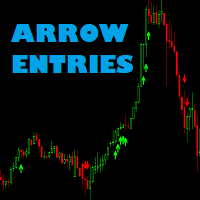
Arrow entries indicator Arrow entries is a tool to help make entry decisions. It draws arrows for buy and sell and is based on 2 MFI indicators and filtered by fast over or under slow Moving Average.
Check out my other products: https://www.mql5.com/en/users/tkjelvik/seller#products
Input variables Period MFI1: How many candels to calculate MFI1. Shift_MFI1: Candels back to be used. Period MFI2: How may candels to calculate MFI2. Shift_MFI2: Candels back to be used. Overbought/Oversold area:

ARROW ENTRIES II EA Arrow Entries II EA is based on my Indicator Arrow Entries II signals. It doesn't use martingale or grid. Check out my other products: https://www.mql5.com/en/users/tkjelvik/seller#products
EA tries to catch short or medium term movements and is suitable for many traders.
Input parameters Periode Signal1 Periode Signal2 Shift Signal2 Overbought/Oversold MAfast MAslow tp sl ts Maxorders lot Magic
If you want to trade with big SL you have to manually close the trades
Real Trading Signal is an indicator that generates trade arrows. It generates trade arrows with its own algorithm. These arrows give buying and selling signals. The indicator certainly does not repaint. Can be used in all pairs. Sends a signal to the user with the alert feature.
Trade rules Enter the signal when the buy signal arrives. In order to exit from the transaction, an opposite signal must be received. It is absolutely necessary to close the operation when an opposite signal is received

不同货币对的行为是相互关联的。 Visual Correlation 指标允许您在一张图表上显示不同的工具,同时保持比例。 您可以定义正相关、负相关或无相关。
有些仪器比其他仪器更早开始移动。 这样的时刻可以通过叠加图来确定。
要在图表上显示工具,请在 Symbol 字段中输入其名称。
亲爱的朋友! 我们提请您注意视觉相关性指标。 主要优点及其工作原理: 不同貨幣對的行為是相互關聯的。 Visual Correlation 指標允許您在一張圖表上顯示不同的工具,同時保持比例。 您可以定義正相關、負相關或無相關。
有些儀器比其他儀器更早開始移動。 這樣的時刻可以通過疊加圖來確定。
要在圖表上顯示工具,請在 Symbol 字段中輸入其名稱。 Version for MT5 https://www.mql5.com/zh/market/product/109155
FREE

我想每个人都知道"安全"这样的资金管理规则。 对于那些不知道的人来说,安全假设在交易利润等于止损大小后关闭一半的头寸。 因此,即使价格反转并抓住止损,您也不会赔钱,因为在早些时候关闭部分头寸时获得了完全相同数量的利润。
安全专家顾问只有一个设置-关闭地段. 将其保留在0位置,顾问将关闭交易的一半。
安装专家顾问后,图表上会出现一条红色虚线,部分利润将由专家顾问固定。 如果您希望顾问在另一个级别关闭部分交易,您可以安全地将此行移动到另一个地方。
如果您在同一货币对上有多个交易打开,那么您应该用鼠标光标将EA拖到图表上,并将EA放在您希望通过安全关闭的订单打开水平附近。 专家顾问考虑订单票,只会处理这个订单。 Thank you!
FREE
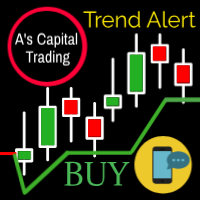
A的Capital Line 是一种复杂的算法,可以检测100%的趋势。 此行标记以下信息: 趋势的入口。 停止亏损。 支持和抵抗。 什么时候拿利润。 通过metatrader向您的手机发送提醒 它适用于任何工具(股票,外汇,加密,商品,指数等)。也可以在任何时间框架内调整任何交易风格。 请参阅屏幕截图以获取示例并在 Instagram 上关注我们。 图片1 每个符号和时间帧的线路设置不同。您必须根据符号,时间范围和交易风格调整最佳参数。 (10个周期和4个因子)(7个周期和3个因子)这是常见的设置。 显示显示,您可以打开/关闭提供的所有信息 警报和移动通知,您可以打开/关闭PC和movil通知。 显示位置,将显示放在其他位置。 您还可以更改显示字体,大小和颜色。 图2 这是所有显示元素。 图3 卖出信号的一个例子,你的风险是什么以及什么时候关闭信号。 图4 在您的PC上发出警报 图5 关于Movile的提醒。 图6 该指标适用于任何符号。 图7 As Capital Line作为抵抗运动的一个例子。
Introduction This indicator detects volume spread patterns for buy and sell opportunity. The patterns include demand and supply patterns. You might use each pattern for trading. However, these patterns are best used to detect the demand zone (=accumulation area) and supply zone (=distribution area). Demand pattern indicates generally potential buying opportunity. Supply pattern indicates generally potential selling opportunity. These are the underlying patterns rather than direct price action. T
Arrow indicator, to determine adjustments and local trends
The arrow appears on the current bar and after closing the bar will not disappear.
Allows you to enter the transaction at the very beginning of the movement
Thanks to the flexible settings you can use on any currency pairs, metals and cryptocurrency
Can be used when working with binary options
Distinctive features Does not redraw. Additional parameters for fine tuning. Works on all timeframes and symbols. Suitable for trading curren

专家如何工作: 专家策略基于波动率的渠道。如果允许价格超过当前波动率的极限,专家就找到合适的窗口,使用抛物线系统进入市场。在交易过程中,头寸不断增加,这使得有可能以很高的概率获得很可观的利润。专家不使用取平均值。 前途 : 今天 , 专家已经实施了一种确保利润的策略。在未来 , 专家将补充两个额外的高收益策略 , , 这反过来将专家实现作为策略组合。第一次更新将出现在 2018 年 12 月中旬。随着每次更新 , 价格将增加。 通 过购买专家 , 您正在投资于未来。 我 们保证 —— 您 对结果感到满意 ! 关于我 们 : 我 们开发交易 系 统 , 进行统计和数学分析。 目 标 : 以最小的 风险获得高利润。 专家配置为欧元兑美元 ( EURUSD ) 5M 。 设置和【 .set 】文件 : extra.set—— 如果存款从 300 美元到 1000 美元 ( 加速存款的增 长 ) moderate.set—— 如果存款从 1000 美元到 2000 美元。 long distance.set—— 如果存款从 2000 美元到 3000 美元。 long distance2.se

Level Gun Pro is an indicator of the automatic construction of the levels of Ghana.
It is based on the theory Ghana, slightly modified algorithm to calculate the vibrations of the market.
The main essence of the indicator is that it takes the entire history of the trading instrument and builds horizontal levels on its basis.
Yearly, monthly and weekly.
The advantage of this indicator is that it applies levels to the chart in advance and does not adjust to its changes.
Yearly levels are
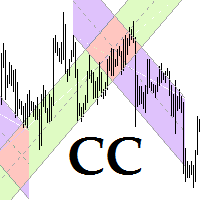
This program is for traders who plot price channels on charts. You just need to specify the width of the channel in the description of the trend line. Enter the "Description" field in the trend line properties and type canal: xxxxx without a space, where xxxxx is the width of the channel in pips. Channel color is set automatically depending on the channel width. The middle line of the channel is also automatically drawn. If the channel width is set to a positive number, the channel is drawn ab

All Day Scalper 是一个完全自动化的EA交易程序,它有两种资金管理方式,根据秘密算法以及RSI过滤来进行 全天短线、超短线交易 ——根据参数设置不同来决定哪一种风格。市场有许多夜间头皮EA,但全天的不多,把这个EA和其他夜间头皮一起使用,可以丰富你的策略以及提高资金利用率,不至于让你的资金在白天时处于闲置状态。附图是最近一年回测。 特点 请在评论里下载正确的参数进行回测和赚钱。(SET1是风险和利润比较平衡的设置,作者最爱;SET2是高准确率设置,许多人喜欢的交易方式,但是止损比较大。都是EURUSD_M5) 新的1.30版本配合特制的参数具有更低的DD,更平滑的盈利曲线。 不含马丁策略,不使用对冲策略,不会导致爆仓 . 可交易多种货币来分摊亏损风险,需自行探索参数设置。 所有的订单均有 止盈止损 . 灵活智能的风险管理系统. 先进的进出场策略算法. 不是亚洲头皮,不用担心点差扩大. 最好使用低点差+低佣金+高质量执行的经纪人,这样会显著增加利润,比如ICMarkets,这是IC的折扣开户链接: https://icmarkets.com/?camp=7149 参数 c

The automatic adviser of the new generation with parameters:
Target profit per month (10%, 25%, 50%, 75%, 100%) - choice of strategy Stop Loss Limit, USD Filter News Forex Factory (true, false) Parameters for setting the lot size Uses the news feed from Forex Factory to prevent trading during news releases. Set up to work on EURUSD timeframe M15. Works on USD accounts with a leverage from 1:500 and a Deposit from 500USD. Enough for work:
Decide on the size of the deposit that you can trust h

This is a universal EA with positive (for traders) slippage. With the help of settings you can create your own strategy. It can be trend, counter-trend, averaged, grid, martingale :), antimartingale. Martingale sooner or later loses. But you can treat trading as fun as a game. 1 use case. Suppose you have 50 dollars. Do you want to try your luck? You may to make small deposit and use my trading advisor. After 15 trading days, check the result. Of course, you need a virtual server for trading.
SystemPro - a professional indicator, is a full-fledged, self-sufficient author's strategy for working in the Forex market. A unique algorithm for analyzing the foreign exchange market is based on the calculation of reference points for three different time periods. Thus, the indicator simultaneously analyzes the long-term, medium-term and short-term price behavior before issuing a signal. The indicator is set in the usual way and works with any trade symbols.
Advantages of the indicator It is
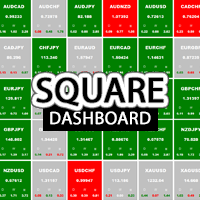
Square Dashboard is a new generation indicator that has the task of simplifying the technical analysis of the market and speeding up access to the charts. The logic of this indicator is really simple but effective, you can observe the daily, weekly and monthly opening values. The confluence of these values leads to the generation of the warning, red to identify bearish conditions, green to identify bullish conditions, while the gray color identifies the lateral condition. Having the whole market

Work with gold and Japanese yen. Now working without pips! While you are trading, Auto StopLoss Defender doing all the routine work. "Must have" for scalping. Best way to save account balance in case of force majeure.(Internet connection loss, power outage, sharp change in price direction) The Utilite automatically adds a stop loss to open and pending orders that have no stoploss set. The anti-requote system is built into the Utilite. That means the stop loss will be registered anyway! In the

While you are trading, Auto StopLoss Premium doing all the routine work. "Must have" for scalping. Best way to save account balance in case of force majeure.(Internet connection loss, power outage, sharp change in price direction) The Utilite automatically adds a stop loss to open and pending orders that have no stoploss set. Also adds a take profit. The anti-requote system is built into the Utilite. That means the stop loss will be registered anyway! In the settings you can set any stop los

这是一个仓位风险可视化指标,指标可以让你清楚的看到,价格回撤到哪个位置账户会爆仓。 这是一个非常有用的用于控制风险的技术指标,在账户有开仓订单时,把技术指标附加到对应开仓订单的交易品种的图表上,技术指标就会在图表上绘制一条强平仓价格直线,并且在左上角上输出强平仓点差。 强平仓价格直线的意义在于让你可以清楚的看到使账户爆仓的价格位置,可以让你更好的控制账户仓位大小,可以让你知道风险的情况下开出尽可能大的仓位,可以让你对账户所持有的仓位的风险做到心中有数。在你对行情有明确的判断时,可以尽可能多的持有仓位。 例1,多头开仓,在你认为市场价格不会低于某一价格时,那么只要强平仓价格直线低于这一价格,你就可以继续买入开仓,只要市场价格高于强平仓价格直线,账户就不会爆仓。 例2,空头开仓,在你认为市场价格不会高于某一价格时,那么只要强平仓价格直线高于这一价格,你就可以继续卖出开仓,只要市场价格低于强平仓价格直线,账户就不会爆仓。 强平仓点差(Stop out point) = (强平仓价格 - 交易品种当前价格) / 交易品种价格最小点值 示例1:


Future of Ea: This ea using extreme trend indicator for open trades. We added advance trend filter in ea better quality result. Ea don't use any fixed distance grid but open next trade at new buy or sell signal received. Ea works on both side trading at the same time.
Use of Ea: Use ea On Eur-Usd Pair for good result Download ea and attached to H-1 time chart on EURUSD symbol. You have to optimized Ea for better results if Needed. This ea is open Both types of orders: Buy and Sell, Just Like
FREE
Introduction This indicator detects volume spread patterns for buy and sell opportunity. The patterns include demand and supply patterns. You might use each pattern for trading. However, these patterns are best used to detect the demand zone (=accumulation area) and supply zone (=distribution area). Demand pattern indicates generally potential buying opportunity. Supply pattern indicates generally potential selling opportunity. These are the underlying patterns rather than direct price action. T
FREE

Zig Zag 123 tells us when a reversal or continuation is more likely by looking at the shift in supply and demand. When this happens a signature pattern appears known as 123 (also known ABC) will often break out in direction of higher low or lower high.
Stop loss and take profit levels have been added. There is a panel that shows the overall performance of your trades for if you was to use these stop loss and take profit levels.
We get alerted if a pattern 123 appears and also if the price re
FREE
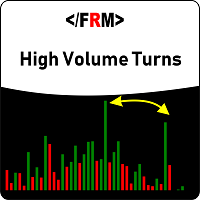
YOU CAN NOW DOWNLOAD FREE VERSIONS OF OUR PAID INDICATORS . IT'S OUR WAY OF GIVING BACK TO THE COMMUNITY ! >>> GO HERE TO DOWNLOAD Most of the time, market reversals / pull backs usually follow volume and price spikes thus these spikes could be the first indication of an exhaustion and possible reversal/pullback. High volume Turns is an indicator that scans the market for price and volume spikes around over-bought/over-sold market conditions. These spikes when spotted serves as the first indi
FREE

Introduction
Auto Chart Alert is a convenient tool to set alert for your trading in your chart. With Auto Chart Alert, you can set the alert line in one click in your desired location in your chart. You can even set alert over the sloped lines in your chart. Auto Chart Alert is a great tool when you have to watch out importnat support and resistance levels for your trading. You can receive the sound alert, email and push notification when the price hit the alert line at you desired location. Au
FREE
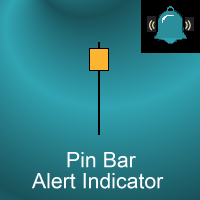
Introduction
This indicator marks Pin Bars (bars with an unusually long upper or lower candle wick) on your chart. It will also send alerts when one forms, including via e-mail or push notification to your phone . It's ideal for when you want to be notified of a Pin Bar set-up but don't want to have to sit in front of your chart all day.
You can configure all the settings including: What proportion of the bar should be made up of the wick How big or small the total size of the Pin Bar has to

The High Low indicator is a very simple indicator that has the task of showing us the minimum and maximum levels of the time frame that we wish to underline. This indicator also has the ability to show you minimum and maximum price levels of institutional periods as a level, such as quarterly, half-yearly and annual. We believe these minimum and maximum levels are the true key market levels and therefore a correct visualization on the graph is able to show the important price levels.

Bolt EA is a set-and-forget EA built around an enhanced momentum trading strategy that uses a proprietary algorithm for the selective identification and capture of better trading opportunities arising from momentary volume and price velocity imbalance. The EA uses pending orders, activated at specific time intervals and time-frames to catch the big waves at their infancy, while several in-built safeguard mechanisms ensure low risks of order loss due to spread widening, high slippages and other u

EA Protrader Pivot is a automate and semi-automate Expert Advisor based on candlestick charts. Each order set stop loss with 200points and take profit 250 points. If one of two orders reach stop loss the new order open with new lot size (start lot is 0.01 and max lot is 0.08 ). This EA was backtested with XAUUSD in time frame M15 and spread 20 point. Automate - EA open buy and sell orders based on levels of candlestick chart with the first volume is 0.01 if this order touch stop loss EA cont
FREE

Индикатор реализован для определения классического канала движения цены, который используется на крупных биржевых площадках. Не перерисовывается Синий уровень - это уровень поддержки Красный уровень - это уровень сопротивления Белый уровень - является Pivot-уровнем Настройки Period_SEC - ввод значения периода . Примечание: Индикатор определяет уровни только на пятизначных котировках! Метод торговли: Открытие позиций осуществляется от уровней , именно на их значениях происходит отскок цены
FREE

Market Dashboard FREE Indicator gives you advanced information’s about your selected Symbols in MarketWatch
Features
Daily Price Movements (M1 – D1) RSI Values with Highlight Function for your current Timeframe & H1 & H4 Profit per Symbol and traded lots (buy & sell) EMA 5 – 100 based on selected period Swap Information (which direction is positive) FIBO Info & Tracking (highlighted FIBO Levels close to current price – based on selected period) One Click ChartOpen this Version is limited to 2
FREE
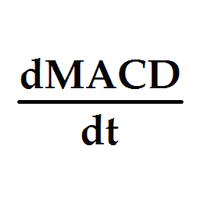
Индикатор выводит первые производные двух MACD. По умолчанию, желтая MACD является более быстрой, чем синяя MACD. В настройках можно задать подходящие вам параметры для каждой из MACD. Одновременное изменение знака производных может являться дополнительным сигналом разворота. Входные параметры
Yellow MACD fast EMA period Yellow MACD slow EMA period Blue MACD fast EMA period Blue MACD slow EMA period
FREE

This EA will replicate active order. Using for duplicate the orders when you copy from signals in mql5 but your balance is less than the balance of the signal of provider. The replicated orders will close when the active orders close. PARAMETER coefficient=1; //Replicate new order with lots equal active order x 1 DisplayInfo=true; // Display information of your account Please test demo before use in real account.

Cкальпер с анализом текущей динамики импульсной свечи работающий на ее откате до фиксированного уровня. Вход в сделку осуществляется отложенным ордером в обратном направлении от импульса, с соблюдением фиксированной дистанции и последующим перемещением (траллом) отложенного ордера в сторону импульса. Время жизни отложенного ордера задается переменной TimeLife, по окончании которого не сработавший отложенный ордер удаляется. Советник может работать на любом таймфрейме, но рекомендовано его исполь
Signal V is an indicator that generates trend signal. It generates trend signal with its own algorithm. These arrows give buying and selling signals. The indicator certainly does not repaint. Can be used in all pairs. Sends a signal to the user with the alert feature.
Trade rules Enter the signal when the buy and sell signal arrives. Processing should only be initiated when signal warnings are received. It is absolutely necessary to close the operation when an opposite signal is received. Or th

RELIABLE SCALPING INDICATOR ( RSI ) As the name implies, this indicator gives reliable BUY and SELL signals on your chart. NO FANCY INDICATORS, NO MESSING WITH YOUR CHARTS. IT DOES NOTHING TO YOUR CHARTS EXCEPT TO SHOW ARROWS FOR BUYS AND SELLS. It DOES NOT repaint and has alerts and notifications which you can allow. It has chart notifications, mobile and email notifications and alerts. THIS INDICATOR PRODUCES ABOUT 85% ACCURATE SIGNALS WHICH IS VERY ENOUGH TO MAKE YOU PROFITABLE.
RECOMMENDED

Description: Please tick "Show object descriptions" in chart properties to enable hrays views
That utility converts a trendline into a horizontal ray known as tool for drawing supply and demand zones. Simply create a trendline on a chart and once selected, it will get converted. Ray remains horizontal while dragging.
Quick ray plot: press "R" key to create horizontal ray. It will be snapped to the nearest OHLC value
Further versions will be improved. For feature request please post new comm

Общие сведения Для начала торговли достаточно небольшого депозита. Подходит для мульти-валютной торговли. Не зависим от качества соединения и торговых условий. Мониторинг моих счетов: https://www.mql5.com/ru/signals/author/mizrael
Принцип работы Эксперт открывает ордера по встроенному индикатору. Если прибыль ордера больше значения параметра Profit в пунктах графика. Данный ордер закрывается и открывается новый в противоположном направлении объёмом Lot . Если прибыль ордера меньше значения

Панель предназначена для быстрого визуального нахождения и отображения внешних баров по всем периодам и на любых выбранных валютных парах одновременно. Цвет сигнальных кнопок, указывает на направление паттерна. По клику на сигнальную кнопку, осуществляется открытие графика с данным паттерном. Отключить не используемые периоды, можно кликом по его заголовку. Имеется поиск в истории (по предыдущим барам). Прокрутка (scrolling) панели, осуществляется клавишами "UP" "DOWN" на клавиатуре. Имеется Pus

Market Dashboard Indicator gives you advanced information’s about your selected Symbols in MarketWatch Daily Price Movements (M1 – D1) RSI Values with Highlight Function for your current Timeframe & H1 & H4 Profit per Symbol and traded lots (buy & sell) EMA 5 – 100 based on selected period Swap Information (which direction is positive) FIBO Info & Tracking (highlighted FIBO Levels close to current price – based on selected period) One Click ChartOpen Important:
Get informed about new Products

The expert advisor is a product for traders that help draw line or ray in prices to determine the position for buy or sell. This product will help the user instantly place horizontal line or ray using a hotkey drawing in each timeframe and by color. Also, the settings of product can be adjusted like the thickness of the line and the color of choice for each timeframe so that the user can recognize the line imediately. Another feature of the product, it can draw a line with added text "BUY" or "
具有多时间框架支持、可自定义视觉信号和可配置警报系统的Moving Average(MA)指标。
自由职业编程服务、更新及其他TrueTL产品可在我的 MQL5个人主页 获取。
欢迎反馈和评价!
什么是MA? 移动平均线(MA)是交易中使用最广泛的技术指标之一。它通过计算指定周期内的平均值来平滑价格数据,帮助交易者识别趋势方向并过滤短期价格噪音。 TrueTL MTF MA支持四种计算方法:简单(SMA)、指数(EMA)、平滑(SMMA)和线性加权(LWMA)。EMA和LWMA对近期价格赋予更高权重,对价格变化的反应更快,而SMA则提供等权重平均值。该指标可以在当前图表上显示任意高级时间框架的MA值。 功能: 带有箭头和垂直线的视觉信号标记 三个独立的信号槽,具有可配置的触发器 信号检测选项:方向变化、峰值/谷值、价格穿越MA线 每个信号的可配置警报功能(电子邮件、推送、声音、弹窗) 具有插值方法的多时间框架(MTF)功能 四种MA方法:SMA、EMA、SMMA、LWMA 可选应用价格(收盘价、开盘价、最高价、最低价、中间价、典型价、加权价) 多种颜色模式(简单、基于方向、基于级
FREE

KT Momentum Arrows 会在K线收于自适应价格带之外时,用箭头标出看涨或看跌的动量突破。 价格带会随价格偏离程度和波动率变化而调整。蓝色向上箭头确认收盘价突破上轨,红色向下箭头确认收盘价跌破下轨。信号在K线收盘后固定,因此以后复盘时箭头不会移到其他K线上。 箭头告诉你什么 箭头标出动量推动价格越过价格带的那根K线。你可以把它作为入场触发信号,也可以结合自己的趋势、支撑阻力或价格行为方法进行确认。价格带会继续显示在价格周围,方便判断突破是在延续,还是后续动能正在减弱。 在同一张图表上比较信号 可选的表现统计面板会汇总所选历史范围内出现的箭头,并显示信号总数、成功与失败次数、成功率以及平均点数波动。结果线还可以连接各个信号之间测量到的行情变化。这个视图最适合在相同图表条件下,对同一品种和周期的不同设置进行比较。 影响结果的关键设置 历史K线数量: 决定参与计算和表现统计的图表历史范围。 幅度系数: 调整价格带偏离程度与波动率的组合方式。请根据实际交易的品种和周期进行测试。 表现分析: 显示或隐藏统计数据,并可分别设置结果线的颜色、宽度和样式。 提醒: 可为新的已确认信号启用声

About Holy Trend was developed to identify trend and strength.
VIDEO (information and tips) [HERE]
Features Identifies trend Identifies strength of trend Identifies lines of support and resistance
Easy to analyze Fast signals All timeframes Not repaint (when candle close) No settings required Can be used in Renko charts Can be used with indicator Holy Renko PRO Alerts, email and push notifications
Advantages Sensitive identifier of trend able to identify the long, short movements and correc

分形指标的多货币和多时间框架修改。 显示最后两个分形 - 它们的序列(以及哪一个被破坏),或它们之间的距离。 您可以在参数中指定任何所需的货币和时间范围。 此外,该面板还可以发送有关分形突破的通知。 通过单击带有句点的单元格,将打开该符号和句点。 这是 MTF 扫描仪。
默认情况下,从图表中隐藏仪表板的键是“D”.
参数 Calculation of fractals based on — 分形搜索模式: — standart indicator — 按标准指标; — user bars — 按自定义栏的数量(可调整分形); Bars before (user calc) — 分形之前的柱数; Bars after (user calc) — 分形后的条数 Indicator mode — 显示模式 — Arrows — 分形的最后两个箭头; — Distance — 最后两个分形之间的距离; Show fractals on the chart — 在图表上显示当前分形; Clear the chart at startup — 启动时清除图表。 Set of Pairs —

Trade Simulator With this toolbar you have both: a compact surface, which simultaneously shows you the most important information you need for trading.
You can use it with your real account or also in the strategytester mode. This toolbar allows you to trade in the strategytester as real as possible with every option available from the MT4 platform. Settings available: Magic Number - When the 'MagicNumber' number is 0, the toolbar will watch all orders without a 'MagicNumber'. If th
FREE

Full Dashboard EA "is a tool designed to put in your hands the technical analysis tools for most indicators and strategies for 28 pairs of currencies in one chart It is also designed to enable you to trade manually and automatically The chart shows the following :-
All the immediate changes of 28 pairs of currencies for all time periods (M1, M5, M15, M30, H1, H4, D1, W1 ) , Number of points and colors , The green color for up and red color for down The values of the main indicators and the cor

The default input values are already optimized for EURUSD at time frame M1, spread at 14 and hedged account mode with leverage 1:100 and initial deposit of US$ 10,000, if you don't have this balance, I suggest you to use a CENT account. Always use the strategy tester optimization to set the best values for your assets, time frame, spread and account mode. It is very important and strongly recommended for successful trading. Optimize the input values as your needs.The EA's Strategy The Strategy T

Mr Martin MT4 EA Mr.Martin MT4 is a fully automated Expert Advisor that is designed for quiet, investment trading over a long period of time. The Expert Advisor uses in its strategy the principles of averaging unprofitable positions, but due to the unique input system, several filters, one of which is a unique indicator, developed by the author, not used in any other Expert Advisor, and the deposit protection system, expressed in the SL_percent_balans parameter,it is safe enough for your

The principle of this indicator is very simple: detecting the trend with Moving Average, then monitoring the return point of graph by using the crossing of Stochastic Oscillator and finally predicting BUY and SELL signal with arrows, alerts and notifications. The parameters are fixed and automatically calculated on each time frame. Example: If you install indicator on EURUSD, timeframe M5: the indicator will detect the main trend with the Moving Average on this timeframe (for example the Moving
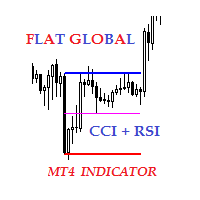
Description The indicator of local flat for CCI and RSI indicators. Users can select financial instruments. The indicator allows to find local flats in the following options: Width of channels that is not more than certain range Width of channels that is not less than certain range Width of channels that is not more and not less than certain range The indicator displays the middle and boundaries of the channel.
Purpose
The indicator can be used for manual or automated trading within an Expert
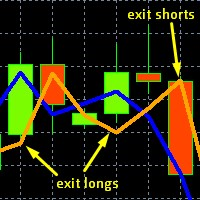
This is the original, simpler version of our core EURUSD algorithm (it calculates and displays 2 lines rather than 3), but it is still capable of detecting levels in the market where EURUSD will likely move to. These levels are indicated by unusual large gaps, formed by the two lines. Detailed guidance is given to users. All in all it works on the very short term, and more importantly on the daily chart. The differences between this and our top EURUSD indicator, is that this one only displays
FREE

Created for signal providers, as well as for participation in various forex contests(and not only), can independently open an unlimited number of orders on the indicators Stochastic Oscillator A series of experts: Lucky Star RSI and MACD, Lucky Star WPR, Lucky Star RSI, Lucky Star MA, Lucky Star SO, Lucky Star MACD, Lucky Star MA and SO, Lucky Star MA and MACD , Lucky Star SO and MACD the probability of winning real money in management or bonuses to real accounts ( read more on this in my bl
FREE

Created for signal providers, expert job , as well as for participation in various forex contests(and not only), can independently open an unlimited number of orders on the indicators Moving Average Convergence / Divergence.It can trade in a multi-currency variant (this feature is disabled in the demo version). A series of experts: Lucky Star RSI and MACD, Lucky Star WPR, Lucky Star RSI, Lucky Star MA, Lucky Star SO, Lucky Star MACD, Lucky Star MA and SO, Lucky Star MA and MACD, Lucky Star SO a
FREE

Created for signal providers, as well as for participation in various forex contests(and not only), can independently open an unlimited number of orders on the indicators Moving Average and Stochastic Oscillator A series of experts: Lucky Star RSI and MACD, Lucky Star WPR, Lucky Star RSI, Lucky Star MA, Lucky Star SO, Lucky Star MACD, Lucky Star MA and SO, Lucky Star MA and MACD, Lucky Star SO and MACD the probability of winning real money in management or bonuses to real accounts ( read mor
FREE

Created for signal providers, as well as for participation in various forex contests(and not only), can independently open an unlimited number of orders on the indicators Moving Average and Moving Average Convergence / Divergence A series of experts: Lucky Star RSI and MACD, Lucky Star WPR, Lucky Star RSI, Lucky Star MA, Lucky Star SO, Lucky Star MACD, Lucky Star MA and SO, Lucky Star MA and MACD, Lucky Star SO and MACD the probability of winning real money in management or bonuses to real acc
FREE

Created for signal providers, as well as for participation in various forex contests(and not only), can independently open an unlimited number of orders on the indicators Moving Average A series of experts: Lucky Star RSI and MACD, Lucky Star WPR, Lucky Star MA, Lucky Star RSI, Lucky Star SO, Lucky Star MACD, Lucky Star MA and SO, Lucky Star MA and MACD ,Lucky Star SO and MACD the probability of winning real money in management or bonuses to real accounts ( read more on this in my blog ). EA
FREE

Created for signal providers, as well as for participation in various forex contests(and not only), can independently open an unlimited number of orders on the indicators Stochastic Oscillator and Moving Average Convergence / Divergence Expert advisor signal A series of experts: Lucky Star RSI and MACD, Lucky Star WPR, Lucky Star RSI, Lucky Star MA, Lucky Star SO, Lucky Star MACD, Lucky Star MA and SO, Lucky Star MA and MACD, Lucky Star SO and MACD the probability of winning real money in man
FREE

BinaryScalping is a professional indicator for trading binary options and scalping. The algorithm of the indicator is based on the calculation of pivot points for each time period separately, the location of the price of the trading instrument relative to the pivot points is analyzed and the probability of a trading operation is calculated. The indicator has a built-in filter of trading signals based on the global trend. The indicator is installed in the usual way and works with any trading inst

A unique expert system that works as without optimization, with the same settings (although it can be optimized if desired, especially for some brokers). You can test as you like, all ticks, control points, opening prices. The figure has an example. The potential result when testing an average of 100-500% over 3 years. It is recommended to make a multi-currency, if you choose a balanced combination, you can get results up to 500-1000% per annum with potential testing. Verified by EURUSD. The bot
MetaTrader市场是独有的自动交易和技术指标商店。
阅读MQL5.community用户备忘更多地了解我们提供给交易者的独特的服务:复制交易信号,自由职业者开发的自定义应用程序,通过支付系统完成的自动付款和MQL5云网络。
