OrderBlocksAuto MTF
- Göstergeler
- Sürüm: 1.0
- Etkinleştirmeler: 5

Order Blocks Auto MTF
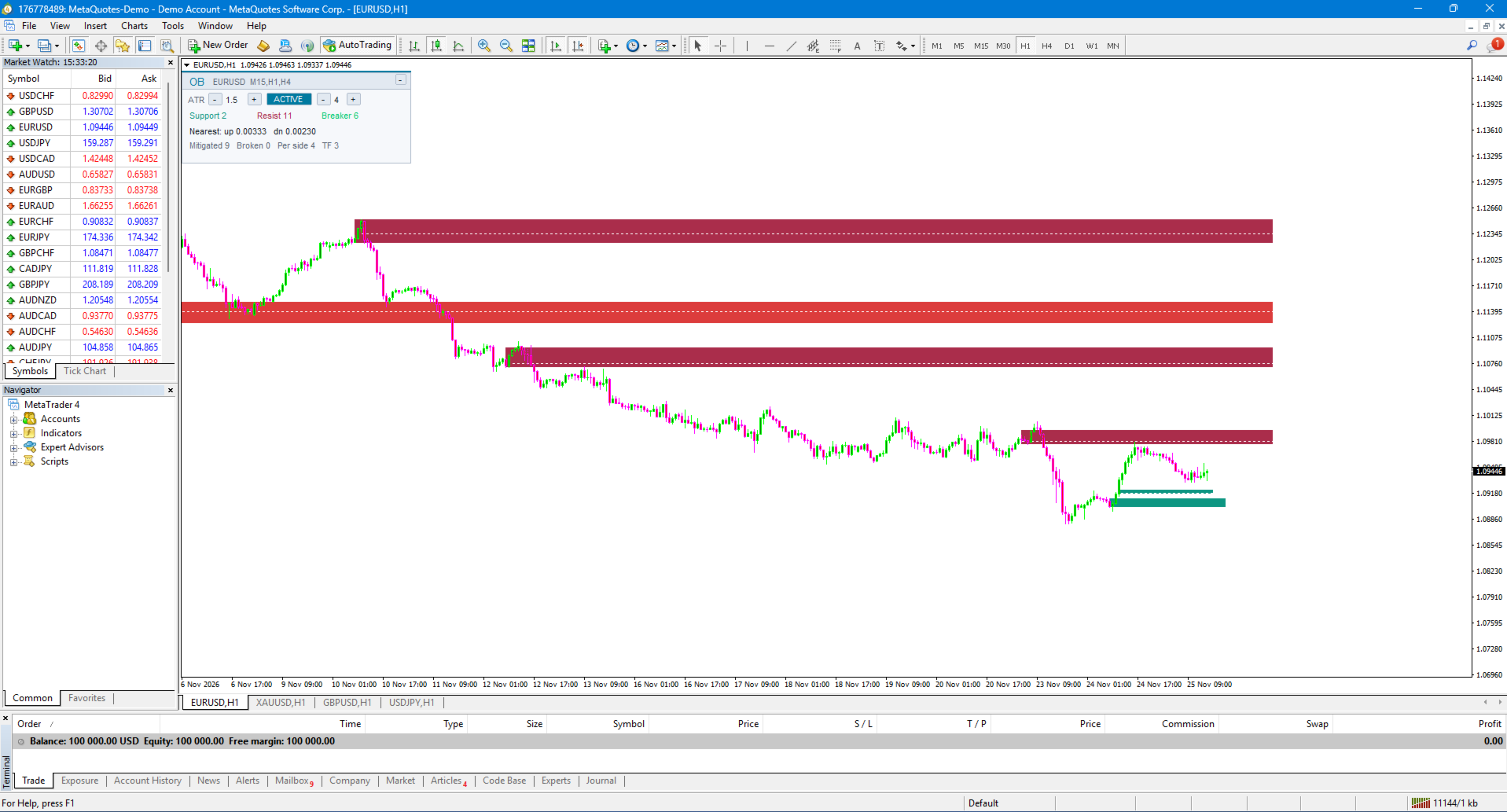
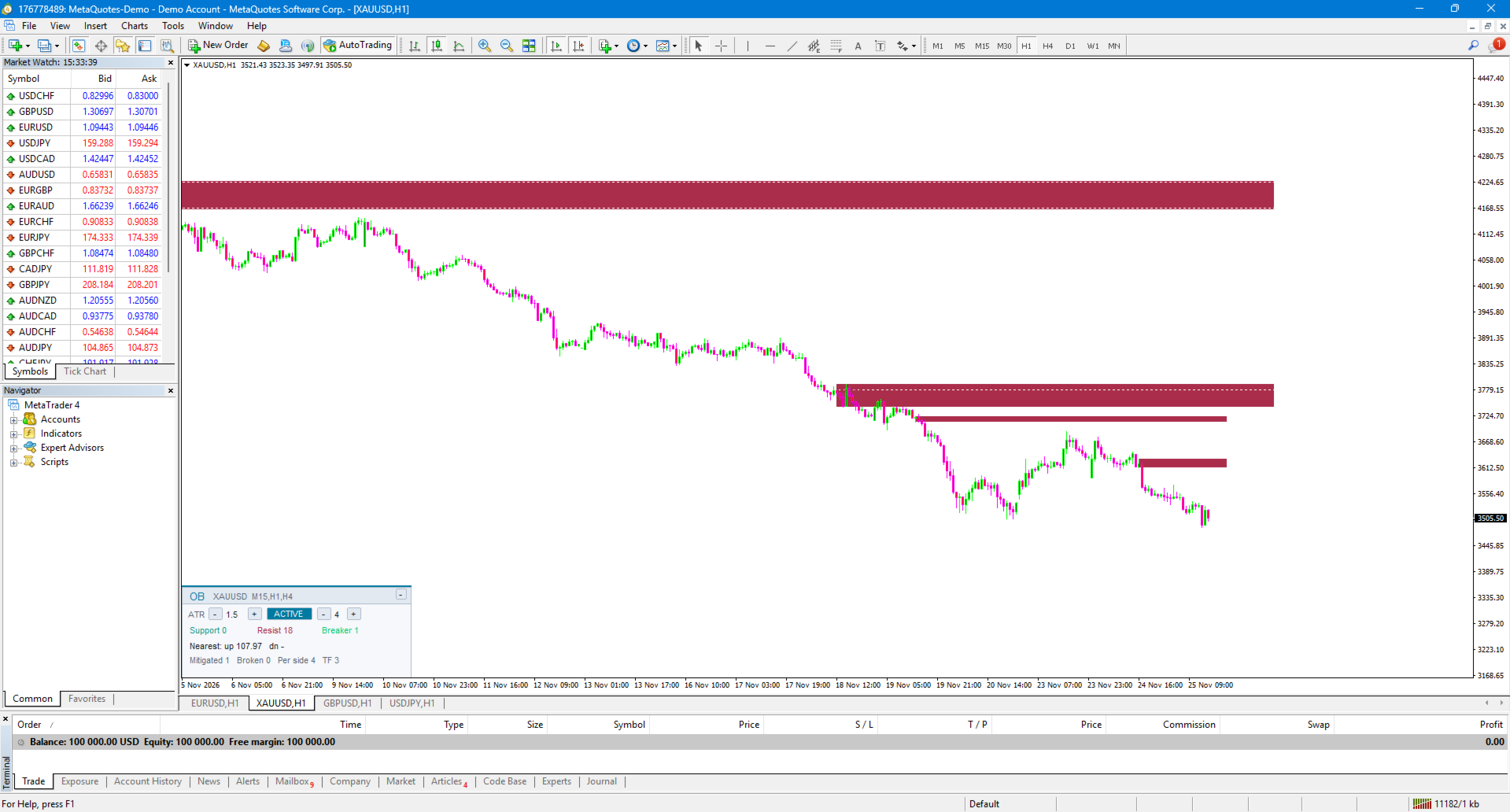
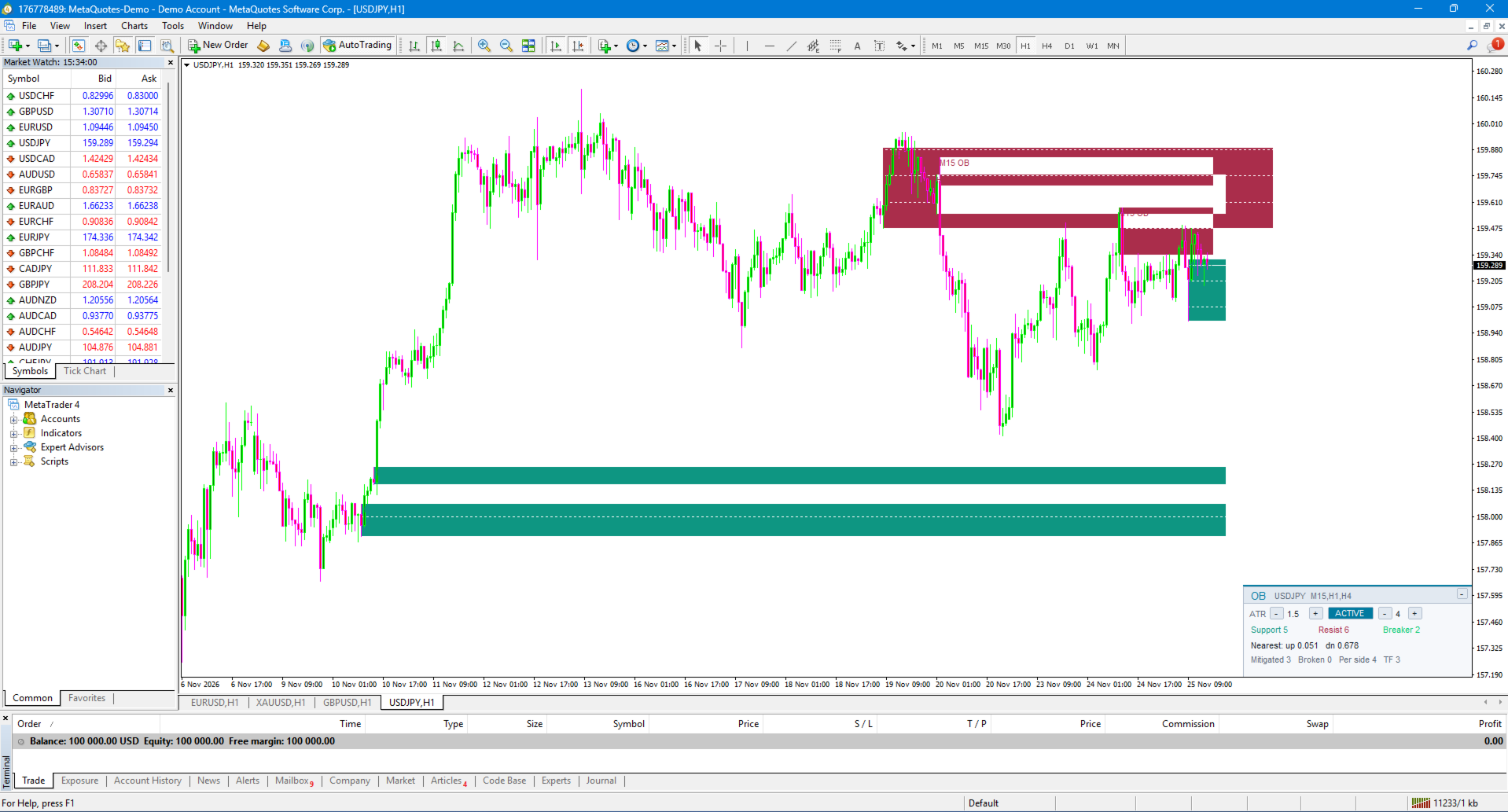
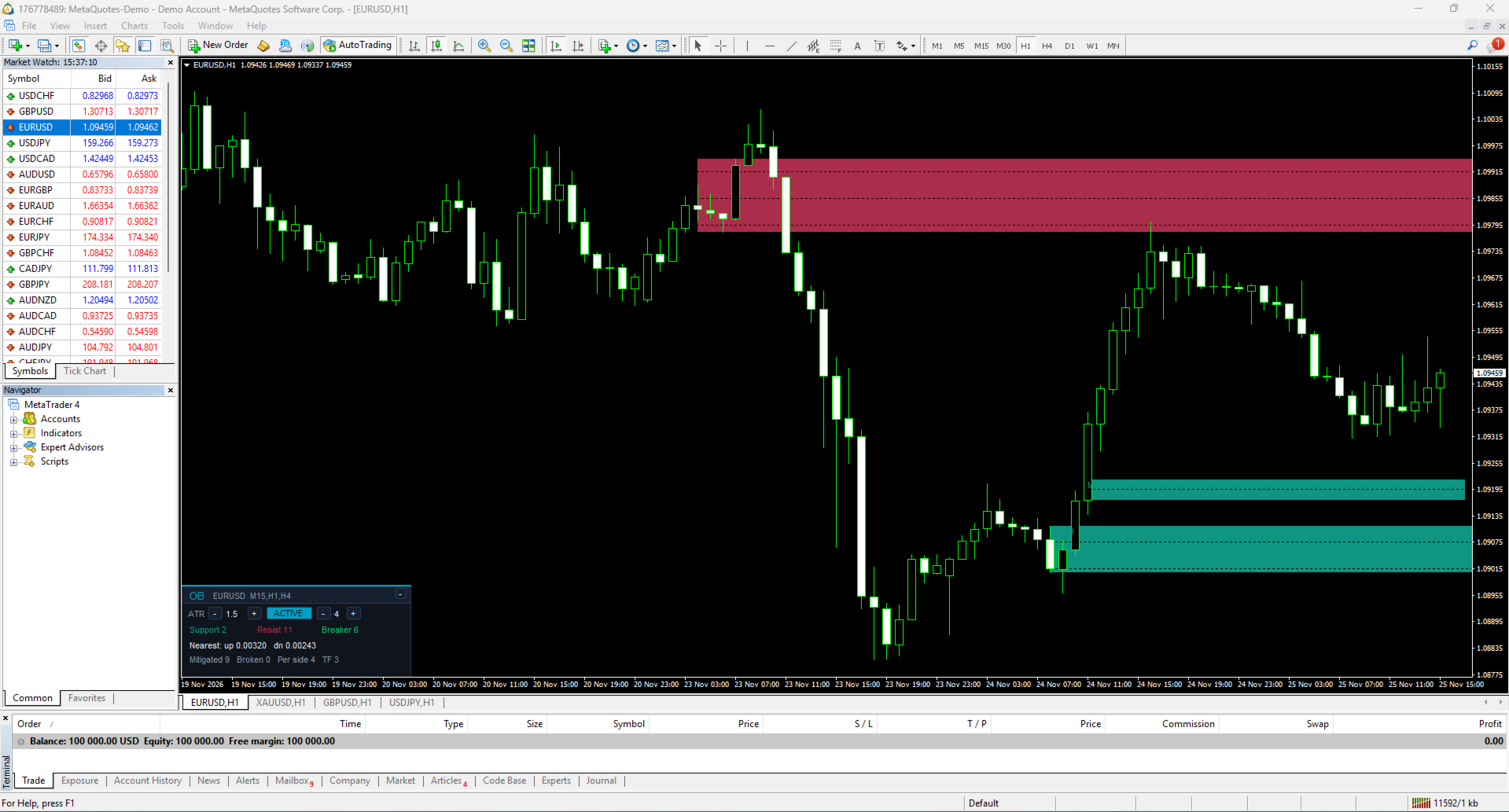
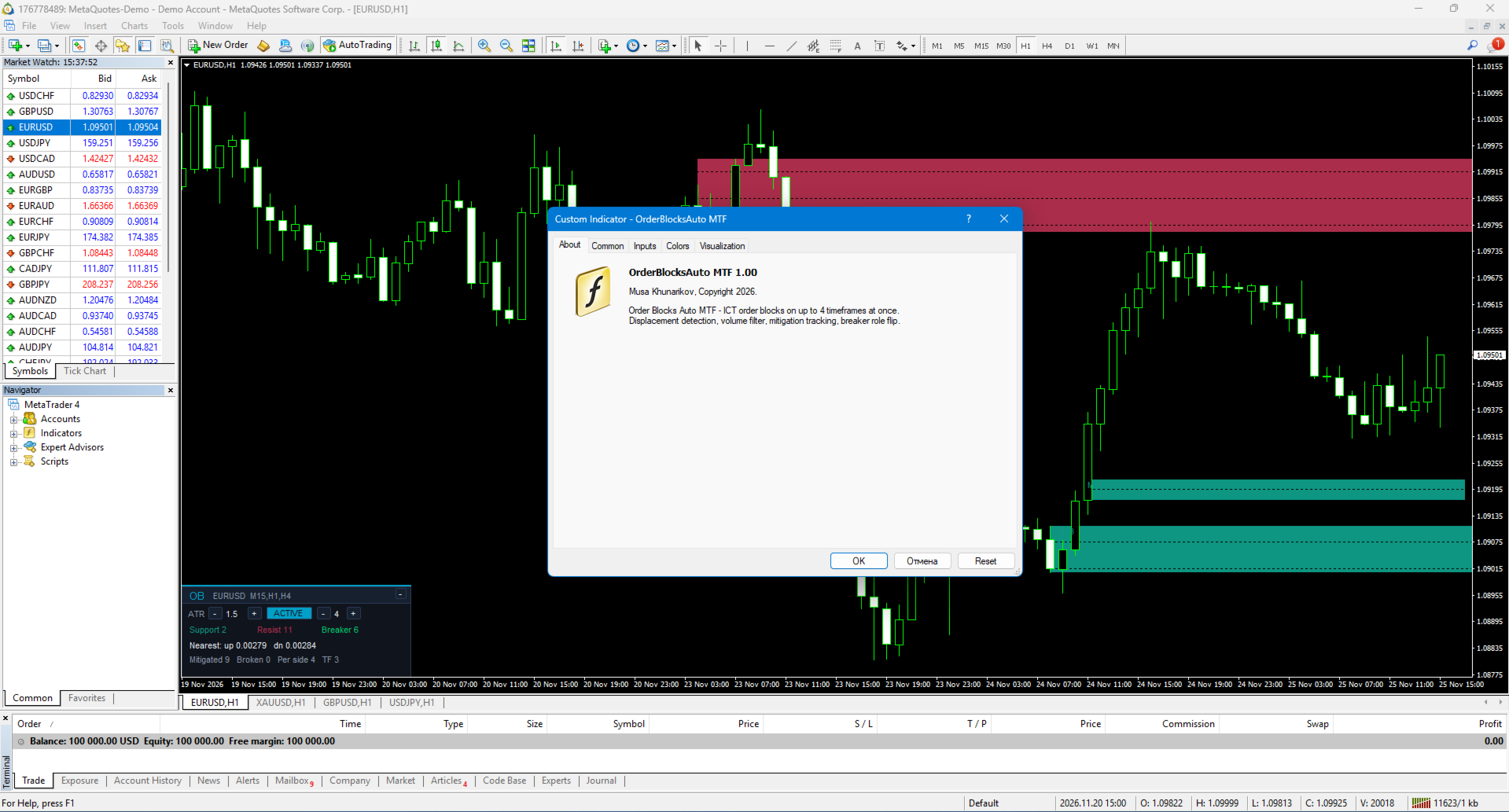
A market structure indicator for MetaTrader 4 that automatically finds and displays institutional order blocks (ICT) on several timeframes at once — up to four simultaneously. All analysis elements are drawn directly on the chart.
The indicator answers two questions:
• Where are the institutional demand and supply zones? — Order blocks from M15 to H4 on one chart.
• Is the zone still alive or already spent? — Fill percentage (Mitigation) and role flip (Breaker).
ATTENTION! MY INDICATORS DO NOT REPAINT (NO REPAINT). I DESIGN THE CODE SO THAT HISTORY AND REAL TIME MATCH COMPLETELY. YOU GET AN HONEST BACKTEST AND STABLE SIGNALS IN LIVE TRADING, NOT A "PRETTY" CHART IN THE TESTER.
What the indicator shows
Order Blocks (chart):
• Zones built from the origin candle before the impulse: the last opposite candle before the displacement candle.
• Bullish OB (Support) — demand zones price may bounce from upward.
• Bearish OB (Resistance) — supply zones price may bounce from downward.
• Labels H1 OB, H4 OB — the timeframe the block was found on.
• Role flip (Breaker) — if price breaks a block and closes beyond it, the zone changes colour and role: broken supply becomes support, broken demand becomes resistance.
• Mitigation — the indicator tracks how much of the zone price has filled. Spent zones fade and are hidden in ACTIVE mode.
Control panel (on chart):
• Shows the connected timeframe list and the number of active Support, Resist and Breaker zones.
• Shows the levels nearest to current price in price units.
• Lets you switch display modes (fresh only, active, or all zones), change the ATR threshold and the per-side display limit.
Key features
• Multi-timeframe: up to four timeframes at once in one list, for example M15,H1,H4. H4 blocks are visible on an M5 chart without switching windows.
• Displacement detection: a block is created only if the impulse candle exceeds ATR by the set multiplier, has a large body and closes beyond the origin candle extreme.
• Volume filter: the impulse must come on volume above the 20-bar average with an adjustable multiplier.
• Per-side quota: the display limit is set separately for demand and supply, so one side does not disappear from the chart in a strong trend.
• Higher TF priority: blocks from older timeframes are shown first, so context is not lost among smaller zones.
• Control panel: a compact panel draggable by its header, collapsible, remembering its position separately for each symbol and timeframe. Automatically adapts colours to a light or dark chart theme.
• Notifications: optional alerts (popup, push notification) on a new block, zone touch and block break. No notifications are sent while history is being calculated.
• Flexible configuration: colours for bullish, bearish, spent and flipped zones, label font size, history depth, zone extension to the right.
Installation instructions
For MetaTrader 4:
1. Open the MetaTrader 4 terminal.
2. Go to the Market tab in the bottom panel of the terminal.
3. Find Order Blocks Auto MTF via search or in the seller's catalogue and click Download.
4. The indicator appears under Navigator — Indicators.
5. Drag the indicator onto any chart.
Recommended settings
• Scalping M1–M5: Timeframes M5,M15,H1, ATR Multiplier 1.2, Volume Factor 1.2, zone by body true.
• Intraday M15–H1: Timeframes M15,H1,H4, ATR Multiplier 1.5, Volume Factor 1.3.
• Swing H1–H4: Timeframes H1,H4,D1, ATR Multiplier 1.8, Volume Factor 1.3.
• XAUUSD, BTCUSD, futures: raise ATR Multiplier to 2.0–2.5, otherwise there will be too many blocks.
• Too few blocks: first disable Require BOS, then lower Volume Factor to 1.1.
• Too many blocks: raise ATR Multiplier and reduce the per-side limit.
Timeframes:
• M5–M15 — scalping, entries from higher-TF blocks.
• H1–H4 — swing trading, search for large zones.
• D1 — medium-term trading, global context.
Trading scenarios
• Trading from a bullish block: in an up structure price returns to an unspent bullish OB. Bounce from the zone — buy, stop below its lower border.
• Trading from a bearish block: in a down structure price returns to an unspent bearish OB. Bounce from the zone — sell, stop above its upper border.
• Trading the flip (Breaker): price breaks a bearish block and closes above it. The zone becomes support. Entry on the retest of the now bullish zone.
• Timeframe confluence: blocks from different TFs overlap in one price area — a zone of heightened interest, priority entry.
• False zone filtering: use the adaptive ATR threshold and the volume filter to cut off blocks that are too small for current volatility.
• Before entry, compare the distance to the block border with the distance to the opposite zone: if the risk to reward ratio is unsatisfactory, skip the signal.
Indicator parameters
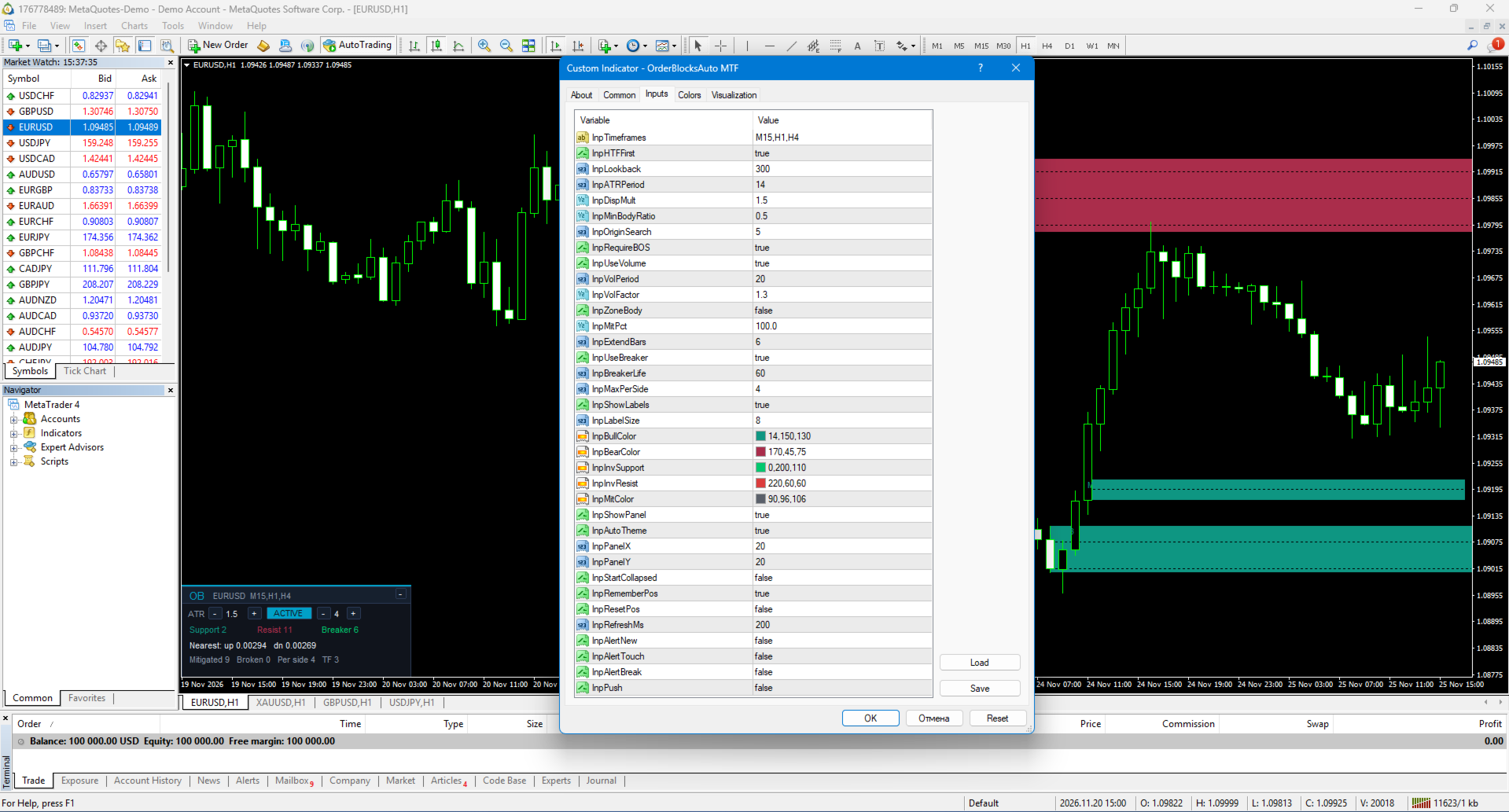
• InpTimeframes — comma-separated timeframe list, up to four (default M15,H1,H4).
• InpHTFFirst — show higher-TF blocks first (default true).
• InpLookback — history depth for block search on each TF (default 300).
• InpATRPeriod — ATR period (default 14).
• InpDispMult — ATR multiplier for the impulse candle (default 1.5).
• InpMinBodyRatio — minimum body share of the impulse candle (default 0.50).
• InpOriginSearch — how many bars back to search for the origin candle (default 5).
• InpRequireBOS — require a close beyond the origin candle extreme (default true).
• InpUseVolume, InpVolPeriod, InpVolFactor — volume filter (default true, 20, 1.3).
• InpZoneBody — build the zone from the origin candle body instead of the full range (default false).
• InpMitPct — fill percentage to mark a zone as spent (default 100).
• InpUseBreaker — enable role flip tracking (default true).
• InpBreakerLife — flipped zone lifetime in bars (default 60).
• InpMaxPerSide — how many blocks to show per side (default 4).
• InpShowLabels, InpLabelSize — zone labels and font size.
• InpShowPanel — show the control panel (default true).
Implementation details
• Pure MQL4, no DLL or external dependencies.
• Non-repainting: calculation on closed bars only, the forming bar does not create blocks.
• Coordinates of a created zone never change, only its status updates.
• Uses OBJ_RECTANGLE for zones and OBJ_RECTANGLE_LABEL for the panel.
• Speed optimised: object pool, hiding via timeframes instead of recreation, timer-based refresh.
• Real volume is used where the broker provides it, tick volume otherwise.
• All objects are removed when the indicator is detached from the chart.
Important warning !
The indicator is intended for visual analysis of market structure. It does not give ready buy or sell signals and does not calculate SL/TP. An order block is a zone of potential interest, but price is not obliged to react to it. A block can be broken, a flipped zone can fail. Using the indicator does not guarantee profit. All trading decisions are made by the trader.
About the developer
Musa Khunarikov — a practising trader with 12 years of experience on real accounts (Forex, stocks, MOEX, metals). Holds 51 certificates from the Finam Training Center in trading, algorithmic trading and MetaTrader.
Services: development of expert advisors, indicators, panels, trading system audits.
Support
30 days of free support after purchase. Bug fixes within 48 hours.