Lightning Bow
- Uzmanlar
- Sürüm: 1.8
- Güncellendi: 1 Ekim 2026
- Etkinleştirmeler: 10

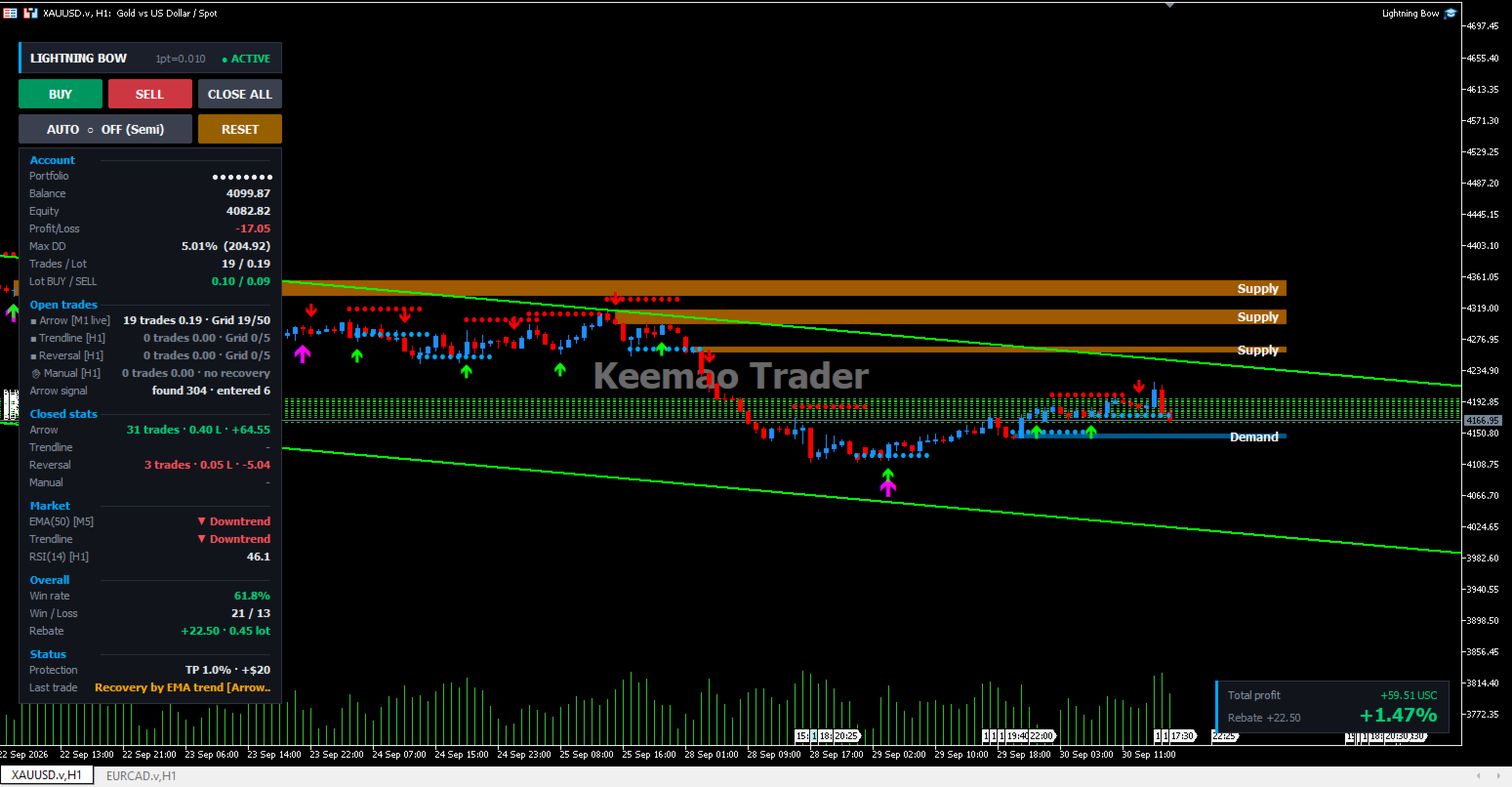
The recovery engine uses grid and hedge averaging. Averaging increases exposure while a position is losing and can lead to a large loss. Set the maximum number of recovery trades, the lot cap and the account protection limits according to your own account size and risk tolerance. Test on a demo account before using real funds. Past performance does not indicate future results.
=====================================================================
RECOMMENDED SETUP - XAUUSD
=====================================================================
Attach to XAUUSD, hedging account. These are the values the EA was
tuned with. Anything not listed here can stay at its default.
GENERAL
Reference price used by the Price-Scale unit ........... 4000
Treat BUY+SELL of the same group as one basket ......... true
AUTO TRADING - start with the Arrow group only
Start with AUTO mode ON ................................ true
[Group ON/OFF] Arrow S/R group ......................... true
[Group ON/OFF] Trendline group ......................... false
[Group ON/OFF] Reversal group .......................... false
Cooldown: bars to wait after the last entry ............ 0
Arrow: allow stacking .................................. false
ARROW GROUP
Timeframe of this group ................................ M1
Entry timing ........................................... Live
Max simultaneous trades ................................ 50
Starting lot size ...................................... 0.01
Stop Loss in points .................................... 0
Take Profit per trade in points ........................ 0
Break Even: enable ..................................... true
Break Even: profit in points before SL moves to entry .. 1500
Break Even: points to place SL beyond entry ............ 100
Trailing Stop: enable .................................. true
Trailing Stop: start after this profit in points ....... 150
Trailing Stop: distance kept behind price in points .... 100
Recovery: enable the recovery engine for this group .... true
Recovery: how the grid distance is measured ............ Fixed
Recovery: grid step in points between recovery trades .. 450
Recovery: how the lot grows ............................ Add
Recovery: [ATR] distance = ATR x this value ............ 1.5
Recovery: [ATR] maximum distance ....................... 5000
EMA HEDGE GUARD
Check RSI before opening a hedge trade ................. true
Timeframe of the RSI guard ............................. current
Below this RSI stop opening SELL hedges ................ 20
Above this RSI stop opening BUY hedges ................. 80
Add a hedge at every further grid step ................. true
ACCOUNT PROTECTION
Close everything when equity grows by this % ........... 1.0
Close everything when total floating profit reaches .... 20.0
The two targets above only act while a basket is open .. true
Emergency close when drawdown reaches this % ........... 30.0
There is no per-trade stop loss on the arrow group on purpose. Once
the recovery engine is on, a stop loss would cut one leg out of the
basket and the average price the basket closes against would no
longer be correct. The basket closes as one unit, and the drawdown
limit is what protects the account.
=====================================================================
ADD ONE SYSTEM AT A TIME
=====================================================================
Start with the Arrow group alone and leave the Trendline and
Reversal groups switched off. Watch how it behaves on your symbol
and your broker first.
When you are comfortable with it, switch on one more group and tune
that group on its own. Each group keeps its own settings, its own
magic number and its own basket, so turning one on does not disturb
the one already running.
Turning everything on at once makes it hard to tell which group
produced which result.
=====================================================================
IF THE GRID DISTANCE DOES NOT SUIT YOUR SYMBOL
=====================================================================
The fixed grid step above is sized for gold. On a faster instrument
- crypto, indices - the same distance is crossed far more often and
recovery trades are added much sooner than you would expect.
If you are not sure what distance fits, set
Recovery: how the grid distance is measured ... ATR
The step is then taken from the symbol's own ATR instead of a fixed
number: tight in quiet ranges, wide in trends. Use "[ATR] maximum
distance" to cap it.
=====================================================================
ABOUT BACKTESTS
=====================================================================
A backtest is a result on past data. It shows how the settings would
have behaved in a market that has already happened, not how they
will behave next month. Please treat it as a way to understand the
logic and to see whether the settings suit your account size, not as
a projection.
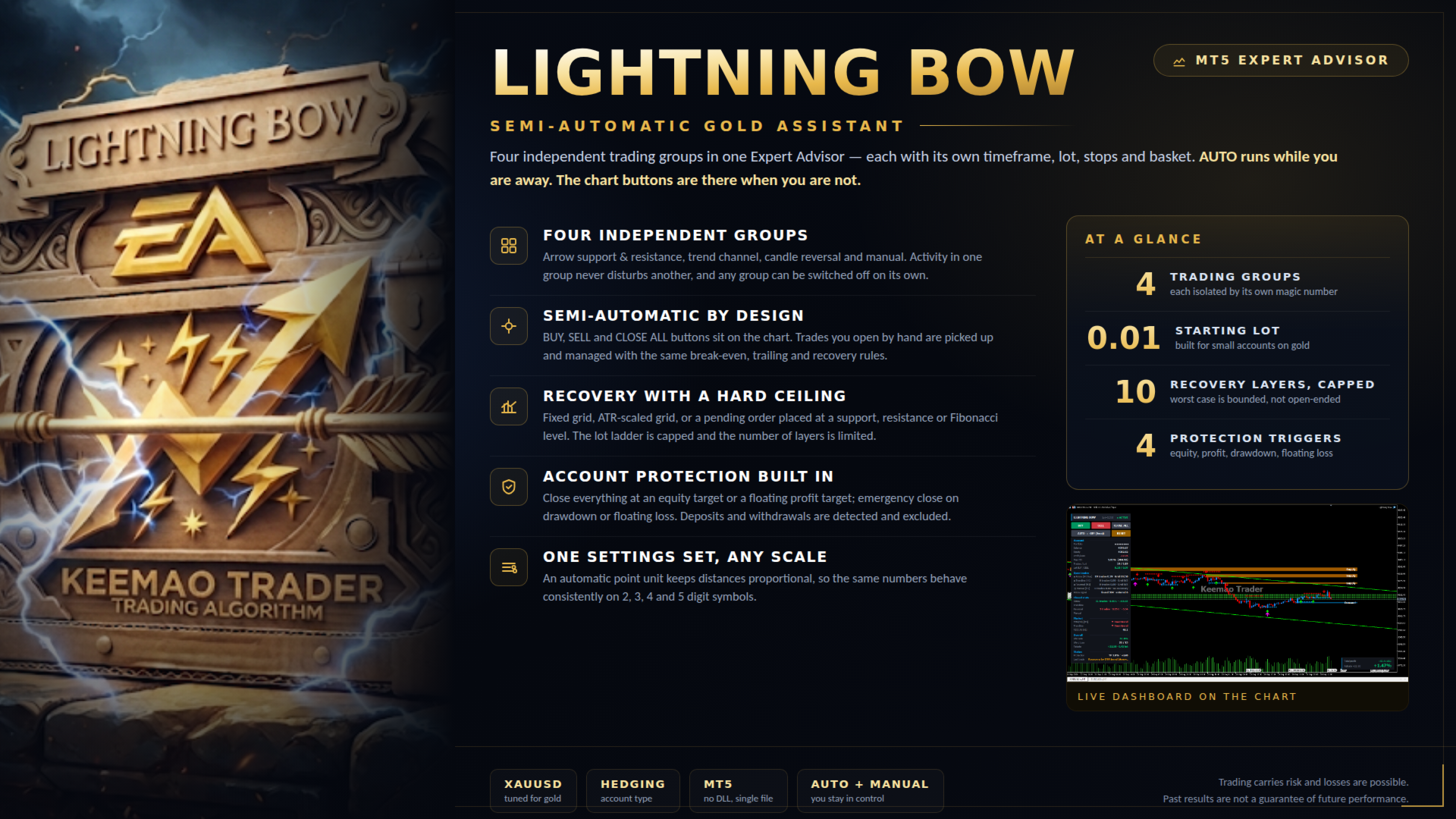
Lightning Bow is a semi-automatic assistant. AUTO mode follows fixed
rules and will never read a chart as well as you can by hand. It is
there for the hours you are away from the screen. When you are at
the screen, the manual BUY / SELL buttons give you the same trade
management - break-even, trailing, recovery, basket close - on a
trade you chose yourself.
=====================================================================
HOW TO START
=====================================================================
Run it on a demo account, or on a small live account, long enough to
see it handle a full recovery cycle from the first trade to the
basket closing. Only move to a size that matters once you have seen
that happen and you are happy with how it behaved.
Minimum deposit: about 3,000 cents, or the equivalent, per 0.01
starting lot. To take less risk, add capital rather than cutting the
lot - the recovery ladder is capped, so the worst case is bounded
and gets smaller as the deposit grows.