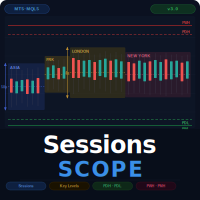
Session Range Boxes
- Göstergeler
- Sürüm: 3.0

1. What Is SessionsScope?
SessionsScope is a professional trading indicator for MetaTrader 5 that maps every major trading session directly onto your chart — and tells you, at a glance, exactly where each session started, ended, and how far price moved inside it.
Every day the forex market moves through four distinct windows: Asia, Frankfurt, London, and New York. Each session has its own character, its own range, and its own relationship to the sessions that came before it. The high of the Asia session becomes the breakout level for London. The previous day's high becomes resistance. The previous month's extreme becomes a macro target. Institutional traders are always watching these levels. Most retail traders never see them clearly.
SessionsScope draws all of it for you — clean colored boxes for each session, live range measurement in pips, and a complete set of daily, weekly, and monthly reference levels — all updated automatically as the market moves.
No complex setup. No manual drawing. No chart clutter. Everything updates live and everything is toggled from a single on-screen panel.
2. What Does It Show?
2.1 Session Range Boxes
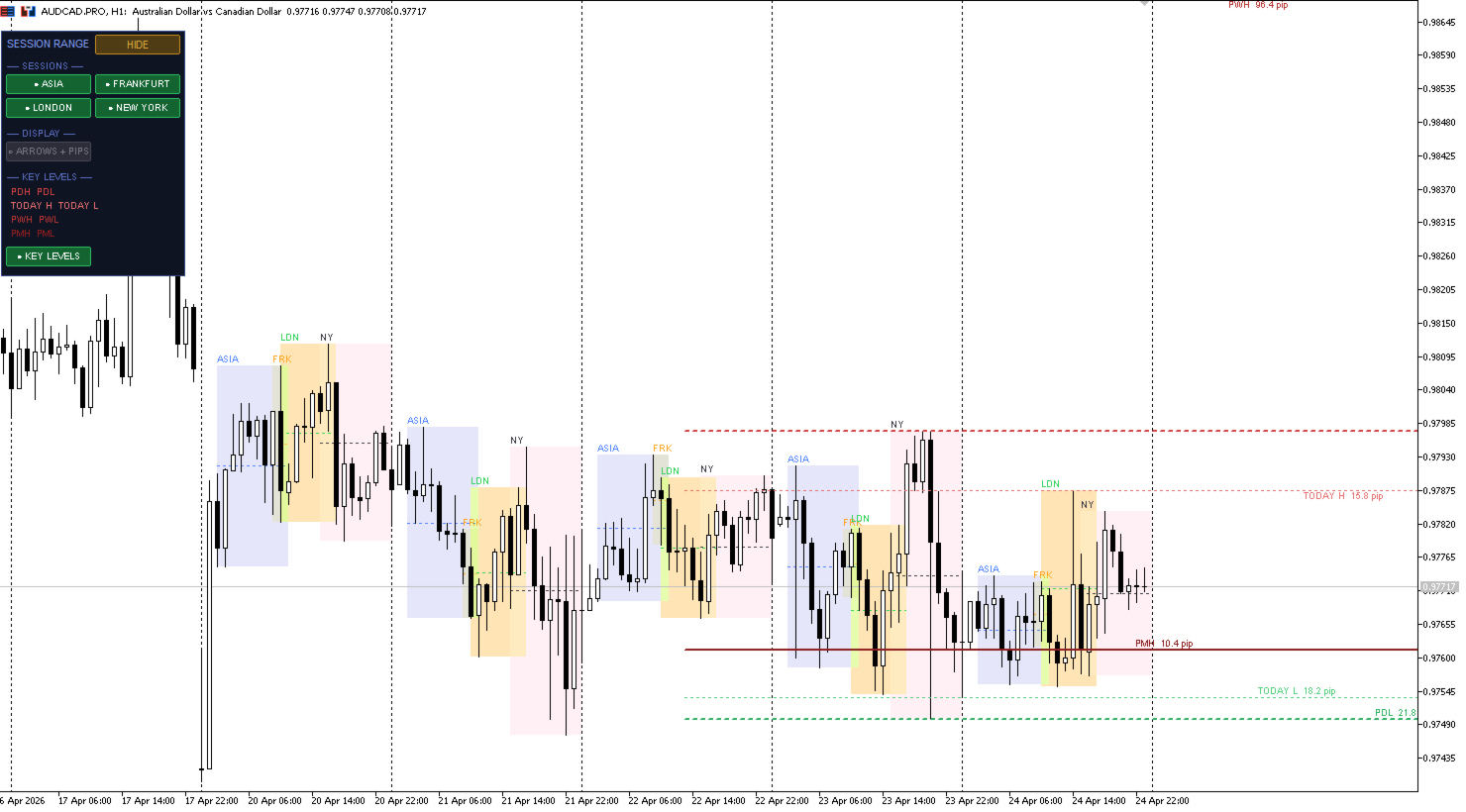
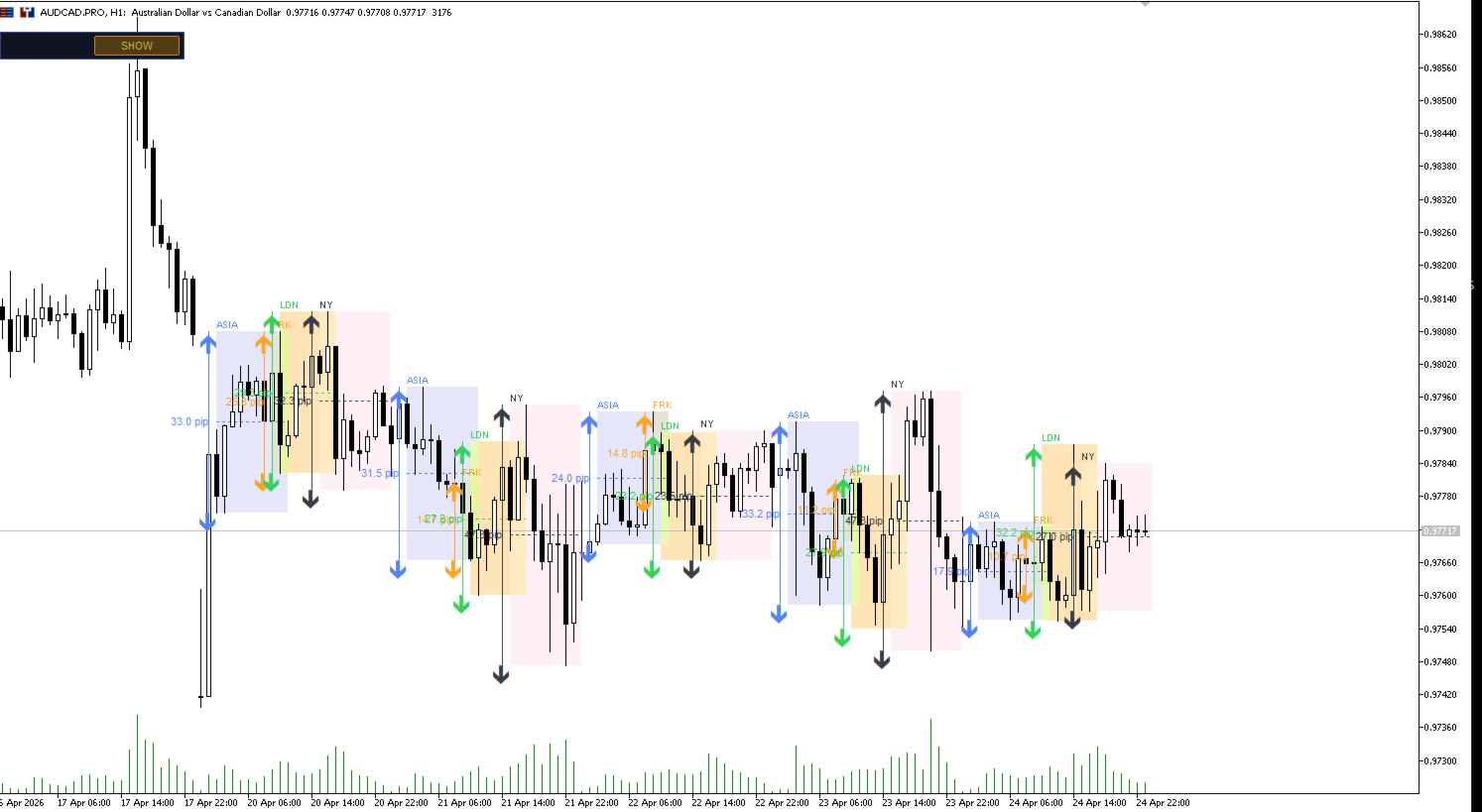
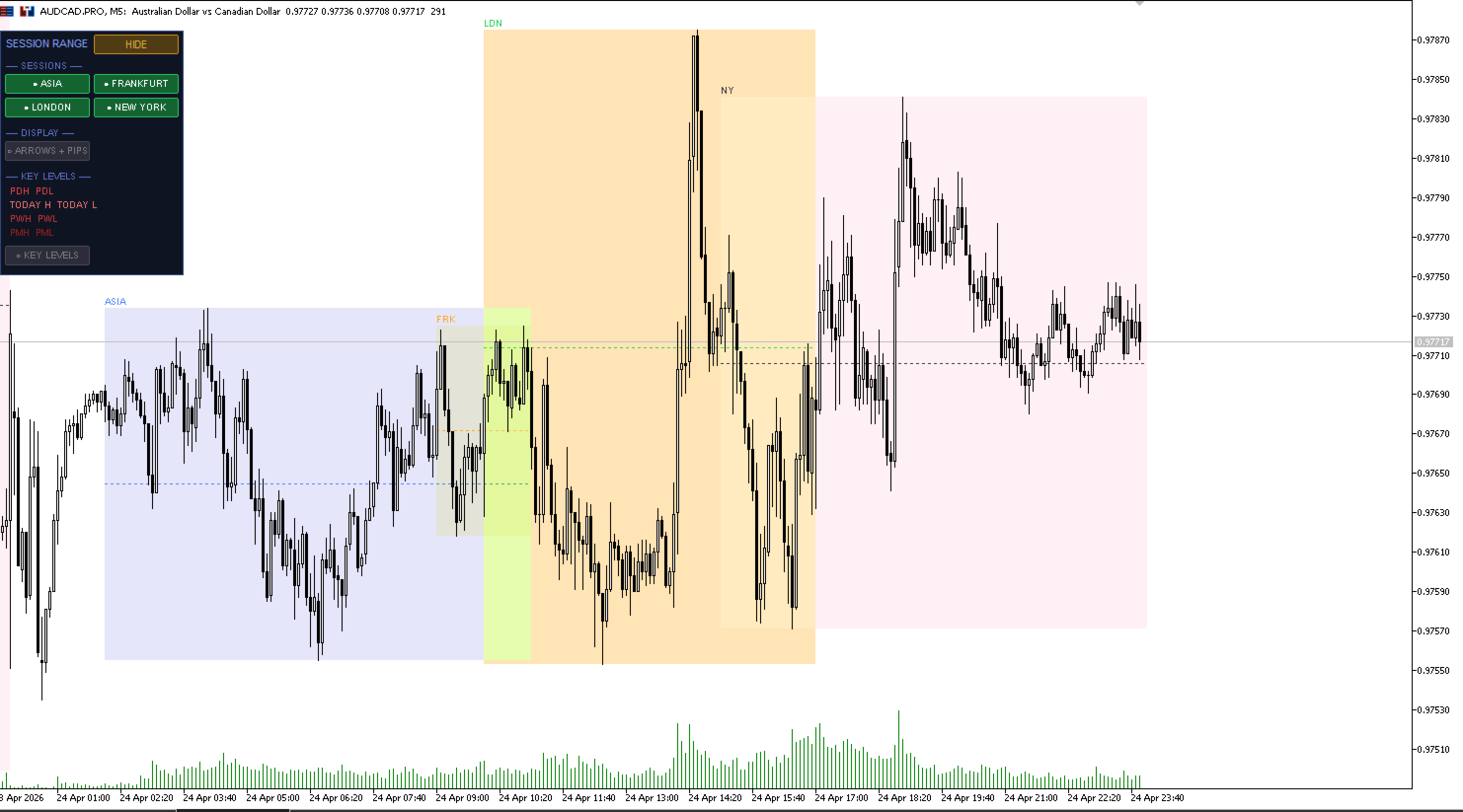
Four color-coded rectangular zones mark each trading session directly on the price chart.
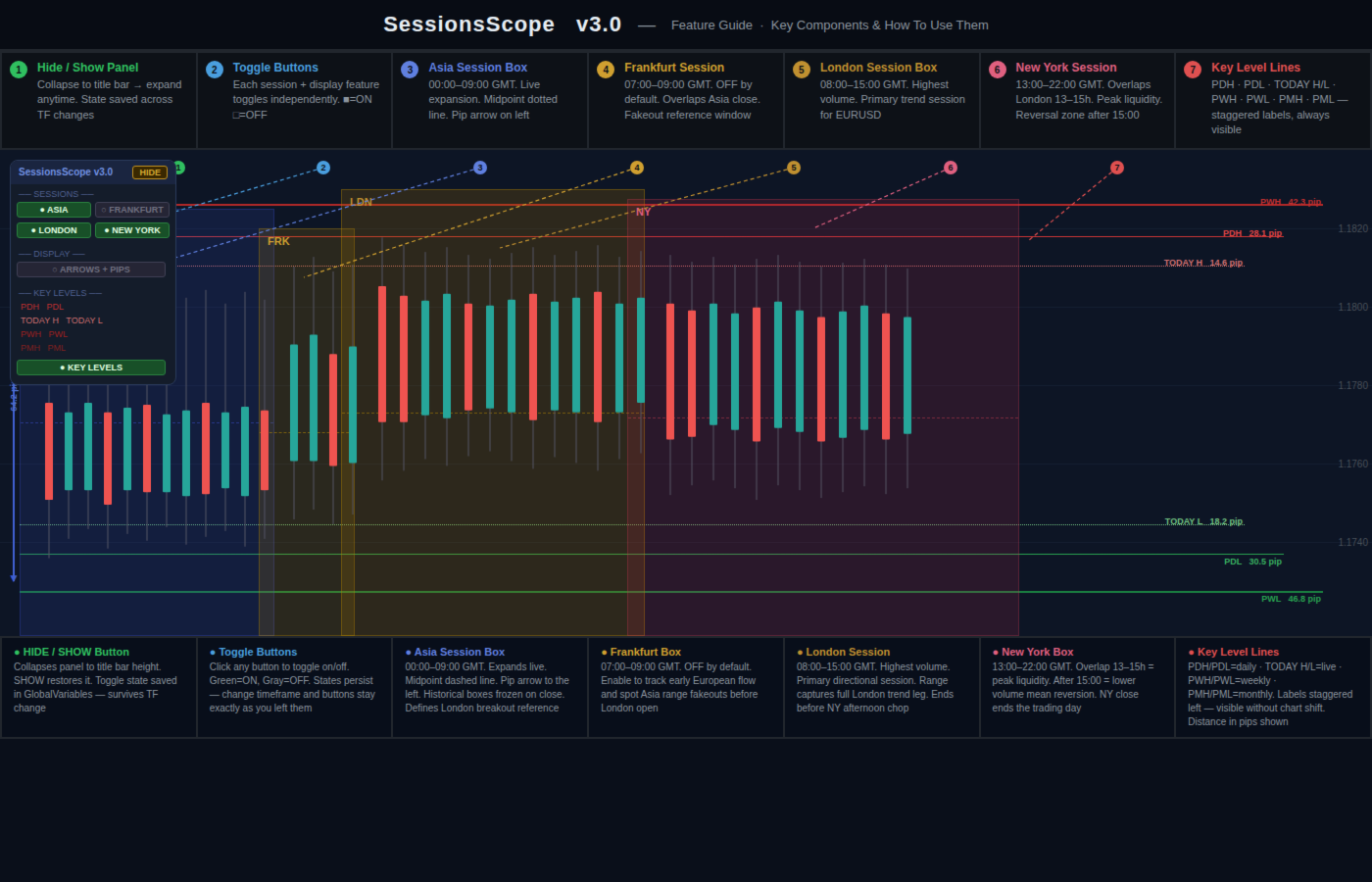
Each box starts at the opening bar of that session and expands live — the right edge tracks current time, the top and bottom track the session high and low in real time. When the session closes, the box freezes permanently as a structural reference for the rest of the day.
The four sessions, with their default GMT times:
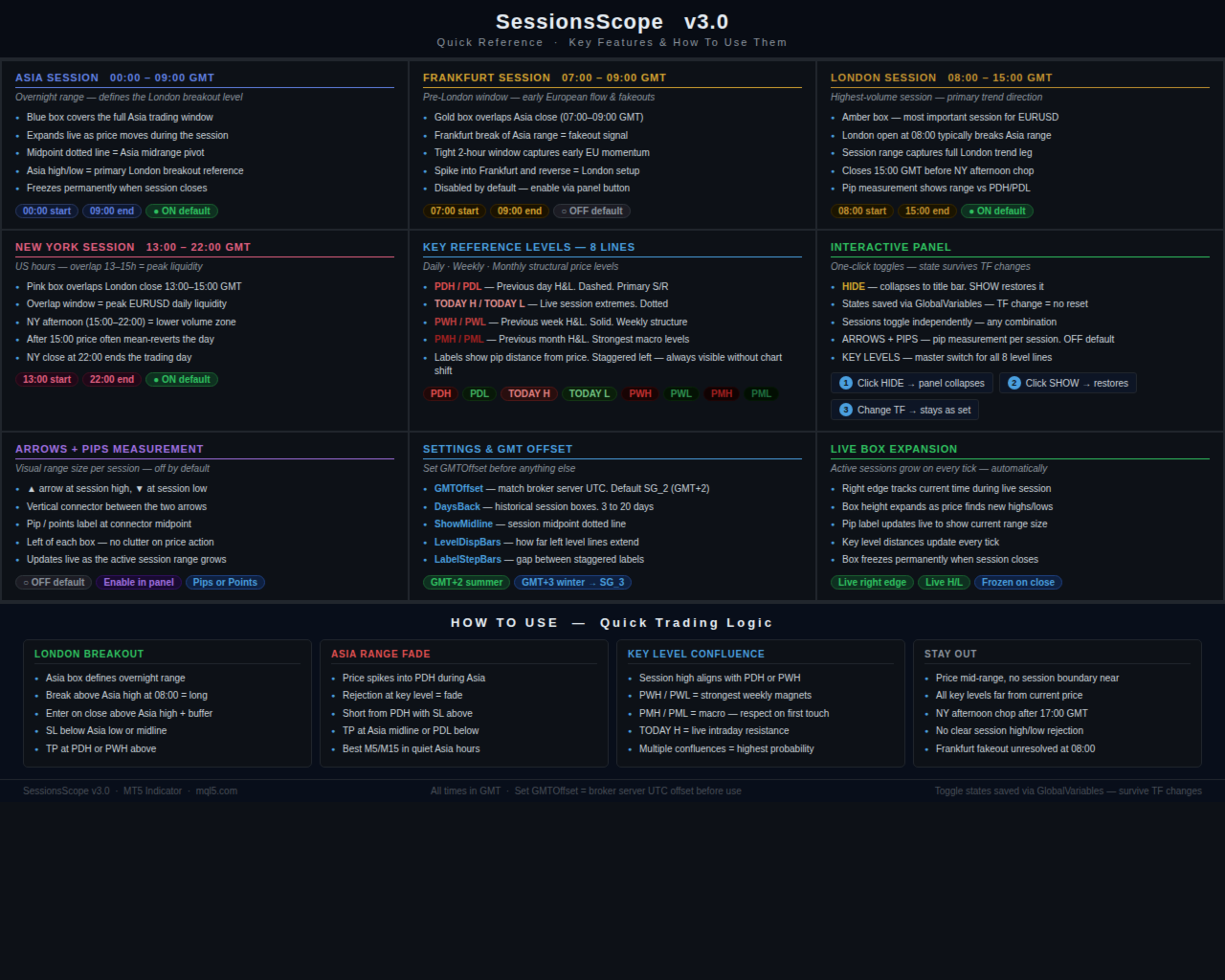
Asia — 00:00 to 09:00 GMT. The overnight accumulation window. Defines the range that London will either respect or break.
Frankfurt — 07:00 to 09:00 GMT. The early European window. Overlaps the Asia close. Often produces a brief spike or fakeout before London takes over. Off by default.
London — 08:00 to 15:00 GMT. The highest-volume session of the day for most forex pairs. This is where the real trend begins. The session high and low are the most important intraday structural levels.
New York — 13:00 to 22:00 GMT. The US session. Overlaps London from 13:00 to 15:00, creating the most liquid two-hour window in the entire trading day. After London closes, New York tends toward mean reversion.
A dotted midpoint line is drawn across each session box — the exact midrange of that session. Price respecting the midpoint often signals continuation. Price rejecting the midpoint signals a potential reversal.
2.2 Pip Measurement Arrows
When ARROWS + PIPS is enabled, a vertical measurement arrow appears to the left of each session box.
An up arrow marks the session high. A down arrow marks the session low. A connector line runs between them. The range size — in pips or points, your choice — is displayed at the midpoint.
This updates live during an active session so you can see the range building in real time. It is the fastest way to compare today's session range against historical norms without calculating anything manually.
Off by default. Enable with one click from the panel.
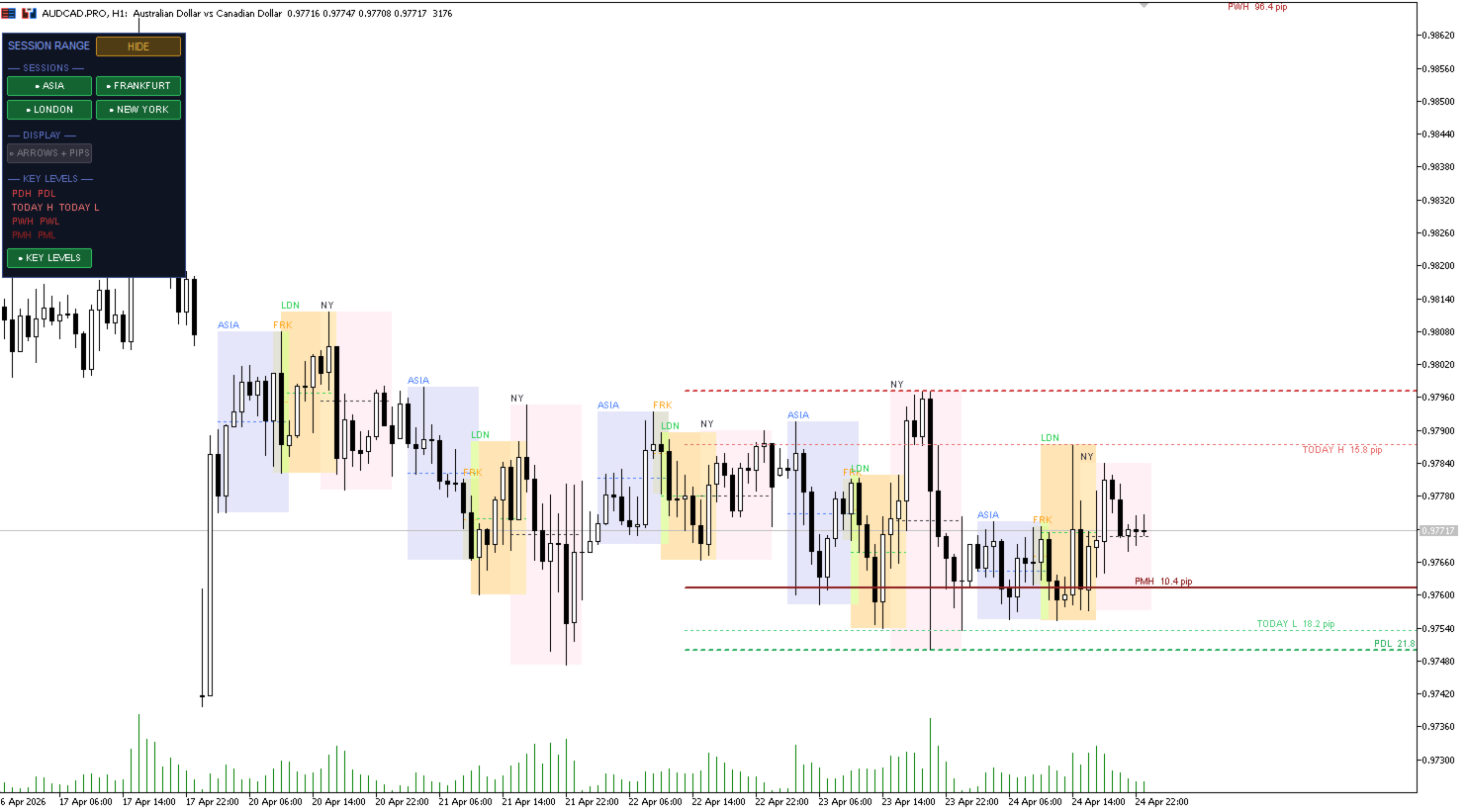
2.3 Key Reference Levels
Eight horizontal lines mark the most important structural price levels from the previous day, week, and month.
PDH — Previous Day High. The most watched intraday resistance level. Price closing above it confirms bullish continuation.
PDL — Previous Day Low. Primary intraday support. Price closing below it confirms bearish continuation.
TODAY H — The current session's high so far. Updates live. The level the market is actively defending.
TODAY L — The current session's low so far. Updates live. The level buyers are currently defending.
PWH — Previous Week High. A weekly structural resistance. Institutions frequently target this level from below and defend it from above.
PWL — Previous Week Low. The weekly structural support. The same logic in reverse.
PMH — Previous Month High. The strongest macro reference level above price. First touch is almost always respected.
PML — Previous Month Low. The strongest macro reference level below price. Treat it as a major institutional floor until it breaks.
All eight lines are drawn automatically from native MT5 timeframe data — no manual input, no recalculation needed.
Labels show the distance from current price in pips, updated every tick, and are staggered to the left so they are fully visible without having to shift the chart.
2.4 Historical Session Boxes
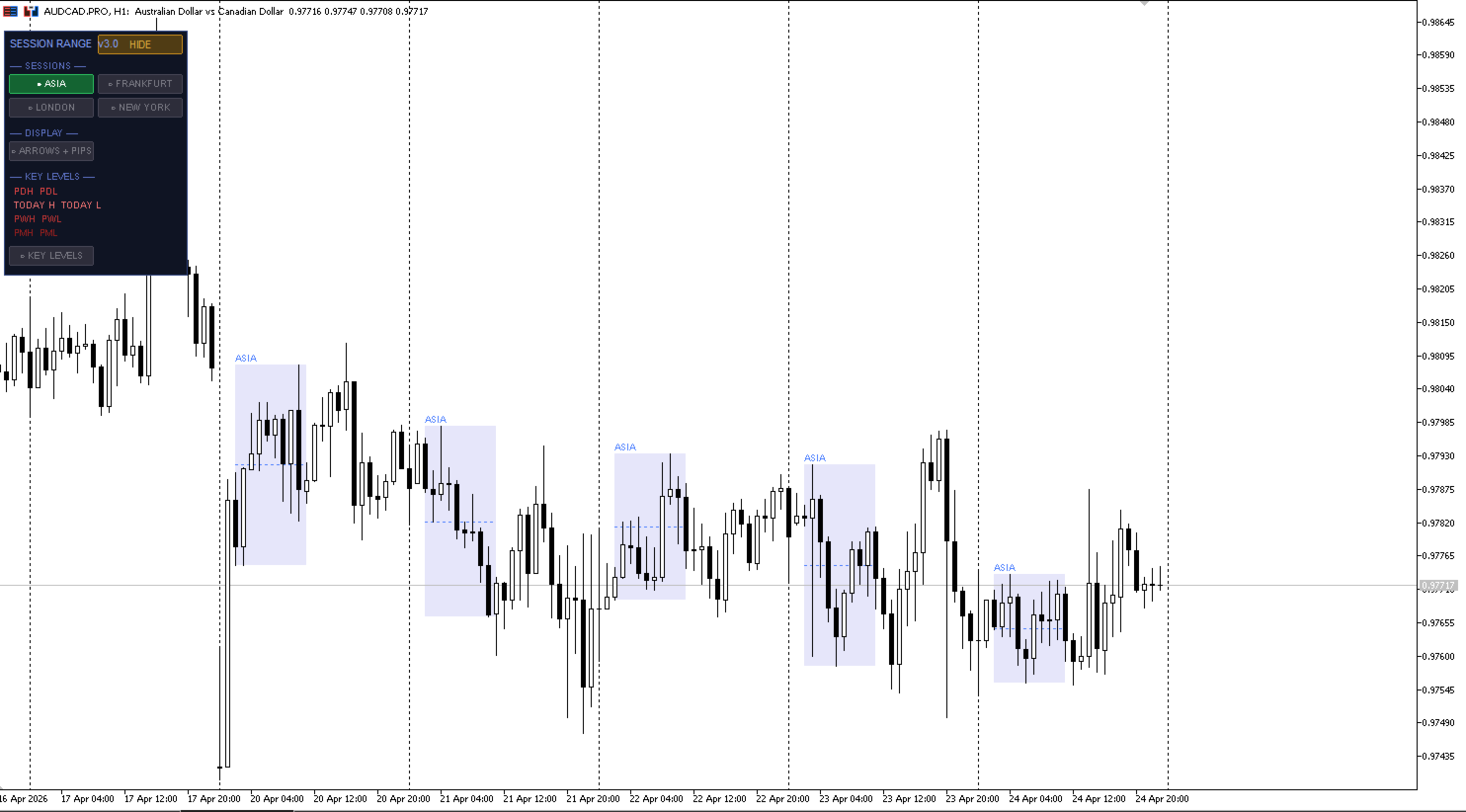
Every session from the past seven days — configurable up to twenty — is drawn on the chart. Historical boxes are frozen and permanent once their session has closed.
This gives you an immediate visual picture of how each day's sessions compared: whether Asia was a tight accumulation or a wide volatile range, whether London broke above or below the Asia box, whether the New York session extended the London move or reversed it.
You can read multiple days of session structure at a glance — without switching timeframes or using separate tools.
3. The Control Panel
Everything in SessionsScope is controlled from a clean on-screen panel in the top-left corner of the chart.
The panel is organized into three sections:
SESSIONS — four toggle buttons, one per session. Each can be turned on or off independently. Run London and New York only, or all four, or any combination that fits your strategy.
DISPLAY — toggle for the ARROWS + PIPS measurement feature.
KEY LEVELS — a summary showing all eight level names with their colors, plus a master toggle button that turns all key level lines on or off simultaneously.
At the top of the panel, a HIDE button collapses the entire panel down to a single title bar — clean chart, no distractions. One click on SHOW restores it exactly as it was.
All toggle states are saved automatically using MetaTrader's GlobalVariables system. When you change timeframe, the panel buttons stay exactly as you left them. Nothing resets. Nothing needs to be set again.
4. Live Session Expansion
During any active session, the chart updates on every tick.
The right edge of the active session box tracks current time. The box height expands automatically as price discovers new highs or lows. The pip measurement label updates to show the current range size. The key level distances update to reflect the current price.
When the session closes, the box freezes completely and becomes a permanent historical reference. The transition is instant and automatic — no manual intervention required.
This live behaviour means SessionsScope functions equally well as a real-time trading tool during the session and as a historical analysis tool when reviewing previous days.
5. Who Is This For?
SessionsScope is built for any trader who structures their trading around session timing rather than arbitrary indicator signals.
It is particularly useful for:
Intraday traders who need to know immediately whether price is inside or outside the current session range.
London open and New York open traders who trade the break of the Asia range.
Prop firm challenge participants who need clean, structured context for every trade — not noise.
Traders who reference PDH, PDL, and weekly levels but currently draw them manually.
Price action traders who want a complete map of session structure and institutional reference levels without installing multiple separate tools.
Anyone who has stared at a chart wondering whether a move is significant or just random noise within the session range.
6. Works On Everything
SessionsScope works on any instrument in MetaTrader 5 where sessions are relevant:
Forex — all pairs. EURUSD, GBPUSD, USDJPY, AUDUSD, and all others.
Gold and Silver — XAUUSD and XAGUSD. Session timing is critical for gold intraday traders.
Stock indices — US30, NAS100, SP500, DAX, FTSE, and all others.
Cryptocurrencies — session boxes provide useful structure even on 24/7 markets.
Any timeframe from M1 to H4.
Any broker — no special configuration required, no DLL dependencies.
Compatible with both hedging and netting account types.
7. Quick Setup
Install the .ex5 file into your MT5 Indicators folder and attach it to any chart. The indicator works immediately with no configuration required.
The only setting you should check first is the GMTOffset input — set it to match your broker's server UTC offset. Most brokers run on GMT+2 or GMT+3. Getting this right ensures all session boxes open and close at the correct times.
Everything else — session hours, colors, history depth, pip unit — is pre-configured to sensible defaults and can be adjusted through the Inputs tab without touching the chart.
To toggle any session or feature: use the panel buttons on the chart. No need to open settings.
8. Settings Overview
Global
GMT Offset — match your broker's server time. SG_2 = GMT+2 (summer), SG_3 = GMT+3 (winter)
Days Back — how many historical days of session boxes to draw. 3 to 20 days
Show Midline — toggle the session midpoint dotted line
Fill Boxes — toggle filled session rectangles vs outline only
Sessions
Each of the four sessions has independent controls for:
Show / Hide toggle
Box fill color
Border color
Start and end hour in GMT
Measurement Arrows
Show / Hide toggle
Unit — pips or points
Offset — how far left of the session box the arrows appear
Font size
Key Levels
Show / Hide — master toggle for all eight levels
Line display width — how many bars back the lines extend
Label step bars — spacing between staggered labels
Individual color for each level: PDH, PDL, TODAY H, TODAY L, PWH, PWL, PMH, PML
Line width
Risk Disclaimer
Trading foreign exchange, indices, commodities, or cryptocurrencies involves substantial risk and is not suitable for all investors. This indicator is an analytical tool only and does not provide trading advice or guarantee any outcome. No indicator eliminates risk or ensures profitable results. Past performance does not predict future results. You are solely responsible for your own trading decisions. The developer accepts no liability for financial losses arising from the use of this product.





































Kullanıcı değerlendirmeye herhangi bir yorum bırakmadı