Premium Order Management Tool
- Утилиты
- Версия: 1.0
- Активации: 5

Position Tool & Order Placement Dashboard Premium
See the trade before you’re in it
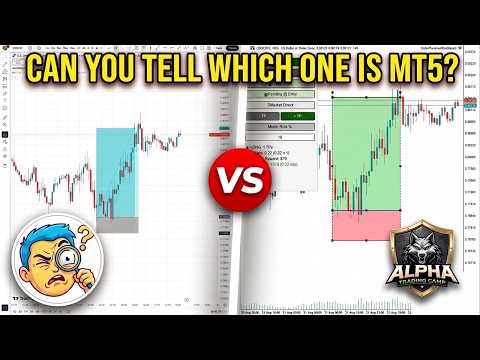
Drag your Entry, Stop Loss, and Take Profit levels directly on the chart. The risk zone and reward zone are drawn live, with lot size, risk percentage, and R:R updating as you move the lines.
You’re no longer trading on a gut feeling — you’re looking at the actual trade, in full, and choosing to take it or not. Doubt has much less room to operate when the whole plan is sitting in front of you.
Execute at the speed the moment demands
An entire position — entry, stop, and multiple take-profit levels — goes from idea to live order in a few drags and one click. Lot sizing across levels is handled automatically.
Speed isn’t just convenience. It’s fewer seconds spent second-guessing, and fewer missed entries because the order ticket took too long.
Discipline that doesn’t rely on your willpower
A dedicated Confirm step stands between “arranging a plan” and “risking real money.” Once a trade closes, it stays frozen on the chart — an honest record you can’t rewrite.
One button closes everything remaining from that setup — no scrambling while the market runs away from you.
Everything in Essential + Pro, plus Premium features
Multi-Timeframe Analysis
- Multi-Timeframe Trend Analysis — simultaneously view trend direction across multiple timeframes for comprehensive context
- Multi-Timeframe FVG/OB Mapping — identify Fair Value Gaps and Order Blocks across different timeframes for higher-probability setups
- Multi-Timeframe Order Flow Mapping — track order flow across multiple timeframes to spot institutional activity
Key Levels & Liquidity
- Key Levels Mapping — automatically identify and plot strong support and resistance levels
- Equal Levels Mapping — comprehensive mapping of all significant price levels including FVGs and Order Blocks
- Session Range Visualization — clear display of Asian, London, and New York session ranges with high/low markers
Liquidity & Institutional Insights
- Liquidity Detection — identify institutional liquidity zones and stop-hunt levels
- Advanced Liquidity Analysis — deep insights into where institutional orders are likely positioned
Pro Features Included
- Market Structure Analysis — automatic identification of key structure levels, breaks, and shifts
- Real-Time Structure Updates — dynamic mapping as price unfolds
- Major & Minor Structure Levels — clearer analysis with level distinction
- Trend Analysis — visual bullish/bearish momentum indicators
- Major & Minor Trend Display — trends shown directly on dashboard
- Free Updates — all Pro feature updates and improvements
Essential Features Included
- One-Click Order Execution — trade directly from chart
- Market Order Option — instant execution with one click
- Pending Order Auto-Detection — automatic Limit/Stop order management
- Locked SL/TP Lines — automatically lock distance with entry
- Pinpoint Price Placement — exact order placement
- Lightning-Fast Execution — rapid entry and exit
- Multiple Draggable TPs — set and manage multiple TP levels
- Executed Trade Visualization — full trade details on chart
- One-Click Close Batch — close entire position instantly
- Risk Exposure Control — real-time total risk monitoring
- Optional Risk Mode — risk % or fixed lot sizing
- Auto Risk Calculator — automated lot size calculation
- Precise Lot Sizing — based on your risk parameters
- Carried Risk Display — live tracking on chart
- Profit Summary Display — real-time potential profit overview
- Candle Time Tracker — countdown to candle close
- Trade Dashboard — full visualization with targets and SL
- Configurable Trade Settings — fully customizable
- Trade Summary Preview — complete summary before execution
- Plan Mode — save trade plans without executing
- Toggle Details — show/hide trade details
- Remove Position Tool — easy removal from chart
- Chart Journaling — closed trades remain visible
- CSV Export — export trade data to any platform
- Past Trade Visualization — show/hide previous orders
- Hide/Show Drawings — one-click toggle
- Remove Drawings — instantly remove unwanted drawings
For traders who already know what to do, and want a tool that stops getting in the way of doing it.