TrendSync Heikin Ashi Confluence
- Индикаторы
-
Juliano Guzlinki Pacheco
 I believe that technology is one of the main competitive differentiators in the modern financial market. While many traders still rely exclusively on manual analysis and emotional decision-making, the use of automation, algorithms, and intelligent systems allows for more precise, fast, and
 - Версия: 1.72
- Обновлено: 8 октября 2026
TrendSync Heikin Ashi — Trend, Structure & Confluence in One Indicator
A color change is not a signal. Most Heikin Ashi tools flip color and call it a trade. TrendSync Heikin Ashi is built on a different idea: a signal only appears when short-term context, long-term structure and a genuine point of interest all line up. The result is a clean, low-noise chart that shows you where a setup forms, where your stop belongs, and when momentum is fading — without the clutter of generic arrows.
TrendSync draws a smoothed "crystal" Heikin Ashi candle series and, on top of it, an automatic trade framework: a badge-style entry, a structural stop-loss guide line, and an exhaustion alert for managing the exit. Everything is a visual reference to support your decision — never an instruction to act.
What it does
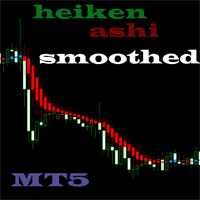
Double-smoothed Heikin Ashi trend The classic Heikin Ashi calculation is smoothed twice — an EMA pass on the raw price before the HA math, and a light EMA polish on the HA open/close afterwards. The outcome is a crystal-clean trend candle with far less flip-flopping, so the color read is genuinely reliable.
Structure / Break-of-Structure filter (long-term bias) The indicator continuously tracks swing highs and swing lows (fractal-based). It only trusts a move once price actually breaks the last swing level — a real Break of Structure — flipping the internal bias to bullish or bearish. This is the "reversal structure" layer that keeps you out of noise.
POI confluence zone (short-term context) A pullback band built from an EMA plus an ATR envelope marks the market's short-term point of interest. A signal requires that price recently tagged this zone — confirming the entry happens at value, not chasing a candle in mid-air.
Badge-style entries — not generic arrows When all three conditions agree, TrendSync prints a clean BUY / SELL badge with the entry price, connected to the candle by a thin line. No cluttered arrow spam: a built-in cooldown prevents duplicate signals firing bar after bar.
Automatic Stop-Loss guide line Every signal draws a dashed SL line with its price, placed at the structural swing that defined the setup (below the higher-low for buys, above the lower-high for sells) plus an ATR cushion so normal noise doesn't clip it. It is a logical invalidation reference — position size and final stop remain your call.
Exhaustion detector (exit management) While a signal trade is active, TrendSync watches for fading momentum: several consecutive Heikin Ashi candles shrinking versus their recent peak, confirmed by either overextension from the EMA (in ATR terms) or a rejection wick against the trend. When it lines up, a dotted EXHAUSTION marker appears. It flags a probable slow-down, giving you the choice to take profit, tighten the stop, or simply trust your SL. It is a heads-up, not a command — sudden, gap-like reversals with no deceleration phase are, by nature, not caught in time.
Clean chart mode On attach, the indicator can auto-hide the platform's native candles so only its own display is on screen — zero visual clutter. It restores your original chart colors when removed.
Built-in alerts Get a popup alert the moment a new confluence signal closes, so you don't have to watch every tick.
Recommended use
TrendSync Heikin Ashi works on any symbol and timeframe. Do not trade the color change alone. Use the full picture: short-term context (HA color) + long-term reversal structure (BOS) + the break of the swing/POI for confluence. Combine the entry badge, the SL guide and the exhaustion flag as a complete framework, and always apply your own risk management.
Key inputs
- Heikin Ashi smoothing (pre-smooth and post-smooth periods)
- Market structure (swing sensitivity, BOS lookback)
- POI zone (EMA period, ATR period and multiplier, validity window)
- Signals (minimum bars between signals, alerts on/off, colors)
- Entry / SL guide lines (colors, font sizes, line length, history limit)
- Exhaustion detection (minimum bars, shrink streak, ATR/wick thresholds)
- Chart appearance (auto-hide native bars on/off)
Important note
This is a technical analysis tool, not financial advice and not an automated trading system. It does not open, modify or close trades. All levels shown — entry, stop-loss and exhaustion — are visual references to support your own analysis and decisions. Past performance and historical chart examples do not guarantee future results.