 MetaTrader 5
 Эксперты
 Индикаторы
 Библиотеки
 Утилиты
 Виджеты
 Правила
Смотри обучающее видео по маркету на YouTube
Как купить торгового робота или индикатор
Запусти робота на
виртуальном хостинге
виртуальном хостинге
Протестируй индикатор/робота перед покупкой
Хочешь зарабатывать в Маркете?
Как подать продукт, чтобы его покупали
Торговые утилиты для MetaTrader 4 - 38
 Ниже представлены торговые программы, упрощающие торговлю на форексе в MetaTrader 4. Наведите курсором на товар из списка ниже, чтобы прочесть описание и его предназначение.
This trading bot automates order execution based on areas of interest drawn on the chart, such as supply and demand zones identified through order flow and institutional trading strategies.
It’s a multi-chart bot, meaning you only need to drag it onto one of your open charts—it will monitor all of them simultaneously. How does it work? Open the charts you want to trade. Drag the bot onto just one of the open charts. Set your preferences for Risk, Stop Loss Ratio, or Take Profit Ratio. Enable an

Idea Pro Trend Premium This EA is a Semi-auto Trading Panel with a variety of strategic settings, such as those listed below. It is excellent for scalping or long-term trading by traders. This EA is simple and convenient to trade and attach to the chart with the default settings on AUDUSD, EURUSD, GBPUSD and NZDUSD.
How to use You can trade based on the trend that is displayed on the left-hand side of Info Panel. If the trend are" 2 Up Trend" and "2 Down Trend", please do not trade. Simply pro

The Auto Percentage SL TP is not taking any trade! It was made especially for Proptrading Challenges like FTMO, Myforexfunds, Fundednext and many more. Most Propfirms ban your funded Live-Account if you do not set SL and TP soon after the trade. It is a tool to help setting automatically TP and SL based on given percentage in settings. You can add e.g. 1% risk for a trade and it sets the stop loss to 1% from your balance. Same with stop loss, which is default also 1%. But these values can be cha
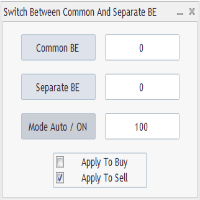
Advanced Auto BE. Program for switching between common and separate breakeven stop loss. Levels can be modified with user-defined point values The program also offers auto mode, where common/separate BE levels are switching depending on whether all positions are profitable. Calculation includes open prices . It can be used for BUY/SELL positions separately or together. HOWEVER I HAVE NEVER TESTED SITUATION, WHERE I HAD BOTH SELL AND BUY POSITIONS PROFITABLE ( I Mean AUTOMODE pyramyds) . Rememb
FREE
Summary of Features: This EA is for traders who want to limit the amount of money they want to risk on a particular trade. The horizontal stop loss line(SL) is used to calculate the maximum amount that can be lost on the trade. The user can then use the "Risk to Reward Ratio" to input their risk to reward ratio i. e.g. 1means 1:1 risk to reward. 2 means 1:2, i.e. if the risk is $100 the reward will be $200. How to enter a trade: Press the" Draw Stop Loss Button", this will create a hor
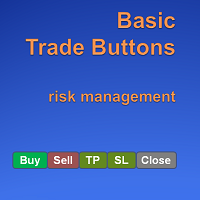
Basic Trade Buttons is a tool to help you to quickly open and close trades, place take profit and stop loss points by clicking on the button of each job that you preferred. Once you attached this tool to mt4 chart, the program will calculate a trade volume(Lots size) automatically to prepare to send to the trade server when you click on 'Buy' or 'Sell' button. Click on 'TP', 'SL' or 'Close' button to place take profit, stop loss based on the predefined levels or to close all open positions respe
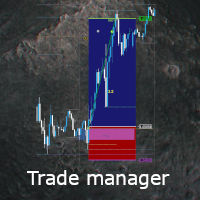
Once you purchase product please drop the review in order to receive invitation to the new community.
Flexible trade manager is a simple and effective trading tool for setting new order by pressing B as Buy or S as Sell on keyboard. All with ability to see additional characteristics before opening with predefined risk and observation of the risk and potential profit. Set and manipulate order levels straight from the charts or or place them right as pending orders
Additional buttons helps to

Strategy creation : Create lines of stop loss, entry and take profit. Live parameters such as lot size, gap in pip from SL to TP, Risk/Reward ratio are update whenever lines of SL and Entry move. This function allows traders to clarify their strategy before making any orders. Risk management - The risk calculation function calculates the volume for a new order taking into account the set risk and the distance from the Stoptloss to Entry Line. In addition, maximum risk (%), RR value are
FREE
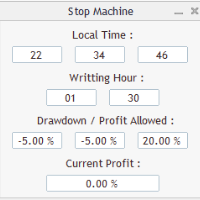
Close all orders immediately: if account balance is less/greater than allowed. PROGRAM USES ACCOUNT BALANCE, NOT EQUITY. Initial balance is calculated once a day if writting hour/minute comes ( local time is using ). It is also reset each restart program ( program does not read account balance from the past! ) Program is developed for VPS running purposes, to prevent from attempts of trading after daily DD limit is reached. I made decision to share this for free. It is not developed for commerci
FREE
Risk Calculator Pro is a simple and useful utility for MT4 to calculate your stop loss risk and open orders with accurate lot size . --- Contact me in messages for free gift after purchase! ---
How It Work?
Determine your entry price manually OR tick "current Price" . Determine your Stop Loss price. Determine your Risk Percentage (based on your account balance). Finally your Lot Size show on the green box. Advantage of Risk Calculator Pro: Simple & clean dashboard Diagnose wide SL & big ris

Утилита предназначена для контроля всех ордеров счета с возможностью их автоматического закрытия по: профиту, безубытку или тралу профита в пунктах отдельно для каждого ордера отдельно профиту , безубытку или тралу профита в пунктах для ордеров бай каждого символа профиту , безубытку или тралу профита в пунктах для ордеров селл каждого символа профиту, безубытку или тралу профита в пунктах для ордеров бай+селл каждого символа профиту, безубытку или тралу профита в пунктах для всего

Инструкция по использованию: https://www.mql5.com/zh/blogs/post/754946 Версия для МТ4: https://www.mql5.com/zh/market/product/88205 Версия для МТ5: https://www.mql5.com/zh/market/product/88204 -------------------------------------------------- 1. Копировать заказы с 12 мастер-аккаунтов на 100 подчиненных аккаунтов. Количество подчиненных учетных записей может быть настроено от 12 до 100. 2. Поддержка MT4 до MT4, MT4 до MT5, MT5 до MT4, MT5 до MT5. 3. Определите суффиксы разновидностей торговли

This EA helps to Close all Positions opened. It saves you the time of closing multiple positions manually.
Parameters: Buy: Close Buy Positions Only Sell: Close Sell Positions Only Buy & Sell: Close Buy & Sell Positions Pending: Close Pending Orders
More Advanced MT4 version available at: https://www.mql5.com/en/market/product/93468?source=Unknown%3Ahttps%3A%2F%2Fwww.mql5.com%2Fen%2Fmarket%2Fmy More Advanced MT5 version available at: https://www.mql5.com/en/market/product/93301?source=Unk

Это инструмент, позволяющий узнавать информацию о счете в режиме реального времени путем отправки оповещений по электронной почте.
Оповещения функционируют следующим образом:
1. Плавающие оповещения о прибыли и убытках: как только установленные вами значения прибыли и убытков будут достигнуты, советник автоматически отправит вам электронное письмо с подробным описанием оповещения.
2. Оповещения об открытии и закрытии ордеров: как только на вашем счете появится открытая или закрытая позиция, с
简介 Trading Toolbox Pro是一个辅助性交易工具,包含快速下单,快速设置止损止盈,划线止损,追踪止损,划线下单,消息策略,多货币指标信号,自动交易模块等。 程序运行环境 :MetaTrader 4。 功能简介: 常规: 一键下单,一键挂单,一键反手,自动设置止盈止损。 一键平仓,一键平多单(空单),一键删除挂单。 一键反手,一键锁单,设置自动追踪止损。 根据画线追踪止损 非农: 消息突破单,可在非农或其他重大消息时使用,在消息行情爆发前在当前价格上方挂BUYSTOP,下面挂SELLSTOP。订单自动设置止盈止损。 划线下单: 支持最多 四 根做多趋势线 或者 做空趋势线并存。价格到达趋势线自动开单。 支持每根下单趋势线设置不同的仓位。 每根下单趋势线可以设置不同的止损趋势线,止盈趋势线。 支持止损止盈趋势线进行止损止盈追踪移动。 支持趋势线的“时效性”,如果价格运行到开单(止损,止盈)趋势线的右方仍未订单成交,则价格将永远不会接触到趋势线,策略无效。如需要请延长趋势线 杂项: 支持历史订单轨迹显示,可在图表显示历史记录中所有订单的下单轨迹,显示开仓价,平仓价,单量。

This MT4 Script is for Trading News releases.
You drop this script onto the currency pair that you are trading one minute before the news release and set lot size, TP and stop loss level and just wait to close orders.
You will be trading this Following Events:
AUD Interest rate. AUD Retail Sales.
EUR Interest Rate. GBP Interest Rate.
USD Interest Rate. CAD Interest Rates.
GBP multiple Events(Services, Construction, Manufacturing PMIs)
NZD Electronic Card Retail Sales
USD CPI, this is a money

The utility displays in a convenient form the historical trades made on the account. You can filter trades by magic or comcent, display only profitable or losing trades, and only buy or sell trades. Using this utility, you can see trade entry and exit points, stop loss and take profit levels, trade profit, magic number and comment, order ticket and order size - you only need to run the utility on the chart of the currency pair you want information on get and customize the input parameters. MT5
Внимание! При необходимости эксперт можно перепрограммировать под MetaTrader 5. Пожалуйста, не забудьте посмотреть объясняющее YouTube видео после прочтения описания ниже.
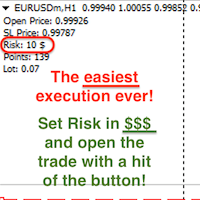
My Lot Calculator - это очень простая утилита для молниеносного и суперточного* ручного открытия сделок по риску в деньгах. Устанавливается в виде эксперта на график в МТ4/MT5. В настройках трейдер указывает риск в деньгах на одну сделку и комиссию за 1 лот (если есть). Далее наносим в терминале горизонтальную линию с названи

Большинство розничных трейдеров не могут управлять рисками и теряют счета из-за чрезмерного риска или чрезмерной торговли. Этот инструмент полностью автоматизирует просадку и управление рисками, позволяя трейдеру сосредоточиться только на своих входах. Это первый и единственный торговый менеджер, который использует ценовое действие с функцией агрессивного контроля рисков для автоматического закрытия частичных позиций, когда цена идет против сделки. Это гарантирует, что потери всегда меньше, че

Mt4ToTelegramAlter is an app that communicates with a Telegram bot to share your orders flow and report open orders from Metatrader 4 terminal to a Telegram group or channel. Features Telegram channel, group, chat compatible Easy to use Report open order Configuration 1. Service -> Settings -> Expert Advisors -> Allow WebRequest for the following URLs (Add URL: https://api.telegram.org ); 2. Create your own bot on Telegram at @BotFather. Remember Token, it looks something like this - xxxx:yy

Blow Stopper EA V3 – Your Ultimate Trading Edge Ready to elevate your trading game? Introducing Blow Stopper EA V3 , the cutting-edge trading tool meticulously crafted to turn market uncertainty into opportunity. Designed by the visionary Tsietsi Gladson Nyathi , this groundbreaking Expert Advisor delivers unmatched precision, unparalleled risk management, and consistent profitability across EURUSD, NZDUSD, AUDUSD, EURJPY, GBPUSD, USDJPY, USDCHF, USDCAD, EURCHF, and XAUUSD (GOLD) . Why Blow Sto
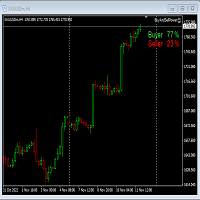
This Expert Advisor will not place any trade.
This Expert Advisor will only show the buyer and the seller power in percentage on the upper right corner of the selected chart. The percentage of the Buyer and Seller is calculated based on the Open, Close, High and Low price of the selected candle. Candle can be selected using the shift on the Input Tab where 0 means the current candle, 1 means previous 1 candle before the current candle.

PRICE WILL BE RAISED EVERY MONTH... Scalp Assistant is a support EA that simplifies trading process. - Place multiple order at desired position - Auto pending order chasing to price current - Auto Trailing Stop - Auto TP on profit - Set TP and SL at one click - Simplified Information - Get started easily I will post more assistant series EA in the future, drop me a message if you have any question or suggestion at pipsstalker1507@gmail.com

Big Promo 40%!
Introducing Autolot 2.0: The Revolutionary Trading Utility is Now Even MORE POWERFUL and EFFICIENT! We're proud to announce the launch of Autolot 2.0, the upgrade that takes your trading to a whole new level! We've listened to your feedback and improved the utility to make it even more versatile and user-friendly. Here are the key features we've added: Fixed Risk: Now you can set a fixed risk for your trades, regardless of the balance percentage. For example, in the settings, yo
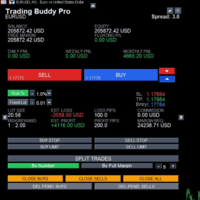
This is a tool to place instant trades with risk management. Never worry about calculating lot size again. Just drag lines and click the button! The tool displays Risk Reward to allow you to decide on the best entry point. You can place instant orders and pending orders. Please refer to the following youtube video on how to use the tool https://youtu.be/XqEvb81F9wA
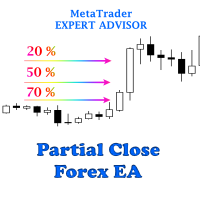
The easiest to use Partial Close Forex EA
How Partial Close EA works?
this is an automated MT4 EA to handle the management of trades for my system of “Take Profits”, “Stop Losses” and “Partial Closes”. The EA should be attached to each of trading charts. The EA can also be control via mobile MT4. When you place a market trade, the EA will setup a grid (hidden from broker) on the chart showing TP1, TP2, TP3 and SL (which can be seen). The SL will be based on the price you set on my mobile MT4
Представляем Local Trade Copier Pro MT4, идеальный инструмент для трейдеров, которые хотят эффективно копировать сделки между различными MT4 аккаунтами. Этот мощный инструмент разработан для трейдеров, желающих автоматизировать свою торговую стратегию и повысить свою эффективность, используя несколько аккаунтов без усилий. Испытайте преимущества копирования сделок в реальном времени с минимальной задержкой, что гарантирует, что вы никогда не упустите прибыльную возможность. Независимо от того, у
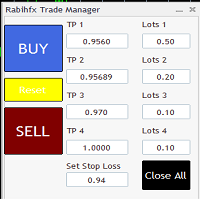
Rabihfx Trade Manager 2
Rabihfx trade manager V2 is an utility Expert advisor that will manage your trades automatically just click sell or buy buttom and ilt will do the work at each level of take profit Contact us after purchase for a free trading system Easyly Manage your trades and automate it from 1 dashbord
You signal provider or yourself if you have 3 take profits inesert it in our trade manager and click sell/buy and let rabihfx trade manager protect and automate your open trades
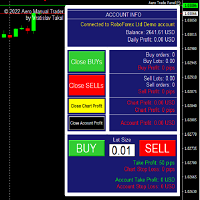
This utility is for opening and closing orders. The panel shows the number of opened Sell/Buy orders, Sell/Buy profit, chart profit and account profit. You can close Sell orders, Buy orders, chart profit and account profit in one click. You can setup magic number for orders opened by this utility.
Settings Base Lot size Use automatic TP and SL in your currency - set for calc automatic TP and SL TP and SL - in pips or your broker currency Take Profit - pips/currency Stop Loss - pips/currency
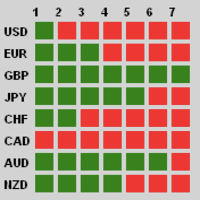
Description
Traders, this is one of very few powerful and consistent Currency Strength Meters/Gauges on the market today.
This Currency Strength Meter EA uses proven statistical quantitative formulas across all 28 major and minor currencies to arrive at strength score and then show it to the user on their MT4 chart. The system is super smart and consistent, and its efficacy/or accuracy is not affected by any sort of market condition. The system allows for the user to measure currency strength

If you found this EA, it's probably because you want to get a funded account with a prop firm, but you see a rule that most of traders fear : Maximum Daily Drawdown. I've been through this problem myself as I'm a prop firm trader and I've made a bot to solve this rule, and you can get it to solve this problem too.
How does it work ?
When you first setup this EA, you need to input the initial deposit which corresponds to the size of your funded account. For exemple if you get a 10k$ f

EA is based on the advanced martingale strategy.
Here are the key functions:
The lot increment is derived from the variety of selection, multiplier, addition form input, addition of last two trades, and from a lot list. You can initiate the trade manually or from another EA. This EA will take care of different types of martingale. Test it by starting with two trades when there are no trades available (use live input and backtest).
Message me about the settings. I believe the best settings ar

Is your trade at a loss? Does not matter ! You can use this Extra martingale tool. In the set loss of your trade or your EA's trade , this tool will open another trade at a better price. It can also open multiple trades at different distances and with different lot sizes. Each trade will be assigned a TakeProfit. This tool has a lot of settings. You can set variable lot sizes, variable trade distances, variable TakeProfit sizes, maximum total profit or loss in money. You can also close trades
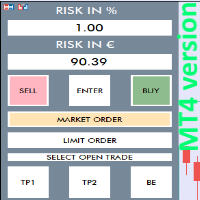
RISK CALCULATOR - TRADING PANEL - CHART OVERLAY with:
PARTIAL TAKE PROFIT ("virtual TP") % RISK LOT SIZE TRAILING STOP LOSS Fast and simple control of your trades Easy lot size calculation with easy SL/TP setting. Your trading will be much more comfortable with this tool!
Works like any EA, add it to selected chart and trade !
Features: start trade with calculated lot based on % of account balance * that you want to risk/ or based on how much money you want to risk *r

Вспомогательный советник предназначен для перевода в без убыток прибыльных позиций. Советник сам не торгует, в тестере открывает две разнонаправленные позиции для демонстрации работы. Настройки: Start no loss (>size) - Через какое количество пунктов происходит старт без убытка. Size no loss (<start) - Размер без убытка. (Размер без убытка должен быть меньше старта).

This expert has a simple and efficient panel for transactions. It also has capital and risk management tools. in part of Run(2-6) Built-in automated trading robots. All of them can be used with updates. And there is no need to spend more. Many indicators are used in this expert for low-risk automatic trading. Refer to the guide for details. See the performance of each episode. Pay attention to the guide in the photos. Help panel: Lot=Volume TP=Take Profit SL=Stop Loss C.A.B=Close All Buy C.A.S=
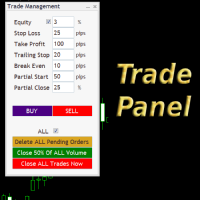
Simple but convenient trade panel that will allow you to place market orders and manage your positions. Can be used to; Place a stop loss and take profit order. Move your stop loss to break even. Move your trailing stop. Reduce your position after price has moved X pips/points in your favor. Delete and close all your open positions. Can be used on any financial asset and time frame. It works on all brokers.
Supper Trading Assistant is a state-of-the-art system that has already stably used and generated profit for our funds for years. We respect imperfection, and there is no risk-free trading strategy in the financial markets. The Risk Master is designed as the heart of the system to manage account drawdown, optimize taking profit and smart stop loss trailing. The system can automatically preserve your profit by optimizing its allocation to future trades. Advanced statistics are applied to increase
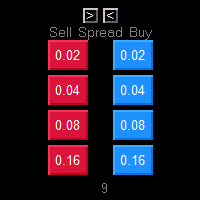
One Click market orders with different lot sizes, partial closing and break even line. Also it shows current setups profit or loss, with partial exits included in total setups PnL. Great tool for manual trading, when different lot sizes needed as per grid or martingale strategies. Major future is different symbol category detection. Due different instruments categories there is a need to use different pre determined lot sizes for different risk profiles. So EA has auto detection of different

Ever took a trade and when you come back to the termainal to check on the status of the position, you realized the market has gone so far in the opposite direction or it has hit your stoploss. Well this system is here to help manage those moments price doesn't go in your desired direction. Consider this to be the insurance your account needs for your trading business. This tool manages manual trades and e.a. triggered trades. However be aware that some e.a.s are programmed to override other e.a.
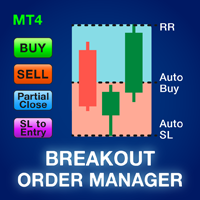
Большинство розничных трейдеров не могут управлять рисками и теряют счета из-за чрезмерного риска или чрезмерной торговли. Этот инструмент полностью автоматизирует просадку и управление рисками, позволяя трейдеру сосредоточиться только на своих входах. Он идеально подходит для торговли на прорывах или откатах. Он использует высоту ранее закрытой свечи для расчета риска, размещая стоп-лосс выше максимума в сделке на продажу или ниже минимума в сделке на покупку. Размещение стоп-лосса настраивает

** Automatically Adds to your existing trades that you open ** KFX Dashboard EA monitors Price Action using Candle Direction + Moving Average on Multiple currency pairs (selected by you) and on Multiple Timeframes (selected by you). The dashboard also reveals Currency Strength of pairs based on your Moving Average selection. KFX Dashboard EA option to set Stop Loss(SL) and Take Profit(TP) based on your selected Timeframe and ATR / Points settings. Trailing stop by ATR / Points also available (s
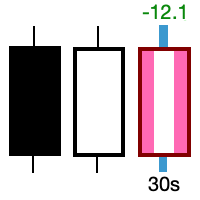
Take control of the most important candle on your chart. Customise and supercharge the active candle. "LastCandle" is a unique indicator. There is no other indicator that is so laser-focused on just the active candle. Set different colors and make it stand out from all the other candles. (This makes sure you never mistake an active candle from a closed one. Even if this happens once it could save you the cost of the software.) When you zoom out, you get a super-sized version of the candle so y

This is the HFT Flame Ea....This is a complex Expert Advisor that basically pick trades from price movements, it is also a none-martingale mechanism with netting strategy that makes this Ea more interested and profitable throughout your trading journey. The HFT Flame EA can be super consistent on profits depending on the inputs selected for your style of trading. This is a hand free trading robot that can trade your way to success while you are away from the charts, another perfect advantage abo

Советник GRat_OrderExport экспортирует совершаемые в терминале MT4 сделки (все или выборочно, ручные или любого другого советника), которые в дальнейшем можно импортировать : в инструмент GRat_BinanceImport или GRat_BybitImport или GRat_Crypto для копирования сделок на криптобиржу.
с помощью библиотеки GRat Order Exchange (в частности советником GRat_OrderImport) с целью копирования сделок в терминал MT5; с помощью GRat_OrderImport (MT4) с целью копирования сделок как в другой терм
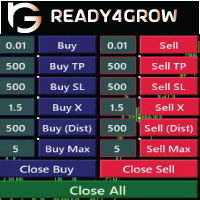
Every time Trader opens a trade, he must know the profit and risk of the trade he made, so that he can determine the risk and profit opportunity he will get. Determining this calculation manually can be quite troublesome, especially if it has a lot of open trade to do. Ready4grow Trading Panel is a utility tool that really helps traders meet those needs. Opening a Market or pending trade, determining lots, pips, price positions, how much USD, and what percentage of risk can be set automatically

Советник GRat_OrderImport импортирует в терминал MT4 на символ своего графика все сделки, которые экспортируют: GRat_IndiTrade - конструктор стратегий для автоматической торговли по ЛЮБЫМ имеющимся индикаторам; GRat_OrderExport (MT5) - ручные сделки или сделки других советников из терминала MT5; GRat_OrderExport (MT4) - ручные сделки или сделки других советников из терминала MT4; с помощью библиотеки GRat Order Exchange . Для начала импорта сделок по требуемому символу достаточно за
MFF FTMO risk management helps to close all orders when the balance falls below the previously set level. Input Parameters: Management Type: Percent % Daily drawdown (MFF). Close all orders if Percent % drawdown based on equity: Set Percent with this Management Type. Management Type : Set Equity Close all (FTMO). Number of Equity to close all orders: Set Number with this Management Type.
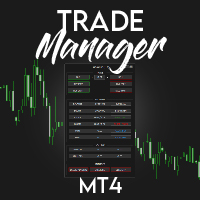
️ Discover the powerful Trade Manager for MetaTrader, a tool that will revolutionize your trading experience in the financial market. This innovative software provides you with efficiency and speed, allowing you to execute all your trades quickly and visually.
️ With just a click of a button, the Trade Manager creates three strategic lines: a blue line for order placement, a green line for take profit, and a red line for stop loss. These lines offer you a clear focus and enable you to manage
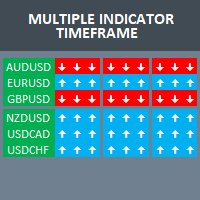
Build your own strategy by using this panel and specify indicator and multiple time frame to display and use in a summary calculation to generate a trade signal. A panel or dashboard that display multiple Indicator in a multiple Time Frame. The user has an option to specify number of Indicator to enable or display on the dashboard. A maximum of 10 indicators can be enabled. Each indicator column can be selected from multiple lists of Indicator type. The user has an option which Time Frame of eac

SmartDash Trader EA This is MT4 Semi Automated EA which trade using BUY, SELL and CLOSE Buttons to executes trade actions. You can use Auto Set SL/TP/Lot of your choice since the EA comes with only 0.01 lot and 0 for TP/SL. Set 10 pips for TP to take advantage of trades. NOTE: THIS EA DOES NOT BACKTEST. ITS BUTTON TRADER EA HOW THE STRATEGIES TO USE THE DASHBOARD TRADER Wait for a weaker or stronger currency means the currency strength meter should show less than 15% for SELL and more than 88% f

Утилита ScriptForOrders предназначена для выставления ордеров с необходимым параметром Magicnumber вручную!
Ордера, открытые вручную, имеют Magicnumber = 0. Советники часто открывают ордера с параметром Magicnumber, отличным от нуля. Это сделано для того, чтобы советник мог отличать свои ордера от чужих или применять разные алгоритмы управления к разным ордерам.
Рано или поздно у трейдера возникает ситуация, когда ему необходимо вмешаться в работу советника и выставить ордер вручную (рынок ме

請點選copyright link跳轉至官方網站觀看詳細說明 https://www.ainstein.com.tw/
由AInstein研發團隊獨立開發的全方位交易整合軟體,並獲得經濟部核可「智能交易系統軟體」智產權專利,提供協助交易者最專業的交易資訊軟體與諮詢服務。 由AInstein研發團隊獨立開發的獨創外匯智能交易系統,並持有經濟部智慧財產局頒發的專利證書新型第M598465號—智能交易系統,讓交易者能以玩遊戲的形式,輕鬆愉快地進行交易。 提供官方專屬的合作券商平台優惠方案,並依據個別需求,提供客製化策略方案設計及諮詢服務。 提供同業與異業間彼此推廣的商業合作策略方案設計及諮詢服務。 提供專業的客製化EA代寫,協助有策略但非程式專長的交易者,也能有專屬的量化交易工具。 提供與券商間互惠互利的合作,以及代理技術客製化培訓課程,協助代理專業交易知識與技術的提升。

The main purpose of this expert advisor is to protect your hardly gained profits. Once the market goes in your favor, with amount of specified pips [configured via EA inputs], the EA will do the following: Move the Stop-loss of the profitable positions to Breakeven. Lock in some profits, i.e put the SL above/below your entry with specified pips Will close part of position, % of lots, once the EA was triggered. By default, the "Move to Breakeven EA" will modify all opened positions on the termi

This EA is fully automated , it is built based on the method of catching the pop-up Alert event and forwarding them to Telegram Channel/Group.
Parameters of the EA: -------- <EA Settings> -------- Magic Number: The identifying (magic) number of the currently selected order. Bot name: Name of the Expert Advisor. Allow forward Alert: Enable/ Disable Forward Alert. Do not send messages after the current time (seconds) .
Number of rows to read from list (>= 4...| affect processing speed).
--

Fund Shield – Менеджер торговых циклов Обзор Fund Shield — это советник (Expert Advisor) для MetaTrader 4, предназначенный для мониторинга рисков и управления торговыми циклами. Он помогает отслеживать эквити счёта, контролировать дневную просадку, задавать целевые значения прибыли и предельную просадку для каждого торгового цикла, а также вести историю завершённых циклов. Советник предназначен для совместной работы с ручной торговлей или другими торговыми системами. Он не генерирует торговые си

This EA is been tested on difference Prop firm including FTMO, MFF, TFF, Funding Next and E8. The main focus of this EA is to provide you Risk Management, Trade Management. It can calculate lot size for you in any market to make sure fix % risk per trade. It has a partially close and brake even line you can place on the screen. When the line is hit, EA will partially close the position can move the SL to entry to provide you a guarantee profit. One EA can trade all symbol. Is a Prop Firm tr

Утилита позволяет получать в установленное пользователем время сведения о балансе, эквити и прибыли/убытке с начала дня на торговом счете.
Вам больше не нужно постоянно смотреть на ваш VPS или компьютер.
Сообщения будут приходить на электронную почту или в виде push-уведомлений на ваш телефон в мобильную версию терминала.
Поместите советник на любой график H1.
Перед использованием настройте параметры вашего MetaTrader 4 для отправки сообщений.
Параметры Send test notification - true/fals
FREE

这是一个简易的下单功能面板 不仅可以开市价多单和市价空单 当设置好止盈止损点数 就可以点击按钮开仓 除了市价单还可以挂限价多单和限价空单及突破多单和突破空单 认为不需要挂单的时候可以点击删除挂单按钮 。 面板还带有平仓多单和平仓空单及平仓后开反向单功能, 在面板的最上面有退出面板和隐藏面板功能。 在面板里边有参数输入功能:下单量、止损点数、止盈点数、多单挂单位置、空单挂单位置。 该面板是挂在什么货币对就执行当前图表上货币对下单功能,设置有订单识别码 也可以相同的图标货币对上挂2个以上的面板下单功能互不影响。 该面板显示在图标的右边角落,不会挡住当前行情方便操作。当前是最新版本 以后在运行当中会不断升级完善做到精益求精,给使用者带来良好的体验。
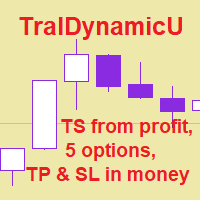
Утилита для управления открытыми позициями может работать со стопами (тейк профит и стоп лосс) в деньгах, в процентах или по пунктам. Встроенный трейлинг стоп начинает работать от прибыли, размер которой можно установить в валюте или в процентах.Трейлинг стоп может работать в трех режимах и по пяти инструментам. С помощью встроенного симулятора торговли, вы можете проверить, как работает утилита в тестере стратегий. Преимущества установка стоп лосса и тейк профита в валюте депозита, в процентах

The Spread Monitor indicator is designed to instantly show the seprads of currency pairs. Spreads of all pairs appear at the bottom of the screen as oscillators. The indicator has a spread level parameter. When you enter a value in this parameter, the ones below that value are displayed in green and the ones above it in red. The spreads of 28 pairs appear on the indicator. Note: It does not work in test mode. In test mode, spreads show 0. Works in live mode To View Our Other Products Go to the

Утилита для управления открытыми позициями и отложенными ордерами. Встроенный трейлинг стоп имеет пять режимов и семь инструментов. Есть виртуальный стоп лосс и виртуальный тейк профит, которые можно свободно передвигать по графику. С помощью встроенного симулятора торговли, вы можете проверить, как работает советник в тестере стратегий. Подробное руководство к советнику UTralVirtual можно найти в разделе "Обсуждение". Преимущества 5 режимов трейлинг стопа: виртуальный, обычный, общий, по проце
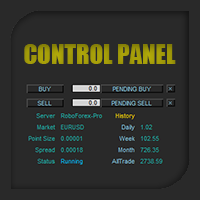
Control Panel mette a disposizione una semplificata ed avanzata gestione dedicata per ogni singolo mercato Forex, CFD, Materie Prime, Indici Azionari, Metalli Preziosi, Prodotti Energetici, Azioni & Crypto Valute, dal trade pad si posso aprire posizioni e ordini pendenti, visualizzare tutti i dati relativi alla quantità delle posizioni Buy, Sell e di tutti i trade oltre alla quantità espressa in lotti anche per i posizionamenti hedge indicando il valore espresso in lotti relativo all’esposizion
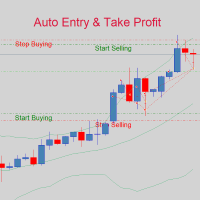
If you are good at market analysis this Semi-automatic EA will help you to manage trade for entry and take profit as you analyzed You job is set the zone for buying or selling by moving the lines on MT4 chart
For Supply and Demand Strategy - Support & Resistance System.. Buy low sell high from potential reversal point For this tool you only need to set the Market zone for buy or sell Start lots should be small for low drawdown for 0.01 standard lots for each $200 or more Default setting is for t

Pip Counter Indicator Point This Panel is a great tool for Traders who open multiple orders and want to have detailed control of their operations, as well as traders who want to see the pips obtained at the end of their Trading session. This Panel reports on the buy and sell orders you have open, the pips traveled, pips generated and distance from the Stop Loss Long: Indicates the number of open buy orders. Short: Indicates the number of open sell orders. PIPS Counter: Indicates the real-time

Prop Manager allows you to automatically close trades once the max daily loss or profit target is reached so it's designed for the control and management of PROP FIRM ACCOUNT , but also live accounts.
Prop Manager will allow you to manage prop accounts with maximum security, whether you want to do manual trading or algorithmic trading.
It was created for people who want to be sure that their trading does not run into daily drawdown or total drawdown problems. The user is left with complete fr

Советник XLT Alert EA определяет долгосрочный тренд и выдает предупреждения о возможных сделках. Советник показывает только алерты, но дальше трейдер может решить открывать ордер или ждать лучшего сигнала. Информационное окно «Управление торговлей» показывает направление месячного тренда, советник отправляет оповещение только тогда, когда сигнал соответствует тренду. Управление торговлей обеспечивает легкий доступ к кнопкам «Купить» и «Продать», а также к кнопке «Закрыть ордер».

Hide TP and SL from your broker. Set Use_TP_SL_Stealth_Mode to true to hide your TP or SL from the brokers. Stealth Trailing now avalable in updated version. Set Use_Stealth_Trailing to true for profit trailing without your broker knowing. This EA can be used on any currency pair and will manage your open orders. Besides the stealth mode EA can also be used for normal order management where actual TP SL levels can be set. Also the EA can trail order by adjusting the Stoploss price.
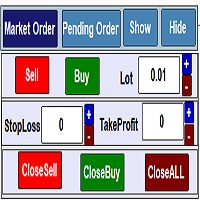
Trading Panel for managing orders in one click ... for MetaTrader 4 . Market Order : Open Order Sell . Open Order Buy . Set Lot orders . Set stop loss, Take profit orders on the chart. closing all Sell positions. closing all Buy positions. closing all positions. Open Pending Order : Calculating pips on the chart Sell limt . Sell Stop . Delet Sell limt. Delet SellStop . Buy limt . Buy Stop . Delet Buy limt . Delet Buy Stop . Delet All ,Sell limt,Sell Stop,Buy limt,Buy Stop . Work in the back t
This trading tool automatically applies stop loss, take profit, and breakeven levels to trades that are opened manually or with a specific magic number or comment. The stop loss is set in pips, and the take profit and breakeven levels are calculated as a multiple of the stop loss. This helps traders to manage their risk and protect their profits. Additionally, the tool also watches for the breakeven point, allowing traders to move their stop loss to break even once a certain level of profit has
MetaTrader Маркет предлагает каждому разработчику торговых программ простую и удобную площадку для их продажи.
Мы поможем вам с оформлением и подскажем, как подготовить описание продукта для Маркета. Все продаваемые через Маркет программы защищаются дополнительным шифрованием и могут запускаться только на компьютере покупателя. Незаконное копирование исключено.

Вы упускаете торговые возможности:
- Бесплатные приложения для трейдинга
- 8 000+ сигналов для копирования
- Экономические новости для анализа финансовых рынков
Регистрация
Вход
Вы принимаете политику сайта и условия использования
Если у вас нет учетной записи, зарегистрируйтесь